
ASUS ROG Strix G16 (2025)
4.4Editor score
Intel Core i7 14650HX
NVIDIA RTX 5060 GPU
165Hz FHD+ Display
This comprehensive guide compares the top ASUS ROG Strix Laptop models for gaming and creativity, highlighting performance, display quality, and cooling
The ASUS ROG Strix Laptop lineup offers powerful hardware for gamers and creators who demand high performance and reliable thermals in a portable chassis suitable for daily workloads.
We evaluated each model based on processor speed, GPU capability, display refresh rates, and cooling efficiency to ensure this list reflects the most capable systems available right now.
Each pick highlights key strengths and trade-offs so you can match a laptop to your needs, but keep in mind that prices and stock levels change frequently online.
4.4Editor score

4.3Editor score

4.3Editor score
This table provides a side-by-side overview of the leading models, focusing on core specifications like processors, graphics cards, and screen types to simplify your decision process.



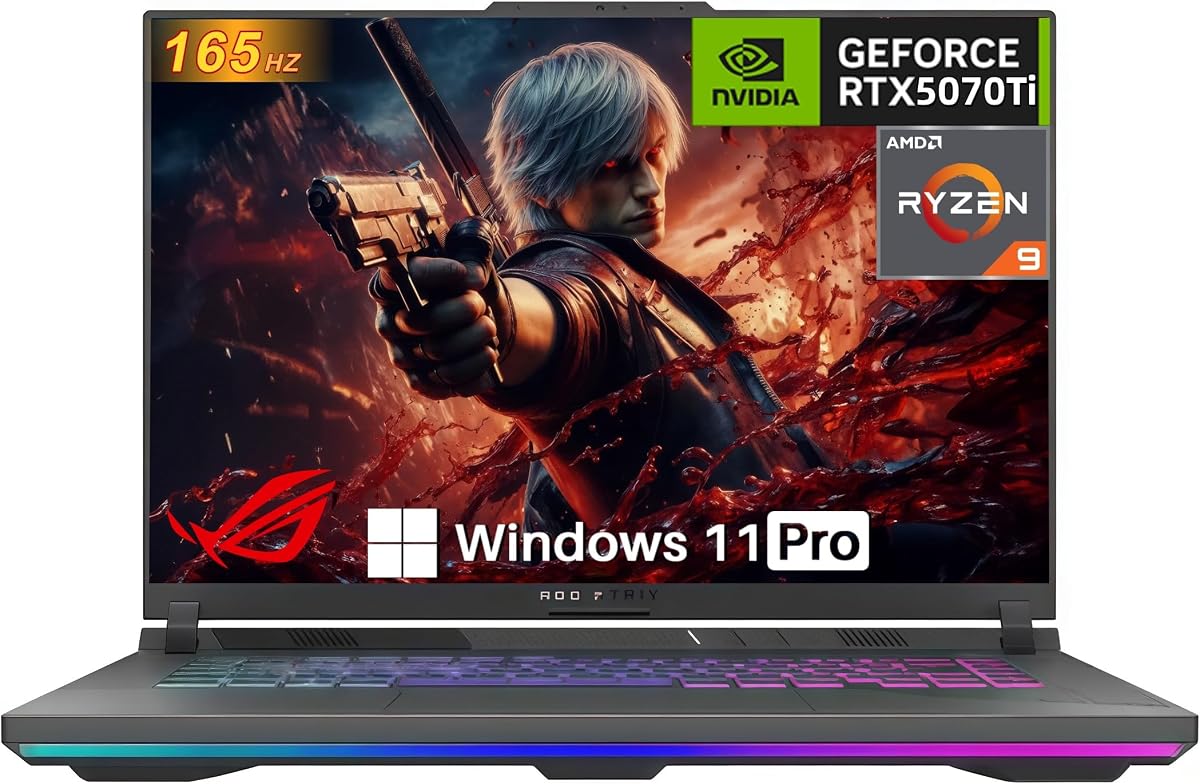

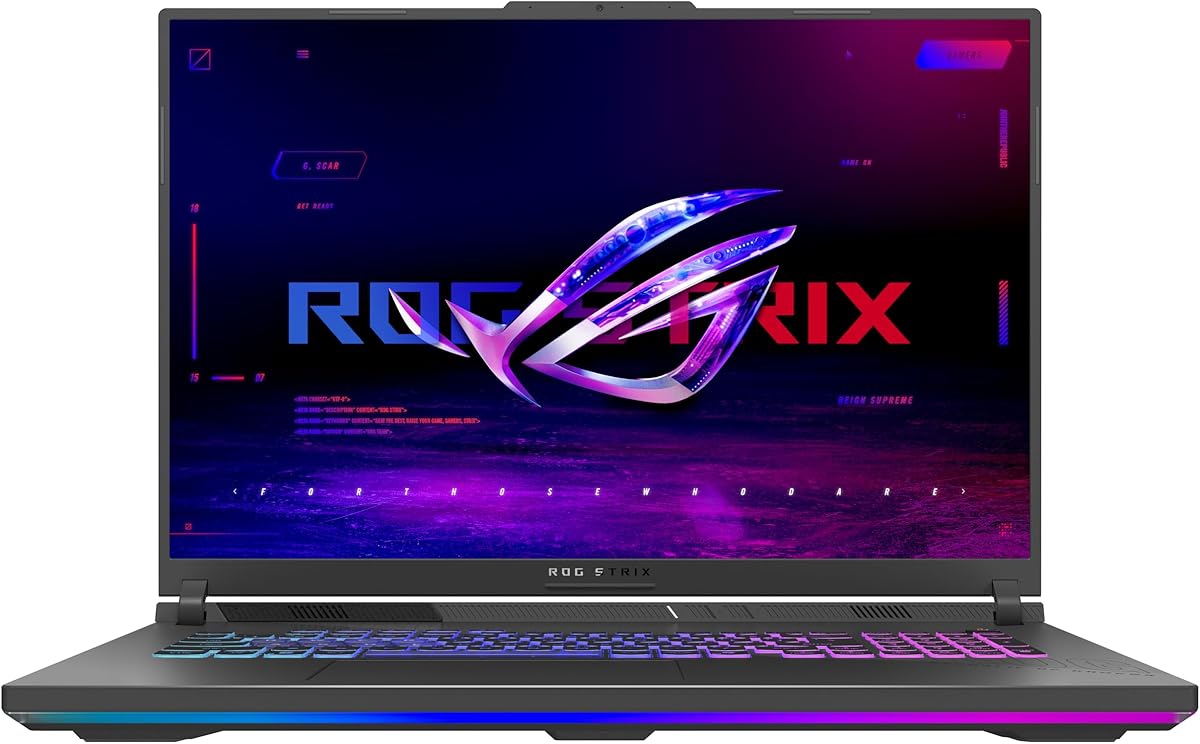
The ASUS ROG Strix G16 (2025) is a compelling choice for gamers seeking high performance without overspending, earning a solid 4.4 rating from users.
We may earn a commission when you buy through this link, at no additional cost to you.
It features an Intel Core i7 processor and RTX 5060 GPU, which handle modern titles well, while the 165Hz display ensures smooth visuals for competitive play.
While the screen resolution is standard, the high refresh rate and low response time make up for it, keeping motion clear and responsive during intense sessions.
This model is ideal for budget-conscious buyers who still want a premium ROG cooling solution and reliable daily performance for both work and entertainment.
ROG Intelligent Cooling with vapor chambers keeps the system quiet and efficient during long gaming sessions or heavy rendering tasks.
The 16-inch FHD+ screen offers a 16:10 aspect ratio for more vertical space, perfect for productivity alongside gaming.
We may earn a commission when you buy through this link, at no additional cost to you.
This model stands out as our top pick due to its balance of cutting-edge specs and usability, making it a versatile tool for demanding tasks.
We may earn a commission when you buy through this link, at no additional cost to you.
The Intel Core Ultra 9 processor paired with the RTX 5070 Ti delivers top-tier performance, while the 2.5K Nebula display offers vibrant colors and sharp details.
Thirty-two gigabytes of RAM ensures smooth multitasking even with heavy applications running, and the cooling system keeps noise levels manageable under load.
Buyers who prioritize visual fidelity and raw power will find this laptop worth the investment, especially for content creation and high-end gaming.
The Nebula display features Dolby Vision HDR and ACR film for better contrast, reducing glare in bright environments.
Wi-Fi 7 ensures stable, fast internet connections for online gaming and large file transfers without latency issues.
We may earn a commission when you buy through this link, at no additional cost to you.
For those seeking the ultimate desktop replacement, this Scar model provides a huge 18-inch HDR display and robust internal components in a premium chassis.
We may earn a commission when you buy through this link, at no additional cost to you.
The Mini LED panel with over 2000 dimming zones delivers incredible contrast and brightness, making HDR content look stunning and games truly immersive.
Features like the MUX Switch allow users to gain a performance boost by bypassing the integrated GPU for pure raw speed when plugged in.
This laptop suits power users who need maximum screen real estate and top-tier specs for professional workflows or immersive gaming experiences at home.
The 100% DCI-P3 color gamut and HDR support ensure accurate and vibrant colors for creative professionals and gamers alike.
Tool-free access to RAM and SSD makes future upgrades easy, allowing you to extend the laptop's lifespan without professional help.
We may earn a commission when you buy through this link, at no additional cost to you.
This configuration highlights how a high-end CPU can still deliver excellent multitasking even when paired with a mid-range GPU for casual gaming.
We may earn a commission when you buy through this link, at no additional cost to you.
The Nebula display with Dolby Vision brings out richer colors and brighter highlights, enhancing the experience across movies and games significantly.
While 16GB of RAM is standard, the rapid processing speeds help maintain responsiveness, and the RGB lightbar allows for personal style expression.
It is a smart pick for users who prioritize general computing power and screen quality over heavy graphics rendering tasks.
The combination of a high refresh rate and HDR support ensures that both static images and moving visuals look crisp and clear.
Liquid metal on the chipset helps dissipate heat efficiently, keeping the system running cool even under continuous heavy use.
We may earn a commission when you buy through this link, at no additional cost to you.
This model showcases AMD's latest Ryzen 9 processor, which provides exceptional multi-core performance for both gaming and productivity workloads.
We may earn a commission when you buy through this link, at no additional cost to you.
The RTX 5070 GPU is well matched to the CPU, ensuring that modern games run smoothly without bottlenecking issues during intense sessions.
The MUX Switch feature allows for optimized performance by routing frames directly from the discrete GPU, giving a slight boost to frame rates.
Users looking for raw processing power from AMD should consider this option, especially if they plan to use the laptop for complex rendering tasks.
The new architecture brings improved power efficiency, helping to balance performance with battery life better than previous generations.
A full-width heatsink and full-surround vents work together to move heat away from critical components quickly and quietly.
We may earn a commission when you buy through this link, at no additional cost to you.
This specific configuration stands out for its high total graphics power, which enables the GPU to run closer to its maximum potential performance.
We may earn a commission when you buy through this link, at no additional cost to you.
With 32GB of RAM, users can comfortably run heavy applications alongside demanding games without worrying about memory limitations slowing down the system.
The 140W TGP ensures that the graphics card is not throttled, delivering smooth frame rates in modern AAA titles consistently.
Buyers who prioritize frame stability and raw graphical power will appreciate this model's robust hardware setup and positive user feedback.
The higher wattage allows for better ray tracing capabilities and overall rendering speed in supported applications and games.
Including a dedicated Ethernet port ensures stable wired connections, which is crucial for competitive online gaming.
We may earn a commission when you buy through this link, at no additional cost to you.
One of the standout features of this unit is its tool-free access design, which allows users to upgrade RAM and storage without removing screws.
We may earn a commission when you buy through this link, at no additional cost to you.
The high user rating reflects satisfaction with its performance, build quality, and the convenience offered by its serviceable internal design.
Future-proof PCIe Gen 5-ready slots mean you can upgrade your storage later as needed, extending the device's useful life significantly.
This model appeals to users who value long-term maintainability and the ability to customize their hardware easily after purchase.
The removable frame protects other hardware while providing deeper access for advanced users who want to tweak their cooling or fans.
The RTX 5070 Ti delivers solid 1440p performance, making it suitable for high refresh rate gaming at moderate settings.
We may earn a commission when you buy through this link, at no additional cost to you.
This model targets enthusiasts who demand the absolute best, featuring the top-tier RTX 5080 GPU for unmatched graphical performance in gaming.
We may earn a commission when you buy through this link, at no additional cost to you.
The display reaches up to 300Hz in some configurations, ensuring that competitive gamers get the fastest response times possible on the market.
Combined with Wi-Fi 7 and advanced cooling, it represents a forward-looking design meant to handle years of demanding workloads without slowing down.
Buyers looking for a no-compromise machine will find this model delivers premium features across all critical performance categories.
The RTX 5080 enables ray tracing and AI upscaling features that deliver stunning visuals and high frame rates simultaneously.
Advanced glare reduction films keep the screen clear even in bright rooms, maintaining high contrast and color vibrancy.
We may earn a commission when you buy through this link, at no additional cost to you.
This variant offers a substantial 2TB of storage, which is a major plus for users with large game libraries and media files to manage daily.
We may earn a commission when you buy through this link, at no additional cost to you.
The inclusion of Windows 11 Pro adds professional features like BitLocker encryption, making it suitable for business environments as well as gaming.
With 32GB of RAM, the system handles heavy workloads smoothly, ensuring that multitasking remains fluid even with multiple applications open.
It is an excellent option for those who want plenty of space out of the box without needing to upgrade storage immediately after purchase.
Two terabytes of SSD space means faster load times and no need to worry about running out of room for large games.
Windows 11 Pro provides enhanced security and management tools that are beneficial for professional workflows.
We may earn a commission when you buy through this link, at no additional cost to you.
The G18 provides a large 18-inch screen that is perfect for those who want more visibility without jumping into a desktop setup entirely.
We may earn a commission when you buy through this link, at no additional cost to you.
While the GPU is entry-level, the Ryzen 9 processor ensures that general computing and light gaming tasks are still handled with confidence and speed.
It is a great option for users who want a portable workstation for content creation or media consumption on a reasonable budget.
This model is best suited for students or casual gamers who value screen size over raw graphical performance.
The extra inch over the standard 17-inch size adds noticeable viewing area for multitasking and video editing.
The processor helps maintain good battery life for a laptop of this size, making it viable for daily portable use.
We may earn a commission when you buy through this link, at no additional cost to you.
Selecting the right ROG Strix laptop involves balancing processor power, graphics capability, and display quality to match your specific workload needs.
Look for Intel Core Ultra or AMD Ryzen 9 series to ensure high core counts and fast clock speeds for multitasking and rendering.
Choosing a powerful CPU ensures that your system remains responsive even when running background tasks alongside gaming.
RTX 5070 or 5080 models offer better ray tracing and frame rates, while 5050 or 5060 are sufficient for casual gaming.
Match the GPU tier to your resolution goals; 1080p needs less power than 4K or high refresh rate targets.
Prioritize high refresh rates like 144Hz or 240Hz for smooth motion, and consider Nebula displays for better HDR and color accuracy.
A 16:10 aspect ratio gives you more vertical space for productivity work compared to standard screens.
Aim for at least 16GB of DDR5 RAM to handle modern applications, but 32GB is better for future-proofing.
PCIe Gen 4 SSDs provide fast load times, and models with 1TB or more help avoid frequent storage management.
ROG Intelligent Cooling with vapor chambers and liquid metal helps maintain high performance without excessive fan noise.
A good thermal design ensures that the laptop does not throttle during long gaming sessions or heavy workloads.
Consider the weight and dimensions if you plan to carry the laptop often, as larger screens add significant bulk.
Larger models like the G18 offer more screen but are less portable than the 16-inch versions.
Wi-Fi 7 support ensures faster and more stable internet connections for online gaming and file transfers.
Check for enough ports like USB-C and HDMI to connect your peripherals without needing too many adapters.
Models with tool-free access allow you to upgrade RAM and storage later, extending the device's lifespan.
Future-proof SSD slots mean you can expand storage capacity without replacing the entire laptop.
Regularly update your drivers and BIOS through the MyASUS app to ensure optimal performance and security.
Use the included Armoury Crate software to customize fan profiles and performance modes based on your current tasks.
Clean the vents and screen with compressed air and a microfiber cloth to maintain airflow and display clarity.
Yes, especially models with 32GB RAM and high-end CPUs like the Ultra 9 or Ryzen 9. The dedicated GPUs also accelerate rendering in software like Premiere Pro.
Most models support RAM upgrades. Look for tool-free access designs if you want to upgrade without a screwdriver, as some newer chassis make this easier.
Gaming laptops typically last 4 to 6 hours for light tasks like web browsing. Advanced Optimus helps by switching between GPUs to save power.
Yes, most models include HDMI 2.1 and USB-C ports that support external displays. The MUX Switch can optimize performance when connected to external screens.
The ROG keyboards are comfortable with good travel and per-key RGB. They are durable enough for long typing and gaming sessions alike.
They come with Windows 11 Home or Pro. You also get Armoury Crate for system management and a free trial of Game Pass on some models.
Whether you need budget performance or premium graphics, the ROG Strix lineup offers a model that fits your needs and preferences effectively.
Prioritize the display quality and cooling system to ensure you get the best long-term experience without overheating or eye strain.
Remember to check current stock and deals before buying as prices fluctuate often to help you find the best value today.