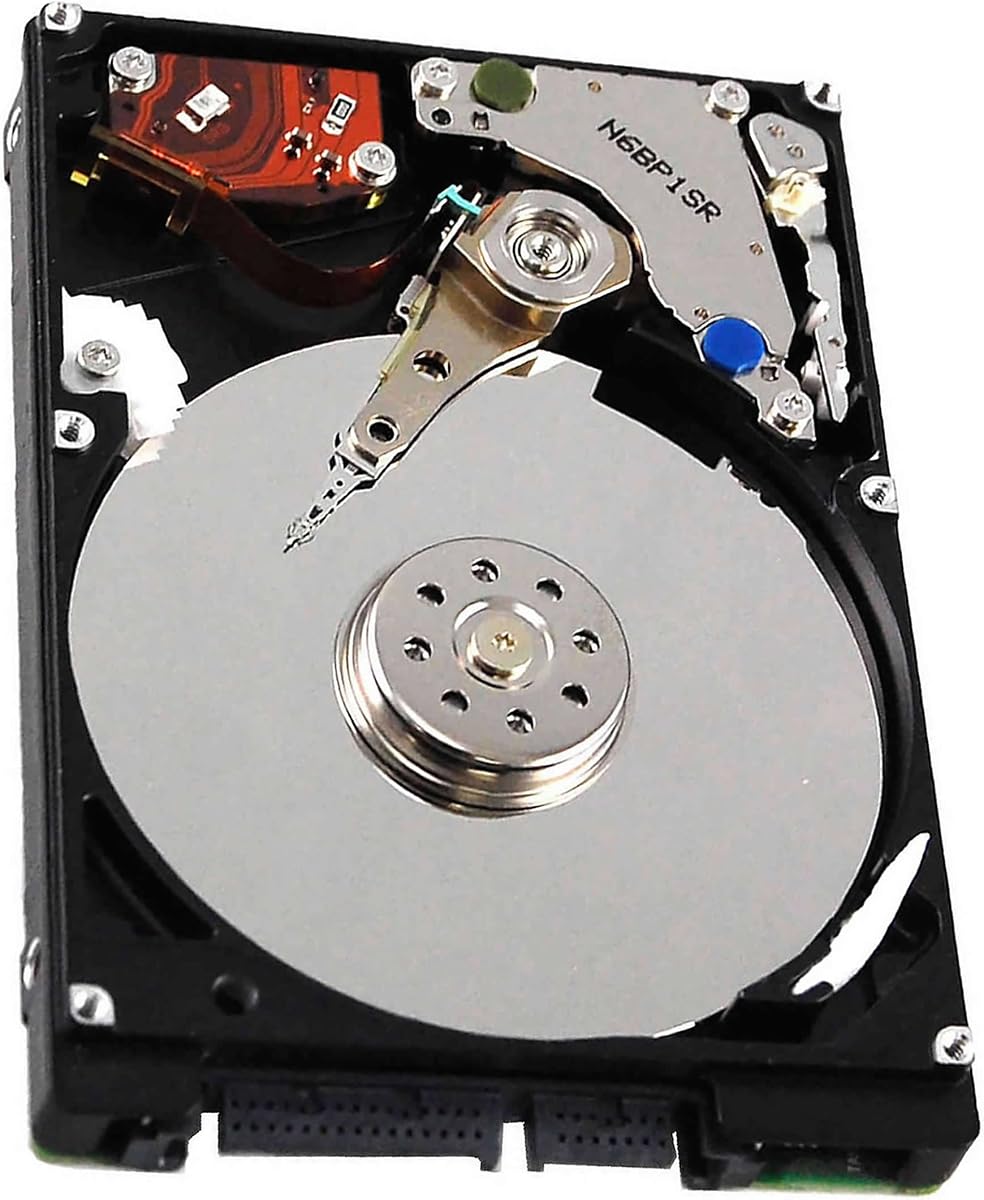
Seagate Momentus 5400 320GB
4.3Editor score
320GB capacity
G-Force protection
Low power consumption
Choosing the right storage solution is critical for modern computing needs. A 5400 Rpm HDD Hard Drive offers a sweet spot between performance and power efficiency. These drives are ideal for users who prioritize quiet operation and lower heat generation over raw speed.
We evaluated ten leading models based on reliability, capacity, cache size, and intended use cases. Our analysis covers desktop towers, laptops, and network attached storage systems. Each product was selected for its proven track record and specific optimization for different environments.
Each pick highlights unique strengths tailored to specific user requirements and budgets. You will find options ranging from compact laptop drives to high capacity NAS solutions. Please note that prices fluctuate frequently so verify current rates before purchasing.
4.3Editor score

4.7Editor score

4.5Editor score
As an Amazon Associate we earn from qualifying purchases.
This side by side comparison details the key specifications and use cases for each of the ten selected drives to help you make an informed decision.


The Seagate BarraCuda 2TB drive stands out as a versatile option for users needing significant storage in a small footprint. With a high user rating it demonstrates consistent performance across various desktop and laptop scenarios. Its 5400 RPM speed ensures quiet and cool operation ideal for home offices.
We may earn a commission when you buy through this link, at no additional cost to you.
This drive offers a generous 2TB capacity in a 2.5 inch form factor which is rare for this speed class. The 128MB cache helps manage data flow efficiently reducing latency during file access. It is built on proven technology backed by two decades of innovation ensuring long term reliability.
While it is not the fastest drive available the trade off is lower heat and noise levels which benefits sensitive environments. The 5400 RPM speed is sufficient for media storage and general computing tasks where raw speed is less critical than capacity and silence.
Buyers seeking a reliable upgrade for laptops or small form factor desktops should consider this model highly. It balances capacity and efficiency well making it a top choice for everyday storage needs without compromising on physical space constraints.
The 2.5 inch form factor allows installation in laptops or compact desktop cases where 3.5 inch drives cannot fit.
Running at 5400 RPM reduces power draw and heat generation extending battery life in mobile devices.
We may earn a commission when you buy through this link, at no additional cost to you.
For users needing massive storage without resorting to external solutions this 6TB drive delivers ample space for media libraries and backups. Its 256MB cache is larger than many competitors which aids in handling large file transfers. The drive maintains the trusted BarraCuda lineage known for reliability.
We may earn a commission when you buy through this link, at no additional cost to you.
The 3.5 inch form factor ensures it fits standard desktop cases while providing significant capacity. It is designed to handle the demands of everyday computing from photo editing to gaming. The included two year limited warranty adds peace of mind for long term storage planning.
While larger drives often generate more heat this model manages power efficiently for its class. The 5400 RPM speed prioritizes longevity and silence over raw burst speeds. This makes it ideal for users who value quiet operation and high capacity over gaming performance.
Anyone looking to expand their desktop storage footprint should find this drive meets their needs effectively. It offers a cost effective way to store large volumes of data while maintaining the reliability expected from a major brand manufacturer.
Holding up to 6TB this drive accommodates extensive media collections and project files without needing multiple drives.
The 256MB cache improves data throughput efficiency helping smooth out performance during heavy read write tasks.
We may earn a commission when you buy through this link, at no additional cost to you.
This drive bridges the gap between massive capacity and portable size making it a unique offering in the market. Users can store nearly five terabytes of data in a 2.5 inch enclosure. It is ideal for those who need to move large datasets between workstations regularly.
We may earn a commission when you buy through this link, at no additional cost to you.
The 128MB cache ensures smooth data handling despite the compact design. It maintains the reliability standards of the BarraCuda series. The 5400 RPM speed keeps power consumption reasonable which is vital for mobile use cases and energy conscious setups.
While 2.5 inch 5TB drives are less common they offer distinct advantages for specific workflows. The size allows for easy integration into various systems without sacrificing much storage space. It is a specialized tool for users prioritizing portability alongside high capacity.
Professionals working with large files on the go will appreciate the balance this drive offers. It combines the durability expected from a major brand with the flexibility needed for modern mobile computing environments effectively.
The 2.5 inch design fits easily in laptops while providing 5TB of storage usually reserved for larger desktop drives.
128MB cache optimizes data transfer rates ensuring quick access to large files even on slower RPM speeds.
We may earn a commission when you buy through this link, at no additional cost to you.
Designed specifically for laptop PC and gaming systems this drive focuses on efficiency and durability. The low power profile helps optimize battery life significantly during mobile usage. Built in shock sensors protect data during transit making it robust for everyday carry.
We may earn a commission when you buy through this link, at no additional cost to you.
Advanced Format technology delivers drive efficiency and reliability for long term use. The 128MB cache ensures smooth operation during multitasking scenarios. It is a straightforward upgrade for those replacing older drives in existing laptops without needing extra drivers.
The 9.5mm height ensures compatibility with most standard laptop drive bays. Toshiba cache technology improves real time performance for everyday tasks. While it is an OEM drive the quality matches retail versions ensuring consistent performance over time.
Users looking to extend their laptop's storage or replace a failing drive should consider this model. Its focus on low power and shock resistance makes it an excellent choice for mobile environments where reliability is paramount.
Low power profile design extends battery life by reducing energy consumption during active and idle states.
Built in shock sensors and ramp loading technology protect data integrity during movement and transport.
We may earn a commission when you buy through this link, at no additional cost to you.
This mobile internal hard drive is the go to upgrade for on the go computing thanks to big capacity in a small form factor. It allows users to tackle projects and multitask like a pro with a wide range of available capacities. The specialized caching technology optimizes data flow for faster loading times.
We may earn a commission when you buy through this link, at no additional cost to you.
Designed for reliability it supports portable hard drive technology backed by twenty years of innovation. The two year limited warranty offers additional protection for your investment. It is ideal for students or professionals who need substantial storage in a lightweight package.
While it is not as fast as a solid state drive the 5400 RPM speed keeps noise and heat low. This makes it perfect for laptops used in quiet environments where a fan might be distracting. The compact size ensures it fits easily into tight laptop compartments.
Anyone needing to upgrade a laptop with limited internal storage should find this model highly effective. It provides a balance of capacity portability and reliability that is hard to match in the mobile computing market.
Caching technology optimizes data flow to improve loading times and multitasking efficiency.
Includes a two year limited warranty ensuring long term peace of mind for mobile users.
We may earn a commission when you buy through this link, at no additional cost to you.
This Western Digital factory renewed drive offers a sustainable choice for users looking to reduce e waste. Each unit is recertified to meet quality standards ensuring it performs like new. The zero power on hours metric indicates a drive that has been reset and is ready for use.
We may earn a commission when you buy through this link, at no additional cost to you.
With 256MB cache and 5400 RPM class speed it handles everyday computing tasks efficiently. It is a great fit for media centers or home servers where cost efficiency matters. The brand reputation ensures that even renewed units maintain high reliability standards.
While it is not a fresh factory seal drive the certification process provides confidence in its performance. Users can save money compared to new units while getting similar specs. It is ideal for budget conscious buyers who want a reliable WD drive without premium pricing.
Anyone looking for an affordable 2TB desktop upgrade should consider this renewed option. It provides the stability of a known brand with the economic benefits of sustainable computing practices.
Factory renewed drives reduce e waste while providing reliable performance at a lower cost.
Zero power on hours guarantee that the drive is effectively new and ready for full usage.
We may earn a commission when you buy through this link, at no additional cost to you.
This drive is designed for users with older laptops or specific industrial applications where cost is critical. The G-Force Protection feature adds robustness in mobile environments. It can withstand significant nonoperating shock making it ideal for rugged usage scenarios.
We may earn a commission when you buy through this link, at no additional cost to you.
With 320GB capacity it is perfect for lightweight systems that do not need massive storage. The 5400 RPM spin speed keeps it cool and efficient. It remains a viable option for legacy systems where replacing a drive is necessary without breaking the bank.
While capacity is limited compared to modern drives the reliability remains high. The rugged design enables mobility in tough operating environments. It is a practical choice for specialized use cases rather than general consumer needs.
Buyers with legacy hardware or tight budgets will find this drive meets their basic storage needs. Its focus on durability and low cost makes it a solid backup option for specific technical requirements.
High shock tolerance enables reliable operation in mobile and industrial environments.
Affordable price point makes it accessible for budget projects or legacy hardware upgrades.
We may earn a commission when you buy through this link, at no additional cost to you.
IronWolf drives are ideal for multi user NAS environments craving powerhouse performance. This 4TB model delivers ultra high capacity and reliability for RAID configurations. It is purpose built for NAS enclosures to minimize wear and tear over time.
We may earn a commission when you buy through this link, at no additional cost to you.
The integrated IronWolf Health Management system allows easy monitoring of drive health. It reduces lags and down time ensuring file sharing performance remains high. The three year limited warranty plus Rescue Data Recovery Services provide extensive protection for critical data.
While it costs more than a standard desktop drive the specialized features justify the price for servers. The 5400 RPM speed prioritizes stability and endurance over raw burst speeds. It is built to run continuously without overheating or failing prematurely.
Home users setting up a media server or backup system should prioritize this model. Its design ensures data integrity and long term reliability which is essential for networked storage applications.
Purpose built for NAS enclosures to reduce noise vibration and increase reliability in multi drive setups.
Includes three year Rescue Data Recovery Services to protect critical data against unexpected loss.
We may earn a commission when you buy through this link, at no additional cost to you.
This drive builds a powerhouse gaming computer or desktop setup with a variety of capacities and form factors. It serves as the go to SATA hard drive solution for nearly every PC application from music to video. The frustration free packaging makes installation simpler for home builders.
We may earn a commission when you buy through this link, at no additional cost to you.
With 256MB cache and a max sustained transfer rate of 190 MB/s it handles large files well. The free Seagate DiscWizard software tool allows easy migration and cloning of data from old drives. It offers a balance of performance and ease of use for home users.
While it is not designed for heavy enterprise workloads it excels at personal media storage. The 5400 RPM ensures quiet operation even with large capacity. It is a reliable choice for storing photos videos and games without needing SSD speed.
Anyone building a media center or needing extra desktop storage should consider this drive. It combines proven reliability with user friendly features that simplify the setup process significantly.
Includes free DiscWizard software for seamless data cloning from old drives to new.
256MB cache improves data access times for large file transfers and media streaming.
We may earn a commission when you buy through this link, at no additional cost to you.
Available in capacities ranging from 2TB to 12TB this drive is designed for RAID optimized NAS systems with up to 8 bays. The NASware technology is tuned specifically for network storage environments. It ensures optimal performance and reliability in multi drive configurations.
We may earn a commission when you buy through this link, at no additional cost to you.
Designed for continuous operation it handles 247 uptime requirements effectively. The 5400 RPM speed balances power efficiency with sustained performance. It is backed by world class support and warranty ensuring long term serviceability for home or small business servers.
While it is specialized for NAS it provides unmatched reliability for shared storage. The CMR recording technology ensures data integrity in write heavy workloads. It is a superior choice for users building a home media server or backup solution.
Those setting up a RAID system should prioritize this drive for its stability and support. It delivers the endurance needed for networked environments where data safety is paramount.
Tuned with NASware for stable performance in RAID environments with up to 8 bays.
Built for 247 uptime ensuring reliability for always on home and business servers.
We may earn a commission when you buy through this link, at no additional cost to you.
Selecting the right 5400 Rpm HDD Hard Drive requires understanding how specific factors affect your system's performance and longevity.
Form factor determines physical fit in your device. 3.5 inch drives are standard for desktops while 2.5 inch drives fit laptops. Always check your case dimensions before purchasing.
Ensure the drive size matches your bay to avoid mounting issues and installation hassles.
Capacity dictates how much data you can store. For media libraries larger capacities are essential. For systems files smaller drives suffice.
Choose capacity based on projected data growth to avoid frequent replacements soon.
Cache acts as a buffer for data. Larger caches improve performance during heavy file transfers. Look for at least 128MB cache for balanced speed.
Prioritize larger cache sizes for tasks involving large video files or datasets.
Use case defines drive features. NAS drives offer endurance for 247 operation. Desktop drives balance speed and cost. Laptop drives prioritize low power.
Match the drive category to your primary application for optimal reliability.
Warranty length reflects manufacturer confidence. Two years is standard. Some NAS drives offer three years plus recovery services.
Check warranty terms to ensure coverage matches your usage expectations.
5400 RPM drives typically use less power than 7200 RPM alternatives. This is crucial for laptops and low noise builds. Look for low power profiles.
Prioritize low power models for battery operated or silent systems.
RPM impacts noise levels. Lower RPM means quieter operation. NAS drives often include vibration reduction tech for multi drive enclosures.
Choose quieter drives for office or home environments where sound matters.
Price varies by capacity and type. NAS drives cost more than desktop equivalents. Evaluate cost per terabyte for better value analysis.
Balance budget with features to ensure long term satisfaction.
Install the drive securely in the drive bay using all screws to prevent vibration during operation. Loose screws can cause noise and eventual mechanical failure.
Connect both power and SATA data cables firmly to ensure stable communication. Check cable integrity regularly to avoid data loss during system use.
Regularly monitor drive health using built in tools to detect issues early. Keeping the system ventilated helps maintain cool temperatures which extends lifespan.
5400 RPM means the disk spins at 5400 revolutions per minute. This speed balances quiet operation with reasonable data transfer rates. It is common in laptops and NAS systems.
They are acceptable for storing games but loading times will be slower than SSDs. Use them for bulk storage and keep active games on faster drives.
No laptops typically require 2.5 inch drives due to space constraints. Ensure you buy the correct form factor for your specific device.
Yes modern 2.5 inch drives offer high capacities reliably. They use advanced technology to pack data efficiently while maintaining durability.
Typically they last several years under normal use. Lifespan depends on usage intensity and operating temperature conditions.
NAS optimized drives are tuned for 247 operation and multi drive environments. They handle heat and vibration better than standard desktop drives.
HDDs offer lower cost per terabyte which is great for large media libraries. SSDs are faster but significantly more expensive per gigabyte.
Most drives come preformatted but formatting may be needed based on OS requirements. Always check your system compatibility before installation.
We highlighted top picks from Seagate Toshiba and Western Digital that cover varied storage needs. Each option offers unique strengths for specific user scenarios.
Prioritize reliability and capacity based on whether you are upgrading a laptop or building a NAS. Match features to use cases for best results.
Always check current pricing and availability before finalizing your purchase decision. Deals change frequently so verify the best value at time of buying.