
HP 14 inch Laptop 2027 Edition
4.5Editor score
Intel N150 Processor
14 inch non-touch display
Lightweight 3.24 lb chassis
When you invest in a laptop, you want a machine that lasts. The hinge is a critical component that determines how well your device withstands daily use and how versatile it is. A sturdy hinge ensures your screen stays put whether you are typing, watching videos, or using it as a tablet.
We have carefully selected ten laptops known for their robust build quality and reliable hinge mechanisms. Each model offers a unique balance of performance, portability, and display quality. Our comparison focuses on real-world durability and user satisfaction to help you make an informed decision.
Every product in this list highlights specific strengths like flip-and-fold flexibility or rigid stability. You will see detailed reviews and key specifications for each option. Please note that prices and availability can change frequently so always check current listings before purchasing your next device.
4.5Editor score

4.6Editor score

5.0Editor score
As an Amazon Associate we earn from qualifying purchases.
This side-by-side comparison highlights the key specifications of all ten laptops in our guide. It allows you to quickly see differences in screen size, processor power, and memory to find the perfect match for your needs.
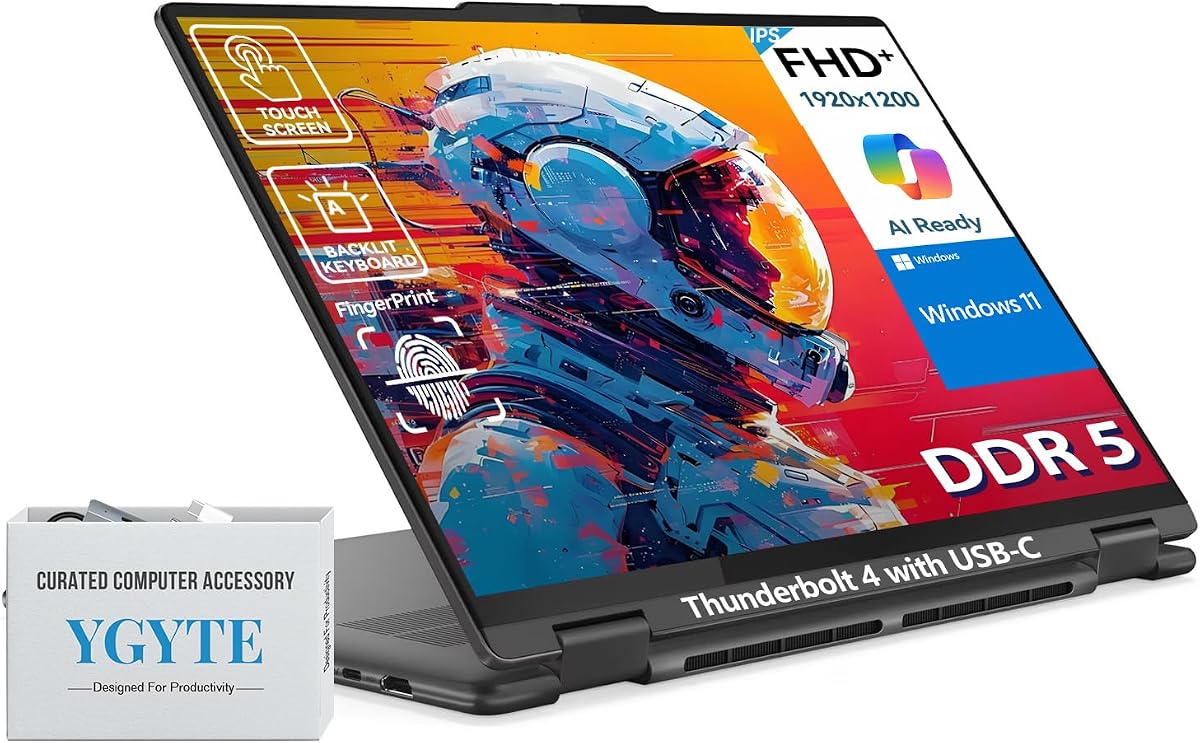


The Lenovo Yoga 7i 2-in-1 Laptop stands out as a top choice for those seeking durability and versatility. Its 360 degree flip and fold design allows you to switch between laptop tablet tent and stand modes with ease. The hinge mechanism is robust ensuring the screen stays secure in any position.
We may earn a commission when you buy through this link, at no additional cost to you.
Performance is excellent thanks to the Core Ultra 7 155U processor which provides smart twelve-core capabilities. The 16 inch 2K touchscreen offers vivid colors and clarity making it ideal for creative work or media consumption. WiFi 6E ensures you stay connected with low latency even in crowded areas.
While the laptop offers great versatility it may feel slightly heavier than ultra light models. The price reflects the premium build quality and advanced features. These trade-offs are acceptable for users who need a reliable all-rounder for work and entertainment.
This device is perfect for students professionals and creators who need a flexible tool. If you value a strong hinge and high performance the Yoga 7i is a highly recommended choice for your next laptop purchase.
The flexible hinge allows you to adapt the laptop to your workflow instantly whether you are typing or watching content.
The Intel Core Ultra 7 processor ensures you can handle demanding tasks efficiently without compromising on battery life.
We may earn a commission when you buy through this link, at no additional cost to you.
The Lenovo Yoga 7i Pro variant delivers exceptional clarity and build quality. Its durable metal chassis and flexible 360 degree hinge ensure it handles daily wear well. This makes it a reliable choice for professionals who move around frequently.
We may earn a commission when you buy through this link, at no additional cost to you.
You get a powerful Intel Core Ultra 7 processor with a built-in AI Boost NPU for seamless workloads. The 16 inch FHD+ touchscreen with reduced blue light offers an immersive viewing experience for long sessions. Connectivity is robust with Wi-Fi 6E and Bluetooth 5.3.
The laptop is designed for efficiency but comes with a premium price tag. The large screen is great for productivity but might be less portable. These factors are balanced by the strong performance and security features included.
Ideal for business users students and creators this model combines speed and responsiveness. The Windows 11 Pro adds enterprise-grade security making it a solid choice for those needing reliability and protection.
The flexible 360 degree hinge allows you to switch modes effortlessly between laptop tablet and tent configurations.
Built-in AI Boost NPU enables seamless handling of video editing and gaming workloads with quiet cooling.
We may earn a commission when you buy through this link, at no additional cost to you.
The HP OmniBook 3 offers a large 17.3 inch display perfect for multitasking and entertainment. Its hinge provides stable support for the larger screen ensuring durability during use. This model focuses on reliable everyday performance for casual users.
We may earn a commission when you buy through this link, at no additional cost to you.
Powered by an AMD Ryzen 3 30 processor it handles web browsing and media smoothly. The AMD Radeon 610M graphics deliver realistic visuals for games and videos. Connectivity is enhanced with Wi-Fi 6 and Bluetooth 5.4.
While the 8 GB RAM might limit heavy multitasking it suits most general tasks well. The larger screen adds weight which might affect portability. These trade-offs are reasonable given the battery life and display quality.
This laptop is ideal for students or home users needing a big screen for content. The advanced AI noise reduction ensures clearer team conversations making it a practical choice for remote work.
The Full HD IPS display offers 178-degree wide-viewing angles for vibrant and clear images.
Enjoy up to 14 hours of battery life with HP Fast Charge restoring 50% in 45 minutes.
We may earn a commission when you buy through this link, at no additional cost to you.
The ASUS Vivobook 14 Flip is a premium option designed for versatility and top performance. Its 360 degree Flip hinge ensures seamless switching between laptop tablet stand and tent modes. This robust hinge design supports the OLED display with reliability.
We may earn a commission when you buy through this link, at no additional cost to you.
With an Intel Core Ultra 9 386H processor it delivers smooth AI-ready performance for next-gen experiences. The 14 inch OLED touchscreen offers vibrant colors and an immersive viewing experience. A 70Wh battery supports up to 38 hours of use with fast charging.
The high price might be a barrier for some users but the build quality is top-notch. The smaller 14 inch screen could limit multitasking space. These factors are acceptable for those prioritizing portability and visual excellence.
This device suits creators professionals and travelers who need a durable powerful laptop. The MIL-STD 810H durability standards ensure it can withstand daily life wherever you go.
The 14 inch WUXGA OLED touchscreen delivers vibrant colors and an exceptionally immersive viewing experience.
Connectivity is optimized with Wi-Fi 7 for fast and reliable wireless connections faster than previous generations.
We may earn a commission when you buy through this link, at no additional cost to you.
The HP Envy x360 is a stylish convertible laptop with a reliable hinge mechanism. It adapts to your needs switching between modes for work or entertainment. The aluminum build ensures a sleek and durable feel.
We may earn a commission when you buy through this link, at no additional cost to you.
Powered by the 12th Gen Intel Core i7 processor it distributes performance where needed most. The Intel Iris Xe graphics provide crisp visuals for creating and entertainment. Connectivity options are solid for most daily tasks.
The battery life is not explicitly detailed which might be a concern for travelers. Fans can be noisy under heavy load affecting quiet work environments. These trade-offs are manageable given the overall performance and design.
This laptop is great for users who want style and power in a versatile package. It fits well for creative work or general productivity with a responsive interface.
The 12th Gen Intel Core processor adapts to you for superior multi-tasking performance and efficiency.
The edge-to-edge FHD touchscreen offers expansive vibrant images and control right from the screen.
We may earn a commission when you buy through this link, at no additional cost to you.
The Dell 15.6 Laptop is designed for efficient everyday computing with a reliable build. Its hinges provide an ergonomic typing angle helping to keep wrists comfortable during long sessions. The design is chic and practical for users.
We may earn a commission when you buy through this link, at no additional cost to you.
Powered by an Intel Core i5 1334U it handles daily tasks with ease. The ComfortView software helps reduce harmful blue light emissions for eye comfort. Connectivity is straightforward with standard ports for peripherals.
The laptop lacks a touch screen which limits interaction options. Standard RAM might be a bottleneck for heavy multitasking. These trade-offs are acceptable for budget-conscious users needing reliability.
This laptop is ideal for students and home office users focusing on productivity. The ergonomic support and Express Charge make it a practical choice for daily workflows.
Lifted hinges provide an ergonomic typing angle to keep your wrists comfortable during extended use.
Dell ComfortView software reduces harmful blue light emissions to keep your eyes comfortable over time.
We may earn a commission when you buy through this link, at no additional cost to you.
The HP 17.3 inch Laptop features a large display perfect for multitasking and content. Its hinge supports the screen firmly ensuring stability during use. The build is sleek and durable for general users.
We may earn a commission when you buy through this link, at no additional cost to you.
With an Intel Core i5 processor it handles real-world computing efficiently. The 16 GB RAM boosts performance for higher bandwidth needs. Connectivity includes modern options like Wi-Fi 6 for reliable connections.
The large size means it is less portable than smaller models. The lack of touch input might limit ease of use for some. These factors are reasonable for users needing screen real estate.
Ideal for students or home office workers this laptop offers solid performance. The HP True Vision HD camera ensures clear video calls for better communication.
The FHD IPS display offers vibrant crystal-clear images with 178-degree wide-viewing angles.
A physical camera shutter allows you to secure your privacy during video chats.
We may earn a commission when you buy through this link, at no additional cost to you.
The HP 14 inch Laptop is a budget-friendly choice designed for mobility. Its lightweight chassis and slim profile make it easy to carry. The hinge is simple but sufficient for stable use.
We may earn a commission when you buy through this link, at no additional cost to you.
Equipped with an Intel N150 CPU it ensures efficient multitasking. The anti-glare coating on the display helps reduce eye strain. Connectivity options like USB-C and HDMI are versatile for peripherals.
The 4GB RAM might struggle with heavy tasks like video editing. The small SSD means relying on cloud storage. These trade-offs are acceptable for casual users and students.
This laptop is perfect for basic tasks school work and travel. The included Microsoft 365 adds value for document creation and collaboration needs.
A slim 0.71-inch profile and lightweight chassis make it easy to carry anywhere.
The 14 inch display offers clear visuals with an anti-glare coating for better viewing.
We may earn a commission when you buy through this link, at no additional cost to you.
The HP 17 inch Business Laptop offers a large screen perfect for productivity. Its hinge ensures stability for the larger display during work. The brushed full-size keyboard is comfortable for typing.
We may earn a commission when you buy through this link, at no additional cost to you.
Powered by the latest AMD Ryzen 5 CPU it delivers reliable performance. The large 17 inch FHD anti-glare display supports multitasking. Built-in AI Copilot helps organize tasks efficiently.
The weight might make it less ideal for frequent travel. The lack of a touchscreen limits some interactive features. These factors are reasonable for business users needing screen space.
Ideal for professionals needing a desktop replacement this laptop excels. The Office 365 integration ensures seamless document creation and sharing anywhere.
A beautiful brushed full-size keyboard with 10-key number pad ensures comfortable typing.
Preloaded with Windows 11 and Office 365 for Web for easy work management.
We may earn a commission when you buy through this link, at no additional cost to you.
The 15.6 Laptop Computer is a practical device for everyday tasks. Its lightweight design ensures easy portability for students. The hinge is standard but provides reliable support.
We may earn a commission when you buy through this link, at no additional cost to you.
Powered by the Pentium Gold 6500Y it delivers smooth performance for web browsing. The 12GB RAM helps with efficient multitasking. The IPS display offers sharp image quality and wide viewing angles.
The entry-level processor is not for heavy gaming or editing. The small SSD may require cloud storage or external drives. These trade-offs fit well for basic use cases.
Ideal for home office users and students this laptop handles daily needs. The versatile connectivity options allow easy connection of external monitors and devices.
Powered by Pentium Gold 6500Y for smooth web browsing and document editing.
Built-in M.2 SSD slot supports storage upgrades up to 1TB for more space.
We may earn a commission when you buy through this link, at no additional cost to you.
Choosing a laptop with a good hinge involves looking at several key factors that impact durability and usability. This guide explains what to consider when evaluating hinge mechanisms and overall build quality.
The hinge is the joint that connects the screen to the keyboard base. Convertible laptops use a 360-degree hinge that allows the screen to fold back completely. Standard laptops have a rigid hinge that supports limited angles for typing. Ensure the hinge feels solid and does not wobble when the screen is moved.
Look for hinges that support your preferred usage style. If you use the laptop as a tablet choose a flip model. If you only type a rigid hinge may be sufficient.
Materials like aluminum and magnesium alloy provide better durability than plastic. A sturdy chassis supports the hinge and reduces flex in the screen. Check product descriptions for mentions of military-grade durability or premium metals.
Metallic builds often correlate with stronger hinges and longer device life. Prioritize devices with high-quality materials if you plan to move your laptop frequently.
Larger screens require robust hinges to support the extra weight without sagging. A 17-inch laptop needs a stronger hinge than a 14-inch model. Consider the total weight of the device when selecting a size.
Balance screen real estate with portability. Heavier laptops are less ideal for travel but may offer better stability.
Customer feedback often reveals long-term hinge reliability. Look for reviews mentioning stability issues or successful long-term use. High ratings in the 4 to 5-star range are a good indicator of quality.
Prioritize products with verified buyer comments on build quality. Real-world experiences provide insights beyond manufacturer claims.
A strong warranty protects against hinge failures which can be costly to repair. Check if the manufacturer offers onsite service for hardware issues. Good support ensures you get help if a hinge breaks.
Select brands known for reliable after-sales support. Extended warranties can provide peace of mind for expensive models.
Consider how often you travel with your laptop. Lightweight models with simple hinges are easier to carry. Convertibles might add weight but offer more flexibility in tight spaces.
If you move often choose a lighter device with a compact hinge design. A robust hinge is less useful if the laptop is too heavy to take with you.
Higher prices often reflect better build materials and engineering. Budget models might have simpler hinges but still offer good value. Determine your budget range before shopping.
Balance cost with expected usage. For intensive work invest in a durable hinge. For basic tasks a standard hinge suffices.
The hinge must support the display's specific weight and size. OLED screens are lighter and need less support than heavy LCDs. Ensure the hinge matches the panel type.
Check for mentions of display quality in product specs. A good hinge protects fragile screens from damage during opening and closing.
Open and close your laptop slowly to avoid putting sudden stress on the hinge. Always lift by the base and not by the screen lid to prevent misalignment.
Keep your workspace free of objects that might catch on the screen during opening. Ensure there is enough room to rotate convertible laptops into tent or tablet modes.
Clean the hinge area regularly with a soft cloth to remove dust that could cause wear. Check for any loose screws or signs of movement periodically.
A good laptop hinge is sturdy and supports the screen in various positions without wobbling. It allows smooth movement when opening or closing the lid and ensures the screen stays put during use. Convertible hinges offer more flexibility with 360-degree rotation.
Flip laptops are designed to be durable but the hinge mechanism is more complex than standard models. A high-quality flip hinge withstands frequent folding and unfolding well. Check reviews to ensure the hinge remains tight over time.
You should use your laptop hinge as needed but avoid excessive forcing. Daily use is fine if done gently and carefully. Regular usage helps maintain smooth operation without causing premature wear.
Replacing a broken hinge is possible but often requires professional service. The cost can vary significantly by model. Check warranty terms before attempting any repairs yourself.
Brands like Lenovo and ASUS are known for durable convertible designs. Dell and HP also offer reliable standard hinges. Comparing user feedback helps identify which brand suits your needs.
Not all laptops have hinges that meet high durability standards. Budget models may use simpler mechanisms. Research product details to confirm hinge quality before purchasing.
A 360 hinge adds versatility for presentations and tablet usage. It is worth the extra cost if you need that flexibility. Standard hinges suffice if you only type.
Hinges do not directly impact battery life but heavy materials do. Convertible models with complex hinges might weigh more affecting portability. Consider the entire build weight.
We have reviewed ten top laptops known for reliable hinges and build quality. The Lenovo Yoga 7i and ASUS Vivobook 14 Flip lead in flexibility and durability. Each model offers unique strengths for different needs.
Prioritize your specific usage style when choosing a laptop. Convertibles suit multitasking while rigid models suit focused typing. Check the hinge type and material before buying.
Prices and availability may change frequently so always verify current listings. We hope this guide helps you find a durable laptop that serves you well for years.