
Dell Inspiron 15.6 FHD Touchscreen Business Laptop Computer
4.7Editor score
Intel Core i5 10-Core
Full HD Touchscreen
Numeric Keypad Included
Finding a laptop with a keypad and touchscreen can transform your daily workflow. These devices combine the precision of a numeric pad with the intuitive interaction of touch controls. Whether you are an accountant or a student, having both features ensures efficiency.
We evaluated ten top models based on processor speed, screen quality, and overall build. Our analysis focuses on how well each device handles multitasking and daily tasks. We also considered portability and battery life for users on the move.
Each pick highlights specific strengths like gaming potential or budget friendly design. Please note that prices and availability change frequently on retail sites. We recommend checking the latest offers before making your final purchase decision.
4.7Editor score

4.0Editor score

5.0Editor score
As an Amazon Associate we earn from qualifying purchases.
The following table provides a side-by-side comparison of all ten selected models. You can quickly see key specifications like processor type and memory to find the best fit for your needs.


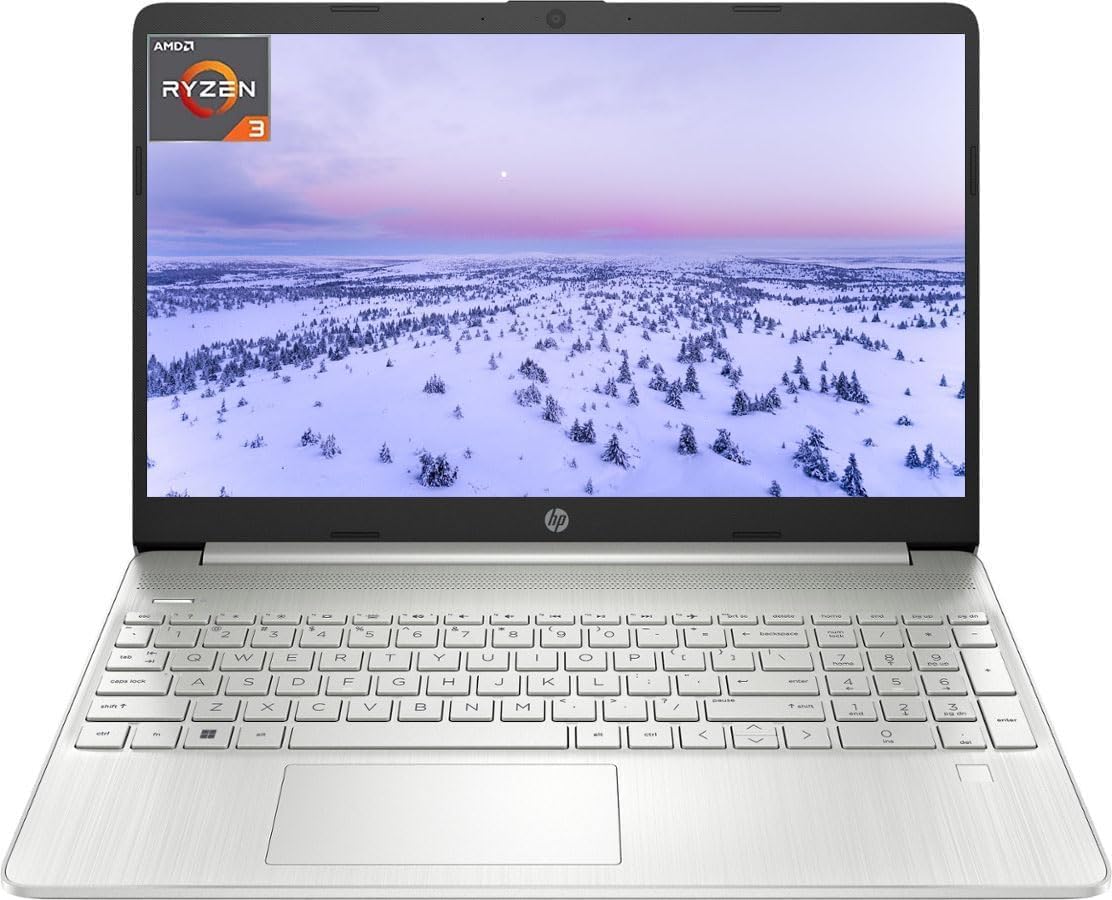

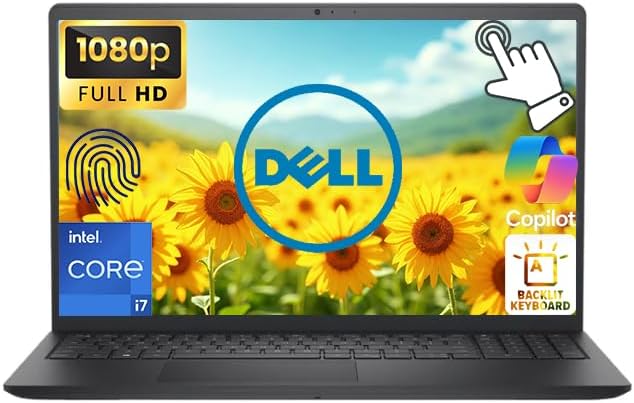


This model stands out with its powerful AMD Ryzen 7 processor and massive RAM. It handles heavy multitasking with ease while the touchscreen adds versatility to your workflow.
We may earn a commission when you buy through this link, at no additional cost to you.
The 32GB RAM allows you to run dozens of browser tabs without lag. The 1TB SSD ensures quick boot times and ample space for large files and applications.
While the build is standard plastic, the performance justifies the trade off. The battery life is decent but not exceptional for all day use without a charger.
It is ideal for professionals who need speed and storage. The numeric keypad makes data entry much faster than using a number pad.
The 16 thread processor manages complex workflows smoothly without slowing down.
You can store thousands of photos and videos without needing external drives.
We may earn a commission when you buy through this link, at no additional cost to you.
This 17 inch laptop offers a stunning large display for immersive viewing. The Intel Core i7 processor ensures you can handle demanding software without any issues.
We may earn a commission when you buy through this link, at no additional cost to you.
The spacious screen provides ample room for spreadsheets and multiple windows. The speakers and microphone quality are excellent for video calls and media consumption.
It is heavier and bulkier which might be a concern for frequent travelers. However the performance and screen size make it a top choice for desktop replacement.
Buyers seeking a premium experience will love the build and power. The numeric keypad is full size making it perfect for office work.
The wide screen delivers vibrant colors and deep blacks for movies.
Quantum optimized battery ensures longer life during intense use cycles.
We may earn a commission when you buy through this link, at no additional cost to you.
This Dell model offers excellent value for money with strong processing power. The Intel Core i5 processor handles daily tasks and light creative work efficiently.
We may earn a commission when you buy through this link, at no additional cost to you.
At this price point, you get a full HD touchscreen and a dedicated keypad. This makes it a great choice for students and budget conscious professionals.
The 8GB RAM might limit heavy multitasking compared to higher end models. Storage is also limited but can be expanded via cloud services or drives.
It is the best budget option for those needing a keypad and touch. You get core features without paying for unnecessary premium extras.
Get essential features like touch and keypad without breaking your budget.
The 10 core chip keeps apps running smoothly for everyday tasks.
We may earn a commission when you buy through this link, at no additional cost to you.
This business laptop comes with Windows 11 Pro and a large SSD drive. The 16GB RAM is a solid midpoint for moderate multitasking needs.
We may earn a commission when you buy through this link, at no additional cost to you.
The express charge feature allows you to get 80 percent battery in one hour. This is very useful for busy professionals always on the go.
It uses an older 11th Gen processor which is still capable but slower than new ones. The 1TB storage is generous enough for most business files.
It is a reliable choice for office work needing security features. The numeric keypad ensures you can input numbers quickly and accurately.
Pro version offers better security and domain joining for businesses.
Quickly get back to work after a short charging break.
We may earn a commission when you buy through this link, at no additional cost to you.
This HP model includes a subscription to Microsoft 365 apps right out of the box. The large screen is great for viewing documents side by side.
We may earn a commission when you buy through this link, at no additional cost to you.
The backlit keyboard helps you type in low light environments easily. A fingerprint reader adds a layer of security to your daily login.
Storage is limited which might require external drives for large media files. The processor is basic so avoid heavy gaming or video editing.
It is perfect for students who need Office and a good screen. The numeric keypad is convenient for any financial or data entry tasks.
Get Word Excel and PowerPoint without extra monthly fees.
Fingerprint reader ensures your personal data stays private.
We may earn a commission when you buy through this link, at no additional cost to you.
This laptop is a simple and affordable option for basic computing tasks. It comes with Windows 11 in S Mode which secures your system.
We may earn a commission when you buy through this link, at no additional cost to you.
The privacy shutter on the camera is a great addition for remote calls. You can close it physically to ensure no one can see your room.
S Mode restricts app installs to Microsoft Store but can be switched out. The screen resolution is standard HD which is fine for general use.
It is a good pick for casual users and light students. The keypad adds necessary functionality for data entry at a low price.
Camera shutter gives you control over when you are seen.
S mode prevents malware and keeps the system secure.
We may earn a commission when you buy through this link, at no additional cost to you.
This model features a crisp 2K IPS screen that offers vibrant colors. The AMD processor is energy efficient and good for battery life.
We may earn a commission when you buy through this link, at no additional cost to you.
AI noise reduction helps filter out background sounds during your meetings. This is very helpful if you work in a noisy environment.
The design is lightweight which makes it easy to carry around daily. It does not have a large bezel but the screen quality is high.
It is great for media consumption and light office work. The compact design helps you stay mobile while enjoying a sharp screen.
2K resolution delivers crisp text and detailed images.
AI helps your voice stand out clearly on calls.
We may earn a commission when you buy through this link, at no additional cost to you.
This Dell business laptop brings high speed computing to a versatile frame. The 10 core processor handles everything from browsing to editing with ease.
We may earn a commission when you buy through this link, at no additional cost to you.
A large 1TB drive means you do not have to delete files often. The backlit keyboard is essential for working in dimly lit rooms.
The weight might be an issue for those who carry it in a bag. The fingerprint reader is generally reliable but may need calibration.
It is a strong contender for business users needing storage and power. The numeric keypad is well placed for easy access during work.
The i7 processor ensures no lag during heavy application use.
Backlit keys let you type comfortably in any lighting.
We may earn a commission when you buy through this link, at no additional cost to you.
This laptop stands out for its high RAM amount which supports multitasking. You can keep many apps open without the system slowing down.
We may earn a commission when you buy through this link, at no additional cost to you.
The 1TB SSD ensures your files are ready to access immediately. It is a solid machine for students needing to run multiple tools.
The processor is a generation older so it might not be the fastest. But the RAM compensates well for typical office and school tasks.
It is a smart buy if you need lots of memory and storage. The keypad is handy for entering data into various student apps.
32GB RAM supports dozens of open browser and app tabs.
Windows 11 Pro offers better networking and security.
We may earn a commission when you buy through this link, at no additional cost to you.
This HP laptop features a modern design and latest wireless standards. WiFi 6 ensures you get stable internet speeds in crowded areas.
We may earn a commission when you buy through this link, at no additional cost to you.
The Bluetooth 5.4 allows for better connectivity to mice and headsets. The moonlight blue color gives it a unique stylish look.
Storage is limited at 256GB which is fine for cloud users. The processor is efficient for basic tasks but not for heavy loads.
It is a great choice for home use and casual business tasks. The keypad and touch screen make navigation intuitive and simple.
WiFi 6 provides faster and more reliable internet access.
Unique color makes it stand out from typical gray laptops.
We may earn a commission when you buy through this link, at no additional cost to you.
Selecting the right laptop requires balancing performance needs with physical features. This guide breaks down the key factors you should consider.
The processor is the brain of your laptop. Look for at least an Intel Core i5 or AMD Ryzen 5 for smooth multitasking. If you run heavy software, a higher tier CPU will prevent slowdowns during complex tasks.
Prioritize a modern generation processor for better efficiency and speed.
RAM determines how many applications you can run simultaneously. 8GB is the minimum for basic use while 16GB or more is recommended for heavy multitasking. This ensures your system stays responsive when switching between tabs.
Opt for at least 16GB if you plan to use multiple browser tabs.
Solid State Drives are faster than traditional hard drives and boot your system quickly. Aim for a capacity of 512GB or more to store files locally without needing external drives. This space is crucial for keeping documents and media accessible.
Choose a SSD with ample space for your long term storage needs.
Touchscreen laptops allow you to interact with apps directly using your fingers. Look for a Full HD resolution for clear text and colors. An IPS panel provides better viewing angles which is important for collaborative work.
Ensure the touch screen is responsive and offers high resolution.
A numeric keypad is essential for data entry and financial tasks. Ensure the keyboard has a full layout including the number pad on the right. A backlit keyboard is also useful for working in low light conditions.
Check that the keypad is full sized for comfortable and efficient typing.
For those who work on the go, battery life is a critical factor. Look for a laptop that promises at least 8 to 10 hours of typical use. This ensures you can work through meetings or classes without searching for an outlet.
Verify battery claims by checking independent reviews for real world usage.
A good selection of ports allows you to connect peripherals easily. Ensure you have USB-A and USB-C ports along with HDMI for external displays. WiFi 6 support is also important for fast and stable internet connections.
Confirm the laptop has the ports you need for your accessories.
Windows 11 is the standard for most modern business laptops. It offers improved security features and tools like Copilot. If you need advanced security features, a Pro version of the OS might be necessary for enterprise environments.
Choose the OS version that matches your security and software needs.
To protect your touchscreen, always use a microfiber cloth when wiping it. Avoid using harsh chemicals or paper towels that might scratch the surface. Keep your screen clean to ensure the touch sensor responds correctly.
For the numeric keypad, use a keyboard cover to prevent dust and debris. This maintains the responsiveness of the keys and extends the life of the mechanism. Regularly clean the keys to keep them feeling smooth.
Proper battery care involves avoiding extreme heat or cold when storing your device. Do not leave your laptop in a hot car or direct sunlight. Use the original charger to ensure safe and efficient charging cycles.
A numeric keypad allows you to enter numbers quickly and accurately. This is crucial for accounting data entry and working with spreadsheets. Without it you would need to use the top row which is much slower.
Modern business laptops use reinforced glass screens that resist scratches and wear. They are designed to handle daily finger inputs without damage. However using a screen protector can add an extra layer of safety.
At least 8GB of RAM is recommended for smooth performance. If you use many apps or large files 16GB or more is better. This ensures your system does not slow down when using touch apps.
Yes most of these laptops support external monitors via HDMI or USB-C. You can extend your screen real estate by connecting a second display. This is helpful if you need more space for work tasks.
Yes all the models listed come with Windows 11 preinstalled. Some offer the Home version while others include the Pro edition. This ensures you have access to the latest features and security tools.
Intel Core i3 or AMD Ryzen 3 processors are suitable for budget options. They handle basic tasks like browsing and office work well. They save you money while still providing reliable daily performance.
Use a soft microfiber cloth dampened with water or a screen cleaner. Do not spray liquid directly onto the screen to avoid damage. Gently wipe in circular motions to remove fingerprints and dust.
A numeric keypad takes up physical space on the keyboard deck. To fit this the overall chassis is usually larger than standard models. This means they might be heavier but offer better typing comfort.
We have explored ten excellent laptops that feature both a numeric keypad and a touchscreen. Each model offers unique strengths depending on your specific workflow needs and budget. From high performance business machines to budget friendly student options there is a pick for everyone.
When choosing prioritize the processor and RAM to ensure your laptop lasts. Do not forget to check the display quality since you will be using the touch features often. The right mix of specs will make your daily tasks much more efficient.
Remember that prices and stock levels change quickly on retail sites. Always verify the latest deals and shipping options before you finalize your order. We hope this guide helps you find the perfect device for your needs.