
HP 17.3 Business Laptop
4.5Editor score
AMD Ryzen 5 7430U Processor
17.3 inch FHD IPS Display
External CD DVD DVD Drive Included
Finding a laptop with a DVD drive can be challenging in today's market where optical drives are increasingly rare. Many users still need to access physical media for software installation, media playback, or data backup. This guide helps you identify models that include these essential features without sacrificing modern performance.
We evaluated ten distinct laptops based on processor speed, memory capacity, storage options, and the reliability of their optical drives. Our analysis focuses on devices that balance legacy compatibility with contemporary computing needs. Whether you are a student, professional, or home user, these selections offer the functionality you require.
Each pick highlights specific strengths like display quality, battery life, and connectivity ports to help you make an informed decision. Prices and availability fluctuate frequently so always verify the current offer before purchasing. We aim to provide clear, factual details to simplify your shopping experience effectively.
4.5Editor score

3.9Editor score

4.2Editor score
As an Amazon Associate we earn from qualifying purchases.
The following table provides a side by side comparison of all ten laptops reviewed in this guide. Each entry lists core specifications to help you quickly identify the model that best fits your specific workflow requirements and budget constraints.

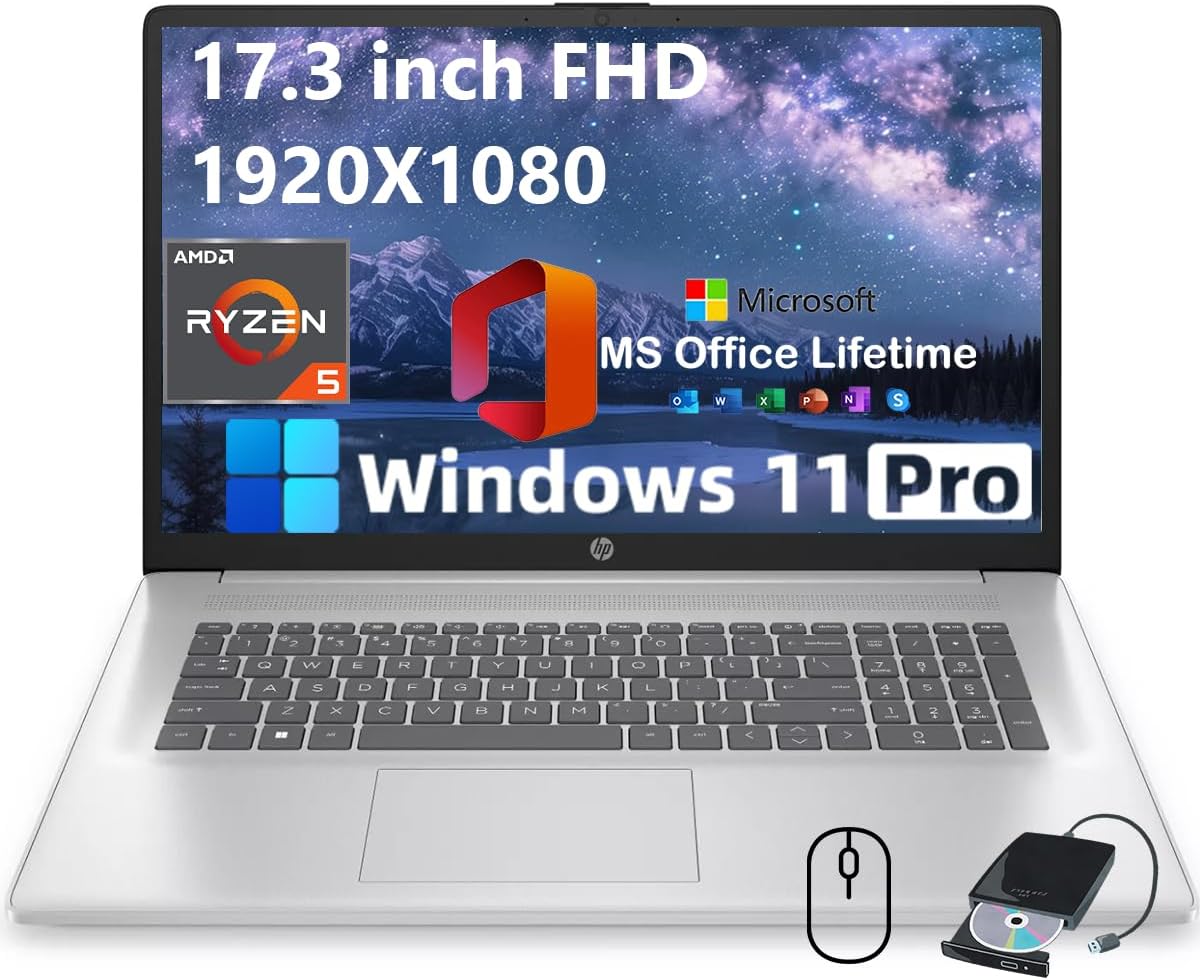



This HP laptop stands out as a powerful machine for business and creative tasks while still offering optical media support. It features a robust AMD Ryzen 5 processor paired with ample memory and storage for smooth multitasking. The inclusion of a lifetime Office license and Windows 11 Pro adds significant value for professionals.
We may earn a commission when you buy through this link, at no additional cost to you.
The 17.3-inch FHD display provides crisp visuals ideal for presentations and media consumption. Wi-Fi 6 ensures fast network connectivity which is crucial for remote work environments. The anti-glare coating on the screen reduces eye strain during long work sessions making it comfortable for extended use.
While the external DVD drive is convenient it does add a small peripheral to carry around. This trade-off is acceptable given the rarity of built-in optical drives in modern laptops. The system maintains a balance between legacy compatibility and modern performance standards effectively.
Professionals and students who need reliable hardware with occasional disc access should consider this model. It handles demanding applications well and offers a large workspace for productivity. It remains a top choice for those unwilling to compromise on screen size or processing power.
The combination of Windows 11 Pro and Office Pro streamlines administrative and document tasks efficiently.
The IPS panel ensures wide viewing angles and accurate colors for professional work and entertainment.
We may earn a commission when you buy through this link, at no additional cost to you.
This Lenovo IdeaPad offers an entry-level solution for users needing optical drive functionality without breaking the bank. It combines a capable processor with essential connectivity options to support daily computing tasks. The bundle includes a portable storage drive which expands capacity beyond the internal SSD.
We may earn a commission when you buy through this link, at no additional cost to you.
The full-size numeric keypad makes data entry comfortable for those working with spreadsheets regularly. Anti-glare screen technology helps maintain visibility in various lighting conditions which is useful for home offices. Wi-Fi 6 support ensures you stay connected to modern networks without lag.
The 4GB RAM might limit heavy multitasking but it suffices for web browsing and basic applications. Storage is handled well with the mix of internal SSD and external drive provided. This configuration keeps costs down while still delivering necessary functionality for casual users.
Budget-conscious buyers seeking a reliable machine for home or light work will find this model appealing. It covers the basics well including DVD playback and data access. It is an ideal starter laptop for students or secondary home usage scenarios.
Includes a 500GB external drive and cleaning cloth for a complete start right out of the box.
The dedicated numeric keypad enhances efficiency for financial or data processing tasks.
We may earn a commission when you buy through this link, at no additional cost to you.
This HP laptop brings a blend of performance and practical features tailored for students and small businesses. It features a six-core processor that handles multiple applications smoothly without lag. The external CD DVD drive inclusion ensures access to physical media when needed for projects or software.
We may earn a commission when you buy through this link, at no additional cost to you.
The privacy shutter on the webcam adds a layer of security during video calls and meetings. This feature is increasingly important for remote work and online learning environments where privacy is a concern. The IPS display offers vibrant colors which enhances the viewing experience for media.
While the screen brightness is average it is sufficient for indoor use where glare is managed well. The inclusion of Windows 11 Pro provides advanced security features like BitLocker encryption for data protection. This makes it a secure choice for handling sensitive academic or business data.
Students and professionals looking for a secure and capable device should look at this option closely. It balances modern processing power with legacy connectivity needs effectively. The value proposition is strong due to the included software and hardware bundle.
Physical privacy shutter and Windows 11 Pro security features protect user data and webcam access.
Radeon graphics and large screen support streaming and graphic design tasks efficiently.
We may earn a commission when you buy through this link, at no additional cost to you.
This HP laptop distinguishes itself with an impressive amount of RAM and storage which is rare at this price point. The Intel Core i3-N305 processor provides solid performance for daily tasks while the memory ensures smooth operation. It is well suited for users who keep many applications open simultaneously.
We may earn a commission when you buy through this link, at no additional cost to you.
The 1TB SSD offers plenty of room for large files and media libraries without needing external drives often. Microsoft Copilot integration adds AI assistance to productivity tools which can speed up workflow tasks. The external DVD drive allows for compatibility with older software or media discs.
Despite the high specs the processor is an entry-level model which may struggle with heavy rendering. However for office work and browsing the system is extremely responsive thanks to the RAM. The external drive requirement means you must carry an extra dongle for optical media.
Power users who prioritize multitasking and storage capacity will appreciate this configuration highly. It is an excellent choice for media editing or data management on a budget. The system offers a robust foundation for productivity applications and development tools.
The 1TB SSD and 32GB RAM allow for extensive file management and open applications.
Microsoft Copilot provides smart assistance for text generation and task management within Office apps.
We may earn a commission when you buy through this link, at no additional cost to you.
This model is a straightforward business laptop that does not compromise on essential connectivity or performance. It features the proven Ryzen 5 processor which balances speed and efficiency well for office work. The large screen helps with document management and multitasking across multiple windows.
We may earn a commission when you buy through this link, at no additional cost to you.
The external DVD drive is a key feature for industries that still rely on physical media for software or data. Connectivity includes USB-A and USB-C ports ensuring compatibility with a wide range of peripherals. The full numeric keypad is a must-have for accounting and data entry professionals.
Battery life is optimized for long working sessions which is critical for mobile professionals. The design is sleek enough for office environments while remaining durable for travel. It offers a balanced experience for general computing tasks without unnecessary gimmicks.
Business users seeking a reliable machine with legacy drive access will find this model suitable. It provides the stability needed for daily operations and remote work. The inclusion of essential ports makes it versatile for various office setups.
Includes Office lifetime license and Windows Pro for secure and productive work environments.
Multiple USB ports and HDMI allow easy connection to monitors and accessories.
We may earn a commission when you buy through this link, at no additional cost to you.
This laptop provides a reliable configuration for everyday business and student use cases. The Ryzen 5 processor handles common tasks efficiently while the 16GB RAM ensures smooth operation. The anti-glare display reduces eye strain during long reading or writing sessions.
We may earn a commission when you buy through this link, at no additional cost to you.
Wi-Fi 6 and Bluetooth 5.3 provide fast and stable wireless connections for modern networks. Essential ports like USB Type-A and C ensure you can connect legacy and new devices easily. The external optical drive supports those who still require disc based software installation or playback.
The included wireless mouse adds convenience for users who prefer mouse navigation over a trackpad. This bundle ensures you have everything needed to start working immediately upon unboxing. It is a comprehensive package that simplifies the setup process for new users.
Students and professionals needing a dependable workstation will find this option practical. It delivers consistent performance for productivity tools and media consumption. The hardware is robust enough to handle a typical academic or corporate workflow.
Includes wireless mouse and optical drive for immediate usability without extra purchases.
Latest Wi-Fi and Bluetooth standards ensure fast and reliable network connections.
We may earn a commission when you buy through this link, at no additional cost to you.
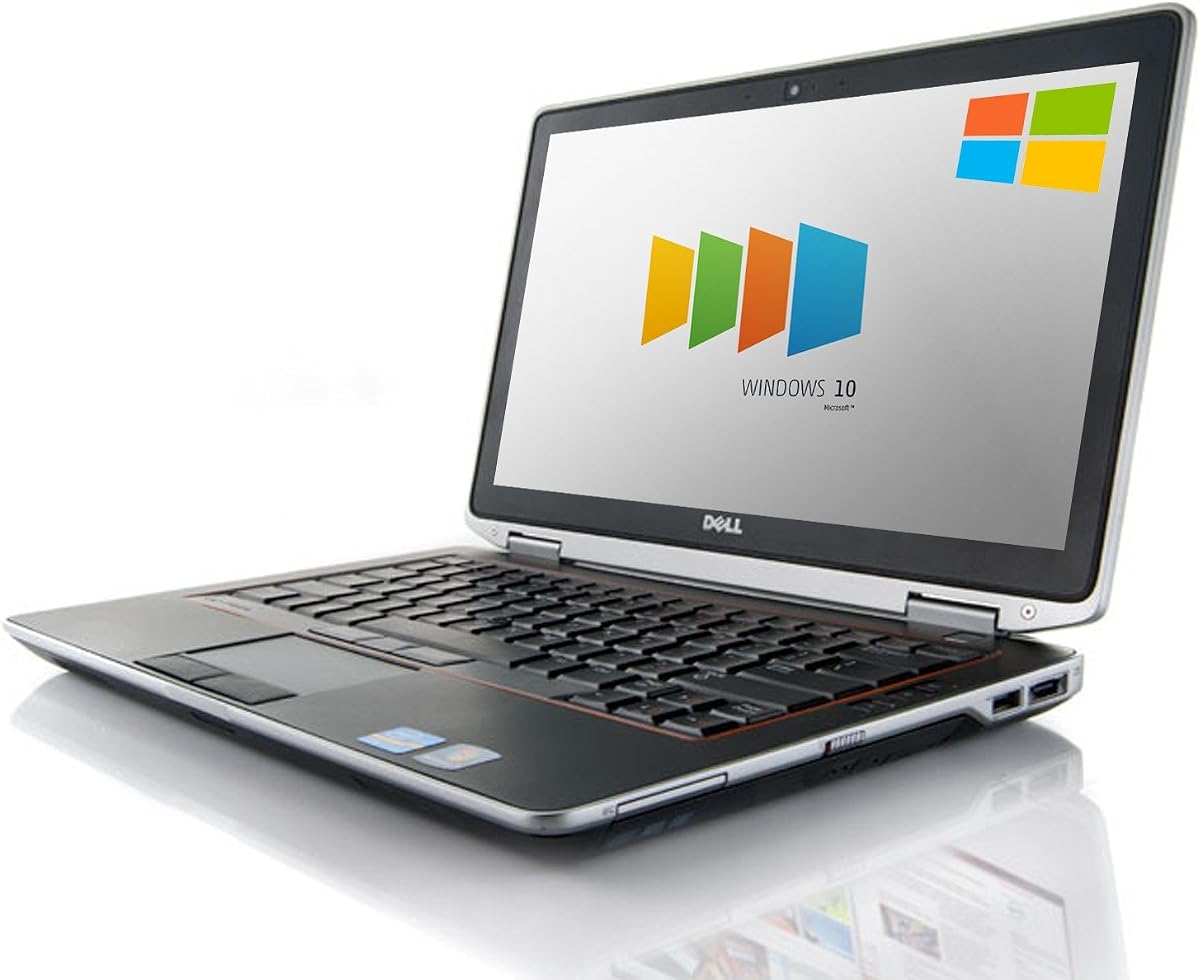
This refurbished Dell Latitude offers a robust build and a built-in optical drive for those needing physical media access. The Intel Core i7 processor from an older generation still provides solid power for general tasks. It is certified to work like new with limited signs of wear on the chassis.
We may earn a commission when you buy through this link, at no additional cost to you.
The inclusion of VGA and HDMI ports makes it compatible with older monitors and projectors easily. A built-in DVD drive means no external dongle is needed which is a major convenience advantage. It is a practical choice for environments that still rely on legacy hardware.
Windows 10 is included which may require updates to reach newer standards. However the system supports multi-language features which is useful for diverse teams. The 90-day warranty provides peace of mind for refurbished electronics purchases.
Users needing a durable machine with integrated optical drives will appreciate this legacy model. It is suitable for office work where modern features are not the primary requirement. The refurbished status offers a cost-effective way to get enterprise grade hardware.
Designed for business environments with strong chassis construction and reliable components.
Includes VGA and ExpressCard slots for compatibility with older peripherals.
We may earn a commission when you buy through this link, at no additional cost to you.
This older Latitude model features a built-in optical drive that can burn and read discs easily. It includes a dual-core processor and wireless capabilities for basic connectivity needs. The business OS provides a stable environment for legacy software applications.
We may earn a commission when you buy through this link, at no additional cost to you.
The hard drive capacity is small by modern standards so external storage may be necessary for media. The compact design makes it portable for travel or field work where bulk is a concern. It serves as a functional machine for light tasks and data retrieval from discs.
Modern software may struggle on the limited RAM so it is best for very specific legacy use cases. The optical drive capability is the standout feature here for archival and access needs. It is a specialized tool rather than a general purpose daily driver.
Legacy system operators or collectors might find value in this specific configuration. It offers a working optical drive which is increasingly hard to find. For simple text processing and media access it remains a viable option.
Built-in CDRW drive supports both reading and writing of discs without peripherals.
Lightweight design makes it easy to carry for field work or data retrieval.
We may earn a commission when you buy through this link, at no additional cost to you.
This refurbished Dell provides a built-in optical drive and decent memory for basic office tasks. The Core i7 processor from this era delivers enough power for document creation and web browsing. Multi-language support makes it accessible for international users or translation work.
We may earn a commission when you buy through this link, at no additional cost to you.
The built-in drive avoids the need for external adapters which simplifies the setup process. HDMI and VGA outputs ensure you can connect to a variety of display types easily. It is a practical solution for users who need reliable hardware at a lower cost.
The hard drive may be slower than modern SSDs which affects boot and load times. However for simple productivity tasks the performance is generally adequate. The certified refurb process ensures the device functions correctly before shipping.
Budget buyers looking for a machine with integrated optical drives should consider this model. It offers a solid foundation for legacy software and media access. It is best suited for low intensity computing environments.
Multi-language capability supports English Spanish and French for global business use.
HDMI and VGA ports allow connection to both modern and older monitors.
We may earn a commission when you buy through this link, at no additional cost to you.
This IdeaPad combines an affordable price with a built-in optical drive for accessible legacy media access. The dual-core processor handles basic computing tasks well for browsing and word processing. The lightweight design makes it easy to carry around for daily activities.
We may earn a commission when you buy through this link, at no additional cost to you.
The built-in DVD drive eliminates the need for external peripherals which is a major plus. Connectivity includes HDMI and Bluetooth ensuring you can connect modern accessories and displays. It is a compact solution for users needing a mix of modern and legacy features.
The 4GB RAM might limit heavy multitasking but it is sufficient for single task use. The small SSD provides fast boot times compared to traditional hard drives. It is a practical choice for casual users who do not need high end performance.
Budget shoppers looking for a portable laptop with an optical drive will find this appealing. It balances cost and functionality effectively for light workloads. It is suitable for students or casual home use with occasional disc access.
Lightweight design makes it easy to carry between home office or school.
Built-in DVD RW drive supports reading and writing of discs for data storage.
We may earn a commission when you buy through this link, at no additional cost to you.
Selecting a laptop with a DVD drive requires balancing modern performance specs with legacy media capabilities. This guide outlines the key factors to consider before making your purchase.
Decide whether you need a built-in drive or an external USB drive. Built-in drives save port usage but add weight to the chassis. External drives are lighter and portable but require a USB port to function effectively.
If you rarely use discs an external drive is a better space saver. Frequent users should prioritize models with integrated drives for convenience.
Look for at least a quad-core processor to handle modern operating systems smoothly. Older dual-core processors may struggle with heavy multitasking or newer apps. Ryzen 5 or Intel Core i3 options provide a good baseline for daily tasks.
Performance affects how quickly you can run software or open large files. Ensure the CPU matches your typical workload demands.
Aim for 8GB of RAM or more to prevent slowdowns during multitasking. SSDs offer faster boot times and better overall responsiveness than traditional hard drives. Adequate storage ensures you have room for media files and applications.
Memory capacity is critical for keeping multiple apps open without lag. Storage type impacts system speed significantly in daily use.
Choose a screen with at least 1080p resolution for clear text and images. IPS panels provide better viewing angles and color accuracy for presentations. Screen size should match your portability needs and workspace requirements.
A high quality display reduces eye strain during long work sessions. Larger screens are better for spreadsheets and creative work.
Ensure the laptop has enough USB ports to connect your devices and the optical drive. Wi-Fi 6 support ensures stable internet connections for modern networks. HDMI or VGA outputs are important for connecting to external monitors.
Check port availability to avoid needing extra dongles constantly. Wireless standards affect your ability to connect to fast networks.
Windows 11 offers better security and features than older versions like Windows 10. Some bundles include Office licenses which add value for productivity. Check if the OS meets the requirements for your specific software needs.
Software support ensures compatibility with the latest applications. A pre-installed suite can save money and setup time.
Consider the weight and build materials if you plan to carry the laptop daily. Business grade laptops often have more durable chassis designs. Battery life is a factor for mobile users who work away from outlets.
Portability is key if you travel frequently or change workspaces. Durability ensures the device withstands regular use over time.
Set a budget that balances features with cost for your needs. Refurbished models may offer lower prices but check the warranty terms carefully. New models usually come with better support and return policies.
Warranty coverage protects you against hardware failures. Compare total costs including potential accessories like drives or cases.
Always insert discs with the label facing up to prevent scratching the data surface. Ensure the drive tray closes gently to avoid mechanical damage to the internal components. Avoid jostling the laptop while the drive is spinning to prevent read errors.
Keep the optical drive clean by avoiding dust and debris around the opening. Use compressed air to blow out dust from the disc tray periodically. If the drive is external keep it dry and away from heat sources.
Update your drivers and operating system regularly to ensure disc detection works smoothly. Uninstall unused disc burning software to free up system resources and reduce conflicts. Proper care extends the lifespan of both the optical drive and the laptop itself.
Most modern laptops do not include built-in DVD drives due to the thin design trends. However some larger business or student models still offer them as an option. You can also easily add functionality with an external USB optical drive if needed.
Plug the USB cable from the external drive into an available USB port on your laptop. Most systems recognize the drive automatically without needing extra software. Ensure you use a USB 3.0 port for faster data transfer speeds if available.
Many external and internal drives support both reading and writing discs. Check the product specifications for RW capability to confirm writing support. Once installed you can use built-in Windows tools to burn data or music.
DVD drives are useful for installing legacy software or accessing archived data on discs. They are also convenient for playing physical media like movies or games. Some businesses and schools still rely on physical media for secure data transfer.
External drives usually offer similar speeds if connected via USB 3.0 or higher. The main difference is portability rather than raw performance. Built-in drives are more convenient but external drives save space when not in use.
Windows 11 fully supports external optical drives without requiring special drivers. The operating system includes tools for burning and playing discs natively. Most external drives are plug-and-play compatible with modern versions of Windows.
The HP models with Ryzen processors stand out for those needing modern performance with optical support. Budget-conscious buyers can find capable options with Lenovo and refurbished Dell models. Each selection offers a balance of speed and legacy media access.
Prioritize the processor and memory for daily tasks while ensuring the optical drive meets your needs. A built-in drive adds convenience whereas an external one offers flexibility. Consider your typical workflow before deciding between integrated and external solutions.
Always check current prices and availability before purchasing as they change frequently. Verify the warranty terms especially for refurbished items to ensure peace of mind. We hope this guide helps you find the perfect laptop for your needs.