
iFixit Laptop Cleaning Kit
4.9Editor score
Complete all-in-one solution
Microfiber cloths included
Compact tool pouch storage
This guide compares the top 10 laptop fan cleaning kits available in October 2026 to help you choose the most effective solution for maintaining your device
Keeping your laptop fan clean is essential for preventing overheating and ensuring smooth performance. Dust buildup can block airflow and cause significant hardware issues over time. A reliable cleaning kit helps you maintain your device without professional intervention.
We evaluated ten top-rated products based on power, versatility, battery life, and included accessories. Our analysis focuses on real-world usability for laptops and other electronics. Each option offers unique strengths for different cleaning needs and budgets.
Every selection in this list provides detailed insights into performance and design. Prices may fluctuate due to demand or seasonal sales. Always check current listings before purchasing to ensure you get the best value for your investment.
4.9Editor score
4.4Editor score

4.6Editor score
The following table provides a side-by-side overview of all ten products reviewed in this guide. It highlights key specifications and unique features to help you quickly identify the best fit for your specific cleaning requirements.




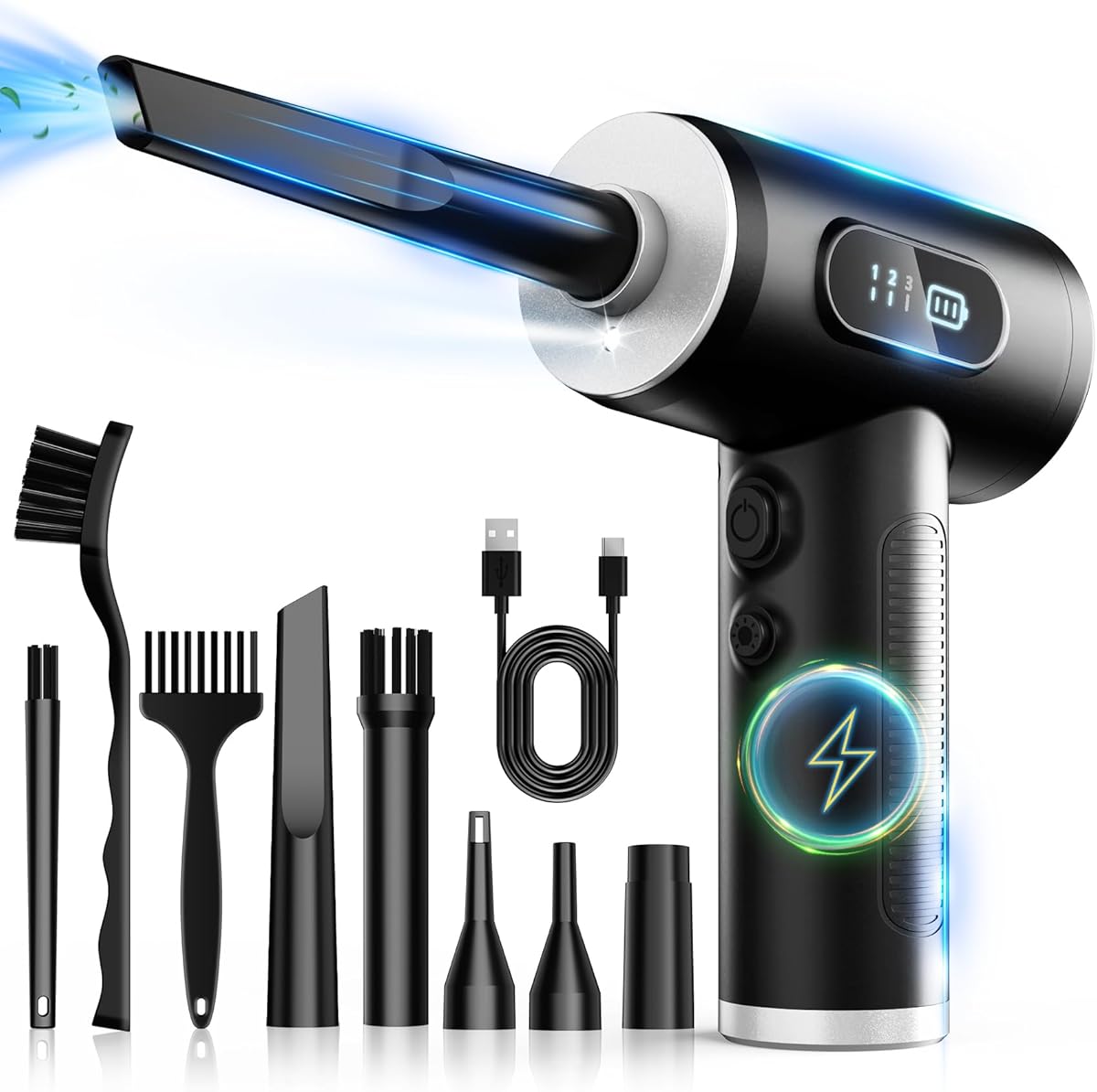
The FRESMOL Compressed Air Duster stands out as a versatile tool for maintaining laptop fans and other electronics. With a 4.4 rating, it offers a strong balance of power and usability. Its rechargeable design eliminates the need for disposable cans.
We may earn a commission when you buy through this link, at no additional cost to you.
This duster delivers 100000 RPM with three adjustable speeds. The smart LED display helps users monitor battery life. It includes five nozzles and three brushes for reaching tight spaces. A built-in light illuminates dark areas during cleaning tasks.
Some users note the unit is slightly heavier than expected. However, the lightweight body design supports daily use comfortably. The safety protections prevent overheating during extended cleaning sessions. Performance remains consistent across various electronic devices.
It is ideal for anyone seeking a durable replacement for canned air. The portability makes it great for travel or home use. Consider this option if you value detailed cleaning capabilities. It provides long-term savings compared to buying disposables.
The motor reaches 100000 RPM to blast away stubborn dust quickly. This power level is perfect for deep cleaning PC fans.
Five nozzles and three brushes allow precise cleaning of ports and vents. You can tackle any hard-to-reach area easily.
We may earn a commission when you buy through this link, at no additional cost to you.
The iFixit Laptop Cleaning Kit offers an all-in-one solution for general device maintenance. It holds a 4.9 rating, reflecting high user satisfaction. This kit is perfect for those who prefer manual cleaning methods over electric blowers.
We may earn a commission when you buy through this link, at no additional cost to you.
It includes a screen saver and microfiber cloths for pristine displays. The dust blower helps clear debris from keyboard fans. An anti-static brush ensures safety for electronic components. Alcohol wipes freshen up surfaces effectively.
While it lacks electric power, it covers all surface needs. The compact pouch keeps everything organized for travel. It is an affordable option for daily maintenance. Users appreciate the quality of the included tools.
Choose this if you want a reliable tool for routine care. It works well for screens and keypads. The anti-static features protect sensitive parts. It is a smart low-cost investment for laptop owners.
This kit provides brushes swabs picks and cloths for every need. You get everything required for thorough surface maintenance.
Anti-static tools prevent damage to sensitive components. This ensures safety while cleaning internal fans and boards.
We may earn a commission when you buy through this link, at no additional cost to you.
This electric duster delivers 280000 RPM of power for the toughest jobs. With a 4.5 rating, it balances speed with control. The MiaEpic Z3 is designed for heavy-duty cleaning needs. It eliminates disposable cans completely.
We may earn a commission when you buy through this link, at no additional cost to you.
Four adjustable speeds allow precise control. The LCD screen shows battery status and levels clearly. It runs for up to 150 minutes on a single charge. A bright LED light reveals hidden dust in dark corners.
The power might be excessive for delicate tasks. But it is great for removing built-up grime. The eco-friendly aspect saves money on refills. Users value the durability and consistent performance.
Ideal for tech enthusiasts needing maximum airflow. It handles industrial equipment and PC fans. The design blends style with function. Consider this if you need raw cleaning power.
280000 RPM provides unmatched force for deep dust removal. It clears heavy debris faster than standard models.
The LCD screen displays real-time battery status. This prevents interruptions during long cleaning sessions.
We may earn a commission when you buy through this link, at no additional cost to you.
The WOLFBOX MegaFlow 50 is a premium choice for portable cleaning. It holds a 4.6 rating. Its ultra-lightweight design makes it easy to carry. The long runtime ensures you finish large tasks easily.
We may earn a commission when you buy through this link, at no additional cost to you.
Three adjustable speeds suit different cleaning tasks. It weighs only 0.45 lb for total portability. The 240 minutes of runtime on low setting is impressive. Fast charging reduces downtime between uses significantly.
The small capacity might require more charges for heavy use. But the weight balance is excellent for handheld use. Four nozzles handle various scenes. Users enjoy the reliability and build quality.
Best for those prioritizing portability. It fits easily in bags or drawers. Use it for home or car cleaning. It is a solid investment for frequent cleaners.
Weighing just 0.45 lb it reduces fatigue. This makes it perfect for extended handheld cleaning tasks.
Up to 240 minutes of use ensures completion. You can clean multiple devices without recharging.
We may earn a commission when you buy through this link, at no additional cost to you.
This kit covers general computer cleaning with a focus on keyboards. It has a 4.6 rating. The retractable brush saves space in your bag. It includes keycap pullers for deeper mechanical keyboard cleaning.
We may earn a commission when you buy through this link, at no additional cost to you.
The metal pen tip removes stains from keys. The flocking sponge is great for earbuds. Cleaning cloths are replaceable for hygiene. It offers a low-cost solution for students.
The lack of electric air limits deep dust removal. But it is excellent for surface debris. The design is easy to use daily. Users like the comprehensive tool set.
Choose this for students or office workers. It handles screen and key cleaning well. Keep one in your car or dorm. It is a practical addition to desk accessories.
The keycap puller lets you remove keys for deep cleaning. This ensures debris under keys is fully removed.
Wipes and cloths leave no streaks. This ensures pristine displays without damaging coating.
We may earn a commission when you buy through this link, at no additional cost to you.
This duster offers 130000 RPM power with a huge battery. It has a 4.6 rating. The 8000mAh battery provides long runtime. It replaces thousands of disposable cans for eco-friendly use.
We may earn a commission when you buy through this link, at no additional cost to you.
Four gear settings offer precise control. Storm mode handles heavy dust buildup. The 6 nozzles and 10 brushes allow detailed work. Fast charging ensures it is ready quickly.
The weight is heavier than portable options. But the runtime on speed 1 is 120 minutes. This makes it a powerhouse for deep cleaning. Users appreciate the durability.
Best for home or office deep cleaning. It handles heavy-duty tasks easily. The AI protection prevents overheating. Consider this for serious maintenance needs.
8000mAh ensures long operation on low settings. This reduces recharge frequency for large jobs.
Ten detail brushes target hard-to-reach spots. This allows thorough cleaning of tight components.
We may earn a commission when you buy through this link, at no additional cost to you.
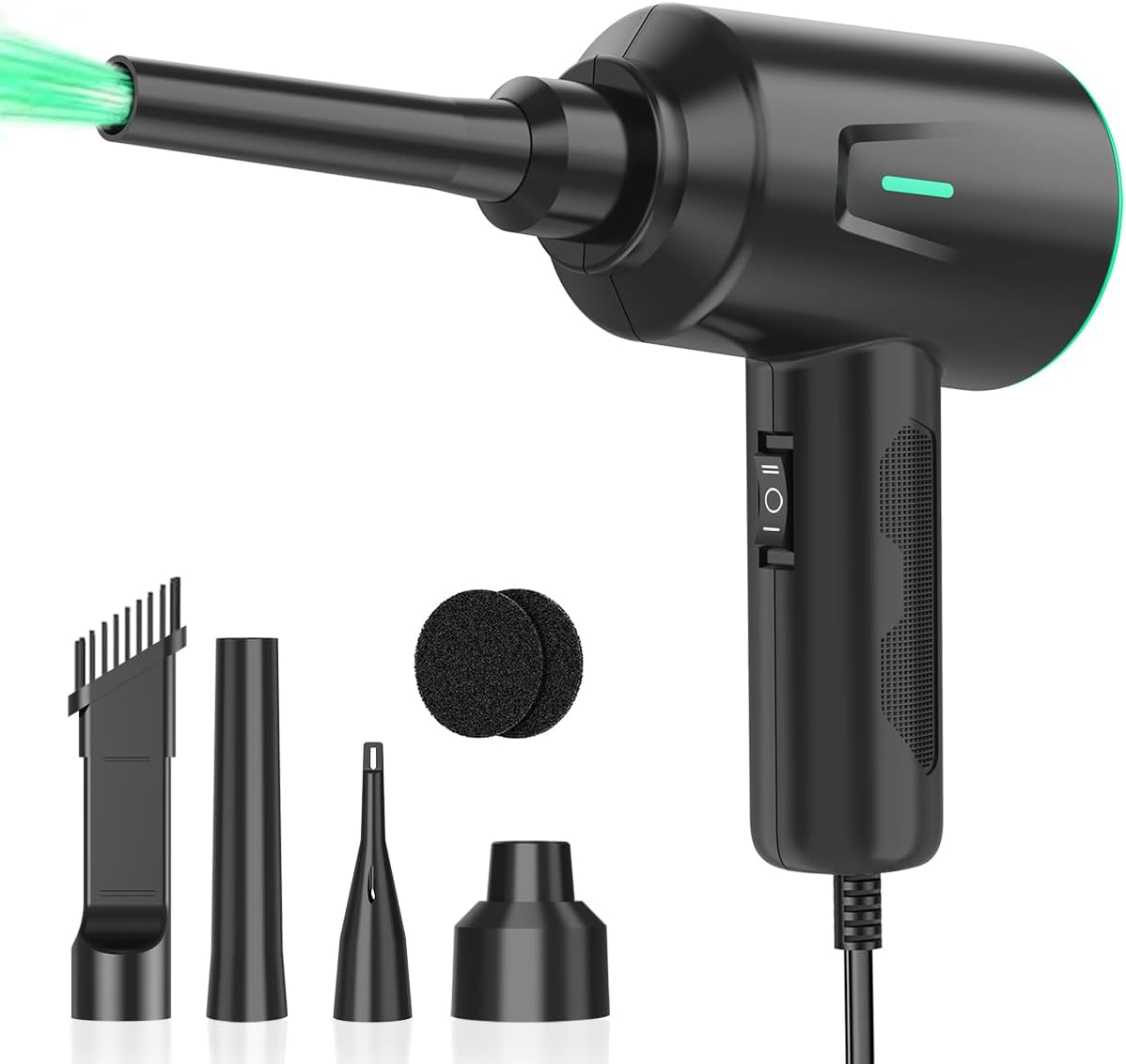
The Meudeen Air Duster is a corded solution with high power. It has a 4.5 rating. The 8.2ft cord allows flexibility without recharging. It delivers 50m/s airflow for effective dust removal.
We may earn a commission when you buy through this link, at no additional cost to you.
Two-speed settings cover daily and deep cleaning. The motor is powerful yet low noise. This makes it ideal for office environments. Users value the constant power supply.
The cord limits portability compared to wireless models. But it never runs out of charge. The 500W motor ensures consistent performance. This is great for fixed desks.
Ideal for users who want plug-and-play reliability. It avoids battery degradation over time. The lightweight body aids comfort. Choose this if outlets are nearby.
Mains power ensures consistent performance. There is no drop in airflow as battery drains.
The 8.2ft cord offers significant reach. This allows cleaning of distant devices easily.
We may earn a commission when you buy through this link, at no additional cost to you.
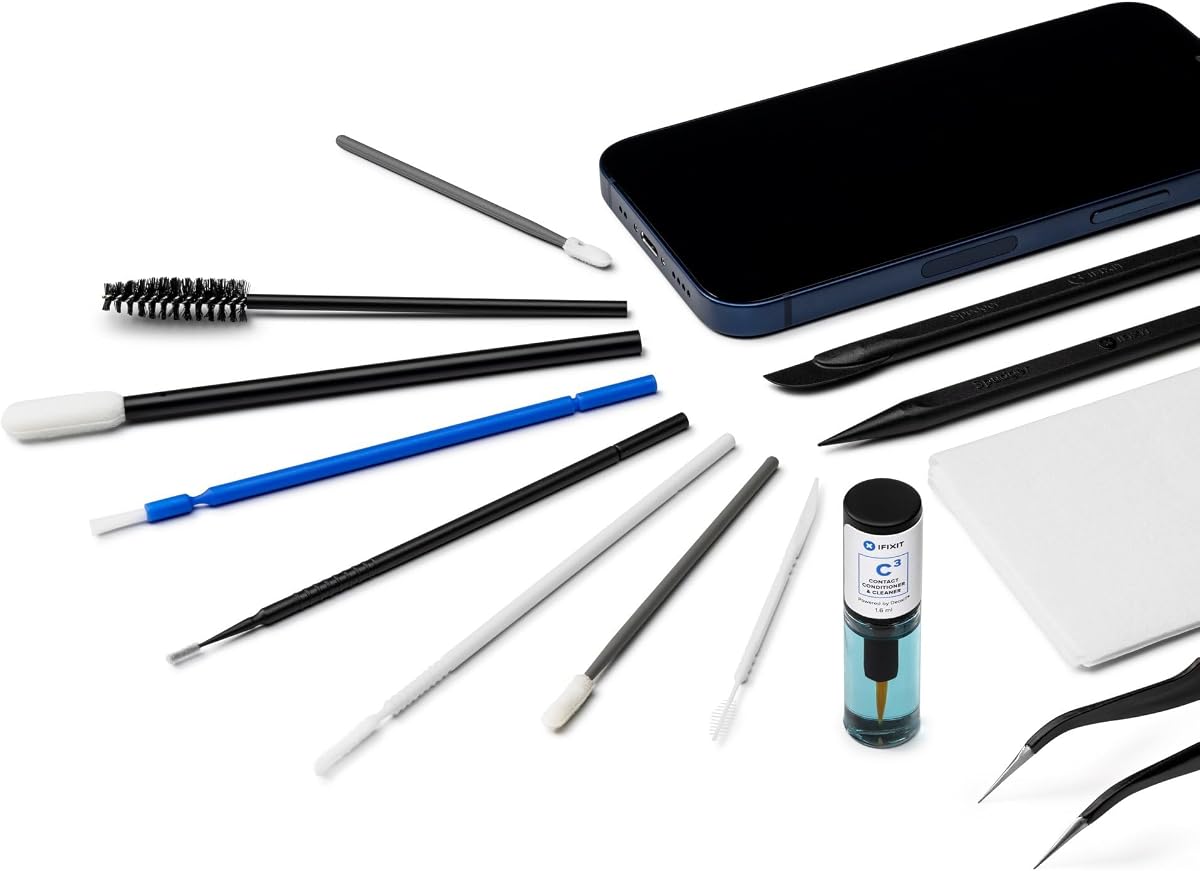
This kit focuses on precision cleaning for phones and laptops. It has a 4.3 rating. It includes DeoxIT D100L for contacts. The tweezers and spudgers help handle small parts safely.
We may earn a commission when you buy through this link, at no additional cost to you.
The foam swabs clean tight areas effectively. These tools are designed for reuse. Regular cleaning enhances device lifespan. It helps avoid costly repairs due to dust.
Lacks air power for fan debris removal. But it is great for component contact cleaning. Users who repair devices find it very useful. It ensures parts stay clean after cleaning.
Ideal for tech repair and maintenance tasks. Use it to clean contacts and ports. It helps extend device longevity. A good companion for hardware care.
DeoxIT D100L ensures clean electrical connections. This prevents signal loss and poor performance.
Precision brushes and swabs tackle small debris. This allows safe handling of tiny components.
We may earn a commission when you buy through this link, at no additional cost to you.
This kit provides 10 different brush sizes for variety. It holds a 4.4 rating. The anti-static material protects sensitive parts. It is safe for motherboards and delicate screens.
We may earn a commission when you buy through this link, at no additional cost to you.
Hard brushes tackle stubborn dust. Soft bristles are gentle on screens. The set is affordable and effective. It saves money on expensive repairs.
Manual cleaning takes more time than blowers. But it is great for precision spots. Users appreciate the soft options. This is a must-have for keyboard maintenance.
Choose this for budget-conscious maintenance. It fits easily in bags. Combine with a blower for best results. It offers good value for multiple tasks.
Nylon material prevents static damage to circuits. This ensures safety for computer motherboards.
Different sizes fit any gap. This allows precise cleaning of varied components.
We may earn a commission when you buy through this link, at no additional cost to you.
This duster delivers 110000 RPM airflow at an affordable price. It holds a 4.4 rating. It is great for keyboards and vents. It also serves as an inflation tool for toys.
We may earn a commission when you buy through this link, at no additional cost to you.
Three speeds allow versatile control. The LED light helps see dark corners. It is lightweight for easy handling. Users appreciate its eco-friendly design.
Battery runtime may be average for large jobs. But it is perfect for quick maintenance. The grip ensures comfort. It is a reliable general tool.
Ideal for budget buyers needing power. It works well for cars and offices. The cost-saving design is great. Consider this for general dust removal.
Use for cleaning or inflating items. This makes it versatile for home and car.
Lightweight grip reduces hand strain. This ensures comfort during daily cleaning use.
We may earn a commission when you buy through this link, at no additional cost to you.
Selecting the right cleaning kit requires understanding your specific needs. This guide outlines key factors to consider before making a purchase.
Powerful airflow is essential for removing dust from fans. Look for models with high RPM to ensure deep cleaning. Insufficient power may leave stubborn debris behind.
Prioritize high RPM ratings for effective results.
Cordless kits offer portability but depend on battery life. Check runtime and charging speed for long sessions. Longer life ensures uninterrupted cleaning.
Choose kits with at least two hours of runtime.
Weight matters if you need to move the kit. Lightweight models are better for travel or small spaces. Heavier units may tire your hand during use.
Select lightweight options for daily on-the-go use.
Nozzles and brushes help reach tight spaces. A variety of attachments increases the kit versatility. Check if brushes are included for surface cleaning.
Ensure multiple nozzles are included for precision.
Reusable electric dusters reduce waste from cans. They save money over time compared to disposables. Environmental impact should be a key consideration.
Choose rechargeable models to reduce environmental waste.
Anti-static tools prevent damage to electronics. LED lights help visibility in dark areas. Safety protections ensure the device does not overheat.
Look for anti-static and overheat protection features.
Build quality determines the kit lifespan. Durable materials withstand frequent use. Consider customer reviews for reliability insights.
Choose models with durable housing for longevity.
Cost varies based on features and brand. Budget options exist for basic needs. Premium kits offer better battery and power.
Balance budget with long-term usage needs.
Start by turning off and unplugging the device to ensure safety. Position the laptop so air can escape away from the screen or other devices.
Use the nozzle closest to the fan vents but avoid direct contact. Move the blower slowly across the vents to dislodge dust without forcing it deeper.
Store the kit in a dry place after use to protect electronics. Clean the nozzles regularly to prevent dust buildup inside the tools.
No you can clean most fans through the vents using air blowers. However opening the case provides the best results. Check if your device allows easy access before removing panels.
Yes electric dusters are reusable and cost-effective over time. They provide consistent power without the freeze risk. They are also more environmentally friendly than disposable cans.
It is recommended to clean fans every six months. If you use the device in dusty environments increase this to three months. Regular cleaning prevents overheating and extends life.
Yes most kits work for cameras keyboards and consoles. Adjust the airflow to avoid damaging sensitive lenses. Always use the lower settings for delicate items.
Cleaning might not fix mechanical wear or loose blades. If noise persists the bearing may need replacement. Check if the warranty covers fan maintenance.
Yes they prevent static electricity from damaging components. They are safe for motherboards and contacts. Standard plastic brushes may build up static charge.
The top picks range from budget-friendly manual kits to powerful electric dusters. Choose based on whether you prioritize portability or raw power. Each option offers distinct advantages.
Prioritize battery life and safety features for long-term use. A kit with anti-static protection is vital for device safety. Consider your cleaning frequency when buying.
Always verify current prices before purchasing as they change often. Look for sales on Amazon to get the best value. Your device health depends on consistent maintenance.