10 Best Inkless Portable Printer for Travel (November 2026) Expert Guide
Written by Jamie · Updated November 2026
Travelers and professionals need reliable printing without the hassle of ink cartridges. An inkless portable printer uses thermal technology to produce clear documents on the go. These devices fit easily into backpacks and briefcases for instant access anywhere.
We compared ten top-rated models based on connectivity, battery life, and paper compatibility. Our analysis focuses on real-world performance for business trips, field work, and student needs. Each product was evaluated for ease of setup and print quality.
This guide shows detailed reviews and specs for every selected printer. You will find top picks for budget, premium, and overall performance. Please note that prices and availability can change frequently on Amazon.
Top 3 Picks for Best Inkless Portable Printer for Travel
Best Budget
Rongta Thermal Portable Printers Wireless for Travel, Bluetooth Mobile Printer, Inkless Printer for School/Office/Home Use, Compatible with Android,iOS & Laptop(Black)
As an Amazon Associate we earn from qualifying purchases.
Top 10 Best Inkless Portable Printer for Travel in 2026 Compared
This side-by-side comparison highlights the key differences between all ten selected inkless printers. We evaluate resolution, battery capacity, weight, and paper size support to help you choose the right tool for your mobile workflow.
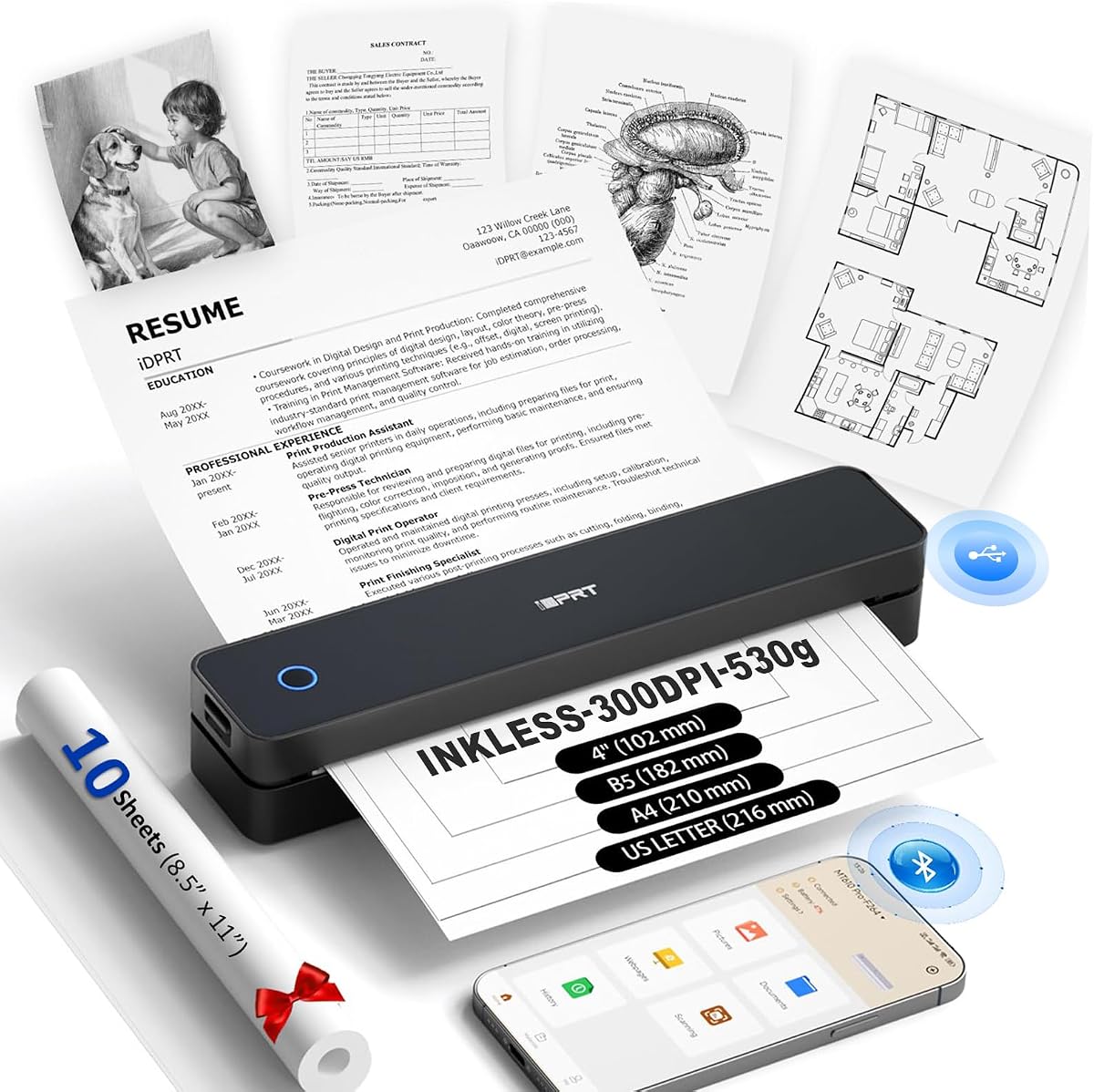
Inkless Portable Printer for Travel, MT610Pro Wireless Thermal Printer
300DPI resolution
2000mAh battery
1.2lb weight
Bluetooth 5.0
The MT610Pro is a top-tier inkless portable printer for travel. It holds a strong 4.1 rating on Amazon for its reliable performance. The standout quality is its combination of high resolution and light weight.
Pros
Ultra light design
High 300DPI clarity
Long battery life
Free HerePrint app
USB-C and Bluetooth
Cons
Thermal paper required
B&W printing only
We may earn a commission when you buy through this link, at no additional cost to you.
Its 300DPI thermal technology ensures contracts and notes print clearly. The 2000mAh battery delivers up to 200 pages per charge. This reduces downtime during long trips or busy workdays.
The trade-off is that it only supports thermal paper and B&W prints. This is acceptable since color is rarely needed for documents. The device also requires a free app for mobile printing.
Buy this if you need a professional, lightweight solution for business. It fits easily into bags and works across all major systems. It is a practical choice for nomads and students.
High Resolution Printing
The 300DPI resolution offers sharp text and diagrams ideal for reports.
Long-Lasting Battery
Get up to 200 pages from a single charge for extended use.
D90E Inkless Portable Thermal Printer with Case – 8.5" x 11", Black
8.5×11 support
Labelnize app required
USB and Bluetooth
Travel case included
The D90E stands out for supporting full 8.5×11 US Letter paper. It carries a 4.3 rating for its reliability and included travel case. The design focuses on standard document sizes for office use.
Pros
Includes travel case
Full US Letter size
USB and Bluetooth
Good customer support
Thermal technology
Cons
Chromebook not supported
Adapter not included
We may earn a commission when you buy through this link, at no additional cost to you.
Its Labelnize app allows easy mobile printing via Bluetooth. For computers, it connects via USB with dedicated drivers. The package includes a case for safe transport during trips.
It does not support Chromebooks and requires a USB for PC. Also, the charging adapter is not included in the box. These are minor inconveniences for the value provided.
Buy this if you need standard office paper on the go. It is ideal for professionals who need formal documents. The case adds extra protection for travel.
Standard Paper Size
Supports full US Letter thermal paper for official documents.
Gloryang Inkless Portable Printer for Travel, Wireless Thermal Printer Supports 8.5 x 11 Inch Thermal Paper, Bluetooth Machine Includes Carry Case and 3 Rolls of Paper Kit, Black
Built-in paper bin
3 rolls included
1.75lb weight
Jadens Printer app
The Gloryang printer is a great value bundle with extra paper. It has a 4.2 rating and includes a case and rolls. The built-in bin keeps your workspace tidy during use.
Pros
Includes 3 rolls
Built-in paper bin
Carry case included
Clear image print
Easy Bluetooth setup
Cons
Heavier than others
Gloryang paper required
We may earn a commission when you buy through this link, at no additional cost to you.
It uses the Jadens Printer app for seamless Bluetooth connection. The design supports full 8.5×11 thermal paper for reports. This makes it versatile for both text and images.
The weight is slightly higher at 1.75lb compared to others. You also need to buy compatible thermal paper which may cost extra. But the included rolls offset this initially.
Buy this if you want a complete starter kit. It is perfect for students or home offices on a budget. The extra rolls ensure you start printing immediately.
Portable Printers Wireless for Travel, N80 Bluetooth Thermal Printer
203DPI resolution
1500mAh battery
1.5lb weight
Nada Print app
The N80 is unique for supporting tattoo transfer paper. It has a 4.1 rating and is lightweight for travel. The Nada Print app handles various formats like PDFs and images.
Pros
Tattoo transfer paper support
Lightweight design
Multiple paper types
USB-C adapter included
Good for images
Cons
Lower battery capacity
Driver needed for PC
We may earn a commission when you buy through this link, at no additional cost to you.
Its 203DPI resolution is suitable for clear designs. The 1500mAh battery offers decent life for short tasks. It supports roll and folded paper for flexibility.
The battery is smaller than premium models. You must install a driver for computer use via USB. This adds a step for setup but works reliably once done.
Buy this if you need creative printing or travel light. It is great for artists and designers on the go. The USB-C adapter is a handy inclusion.
Versatile Paper Support
Compatible with roll, folded, and tattoo transfer paper.
Creative Use
Ideal for tattoo artists and design professionals.
Portable Printers Wireless for Travel, A285M Small Inkless Thermal Printer
Multi-size paper support
1.5lb weight
Built-in paper bin
Labelife.cc driver
The A285M supports five different paper sizes for flexibility. It has a 4.0 rating and is very compact for travel. The built-in bin keeps your workspace organized.
Pros
Supports 5 sizes
Compact design
No ink needed
Built-in bin
Budget friendly
Cons
Lower rating
Web driver download
We may earn a commission when you buy through this link, at no additional cost to you.
It works with US Letter and smaller widths. This helps in saving space while offering utility. The 1.5lb weight makes it easy to carry anywhere.
The rating is lower and drivers are downloaded from a website. This can be less seamless than native apps. But it offers good value for specific needs.
Buy this if you need multiple paper widths. It is great for contractors or small business owners. The cost is reasonable for the features provided.
Rongta Thermal Portable Printers Wireless for Travel, Bluetooth Mobile Printer, Inkless Printer for School/Office/Home Use, Compatible with Android,iOS & Laptop(Black)
203DPI resolution
US Letter support
RONGTA app setup
Mac compatible
The Rongta F11A offers the lowest price in this group. It has a 4.0 rating for simple and effective performance. It is ideal for students and home use.
Pros
Very affordable price
Easy setup app
Mac and Windows support
Lightweight design
Thermal technology
Cons
Bluetooth via app only
No color printing
We may earn a commission when you buy through this link, at no additional cost to you.
The RONGTA app makes pairing straightforward. It supports standard US Letter paper and works on Mac. This versatility is rare at this budget price point.
You must pair via the app not directly on the phone. The print is black and white only. These limits are acceptable for the significant savings.
Buy this if cost is your main priority. It is great for students needing homework print. The low price makes it easy to recommend.
The M832D features a digital display for easy control. It has a 4.2 rating for its user-friendly interface. The screen shows battery and connection status clearly.
Pros
Intuitive touchscreen
300 DPI clarity
Faster Bluetooth
Battery status view
Quiet operation
Cons
Higher price
App required for phone
We may earn a commission when you buy through this link, at no additional cost to you.
Its 300 DPI resolution ensures professional looking prints. The optimized Bluetooth is 50 percent faster. You can also use a USB-C cable for PCs.
The touchscreen adds cost but helps new users. It requires an app for mobile devices. Still the ease of use is a strong selling point.
Buy this if you want modern control features. It is perfect for tech savvy professionals. The display helps you manage prints easily.
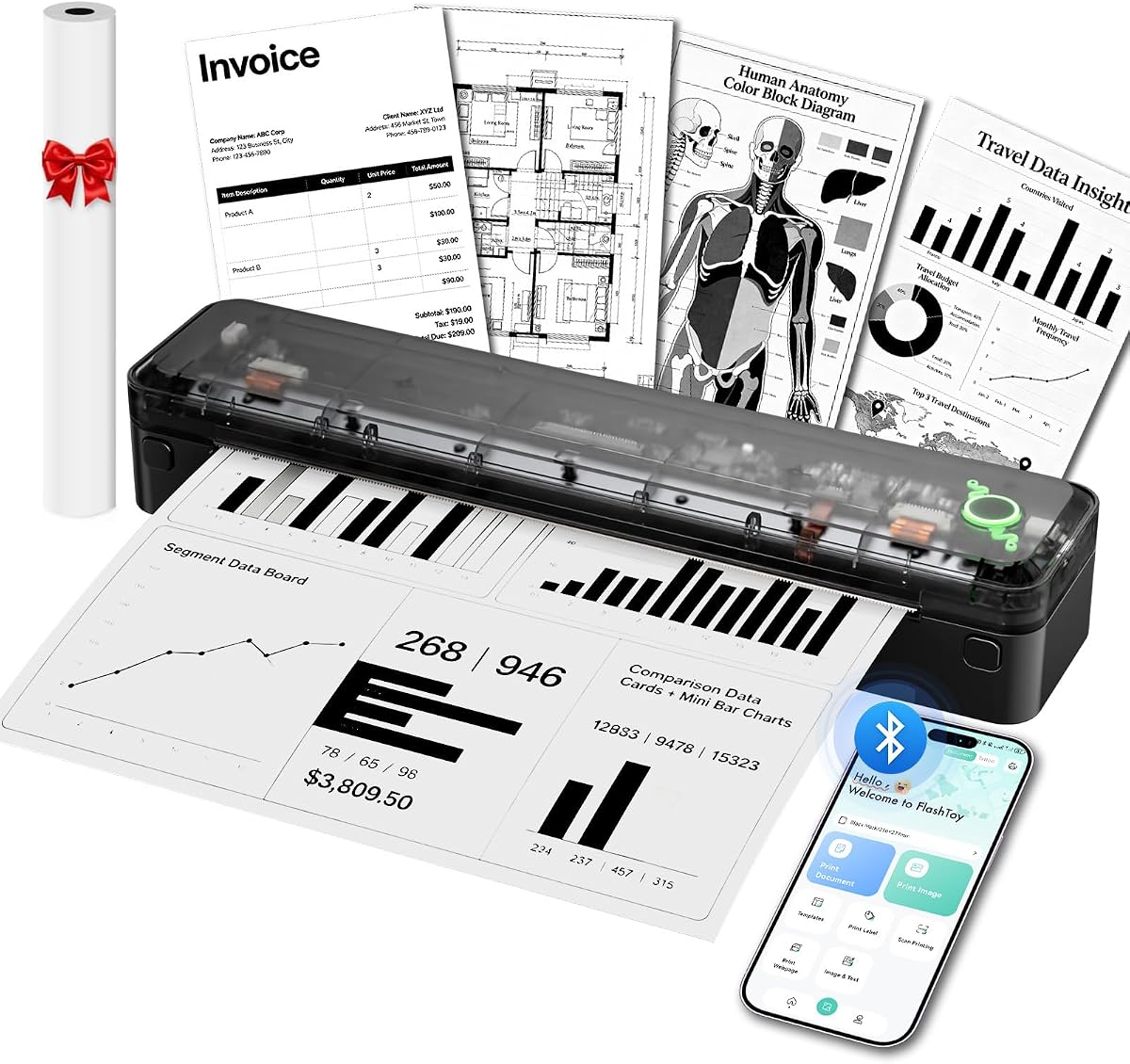
A8 Portable Thermal Printer, Wireless Bluetooth Inkless Printer for Travel, Supports 8.5" x 11" US Letter and A4 Thermal Paper, Compatible with iPhone, Android, Windows, Mac
Graphite translucent design
3000mAh battery
Built-in paper compartment
Flashtoy app
The A8 is unique with its translucent graphite design. It has a 4.2 rating and a large 3000mAh battery. The built-in compartment keeps paper secure during travel.
Pros
High capacity battery
Unique aesthetic design
Built-in paper compartment
Lifetime tech support
Full paper support
Cons
Bluetooth only on mobile
PC needs driver
We may earn a commission when you buy through this link, at no additional cost to you.
It supports full US Letter and A4 sizes easily. You can get up to 200 pages per charge. The app supports multiple file types for convenience.
Bluetooth works on phones only not laptops. You need a driver for PC use via USB. These limits do not hinder mobile performance.
Buy this if you value design and battery life. It is great for remote workers. The high capacity battery reduces charging trips.
Phomemo M85 Touchscreen Portable Printers Wireless for Travel with Case
Large touchscreen control
3500mAh battery
4 rolls included
Auto-updates
The M85 is the top premium option with a 4.6 rating. It features a large touchscreen for direct template printing. The 3500mAh battery lasts the longest on the list.
Pros
Highest rating
Largest battery
Smart template preview
Auto updates
Includes case
Cons
Most expensive option
Requires app setup
We may earn a commission when you buy through this link, at no additional cost to you.
It includes four rolls and a case. The auto-update feature ensures new software is always ready. You can manage print settings easily on the screen.
The price is higher but the build is superior. The touchscreen needs app setup for mobile use. This is a trade-off for high-end features.
Buy this if you want the best performance. It is ideal for frequent travelers and pros. The battery and touchscreen justify the cost.
MUNBYN Portable Printer Wireless for Travel, Small Bluetooth Inkless Thermal Printer Support 8.5 x 11 US Letter & A4, Compatible with Laptop, macOS,Windows, Android & iOS for Car,Home Office & School
Water bottle size
1.57lb weight
Adjustable paper slot
MUNBYN app
The MUNBYN is roughly the size of a water bottle. It has a 4.4 rating and is easy to carry. The adjustable slot fits US Letter and smaller paper.
Pros
Extremely compact
Adjustable paper slot
High rating
Multi system support
Good value
Cons
Mac needs USB
Thermal only
We may earn a commission when you buy through this link, at no additional cost to you.
It works with Windows Android and iOS devices. For Mac use you need a USB connection. This setup is smooth for most mobile users.
Mac limits are minor for the size it offers. The rating shows high satisfaction with performance. It is a reliable choice for field work.
Buy this if you need extreme portability. It is great for truck drivers and delivery staff. The size fits in tight spaces easily.
We may earn a commission when you buy through this link, at no additional cost to you.
Buying Guide – How to Choose the Best Inkless Portable Printer for Travel
Selecting the right inkless printer depends on your specific needs. We look at key factors to ensure you get reliable performance.
Thermal Technology
Thermal printers use heat to create images on special paper. They do not need ink or toner cartridges. This makes them lighter and easier to maintain.
Look for thermal printers that require no ink supplies.
Battery Life
Battery capacity determines how long you can print without power. Ranges from 1500mAh to 3500mAh. Higher capacity is vital for long trips.
Prioritize models with 2000mAh or higher.
Paper Compatibility
Most devices support thermal paper rolls or sheets. Check if it accepts US Letter A4 or narrow sizes. Some support specialty tattoo transfer paper.
Confirm the paper type matches your documents.
Connectivity Options
Bluetooth allows wireless printing from phones and tablets. USB-C connections are useful for laptops. Some devices support both methods for flexibility.
Choose models with both Bluetooth and USB.
Weight and Size
Weight affects portability. Most weigh between 1.2 and 2 lbs. The device should fit in a backpack or briefcase.
Check dimensions to fit your bag properly.
Operating System Support
Ensure the printer works with your device. Many support iOS and Android via apps. For Mac you may need a USB driver.
Review system compatibility before buying.
Resolution and Quality
Resolution determines text clarity. Ranges from 203DPI to 300DPI. Higher DPI is better for small text or charts.
Look for at least 203 DPI for clear docs.
Paper Handling Design
Some printers include built-in paper bins. This keeps your workspace tidy. Others require external holders.
Consider built-in storage for convenience.
How to Use and Care for Your Inkless Portable Printer
Load the thermal paper into the slot with the chemical side facing the print head. Ensure it is aligned properly to prevent jams.
Connect via the app or USB cable and select your file type. Download necessary drivers for desktop or laptop use.
Store the device in a cool dry place. Avoid direct heat as the thermal paper can discolor.
Frequently Asked Questions
Do inkless printers require ink?
No inkless printers use thermal technology that heats special paper to create images. There are no cartridges or ribbons to replace.
Can I use regular copy paper?
Regular copy paper will not work. You must use thermal paper that reacts to heat. The printer head is designed for this material.
How long does the battery last?
Battery life varies by model. Some offer 150 pages while others offer 200 to 300 pages per charge depending on capacity.
Are they compatible with Mac?
Most are. Mobile users connect via Bluetooth apps. Desktop users may need to install a driver and use a USB connection.
What size paper do they take?
Many support full US Letter A4 paper. Others are limited to narrow receipt sizes. Check the specs for the best fit.
Is color printing possible?
Most thermal devices only print in black and white. Color thermal printers are rare and often much larger.
Do I need an app?
Mobile devices require a free app for printing. Desktop use typically needs drivers and a physical USB cable connection.
How do I clean the printer?
Wipe the print head gently with a soft cloth. Avoid chemicals and keep the device dry to prevent damage.
Final Thoughts on Choosing the Best Inkless Portable Printer for Travel
We reviewed ten top models including the MT610Pro M85 and Rongta F11A. Each offers unique benefits from budget to premium.
Prioritize battery life and paper compatibility based on your needs. The best choice fits your workflow and travel style.
Check current prices and availability on Amazon before buying. Offers change frequently so verify the latest details.