
Swish S1 Scanner
Simple drop scan
Low cost entry
Windows software included
Choosing the right ID scanner for age verification is critical for bars and clubs. A good device scans quickly, verifies age accurately, and stores compliance logs to protect your business from legal risks.
We compared ten top models based on scanning speed, database compatibility, and ease of use. Each product was evaluated for its ability to detect fake IDs and integrate with existing point of sale systems efficiently.
Each pick shows key specs and real-world performance notes to help you decide. Prices and availability change frequently so always check the current listing before making your final purchase decision today.

4.9Editor score

4.8Editor score
As an Amazon Associate we earn from qualifying purchases.
The following table provides a side-by-side comparison of all ten top rated ID scanners. Review the specs to find the model that best fits your venue size and compliance requirements.




The IDetect ID Scanner stands out as the top choice for businesses needing reliable age verification. With a 4.9 rating, it promises rapid scanning and immediate validation of documents from the fifty states and Canada.
We may earn a commission when you buy through this link, at no additional cost to you.
Its primary strength lies in its ability to pop up alerts on your POS system instantly. This means staff know immediately if an ID is tampered with or on a watch list, reducing the risk of serving underage patrons.
While it lacks hologram detection which is a minor trade-off, the ease of use and robust build quality make it worth the investment. It is designed to withstand the demands of busy bars and clubs.
If you need a straightforward device that integrates well with your existing hardware and provides clear results, this is the ideal pick. It balances performance and reliability effectively for most venues.
The scanner notifies your screen immediately upon scanning, ensuring staff never miss a warning about a compromised ID.
Works seamlessly with Windows based POS systems and can be configured with tablets using a USB converter.
We may earn a commission when you buy through this link, at no additional cost to you.
This countertop unit is designed for fixed positions at entrances or points of sale. It offers unlimited standard ID scanning for free, which is a significant advantage for high traffic venues.
We may earn a commission when you buy through this link, at no additional cost to you.
The compliance log automatically records every scan, protecting your business during inspections. This feature helps eliminate human error and ensures that you have a clear record of all age checks performed.
The trade-off is that it relies on plug-in power and cannot be moved easily. Additionally, advanced fake ID detection requires purchasing scan credits after an initial free trial period.
For businesses that want a stationary solution with robust logging features, this model is excellent. It provides peace of mind through automated compliance tracking.
Every scan is recorded automatically, creating a reliable audit trail for regulatory inspections without manual effort.
The display shows a simple sale or no sale message, reducing confusion during busy service hours.
We may earn a commission when you buy through this link, at no additional cost to you.
The AgeVisor Mini is a compact solution that promises fast and reliable verification. It scans IDs in just one second, which helps keep lines moving quickly during peak hours.
We may earn a commission when you buy through this link, at no additional cost to you.
It features motion activated scanning for one-handed operation, which can be convenient for staff. The device calculates age automatically and provides intuitive icons to communicate results clearly.
However, the rating is lower than competitors, suggesting potential consistency issues. Additionally, while basic features are free, advanced DMV verification costs extra money per use.
If you need a small device that fits on tight counters and avoids monthly subscriptions, this is a viable option. Just ensure you test its reliability before full deployment.
Hands free scanning allows staff to focus on the customer while the device detects and reads the ID card.
The small footprint ensures it fits easily on crowded bar tops without taking up too much space.
We may earn a commission when you buy through this link, at no additional cost to you.
This premium model offers far more than just age verification by including detailed customer management tools. With a 4.8 rating, it is praised for its robust feature set and ease of use.
We may earn a commission when you buy through this link, at no additional cost to you.
The device saves customer photos and tracks visit counts, helping you identify loyal patrons. It also includes GPS tracking so you can locate the scanner if it is misplaced or stolen.
The trade-off is the higher initial investment compared to simpler units. However, the long battery life and cloud synchronization justify the cost for businesses wanting advanced data insights.
If you want to build a customer database while verifying age, this is the best choice. It turns every scan into an opportunity to engage with your guests.
Track new versus returning clients to improve marketing strategies and identify high value patrons.
The find my device feature allows you to lock or erase data remotely to protect sensitive information.
We may earn a commission when you buy through this link, at no additional cost to you.
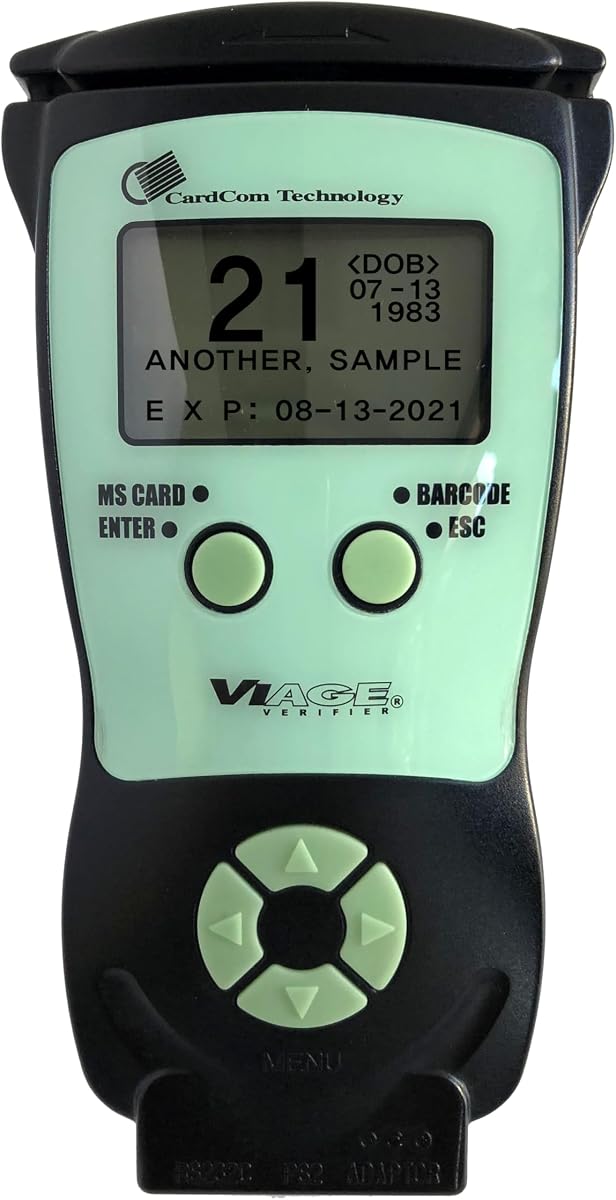
The CAV3200 is a portable scanner designed to work independently without a computer. It supports both magnetic stripe and 2D barcode scanning for broad coverage of ID types.
We may earn a commission when you buy through this link, at no additional cost to you.
Its standalone nature makes it convenient for quick checks on the floor. The backlight ensures visibility in dim lighting conditions typical of clubs and bars.
It includes free compliance software which adds value without additional subscription costs. However, the interface is fairly basic compared to smart models.
For businesses that need a mobile device to verify IDs away from the counter, this is a solid choice. It is affordable and functional for routine checks.
Operates without needing to connect to a computer, allowing for flexible placement around the venue.
The screen lights up to show results clearly even in low light environments.
We may earn a commission when you buy through this link, at no additional cost to you.
This model features an extra large 5 inch LCD screen for easy viewing by staff and customers. It allows for clear communication of results and reduces misunderstandings during transactions.
We may earn a commission when you buy through this link, at no additional cost to you.
It offers similar customer management features to the V2 model, including loyalty membership assignment and scan tracking. You can export records to Excel for further analysis.
The device is slightly heavier due to the larger screen and battery. Some users might find the setup more complex than simpler scanners.
If visibility is a priority in your venue, the large screen is a major benefit. It ensures that everyone involved in the transaction understands the result.
The 5 inch screen makes it easy to verify information from a distance.
Audible notifications ensure staff do not miss critical age or status warnings.
We may earn a commission when you buy through this link, at no additional cost to you.
This portable scanner is built to withstand harsh environments with an IP68 rating for drops and water. It is ideal for venues where spills and drops are common during busy shifts.
We may earn a commission when you buy through this link, at no additional cost to you.
The swappable battery allows for continuous operation without downtime. You can charge one battery while using another to keep the scanner always ready.
Advanced mobile license support is available as an upgrade. The price is higher due to the robust build quality and long battery life features.
For venues with heavy physical demands, this rugged design ensures reliability. It minimizes downtime and keeps your verification process running smoothly.
Rated to survive drops and moisture, making it perfect for active bar environments.
Batteries charge fully in under 90 minutes for minimal disruption during shifts.
We may earn a commission when you buy through this link, at no additional cost to you.
The Quantum Edge V3 is designed for durability with a strong seal against water and dust. It includes vibration alerts so staff feel the result directly in their hand.
We may earn a commission when you buy through this link, at no additional cost to you.
It supports Wi-Fi connections for easy data transfer to your systems. The side button scanner allows for precise control over when the scan occurs.
While it lacks some advanced CRM features found in premium models, it focuses on core reliability. It is suitable for businesses prioritizing hardware longevity.
If you want a scanner that can take a beating and still work perfectly, this is a great option. It delivers fast performance with a tactile feedback mechanism.
Vibration in the hand alerts staff instantly without relying on visual cues.
The sealed enclosure protects internal components from environmental hazards.
We may earn a commission when you buy through this link, at no additional cost to you.
Another countertop model from Minor Decliner focuses on compliance and privacy. It does not store photos which simplifies privacy management for your venue.
We may earn a commission when you buy through this link, at no additional cost to you.
You can configure data retention settings to meet specific regulatory needs. The built-in compliance log ensures you are always ready for an inspection.
It operates solely on plug-in power without batteries which reduces maintenance. Manual entry is available for damaged IDs that cannot be scanned.
For businesses prioritizing data privacy and compliance, this is a strong choice. It simplifies the verification process while keeping records organized.
No photos are taken or stored ensuring customer privacy is maintained.
Built-in logs and flexible retention help you meet local legal requirements easily.
We may earn a commission when you buy through this link, at no additional cost to you.
The Swish S1 is the most affordable entry point into digital verification. It is a simple USB optical scanner that captures card images without damaging them.
We may earn a commission when you buy through this link, at no additional cost to you.
It works exclusively on Windows and includes software to manage your scanned IDs. The drop-and-scan design is intuitive and requires no mechanical insertion slots.
Since it creates image files it serves as a document management tool as well. However it lacks the real-time calculation features of dedicated age devices.
For small businesses on a tight budget this offers a cost-effective way to keep records. It is best for light traffic venues where image archiving is a priority.
No rollers ensure your valuable IDs are never scratched or damaged during scanning.
The lowest price point makes it accessible for businesses with limited startup capital.
We may earn a commission when you buy through this link, at no additional cost to you.
Selecting the right ID scanner involves balancing features with your venue's operational needs. Use this guide to understand the key factors that influence performance and compliance.
Fast scanning is essential for peak hours to prevent long lines and customer frustration. Look for devices that verify age in less than two seconds for efficient flow.
Prioritize scanners with rapid processors to keep your entry moving smoothly.
Accuracy determines whether you can catch fake IDs or expired documents. Devices that analyze encrypted barcode data and cross-reference security databases offer higher accuracy.
Choose models with proven detection rates to minimize liability risks effectively.
Venues like clubs experience high traffic and accidental drops. A durable scanner with a solid build resists damage from routine use and spills.
Select hardware that can withstand the demands of a busy environment.
Consider how the device connects to your system. Some work standalone while others require Wi-Fi or USB connections to your POS.
Ensure the connection type matches your existing infrastructure.
Logging every scan protects you during regulatory inspections. Ensure the device automatically records data without extra effort from staff.
Verify that logs are exportable for reporting needs.
If portability is needed, check how long the battery lasts on a single charge. Extended battery life reduces downtime for frequent recharging.
Look for batteries lasting at least ten hours.
Advanced models let you track repeat visits and build loyalty profiles. This can help identify VIPs or problematic patrons quickly.
Decide if customer data adds value to your operations.
Start by connecting the scanner to your power source or inserting the battery. Install any required software updates to ensure compatibility with current ID formats.
Position the scanner at a height comfortable for your staff to access. Train them to hold the ID steady over the scanning area for accurate results.
Regularly clean the scanning area with a soft cloth to prevent dirt buildup. Store the device in a dry location when not in use.
It depends on the model. Some advanced scanners capture photos for records, while others are privacy-focused and do not store images at all. Check the product specifications before buying to ensure it meets your privacy requirements.
Most devices support Windows based POS systems and connect via USB or Wi-Fi. Verify the specific compatibility list provided by the manufacturer. Some units work standalone without needing a POS connection.
Many models offer free standard scanning with no hidden fees. However advanced fake ID detection services often require purchasing credits. Always check the pricing details to understand any potential recurring costs.
Top scanners read driver licenses and state IDs from all fifty states. They also support passports and Canadian licenses. Some offer manual entry options for damaged documents or military IDs.
Most high quality scanners verify age in under two seconds. This speed helps maintain efficient service during busy hours. Look for devices with fast processors to reduce wait times at your entrance.
Most devices are designed for intuitive use with minimal training required. Features like voice or vibration alerts simplify the process for staff. Some units are plug and play and require no special setup.
Portable models usually have indicators to warn of low power. You should carry spare batteries or charge them during slow periods. Countertop models often rely on direct power sources to avoid this issue.
Yes most modern scanners include built-in compliance logs for every scan. This automatic record keeping protects your business during inspections. Ensure the logging format meets your local legal standards.
Choosing the right ID scanner depends on your specific operational needs. The top picks offer strong verification speed and compliance features to protect your business.
Prioritize accuracy and ease of use to ensure staff can verify ages efficiently. Durability is also key for high traffic environments.
Remember that prices and availability can change. Check the current listings for the most up to date pricing before finalizing your purchase decision.