
VPFET HDMI Audio Extractor
4.1Editor score
Affordable and reliable
Optical and 3.5mm outputs
Supports 4K video
This guide compares the top HDMI Audio Extractor models for 2026, evaluating features like 4K support, ARC compatibility, and audio formats to help you choose
Finding the right HDMI Audio Extractor can transform your home theater experience by separating audio from video signals. These devices allow you to connect external soundbars or receivers to TVs that lack dedicated audio outputs. Whether you need optical or analog connections, the right extractor ensures high-quality sound without compromising video quality.
We have carefully reviewed ten leading HDMI Audio Extractor models available today. Our comparison focuses on critical factors such as resolution support, audio format compatibility, and ease of setup. Each product offers unique capabilities, from basic 1080p splitting to advanced 8K and eARC support for modern gaming consoles and streaming devices.
Each pick in this guide highlights specific strengths and ideal use cases for different users. We include detailed specs, pros, and cons to help you make an informed decision. Please note that prices and availability may change over time, so verify current details before purchasing your preferred model.
4.1Editor score

4.4Editor score

4.2Editor score
This side-by-side comparison highlights the key specifications of each HDMI Audio Extractor model to help you quickly identify the best fit for your setup. Pay attention to supported resolutions, audio output types, and special features like ARC or eARC compatibility when making your choice.






The VPFET HDMI Audio Extractor offers a budget-friendly solution for those needing basic audio separation. With a solid 4.1 rating, it handles 4K video up to 30Hz while extracting audio via optical or 3.5mm outputs. Its straightforward design makes it ideal for simple home theater upgrades.
We may earn a commission when you buy through this link, at no additional cost to you.
Key strengths include its versatility with three audio modes, allowing users to switch between stereo and multi-channel formats easily. The optical output supports DTS 5.1, providing decent surround sound for compatible receivers. Additionally, low energy consumption and USB power make it easy to integrate into existing setups without extra cables.
However, the limitation to 4K at 30Hz may be a drawback for users with high-refresh-rate displays or gaming consoles. The lack of ARC support means it cannot be used with TV audio return channels, restricting its use to external source devices like Blu-ray players or game consoles.
This extractor is best suited for budget-conscious users with older TVs or devices that do not require advanced features. If you need reliable audio extraction for standard 4K content without spending much, this model delivers good value for the price.
Effortlessly separates audio from HDMI signals using optical or analog connections for external speakers.
Switch between stereo, 5.1, and pass modes to match your audio system capabilities.
We may earn a commission when you buy through this link, at no additional cost to you.
The OREI HDMI Audio Extractor ARC stands out as our top choice for its balance of performance and features. With a 4.4 rating, it supports 4K at 60Hz and includes ARC, allowing audio extraction directly from TV sources. This makes it perfect for users with modern smart TVs that lack optical outputs.
We may earn a commission when you buy through this link, at no additional cost to you.
Its ability to handle HDR, Dolby Vision, and high-quality audio formats ensures an immersive viewing experience. The CEC pass-through feature enables seamless control between your TV and media devices. Additionally, downmixing capabilities allow multichannel audio to be converted to stereo without losing quality.
While the price is higher than basic extractors, the added functionality justifies the cost for many users. The main trade-off is that volume control via TV remote is not supported on optical outputs, requiring manual adjustments on your audio system.
This model is ideal for home theater enthusiasts who need reliable ARC support and high-resolution video pass-through. Whether you are streaming content or watching movies, it delivers consistent performance with minimal setup hassle.
Extract audio from ARC-enabled TVs, eliminating the need for extra audio cables.
Maintains 4K at 60Hz with HDR, ensuring picture quality remains intact.
We may earn a commission when you buy through this link, at no additional cost to you.
The OREI 4K Audio Converter delivers solid performance for users needing 4K video with audio extraction. Rated 4.2, it supports resolutions up to 4K at 60Hz and includes HDCP 2.2 for compatibility with modern content sources. The metal housing adds durability and helps with heat dissipation during extended use.
We may earn a commission when you buy through this link, at no additional cost to you.
Key strengths include support for multiple audio formats like Dolby Digital and DTS via optical output. The 3.5mm output provides flexibility for headphones or speakers without optical inputs. Its plug-and-play design ensures quick setup without requiring software or drivers.
However, the lack of ARC support limits its ability to extract audio directly from TVs. Additionally, some users may find that high-resolution modes like 1080p at 120Hz are not supported, which could be a concern for gamers.
This converter is best for users with external media players or consoles who need stable 4K video and audio separation. If you prioritize build quality and reliable performance over advanced TV features, this model is a strong choice.
A robust metal enclosure ensures longevity and efficient cooling for continuous operation.
Handles Dolby Digital, DTS, and PCM formats for diverse audio system needs.
We may earn a commission when you buy through this link, at no additional cost to you.
The eSynic ARC Audio Extractor is designed for users seeking high-quality audio from modern TVs. With a 4.5 rating, it supports up to 192kHz sampling rates, ensuring clear and detailed sound. Its exclusive focus on ARC and eARC makes it perfect for connecting soundbars or stereo systems to TVs without dedicated audio outputs.
We may earn a commission when you buy through this link, at no additional cost to you.
Key features include seamless conversion to 3.5mm and RCA outputs, allowing direct connection to a wide range of speakers. The built-in audio indicators help confirm the working status, providing peace of mind during setup. Additionally, USB power ensures it operates without needing extra adapters.
However, the lack of optical output limits its use with digital audio systems. It also only works with TVs that support ARC/eARC, meaning it cannot be used with external media devices directly. This specialization may not suit all users.
This extractor is ideal for audiophiles with newer TVs who want to upgrade their audio experience without complex wiring. If your TV supports ARC/eARC and you prefer analog connections, this model delivers exceptional sound quality.
Supports up to 192kHz sampling rates for clean and precise sound reproduction.
Designed specifically to extract audio from TVs with ARC or eARC ports.
We may earn a commission when you buy through this link, at no additional cost to you.
The J-Tech Digital Audio Extractor is tailored for users who prioritize high refresh rates and HDR. Rated 4.1, it supports 4K at 60Hz and 1080p at 144Hz, making it a great choice for gaming setups. HDR10 and CEC support ensure compatibility with modern entertainment systems.
We may earn a commission when you buy through this link, at no additional cost to you.
Its ability to pass through Dolby Digital and DTS audio formats allows external receivers to decode surround sound effectively. The 3.5mm and SPDIF outputs provide flexibility for various speaker types. Additionally, the compact design makes it easy to hide behind entertainment units.
However, it does not decode audio formats for analog outputs, requiring source devices to output PCM for 3.5mm use. Some users have reported incompatibility with specific devices like certain Comcast boxes or older Apple TV models.
This extractor is best for gamers and home theater users with high-refresh-rate monitors. If you need reliable performance at 1080p at 144Hz with HDR, this model offers excellent value for the features provided.
Supports high refresh rates up to 144Hz for smooth gaming visuals with audio extraction.
Passes through HDR10 signals, maintaining high dynamic range video quality.
We may earn a commission when you buy through this link, at no additional cost to you.
The VPFET eARC Extractor specializes in extracting audio from TVs with eARC capabilities. With a 4.1 rating, it supports high sampling rates up to 192kHz, ensuring lossless audio quality. The dual optical and coaxial outputs provide versatile connectivity options for soundbars and receivers.
We may earn a commission when you buy through this link, at no additional cost to you.
Its compact design includes a Type-C power cable, HDMI cable, and user manual, making it ready to use out of the box. The status indicator helps confirm when the ARC/eARC connection is active. It is particularly useful for older audio systems that lack modern HDMI inputs.
However, it only works with TV eARC ports, not external devices, which limits its flexibility. The lack of CEC support means volume control cannot be managed through TV remotes. Additionally, manual settings may be required on some TVs to enable eARC.
This extractor is ideal for users looking to upgrade TV audio without replacing the entire system. If your TV supports eARC and you need optical or coaxial outputs, this model provides a cost-effective solution.
High sampling rates ensure detailed sound reproduction without quality loss.
Simultaneous optical and coaxial outputs support a wide range of audio equipment.
We may earn a commission when you buy through this link, at no additional cost to you.
The OREI 8K Audio Extractor is designed for users planning for next-generation video standards. Rated 4.2, it supports up to 8K at 60Hz and 4K at 120Hz, ensuring compatibility with future displays and consoles. HDMI 2.1 features like ALLM and VRR enhance the gaming experience.
We may earn a commission when you buy through this link, at no additional cost to you.
Its ARC support allows audio extraction from TVs, while optical and 3.5mm outputs provide flexibility for different setups. The metal enclosure ensures efficient heat dissipation, crucial for handling high-bandwidth signals. Additionally, the included power supply supports worldwide voltage for global use.
While it does not support eARC, its overall bandwidth and resolution capabilities make it a premium choice. The higher price is justified by the advanced features and future-proofing. Volume control limitations via TV remote are a minor trade-off for the performance offered.
This model is best for enthusiasts with high-end setups or those upgrading to 8K TVs. If you need the latest HDMI 2.1 features with reliable audio extraction, this extractor is a top-tier investment.
Supports 8K at 60Hz and 4K at 120Hz for ultimate visual quality.
Heavy-duty metal enclosure ensures longevity and optimal thermal management.
We may earn a commission when you buy through this link, at no additional cost to you.
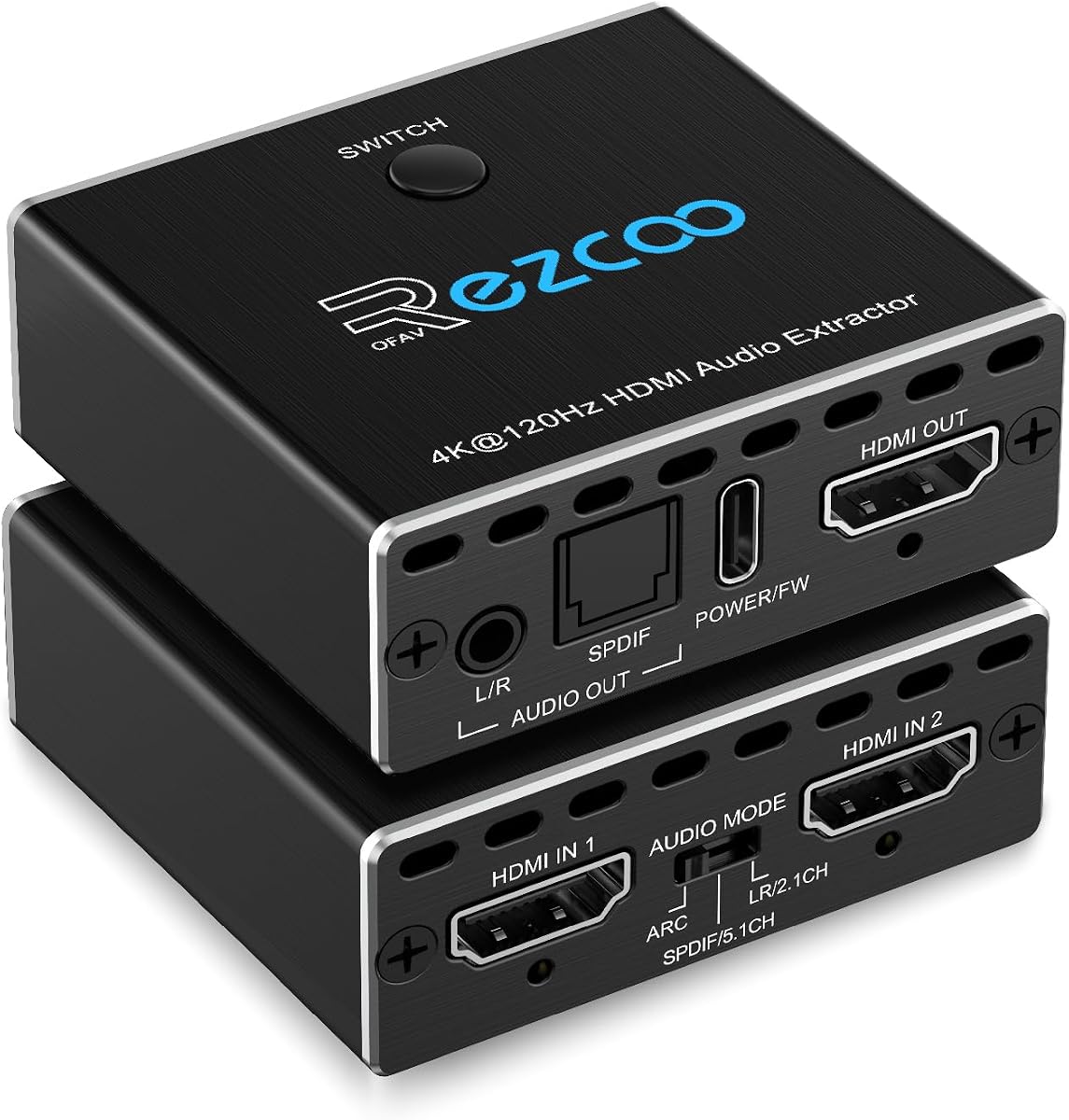
The 4K 120Hz Extractor Switch is a unique 2-in-1-out device that allows switching between two HDMI sources while extracting audio. With a perfect 5.0 rating, it supports 4K at 120Hz, making it ideal for multi-console gaming setups. DTS:X and TrueHD audio support ensures immersive sound.
We may earn a commission when you buy through this link, at no additional cost to you.
Users can connect a PS5 and Xbox simultaneously, outputting video to a display and audio to a sound system. The Type-C power connection is convenient, and the compact design fits easily into entertainment centers. Automatic switching simplifies transitions between sources.
However, it only supports 2 in 1 out, meaning it cannot split audio to multiple displays. High-quality HDMI 2.1 cables are required for optimal performance, which can add to the cost. Some users may need firmware updates to resolve incompatibility issues.
This extractor is best for gamers with multiple consoles who want a streamlined setup. If you need high refresh rates and reliable audio extraction from two sources, this model is an outstanding choice.
Easily switch between two HDMI sources for video while maintaining high-quality audio extraction.
Supports premium formats like DTS:X and TrueHD for an immersive surround experience.
We may earn a commission when you buy through this link, at no additional cost to you.
The HDMI Audio Extractor 8K offers a versatile solution for high-resolution audio and video needs. Rated 4.2, it supports up to 8K at 60Hz and 4K at 120Hz, ensuring compatibility with modern displays. The inclusion of ARC and eARC allows flexible audio extraction from various sources.
We may earn a commission when you buy through this link, at no additional cost to you.
Its three operating modes—PASS, R/L, and SPDIF—provide adaptability for different audio setups. The ability to operate without a connected display makes it suitable for audio-only connections. Additionally, compatibility with HDR and VRR enhances gaming and streaming experiences.
However, users may need to enable specific TV settings like CEC for ARC modes to work correctly. The setup can be slightly complex for beginners due to the multiple modes. Analog ports require PCM input, which may not be intuitive for all users.
This extractor is best for advanced users with high-end TVs and audio systems. If you need both 8K support and flexible audio extraction modes, this model provides comprehensive features.
Choose between PASS, R/L, and SPDIF modes to match your audio system requirements.
Supports 8K video at 60Hz, future-proofing your setup for next-gen displays.
We may earn a commission when you buy through this link, at no additional cost to you.
The HDMI Audio Extractor Splitter is a basic, affordable solution for simple audio separation. With a 4.2 rating, it supports 4K at 30Hz and includes 3D capability for older content. The lightweight design and included cables make it easy to install without extra purchases.
We may earn a commission when you buy through this link, at no additional cost to you.
Its analog R/L output allows direct connection to speakers or sound systems. Plug-and-play functionality ensures quick setup, suitable for users with minimal technical knowledge. The USB power requirement is minimal, often sourced from the device itself.
However, it lacks ARC support and is limited to 30Hz at 4K, which may not meet higher refresh rate needs. It also does not support all modern devices as input sources, which could limit versatility for some users.
This splitter is best for budget-conscious users with standard setups who need basic audio extraction. If you have a PS4 or older console and want simple analog audio output, this model is a straightforward choice.
Lightweight and compact, ideal for travel or temporary setups.
Comes with necessary HDMI and audio cables for immediate use.
We may earn a commission when you buy through this link, at no additional cost to you.
Selecting the right HDMI Audio Extractor depends on your specific needs, including resolution requirements and audio format preferences. Here are the key factors to consider before making a purchase.
Ensure the extractor supports the resolution and refresh rate of your display. Options range from 1080p to 8K, with higher refresh rates like 120Hz available for gaming. Verify that the device can handle the bandwidth required for your setup without compromising picture quality.
Look for HDMI 2.1 support if you need 4K at 120Hz or 8K resolutions to future-proof your investment.
If you want to extract audio directly from your TV, choose an extractor with ARC or eARC support. eARC offers higher bandwidth for lossless audio, which is essential for high-quality soundbars and receivers. Confirm your TV has the corresponding ports to avoid compatibility issues.
ARC support simplifies setups by using a single HDMI cable for video and audio return.
Select an extractor with output types that match your audio system. Optical (Toslink) is ideal for digital audio receivers, while 3.5mm or RCA outputs suit analog speakers. Some models offer both, providing flexibility for different devices.
Check if the extractor supports the audio formats your system requires, such as Dolby Digital or DTS.
High-quality audio formats like Dolby Atmos, DTS:X, and TrueHD require specific extractor capabilities. Ensure the device can pass through or decode these formats to get the best sound experience. Basic models may only support PCM or stereo outputs.
Advanced extractors allow downmixing of multi-channel audio to stereo for compatibility with simpler systems.
Some extractors are powered via USB, while others need an external power adapter. USB power is convenient but may not be sufficient for all devices. Check if the product includes a power cable and if it supports universal voltage for international use.
External power adapters often ensure more stable performance, especially with high-bandwidth signals.
Metal housings provide better heat dissipation and durability compared to plastic. Look for extractors with sturdy construction to ensure longevity, especially if they will be used for extended periods. Features like status indicators can also help confirm the device is functioning correctly.
Compact designs are easier to hide behind entertainment units and reduce clutter.
Plug-and-play functionality is essential for a hassle-free experience. Avoid extractors that require complex software or driver installations. Check user reviews for reports of easy setup and clear instructions to minimize frustration during installation.
Clear labeling on ports helps identify input and output connections quickly.
Budget extractors offer basic functionality, while premium models include advanced features like 8K support. Consider how much you are willing to spend for the features you need. A warranty ensures protection against defects and provides peace of mind for your purchase.
Higher-priced options may offer better customer support and longer warranty periods.
Connect the HDMI input from your source device, such as a game console or Blu-ray player, to the extractor. Then, connect the HDMI output to your TV or monitor. Ensure both ends are securely fastened to prevent signal loss or intermittent issues.
Plug the optical or 3.5mm audio cables from the extractor to your speakers or receiver. Power on the extractor using the included USB cable or adapter. Configure your source device to output audio in a compatible format, such as PCM for analog outputs or bitstream for optical.
Keep the extractor in a well-ventilated area to prevent overheating. Regularly check cables for wear and replace them if necessary to maintain signal integrity. Update firmware if available to ensure compatibility with new devices and resolutions.
Not all extractors work with every TV. Models with ARC support are needed to extract audio directly from TV outputs. Ensure your TV has an ARC or eARC port if you plan to use the extractor for TV audio.
ARC supports basic audio return, while eARC offers higher bandwidth for lossless audio formats like Dolby Atmos. eARC is recommended for high-quality home theater setups.
Yes, for 4K at 60Hz or higher, you need a High-Speed HDMI cable certified for the resolution. Using a low-quality cable can result in signal instability or reduced performance.
Check that your source device is set to output compatible audio formats. Ensure all cables are properly connected and the extractor is powered on. Some models require specific settings like PCM for analog outputs.
Some extractors allow operation without a display, but many require an HDMI loop through. Check the product specifications to see if it supports audio-only use.
Yes, it is safe as long as the device is properly ventilated. However, unplug it during extended periods of non-use to conserve energy and prevent wear.
We hope this guide has helped you identify the right HDMI Audio Extractor for your needs. The OREI HDMI Audio Extractor ARC offers the best balance of features and performance, while budget options like the VPFET model provide value for basic setups.
Prioritize factors like resolution support, ARC compatibility, and audio format capabilities when making your decision. Consider your existing devices and whether you need advanced features like 8K or eARC for future-proofing your home theater.
Always check current prices and availability before purchasing to ensure you get the best deal. With the right extractor, you can enjoy superior sound quality and a seamless entertainment experience without replacing your entire system.