
Garmin Dash Cam X310
3.8Editor score
4K ultra HD video clarity
Integrated touchscreen LCD display
Advanced driver assistance alerts
This guide compares the top Garmin Dash CAM models available in 2026 to help you choose the right device for safety and clarity on the road.
Dash cams provide essential video evidence for accidents and enhance driver awareness with modern safety features. A good unit records high-definition footage day and night while remaining discreet on your windshield to avoid obstructing your view.
We evaluated ten top-rated Garmin Dash CAM products based on video quality, connectivity options, parking monitoring capabilities, and ease of use. Our analysis focuses on real-world performance metrics and user-friendly interfaces that matter most to daily drivers.
Each pick highlights key strengths and ideal use cases so you can match a model to your specific driving needs. Prices and availability change frequently so verify current details before purchasing to ensure you get the best value.
3.8Editor score

4.2Editor score

4.0Editor score
The following comparison table presents key specifications for all ten models so you can quickly identify differences in resolution, field of view, and connectivity options.



The Garmin Dash Cam 67W stands out as a top performer in the Garmin lineup with its balanced feature set and reliable performance. It has earned a strong rating from users who appreciate its ease of use and high quality video output.
We may earn a commission when you buy through this link, at no additional cost to you.
Its extra-wide 180-degree lens captures significantly more of the road environment than standard models which helps reduce blind spots during driving. The 1440p resolution ensures fine details like license plates remain readable even in challenging lighting conditions.
While the device requires constant power and active Wi-Fi for remote features like Live View users find the convenience worth the setup effort. Some regions may have legal restrictions on dash cam use so checking local regulations is advised before installation.
This model is ideal for daily commuters and ride-share drivers who need clear evidence without a bulky setup. We recommend the 67W for anyone seeking a proven Garmin solution with superior angle coverage and smart connectivity.
The 180-degree field of view minimizes blind spots by capturing vehicles and signs on the far edges of your lane.
Wi-Fi allows automatic upload to the online Vault and enables Live View monitoring when your car is parked away from you.
We may earn a commission when you buy through this link, at no additional cost to you.
The Garmin Dash Cam X310 offers premium features including 4K Ultra HD recording and an intuitive touchscreen interface. While its rating is slightly lower due to cost and subscription dependencies it remains a top choice for those wanting maximum resolution.
We may earn a commission when you buy through this link, at no additional cost to you.
Its 4K capability captures finer details that are often lost in lower resolution models. This is particularly useful for reading distant signs or identifying features on surrounding vehicles during incidents.
The touchscreen makes it easy to review clips and adjust settings without needing to connect to a phone. Users who value convenience and high-end specs will find the extra cost justified despite the subscription requirements for advanced features.
Choose this model if you prioritize image quality and interactive controls. It serves as a robust solution for professionals or enthusiasts who want the most detailed dash cam experience available from Garmin.
4K resolution ensures that critical details such as license plates and street signs remain legible even after digital zooming.
The 2.4 inch LCD touchscreen allows you to adjust settings and playback footage directly on the camera for quicker access.
We may earn a commission when you buy through this link, at no additional cost to you.
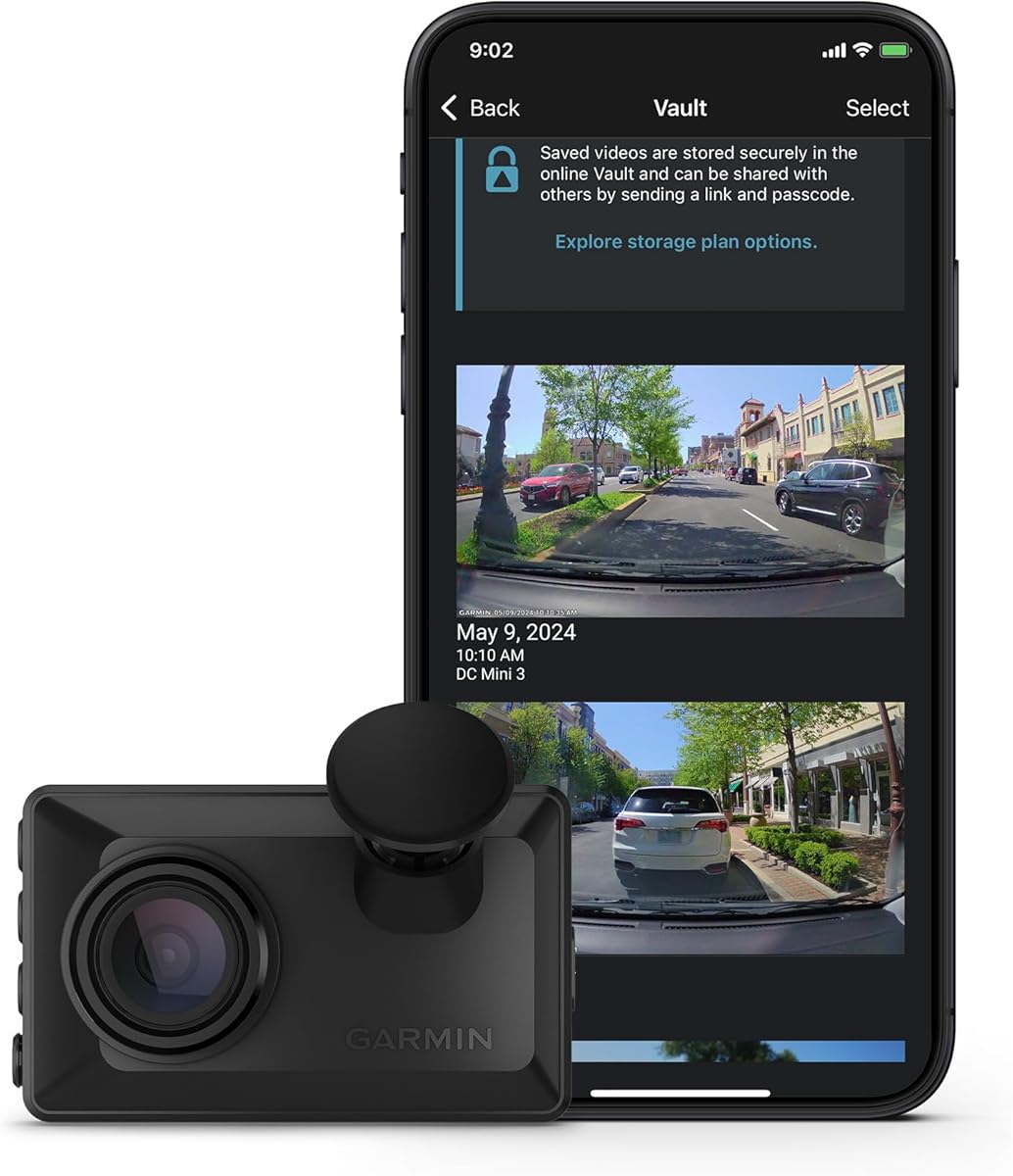
The Garmin Dash Cam Mini 3 is designed for drivers who want essential protection without a bulky device. Its key-sized form factor ensures it remains virtually unnoticed on the windshield while still recording incidents clearly.
We may earn a commission when you buy through this link, at no additional cost to you.
It records crisp 1080p HD video which is sufficient for identifying vehicles and road details in most situations. The built-in Clarity polarizer lens helps reduce glare so footage remains clear even during bright daylight.
Voice control allows you to save clips without reaching for the device which keeps your attention on the road. While it lacks some advanced features of premium models it provides reliable performance at a very accessible price.
This camera is perfect for first-time dash cam users or those with limited space. We recommend it for drivers seeking a simple trustworthy solution that blends seamlessly into their vehicle environment.
The ultracompact shape ensures the camera does not block your view of the road or attract unwanted attention from passersby.
Speak commands to save video or start audio recording so you do not need to touch the camera while driving.
We may earn a commission when you buy through this link, at no additional cost to you.
The Garmin Dash Cam X110 balances performance and price with a strong user rating. It delivers 1440p video quality which offers a significant step up from standard 1080p units while maintaining a compact build.
We may earn a commission when you buy through this link, at no additional cost to you.
Its 2.4 inch LCD display allows you to review footage immediately without needing to connect to a smartphone. This convenience is highly valued by drivers who want quick access to saved clips.
The unit includes driver alerts for forward collision and lane departure which can help improve driving habits. While some features depend on subscriptions the core recording performance is robust enough for daily use.
Buy this if you want a higher resolution than the Mini 3 but prefer a standard size. It fits well for commuters who want a solid balance of clarity and convenience.
The integrated LCD screen lets you view saved footage right on the device which speeds up the process of reviewing incidents.
Built-in alerts warn you of potential hazards like lane departure helping you stay focused and avoid accidents before they happen.
We may earn a commission when you buy through this link, at no additional cost to you.
This 3-channel dash cam provides total vehicle visibility with 4K front and rear cameras plus a cabin camera. It has a high user rating indicating strong performance in real-world driving conditions.
We may earn a commission when you buy through this link, at no additional cost to you.
The inclusion of a free 128GB card means you can start recording immediately without buying extra accessories. Dual-band WiFi 6 ensures that transferring large video files to your phone happens quickly.
Night vision capabilities are particularly strong due to the advanced AProX HD technology and IR lights for the cabin. This makes it suitable for rideshare drivers who need clear interior footage at all times.
Select this model if you need comprehensive coverage and fast connectivity. It is a great alternative to Garmin options for those who want 3-channel functionality at a competitive price point.
Three channels capture the road ahead, behind, and inside the vehicle which offers complete evidence in complex accidents.
Advanced night vision and IR lights ensure that details are visible even in low light conditions inside and outside the car.
We may earn a commission when you buy through this link, at no additional cost to you.
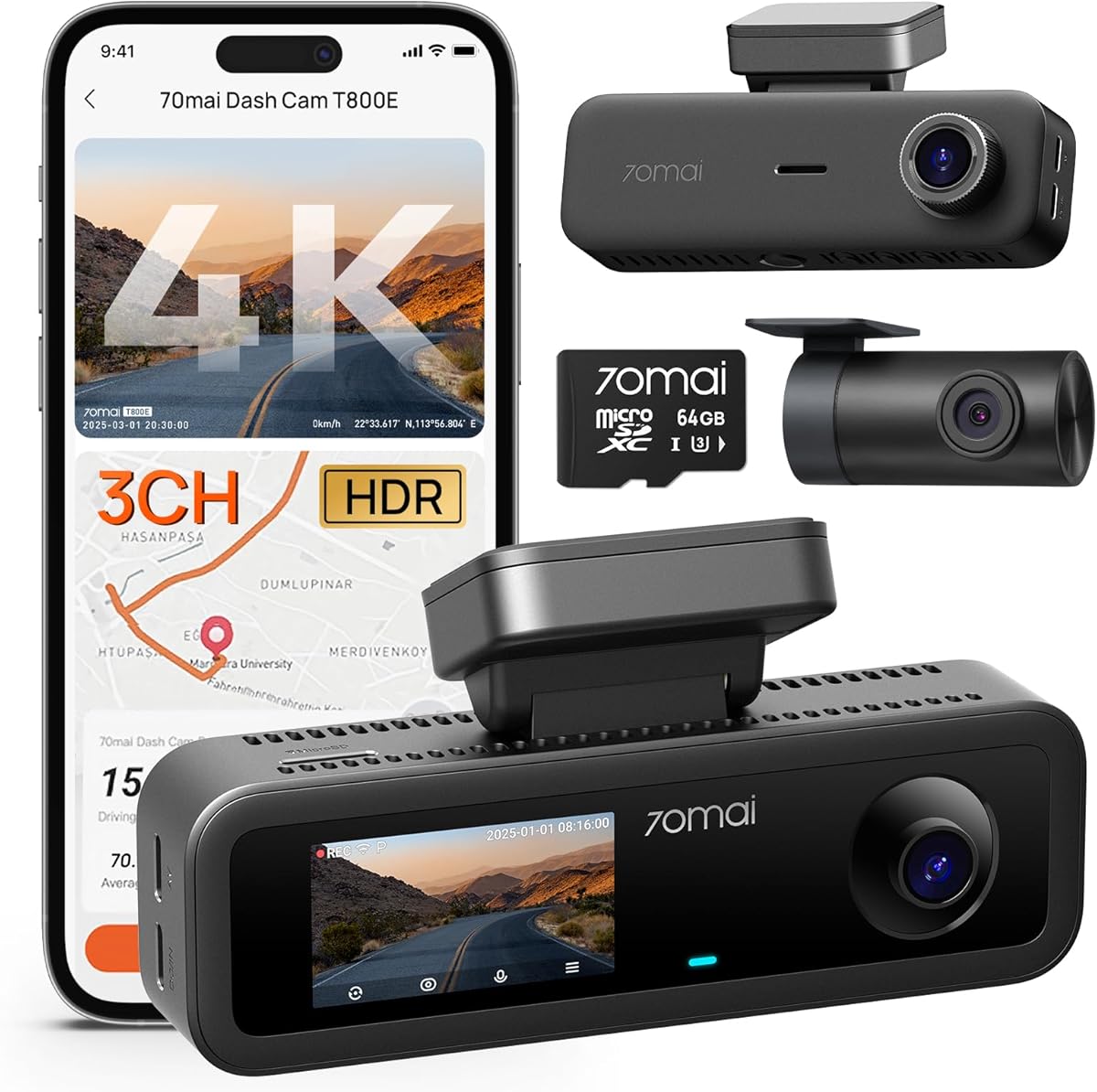
The 70mai T800E is a high-performing alternative that offers 3-channel recording with solid ratings. It uses a super capacitor instead of a battery which makes it more reliable in extreme heat or cold.
We may earn a commission when you buy through this link, at no additional cost to you.
Front and rear 4K and 1080P recording respectively provide clear evidence from multiple angles. The 64GB card included allows you to start recording right away without additional purchases.
GPS tracking adds valuable context to your footage by logging speed and location data. This is useful for insurance claims and reviewing your driving habits over time.
Consider this option if you want reliable performance without compromising on temperature resilience. It is a great choice for drivers in regions with harsh weather conditions.
The super capacitor ensures stable operation in extreme temperatures which protects the device from battery failure in heat or cold.
Built-in GPS records speed and location directly into the video which helps verify route details during disputes.
We may earn a commission when you buy through this link, at no additional cost to you.
The galphi 4K Dash Cam delivers high resolution in a compact screen-free design. It focuses on performance and convenience by eliminating the need for a built-in display.
We may earn a commission when you buy through this link, at no additional cost to you.
A 5GHz WiFi connection ensures that downloading footage is significantly faster than traditional 2.4GHz setups. This makes reviewing clips much quicker especially for longer trips.
The screen free design keeps your windshield clean and your attention on the road. It comes with a 32GB card so you can use it immediately upon purchase.
This unit is ideal for drivers who prioritize resolution over extra features. If you want a minimal setup with powerful recording capabilities this is a strong choice.
The 5GHz WiFi allows you to transfer files at up to 8MB/s which saves time when sharing footage for insurance or legal needs.
Without a screen the camera stays out of the way and reduces distractions while you are driving.
We may earn a commission when you buy through this link, at no additional cost to you.
The 70mai A800SE combines 4K front and 1080P rear recording with robust safety features. It includes a 128GB card which is a generous inclusion for storage.
We may earn a commission when you buy through this link, at no additional cost to you.
ADAS alerts provide lane departure and forward collision warnings to help you drive safer. The 3 inch IPS screen makes navigation easy and playback clear.
Night vision performance is enhanced with dual HDR technology to handle varying light conditions. This ensures that critical details are not lost in shadows or glare.
Buy this model if you want a complete front and rear package with useful alerts. It is well suited for drivers who want advanced protection at a reasonable price.
ADAS warnings alert you to potential hazards like forward collisions which can help prevent accidents before they occur.
The 3 inch IPS screen provides a clear view of footage without needing to connect to a smartphone.
We may earn a commission when you buy through this link, at no additional cost to you.
The Garmin Dash Cam Live is unique in its always-on LTE connection for real-time monitoring. It allows you to check on your vehicle remotely which adds a layer of security.
We may earn a commission when you buy through this link, at no additional cost to you.
Video quality is maintained at 1440p HD which is clear enough for identification. The device uploads saved video automatically to the online Vault for later access.
Vehicle surveillance features like location tracking and theft alerts make this a strong option for security. However these features require an active LTE subscription and constant power.
This model is best for those who need to monitor their car from a distance. It is ideal for high-value vehicles or drivers who travel frequently.
Always-on LTE connectivity lets you access live views and alerts anytime from your smartphone for continuous peace of mind.
Built-in tracking and theft alerts notify you immediately if your vehicle is moved which helps deter potential theft.
We may earn a commission when you buy through this link, at no additional cost to you.
The Garmin Dash Cam X210 combines 4K resolution with a compact design and intuitive controls. It is a solid choice for those who want high definition video in a manageable package.
We may earn a commission when you buy through this link, at no additional cost to you.
Its 2.4 inch touchscreen makes it easy to review clips and adjust settings on the go. Voice control adds convenience by allowing hands-free operation while driving.
Driver safety alerts provide warnings for collision and lane departure which helps improve awareness. This makes the device useful not only for recording but also for active safety.
Choose the X210 if you want a premium recording experience without excessive bulk. It suits drivers who value clarity and interactive features.
4K Ultra HD video captures the finest details which ensures that key information remains visible during any incident.
Voice control and touchscreen operation make the device easy to use without taking your hands off the wheel.
We may earn a commission when you buy through this link, at no additional cost to you.
Choosing the right dash cam involves balancing video quality, features, and budget to suit your driving habits.
Higher resolutions like 1440p and 4K provide clearer footage which helps identify license plates and details in low light. Look for HDR and polarizer lenses to reduce glare and improve overall image quality.
Prioritize models with high resolution if you need detailed evidence for insurance claims or legal purposes.
A wider field of view captures more of the road and reduces blind spots. Models with 180-degree lenses offer better coverage than standard 140-degree units.
Select a wide-angle lens to ensure you capture surrounding traffic and signs.
Wi-Fi and app support allow you to review footage and change settings without removing the SD card. LTE models enable remote monitoring but require subscriptions.
Ensure the connectivity matches your needs for immediate access or remote surveillance.
Parking mode monitors your vehicle when it is off. This requires constant power and often a hardwire kit to avoid draining the battery.
Check if the device supports parking features and if you are willing to install additional power accessories.
Voice commands let you save clips or adjust settings without taking your hands off the wheel. This enhances safety by reducing distractions.
Look for models with robust voice control if you prefer hands-free operation.
Some advanced features like Live View require paid subscriptions for cloud storage or LTE access. Consider ongoing costs alongside the initial purchase price.
Choose a model that fits your budget for both the hardware and any required services.
Dash cams typically use microSD cards. Verify the maximum supported capacity and if a card is included in the box.
Ensure you have enough storage to capture long trips without needing to replace cards frequently.
Smaller units are less obtrusive and blend better with the dashboard. Consider whether a screen is needed or if it adds unwanted weight.
Pick a form factor that does not obstruct your view of the road.
Mount the camera high on the windshield near the rearview mirror to maximize the field of view. Ensure the lens is clean and unobstructed by stickers or debris.
Format the microSD card before first use and enable loop recording to manage storage space automatically. Update the firmware via the app to access new features.
Regularly check that the power cable is secure and the device is recording properly. For parking mode ensure the hardwire kit is connected to a constant power source.
Basic recording works without a subscription. However features like Live View and cloud storage may require a paid plan for advanced capabilities.
Yes if you enable parking mode. This requires a hardwire kit to ensure the device receives constant power when the engine is off.
Most models support cards up to 512GB. Check the specific product page to confirm the maximum supported capacity for your model.
Download the Garmin Drive app and connect to the dash cam via Wi-Fi. You can then view and download saved clips directly to your phone.
Voice commands are available in English, German, French, Spanish, Italian and Swedish. Not all languages may be supported on every model.
Check local laws before use as some jurisdictions prohibit or regulate dash cam installation. Privacy regulations may also affect usage outside the US.
Basic installation is simple but hardwire kits for parking mode may require professional assistance. Follow the provided instructions to ensure safety and proper function.
Update firmware whenever the app notifies you of a new version. This ensures optimal performance and access to the latest features and security patches.
The top picks highlight diverse options ranging from compact budget units to feature-rich 4K models. Each model offers unique strengths suited to different driving needs and budgets.
Prioritize resolution and parking features if safety and evidence quality are your main concerns. Consider subscription costs and connectivity options for the best long-term value.
Prices and availability change frequently so check current details before purchasing. Verify the latest offers to ensure you get the best deal on your chosen model.