
TCL 55" T7 4K QLED Google TV with 144Hz Gaming (55T7)
4.3Editor score
144Hz gaming mode
QLED color technology
Google TV platform
Finding the right display for your next-generation console is crucial for immersive gameplay. A quality gaming TV for PS5 and Xbox delivers smooth motion, vibrant colors, and minimal input lag for competitive play.
We have evaluated the top models on the market by analyzing refresh rates, HDR support, and connectivity options. Our list covers various price points to help you find the perfect match for your setup and budget needs.
Each pick highlights key specifications and real-world performance details to guide your decision. Keep in mind that prices and availability change frequently, so check the latest offers before making your final purchase choice.
4.3Editor score
4.4Editor score

4.1Editor score
As an Amazon Associate we earn from qualifying purchases.
This side-by-side comparison highlights the critical differences between the top ten models. We examine panel types, refresh capabilities, and smart features to help you visualize how each unit stacks up against the others in key performance areas.




This TCL model offers excellent value for gamers seeking a 4K display without breaking the bank. With a solid rating and QLED technology, it brings vibrant colors and smooth motion to your PS5 or Xbox setup.
We may earn a commission when you buy through this link, at no additional cost to you.
The QLED panel covers nearly the entire DCI-P3 color space, ensuring rich visuals in games and movies. The 120Hz refresh rate paired with TCL AIPQ Pro processing delivers clear action and optimized contrast for an immersive experience.
While it lacks the extreme brightness of premium units, the Dolby Atmos audio and Motion Rate 480 help maintain clarity during fast scenes. The Google TV interface provides easy access to streaming apps and voice control.
Budget-conscious buyers will appreciate how this TV balances performance and cost. It is an ideal choice for those who want high refresh rates and modern smart features without paying for luxury specs they may not use.
QLED technology enhances the color depth significantly compared to standard LCD panels.
Google TV integrates seamlessly with your smart home ecosystem for easy voice control.
We may earn a commission when you buy through this link, at no additional cost to you.
The iFFALCON model stands out with its MiniLED backlighting and impressive refresh rates for competitive gaming. It supports VRR up to 288Hz which helps reduce tearing during intense fast-paced gaming sessions.
We may earn a commission when you buy through this link, at no additional cost to you.
With four HDMI 2.1 ports, you can connect multiple consoles and devices without swapping cables constantly. The Dolby Vision Gaming feature ensures optimal settings are applied automatically when you launch your favorite titles.
The inclusion of hotel mode suggests robust control over settings which can be useful for specific environments. Brightness levels up to 1000 nits ensure HDR content looks punchy even in rooms with ambient light.
This TV is best suited for gamers who prioritize technical specifications over brand prestige. It offers a near-top-tier experience at a mid-range price point making it an interesting alternative to mainstream brands.
All four HDMI ports support full 2.1 specs including VRR and ALLM for zero lag.
Dolby Vision IQ adjusts brightness based on your room lighting for consistent quality.
We may earn a commission when you buy through this link, at no additional cost to you.
Hisense delivers a polished experience with the U6 Pro using MiniLED backlighting and Hi-QLED color technology. This combination creates deep blacks and vivid colors perfect for both cinematic and gaming content.
We may earn a commission when you buy through this link, at no additional cost to you.
The native 144Hz refresh rate ensures fluid motion during fast action sequences without smearing. The Hi-View AI engine continuously adjusts the picture to match content types keeping everything looking its best automatically.
Anti-reflection and glare-free features make this screen suitable for bright rooms where other TVs might struggle. The built-in subwoofer adds depth to the audio making it more immersive without an external soundbar.
Gamers will appreciate the low input lag and responsive game mode. It is a versatile choice that balances picture quality and smart features well especially for those invested in the Amazon ecosystem.
Special screen coating minimizes reflections from windows or lights during daytime gaming.
The AI engine adapts picture settings based on scene content for optimal accuracy.
We may earn a commission when you buy through this link, at no additional cost to you.
Samsung brings MiniLED technology to the mid-range market with the M70H series. It offers deep contrast and bright highlights thanks to advanced dimming zones that control light precisely across the screen.
We may earn a commission when you buy through this link, at no additional cost to you.
The Gaming Hub is a standout feature that aggregates cloud games and apps into one central location. Motion Xcelerator technology optimizes the refresh rate to ensure smooth visuals for sports and action games.
Color Booster transforms standard content into a more vibrant visual experience. While it lacks some advanced HDR formats like Dolby Vision, it still delivers a compelling picture with true-to-life colors.
This TV is perfect for users who want premium tech without the premium price tag. Its smart features and content ecosystem make it a versatile center for both casual watching and competitive gaming.
Gaming Hub lets you access cloud services and console games from one menu.
Color Booster ensures even standard dynamic range content looks rich and detailed.
We may earn a commission when you buy through this link, at no additional cost to you.
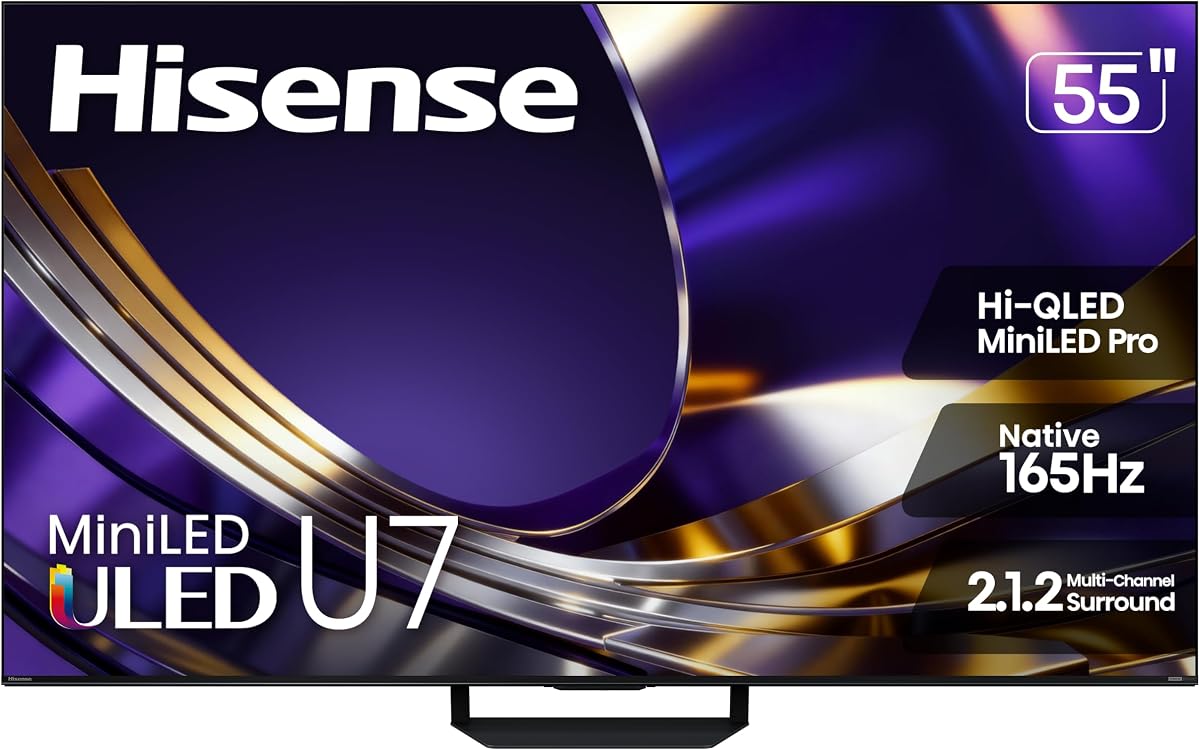
The Hisense U7 pushes performance with a native 165Hz refresh rate ideal for high frame rate gaming. This allows for incredibly smooth motion that outpaces standard 120Hz panels found on many competitors.
We may earn a commission when you buy through this link, at no additional cost to you.
Up to 3000 local dimming zones provide exceptional control over contrast ensuring blacks look deep and highlights stay vivid. The anti-glare layer keeps the picture crisp even with bright windows or lights nearby.
Hi-View AI Engine Pro works continuously to analyze scenes and adjust settings instantly. This means you get optimal color and contrast without having to manually tweak menus during your game sessions.
This model is a top pick for competitive gamers who need every edge. The technical specifications combined with robust HDR support make it a powerful tool for immersive next-gen gaming experiences.
165Hz refresh rate ensures every frame is displayed with minimal motion blur.
Thousands of dimming zones allow for accurate shadows and bright highlights.
We may earn a commission when you buy through this link, at no additional cost to you.
Sony continues to lead in picture processing with the BRAVIA 3 II. The XR Processor uses AI to optimize color and contrast in real-time ensuring every scene looks its best.
We may earn a commission when you buy through this link, at no additional cost to you.
Auto HDR Tone Mapping optimizes picture quality for PS5 gaming automatically without needing complex settings. Game Menu puts all your gaming picture settings and exclusive assist features in one place for quick access.
Motionflow XR keeps fast scenes clear and easy to follow during sports or action games. The minimalist design with flush surfaces and invisible bezels helps the TV blend seamlessly into your room setup.
This TV is a fantastic investment for PlayStation owners seeking the absolute best visual fidelity. While not the brightest on the list its accurate colors and smart processing make it a premium choice.
Auto HDR Tone Mapping adjusts brightness settings for PS5 games automatically.
Motionflow XR clears fast motion for sharp and clear video playback.
We may earn a commission when you buy through this link, at no additional cost to you.
Roku keeps things simple with this Select Series TV that focuses on ease of use. QLED and HDR10 deliver bright accurate colors while the simple home screen makes finding content effortless.
We may earn a commission when you buy through this link, at no additional cost to you.
The Roku Smart Picture optimizes incoming TV signals automatically choosing the right picture mode without user input. Voice remote allows easy control and searching across thousands of apps quickly and efficiently.
While it lacks specialized gaming modes it still handles 4K content well for casual viewing. The sound system is designed for clear speech and louder output ensuring you catch every word clearly.
This is a great option for secondary rooms or budget-conscious buyers who prioritize streaming ease. It offers reliable performance and a clean interface that gets out of your way.
Roku OS makes finding apps and shows simple with a clean interface.
Voice remote supports multiple assistants for hands-free control of your TV.
We may earn a commission when you buy through this link, at no additional cost to you.
The TCL QM6K delivers premium performance on a larger 65-inch canvas using QD-Mini LED technology. This combines Mini LED precision with Quantum Dot color for vivid images in any lighting condition.
We may earn a commission when you buy through this link, at no additional cost to you.
TCL Halo Control System eliminates haloing around bright objects ensuring sharper detail and better accuracy. The native 144Hz refresh rate paired with Motion Rate 480 ensures smooth action for sports and gaming.
Audio is enhanced by Dolby Atmos and Onkyo collaboration providing rich sound without external speakers. Voice remote and Google TV integration allow for easy navigation and streaming of your favorite apps.
This TV is a strong contender for large living room setups needing brightness and contrast. It balances advanced tech with usability making it a powerful choice for entertainment enthusiasts.
Halo Control System prevents light bleeding around bright objects for sharper images.
Mini LED allows for brighter highlights that pop in HDR content and gaming.
We may earn a commission when you buy through this link, at no additional cost to you.
Samsung offers a reliable mid-range solution with the U8000H. The Crystal Processor enhances colors and sharpens details to ensure vibrant 4K viewing experiences across all your content types.
We may earn a commission when you buy through this link, at no additional cost to you.
Motion Xcelerator estimates and adjusts frame transitions in real time to keep gameplay and sports smooth. Color Booster ensures every shade of color is displayed with intensity and realism.
4K upscaling technology upgrades lower resolution content to near 4K clarity so older shows look better. Samsung TV Plus provides endless free content options making it easy to find something to watch.
This TV is ideal for those seeking a brand known for quality without high costs. It handles casual gaming and daily viewing well delivering a consistent performance.
Advanced upscaling technology makes lower resolution content look sharper and clearer.
Color Booster technology transforms your content into a vivid visual masterpiece.
We may earn a commission when you buy through this link, at no additional cost to you.
The Hisense E6 delivers dependable performance with Hi-QLED color and Fire TV integration. AI Light Sensor automatically adjusts screen brightness to ambient light conditions for comfort and energy savings.
We may earn a commission when you buy through this link, at no additional cost to you.
Motion Rate 120 powered by MEMC and AI Noise Reduction creates a crisp blur-free picture for fast action. Total HDR Solution ensures every color stands out with clarity and precision across formats.
Voice remote with Alexa simplifies control while Game Mode Plus optimizes settings for lower input lag. The 4K Upscaler enhances low-resolution content so everything looks clearer and more detailed.
This is a solid entry-level option for smart home users who need basic gaming features. It offers a good balance of functionality and price for everyday viewing and casual gaming.
AI Light Sensor adjusts brightness based on room light to reduce eye strain.
Game Mode Plus ensures fast response times for smoother gameplay experience.
We may earn a commission when you buy through this link, at no additional cost to you.
Choosing the right gaming TV involves balancing technical specs with your room setup and budget. This guide breaks down the essential factors to help you make an informed decision for your next purchase.
Refresh rate dictates how many frames per second your display can show. For PS5 and Xbox Series X gaming aim for 120Hz or higher to ensure smooth gameplay in supported titles. Motion interpolation helps reduce blur during fast sports or action scenes.
Input lag is the delay between pressing a button and seeing action on screen. Look for TVs with Game Mode or ALLM to minimize this delay. A response time under 10ms ensures your commands register instantly without ghosting.
HDMI 2.1 is crucial for next-gen consoles as it supports 4K at 120Hz and VRR. Ensure your TV has at least one HDMI 2.1 port. Multiple ports allow you to connect both a console and a PC simultaneously without swapping cables.
OLED offers perfect blacks while MiniLED provides higher brightness. Choose based on your room lighting. HDR support like Dolby Vision and HDR10+ ensures vibrant colors and contrast. Look for peak brightness to ensure HDR impact.
A good smart TV platform gives easy access to streaming apps and voice control. Google TV and Fire TV are popular choices for their vast app libraries. Check for voice remote compatibility to streamline navigation without searching manually.
Brightness matters for rooms with windows to prevent washed-out images. Viewing angles ensure colors stay accurate from side seats. IPS panels offer wide angles while VA panels offer deeper blacks but narrower angles.
Built-in speakers often lack depth so consider Dolby Atmos support for surround sound. Soundbars can enhance immersion. Look for eARC support to send lossless audio to external systems for a cinematic audio experience.
Determine your budget before shopping to narrow options. Mid-range models often offer the best value by balancing features and cost. Avoid overspending on specs you won't use like excessive brightness for dark rooms.
Connect your console to an HDMI 2.1 port to unlock 4K 120Hz and VRR. Use the Game Mode settings to reduce input lag. Ensure cables are rated for HDMI 2.1 to handle the bandwidth required for high-performance gaming.
Calibrate your picture settings using the Game Mode presets or manual adjustments. Disable noise reduction or motion smoothing for the cleanest image. Use a colorimeter if possible to ensure accurate brightness and contrast levels.
Keep your TV clean with a microfiber cloth to avoid scratches. Dust vents regularly to prevent overheating. Avoid leaving static images for hours to prevent burn-in especially on OLED models. Use screen savers if available.
144Hz offers slightly smoother motion than 120Hz particularly in fast-paced competitive games. Most consoles support 120Hz so 144Hz mainly benefits PC gaming. However having a higher refresh rate ensures your display can handle future content upgrades.
Yes to get full 4K 120Hz and VRR you need HDMI 2.1 cables. The cables included with consoles are usually sufficient but if you buy longer ones ensure they are certified for HDMI 2.1 to maintain high bandwidth speeds.
Sony TVs often have exclusive features like Auto HDR Tone Mapping for PS5. However any modern TV with HDMI 2.1 and VRR works well. Brands like TCL and Hisense offer strong performance at competitive prices.
You can but you won't access 4K 120Hz features. Older TVs often have higher input lag. If you plan to upgrade soon a mid-range current model is better. Budget models still offer 4K clarity for most games.
VRR syncs the TV refresh rate with the console frame rate to prevent screen tearing. It ensures smooth gameplay even when frame rates fluctuate. Look for FreeSync or G-Sync support for the best compatibility.
Enable Game Mode or Auto Low Latency Mode in settings. Turn off motion smoothing features like MEMC which add delay. Check your console settings to ensure game mode is active. This minimizes the delay between input and display.
We have explored ten top models ranging from budget-friendly options to premium performers. Each offers unique strengths like high refresh rates MiniLED brightness or smart features that cater to different needs and budgets.
Prioritize features that matter most for your room and gaming style. If you play fast shooters focus on response time. For movies focus on HDR and audio. A balanced choice ensures you get the most value from your purchase.
Remember that models change frequently so check current prices and availability before buying. The right TV should enhance your experience without breaking the bank. Happy gaming with your new setup.