
Wireless Caregiver Pager 1 Call Button + 1 Receiver
4.7Editor score
Expandable system
Waterproof design
Adjustable volume
Discover the top gadgets for elderly parents including call pagers and dementia clocks to help caregivers monitor safety and daily routines effectively.
Finding the right gadgets for elderly parents can transform daily life by enhancing safety and independence. Modern devices offer reliable monitoring, easy communication, and clear reminders for medication and appointments.
We compared ten highly rated products based on user feedback, reliability, and ease of use. Our list covers wireless pagers, smart clocks, and video cameras designed specifically for senior needs and caregiver peace of mind.
Each pick highlights unique features and practical benefits for home care situations. Please note that availability and specific model details may change over time so always check current listings before purchasing.
4.7Editor score

4.8Editor score

4.4Editor score
This side by side comparison highlights the key specifications and features of the top ten gadgets selected for elderly care. Reviewing these details helps you choose the right device for your specific home setup.
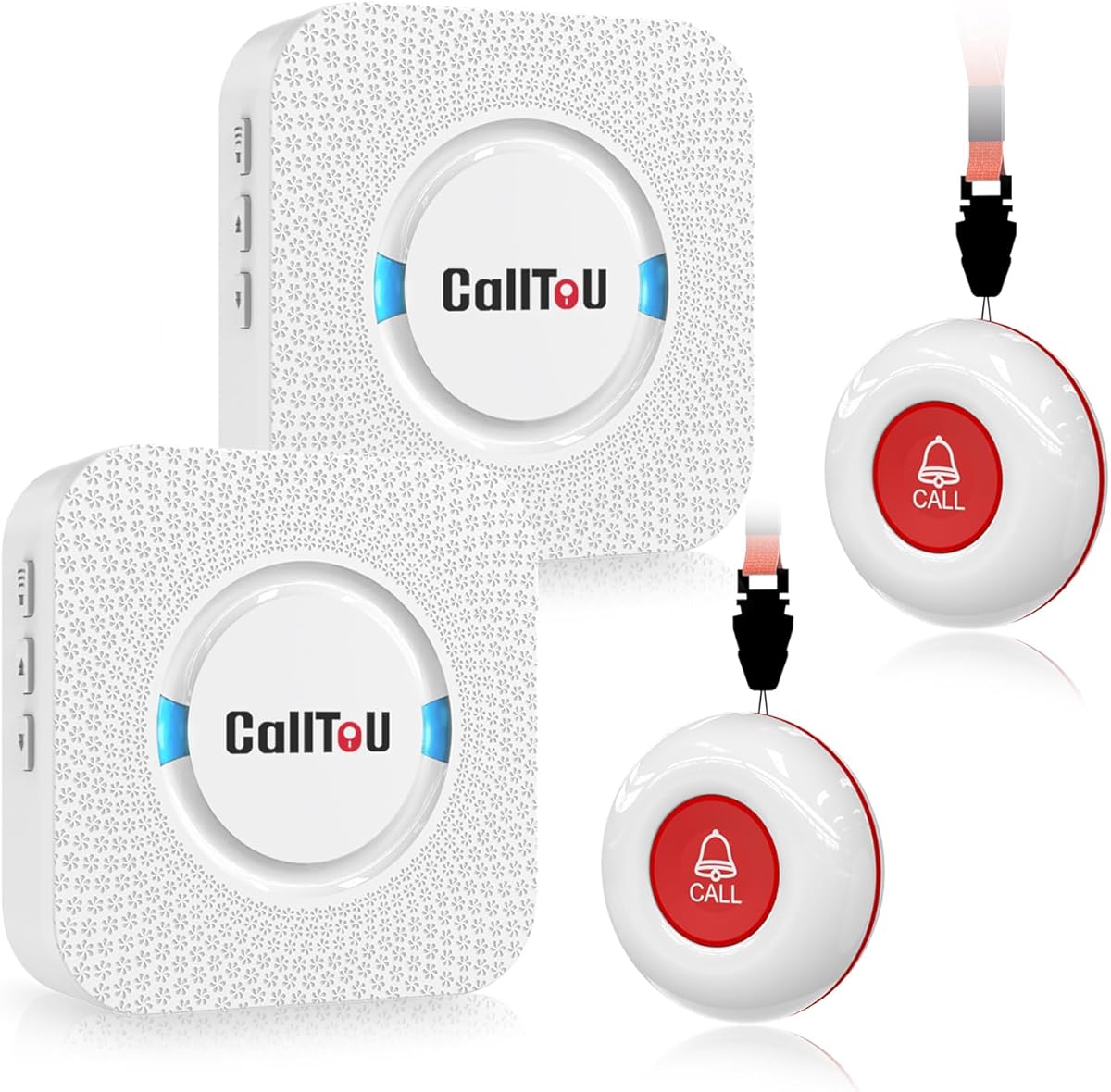


This WiFi Caregiver Pager stands out as the top choice for modern home monitoring. It combines instant app alerts with a reliable wireless system for caregivers and seniors.
We may earn a commission when you buy through this link, at no additional cost to you.
The ability to notify mobile phones instantly provides peace of mind when you are not in the same room. The waterproof button ensures usability in bathrooms where accidents often occur.
While SMS alerts require a subscription the base app notifications are free and robust. The setup may need basic technical comfort but the benefit of instant reach is significant.
Ideal for tech savvy families who want remote visibility without expensive monthly plans. It delivers reliable protection for seniors living independently or with occasional help.
The app sends notifications directly to your phone ensuring you know immediately when help is needed even from another location.
Waterproof protection allows safe installation in high risk areas like bathrooms where falls are most common and dry pagers cannot work.
We may earn a commission when you buy through this link, at no additional cost to you.
This basic pager system offers excellent value for families needing reliable communication without smart features. It supports up to 1500 feet of range for large homes.
We may earn a commission when you buy through this link, at no additional cost to you.
The waterproof and dustproof design means it works well in any environment including bathrooms or outdoor spaces. You can expand the system with more buttons if needed.
Lack of app integration means you must be within range to hear the alert but the long range covers most needs. The 18 month warranty adds confidence to the purchase.
Best for budget conscious buyers who prioritize reliability over connectivity. It ensures help is called without complexity or monthly costs.
With up to 1500 feet of range caregivers can move freely around large properties while remaining within alert range.
The system supports adding up to 30 call buttons allowing coverage for every room or individual needing assistance.
We may earn a commission when you buy through this link, at no additional cost to you.
This camera bridges the gap between safety and connection by allowing one-touch video calls. Seniors see your face on screen without needing a smartphone.
We may earn a commission when you buy through this link, at no additional cost to you.
Privacy mode mechanically rotates the lens to block view giving respect and comfort when monitoring is not active. Fall and sound alerts notify you of potential emergencies.
It requires constant power via cable which might limit placement but ensures reliability. The lack of monthly fees makes it a premium but sustainable choice.
Ideal for lonely seniors who need companionship and safety. It keeps families connected visually without technical barriers for the elderly.
Seniors press a button to start a video call showing your face clearly without needing to use apps or complex menus.
The mechanical privacy mode rotates the camera lens to ensure no recording happens when you want to respect privacy.
We may earn a commission when you buy through this link, at no additional cost to you.
This caregiver pager provides two receivers allowing multiple caregivers to hear alerts simultaneously. It is designed for home use where caregivers move between rooms.
We may earn a commission when you buy through this link, at no additional cost to you.
The waterproof buttons can be used safely in bathrooms ensuring safety where it matters most. The range covers typical home distances with clear audio.
Since the receiver plugs into an outlet you need a power source nearby but this ensures constant readiness. It is simple and reliable for daily home care.
Perfect for households with shared caregiving duties. The dual receiver system ensures alerts are never missed by the right person.
Having two receivers means multiple caregivers can hear alerts simultaneously ensuring someone is always available to respond.
The buttons are waterproof allowing safe use in wet areas like bathrooms where fall risks are highest.
We may earn a commission when you buy through this link, at no additional cost to you.
This pager offers a comfortable wearable button option making it easy for seniors to call for help. The 1000 foot range covers most home layouts effectively.
We may earn a commission when you buy through this link, at no additional cost to you.
The LED flash mode is perfect for quiet environments where loud sounds would be disturbing. It ensures alerts are visible even at night.
While the receiver needs an outlet the flexibility of the wristband gives seniors freedom of movement. It is reliable for those who might forget buttons.
Great for elderly who need discreet alerts or move around frequently. The wristband design encourages consistent wear for safety.
The LED flash mode alerts caregivers visually without noise perfect for night times or quiet environments.
The wristband allows seniors to wear the button comfortably ensuring help is always close to hand.
We may earn a commission when you buy through this link, at no additional cost to you.
This clock is designed specifically for seniors with memory loss or dementia. It displays full words for day and time avoiding confusing abbreviations.
We may earn a commission when you buy through this link, at no additional cost to you.
The auto night dimming feature protects sleep by lowering brightness in the evening. It supports multiple alarms for medication or meals.
It resets time automatically after power outages so you do not lose track. The large display is easy to read from a distance.
Ideal for seniors with cognitive challenges needing clear time orientation. It helps maintain daily routines independently.
The clock uses full words instead of abbreviations helping seniors with dementia understand the date and time clearly.
Auto dimming lowers screen brightness at night to promote better sleep and reduce eye strain.
We may earn a commission when you buy through this link, at no additional cost to you.
This clock features voice announcement allowing seniors to hear the time clearly. It supports multiple alarms for daily reminders like medication.
We may earn a commission when you buy through this link, at no additional cost to you.
The large display is easy to read and the voice button makes it accessible for those with vision issues. Auto dimming helps protect eyes at night.
Setup is straightforward and does not require complex steps. It is a practical tool for maintaining daily schedule consistency.
Best for seniors who prefer auditory cues for time. It complements vision with clear spoken updates.
Press a button to hear the time spoken clearly helping those with vision impairment know the time.
Set multiple alarms to remember important daily tasks like taking medicine or attending appointments.
We may earn a commission when you buy through this link, at no additional cost to you.
This system allows multiple family members to receive alerts through shared app notifications. It includes two buttons for different needs like bathroom and bedroom.
We may earn a commission when you buy through this link, at no additional cost to you.
The app lets you customize sounds to know who needs help. Wristband option ensures the button is always accessible for the senior.
Setup requires Wi-Fi but ensures alerts reach phones wherever you are. Shared notifications ensure multiple people are aware.
Great for families wanting to share responsibility. It keeps everyone informed of emergencies efficiently.
Multiple family members receive notifications ensuring someone is always available to check on the senior.
You can choose different ringtones for different buttons so you know where the call is coming from.
We may earn a commission when you buy through this link, at no additional cost to you.
This clock combines timekeeping with photo display allowing you to show family images. It supports up to 20 alarms and custom reminders.
We may earn a commission when you buy through this link, at no additional cost to you.
The display offers different themes and colors which can be easier to read for some users. It plays photos from USB or SD card.
It resets automatically after power outages to keep time accurate. The snooze function helps with waking up gently.
Perfect for seniors who enjoy seeing family photos while tracking time. It adds a personal touch to daily routine.
Connect a USB or SD card to display family photos on the clock to brighten the room.
Choose from twelve display themes to match room decor or improve visibility based on preference.
We may earn a commission when you buy through this link, at no additional cost to you.
This pager is portable allowing caregivers to clip it to a belt. It supports two call buttons for multi point monitoring.
We may earn a commission when you buy through this link, at no additional cost to you.
The receiver plugs into an outlet for constant power ensuring alerts are always active. It is simple and effective for small homes.
Battery life on the pager ensures mobility during battery hours. The belt clip keeps it secure and accessible.
Best for caregivers moving around the house. It provides reliable alerts while keeping the caregiver mobile.
The portable design allows caregivers to stay mobile while still hearing alerts when needed.
A belt clip keeps the pager secure on your person ensuring you do not lose it while working.
We may earn a commission when you buy through this link, at no additional cost to you.
Choosing the right gadget depends on specific needs and living conditions. Consider reliability ease of use and connectivity when selecting a device.
Devices should have large buttons and clear instructions. Seniors with memory issues need simple interfaces without complex menus.
Look for plug and play setups to avoid technical barriers for seniors and caregivers.
Ensure the wireless range covers all areas where the senior spends time. Walls can reduce signal strength so opt for robust systems.
Select a device with range sufficient for your home size to avoid missed alerts.
Decide if you need app notifications or simple sound alerts. Smart systems allow remote monitoring but require Wi-Fi.
Basic pagers are reliable without internet so pick based on your home infrastructure.
Portable devices need long battery life to function reliably. Look for indicators that show battery status clearly.
Rechargeable options reduce waste but wired units ensure constant availability for home use.
Cameras should offer privacy modes to respect dignity. Ensure data security features are present for video calls.
Choose devices that allow physical or mechanical privacy blocking when not in use.
Buttons used in bathrooms must be waterproof. Check ratings to ensure they withstand splashes or humidity.
Water resistant pagers prevent damage and ensure safety in high risk wet areas.
Place buttons within reach of seated areas and bathroom fixtures. Ensure they are securely mounted or wearable to avoid losing them.
Test alerts weekly to verify range and sound. Check batteries regularly and replace them according to manufacturer guidelines.
Keep devices clean with a soft dry cloth. Avoid exposing electronics to water unless they are rated as waterproof.
Most wireless pagers and basic clocks do not require monthly fees. Only advanced phone SMS or app plans may incur small costs. Always check the product details for subscription requirements.
Most devices are designed for plug and play setup. However smart apps may need initial Wi-Fi configuration. Follow the included manual for step by step instructions.
Many pagers and buttons are waterproof for bathroom use. Always verify the IP rating on the device before installing in wet areas to ensure safety.
Most systems have visual indicators like LEDs or phone notifications. Test the button regularly and listen for the sound or check the app.
Yes most pagers have portable receivers or clips. The receiver stays powered by a plug but allows movement within range or home.
Devices with batteries may continue to work briefly. Some clocks reset time after outage. Wireless pagers may stop if receiver loses power.
Dementia clocks show large text and full words. Avoid abbreviations to reduce confusion. Auto dimming helps visibility at night.
App enabled devices allow shared access to alerts. Multiple family members can receive notifications when a button is pressed.
This guide highlights top gadgets from pagers to memory clocks that support safe and independent living. Each device offers unique features to match different family needs.
Prioritize reliability and ease of use when selecting a device. A simple system works better than complex tech if it is not used correctly.
Prices and availability vary so check current listings before buying. Regular testing ensures your chosen gadgets remain effective for daily safety.