
Digital TV Converter Box ATSC TV Tuner ZJBOX
3.8Editor score
1080P Live Output Resolution
Program Recording and Playback
HDMI and Composite Output Options
This guide compares the top Freeview Box models for 2026, covering performance, connectivity, and features to help you choose the best device for your viewing
Finding the right Freeview Box can transform your home entertainment setup significantly. These devices allow you to access a wide range of channels without a costly subscription. We have carefully selected the most reliable options available on the market today.
Our team analyzed technical specifications, user feedback, and performance metrics to create this comprehensive list. Each product offers unique capabilities ranging from basic conversion to advanced 4K streaming support. We focused on devices that deliver consistent quality and ease of use.
Each pick in this guide highlights specific strengths and ideal use cases for different viewers. Prices and availability can change frequently, so please check the latest details before purchasing. This resource aims to simplify your decision-making process for long-term satisfaction.
3.8Editor score

4.0Editor score
We have compiled a detailed side-by-side comparison of the top ten Freeview Box options available this year. This table helps you quickly identify key specifications and features to match your specific requirements.




The Infomir MAG544w3 stands out as a top-tier choice for those seeking a high-performance Freeview Box. Powered by the Amlogic S905Y4-B chipset, it delivers smooth performance with its Quad-Core ARM Cortex-A35 processor. This device is optimized for professional-grade home cinema setups and supports extensive formats like MKV, MP4, and AVI. The rating reflects its robust build and reliable connectivity options.
We may earn a commission when you buy through this link, at no additional cost to you.
Its support for Ultra HD 4K at 60 FPS ensures stunning video quality, enhanced by modern HEVC and AV1 codecs. The device features Dual-Band Wi-Fi and a 100 Mbps Ethernet port for stable network integration. The Linux 4.9 ecosystem provides a secure environment for authorized video services. Eight-channel Dolby Digital Plus support offers immersive sound for a cinematic experience.
While the price point is higher than basic converters, the performance and features justify the investment for serious users. The 1GB LPDDR4 RAM and 4GB eMMC flash memory handle high-bitrate content effortlessly. However, it is optimized for integration with official operator applications which may limit flexibility for casual viewers.
This Freeview Box is ideal for users who demand premium performance and stability. It is best suited for home cinema enthusiasts who prioritize smooth playback and high-quality audio. We recommend this model for those who want a reliable, professional-grade solution for their viewing needs.
The Quad-Core processor and Dual-Band Wi-Fi ensure lag-free navigation and high-speed networking for a seamless viewing experience.
With 4K resolution and Dolby Digital Plus audio, this box delivers a cinematic quality that enhances your home theater setup significantly.
We may earn a commission when you buy through this link, at no additional cost to you.
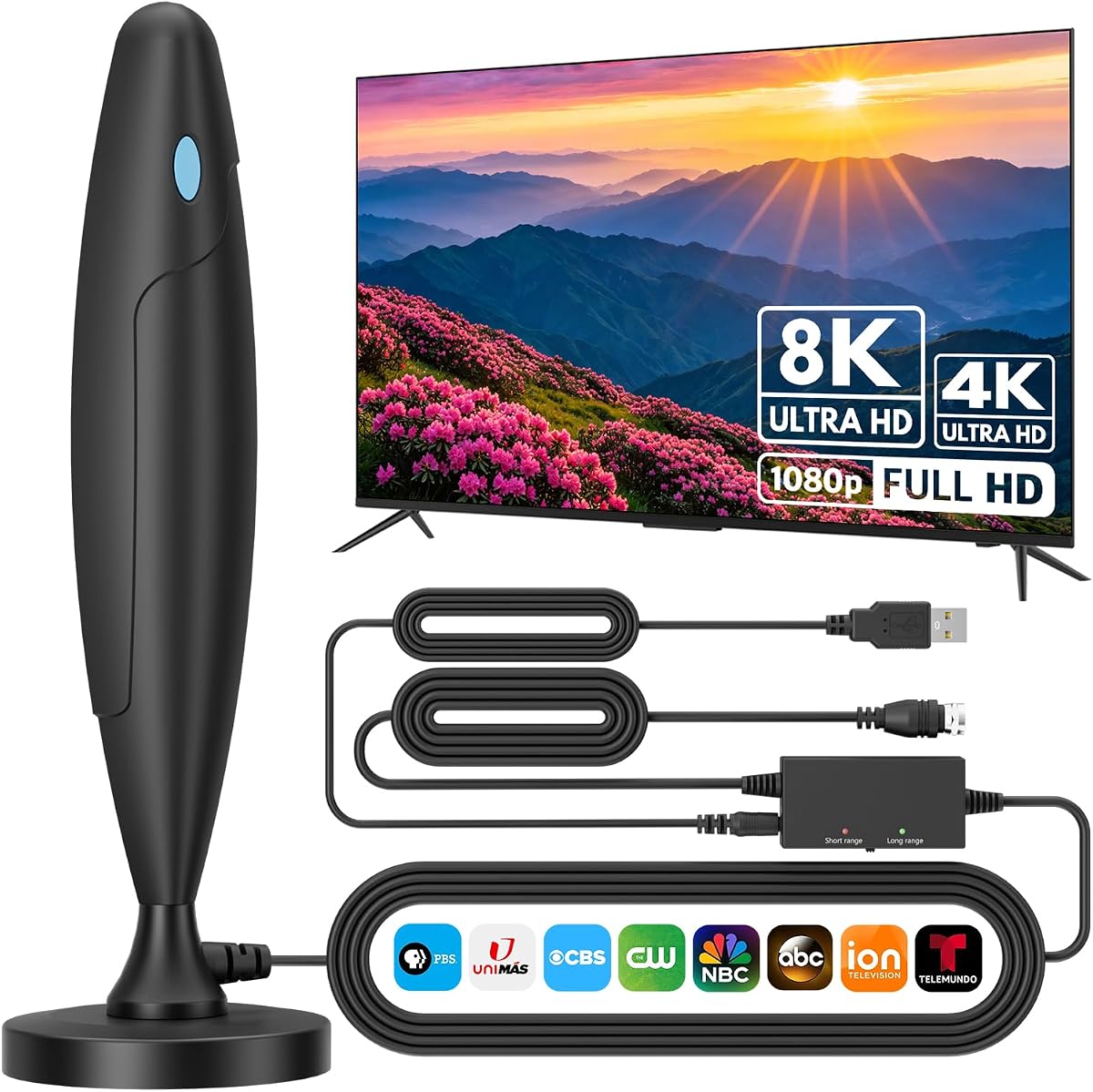
This TV Antenna offers an excellent way to access free local HD channels without a cable subscription. Equipped with an upgraded Smart IC chip, it filters out interference to support 4K and 1080p broadcast signals. The antenna features two selectable modes to match your distance from broadcast towers for optimal reception. It is a practical choice for enhancing your Freeview setup affordably.
We may earn a commission when you buy through this link, at no additional cost to you.
The installation process is simple, requiring you to connect it to the ANT IN port and scan for channels. Best results are achieved by placing the antenna near a window and avoiding metal objects. The amplifier works best in areas with strong signals, ensuring clearer reception. Its design supports UHF and high-VHF bands for wide coverage.
While effective in many locations, channel availability depends on your distance from towers and local terrain. Using the wrong range mode can result in poor reception, so checking your distance is crucial. The antenna includes a 16.5ft cable and amplifier, making setup straightforward for most users.
Ideal for budget-conscious viewers, this antenna complements a Freeview Box by providing a reliable signal source. It is best for those living within range of broadcast towers who want to maximize free content. We recommend pairing this with a compatible converter for a complete viewing solution.
The upgraded Smart IC chip and selectable range modes ensure you get the clearest possible image from local broadcasts.
Plug-and-play installation allows you to start watching free channels within minutes without technical expertise.
We may earn a commission when you buy through this link, at no additional cost to you.
The ZJBOX Digital TV Converter Box is a budget-friendly option that converts over-the-air signals for Analog and Digital TVs. It supports 1080p output for clear viewing and allows you to record programs to an external USB drive. The box also functions as a media player for photos and music files. This versatility makes it a solid choice for basic Freeview needs.
We may earn a commission when you buy through this link, at no additional cost to you.
You can manage recordings and scheduling using the timer settings and parental control functions. The device includes HDMI and Composite cables for easy connection to various displays. However, it requires an external hard drive or flash drive for recording since it lacks built-in storage. Note that firmware updates are infrequent and may require seller contact.
While it lacks advanced features, its recording function is a significant benefit for capturing live TV. The closed captioning and auto-tuning features enhance usability for everyday viewers. The compact design fits easily behind your TV, and the included remote simplifies navigation. Just ensure your external drive meets the FAT32 format requirement.
This box is ideal for those seeking an affordable way to digitize analog signals and record shows. It works well for users who do not need high-end streaming capabilities but want reliable over-the-air access. We recommend it as a practical entry-level Freeview Box for budget-conscious households.
The ability to record programs to a USB drive ensures you never miss your favorite shows, even without a subscription.
Beyond TV signals, this box plays MP3s and photos from USB storage, adding extra value to your entertainment setup.
We may earn a commission when you buy through this link, at no additional cost to you.
The iView 3300STB is a versatile digital converter box that converts air channels to your analog TVs. It supports ClearQAM, allowing you to watch unscrambled cable channels without a decoder. The built-in digital clock and media player features add convenience to your setup. A new firmware update is available to enhance performance and resolve existing issues.
We may earn a commission when you buy through this link, at no additional cost to you.
You can save TV programs for future viewing and play files from a USB drive up to 4TB. The box is designed for USA, Canada, and Mexico regions, ensuring local signal compatibility. HDMI and USB ports provide easy connectivity for modern and legacy devices. The included remote simplifies navigation through channels and settings.
While it lacks built-in storage, the support for large portable hard drives makes recording feasible. The ClearQAM feature is particularly useful for those with basic cable setups. However, regional limitations mean it may not work well outside North America. The firmware update helps maintain compatibility with evolving broadcast standards.
This Freeview Box is best for users in North America who need both OTA and ClearQAM support. It is suitable for those who want to repurpose analog TVs with digital features. We recommend it for households looking for a simple, functional converter with media playback options.
The ClearQAM tuner lets you watch unscrambled cable channels, adding value beyond basic over-the-air reception.
With USB support for large drives, you can play videos and music directly from the box without a computer.
We may earn a commission when you buy through this link, at no additional cost to you.
The OWERSLYN Mini Digital Converter Box is designed for convenience with its compact 75% smaller form factor. It fits neatly behind your TV and can be powered by the TV's USB port. The box supports 1080P resolution and includes HDMI and RCA cables for plug-and-play setup. A 2-in-1 remote allows you to control both the box and TV.
We may earn a commission when you buy through this link, at no additional cost to you.
Real-time DVR recording enables you to schedule shows for future viewing. The USB media player function lets you play videos and photos from external storage. This model is ideal for modern TVs with HDMI ports. However, it does not support CH3/CH4 switching which might limit use with very old TVs.
The included IR receiver and display add a professional touch to the compact design. While it lacks some advanced features, its ease of use is a major benefit. The 24-hour support response time ensures help is available if issues arise. Just ensure your TV has the necessary HDMI or RCA inputs.
This Freeview Box is perfect for users seeking a small, easy-to-install solution. It works well for those who want recording capabilities without taking up much space. We recommend it for compact living spaces or secondary rooms where discretion is valued.
Its mini size allows you to tuck it behind your TV, keeping your entertainment area tidy and clutter-free.
The 2-in-1 remote reduces clutter by letting you control both the converter and your TV with one device.
We may earn a commission when you buy through this link, at no additional cost to you.
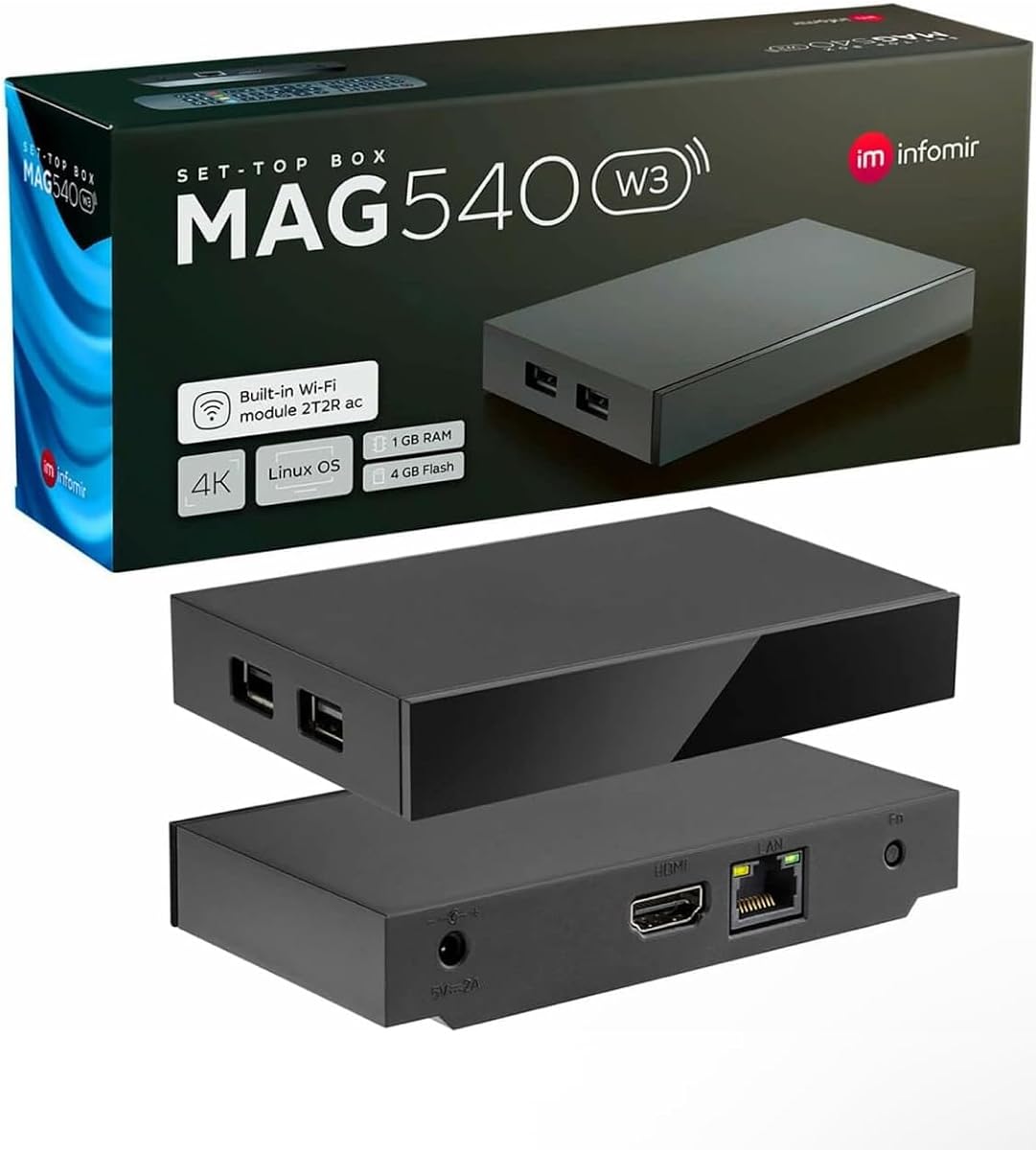
The Latest MAG 540W3 offers a high-performance 4K set-top box experience with a CPU upgrade. It features ARM Cortex-A35 technology for improved processing power and speed. The Linux ecosystem ensures a stable environment for video services and applications. This model is designed for users who need robust streaming capabilities for modern viewing needs.
We may earn a commission when you buy through this link, at no additional cost to you.
The 4K WiFi capability allows for high-quality wireless streaming without cables. Its stable Linux environment supports a wide range of authorized video services reliably. The CPU upgrade ensures smoother performance compared to previous models. This box is well-suited for professional home setups requiring consistent connectivity.
While specific detailed specs are limited in public listings, the hardware highlights indicate premium performance. The design focuses on reliability and speed for 4K content. It is an excellent choice for those prioritizing wireless convenience and high-resolution output. Ensure your network supports the speeds required for 4K streaming.
This Freeview Box is best for premium home theater setups needing high-end performance. It is ideal for users who want the latest CPU upgrades for future-proofing. We recommend it for those seeking a stable, high-speed solution for 4K content delivery.
The ARM Cortex-A35 CPU upgrade delivers smooth, lag-free navigation and faster app loading for a seamless user experience.
A secure Linux OS ensures reliable performance for authorized video services and protects against common security issues.
We may earn a commission when you buy through this link, at no additional cost to you.
This upgraded antenna offers free local channels with optimized signal reception using an 8-stage filter system. It includes built-in surge and lightning protection for safety. The strong magnetic base allows for flexible placement anywhere without tools. This device is great for seniors and leisure users who want easy entertainment options.
We may earn a commission when you buy through this link, at no additional cost to you.
The amplifier chip covers VHF and UHF bands to block interference. It delivers stable 4K/1080P HD images without freezing or pixelation. The UV-resistant shell and flame-retardant cable ensure long-lasting durability. Installation is tool-free, meaning you can set it up quickly near a window for best results.
While the signal strength depends on your location, the protection features add significant value. The magnetic base makes it portable and easy to move if you need to find a better signal spot. It is a sturdy choice that protects your TV from electrical surges. Always re-scan after moving it for optimal channel lists.
Ideal for users needing a reliable signal source for their Freeview Box, this antenna is a strong choice. It is best for households in areas with decent local towers. We recommend it for those who prioritize safety and ease of setup in their home entertainment.
The 8-stage filter system effectively blocks interference to ensure a clear, stable image for all your local channels.
Built-in surge protection guards your equipment against electrical surges, adding peace of mind during storms.
We may earn a commission when you buy through this link, at no additional cost to you.
The DP CTCB105 is an over-the-air digital TV converter and DVR box. It converts video signals from one type to another for various displays. This box provides basic functionality for those who need simple conversion. It is designed to handle standard digital broadcasts with ease.
We may earn a commission when you buy through this link, at no additional cost to you.
With DVR box functionality, you can record standard shows for later viewing. The device supports common output formats for easy connection to existing TVs. While details are limited, it serves the purpose of basic signal conversion. The setup is straightforward for users seeking a no-fuss solution.
It lacks advanced features but covers the basics for over-the-air viewing. The price point typically reflects its straightforward design and function. Ensure your external storage meets the device requirements for recording. It is a solid backup option for basic needs.
This Freeview Box works well for users needing a simple converter without extra features. It is best for those who just want to watch basic digital channels. We recommend it for budget-conscious users who do not need high-tech options.
It handles the essential task of converting digital air signals into formats your TV can display effectively.
Basic recording capabilities allow you to save programs without needing complex additional equipment.
We may earn a commission when you buy through this link, at no additional cost to you.
This version of the iView 3300STB features new firmware for improved performance. It supports ClearQAM and recording for future watching. The box also acts as a media player for files on USB drives. It is designed for USA, Canada, and Mexico regions ensuring local signal compatibility.
We may earn a commission when you buy through this link, at no additional cost to you.
The new firmware resolves existing issues and enhances overall performance. You can play videos and music via the USB port up to 4TB. This box is great for those who want an update to a reliable model. It includes basic digital clock features for convenience.
While it shares features with earlier models, the firmware update provides better stability. The ClearQAM support adds value for cable users. Just ensure your external drive format matches the requirements. It remains a solid choice for basic conversion needs.
This Freeview Box is best for users seeking updated performance in a trusted device. It is ideal for households needing ClearQAM and recording. We recommend it for those who want a reliable upgrade with new firmware support.
The new firmware addresses previous issues, ensuring a smoother and more reliable user experience for your daily viewing.
Support for unscrambled cable and USB playback adds versatility to your entertainment setup without extra devices.
We may earn a commission when you buy through this link, at no additional cost to you.
The Mediasonic HomeWorx HW250STB features a metal case and front display panel. It supports 1080P HDMI and Dolby Digital audio for high-quality playback. This box includes clear QAM for unencrypted cable channels. The large remote and 5ft HDMI cable come in the latest batch.
We may earn a commission when you buy through this link, at no additional cost to you.
You can record live TV to an external hard drive up to 2TB. The front display shows channel numbers and time in standby mode. This model does not support ATSC 3.0 but works well for current digital broadcasts. It is compatible with standard analog and digital TVs.
The metal case adds durability and a professional look to your setup. The 12-hour AM/PM clock is easy to read. Just note that USB flash drives are not recommended for recording due to stability issues. It is a reliable option for those needing basic recording and conversion.
This Freeview Box is best for users who need reliable hardware with clear QAM support. It is ideal for those who want a durable metal case and front display. We recommend it for households seeking a solid, long-lasting converter with standard features.
The metal case ensures the device lasts longer, while the front display provides quick access to channel and clock info.
Support for Dolby Digital audio and 2TB hard drives offers a satisfying multimedia experience for your TV.
We may earn a commission when you buy through this link, at no additional cost to you.
Selecting the right Freeview Box involves considering several factors to match your specific viewing needs and technical requirements. This guide outlines the key aspects to evaluate before making a purchase.
Resolution support determines the quality of video you can watch. Models that support 4K or 1080P resolution provide sharper images compared to those limited to standard definition. Check your TV's capabilities to ensure compatibility before purchasing.
Always choose a box that supports at least 1080P for a clear viewing experience on modern TVs.
Some Freeview Boxes allow you to record programs for later viewing. This feature requires an external USB drive and often includes scheduling options. It is ideal for users who want to manage their viewing schedule flexibly.
Look for models with reliable recording functions if you frequently miss live shows.
Connectivity options determine how the box connects to your TV and network. HDMI is standard for modern TVs, while composite outputs may be needed for older models. Wi-Fi or Ethernet ports are essential for streaming services or app updates.
Ensure the box has the necessary ports to match your TV and internet setup.
The operating system affects the performance and longevity of the box. Linux-based systems often offer better stability for certain services. Regular firmware updates ensure the device remains compatible with new broadcasting standards.
Check for models that receive frequent updates to avoid obsolescence.
Broadcast standards vary by region, so ensure the box supports the correct local signals. Some models are limited to specific countries like the USA, Canada, or Mexico. Using a box in the wrong region can result in no signal reception.
Verify the regional support listed in the product description before buying.
Audio support impacts the overall home theater experience. Features like Dolby Digital allow for surround sound setups that enhance immersion. This is particularly important if you have a dedicated sound system.
Prioritize models with enhanced audio features if sound quality is a priority.
Simple installation reduces the hassle of setting up your new device. Look for plug-and-play options with included cables. Clear manuals and intuitive interfaces help you get started quickly.
Choose a box with straightforward setup to avoid needing professional assistance.
Price varies based on features and build quality. While premium models offer more capabilities, basic boxes can be sufficient for simple viewing. Consider what features you actually need to find the best value.
Balance cost with required features to avoid overspending on unnecessary technology.
To set up your Freeview Box, connect it to your TV using the provided HDMI or composite cables. Ensure the box is powered and connected to a signal source or internet. Follow the on-screen prompts to scan for available channels.
Regularly update the firmware to keep the device running smoothly. Use the remote control to navigate menus and set recording schedules. Clean the box with a dry cloth to prevent dust buildup on vents.
Store the box in a well-ventilated area to avoid overheating. Do not block ventilation slots during use. If issues arise, reset the device by unplugging it for a few minutes before plugging it back in.
A Freeview Box is used to convert over-the-air signals into digital video that can be displayed on a TV. It allows users to access local channels and some streaming services without a cable subscription. Many models also include recording features for time-shifting programs.
Yes, most Freeview Boxes require an external antenna to receive over-the-air broadcast signals. The antenna connects to the box or TV to pick up local channels. Some models support USB antennas while others use traditional indoor or outdoor designs.
Many Freeview Boxes offer recording capabilities if they include DVR functionality. You will need to connect an external USB hard drive to save recorded shows. Check the specific model specifications to confirm if this feature is supported.
HDMI is a digital connection that provides high-quality video and audio for modern TVs. Composite outputs use older cables like RCA for analog video. HDMI is preferred for clarity, but composite is needed for older televisions without HDMI ports.
It is best to update the firmware whenever a new version is released by the manufacturer. Updates often fix bugs and improve compatibility with new broadcast standards. Check the product support page periodically to ensure your device is up to date.
Weak signal usually results from poor antenna placement or distance from broadcast towers. Try moving the antenna near a window or using a stronger amplifier model. Ensure all cables are securely connected to avoid signal loss.
Not all Freeview Boxes support 4K resolution, so check the product specs before buying. Only models explicitly labeled with 4K or UHD output will display on 4K TVs. Lower resolution models will work but display standard definition images.
For recording TV shows, a minimum of 500GB is recommended to store several episodes comfortably. Larger drives up to 4TB allow for more extensive recording capabilities. Ensure the drive uses a compatible file system like FAT32 for the device.
The top picks for Freeview Boxes include the Infomir MAG544w3 for premium performance and the ZJBOX for budget needs. Each model offers distinct features suitable for different viewing requirements. The selection ensures users can find a solution matching their specific home setup.
Prioritize resolution, recording, and connectivity when making your decision to ensure long-term satisfaction. Consider regional compatibility and update support to keep your device functional over time. These factors will help you avoid technical issues down the road.
Remember that prices and availability change frequently so check the latest details before purchasing. This guide aims to simplify your choice with up-to-date comparisons. We hope this resource helps you select the perfect Freeview Box for your home.