
MFi Certified USB 3.0 Flash Drive 128GB for iPhone
4.3Editor score
Affordable Storage
Metal Housing
Universal App Support
Compare the top Flash Drives for iPhone for 2026. This guide reviews MFi certified drives, dual connectors, and high-speed options for secure data backup and
Running out of storage on your iPhone can be frustrating. Flash drives designed for iOS devices offer a reliable way to backup photos and videos without relying on cloud subscriptions.
We evaluated ten top-rated models based on compatibility, transfer speeds, build quality, and ease of use. Our list includes options for every budget and device configuration available today.
Each pick highlights key features and potential trade-offs to help you choose wisely. Please note that product availability and pricing may change over time.
4.3Editor score

4.4Editor score

4.6Editor score
The following table compares the key specifications of each model to help you find the right fit for your needs.


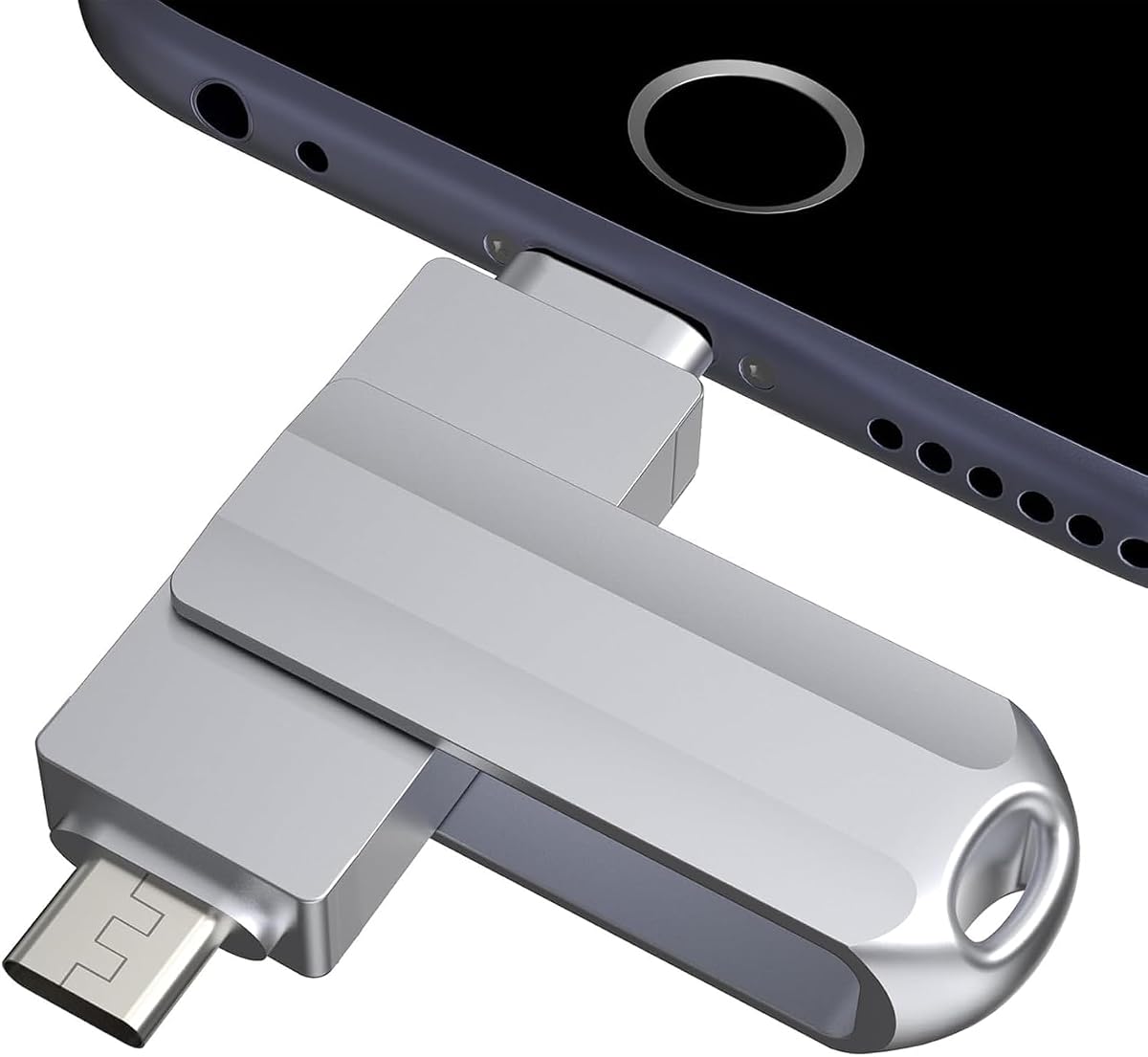


This drive leads our list due to its reliable MFi certification and robust 256GB capacity. It offers seamless connectivity across iPhone, Android, and PC devices with ease.
We may earn a commission when you buy through this link, at no additional cost to you.
The metal housing ensures durability while the three interfaces allow versatile data sharing. One-click backup via the U-Disk app simplifies management significantly.
Users note a slight learning curve with the required iOS app but find the features worth the effort. Performance remains steady during large file transfers.
Ideal for users seeking trusted security and fast speeds, this model balances functionality and portability perfectly for daily backup needs.
MFi certification guarantees safe connection with iPhones without errors or warnings during data access.
Enable Touch ID or passcode encryption to keep sensitive photos and documents private from unauthorized access.
We may earn a commission when you buy through this link, at no additional cost to you.
This model offers great value for those needing basic extra storage. The 128GB space handles most user photo and video backups effectively.
We may earn a commission when you buy through this link, at no additional cost to you.
It shares many high-end features like MFi certification and a compact metal body at a lower cost point. Transfers are quick for everyday files.
Some users might find the app requirement on iOS slightly inconvenient compared to native solutions. But the price justifies this minor hassle.
Perfect for students or travelers on a budget, this drive provides essential storage expansion without breaking the bank.
Lightweight design with a keychain allows you to carry it easily anywhere without adding bulk to your gear.
Save on expensive cloud subscriptions by storing media locally on this affordable physical storage device.
We may earn a commission when you buy through this link, at no additional cost to you.
SanDisk brings its reputation for reliability to this dual connector drive. It supports both Lightning and USB-C iPhones effortlessly.
We may earn a commission when you buy through this link, at no additional cost to you.
The Memory Zone app offers smart backups and progress tracking. This is a premium solution for users who value brand consistency.
The price is higher than generic alternatives but matches the quality and compatibility you expect from a major name.
Recommended for iPhone 15 and older users alike needing a trusted storage solution for critical data protection.
Switch between Lightning and USB-C ports to work with any iPhone model without needing adapters.
Automatic backups and background multitasking ensure your photos are saved without interrupting daily device use.
We may earn a commission when you buy through this link, at no additional cost to you.
This drive stands out with solid-state speeds that beat traditional flash memory significantly. It handles large video files with ease.
We may earn a commission when you buy through this link, at no additional cost to you.
The compact cable-free design makes it easy to use on any USB port. It is built to withstand physical stress well.
While it lacks a Lightning connector it excels for newer USB-C iPhones and Android users who need raw performance.
Ideal for creatives moving massive assets quickly, this drive delivers professional-grade transfer speeds in a pocket-sized package.
Solid-state technology ensures faster read and write speeds compared to standard flash memory drives.
Metal housing protects the connectors from damage during travel and daily handling over time.
We may earn a commission when you buy through this link, at no additional cost to you.
This unit offers extensive compatibility with four interfaces in one compact body. The retractable design protects the connectors when not in use.
We may earn a commission when you buy through this link, at no additional cost to you.
MFi certification ensures safety for iPhone users while the blue finish adds a touch of style. It supports direct playback of stored media.
Some users report the connectors can be delicate. So handle with care during insertion and removal to maintain longevity.
Great for tech enthusiasts who need maximum versatility across old and new devices without carrying multiple adapters.
Sliding connectors prevent physical damage from dust and impact during storage and transport.
Four ports allow direct connection to almost any device without requiring extra cables or dongles.
We may earn a commission when you buy through this link, at no additional cost to you.
Lexar delivers a sleek swivel drive that simplifies connector selection. The 128GB capacity suits general document and photo backups well.
We may earn a commission when you buy through this link, at no additional cost to you.
AES encryption provides security for sensitive files. The swivel mechanism removes caps so you never lose them.
Speed is modest compared to SSDs but adequate for most users. It is a practical choice for Mac and Windows laptops.
A reliable option for office users needing secure storage on USB-A and USB-C ports without extra fuss.
360-degree rotating connectors make switching between ports quick without dealing with removable caps.
Advanced software solutions protect your files with strong encryption to prevent unauthorized access.
We may earn a commission when you buy through this link, at no additional cost to you.
For massive storage needs this model provides 512GB to spare. It supports iPhone and iPad models via USB-C or iOS connectors.
We may earn a commission when you buy through this link, at no additional cost to you.
The included USB-A adapter ensures you can connect to any computer. The mFlash app simplifies moving files efficiently.
It requires iOS permission for backups but delivers smooth operation once set up. This is ideal for heavy media users.
Best for photographers and videographers needing to offload large projects quickly without worrying about running out of space.
512GB space handles thousands of high-resolution photos and 4K videos without filling up.
Comes with a USB-A adapter so you can transfer data to any laptop instantly.
We may earn a commission when you buy through this link, at no additional cost to you.
This silver drive offers a premium look and MFi reliability. It supports one-click backups via its dedicated app for ease.
We may earn a commission when you buy through this link, at no additional cost to you.
Metal housing protects internal components while keychain attachment prevents loss. It encrypts files for added privacy.
Write speeds are slower compared to competitors so large file transfers take more time. But for photos it works well.
Suitable for users wanting a stylish and secure option for general daily backup tasks on iOS devices.
Metallic silver finish looks elegant and professional while offering protection for internal parts.
Protect your personal data by enabling encryption for specific folders or files on the drive.
We may earn a commission when you buy through this link, at no additional cost to you.
Speed is the standout feature here with blazing 550MB/s read rates. It works with USB-C iPhones and most Android devices seamlessly.
We may earn a commission when you buy through this link, at no additional cost to you.
Made of zinc alloy it resists wear and heat well. It does not need extra apps for file management on many systems.
The lack of Lightning means it won't work with older iPhone models. So ensure your device has USB-C first.
Perfect for high performance needs where quick file access is critical and you don't need iOS Lightning support.
Move large files and videos incredibly fast thanks to advanced high-speed chip technology.
Zinc alloy shell ensures the drive survives drops and heat during heavy daily use.
We may earn a commission when you buy through this link, at no additional cost to you.
This drive works straight out of the box without downloading apps. iOS users can access files directly through the Files app.
We may earn a commission when you buy through this link, at no additional cost to you.
It supports Lightning and USB-C for broad compatibility. The 256GB capacity handles most backup needs comfortably.
Transfer speeds are lower than competitors. Also phone cases may block the port so you might need to remove them.
Best for users who want a simple no app solution for quick backups on iOS and Android devices.
Use the native iOS Files app to manage files without installing extra third-party software.
Works with iPhones, iPads, Android phones, and computers for seamless file sharing everywhere.
We may earn a commission when you buy through this link, at no additional cost to you.
Selecting the right flash drive depends on your device type and usage needs. This section outlines the key factors to consider.
Ensure the drive is MFi certified or supports USB-C for iPhones. Lightning models require certified adapters or built-in ports.
Check if your iPhone model supports the connector type before buying to avoid compatibility issues.
Choose capacity based on how many photos and videos you store. 128GB suits light users while 512GB is ideal for creatives.
Pick a size that grows with your needs so you do not outgrow the drive quickly.
Higher read write speeds reduce wait times during backups. SSD drives are fastest but cost more than standard flash.
Prioritize speed if you regularly move large video files or project data.
Metal housings resist heat and physical damage better than plastic. Look for keychains or swivel covers to prevent losing parts.
Invest in a durable model to ensure it survives travel and daily handling.
Some drives require specific apps for iOS backup which adds steps. Others work via the native Files app.
Decide if you prefer native access or extra features from dedicated apps.
Encryption protects sensitive files from unauthorized access. Look for password protection or biometric options.
Enable these features if you store private documents or personal media.
Dual connectors allow connecting to both phones and computers. Universal ports save you from buying separate cables.
Select models with versatile interfaces to match your ecosystem.
Before using connect the drive to your iPhone and download the recommended app if required by the manufacturer.
Manage files through the app or native Files app by dragging content to the drive folder.
Store drives in a dry place and eject them properly before unplugging to avoid data corruption.
iPhone 15 and newer models support USB-C drives natively. Older models require Lightning drives or adapters. Always check your iPhone version first.
Some drives work directly with the iOS Files app without additional downloads. Others require specific apps for full features. Check product details for compatibility.
Speed varies from 30MB/s to 550MB/s depending on the model. SSD drives offer the fastest speeds for large files.
Many models feature dust proof and water resistant builds but are not fully waterproof. Avoid exposing them to liquids to ensure longevity.
Yes most apps allow direct playback of videos stored on the drive. This saves space on your phone.
Yes many drives have USB-C or USB-A ports compatible with Android devices. Ensure OTG is enabled on your phone.
Our top picks cover various needs from budget friendly to high performance options. Each delivers reliable storage expansion for iPhone users.
Prioritize MFi certification and capacity to ensure your data is safe and accessible across devices.
Prices change so check current offers before purchasing to get the best deal for your storage needs.