
Bewinner External Optical Drive Enclosure
Portable slim design for laptops
Woven cable for stable transfer
Tool-free installation process
Finding a reliable external optical drive enclosure can be challenging when you need to access old media or install software from discs. These devices convert internal SATA drives into portable USB solutions, offering flexibility for modern laptops lacking built-in drives.
We have analyzed ten top-rated models based on user feedback, technical specifications, and build quality. Our comparison covers diverse options from slim portable cases to robust desktop enclosures designed for various drive sizes and protocols.
Each selection highlights key strengths and potential limitations to guide your decision. Prices and availability may fluctuate, so always verify current details before purchasing to ensure you get the best value for your specific requirements.
4.6Editor score

4.6Editor score
As an Amazon Associate we earn from qualifying purchases.
The following table provides a side-by-side comparison of all ten selected external optical drive enclosure models, highlighting their key specifications, compatibility, and unique features to help you make an informed decision quickly.




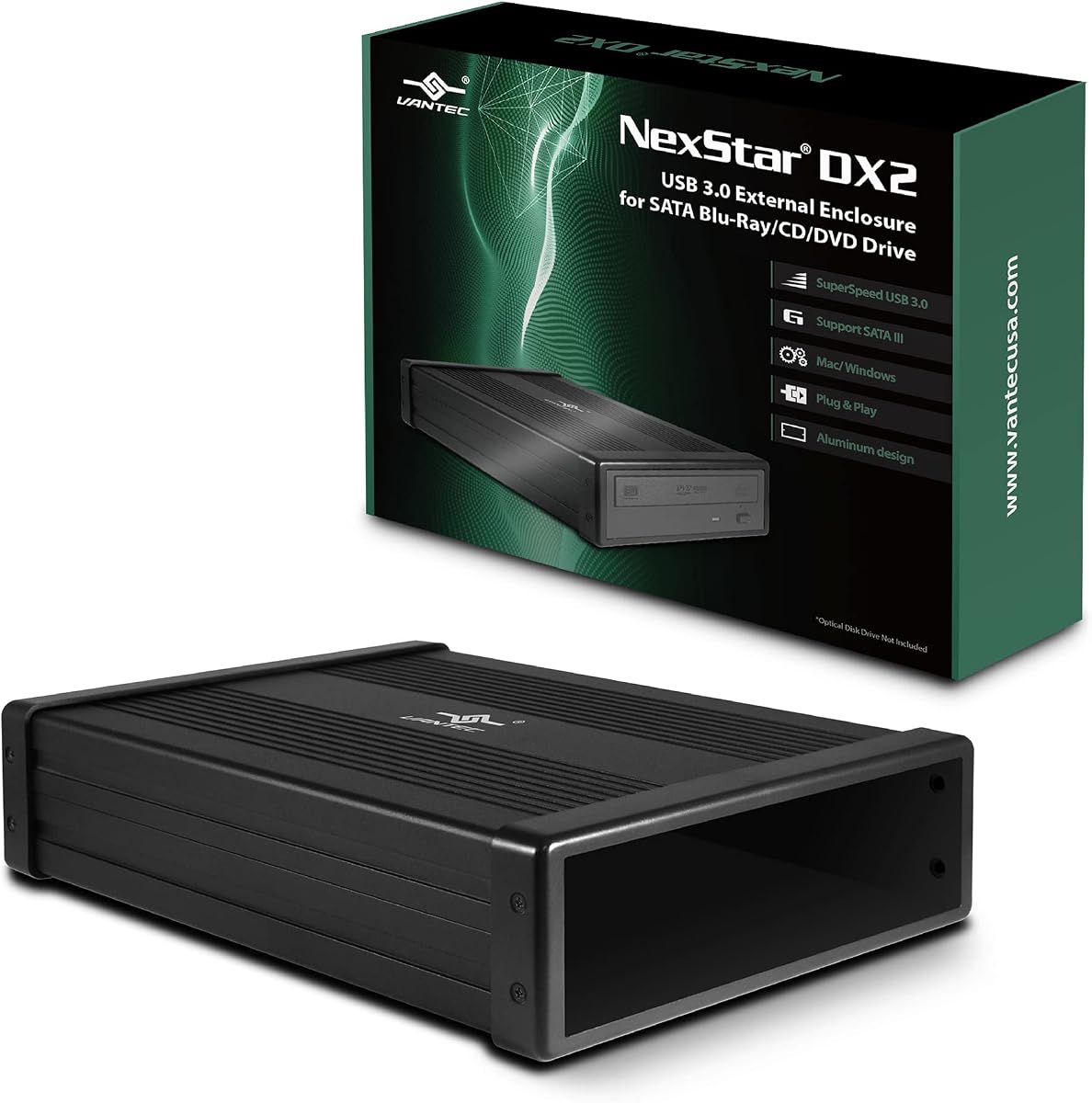
The NexStar DX2 stands out as a highly versatile external optical drive enclosure designed for 5.25 inch SATA drives. With a strong rating and positive user feedback, it delivers reliable performance for accessing CD, DVD, and Blu-ray media across various systems.
We may earn a commission when you buy through this link, at no additional cost to you.
Its standout quality is the ability to fit optical drives of any depth up to 185mm, solving a common compatibility issue found in other enclosures. The aluminum alloy casing reduces noise and vibration during operation while providing robust protection for your internal drive.
Trade-offs include the need for an external AC adapter and a larger footprint compared to slim laptop enclosures. These are acceptable given the universal depth compatibility and the option to mount hard drives with an additional bracket.
Buy this if you need a durable solution for desktop optical drives or want the flexibility to convert 3.5 inch HDDs into USB storage. It is ideal for professionals requiring reliable media access without driver installation hassles.
The flexible internal SATA cable and adjustable design allow you to install optical drives of varying depths without modification, making it suitable for almost any standard 5.25 inch drive.
Made from aluminum alloy, the enclosure dissipates heat effectively and minimizes vibration, ensuring stable operation during extended use for reading or burning discs.
We may earn a commission when you buy through this link, at no additional cost to you.
This enclosure offers a modern twist with dual USB A and Type C support, making it compatible with older and newer computers. Users appreciate its solid aluminum build and ability to handle optical drives up to 171mm deep.
We may earn a commission when you buy through this link, at no additional cost to you.
The USB 3.0 interface ensures fast data transfer rates, significantly quicker than older USB 2.0 standards. Hot swappable functionality allows you to connect and disconnect the drive without restarting your system, enhancing workflow efficiency.
Some users report challenges with screw alignment during installation, suggesting watching the product video guide. However, once installed, the enclosure performs reliably with stable connections and minimal heat generation.
Choose this model if you need Type C connectivity for modern laptops and want a sturdy aluminum enclosure. It is a practical choice for those who value speed and compatibility with diverse optical drives.
The inclusion of both USB A and Type C cables ensures you can connect to any computer regardless of its available ports, offering maximum flexibility in a fast-evolving tech landscape.
The aluminum alloy construction helps dissipate heat generated during disc burning, protecting both the enclosure and the drive while reducing noise and vibration for a quieter experience.
We may earn a commission when you buy through this link, at no additional cost to you.
Designed for 9mm ultra-slim Serial ATA drives commonly found in laptops, the Zunate enclosure is perfect for turning an internal drive into a portable external one. Its compact profile makes it easy to carry in a laptop bag.
We may earn a commission when you buy through this link, at no additional cost to you.
Plug and play functionality means no drivers are needed, and the integrated Type C and USB 3.0 cable folds neatly inside. The woven cable reduces interference, ensuring stable data transfer even when using wireless or congested environments.
The main limitation is its size restriction; it only supports slim drives, not thicker desktop units. Additionally, lack of rating data makes it harder to gauge long-term reliability compared to established models.
Select this if you have a spare 9mm drive and need a lightweight solution for travel or daily commuting. It is ideal for users prioritizing portability and ease of use over heavy-duty features.
The embedded cable design eliminates the need for carrying extra wires, making this one of the most travel-friendly optical drive enclosures available for on-the-go media access.
The woven data cable minimizes signal loss and interference, which is crucial for maintaining stable data transfer rates when reading or writing to optical media.
We may earn a commission when you buy through this link, at no additional cost to you.
The JOTEC enclosure features a premium aluminum-alloy build that aids heat dissipation during extended use, preventing overheating issues. It includes both USB 3.0 and Type-C cables for broad compatibility across devices.
We may earn a commission when you buy through this link, at no additional cost to you.
Designed for 12.7mm thick SATA DVD-RW drives, it supports power-saving sleep modes for energy efficiency. The ventilated design and non-slip feet ensure the device stays stable and cool during operation, enhancing longevity.
While the build quality is promising, the lack of user ratings makes it difficult to confirm real-world reliability. Compatibility is specific to certain drive thicknesses, so checking your drive size before purchase is essential.
This is a good choice for desktop users who want a sleek aluminum enclosure with versatile connectivity options. It suits those who value aesthetic design and thermal management in their peripherals.
The aluminum-alloy construction and ventilated design work together to dissipate heat effectively, ensuring stable long-time operation even during intensive disc reading or burning tasks.
With both USB 3.0 and Type-C cables included, this enclosure bridges the gap between older and newer systems, making it a versatile choice for diverse computing environments.
We may earn a commission when you buy through this link, at no additional cost to you.
Utilizing the INIC3609 chipset solution, this enclosure delivers blazing 5Gbps transfer speeds and automatic power-saving sleep mode. It is designed to work with both 9.5mm and 12.7mm SATA DVD-RW drives for versatility.
We may earn a commission when you buy through this link, at no additional cost to you.
Users appreciate the broad compatibility with various operating systems and the dual SATA interface support. However, lower ratings suggest potential inconsistencies in build quality or reliability compared to premium brands.
The trade-off is a more affordable price point with potentially less robust construction. While it offers good functionality, some users may experience minor issues with connection stability or physical durability.
Choose this if budget is a primary concern and you need quick data transfer speeds. It is suitable for casual users who need occasional access to optical media without breaking the bank.
The INIC3609 chipset ensures efficient power management and fast data processing, allowing for smooth reading and writing operations even with older drives.
Supporting both 9.5mm and 12.7mm drives gives you the freedom to use almost any standard SATA optical drive you might have lying around from old laptops.
We may earn a commission when you buy through this link, at no additional cost to you.
The Vantec NexStar adapter supports UASP for added speed and is optimized for any SATA I, II, or III speed drives. With a high user rating, it is known for reliable performance and ease of use.
We may earn a commission when you buy through this link, at no additional cost to you.
Its compact design makes it easy to store, and the included anti-slip mat dampens noise during operation. Hot-swappable functionality means you can plug it in and out without restarting your computer.
Some limitations include potential command limitations due to the bridge controller and varying power adapter needs. These are minor trade-offs given the strong performance and build quality associated with the brand.
Buy this if you want a reliable adapter with UASP support for faster data access. It is perfect for power users who need efficient storage or optical drive connectivity on the go.
The UASP support allows for faster command processing and reduced latency, providing a smoother experience when transferring large files or burning discs compared to standard USB protocols.
The included anti-slip mat not only stabilizes the device but also helps dampen noise and vibration from the drive, creating a quieter workspace environment.
We may earn a commission when you buy through this link, at no additional cost to you.
Designed for standard 5.25 inch optical drives and 3.5 inch hard drives, this enclosure offers traditional USB 2.0 connectivity with a strong user rating. It includes an AC adapter to ensure stable power delivery.
We may earn a commission when you buy through this link, at no additional cost to you.
The aluminum housing protects your drive from bumps and scratches while keeping a lightweight profile. Setup is straightforward with all necessary screws and cables included, making it ready to install quickly.
The main drawback is the slower USB 2.0 speed compared to USB 3.0 models. However, for tasks that do not require high-speed data transfer, this is an acceptable trade-off for the added stability of AC power.
Choose this if you have older drives that require stable external power and do not need high-speed connectivity. It is a robust solution for home office setups where reliability is key.
Including an AC power adapter ensures that optical drives with higher power requirements operate smoothly without risking connection drops due to insufficient power from the USB port alone.
This enclosure supports both optical drives and 3.5 inch hard drives, offering flexibility to repurpose old hard drives into external storage units easily.
We may earn a commission when you buy through this link, at no additional cost to you.
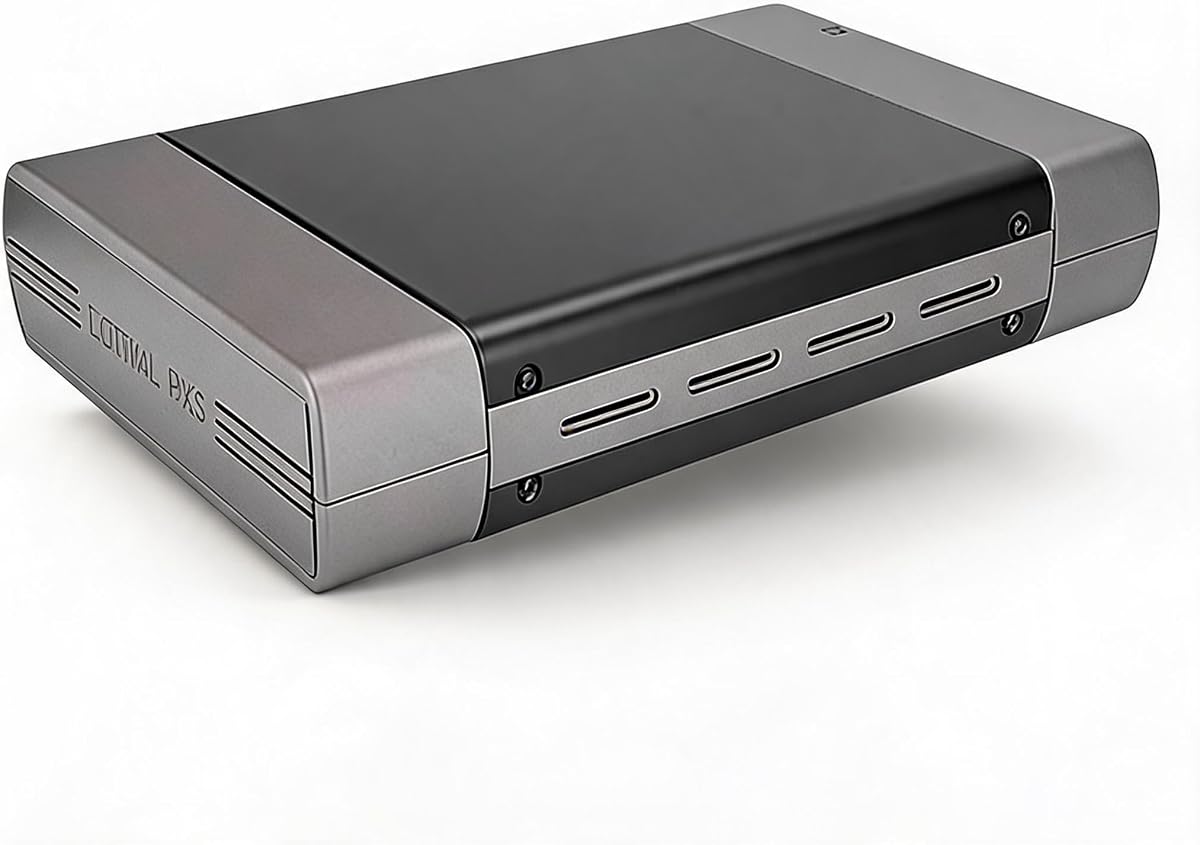
This Bewinner enclosure is designed to work with nearly all ultra-thin 9.5mm CD, DVD, and BD drives. Its plug-and-play design ensures effortless setup without needing additional drivers or technical skills for installation.
We may earn a commission when you buy through this link, at no additional cost to you.
The woven data cable minimizes interference and signal loss, ensuring stable data transfer speeds up to 5Gbps. The brushed ABS material provides a stylish and scratch-resistant look while keeping the weight low for portability.
Since there is no rating data available, long-term reliability is less certain than established brands. The ABS build is lighter than aluminum but may not offer the same level of heat dissipation.
Opt for this if you are on a tight budget and need a simple solution for slim drives. It is a practical choice for students or casual users who prioritize affordability and basic functionality.
The detachable front panel allows for easy conversion of internal drives into external ones without tools, making installation straightforward for anyone with minimal technical experience.
Equipped with a woven data cable, this enclosure ensures stable data transfer by minimizing signal loss and interference, which is critical for reliable disc reading and writing operations.
We may earn a commission when you buy through this link, at no additional cost to you.
Designed for 9mm ultra-slim Serial ATA drives, this enclosure features a dedicated eject key to prevent disc jamming, a useful addition for frequent media access. It supports USB 3.0 and Type C for modern connectivity.
We may earn a commission when you buy through this link, at no additional cost to you.
The integrated detachable cable folds neatly into the base for travel convenience. Constructed with a premium brushed finish, it offers a stylish look and reliable performance with stable data transfer up to 5Gbps.
Lack of user ratings makes it harder to verify build quality expectations. However, the eject key and compact design make it a strong contender for those who prioritize ease of access and portability.
Select this if you want a portable enclosure with a built-in eject key for convenience. It is well suited for users who frequently access optical media on laptops or tablets.
The dedicated eject key prevents discs from getting stuck, ensuring smooth operation every time without needing to reboot or use software commands to eject media.
The detachable cable folds neatly into the bottom, reducing clutter and making it easier to carry the enclosure in a laptop bag without tangled wires.
We may earn a commission when you buy through this link, at no additional cost to you.
This enclosure features a tool-free detachable design that allows you to swap internal drives in seconds without screws. It includes a dedicated eject key and fold-away cable storage for a clean workspace.
We may earn a commission when you buy through this link, at no additional cost to you.
Crafted from premium ABS material with a brushed finish, it resists scratches and maintains a polished look. The USB 3.0 Type C connection ensures fast 5Gbps data transfer and backward compatibility with USB 2.0 ports.
While it offers great convenience, the lack of ratings and aluminum construction may affect long-term durability. It is a practical option for those who prioritize quick installation and ease of use.
Choose this if you want a hassle-free setup process and value portability. It is ideal for casual users who need to access optical media occasionally without complicated procedures.
The tool-free detachable design lets you swap old internal drives in seconds without screws, making it incredibly easy to upgrade or replace your optical drive whenever needed.
The fold-away cable stores neatly in the base, keeping your workspace clean and tangle-free while making the enclosure easy to transport in your travel bag.
We may earn a commission when you buy through this link, at no additional cost to you.
Choosing the right external optical drive enclosure involves considering several key factors to ensure compatibility and performance for your specific needs.
Enclosures are typically designed for 5.25-inch desktop drives or 9.5mm slim laptop drives. Confirm the physical dimensions of your drive before purchasing to ensure it fits properly inside the casing.
Always measure your drive's thickness and depth to match the enclosure's specifications for a secure fit.
Most modern enclosures use USB 3.0 or Type C for high-speed data transfer, while older models may use USB 2.0. Ensure the interface matches your computer's ports for optimal performance.
USB 3.0 and Type C provide faster speeds necessary for efficient media access and file transfers.
Desktop drives often require external AC power adapters, whereas slim drives typically draw power directly from the USB port. Check if the enclosure includes an adapter to avoid connectivity issues.
Look for models with included power adapters if you plan to use desktop optical drives regularly.
Aluminum alloys dissipate heat better than plastic, making them ideal for extended use. Plastic builds are lighter and cheaper but may retain more heat during operation.
Prioritize aluminum construction for better durability and thermal management during long sessions.
If you travel frequently, slim enclosures with integrated cables are more convenient than bulky desktop models. Consider weight and cable management features for on-the-go use.
Choose compact designs with foldable cables if portability is a high priority for your workflow.
Hot swappable enclosures allow you to connect or disconnect the drive without rebooting your system. This feature improves workflow efficiency and convenience for frequent media access.
Ensure the model explicitly supports hot swapping if you need frequent connection changes.
Most enclosures are plug-and-play requiring no driver installation. Verify compatibility with your operating system to avoid needing to download additional software.
Look for models that advertise plug-and-play functionality to save time on setup.
Established brands often provide better build quality and warranty support. Check user reviews and ratings to gauge reliability before making a purchase.
Opt for brands with a track record of positive feedback and reliable customer service.
Begin by ensuring your internal optical drive is compatible with the enclosure. Remove the drive from your old device carefully, noting the SATA connector orientation.
Insert the drive into the enclosure following the manual. For tool-free models, slide the drive in until it clicks. Secure screws if required, then close the casing.
Plug the USB cable into your computer. Install any drivers if necessary. Use disc burning software to access media. Keep the enclosure clean and avoid bending cables to maintain longevity.
Most modern external optical drive enclosures are plug-and-play and do not require installing special drivers. They are designed to be recognized automatically by Windows, macOS, and Linux systems once connected. However, check your specific model's documentation if you encounter issues.
No, you cannot use a 5.25-inch desktop drive in a slim 9.5mm enclosure. The physical dimensions are significantly different. You must match the drive size to the enclosure type to ensure it fits properly.
Common reasons include incompatible interfaces like IDE versus SATA, insufficient power supply for desktop drives, or loose connections. Verify drive compatibility, ensure power adapters are connected, and check cable integrity.
While optical media read speeds are generally slower than USB 3.0 limits, the higher bandwidth ensures stable data transfer without bottlenecks. It also allows for better performance when transferring files from external optical storage.
Yes, external enclosures support disc burning provided the internal drive is capable. Ensure the enclosure supports the required power and data transfer speeds for reliable writing operations.
Use a soft, dry cloth to wipe the exterior. Avoid harsh chemicals or liquids. For ventilation openings, use a can of compressed air to remove dust without damaging the internal components.
We have reviewed ten top external optical drive enclosure options for November 2026, ranging from slim portable designs to robust desktop solutions. The NexStar DX2 leads as a versatile choice for desktop drives, while the Bewinner offers great value for slim laptop drives.
When selecting an enclosure, prioritize compatibility with your drive size and interface type. Consider build quality and power requirements to ensure reliable performance over time. Portability features are essential for users on the go.
Prices and availability may change rapidly. Always verify current product details and user reviews before purchasing to ensure you are getting the best model for your specific needs.