
UGREEN LinkStation eGPU Dock with OCuLink & USB4
4.8Editor score
Dual-channel OCuLink and USB4 connectivity
Supports up to 370mm long GPUs
Integrated cable storage and quiet cooling
This guide compares the top ten external GPU docks for laptops and mini PCs, evaluating bandwidth, compatibility, power support, and features to help you
External GPU docks transform laptops and mini PCs into powerful desktop workstations by allowing you to connect full-sized graphics cards. These enclosures provide the necessary bandwidth, cooling, and power delivery to run demanding applications smoothly. A good dock ensures stable connections and supports modern interfaces for optimal performance in gaming and creative tasks.
We evaluated ten leading eGPU docks based on interface speed, power supply compatibility, build quality, and feature sets. Our analysis covers Thunderbolt 5, USB4, and OCuLink options to highlight strengths and limitations. Each product was assessed for real-world usability, signal stability, and adaptability across different host devices.
Every pick in this guide details specific capabilities, pros, and cons to help you match a dock to your setup. We focus on what matters most for your workflow, whether it is raw bandwidth or portability. Keep in mind that availability and details can change, so verify current listings before purchasing.
4.8Editor score

4.4Editor score

4.5Editor score
This side-by-side comparison highlights the key specifications and features of each dock to simplify your decision process. Look for interface speeds, power requirements, and unique capabilities like storage or multi-mode switching.




The MINISFORUM DEG2 stands out as a versatile external GPU enclosure designed to bridge the gap between mobile productivity and desktop power. It offers dual interface support with USB4 V2 and OCuLink, providing up to 80Gbps and 64Gbps speeds respectively. This dock is ideal for users who need high-speed data transfer alongside seamless graphics performance for tasks like rendering and AI inference.
We may earn a commission when you buy through this link, at no additional cost to you.
Its standout feature is the integrated M.2 NVMe slot, which allows direct storage of large models and project files directly on the dock. This keeps your workspace synchronized when switching between different host devices without the need for external drives. The signal stability is enhanced by a built-in re-drive booster, ensuring smooth operation during demanding 8K rendering or LLM workloads.
While it offers great flexibility with ATX and SFX power support, users should note that the power supply is not included. Additionally, it is not compatible with the MINISFORUM MS-02 Wokstation. However, these limitations are acceptable given the robust feature set. The single-cable workflow and automatic power-on sync make it feel like a native desktop component.
This dock is perfect for professionals and enthusiasts who need a reliable plug-and-play solution for heavy GPU tasks. It excels when you want to keep your laptop lightweight but have full desktop power available when docked. The combination of high bandwidth, storage expansion, and universal power compatibility makes it a top recommendation for 2026.
Switch effortlessly between TB5 and OCuLink using a physical toggle to match your device capabilities without changing cables.
Use the onboard M.2 slot to store AI models and files directly, reducing transfer times and keeping your project workspace consistent.
We may earn a commission when you buy through this link, at no additional cost to you.
The UGREEN LinkStation is a high-end solution that transforms laptops and handhelds into desktop powerhouses with dual high-speed lanes. It supports both OCuLink for maximum bandwidth and USB4 for universal compatibility, ensuring you get near-zero latency for AAA gaming and AI workloads. This dock is engineered to handle oversized GPUs while maintaining a cool and quiet operational environment.
We may earn a commission when you buy through this link, at no additional cost to you.
One of its strongest points is its physical design, which accommodates graphics cards up to 370mm long and four slots thick. The semi-open all-aluminum chassis paired with a low-RPM ATX fan provides efficient cooling that is noticeably quieter than competitor server-style PSUs. This makes it suitable for office environments or shared spaces where noise is a concern.
Although it carries a premium price tag, the versatility and build quality justify the cost for serious users. You will need to purchase your own GPU and power supply, but the dock supports the latest 12V-2×6 connectors directly. The lack of hot-swap support in some configurations is a minor trade-off for the stability it offers in high-demand tasks.
If you need a future-proof hub that can handle the largest cards and deliver consistent performance without throttling, this is an excellent choice. It is particularly well-suited for designers, video editors, and gamers who want desktop-grade power in a clean and organized setup. The included cable storage helps keep your workspace tidy.
The removable top cover extends compatibility to allow installation of high-end cards like the RTX 4090 without restrictions.
Engineered with a low-RPM fan and aluminum chassis to ensure library-quiet operation during intensive rendering or gaming sessions.
We may earn a commission when you buy through this link, at no additional cost to you.
The MINISFORUM DEG1 is a compact external GPU dock designed for users who prioritize portability without sacrificing performance. It features the OCulink 4i interface delivering data transfer rates up to 64Gbps, ensuring smooth graphics processing. This dock is small enough to fit in a backpack, making it an ideal choice for upgrading laptops and mini PCs on the go.
We may earn a commission when you buy through this link, at no additional cost to you.
Despite its small size, it supports both ATX and SFX power supplies, offering flexible solutions for mini chassis setups. It includes smart startup functions like ForcePowerOn for convenient operation. The locking mechanism on the OCulink connector ensures stable connections and prevents port damage during use. This attention to detail enhances the user experience significantly.
You should be aware that the OCulink interface does not support hot plugging, requiring the computer to be turned off to unplug. Also, the startup tracking feature only works with MINISFORUM mini PCs and original cables. However, these limitations do not detract from its value as an affordable and efficient solution for basic eGPU needs.
This dock is perfect for students and professionals who travel frequently but need occasional access to desktop GPU power. It balances cost and capability well, providing a reliable way to boost your machine for gaming or creative work. If you want a budget-friendly option that is easy to carry and quick to set up, this is a top pick.
Measuring only 14 cm long, this dock fits easily into a backpack or handbag for easy transport anywhere.
The OCulink 4i interface provides up to 64Gbps transfer speed ensuring smooth graphics processing and data transfer.
We may earn a commission when you buy through this link, at no additional cost to you.
The Razer Core X V2 offers next-gen Thunderbolt 5 performance for laptops and devices that need ultra-fast bandwidth up to 80 Gbps. It is designed to fit PCIe desktop graphics cards up to 4 slots wide, giving any compatible laptop a massive boost in power. The included Thunderbolt 5 cable simplifies setup, allowing you to get a graphical boost when needed easily.
We may earn a commission when you buy through this link, at no additional cost to you.
Its modular design lets you swap GPUs and PSUs easily using tool-free thumbscrews. The vented steel chassis includes a built-in 120 mm fan that automatically ramps up during heavy loads to sustain maximum performance. This makes it suitable for AAA games and creative apps that demand consistent cooling and stable power delivery.
Keep in mind that Mac devices with M1 or later chipsets do not support eGPUs, so it is primarily for Windows users. Also, the graphics card and power supply are sold separately. Despite these limitations, the build quality and speed make it a strong option for those invested in the Thunderbolt ecosystem.
If you have a Windows laptop or handheld with Thunderbolt 5 or USB4, this enclosure is a robust choice for upgrading your graphics. It delivers a smooth performance that manages demanding tasks without throttling. The high charging capacity also means you can keep your laptop powered while using it as a desktop.
Featuring Thunderbolt 5 with up to 80 Gbps bandwidth for the smoothest performance with creative apps and games.
Designed to fit PCIe desktop graphics cards up to 4 slots wide for maximum performance with latest NVIDIA and AMD GPUs.
We may earn a commission when you buy through this link, at no additional cost to you.
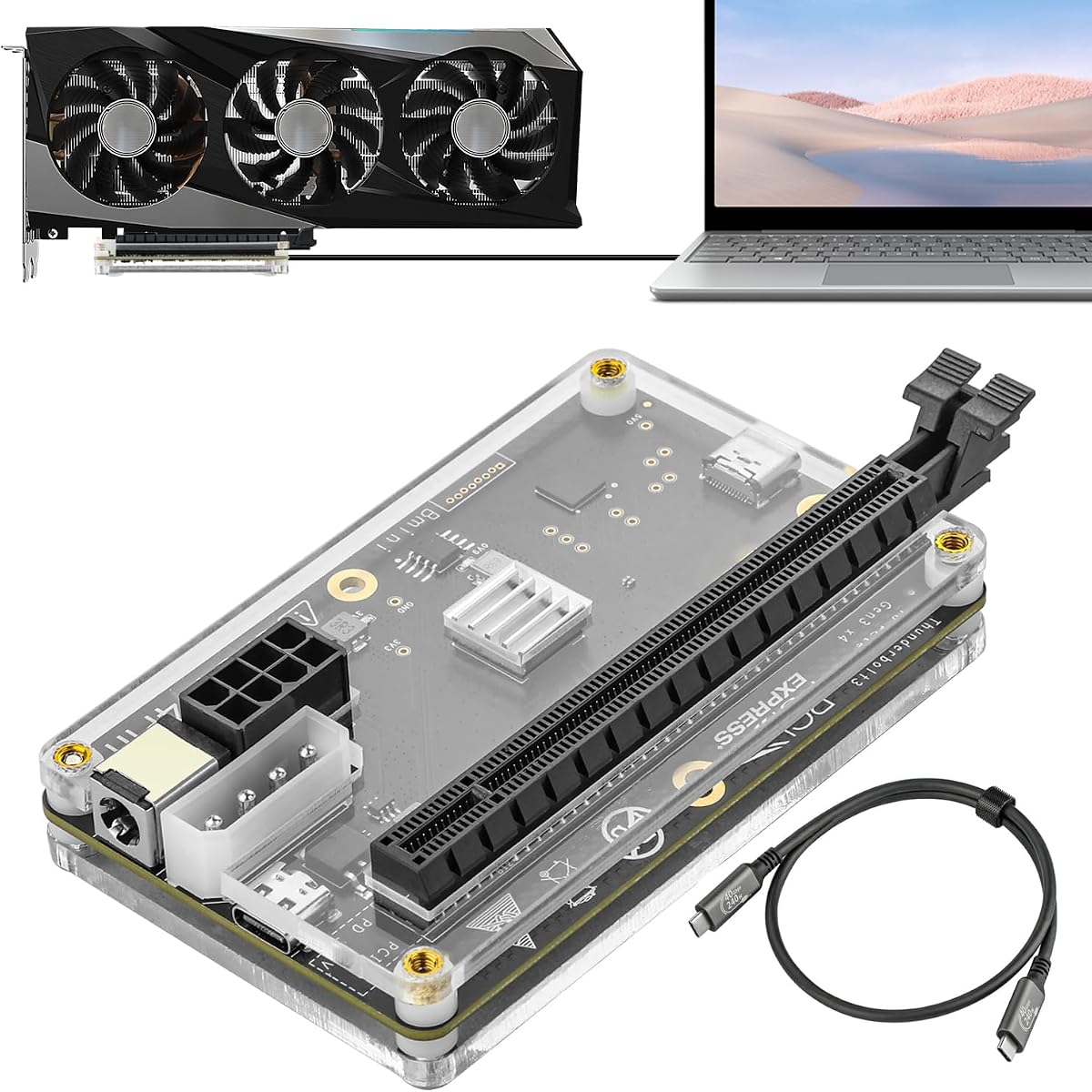
This PCIe 4.0 x4 eGPU dock provides a straightforward way to connect external graphics cards to laptops and mini PCs. It supports data transfer rates up to 64Gbps via the OCuLink interface, ensuring smooth graphics processing. The detachable design improves portability, while the PCB board features gold-plated contacts to ensure superior conductivity.
We may earn a commission when you buy through this link, at no additional cost to you.
The included ultra-thin flexible cable reduces port damage risks compared to traditional rigid OCuLink cables. It fully shields against interference to minimize performance degradation during use. You can install GPUs of various sizes without worrying about length restrictions. LED indicators provide clear visual feedback for real-time device monitoring and status checks.
It is worth noting that the OCulink interface does not support hot plugging, so you must turn off the computer to unplug. Also, standard ATX power supply compatibility only and the PSU is not included. These are standard constraints for this type of enclosure. However, the build quality offers a solid foundation for DIY upgrades.
This dock is best for users who want a cost-effective solution with no extra bells and whistles. It works well with standard ATX power supplies and fits most GPUs like RTX 4090 or RX 7900 XTX. If you need a reliable basic enclosure that supports high-speed transfers, this is a great value option.
Includes an ultra-thin flexible cable to eliminate port damage risks and ensure full-coverage shielding against interference.
PCB board with 10μ gold-plated contacts ensures superior conductivity and reduces oxidation related resistance.
We may earn a commission when you buy through this link, at no additional cost to you.
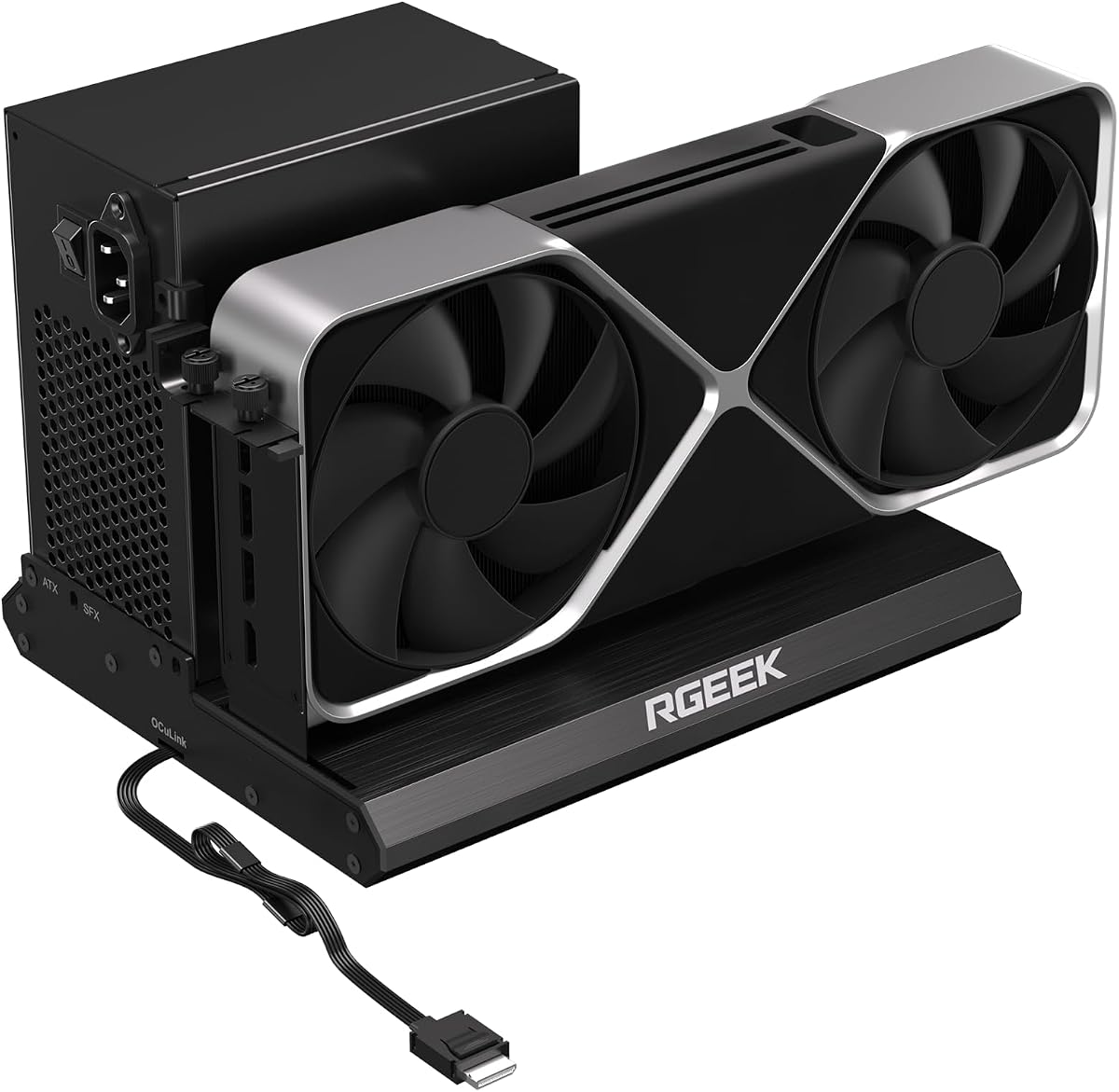
The RGEEK OCuLink dock supports PCIe 5.0 x4 with up to 128Gbps bandwidth for future-proof external GPU setups. It is backward compatible with PCIe 4.0 and 3.0 ports to ensure wide usability. This aluminum enclosure is built for heat dissipation and durability, making it ideal for gaming and professional tasks like 3D modeling.
We may earn a commission when you buy through this link, at no additional cost to you.
It supports ATX, SFX, and SFX-L power supplies, giving you flexibility in component choice. The uniform I/O port layout keeps desktop wiring neat for easier installation. After assembly, you simply download the driver to get started. This dock is designed for enthusiasts who want maximum performance without restrictions on card size.
To reach full PCIe 5.0 speed, you may need an M.2 slot or a separate adapter to purchase. Also, note that hot plugging is not supported on OCuLink interfaces. These are minor considerations given the potential for high speeds. The full aluminum material ensures great heat dissipation which is vital for sustained performance.
If you are building a high-end portable GPU solution, this dock offers the speed to match next-generation graphics cards. It fits gaming and professional GPUs perfectly for a customizable experience. The sturdy build and lack of size restrictions make it a solid option for power users looking to upgrade their mini PC.
Supports PCIe 5.0 x4 with up to 128Gbps bandwidth which is double the speed of standard PCIe 4.0.
Supports ATX SFX and SFX-L power supplies for a customizable and future-proof setup.
We may earn a commission when you buy through this link, at no additional cost to you.
This eGPU dock uses a JHL6340 controller to deliver speeds around 22Gbps, compatible with both Win10 and Win11. It connects via Thunderbolt 4 cables and supports most Windows laptops or consoles with TB3/TB4 ports. The flexible power input options allow you to choose the most convenient setup for your power needs.
We may earn a commission when you buy through this link, at no additional cost to you.
Any GPU with available drivers from official NVIDIA or AMD websites can be used with this dock. It includes a standard Thunderbolt 4 cable and a 24Pin power jumper cable for convenience. It is perfect for graphics work video editing and AI art without needing complex configurations.
Note that hot plugging is not supported and you may need BIOS updates for USB4 functionality on some consoles. It does not recommend GPUs with Intel chips for best compatibility. The limited bandwidth is a trade-off for the broad compatibility and ease of setup. It remains a solid choice for basic upgrades.
If you want a reliable dock that works with older Thunderbolt ports and multiple devices, this is a good option. It offers enough performance for moderate gaming and creative workloads. Just ensure your device has a TB3/TB4 port before purchase for the best experience.
Choose one of four power input options including PD 3.0 or Molex to fit your existing power setup.
The device uses the JHL6340 controller offering better stability and speeds around 22Gbps.
We may earn a commission when you buy through this link, at no additional cost to you.
This DEG2 Docking Station supports Oculink and TBT5 modes with a physical toggle switch for easy switching. It features an internal M.2 slot to store assets and project files for faster GPU access. The 2.5G LAN port adds network connectivity to your workspace. This design minimizes signal degradation and connectivity errors.
We may earn a commission when you buy through this link, at no additional cost to you.
By running heavy GPU tasks on a desktop card while the ultrabook handles display, you keep mobility without sacrificing power. Rendering and editing run on a single GPU streamlining workflow. The auto-on sync eliminates manual startups. However, it does not work with the MINISFORUM MS-02 Wokstation and does not include the power supply.
The dual-mode freedom is a strong selling point but it is important to note the compatibility limitations. The lower user rating suggests some may have experienced issues but it still offers a rich set of features. It is a solid choice if you need both LAN and storage in a compact enclosure.
If you need an eGPU dock that integrates network and storage into a single box with dual connectivity, this is a great option. It is ideal for workflows requiring file synchronization across devices. Just verify host compatibility before buying to ensure a smooth setup.
Switch between TB5 and OCuLink with a physical toggle without changing cables or software tweaks.
Features a 2.5G LAN port and USB ports for rich connectivity in a single docking station.
We may earn a commission when you buy through this link, at no additional cost to you.
This eGPU dock features a JHL7440 controller module for high performance in gaming and AI training. It is compatible with USB4/TB3/TB4 interfaces on NUCs laptops and gaming machines. The built-in 40Gbps TB4 port also provides 85W PD charging for your laptop making it a dual-purpose hub.
We may earn a commission when you buy through this link, at no additional cost to you.
You can attach external devices to the USB A and daisy chain ports. It supports NVIDIA RTX 50 series and AMD RX 7000 Series GPUs. Note that you must ensure your laptop has the correct port before using it. The package does not contain ATX power or graphics cards.
Be careful not to insert CPU cable to the PCIE-8PIN port to avoid automatic power-off protection. This is a specific requirement that can cause issues if ignored. Despite this, it is a useful hub for adding GPU power to older laptops with TB3 ports.
This dock is best for users who want both graphics acceleration and a connectivity hub in one device. It is a versatile choice for those needing to charge their laptop while using an external GPU. Just follow the power setup instructions carefully for safe operation.
Includes a daisy chain port and USB A port to attach external devices as needed.
Supports latest NVIDIA RTX 50 Series and AMD RX 7000 Series GPUs for high performance.
We may earn a commission when you buy through this link, at no additional cost to you.
This DEG2 Docking Station offers dual-mode support with a physical toggle for switching between TB5 and OCuLink. It stores project files on its internal M.2 2280 for faster GPU access without swapping cables. The 2.5G LAN port provides robust network connectivity. Auto-On sync with host device delivers a smooth desktop-like experience.
We may earn a commission when you buy through this link, at no additional cost to you.
It works with ATX and SFX power supplies ensuring easy upgrades. Signal optimization ensures seamless interoperability across cables and GPUs. Heavy GPU tasks run on desktop graphics while ultrabook handles display keeping mobility without losing power. Note that it does not work with MINISFORUM MS-02 Wokstation.
Although the power supply is not included, the flexibility of component upgrades makes it future-proof. It reduces file transfers and smooths workflow by keeping assets on the dock. This is ideal for users who want a single GPU to handle rendering and AI runs efficiently.
For a seamless dock experience that combines storage and network ports with high-speed graphics, this is a strong contender. The physical toggle ensures ease of use. It is recommended for professionals who need reliable connectivity and performance without extra cables.
Removes the need for manual startups by syncing power with your host device.
Includes 2.5G LAN port, USB 3.2 ports, and OCuLink and TB5 ports for a complete hub.
We may earn a commission when you buy through this link, at no additional cost to you.
Choosing the right eGPU dock requires evaluating several factors to ensure compatibility and performance with your laptop or mini PC. This guide outlines the key elements to consider before making a purchase.
The interface speed determines how fast data moves between your device and the graphics card. Look for docks supporting USB4 V2 Thunderbolt 5 or OCuLink for up to 80Gbps or 128Gbps speeds. Higher bandwidth means better performance for 8K rendering and AI tasks.
Prioritize docks with at least 40Gbps bandwidth if you need smooth performance without throttling.
Most eGPU docks do not include power supplies so you must ensure your chosen PSU fits. Check if the dock supports standard ATX or SFX supplies and if it has the required connectors for your GPU. Adequate wattage is essential to run high-end cards like the RTX 4090.
Always verify the power requirements of your graphics card before selecting a dock.
Desktop GPUs vary in width and length so check the dock dimensions. Some enclosures allow up to 370mm length and four slots thickness while others are limited. Ensure the dock fits your specific card model to avoid installation issues.
Select a dock that accommodates your GPU dimensions comfortably.
Verify your laptop or mini PC supports the dock interface. Some docks require Thunderbolt 3/4 or USB4 ports while others use OCuLink. Mac devices with M1 chips do not support eGPUs so confirm your system capabilities.
Check your device ports and BIOS settings to ensure full compatibility.
Consider extras like M.2 storage slots LAN ports or PD charging. These features can add value by keeping your workspace organized. Look for signal boosters that improve stability during high-bandwidth transfers.
Choose docks that offer features relevant to your workflow needs.
A good chassis dissipates heat effectively to prevent overheating. Steel or aluminum enclosures with active fans maintain stable performance under load. Quiet operation is important if you work in shared spaces.
Opt for a dock with a robust chassis and reliable cooling.
Automatic power-on and syncing with the host simplify setup. Docks that support hot plug allow easier transitions between work and gaming. Check if your OS supports the dock drivers.
Prioritize docks with user-friendly installation and startup processes.
Compare the cost of the dock against its features. Higher-end models offer more ports and speed but come at a premium. Ensure the value matches your specific needs and budget.
Balance features with cost to find the best long-term solution.
To start using your dock, connect it to your laptop via USB4 or OCuLink cable and secure it. Ensure your host device is powered down before attaching the dock if hot plugging is not supported. Connect the power supply and your GPU to the dock before powering on.
Install the necessary drivers for your graphics card after connecting the dock. Keep the firmware updated to ensure stability. Place the dock in a well-ventilated area to allow fans to dissipate heat effectively.
For maintenance, check the locking mechanisms on cables to avoid damage. Regularly clean the chassis to prevent dust buildup. If you plan to transport the dock, use its internal storage or a protective case to secure internal components.
Most OCuLink docks do not support hot plugging so you must turn off the computer to unplug. Thunderbolt docks sometimes allow it but check your specific model. Always follow the manufacturer guidelines to prevent port damage.
Most docks support standard ATX and SFX power supplies. Ensure you have enough wattage for your GPU. Some docks offer flexible inputs but always check the manual for requirements.
Mac devices with M1 or later chipsets do not support eGPUs. Older Intel-based Macs might work but check compatibility. Most docks are designed for Windows systems.
Check your laptop manual or manufacturer website for OCuLink support. Not all laptops have the physical port. Some mini PCs may require specific adapters.
Most docks support standard desktop GPUs but check physical dimensions. Some docks may not fit oversized cards. Verify the width and length limits before buying.
In most cases, power supplies are sold separately. Check the product details to confirm what is included. You will need to provide your own PSU.
The MINISFORUM DEG2 and UGREEN LinkStation stand out as top choices for most users due to their versatility and high-speed interfaces. They offer features like dual-mode switching and built-in storage that streamline workflows.
When choosing prioritize the interface speed and power compatibility that matches your GPU and laptop. Look for docks with signal stability features to ensure smooth operation.
Always check current availability and details as they may change. Verify compatibility with your specific host device before purchasing to avoid issues.