
MINISFORUM MS-S1 MAX
4.5Editor score
128GB Unified Memory
Dual Unit Cluster Support
AMD Ryzen AI Max+ 395
This guide compares the top dual GPU AI setups for local large language model inference and training, covering workstations, servers, and compact mini PCs for
Dual GPU AI setups are becoming essential for professionals who need powerful local compute for large language models and deep learning tasks without relying on cloud services.
We evaluated ten distinct configurations ranging from compact mini PCs to enterprise-grade rack servers to find the best options for varying budgets and performance requirements.
Each selection highlights specific strengths like VRAM capacity, power efficiency, and software compatibility, though you should verify current availability and pricing before purchasing.
4.5Editor score

5.0Editor score

5.0Editor score
The following table provides a quick side-by-side overview of the hardware specifications and key capabilities for each of the ten selected systems to help you narrow down your choices.


This unique graphics card combines two Arc Pro B60 units into a single physical package offering 48GB of VRAM which is rare for consumer level hardware at this price point.
We may earn a commission when you buy through this link, at no additional cost to you.
It delivers 394 TOPS of INT8 compute power making it ideal for running quantized 70B class models like DeepSeek or QwQ entirely on your local machine without cloud dependency.
While it relies on PCIe 5.0 bifurcation to achieve full bandwidth on consumer motherboards the cost savings compared to dual card setups make it a compelling choice for budget conscious AI researchers.
If you need to run large language models locally without spending on enterprise hardware this card offers a balanced combination of memory capacity and computational throughput for development tasks.
The unified memory design allows both GPUs to function as a single resource pool which simplifies software configuration for large language model inference.
The triple thermal design with a blower fan ensures that sustained inference loads do not lead to thermal throttling even in standard office environments.
We may earn a commission when you buy through this link, at no additional cost to you.
This workstation represents the pinnacle of consumer level AI hardware with dual RTX 5090 GPUs providing immense raw compute power and massive GDDR7 memory for next generation model training.
We may earn a commission when you buy through this link, at no additional cost to you.
The AMD Ryzen 9 9950X processor ensures that data preprocessing tasks do not become a bottleneck when feeding data to the powerful graphics cards during deep learning experiments.
Liquid cooling is critical here to maintain performance during long training sessions as the GPUs run at high wattages and generate significant heat that standard air cooling might struggle to dissipate.
Professionals looking for maximum single node performance without resorting to enterprise server costs will find this configuration unmatched in terms of raw throughput and memory availability.
The inclusion of GDDR7 memory on the RTX 5090 offers significantly higher bandwidth than previous generations allowing for faster loading of model weights and tokens.
With 256GB of DDR5 RAM the system prevents host memory bottlenecks ensuring that large datasets can be preprocessed in parallel with GPU inference.
We may earn a commission when you buy through this link, at no additional cost to you.
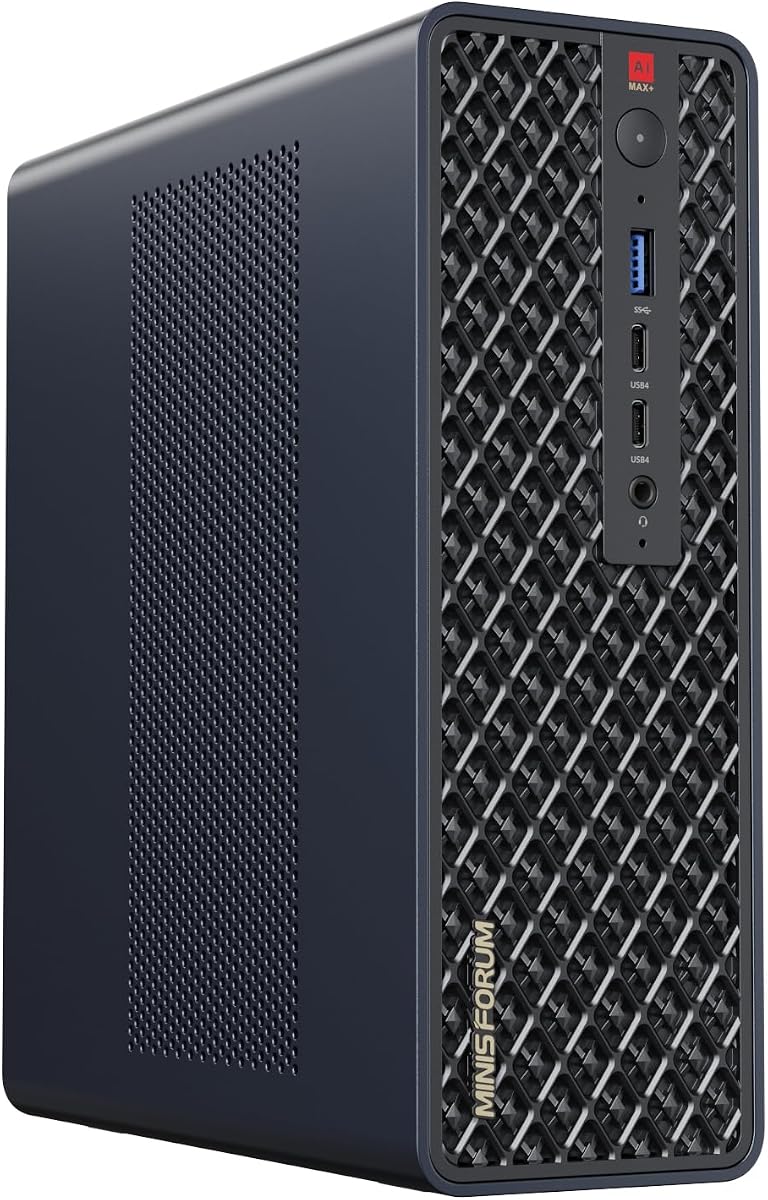
This mini workstation offers an accessible entry point into local AI by utilizing a unified memory architecture that allows the CPU and GPU to access a shared pool of up to 128GB.
We may earn a commission when you buy through this link, at no additional cost to you.
The AMD Ryzen AI Max+ 395 provides strong multi core performance for handling orchestration tasks while the integrated RDNA 3.5 GPU handles the inference workload efficiently for the size.
Users can even cluster two of these units together to run larger models that would not fit on a single unit demonstrating a level of flexibility rare in small form factor devices.
For developers with limited desk space or those needing a quiet and efficient secondary node for testing models this device delivers impressive value despite its compact dimensions.
The unified memory design eliminates the traditional bottleneck where data must be copied from system RAM to VRAM allowing for faster model loading times.
Support for cluster configurations means you can start small and grow your compute capacity by adding more units rather than replacing a single large machine.
We may earn a commission when you buy through this link, at no additional cost to you.
This workstation leverages the professional RTX PRO 6000 Blackwell cards which are designed for reliability and ECC memory support making them ideal for critical enterprise workloads.
We may earn a commission when you buy through this link, at no additional cost to you.
The inclusion of 256GB of system RAM ensures that large datasets can be loaded locally without needing to swap to disk which can slow down training pipelines significantly.
Professional cable management and liquid cooling indicate a focus on long term reliability and noise reduction which is essential for workstations placed in shared or quiet office environments.
Business users requiring stable and certified hardware for production AI inference will appreciate the professional card selection and the comprehensive build quality provided by the manufacturer.
RTX PRO cards offer ECC memory support which prevents data corruption during long training runs a critical feature for scientific and enterprise applications.
The RAID NVMe SSD configuration ensures that reading and writing large datasets happens quickly preventing storage bottlenecks during high throughput training sessions.
We may earn a commission when you buy through this link, at no additional cost to you.
This device brings enterprise scale performance to the desktop with the GB10 Grace Blackwell chip offering one petaFLOP of AI performance in a compact and energy efficient package.
We may earn a commission when you buy through this link, at no additional cost to you.
The unified memory architecture allows for efficient data sharing between CPU and GPU which is essential for running the largest models locally without expensive custom hardware.
Being part of the NVIDIA DGX ecosystem means seamless integration with their full software stack allowing developers to build locally and deploy anywhere without compatibility headaches.
If you need to prototype and test large models like 200B parameter versions locally without relying on cloud credits this desktop offers an unparalleled level of performance and integration.
Unified memory allows the GPU to access system memory directly which is crucial for handling datasets larger than physical VRAM limits in complex workloads.
Native support for NVIDIA AI tools ensures that you can leverage the latest optimizations and libraries immediately upon setup.
We may earn a commission when you buy through this link, at no additional cost to you.
This rackmount server is designed for organizations that need massive scale local inference capabilities with eight professional grade GPUs housed in a dense 4U chassis.
We may earn a commission when you buy through this link, at no additional cost to you.
The EPYC processor with 192 cores ensures that data pre-processing and orchestration never bottleneck the powerful GPU array while the 24-channel memory bandwidth supports heavy data loads.
Redundant power supplies and hot-swap drives make this suitable for 24 7 mission critical environments where uptime is more important than energy efficiency or cost.
Data science teams needing to deploy a private LLM service with high concurrency will find this hardware provides the necessary throughput and reliability for production workloads.
Included tools like ASUS Control Center allow for remote monitoring and maintenance which is vital for servers that run unattended for long periods.
The 24-channel DDR5 memory architecture provides the bandwidth necessary to feed eight GPUs simultaneously without causing latency in the data pipeline.
We may earn a commission when you buy through this link, at no additional cost to you.
This workstation is tailored for professionals dealing with large scale photogrammetry and AI tasks requiring high core counts and professional grade stability.
We may earn a commission when you buy through this link, at no additional cost to you.
The Threadripper processor allows for parallel processing of complex data while the RTX 5090 GPU provides the raw power needed for rendering and inference tasks.
ECC memory ensures data integrity which is crucial when working with critical datasets in fields like surveying or scientific research where errors can have significant consequences.
Users who need a powerful desktop that can handle both heavy computation and AI inference without the footprint of a full server rack will appreciate this focused design.
The high core count processor is excellent for tasks that require significant parallelism such as compiling code or processing large data files.
Using ECC memory and a robust power supply ensures that the system remains stable during long rendering or training sessions.
We may earn a commission when you buy through this link, at no additional cost to you.
This system bridges the gap between a desktop and a server by fitting three professional GPUs and massive memory into a large tower chassis.
We may earn a commission when you buy through this link, at no additional cost to you.
The EPYC processor provides server class multi-threaded performance which is ideal for data preprocessing tasks before feeding them into the GPU cluster.
Users who need to run multiple models simultaneously or handle complex CAD simulations alongside AI workloads will find this configuration offers unmatched versatility.
However the power requirements mean this system must be installed in a location with proper electrical outlets which limits its portability compared to standard desktops.
Three GPUs allow for splitting a workload across multiple devices enabling faster training times and larger model sizes.
With 768GB of RAM you can cache massive datasets in memory ensuring that the GPUs are never waiting for data.
We may earn a commission when you buy through this link, at no additional cost to you.
This single GPU represents the current peak of workstation graphics technology with 96GB of VRAM allowing for large models to run locally without splitting batches.
We may earn a commission when you buy through this link, at no additional cost to you.
The Max-Q edition is optimized for lower power consumption while maintaining high performance making it suitable for compact workstation designs that need to fit in small cases.
Professional ECC memory ensures data integrity during long training runs which is a requirement for many enterprise and scientific use cases.
While expensive this card is ideal for users who need maximum VRAM capacity for running single instance inference or training tasks without needing multiple GPUs.
With 96GB of VRAM you can run models that would normally require a server cluster on a single desktop.
The Max-Q design ensures that the card does not consume excessive power making it easier to integrate into standard workstation cases.
We may earn a commission when you buy through this link, at no additional cost to you.
This mini PC stands out for its ability to drive up to five monitors simultaneously making it a strong choice for developers who need multiple workspace screens alongside AI tools.
We may earn a commission when you buy through this link, at no additional cost to you.
The Ryzen AI processor offers a high number of threads which helps in running background processes for LLMs while keeping the machine small and relatively quiet.
While it lacks a discrete GPU the powerful integrated graphics combined with the large unified memory pool provide capable performance for many AI inference tasks.
For users needing a compact and multi-display solution for development work this device offers a unique blend of connectivity and performance in a small package.
Five video outputs allow you to connect multiple monitors which is helpful for monitoring logs while working on code.
The 10G Ethernet port ensures that data transfer to and from network storage is fast and efficient.
We may earn a commission when you buy through this link, at no additional cost to you.
Selecting the right dual GPU AI setup requires understanding your specific workload needs from VRAM capacity to power consumption and physical space constraints.
VRAM is the most critical factor for AI inference as it determines the size of the model you can load locally. Larger models require more VRAM to store weights and activations without swapping to system RAM which slows down performance significantly.
Look for systems offering at least 32GB of VRAM per GPU if you plan to run models larger than 7B parameters. Combined VRAM across two GPUs allows for even larger batch sizes or quantized versions of larger models.
High bandwidth is essential for feeding data to the compute cores quickly. Without sufficient bandwidth the GPU sits idle waiting for data which negates the benefits of having powerful hardware.
PCIe Gen 5.0 interfaces and high speed memory like GDDR7 or HBM provide the necessary bandwidth for training and inference tasks. Check that your motherboard supports the required lane speeds.
You need plenty of system RAM to handle data preprocessing and loading datasets into the GPUs. If your system RAM is lower than your total VRAM you may face bottlenecks during complex workflows.
Aim for at least 64GB of DDR5 RAM to ensure smooth operation. More cores and threads on the CPU also help in parallelizing data preparation tasks efficiently.
Dual GPU setups consume significant power often requiring 1000W or more. You need a reliable power supply with enough wattage and connectors to support both GPUs and the CPU without instability.
Professional setups often require high efficiency power units to prevent heat issues and ensure reliability. Always check the TDP requirements before finalizing your purchase.
Dual GPUs are physically large and generate significant heat. Ensure your case has enough room for the cards and adequate airflow to prevent throttling during long sessions.
If you have limited space consider compact workstations or mini PCs that support clustering instead of a large tower. Rackmount options are best for dedicated server rooms.
Software support varies by hardware. NVIDIA has the widest ecosystem while AMD and Intel cards are improving rapidly. Verify that your preferred frameworks like PyTorch or TensorFlow support your chosen hardware.
Some enterprise cards offer specific drivers for stability. Check the vendor support documentation to ensure your operating system and development environment are compatible with the chosen hardware.
First ensure you have the latest drivers installed for both your GPU and CPU. Updated drivers often include optimizations for AI workloads that can significantly improve performance and stability during inference tasks.
Second monitor temperatures regularly using system tools to ensure that the cooling solutions are working as intended. High sustained loads can degrade performance if heat is not dissipated properly.
Third plan your storage carefully by using fast NVMe SSDs for active datasets and larger slower drives for archival purposes. This balance helps keep your system responsive while managing costs.
Yes dual GPU setups are ideal for running Large Language Models locally without relying on cloud services. You will need sufficient VRAM to hold the model weights which is a key benefit of combining two high end cards or specialized AI accelerators.
Most major frameworks like PyTorch and TensorFlow support multi GPU configurations. NVIDIA CUDA based systems have the broadest support but AMD and Intel open source tools are rapidly gaining compatibility with the latest models.
Running a quantized 70B model generally requires at least 48GB of VRAM. This is why setups like the WEELIAO MAXSUN which offer unified 48GB or professional cards with 96GB are preferred for local 70B inference.
Liquid cooling is recommended for high-end setups to maintain sustained performance under load. Air cooling can work but may struggle with the heat output of multiple GPUs during long training sessions without thermal throttling.
Yes you typically need a motherboard that supports PCIe lane bifurcation to run two GPUs at full speed. This allows the CPU to assign more lanes to each card ensuring maximum bandwidth utilization for data transfer.
Yes some modern mini PCs support clustering allowing you to link multiple units together. This can be a more cost effective and space efficient way to achieve high memory capacity for large models.
We have reviewed a wide range of options from compact mini PCs to powerful rack servers to help you find the right balance for your local AI needs.
Prioritize VRAM capacity and memory bandwidth if you are working with large models as these are the biggest bottlenecks for performance in local inference tasks.
Remember that prices and availability change frequently so check current listings and verify compatibility with your existing hardware before making a final purchase decision.