
2026 WiFi Extender Signal Booster for Home
5.0Editor score
15000 sq ft coverage
Simple one-tap setup
Multiple network modes
This guide compares the top distance WiFi extender models to help you eliminate dead zones and boost signal strength across large homes and outdoor spaces
Modern homes often suffer from weak wireless signals in distant rooms or outdoor areas. A reliable distance WiFi extender helps bridge these gaps by amplifying your existing network to cover every corner efficiently.
We analyzed ten top-rated models based on range, speed, ease of setup, and user feedback. This list highlights devices that deliver consistent performance for streaming, gaming, and remote work scenarios.
Each selection includes detailed specs and real-world pros and cons to guide your decision. Prices fluctuate frequently, so check current listings before purchasing to ensure you get the best value today.
5.0Editor score

4.1Editor score
4.5Editor score
Below is a side-by-side comparison of the top ten models to help you quickly compare specs and choose the right device for your specific coverage needs.


This is a top-tier WiFi 6 extender designed to eliminate dead zones in large homes. It holds an excellent rating for reliability and offers dual-band speeds ideal for modern streaming needs.
We may earn a commission when you buy through this link, at no additional cost to you.
Its standout features include Beamforming technology and intelligent signal indicators. These tools ensure the device is placed optimally for maximum coverage up to 2400 square feet.
While it cannot increase raw internet speeds beyond your ISP plan, it significantly improves signal reliability. This stability is crucial for lag-free gaming and uninterrupted video calls.
Buyers seeking a robust solution for multi-device environments should consider this model. It is an ideal choice for upgrading older networks to WiFi 6 standards seamlessly.
High-gain directional antennas ensure consistent signal penetration through walls and obstacles.
Supports new AX phones and laptops for faster throughput and lower latency.
We may earn a commission when you buy through this link, at no additional cost to you.
This model offers impressive range for a budget-friendly price point. Users appreciate its simplicity and ability to cover large areas without complex configuration.
We may earn a commission when you buy through this link, at no additional cost to you.
Its main strength lies in the one-tap WPS setup and flexible modes like Bridge and Access Point. These features make it adaptable for various home networking needs.
While it lacks premium WiFi 6 speeds, it handles basic streaming and browsing reliably. This trade-off is acceptable for those prioritizing cost over high-speed throughput.
Ideal for renters or homeowners seeking quick coverage expansion without breaking the bank. It delivers solid performance for standard household internet activities.
Setup requires just a few button presses, making it accessible for non-technical users.
Multiple modes allow you to repurpose the device as a router or access point.
We may earn a commission when you buy through this link, at no additional cost to you.
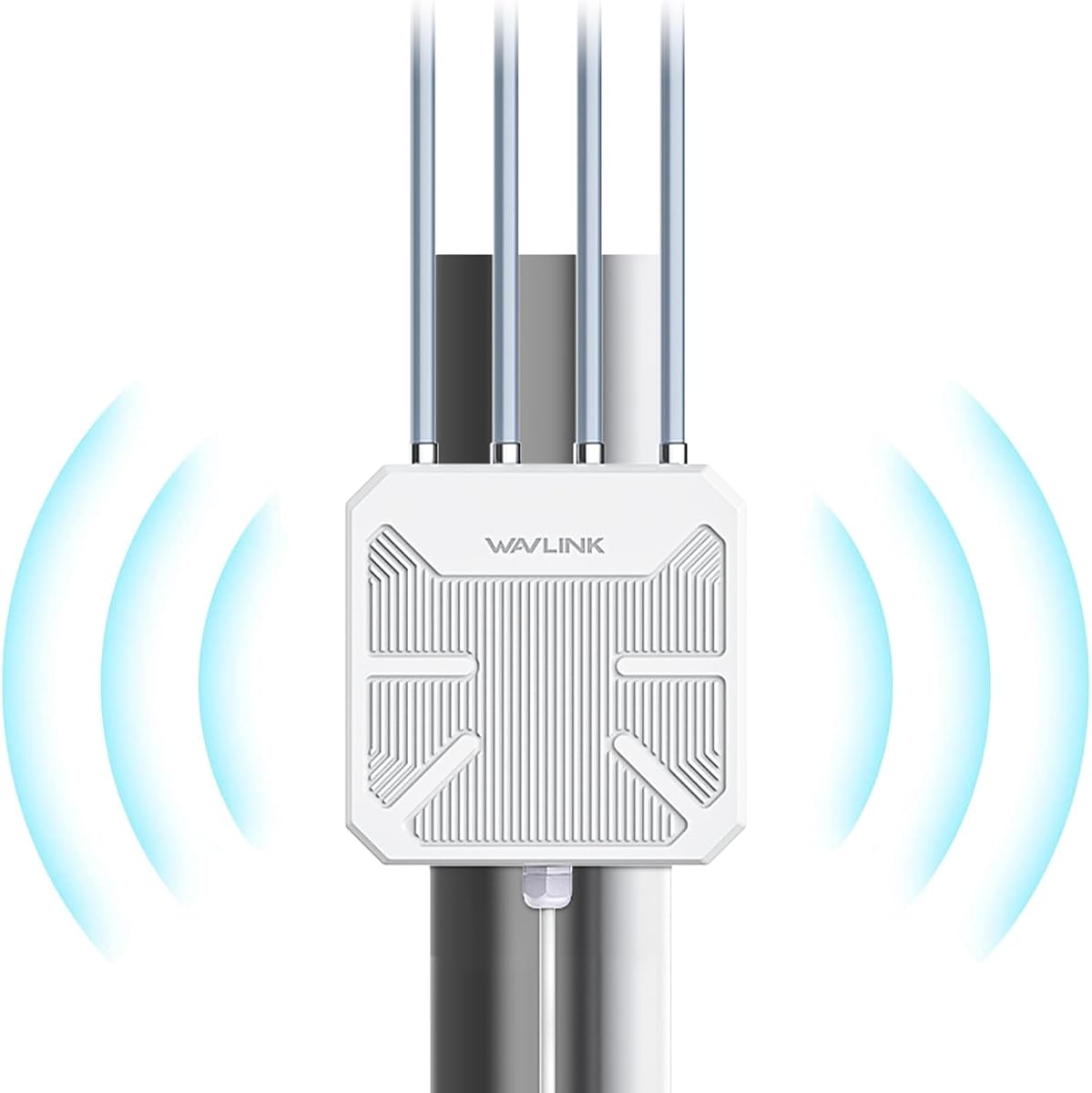
This rugged extender is built to withstand harsh outdoor conditions while delivering strong signals. Its IP67 rating ensures reliability through rain, dust, and extreme temperatures.
We may earn a commission when you buy through this link, at no additional cost to you.
Key features include support for Starlink connections and Power over Ethernet. These capabilities make it ideal for remote properties, yards, and large estates needing reliable coverage.
While costly, its specialized outdoor build justifies the investment for specific use cases. Indoor units may fail quickly in similar environments, making this a safer long-term choice.
Buyers with large yards or barns should prioritize this model for durability. It bridges the gap between indoor networks and remote outdoor spaces effectively.
Sealed casing protects against moisture and dust for year-round outdoor operation.
PoE support simplifies installation in locations without nearby power outlets.
We may earn a commission when you buy through this link, at no additional cost to you.
The AC1900 model delivers dependable performance for standard home networks. It provides solid speeds and coverage for streaming and gaming without the cost of newer tech.
We may earn a commission when you buy through this link, at no additional cost to you.
Its adjustable antennas and intelligent signal indicator help optimize placement easily. This ensures you get the most out of the hardware without complex setup steps.
Though it lacks WiFi 6 benefits, it remains compatible with almost all current devices. It serves as a reliable middle-ground for upgrading older setups effectively.
Recommended for those who need a trusted brand with proven track record. It balances cost and performance well for everyday internet usage.
Adjustable external antennas allow you to direct signals where needed most.
Smart roaming technology switches you to the strongest signal automatically.
We may earn a commission when you buy through this link, at no additional cost to you.
This extender prepares your home for next-generation connectivity standards. It supports Multi-Link Operation to combine bands for better throughput and lower latency.
We may earn a commission when you buy through this link, at no additional cost to you.
Key strengths include high total bandwidth and compatibility with new WiFi 7 devices. It ensures your network is ready for future upgrades without replacing hardware.
Current limitations include requiring a WiFi 7 router to unlock full potential. Without one, it functions as a powerful dual-band extender with standard speeds.
Forward-thinking users should consider this if planning a full WiFi 7 upgrade. It offers longevity and performance headroom for demanding tasks.
Supports 160 MHz channels and 4K-QAM for faster data transfer.
Beamforming technology directs signals to devices for better reliability.
We may earn a commission when you buy through this link, at no additional cost to you.
This booster emphasizes stability and device capacity for busy households. Its dedicated processing chip ensures minimal delays during high-demand usage.
We may earn a commission when you buy through this link, at no additional cost to you.
It handles dozens of simultaneous connections smoothly, making it great for smart homes. The simple setup process ensures you get connected within minutes.
While specs are basic, real-world performance shows strong reliability. Users report consistent streaming and browsing without frequent dropouts.
Buyers needing a straightforward solution for many devices should look here. It offers solid utility without unnecessary complexity.
Supports over 65 devices simultaneously for multi-user households.
Built-in WPA/WPA2 protocols protect your network from unauthorized access.
We may earn a commission when you buy through this link, at no additional cost to you.
This extender boasts massive coverage to penetrate thick walls and large homes. It is designed to reach areas where other units typically fail.
We may earn a commission when you buy through this link, at no additional cost to you.
Its main advantage is consistent performance for 4K streaming and video calls. The high-gain antennas ensure signals remain strong even at long distances.
While it is larger than average, the trade-off is excellent signal penetration. Setup remains simple with WPS for quick connection.
Ideal for large homes with multiple floors or difficult layouts. It reliably eliminates dead zones where connectivity is usually weakest.
High-gain antennas push signals through obstacles effectively.
Advanced WPA2-PSK encryption keeps your personal data secure.
We may earn a commission when you buy through this link, at no additional cost to you.
With eight antennas, this device aims to maximize signal penetration across rooms. Users praise its reliability and ease of installation.
We may earn a commission when you buy through this link, at no additional cost to you.
It offers multiple modes including Mesh and Router, making it adaptable. The setup process is straightforward for non-technical users.
While marketing claims about speed increases should be viewed with care, performance is stable. It works well for standard home streaming needs.
Choose this if you need flexibility in how you deploy the unit. It balances performance with versatile networking options.
Multiple modes allow use as repeater, bridge, or router easily.
WEP/WPA/WPA2 encryption keeps your home network secure from threats.
We may earn a commission when you buy through this link, at no additional cost to you.
This model brings WiFi 6 performance to mid-sized spaces efficiently. It is a great upgrade for those wanting better latency without premium pricing.
We may earn a commission when you buy through this link, at no additional cost to you.
Its compact form factor makes it easy to place without obtruding on decor. Setup is guided by the Tether app for quick installation.
While it lacks full mesh compatibility with some brands, it offers stable performance. It is a solid choice for expanding existing networks smoothly.
Buyers looking for affordable WiFi 6 performance should consider this unit. It balances cost and features well for everyday use.
Designed to fit unobtrusively on standard power outlets.
Easy app control allows you to keep firmware up to date.
We may earn a commission when you buy through this link, at no additional cost to you.
This device connects separate buildings up to three kilometers apart wirelessly. It is ideal for farms, estates, and industrial sites where cabling is impractical.
We may earn a commission when you buy through this link, at no additional cost to you.
Its pre-paired WDS setup simplifies the linking process. Once aligned, it delivers stable data transfer for cameras or internet sharing.
While it requires mounting and line-of-sight, the range capabilities are unique. It bridges large gaps effectively where other extenders fail.
Choose this for connecting remote outbuildings reliably. It offers a cost-effective alternative to laying expensive trench cables.
Creates a dedicated link between two structures without running cables.
IP65 housing ensures durability against rain and dust outdoors.
We may earn a commission when you buy through this link, at no additional cost to you.
Selecting the right extender involves balancing coverage needs with performance requirements. Consider these factors to find a model that fits your home layout.
Determine the square footage you need to cover. Models vary from 1000 sq ft to over 10000 sq ft depending on their power.
Always choose a model that exceeds your current dead zone size by a margin for optimal performance.
Look for WiFi 6 or newer standards like WiFi 7 for better speed and device handling. Older AC standards are cheaper but lack efficiency.
Ensure your router supports the same standard to leverage features like OFDMA and Beamforming.
High-gain external antennas generally provide better penetration through walls than internal ones. Check how many antennas the device has for signal direction.
Adjustable antennas allow you to fine-tune coverage towards specific dead zones.
Devices with gigabit ethernet ports let you connect stationary devices like TVs or consoles for better speeds. This bypasses wireless congestion for critical tasks.
Prioritize models with at least one wired port if you have hardwired smart home devices.
If you need to extend internet to a garden or barn, ensure the unit is weatherproof. Ratings like IP65 or IP67 protect against moisture and dust.
Do not use indoor units outdoors as they can fail quickly due to environmental exposure.
WPS push-button setup simplifies the process for non-technical users. Look for mobile app support to manage settings easily.
A user-friendly interface ensures you can optimize your network without complex commands.
Ensure the device supports WPA3 or WPA2 encryption to protect your data from unauthorized access. Built-in firewalls add an extra layer of safety.
Regular firmware updates are crucial to patch vulnerabilities, so check the brand's support history.
Prices range from budget-friendly options under $50 to premium models over $150. Balance your needs with what you can afford without overspending.
Mid-range units often offer the best value for typical home setups without premium features you may not use.
Place the extender halfway between your router and the dead zone. Avoid walls or electronics that could interfere with the signal path.
Use the manufacturer's app to check signal strength indicators. Adjust the position if the connection quality is weak or unstable.
Regularly update the device firmware to maintain security and performance. Reset the unit if connectivity issues persist after changes.
No, a WiFi extender does not double your raw internet speed from your ISP. It improves signal reliability and coverage, which can optimize existing speeds in dead zones.
Only use models specifically rated as waterproof or weatherproof. Standard indoor units will fail quickly if exposed to rain or extreme temperatures.
Most extenders include an ethernet port. Simply plug your device into the port with a cable to get a wired connection anywhere in the coverage area.
These terms are often used interchangeably for consumer devices. Both capture an existing signal and rebroadcast it to extend network range.
Start halfway between your router and the dead zone. Many models offer signal lights to help you find the optimal spot for connection.
You can use a WiFi 6 extender with older routers. However, you will not benefit from full WiFi 6 speeds unless your router also supports it.
We highlighted the TP-Link AX3000 for overall reliability and the Baetaey model for budget buyers. Outdoor needs are best served by specialized weatherproof units.
Prioritize coverage area and compatibility with your existing router before buying. These two factors largely determine how well the device performs.
Check current listings before purchasing as prices fluctuate frequently. Ensure you pick a model that fits both your budget and space requirements today.