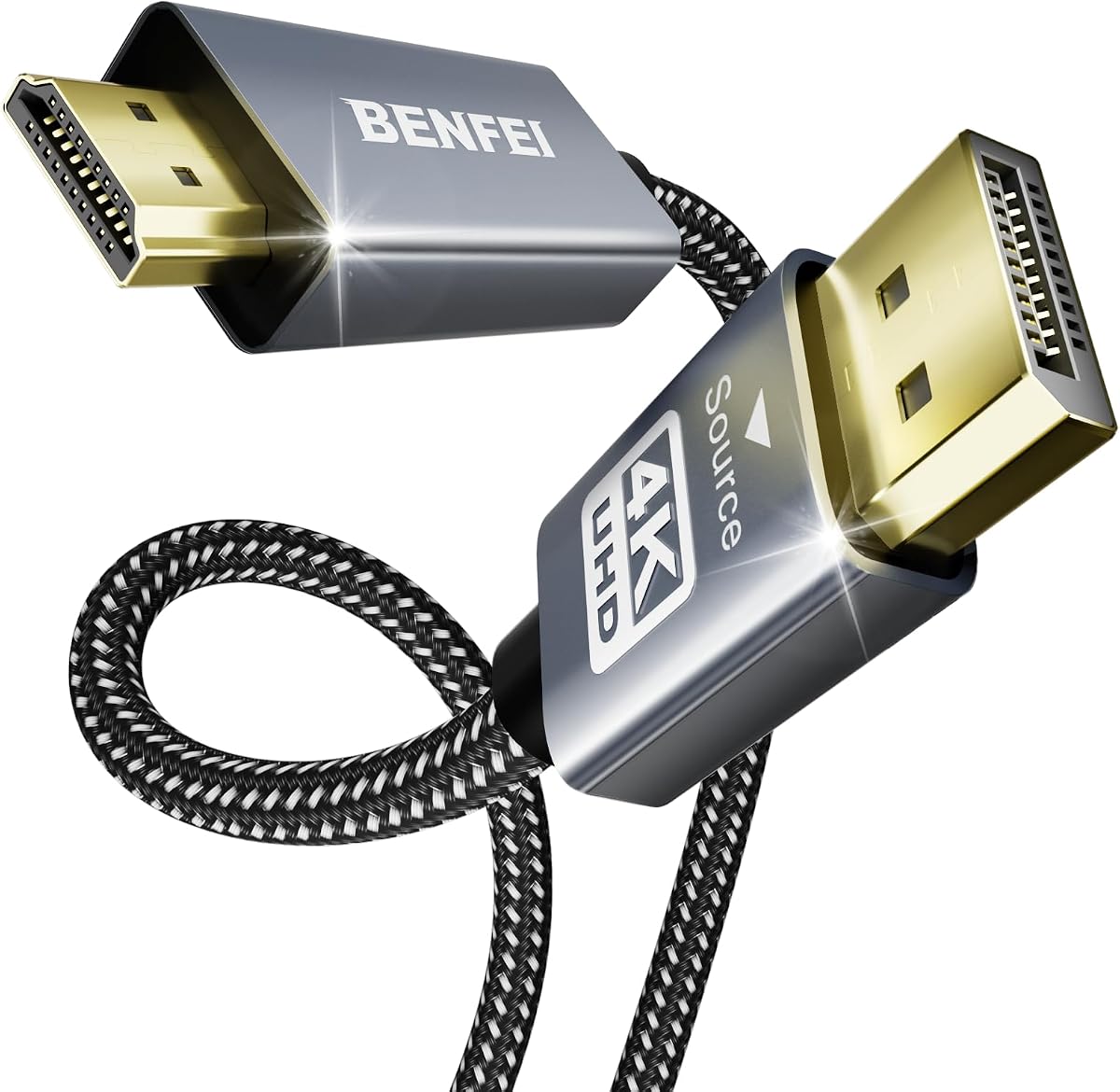
BENFEI 4K DisplayPort to HDMI 6 Feet Cable
4.5Editor score
Supports 4K@30Hz resolution
Gold-plated connectors resist corrosion
Durable nylon braided jacket
This guide compares the top Displayport to HDMI Cable options for 4K and 8K video, focusing on durability, signal stability, and compatibility for PC and
Choosing the right Displayport to HDMI Cable is essential for connecting modern computers to high-resolution displays. Whether you need 4K streaming or reliable office setups, a quality cable ensures stable signal transmission without flickering or dropouts.
We evaluated ten leading models based on build quality, signal shielding, and compatibility with common graphics cards. Our analysis covers unidirectional passive cables and active converters to help you match the right tech to your source device and monitor.
Each pick below highlights specific strengths like nylon braiding or gold-plated connectors for long-term use. Prices and availability change frequently, so please verify current listings before purchasing to ensure you get the best value for your setup needs.
4.5Editor score

4.8Editor score

4.2Editor score
The following comparison table breaks down the key specifications for each of the ten top-rated Displayport to HDMI Cables. Use this side-by-side view to quickly identify which model supports your desired resolution, length, and build requirements.


The Highwings 4K DisplayPort to HDMI cable is a reliable choice for users who need to connect a PC or laptop to an HDMI monitor or TV. With a solid 4.5 rating, it delivers consistent 4K@30Hz performance and supports backward compatibility for lower resolutions like 1080p at 60Hz. The cable includes multi-layer shielding and gold-plated connectors to ensure stable transmission.
We may earn a commission when you buy through this link, at no additional cost to you.
Key strengths include its robust construction, featuring a nylon-braided wire rated for over 20,000 bends. This durability makes it suitable for daily office use or home entertainment setups where the cable might be frequently plugged and unplugged. The uni-directional design is clear, ensuring you connect the DisplayPort source to the HDMI display correctly without confusion.
While the chip can heat up during high-resolution transmission, this is a normal characteristic of active signal conversion and does not typically impact performance. Users should ensure their display settings match the supported resolutions to avoid flickering. The 6.6-foot length provides enough slack for most desk or home theater configurations.
This cable is best for users seeking an affordable, durable option for standard 4K viewing from a computer source. It avoids the confusion of bi-directional claims and focuses on solid, one-way performance. For anyone with a DisplayPort-equipped PC and an HDMI screen, this model offers excellent value and reliability.
Multi-layer shielding minimizes electromagnetic interference for a stable picture.
Works with AMD, NVIDIA graphics cards and major laptop brands like HP and Dell.
We may earn a commission when you buy through this link, at no additional cost to you.
The Amazon Basics DisplayPort to HDMI Cable is a straightforward choice for users who prioritize brand trust and basic functionality. With a 4.6 rating, it is known for reliable signal transmission from a computer to an HDMI display. The cable features gold-plated connectors and bare copper conductors to maintain signal integrity over its 6-foot length.
We may earn a commission when you buy through this link, at no additional cost to you.
Its performance includes support for uncompressed digital audio channels and video resolutions up to 1920×1200 and 1080p. This makes it ideal for office presentations or standard home entertainment where 4K is not strictly required. The foil-and-braid shielding helps protect against interference in crowded signal environments.
The main limitation is that it does not support the highest 4K refresh rates found in newer gaming monitors. Additionally, users should be aware that it is strictly uni-directional and will not work with HDMI sources like game consoles. This limitation is clearly stated but worth noting before purchase to avoid returns.
For everyday office tasks or connecting a laptop to a standard monitor, this cable offers a cost-effective and durable solution. The simple packaging and clear labeling make it easy to use right out of the box. If you need a trusted brand for basic connectivity, this is a safe and practical choice.
Plug and play functionality requires no drivers or software installation.
Amazon Basics provides consistent quality control and accessible customer support.
We may earn a commission when you buy through this link, at no additional cost to you.
The UGREEN 4K DisplayPort to HDMI Cable stands out with a high 4.7 rating for its balance of features and build quality. It supports resolutions up to 4K@30Hz but excels at 1080P@120Hz, making it a good choice for smooth visual content. The cable uses double shielding and a 32AWG tinned copper design to resist interference.
We may earn a commission when you buy through this link, at no additional cost to you.
Notable features include the no-buckle design to prevent port damage and an aluminum case for heat dissipation. The nylon braided jacket is claimed to be 10 times stronger than PVC, ensuring longevity even with frequent movement. It supports mirror and extend modes for flexible multi-screen setups.
While it offers strong performance for most users, it is strictly a passive cable and may not drive the highest refresh rates on newer monitors without active support. Users with gaming setups should verify that their GPU and monitor can handle the desired resolution at high refresh rates through passive DP.
This cable is ideal for users who need a durable, reliable connection for general multimedia or productivity tasks. The attention to detail in the build, such as the aluminum housing and reinforced jacket, justifies its place in the top rankings. It is a solid mid-range option for those prioritizing longevity.
The aluminum case helps dissipate heat generated during active signal conversion.
Nylon braiding offers superior flexibility and resistance to wear compared to standard PVC.
We may earn a commission when you buy through this link, at no additional cost to you.
The Warrky 4K DisplayPort to HDMI Cable is designed with a slim aluminum alloy shell that resists corrosion and provides a sleek look. It supports 4K@30Hz resolution and is backward compatible with 1440P@60hz and 1080P@120hz. The five-layer shielding ensures a pristine signal transmission with minimal interference from external sources.
We may earn a commission when you buy through this link, at no additional cost to you.
Durability is a key focus, with a nylon braided jacket that can withstand over 16,000 bends without compromising flexibility. This makes it well-suited for desks where cables might be moved or bent frequently. The 24K gold-plated connectors further enhance signal quality and prevent oxidation over time.
While the build quality is strong, users should note that this is a one-way cable and cannot be used in reverse. The performance depends on the source device capability, so ensure your GPU supports the desired resolution before connecting. Customer support is available within 18 hours for any issues.
This cable is best for home office professionals who value a professional look and reliable daily performance. The slim profile helps keep cable management tidy, and the durable build ensures it lasts through years of use. If you need a stylish yet functional cable for 4K output, this is a strong contender.
The aluminum alloy shell protects the internal wiring from environmental damage.
Five-layer shielding ensures clear audio and video transmission without static.
We may earn a commission when you buy through this link, at no additional cost to you.
The JSAUX DisplayPort to HDMI Cable offers a 10ft length, making it ideal for setups where the computer is far from the display. It supports 4K@30Hz resolution and includes clear instructions for checking signal issues. The durable nylon exterior protects the internal wiring from daily wear and tear in busy environments.
We may earn a commission when you buy through this link, at no additional cost to you.
Its primary strength is the extra length, which allows for flexible desk or home theater arrangements without needing extensions. The cable supports common resolutions like 1080P at 120Hz and 2K at 60Hz, catering to most office and entertainment needs. The UNI DIRECTIONAL design ensures you plug it in the correct way.
While the length is useful, it may create some slack on smaller desks that needs to be managed. Users should verify that their display supports the desired resolution before purchasing to avoid compatibility issues. The nylon design makes it more resistant to tangling and physical damage than standard plastic cables.
This cable is perfect for users who need to reach across a room or use a long cable path for a tidy setup. The clear labeling and sturdy build make it a reliable choice for long-term use. If distance is a major factor in your decision, this model provides the reach you need without sacrificing quality.
The 10ft length supports large rooms or distant desk configurations easily.
Includes detailed troubleshooting steps to help resolve no-signal issues quickly.
We may earn a commission when you buy through this link, at no additional cost to you.
The BENFEI 4K DisplayPort to HDMI 6 Feet Cable is a top choice for budget-conscious users who still want reliable performance. It supports 4K@30Hz resolution and includes professional multiple shielding for accurate data streaming. The built-in IC chip converts the DisplayPort signal to HDMI reliably without needing external adapters.
We may earn a commission when you buy through this link, at no additional cost to you.
One of its biggest strengths is the 18-month unconditional warranty, which shows confidence in its build quality. The nylon braided layer and aluminum shell protect against physical damage and ensure durability over time. It supports uncompressed digital audio for a seamless audio-visual experience.
While it is not a high-refresh rate gaming cable, it handles standard video and office work very well. The gold-plated connector resists corrosion, ensuring long-term connectivity quality. Users should verify their source device supports DP 1.2 for the best results with this passive cable.
This model is ideal for anyone looking for a cost-effective solution for connecting a PC to an HDMI TV or monitor. The combination of a low price, strong warranty, and solid build makes it a standout budget option. It is a smart buy for general connectivity needs without unnecessary features.
The 18-month unconditional warranty offers peace of mind for your purchase.
Delivers high-quality 4K performance at a very competitive price point.
We may earn a commission when you buy through this link, at no additional cost to you.
The Cable Matters 2-Pack DisplayPort to HDMI Cable offers two 6ft cables in a single purchase, ideal for multi-monitor setups. It supports Full HD 1080p resolution and includes bare copper conductors and foil & braid shielding for stable signal transmission. The reliable connection ensures minimal dropouts during use.
We may earn a commission when you buy through this link, at no additional cost to you.
Key features include gold-plated connectors and a secure latch that prevents accidental disconnection. This makes it a great choice for office environments or classroom setups where cables might be jostled. The 2-pack allows you to connect multiple PCs to HDMI displays without buying separate cables.
While it does not support 4K resolution, it is perfect for standard monitors or projectors that require 1080p. The price for two cables is competitive compared to buying single units from other brands. Users should check that their monitors support the resolution range before purchasing to ensure compatibility.
This pack is best for offices or users who need to set up multiple displays efficiently. The secure connection system and high user rating reflect its reliability for daily professional use. If you need more than one cable, this 2-pack is a smart and efficient choice for your workspace.
The 2-pack simplifies setups for multiple workstations or presentation rooms.
Built-in latches prevent cables from coming loose during active use.
We may earn a commission when you buy through this link, at no additional cost to you.
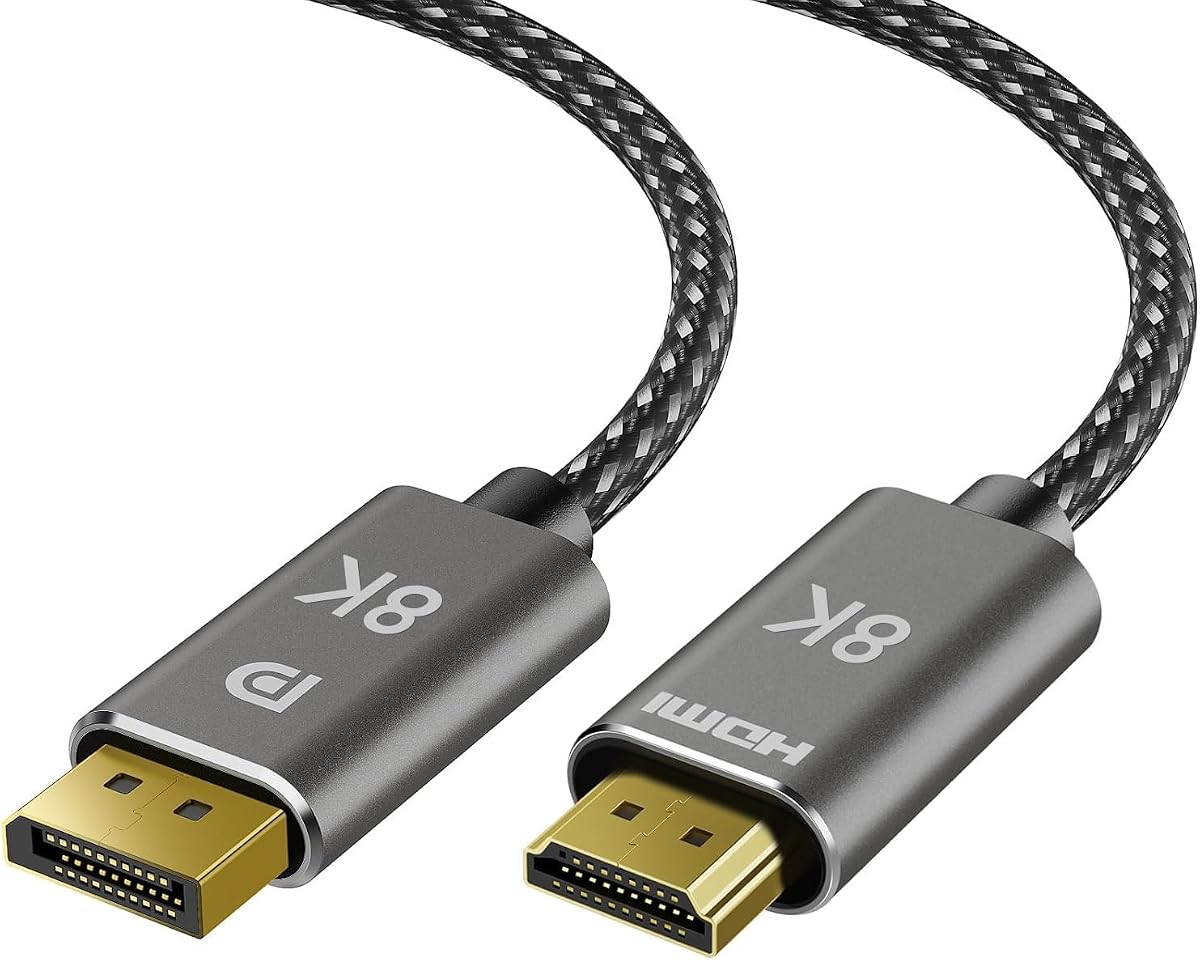
The 8K DisplayPort to HDMI Cable 6 ft is built for users who want the latest video technology. It supports 8K@60Hz and 4K@120Hz with HDMI 2.1 features like HDR and Dolby Atmos. The braided jacket and molded strain relief ensure the cable lasts even with high-frequency use.
We may earn a commission when you buy through this link, at no additional cost to you.
It is designed to bring advanced HDMI capabilities to your DisplayPort source. For users with high-end GPUs like NVIDIA RTX 20/30 series, this cable can unlock higher resolutions and refresh rates. The secure latch ensures a stable connection that reduces signal dropouts during intense sessions.
Note that VRR is not supported and driver updates may be necessary for optimal performance. This means you might need to tweak settings on your PC to get the full benefits of the 8K capability. However, for those looking ahead, the support for high bandwidth is a strong asset.
This cable is ideal for tech enthusiasts with high-end displays who want to maximize their visual quality. The support for latest HDMI standards makes it a future-proof investment. If you have a compatible GPU and monitor, this model provides the best resolution headroom available.
Enables 8K@60Hz and 4K@120Hz for ultimate video clarity.
Supports Dolby Atmos for immersive surround sound experiences.
We may earn a commission when you buy through this link, at no additional cost to you.
The UGREEN 8K@60Hz Active Display Port to HDMI cable is the top-rated option with a 4.8 score for its superior performance and build quality. It supports up to 8K@60Hz resolution with a transmission rate of 32.4 Gbps. This active conversion ensures stable signal even at the highest refresh rates.
We may earn a commission when you buy through this link, at no additional cost to you.
Its active chip design allows for true 8K output where passive cables might struggle. The aluminum case provides excellent heat dissipation, which is critical for active conversion components. The braided jacket and gold-plated pins add to the durability and long-term reliability of the connection.
While it comes at a premium price, the performance justifies the cost for high-end setups. Users should ensure their source device has a DP 1.4 port to leverage the full 8K capability. The lack of driver requirement simplifies setup for most modern systems.
This cable is the best choice for users with the latest graphics cards and 8K displays who want guaranteed performance. The high rating reflects its ability to deliver flawless visuals without flickering or dropouts. If you need the absolute best in display connectivity, this model stands out.
Built-in chip ensures stable 8K output without signal degradation.
Aluminum case keeps internal components cool during heavy use.
We may earn a commission when you buy through this link, at no additional cost to you.
The Cable Matters 8K Unidirectional DisplayPort to HDMI 2.1 Cable is a premium option designed for the latest high-end monitors and TVs. It supports 4K@240Hz and 8K@60Hz, making it a great match for Samsung Odyssey or LG UltraGear displays. The braided jacket and molded strain relief ensure it withstands daily use.
We may earn a commission when you buy through this link, at no additional cost to you.
It includes support for Display Stream Compression (DSC), which is necessary for 4K@120Hz or higher resolutions on many modern GPUs. This feature allows for higher bandwidth without compromising color depth or refresh rates. The cable also supports HDR and Dolby Atmos for an immersive multimedia experience.
Although VRR is not supported, the raw resolution and refresh rate support make it a top pick for static high-fidelity gaming. The price reflects its premium capabilities, but it delivers consistent performance for demanding users. Ensure your GPU has DP 1.4 and DSC capabilities to get the best out of this cable.
This model is best for enthusiasts with high-end displays who need the highest resolution and refresh rates available. The detailed specifications and broad monitor compatibility make it a reliable choice for next-gen setups. If you have a top-tier GPU and monitor, this cable ensures they work together seamlessly.
Supports Display Stream Compression for higher bandwidth and visual fidelity.
Tested to work well with OLED TVs and high-refresh gaming monitors.
We may earn a commission when you buy through this link, at no additional cost to you.
Selecting the right Displayport to HDMI Cable involves understanding your specific needs for resolution, length, and build quality. This guide breaks down the essential factors to help you find a reliable cable for your setup.
Check that the cable supports your desired resolution and refresh rate. For standard office work, 1080p is sufficient, but for gaming or media, look for 4K@30Hz or higher. Active converters are often required for 8K or high refresh rates like 120Hz.
Always verify your source device supports the resolution to ensure a stable signal.
Passive cables work well for 1080p and 4K@30Hz on most modern laptops. Active converters are needed for higher bandwidth like 8K@60Hz or 4K@120Hz as they include a chip to boost signal power.
If you are using older hardware or need high refresh rates, choose an active cable for reliability.
Choose a length that fits your room without creating excess slack. 6-foot cables are standard for desk setups, while 10-foot options are better for distant TVs. Flexible braided cables resist tangling and wear better than rigid ones.
Ensure the length is sufficient to reach your display comfortably.
Look for cables with multi-layer shielding to prevent electromagnetic interference. Nylon braiding and aluminum housings add durability and heat dissipation. Gold-plated connectors resist corrosion over time.
A robust build ensures the cable lasts longer and performs reliably in various environments.
Most Displayport to HDMI cables are uni-directional and work only from PC to TV. Do not buy a bi-directional cable unless you specifically need to connect HDMI sources to DP displays.
Verify the direction matches your setup to avoid connection errors.
Some cables feature release latches that prevent accidental disconnections. This is useful for workstations or moving setups where cables might be bumped.
Secure latches help maintain a stable connection during daily use.
Ensure the cable supports uncompressed digital audio pass-through for surround sound. Most modern cables support 5.1 or 7.1 channels, so check the specs if you use a soundbar or surround system.
Look for Dolby Atmos or DTS X support for immersive audio setups.
A warranty from the manufacturer protects your purchase against defects. Brands that offer 18-month or lifetime warranties often have better quality control.
Read customer reviews to gauge real-world reliability before buying.
To use your cable, connect the DisplayPort end to your computer and the HDMI end to your monitor or TV. Ensure the source device is set to output video to the correct display port before turning on the external screen.
Avoid bending the cable sharply near the connector to prevent internal wire damage. Store the cable in a cool, dry place when not in use to maintain the integrity of the shielding and braiding.
If you experience signal issues, check that the resolution settings on your computer match the supported range of your display. Updating graphics drivers and firmware can also improve compatibility with newer cables.
No, most Displayport to HDMI cables are uni-directional and only work from a DisplayPort source to an HDMI display. Connecting an HDMI source like a PS5 to a DisplayPort monitor requires a different type of active converter or adapter that supports HDMI input.
Flickering can happen if the resolution or refresh rate settings on your computer exceed what the cable supports. Ensure your display settings are set to the recommended resolution for the cable, and check that all connections are secure.
For 4K gaming, you need a cable that supports 4K at 60Hz or higher. Standard passive cables may be limited to 30Hz at 4K. Look for an active converter if you want to maximize refresh rates on modern gaming monitors.
Yes, DisplayPort 1.4 cables support higher bandwidth for features like 8K resolution and better HDR. If you plan to use high-resolution displays, ensure your cable and GPU support the 1.4 standard for best performance.
Verify that the cable is plugged into the correct ports on both devices. Check the input source on your monitor to ensure it is set to the correct HDMI port. Restarting your computer can also resolve temporary connection issues.
Longer cables can sometimes experience signal degradation if not well-shielded. High-quality cables with double shielding are designed to maintain performance at longer lengths, but 6-foot cables are generally the most reliable for standard setups.
Choosing the right Displayport to HDMI Cable depends on your resolution needs and budget. The BENFEI model offers excellent value for general use, while the UGREEN 8K Active cable stands out for high-end setups.
Prioritize active conversion if you need 4K@120Hz or higher refresh rates. Passive cables are sufficient for most office and standard home entertainment needs. Always check your GPU and monitor specifications before buying.
Prices and availability change regularly, so verify current listings before making your final purchase. We hope this guide helps you find the perfect cable to connect your computer to your display with confidence.