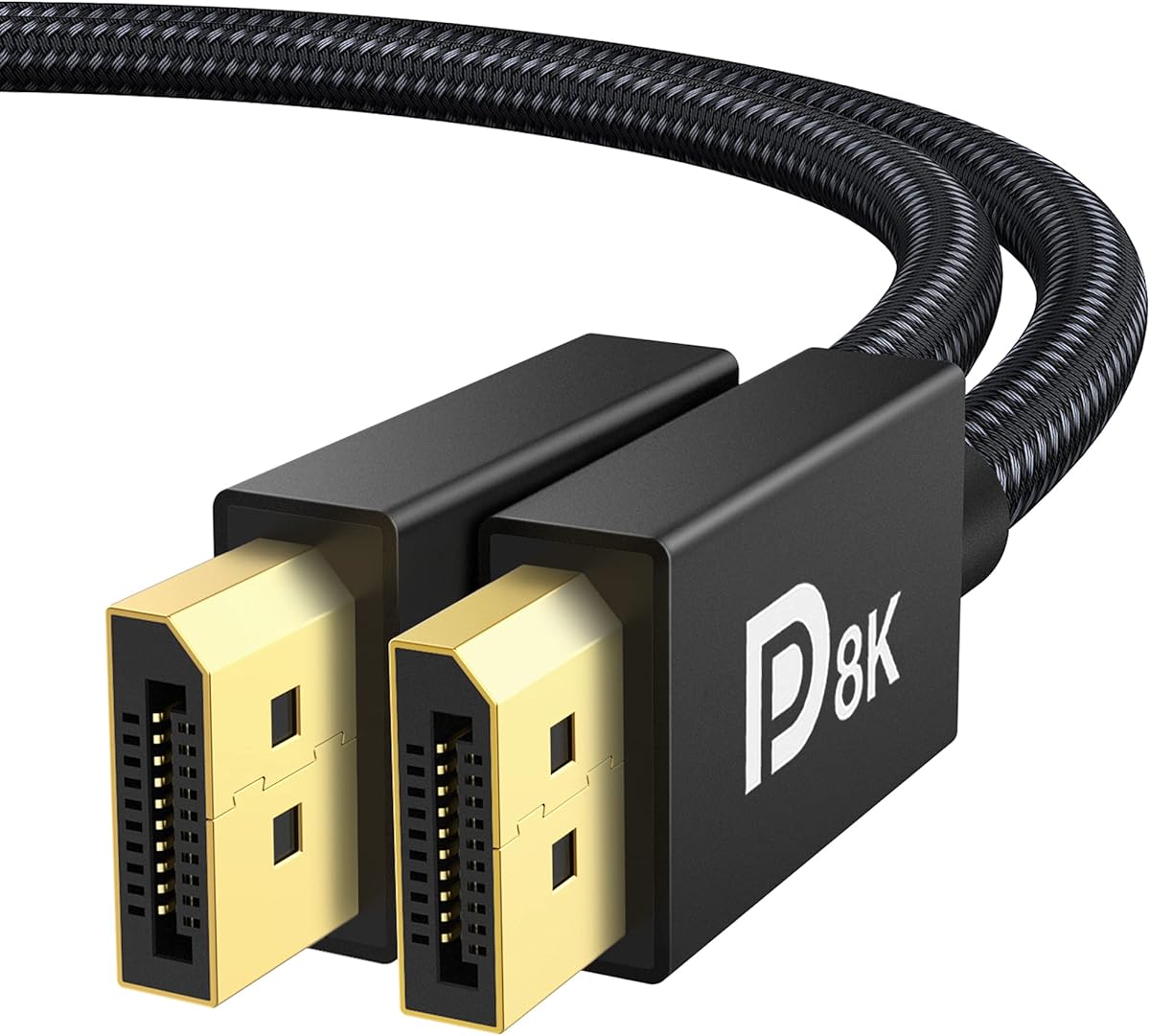
IVANKY VESA Certified 8K DisplayPort Cable 1.4
4.7Editor score
VESA Certified DP 1.4
Supports 4K@240Hz
Affordable reliable performance
Compare the top 10 Displayport cables for 144Hz monitors. This guide reviews speed, durability, and features to help you choose the right cable for gaming.
Finding the right Displayport cable for 144Hz monitoring ensures your gaming setup performs at its peak. A quality cable supports high refresh rates and resolutions without signal loss or flickering issues during intense gameplay sessions.
We compared ten top-rated Displayport cables based on bandwidth, build quality, and compatibility with modern graphics cards. Each product was evaluated for VESA certification, durability features, and support for high refresh rates like 144Hz and beyond.
Each pick highlights key strengths and ideal use cases for different budgets and setups. Prices and availability change frequently, so verify current details before purchasing to ensure you get the best value for your specific hardware needs.
4.7Editor score

4.6Editor score

4.7Editor score
This side-by-side comparison highlights the key specifications and features of the top ten Displayport cables evaluated in this guide. Use these details to match the cable to your monitor and graphics card requirements.


The Silkland 54Gbps 16K DisplayPort Cable 2.1 stands out as the top choice for gamers needing reliable 144Hz performance. It holds VESA certification and delivers 54Gbps bandwidth, ensuring smooth visuals without signal degradation.
We may earn a commission when you buy through this link, at no additional cost to you.
This cable supports resolutions up to 16K@60Hz and handles 4K@144Hz effortlessly. The 28AWG tinned copper conductors and triple shielding minimize interference, while the nylon braided jacket adds durability against daily wear and tear.
While the cable is robust, its semi-rigid construction might make routing in tight spaces slightly challenging compared to thinner options. This trade-off ensures signal integrity and long-term durability, which justifies the minor inconvenience for most users.
Anyone seeking a future-proof connection for high-refresh monitors should choose this model. It balances performance and reliability perfectly, making it the ideal pick for serious gamers and professionals alike.
VESA certification confirms the cable meets strict industry standards for bandwidth and signal quality. This ensures your 144Hz setup runs without unexpected drops or compatibility issues.
With 54Gbps bandwidth, this cable supports upcoming display technologies beyond current needs. It remains relevant as monitors evolve to higher resolutions and refresh rates.
We may earn a commission when you buy through this link, at no additional cost to you.
The IVANKY VESA Certified 8K DisplayPort Cable 1.4 offers exceptional value for budget-conscious gamers. It supports 4K@240Hz and 144Hz refresh rates while maintaining signal stability with VESA certification.
We may earn a commission when you buy through this link, at no additional cost to you.
This cable uses 30AWG tinned copper for flexibility and reduced signal loss. The nylon braided jacket withstands frequent bending, and the latch-free connector prevents damage during unplugging, enhancing long-term usability.
While DP 1.4 bandwidth may limit extreme future resolutions compared to DP 2.1, it remains fully capable for current 144Hz and 4K gaming needs. The slight cost saving makes it an excellent entry point.
Buyers prioritizing cost without sacrificing essential performance should consider this cable. It delivers reliable 144Hz support at a fraction of the price of premium DP 2.1 options.
This cable proves you don't need to overspend for reliable 144Hz support. It delivers solid VESA-certified performance at a competitive market price.
The latch-free design prevents accidental damage to your monitor port. This feature is especially helpful if you frequently connect and disconnect your setup.
We may earn a commission when you buy through this link, at no additional cost to you.
The Silkland 80Gbps DisplayPort Cable 2.1 is the ultimate choice for enthusiasts planning for future display tech. With 80Gbps bandwidth and DP80 VESA certification, it supports resolutions beyond current mainstream needs.
We may earn a commission when you buy through this link, at no additional cost to you.
This cable handles 16K@60Hz and 4K@240Hz with ease. Its triple-shielded design ensures stable signal transmission over longer distances, while gold-plated connectors resist corrosion and maintain audio quality.
While 80Gbps bandwidth exceeds current typical requirements, it ensures compatibility with upcoming monitors. The higher cost is justified by longevity and peace of mind for early adopters seeking maximum performance.
Investors in high-end setups should choose this cable. It guarantees your connection won't bottleneck future hardware upgrades, keeping your gaming rig relevant for years.
80Gbps bandwidth prepares your system for future 8K@120Hz and beyond. This future-proofing ensures no cable bottleneck when upgrading monitors later.
Premium materials ensure this cable withstands daily use without signal degradation. Gold connectors and triple shielding offer maximum reliability.
We may earn a commission when you buy through this link, at no additional cost to you.
The UGREEN 16K 6.6FT DisplayPort Cable 2.1 delivers reliable performance for 144Hz and higher refresh rates. It features VESA certification and aluminum housing that aids heat dissipation during extended gaming sessions.
We may earn a commission when you buy through this link, at no additional cost to you.
This cable supports 54Gbps bandwidth and includes triple shielding for stable signal transmission. The nylon braided jacket protects against wear, while gold-plated connectors ensure long-lasting connectivity and signal quality.
Although the aluminum housing can scratch easily, it helps keep the cable cool under high loads. This minor cosmetic issue doesn't affect performance, making it a solid choice for active setups.
Buyers wanting durable cooling features alongside reliable 144Hz support should consider this option. It balances practical design with strong performance standards.
Aluminum housing helps keep the cable cool during high-bandwidth use. This feature improves stability during long gaming or rendering sessions.
Triple shielding minimizes interference, ensuring clean video and audio transmission. This is crucial for maintaining image clarity at high refresh rates.
We may earn a commission when you buy through this link, at no additional cost to you.
The Capshi 8K 4K DisplayPort Cable 1.4 offers solid value for users needing reliable 144Hz connections. It supports 4K@144Hz and includes DSC compression for efficient high-resolution streaming.
We may earn a commission when you buy through this link, at no additional cost to you.
This cable uses 30AWG tinned copper for flexibility and minimal signal loss. Gold-plated connectors resist corrosion, and the cable maintains stable performance across different GPU and monitor combinations.
While DP 1.4 bandwidth is lower than DP 2.1, it suffices for current 144Hz gaming needs. The cable remains a practical option for budget builds prioritizing compatibility over future-proofing.
Users seeking a dependable mid-range cable should consider this model. It delivers consistent performance without unnecessary features, focusing on essential connectivity.
DSC compression enables high resolutions within DP 1.4 bandwidth limits. This ensures smooth visuals even at 4K@144Hz without excessive data load.
Gold plating prevents corrosion and maintains clean connections. This detail extends cable life and ensures signal quality over time.
We may earn a commission when you buy through this link, at no additional cost to you.
The Ubluker 10K 8K DisplayPort 2.1 Cable provides reliable 144Hz performance at a competitive price. It supports UHBR and HDCP 2.3, ensuring compatibility with modern GPUs and monitors.
We may earn a commission when you buy through this link, at no additional cost to you.
This cable features nylon braided durability and 54Gbps bandwidth capability. Its design minimizes interference and maintains signal integrity during high-refresh gaming, making it suitable for budget builds.
Lack of clear VESA certification may concern some buyers, but real-world performance remains solid for most users. The affordable cost offsets this uncertainty for those prioritizing value.
Buyers looking for cost-effective 144Hz connectivity should consider this cable. It offers necessary features without premium pricing, making it a practical choice.
UHBR support allows higher bandwidth usage within DP 1.4 limits. This ensures better compatibility with newer graphics cards.
Nylon braiding resists tangling and wear. This design choice extends cable life and maintains clean cable management.
We may earn a commission when you buy through this link, at no additional cost to you.
The IVANKY VESA Certified 80Gbps DisplayPort Cable 2.1 delivers high-end performance for enthusiasts. It supports 16K resolutions and maintains stable 144Hz+ refresh rates with ease.
We may earn a commission when you buy through this link, at no additional cost to you.
This cable uses 30AWG tinned copper for flexibility while maintaining bandwidth. The aluminum alloy housing aids cooling, and gold connectors prevent corrosion. Its design prioritizes both performance and durability.
While the 80Gbps bandwidth exceeds current needs, it ensures longevity. The higher cost reflects this future-proofing, appealing to buyers planning upcoming monitor upgrades.
Investors in top-tier setups should consider this cable. It combines VESA certification with high bandwidth for maximum reliability and growth potential.
80Gbps bandwidth prepares your setup for next-gen displays. This avoids needing replacement cables when upgrading hardware.
30AWG conductors make the cable easier to route. Flexibility simplifies cable management without sacrificing signal quality.
We may earn a commission when you buy through this link, at no additional cost to you.
The Silkland 54Gbps DisplayPort Cable 2.1 Secure Latch offers stable connectivity with added safety. The secure latch prevents accidental disconnections from pets or bumps, ideal for high-traffic setups.
We may earn a commission when you buy through this link, at no additional cost to you.
It supports 54Gbps bandwidth and maintains clean visuals at 144Hz. Triple shielding ensures signal integrity, and the nylon braided jacket adds resilience against wear and daily handling.
While the secure latch requires pressing a button to unplug, it prevents sudden disconnects that can disrupt gameplay. This trade-off benefits users needing stable, long-term connections without interruption.
Buyers prioritizing connection stability over convenience should choose this cable. Its latch design provides peace of mind for gaming environments where accidental tugs are common.
The locking latch prevents accidental unplugging during intense gaming. This feature reduces interruptions and protects your hardware from port damage.
54Gbps ensures smooth 144Hz performance without signal loss. Reliable bandwidth supports consistent frame rates for competitive gaming.
We may earn a commission when you buy through this link, at no additional cost to you.
This product listing contains limited information. Before purchasing, verify current specifications and compatibility to ensure it supports 144Hz refresh rates properly.
We may earn a commission when you buy through this link, at no additional cost to you.
Product details may have changed or be incomplete. Check the Amazon listing for updated specs, user reviews, and seller information to make an informed choice.
While some cables may offer competitive pricing, unclear specs can risk incompatibility. Always confirm DP version and bandwidth before purchasing to match your hardware needs.
Buyers should proceed cautiously and verify details. This option may suit those who prioritize cost, but confirm specs to avoid issues.
Always check current product pages for updated details. This ensures you get the correct bandwidth and support for 144Hz.
User reviews and ratings guide reliable purchases. Verify availability and seller reputation before committing to this option.
We may earn a commission when you buy through this link, at no additional cost to you.
Selecting the right Displayport cable ensures your monitor and graphics card work together seamlessly. This guide covers key factors to consider for stable high-refresh performance.
Higher refresh rates like 144Hz require sufficient bandwidth to maintain resolution without compression. Look for cables supporting at least 32.4Gbps for DP 1.4 or 54Gbps for DP 2.1.
Ensure the cable meets the minimum bandwidth your setup demands.
VESA certification guarantees the cable meets industry standards for signal quality and compatibility. This reduces risk of flicker or resolution drops during gaming.
Choose certified cables for reliable performance and longevity.
Standard Displayport connectors should match your device ports exactly. Gold-plated connectors resist corrosion and improve signal stability over time.
Verify connector quality to prevent signal degradation.
Nylon braided or double-braided jackets protect against wear and bending. This extends cable life especially in setups with frequent movement.
Choose durable jackets for long-term reliability.
Triple shielding minimizes electromagnetic interference that can cause signal loss. This ensures stable visuals especially near other electronics.
Prioritize shielded cables for consistent performance.
Select a cable length that fits your setup without slack or strain. Excess length can clutter desks while short cables limit device placement.
Measure your space to find the best fit.
Consider future monitor upgrades when selecting bandwidth. DP 2.1 cables offer more headroom than DP 1.4 for upcoming display technologies.
Choose higher bandwidth if planning upgrades.
Budget cables work for 144Hz but may lack durability or certification. Balance cost with reliability needs depending on usage intensity.
Invest in quality for daily intensive use.
Plug the cable firmly into both the graphics card and monitor ports. Ensure the locking latch clicks if available to secure connection and prevent accidental disconnection.
Avoid sharp bends or pinching the cable near ports. This preserves internal conductors and prevents signal loss over time.
Regularly inspect connectors for dust and debris. Clean gently with a dry cloth to maintain optimal contact and prevent oxidation.
Yes, a cable with insufficient bandwidth or poor shielding can limit refresh rates or cause flickering. Using a certified cable ensures stable 144Hz or higher performance.
A minimum of 32.4Gbps bandwidth is required for 4K@144Hz. DP 1.4 or DP 2.1 cables typically support this without compression.
Yes, DP 2.1 cables are backward compatible with DP 1.4 and earlier standards. They adjust automatically to match the older device capabilities.
Yes, certification ensures reliability and reduces compatibility issues. The small price increase prevents frustrating signal problems.
Longer cables can increase signal loss if not shielded properly. Keep lengths under 6.6ft unless the cable is rated for extended distances.
Standard Displayport connectors work fine if the cable supports the bandwidth. Ensure gold plating for better corrosion resistance.
The Silkland 54Gbps, IVANKY 8K, and Silkland 80Gbps cables lead this guide for their reliable performance and certification. These models ensure your 144Hz setup runs smoothly.
Prioritize VESA certification and bandwidth that matches your monitor. This prevents unexpected issues and ensures your investment lasts through hardware upgrades.
Always check current prices and compatibility before purchase. Deals vary, so verify product details to confirm you choose the right cable for your system.