
InkSonic R1390
4.5Editor score
13-inch print width
Complete ink bundle included
24/7 technical guidance
Starting a custom apparel business requires the right tools to bring your designs to life. A direct to garment printer allows you to print detailed, vibrant images directly onto fabric without the need for screens or transfers. Choosing the right machine can be overwhelming for those new to the industry.
We have carefully reviewed ten leading models available in the market today. Our evaluation focuses on user-friendly interfaces, print resolution, ink circulation systems, and overall reliability. Each product has been selected based on its potential to support beginners as they grow their print operations.
Every recommendation in this list highlights key features and potential trade-offs to help you make an informed decision. While pricing may vary depending on current promotions and bundles, the value each machine offers remains consistent. Keep in mind that technical support and warranty terms are also crucial factors to consider.
4.5Editor score

3.7Editor score

4.3Editor score
As an Amazon Associate we earn from qualifying purchases.
The following comparison table provides a side-by-side overview of the key specifications for each model reviewed. This helps you quickly identify which machine aligns best with your specific printing needs and technical comfort level.
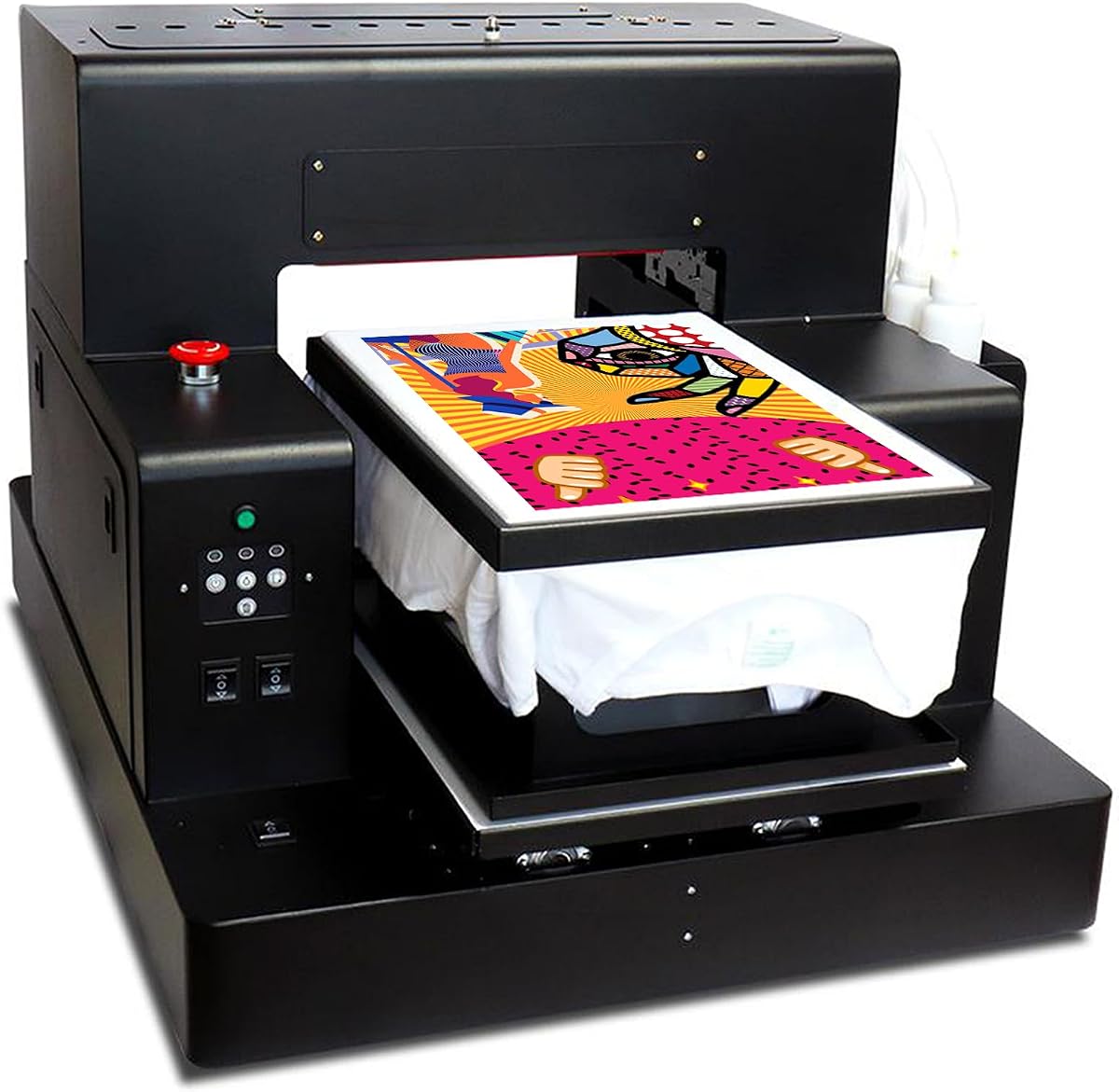



The Procolored K13-Lite stands out as a top choice for beginners entering the custom apparel space. With a 3.7 rating, it balances professional features with an intuitive design. The A3 size allows for larger transfer designs which is ideal for creating detailed graphics on t-shirts and hoodies.
We may earn a commission when you buy through this link, at no additional cost to you.
Its one-touch ink pumping and touchscreen interface simplify the learning curve significantly. The automatic cleaning system and smart printhead protection ensure that daily operations remain smooth without constant manual intervention. This reliability is crucial for new business owners who need consistent output.
While it focuses on DTF transfer rather than direct printing, the results are highly professional. The G7-certified color accuracy means your digital designs translate well to fabric. The main trade-off is the dependency on Windows systems which might limit flexibility for some users.
This printer is perfect for startup creators and small clothing brands needing flexibility. The combination of ease of use and robust features makes it a solid foundation for a home studio. We recommend it for those prioritizing operational simplicity and color consistency.
A touchscreen interface provides immediate visual feedback and control over print settings. This reduces the need for complex software navigation and speeds up the setup process.
Automatic ink circulation prevents sedimentation and keeps white ink flowing smoothly. This feature minimizes clogging risks and ensures consistent print quality over long sessions.
We may earn a commission when you buy through this link, at no additional cost to you.
This machine offers a unique hybrid approach allowing both DTG and DTF printing. With a versatile range of features, it supports white clothes directly while also handling film transfers. The large print area provides ample space for full front designs.
We may earn a commission when you buy through this link, at no additional cost to you.
The vacuum suction platform ensures that materials remain in place during printing. This prevents misalignment and movement which can ruin the final result. The L805 6-color printhead delivers vibrant colors and crisp details essential for professional quality.
Users should note that inks are not included so budget for those separately. The requirement for specific Windows versions might affect compatibility with some systems. However the versatility it offers makes up for these minor inconveniences.
Ideal for those who want flexibility in their printing options without buying multiple machines. It suits businesses needing to print on various garment types and colors. The robust build ensures long-term usability for growing operations.
DTG prints directly on fabric for a soft feel while DTF uses film transfers for broader material compatibility. Having both in one machine maximizes your production capabilities.
A vacuum suction platform stabilizes fabrics preventing shifts during the print cycle. This leads to sharper registration and fewer errors in the final product.
We may earn a commission when you buy through this link, at no additional cost to you.
The DXZ A3 DTG printer delivers exceptional print quality with up to 2800 DPI resolution. This high detail level makes it perfect for complex graphics and photographic images on fabric. The water-based inks are safe for sensitive skin which is great for children's clothing.
We may earn a commission when you buy through this link, at no additional cost to you.
Included accessories like the electric sprayer and ink kit help you start printing immediately. The semi-automatic cleaning system simplifies maintenance so you spend less time on upkeep. Professional technical support ensures you have help whenever installation issues arise.
While the cost is higher than entry-level models the quality justifies the investment. The eco-friendly ink system appeals to environmentally conscious creators. The trade-off is mainly the need to use specific water-based formulations.
This machine is best suited for users prioritizing image fidelity and safety. It is an excellent choice for high-end custom apparel or baby clothing lines. The comprehensive support makes it a low-risk choice for serious beginners.
Water-based inks are non-toxic and safer for skin contact. This makes them ideal for printing on items that will be worn directly against the body.
An electric sprayer ensures even application of pretreatment fluid. Consistent pretreatment is vital for achieving vibrant and durable prints on dark fabrics.
We may earn a commission when you buy through this link, at no additional cost to you.
This bundle expands on the standard K13-Lite by adding a smokeless oven. This addition creates a more comfortable workspace by reducing odors and fumes during curing. With a perfect 5.0 rating users are highly satisfied with the complete package.
We may earn a commission when you buy through this link, at no additional cost to you.
The expanded starter supply means you receive extra ink and adhesive powder upfront. This allows you to print immediately without needing extra purchases right away. The infrared printhead protection system detects particles to prevent damage.
Managing a larger package might be more complex initially compared to the printer only. However the convenience of having everything in one order is significant. The smokeless feature is particularly valuable for home studios.
Recommend this bundle for those starting a small business where comfort matters. The all-in-one nature reduces setup friction significantly. It is a robust option for home studios prioritizing ease of setup.
Traditional ovens can release odors during curing which may be unpleasant in small spaces. A smokeless oven mitigates this making indoor printing much more pleasant.
Having extra ink and powder in the box means you can complete more orders immediately. This reduces downtime and accelerates your initial sales generation.
We may earn a commission when you buy through this link, at no additional cost to you.
Equipped with dual XP600 printheads this machine delivers high-resolution printing up to 1440 DPI. The dual heads allow for faster print speeds which is crucial for production efficiency. It specifically targets cotton garments and canvas products ensuring compatibility.
We may earn a commission when you buy through this link, at no additional cost to you.
The complete starter kit includes everything from inks to software. This comprehensive package removes the guesswork for beginners starting out. The adjustable platform accommodates various garment thicknesses for consistent results.
Since it focuses on cotton the material range might be slightly narrower than others. The higher price reflects the industrial-grade build quality included. This is a significant investment for a home studio.
Best for those who plan to print mostly on cotton textiles. The robust build ensures durability for daily use. It is a strong candidate for serious apparel production.
Dual printheads allow simultaneous printing which significantly reduces output time. This increases throughput without sacrificing image quality or resolution.
A complete kit ensures you have all necessary components for immediate operation. This reduces the complexity of sourcing compatible accessories separately.
We may earn a commission when you buy through this link, at no additional cost to you.
This model emphasizes high resolution with 2800 DPI for detailed graphics. It produces smooth gradients and fine text which is ideal for artistic designs. The white ink mixing system helps maintain uniform coverage on dark garments.
We may earn a commission when you buy through this link, at no additional cost to you.
The semi-automatic cleaning feature simplifies routine maintenance significantly. Users get an electric sprayer and ink kit to start immediately. Professional support ensures you are never stuck on technical issues.
It requires a solid budget due to its premium features. The reliance on specific cleaning routines means you must follow manuals carefully. However the output quality is consistently top-notch.
Ideal for businesses needing professional-grade graphics for customers. The versatility allows for small batch orders efficiently. It is a premium choice for quality-focused creators.
Even mixing prevents sedimentation which causes blockages. This ensures white prints remain bright and opaque on dark fabrics.
This feature reduces the time spent on manual head cleaning. It keeps the printer ready for work with minimal interruption.
We may earn a commission when you buy through this link, at no additional cost to you.
This bundle is a great entry point with a two-year ink and supply plan. The all-in-one system includes a curing oven and cutter for efficiency. With a 4.8 rating users appreciate the comprehensive support and hardware.
We may earn a commission when you buy through this link, at no additional cost to you.
The F1080 printhead is an upgraded Gen2 version offering faster speeds. Auto maintenance features keep the printer ready even after idle periods. This reliability is vital for businesses that cannot afford downtime.
The supply plan is US specific which limits international users. The built-in cutter adds complexity to setup but saves film waste later. Overall it is an excellent value for the price.
Perfect for US-based beginners wanting a complete solution. The long-term supply ensures you can focus on sales not inventory. It is a strong budget pick for startups.
Free supply refills reduce operational costs significantly over time. This provides financial predictability for new businesses.
An integrated cutter trims films precisely without manual tools. This reduces waste and speeds up the final transfer process.
We may earn a commission when you buy through this link, at no additional cost to you.
This printer offers dual functionality allowing both DTF and DTG printing. It utilizes an L805 6-color printhead for vibrant colors and details. Users rate it highly for its ability to handle various items like hats and shoes.
We may earn a commission when you buy through this link, at no additional cost to you.
The vacuum platform ensures materials stay secure during printing. This precision is key for complex designs on curved or uneven items. However users must note that inks are not included in the package.
Manual cleaning is required which adds to daily workload. But the high versatility makes up for this extra step. The machine is suitable for diverse custom apparel businesses.
Ideal for those needing to print on mixed materials. It supports creative freedom with different fabric types. The dual mode offers excellent long-term flexibility.
Handling both DTG and DTF expands your service offerings. You can choose the best method for each specific order.
Securing garments ensures precise registration and avoids shifting. This leads to consistent quality across different product shapes.
We may earn a commission when you buy through this link, at no additional cost to you.
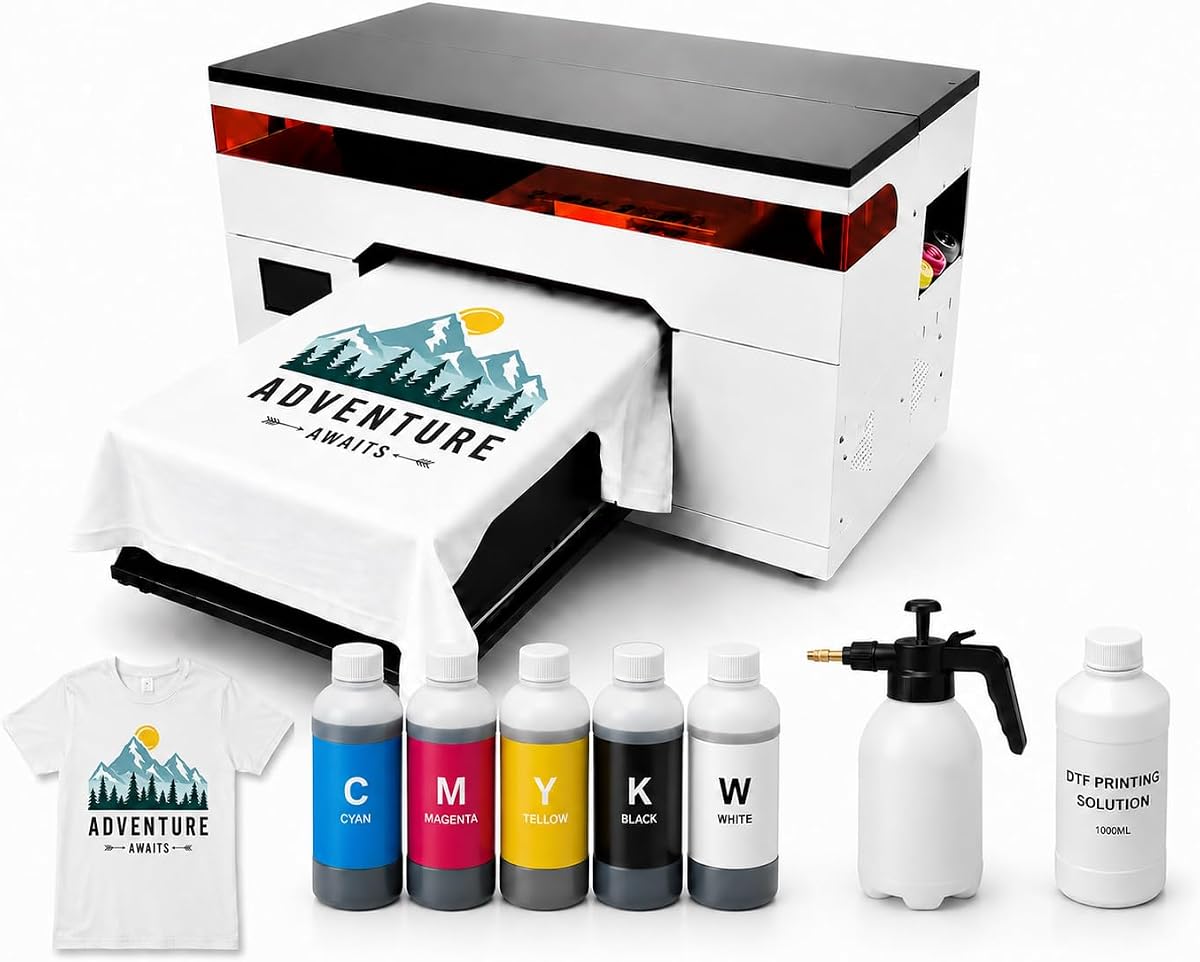
InkSonic provides extensive support with 24/7 technical guidance and manuals. The bundle includes ample ink and film so you can print immediately. The 13-inch width accommodates most standard shirt designs comfortably.
We may earn a commission when you buy through this link, at no additional cost to you.
The RIP software allows for better color management and optimization. This is a crucial tool for professional output quality. The 3500ml ink supply is significantly more than standard packages.
The larger kit might require more storage space. The software takes time to learn but pays off in color accuracy. It is a robust option for serious small businesses.
Best for businesses needing strong backend support. The extensive consumables reduce early costs. It is a reliable choice for growth-oriented users.
RIP software manages color profiles to ensure screen-to-fabric accuracy. This step is vital for brand consistency and professional looks.
Higher volume bundles reduce frequency of ordering supplies. This minimizes shipping costs and operational disruptions.
We may earn a commission when you buy through this link, at no additional cost to you.
This model stands out for its ability to restore image effects without pretreatment. The automatic timing and stirring reduce manual maintenance tasks significantly. It is designed to work across various garments from shirts to shoes.
We may earn a commission when you buy through this link, at no additional cost to you.
Avoiding chip resets reduces failure rates and operational headaches. The standard suction platform holds materials firmly. This automation is valuable for users wanting streamlined workflows.
The investment is high but justified for efficiency. Power requirements are standard but need stable supply. The multi-material capability supports business expansion.
Ideal for shops needing automated workflows. It reduces labor costs by automating repetitive tasks. It is a strong long-term investment.
Eliminating pretreatment saves time and resources. It simplifies the process for quick order turnaround.
Automatic stirring ensures ink consistency. This maintains quality without manual intervention.
We may earn a commission when you buy through this link, at no additional cost to you.
Selecting the right printer involves considering resolution, maintenance, and material compatibility. This guide breaks down the essential factors to help you find the perfect fit.
Resolution determines the sharpness and detail of your prints. Higher DPI ensures text is legible and images are vibrant on fabric.
Aim for at least 1440 DPI for professional quality results.
White ink is crucial for printing on dark garments. A circulation system prevents clogging and ensures consistent flow.
Check for automatic mixing to maintain long-term reliability.
Flatbed platforms hold garments securely during printing. A vacuum suction platform prevents movement and alignment issues.
Ensure the platform size fits the largest garment you plan to print.
Beginners should prioritize printers with auto-cleaning features. These reduce the risk of head clogs due to inactivity.
Semi-automatic systems balance user input with convenience.
Consider the cost of ink and the availability of consumables. Bundles that include ink can save upfront costs significantly.
Verify if the brand supplies compatible ink easily.
Ensure the printer software supports your operating system. Some machines require specific Windows versions which may limit use.
Look for intuitive interfaces to speed up the learning curve.
Technical support is essential for resolving issues quickly. Check if the warranty covers critical parts like the printhead.
Companies offering 24/7 support add significant value.
Determine if you need both DTG and DTF capabilities. Hybrid printers offer more options for different fabric types.
Choose a machine that grows with your business needs.
Start by loading your garments onto the platform securely. Ensure the fabric is flat and free of wrinkles to avoid print errors.
Run the automatic cleaning cycle daily to keep the printhead healthy. Regular maintenance prevents sediment buildup and extends the machine lifespan.
Store your ink bottles in a cool place and avoid shaking them too vigorously. Proper handling ensures the chemical balance remains stable.
For beginners, a resolution of 1440 DPI is generally sufficient for high-quality results. It balances image detail with print speed effectively. Higher resolutions are available but may slow down production.
Most DTG printers come with dedicated RIP software included in the package. This software helps manage color profiles and print settings. Ensure the software is compatible with your computer's operating system.
Ideally, you should run a cleaning cycle daily if using the machine. Even with auto-cleaning, weekly manual checks help prevent stubborn clogs. Consistent care is key to reliability.
DTG works best on cotton because the ink bonds well with natural fibers. Polyester blends may require pretreatment or DTF transfers instead. Check the printer's specific material compatibility list.
White ink settles quickly without movement which causes nozzle clogs. Circulation systems keep the ink mixed and flowing smoothly. This ensures consistent opacity on dark garments.
An included oven simplifies curing which is essential for durable prints. It saves you from buying a separate curing unit. Bundles often provide better value for new businesses.
Most machines require Windows 7 through 11 for driver support. Some models may not support Mac or Linux systems natively. Always check system requirements before purchasing.
Starter kits usually include inks and pretreatment liquids. This eliminates the need to source supplies separately. It helps beginners get started quickly without delays.
We reviewed ten excellent options ranging from budget-friendly bundles to high-end hybrid models. Each machine offers unique strengths for different production needs and budgets.
Prioritize machines with reliable white ink systems and easy maintenance to avoid frustration. Support availability is also a critical factor for long-term success.
Always check the latest pricing and package contents as offers can change. We hope this guide helps you find the perfect printer for your apparel business.