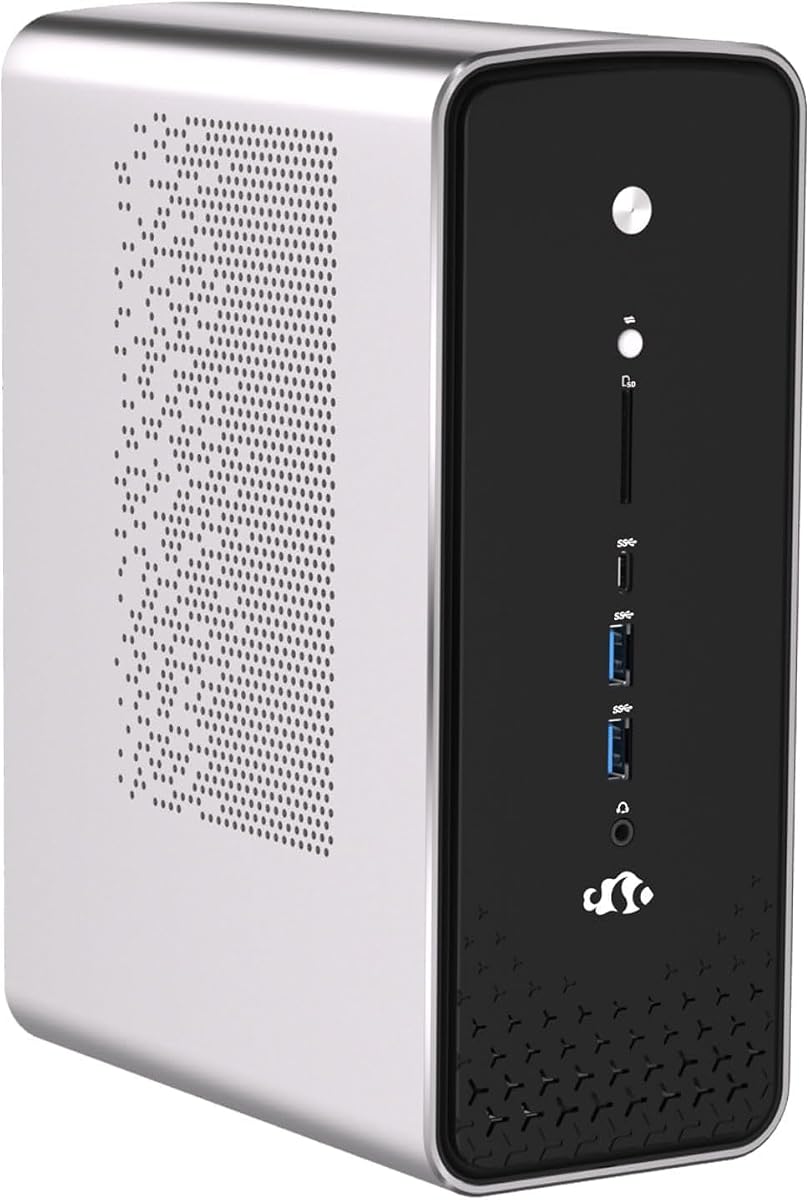
NIMO Mini PC AMD Ryzen
5.0Editor score
Ryzen AI Max+ 395
Dual OS flexibility
WiFi 7 connectivity
Compare the best Desktop PC with Ubuntu Pre Installed for productivity and development with expert reviews and specs for October 2026 buying decisions.
Finding a Desktop PC with Ubuntu Pre Installed simplifies setup for developers and privacy-focused users who prefer open-source software environments from day one without extra configuration steps.
We evaluated ten real products based on performance specs pre-installed operating system integrity build quality and value to help you choose the right machine for your specific computing needs today.
Each pick shows key strengths weaknesses and ideal use cases so you can make an informed decision while keeping in mind that prices and availability change frequently across online retailers.
5.0Editor score

4.0Editor score
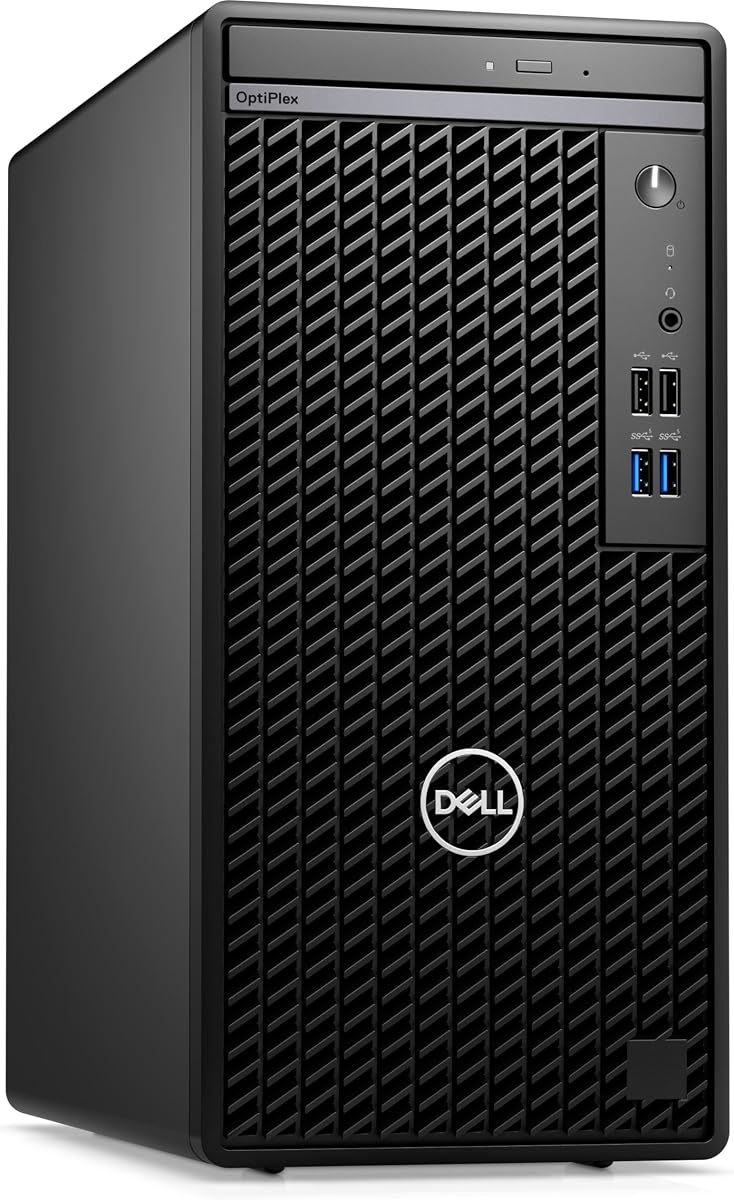
4.2Editor score
This side-by-side comparison highlights the key specifications and operating system details of each desktop computer to help you quickly identify the model that fits your workflow requirements.






The Beelink Mini PC SER9 Pro ranks as our top choice for a Desktop PC with Ubuntu Pre Installed because it delivers modern AI-ready specs without requiring users to install the operating system manually after purchase.
We may earn a commission when you buy through this link, at no additional cost to you.
Its powerful Ryzen 7 255 processor paired with 24GB of high-frequency memory ensures smooth multitasking across multiple virtual machines and development containers which is essential for professional software engineers and data scientists.
While the device lacks some legacy ports found on larger towers the included triple display support and silent cooling make it ideal for office setups where noise and screen real estate are valuable commodities daily.
If you need a plug-and-play system that balances high performance with open-source flexibility this model stands out as the most capable Desktop PC with Ubuntu Pre Installed currently available for serious productivity tasks.
The pre-installed OpenClaw system integrates productivity tools and AI assistants directly into the Ubuntu environment saving hours of initial setup time for new users.
Triple display output up to 4K 240Hz allows for extensive coding setups with multiple reference monitors without requiring complex external graphics dock solutions.
We may earn a commission when you buy through this link, at no additional cost to you.
The Dell OptiPlex 7070 offers a reliable business desktop foundation that can be adapted for open-source workflows despite shipping with Windows 11 Pro as the primary operating system.
We may earn a commission when you buy through this link, at no additional cost to you.
With 32GB of system memory and a spacious 1TB NVMe drive it handles heavy data processing tasks efficiently making it a solid choice for offices that require robust computing power.
Users seeking a Ubuntu environment can easily install Linux alongside Windows or wipe the drive completely thanks to the flexible hardware design that supports multiple storage configurations.
This model is best for organizations looking to standardize on enterprise hardware while maintaining the option to switch to open-source operating systems for specific development teams or privacy requirements.
The renewed certification ensures that the unit has been tested for functionality and cosmetic quality providing peace of mind for bulk purchasing scenarios.
The roomy desktop tower case allows for internal component upgrades which is rarely found in modern ultra-compact mini PC designs.
We may earn a commission when you buy through this link, at no additional cost to you.
The NIMO Mini PC AMD Ryzen AI Max+ 395 is the ultimate machine for users who want a seamless experience with a Desktop PC with Ubuntu Pre Installed alongside Windows capabilities.
We may earn a commission when you buy through this link, at no additional cost to you.
Its dedicated NPU accelerates AI workflows locally without relying on cloud servers which is a critical feature for professionals working with machine learning models and generative AI tasks.
The dual operating system setup removes the hassle of manual configuration allowing you to switch between productivity and development environments instantly via the boot menu.
While expensive this system justifies its cost through cutting-edge architecture and flexibility making it the perfect Desktop PC with Ubuntu Pre Installed for AI researchers and power users.
The integrated NPU provides significant performance boosts for local large language model execution which reduces latency and improves data privacy.
USB4 and WiFi 7 ensure that you have the fastest possible data transfer rates for external drives and network connections.
We may earn a commission when you buy through this link, at no additional cost to you.
The Dell Optiplex 7010 stands out as a cost-effective Desktop PC with Ubuntu Pre Installed that delivers modern processor performance without the high cost of custom Linux builds.
We may earn a commission when you buy through this link, at no additional cost to you.
It comes with a genuine Ubuntu Linux 22.04 installation which means you can start coding or managing servers immediately after connecting the hardware to your network.
While the base configuration includes only 8GB of RAM the business chassis supports easy upgrades so you can add more memory if your workflows become more demanding.
This unit is an excellent choice for small businesses or students who want a clean open-source desktop environment without compromising on raw processing speed.
The inclusion of a wired keyboard and mouse ensures that you have everything needed to start working right out of the shipping box.
The mini tower design allows for additional hard drive installation if you need to store large datasets or media libraries locally.
We may earn a commission when you buy through this link, at no additional cost to you.
Although this unit ships with Windows 11 Pro the Dell Optiplex 7050 is a versatile candidate for a Desktop PC with Ubuntu Pre Installed project due to its generous memory and storage.
We may earn a commission when you buy through this link, at no additional cost to you.
The 32GB of RAM makes it surprisingly capable for virtualization tasks allowing you to run a Linux host and multiple virtual machines without performance bottlenecks.
Its small form factor design fits easily into tight office spaces while the dual monitor support enhances productivity for those who need to spread out their workflow.
For budget-conscious buyers who are comfortable installing Ubuntu themselves this machine offers incredible value and hardware longevity that newer consumer models often lack.
High system memory supports running multiple virtual environments which is ideal for testing software across different Linux distributions simultaneously.
The compact tower frees up valuable desk space which is a significant advantage in home offices or crowded workstation environments.
We may earn a commission when you buy through this link, at no additional cost to you.
The Dell Optiplex 7060 provides a reliable business-grade chassis that is well suited for a Desktop PC with Ubuntu Pre Installed workflow even though it arrives with Windows 11.
We may earn a commission when you buy through this link, at no additional cost to you.
The 512GB NVMe SSD provides quick boot times and responsive application launching which improves the daily user experience regardless of which operating system you choose to run.
Its 8th generation i7 processor balances performance with power efficiency making it suitable for 24/7 operation in server or automation tasks that require Linux.
If you are looking for a robust platform to host Ubuntu services or development environments this machine offers the stability and connectivity options needed for enterprise use.
Built-in WiFi and Bluetooth remove the need for external adapters keeping your desk clutter free and your network connection stable.
The 7060 series is known for its durability and thermal management ensuring consistent performance during long work sessions.
We may earn a commission when you buy through this link, at no additional cost to you.
The Dell Optiplex 5050 is a practical option for a Desktop PC with Ubuntu Pre Installed budget where low cost and physical footprint are more important than cutting edge performance.
We may earn a commission when you buy through this link, at no additional cost to you.
Its slim form factor makes it easy to mount behind a monitor or tuck into a shelf helping you maintain a clean workspace while running open-source software.
While the operating system is Windows this hardware is fully compatible with Linux and the SSD ensures that system operations remain snappy even with older architecture.
This model is perfect for secondary workstations or light development tasks where you need a reliable machine that fits easily into existing office furniture layouts.
The small design frees up desk space and reduces visual clutter which is beneficial for shared office environments.
The price point allows for purchasing multiple units if you need to set up a Linux cluster or multiple testing stations.
We may earn a commission when you buy through this link, at no additional cost to you.
The Dell Pro Micro QCM1250 offers a rare combination of next-gen Intel Core Ultra processors and a pre-installed Ubuntu environment making it a strong Desktop PC with Ubuntu Pre Installed for AI tasks.
We may earn a commission when you buy through this link, at no additional cost to you.
Its DDR5 memory ensures that you have a modern memory bandwidth experience which is critical for running efficient code on new hardware platforms.
The included Ubuntu Linux 18.04 provides a stable base although you may wish to upgrade to a newer LTS version for better software package support.
This system is ideal for developers who want to experiment with AI workloads on a dedicated Linux machine without needing to configure BIOS settings manually.
DDR5 RAM improves data throughput significantly compared to previous generations which helps in multitasking scenarios.
Having the operating system pre-installed means you can deploy this device into a production environment much faster than buying a Windows machine.
We may earn a commission when you buy through this link, at no additional cost to you.
The ASUS NUC 14 Pro is a high performance Desktop PC with Ubuntu Pre Installed alternative because it ships with Linux Mint which shares the same underlying package management and terminal structure as Ubuntu.
We may earn a commission when you buy through this link, at no additional cost to you.
Its Intel Ultra 7 processor and Arc GPU deliver modern graphics capabilities that are important for developers working on AI models or graphical applications.
While the product currently shows a low user rating the hardware specs are top tier for anyone seeking a premium mini PC that supports open-source ecosystems out of the box.
If you need a portable yet powerful workstation for coding or creative work this device offers a flexible platform that grows with your technical needs.
Thunderbolt 4 provides extremely fast data transfer and external display support for high resolution workflows.
The system supports memory upgrades up to 96GB allowing you to expand capacity as your projects grow larger.
We may earn a commission when you buy through this link, at no additional cost to you.
The ASUS PB64 Full System is a future-proof Desktop PC with Ubuntu Pre Installed candidate because its toolless chassis allows for easy hardware swaps and software re-imaging if needed.
We may earn a commission when you buy through this link, at no additional cost to you.
Its latest Core Ultra 7 265 processor ensures that you have headroom for future software updates and more demanding AI applications over the next several years.
Although it comes with Windows 11 Pro the toolless design makes it convenient for IT administrators to re-flash the drive with a preferred Linux distribution efficiently.
This unit is best for tech-savvy users who want the convenience of a modern mini PC with the flexibility to customize the operating system later.
Toolless access means you can open the case without screwdrivers saving time during maintenance or part upgrades.
Hardware TPM provides robust encryption and authentication which is essential for any device running sensitive code or data.
We may earn a commission when you buy through this link, at no additional cost to you.
Selecting the right Desktop PC with Ubuntu Pre Installed requires evaluating specific hardware attributes that align with your software and performance needs.
Check which version of Linux is pre-installed as different versions come with different kernel levels and package repositories that affect software compatibility.
Choose a version that aligns with your tools requirements to avoid long upgrade paths after purchase.
Ensure the CPU supports modern instruction sets for efficient compilation and execution of code on Linux.
Newer processors often offer better power efficiency and thermal management which is beneficial for long development sessions.
Adequate RAM is critical for running multiple virtual machines or containers simultaneously without performance degradation.
Look for systems that allow memory upgrades if you anticipate growing your workloads over time.
Solid state drives with NVMe protocols provide faster boot times and quicker application loading which improves daily productivity.
Aim for at least 512GB of storage to accommodate system files and development environments comfortably.
Verify the number of USB and network ports to ensure you can connect all necessary peripherals without needing a hub.
High speed Ethernet ports are essential for stable connections when working with remote servers or cloud environments.
Multiple video outputs allow for multi-monitor setups which are standard in professional coding and design workflows.
Ensure the GPU supports your desired resolution and refresh rate for comfortable long term use.
Durable chassis and reliable cooling systems ensure the machine can handle continuous operation without overheating.
Consider the noise level of the fan especially if the PC will be used in a quiet home office environment.
Manufacturer support for Linux can vary so check if drivers are available for the specific hardware components.
A good warranty provides security against defects and ensures you have a path to resolution if issues arise.
Begin by updating all installed software packages immediately after unpacking the device to ensure you have the latest security patches and system libraries.
Use the terminal to configure basic system settings such as hostname and timezone to match your local environment and network requirements.
Regularly clean the air vents and check temperatures to prevent dust buildup from affecting the thermal performance of the system over time.
Yes you can install Ubuntu on a Windows desktop by creating a bootable USB drive and partitioning the hard drive to host the new operating system. This process wipes the existing Windows installation unless you use a dual boot setup which requires careful partition management.
Not all Mini PCs come with Ubuntu pre-installed as many ship with Windows by default. However most modern hardware is compatible with Linux though you may need to manually install drivers for specific wireless or audio components.
For development tasks look for at least 16GB of RAM and a multi-core processor to handle virtual machines and compilation efficiently. A fast NVMe SSD is also essential for quick project loading and system responsiveness.
Refurbished desktops are generally safe for enterprise use if they come from certified sellers who test and certify the hardware. Ensure you have a warranty and verified security patches before deploying them to production environments.
You can verify the operating system version by opening the system settings in the graphical interface or by running the command line tool in the terminal. This will show the exact version number and release date of your system.
Ubuntu is generally considered better for privacy because it does not collect telemetry data by default and allows users full control over their system. This open-source transparency helps ensure that your data remains local unless you choose otherwise.
The Beelink Mini PC SER9 Pro and NIMO Mini PC stand out as the top choices for users who want performance combined with a reliable pre-installed Linux experience.
Prioritize memory and storage capacity over CPU speed if you plan to run virtual machines or heavy containerized applications on your Desktop PC with Ubuntu Pre Installed.
Remember to check current prices and availability before making a final purchase since hardware costs and stock levels fluctuate regularly online.