
A-Tech 8GB DDR4 2400 MHz
4.7Editor score
Compatible with DDR4 laptops
Backed by lifetime warranty
Easy to install at home
This guide compares the top DDR4 Sodimm Laptop RAM modules for performance and value to help you choose the right memory upgrade for your laptop system.
Upgrading your laptop memory can significantly boost performance for multitasking and demanding applications. Choosing the right DDR4 Sodimm Laptop RAM requires understanding speed, capacity, and compatibility with your specific device. This guide helps you find the perfect match for your needs.
We evaluated ten top-rated memory modules based on user feedback, technical specifications, and brand reputation. Our selection process focused on reliability, speed consistency, and ease of installation for everyday users. Each product listed offers distinct advantages for different usage scenarios and budgets.
Every pick below highlights key features, pros, and cons to simplify your decision-making process. Note that prices and availability change frequently so verify current details before purchasing. Read on to discover which RAM module best fits your laptop upgrade strategy today.
4.7Editor score
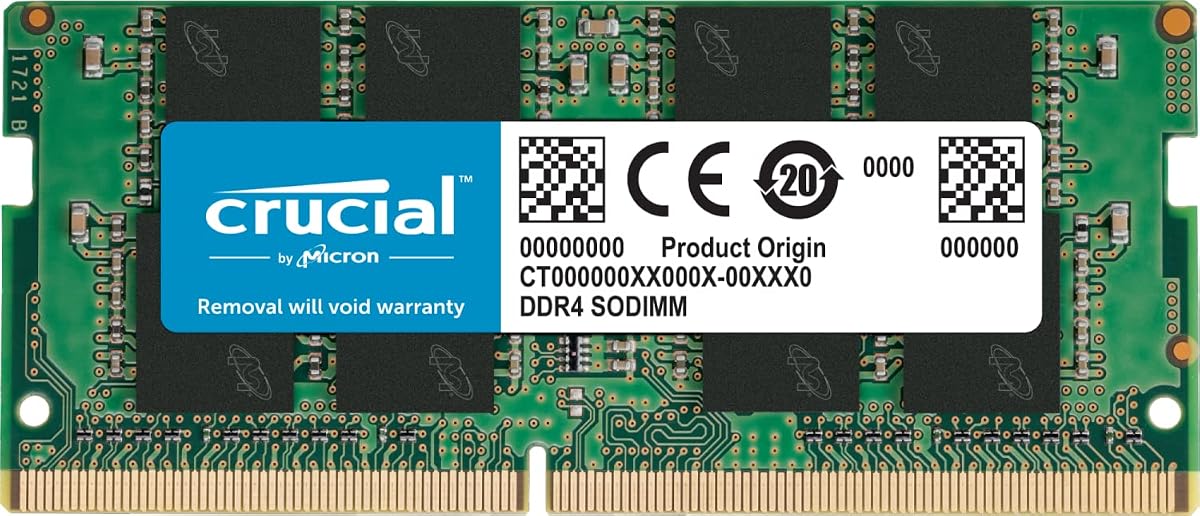
4.8Editor score
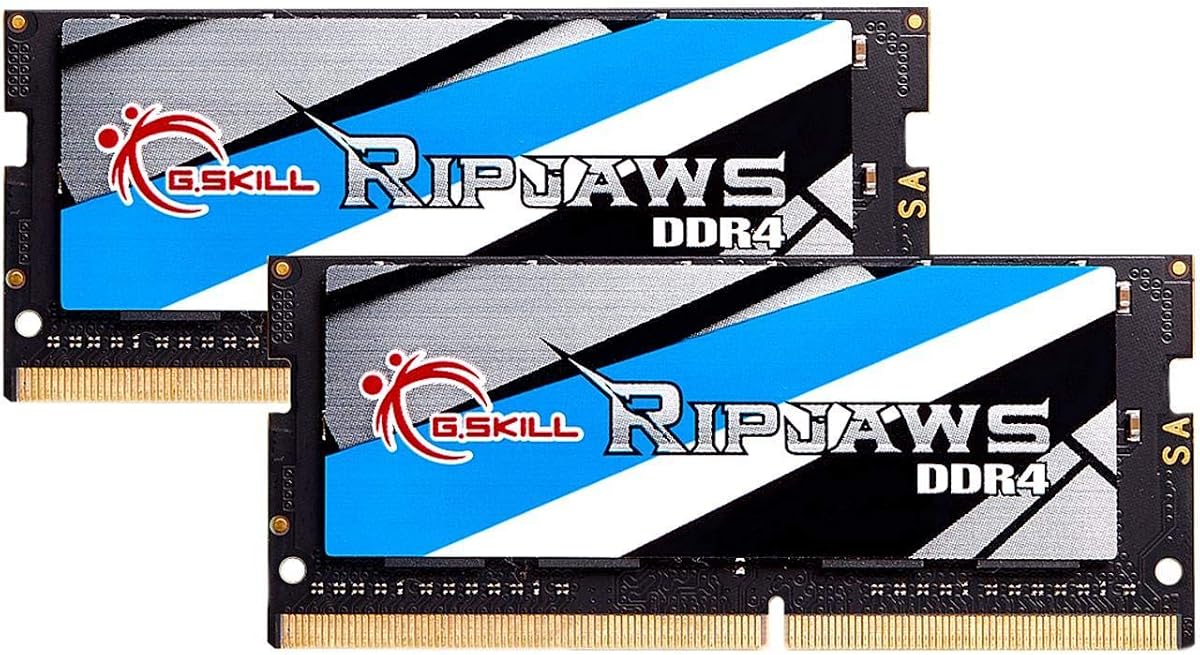
4.7Editor score
This side-by-side comparison highlights key specifications across all ten selected memory modules to help you quickly identify the best fit for your laptop's upgrade requirements.


The Crucial 16GB DDR4 RAM stands out as the top choice for most users seeking reliable performance. It holds a strong 4.8 rating from thousands of verified buyers who appreciate its consistent speed and stability. This module operates at 3200MHz and offers downclocking options for broader compatibility.
We may earn a commission when you buy through this link, at no additional cost to you.
Key strengths include exceptional compatibility with modern Intel and AMD processors like the 13th Gen Core and Ryzen 7000 series. Users report smoother multitasking and faster system responsiveness after installation. Crucial provides step-by-step guides making upgrades accessible even for beginners without technical skills.
While the price is higher than budget options, the reliability and performance justify the cost for serious users. Some users might find the single module limits dual channel setups without a matching pair. However, the guaranteed compatibility tool reduces risk significantly before purchase.
This module is ideal for professionals and students needing a balance of capacity and speed. It ensures your laptop handles demanding software efficiently. We recommend it as the best overall pick for DDR4 Sodimm Laptop RAM upgrades in 2026.
Running multiple apps simultaneously becomes smoother with the additional 16GB capacity and 3200MHz speed reducing lag effectively.
Crucial offers detailed how-to guides online that walk you through the installation steps to ensure a worry-free experience.
We may earn a commission when you buy through this link, at no additional cost to you.
Samsung 16GB DDR4 3200MHz module delivers reliable performance for laptops needing a memory boost. With a 4.6 rating it reflects strong satisfaction among users who value speed and stability. This module targets select DDR4 laptops notebooks and all-in-one computers effectively.
We may earn a commission when you buy through this link, at no additional cost to you.
It significantly improves system responsiveness by speeding up loading times for applications and files. The dual rank x8 configuration helps manage workloads efficiently during intensive tasks. Rigorous quality assurance testing ensures dependable performance over time without unexpected errors.
Some users note that compatibility depends heavily on specific system specs so checking before purchase is vital. The rating is slightly lower than top picks but still indicates a solid product. It remains a strong option for those seeking genuine Samsung quality.
Choose this module if you want a reputable brand with proven performance for daily computing. It handles larger workloads well. Ensure your laptop supports the speed and form factor before proceeding to avoid compatibility issues.
Upgrading to this module can noticeably speed up how quickly your system loads applications and responds to commands.
All modules undergo strict testing processes to ensure they meet high standards for reliability and consistent performance.
We may earn a commission when you buy through this link, at no additional cost to you.
Crucial 8GB DDR4 RAM offers a versatile solution for users needing a moderate memory upgrade. It earns a 4.8 rating for reliable performance and easy integration. This module works at 3200MHz but downclocks to 2933 or 2666MHz for older systems.
We may earn a commission when you buy through this link, at no additional cost to you.
Its standout feature is flexibility allowing compatibility with a wide range of devices. The Crucial System Scanner ensures you get the right recommendation for your specific laptop. Installation guides make the process straightforward for anyone upgrading their memory.
While 8GB is less than 16GB modules it suits users with basic multitasking needs. The single module format may limit dual channel performance if not matched. Yet the Micron quality ensures stability and long-term reliability for daily use.
This pick fits budget conscious users wanting a trusted brand without overspending. It improves responsiveness effectively. Verify your laptop supports the speed before buying to maximize the benefits of this upgrade.
The ability to downclock speeds means this RAM works with both modern and older laptops providing broader utility.
Backed by decades of memory expertise this module undergoes rigorous testing for consistent performance and durability.
We may earn a commission when you buy through this link, at no additional cost to you.
G.SKILL Ripjaws DDR4 SO-DIMM Series offers a powerful 32GB kit for demanding laptop workloads. With a 4.7 rating it appeals to users needing maximum capacity. The kit includes two 16GB modules for dual channel performance boosting speeds.
We may earn a commission when you buy through this link, at no additional cost to you.
Key strengths include the ability to run up to 3200MT/s with BIOS adjustments. It supports heavy multitasking and professional applications efficiently. The JEDEC default profile ensures stability even if overclocking is not used by the user.
Users should note that achieving top speeds may require BIOS tweaks which can be complex for novices. Mixing kits is not recommended as it may cause stability issues. The price is higher but justified by the substantial capacity and performance potential.
This kit is perfect for power users or content creators needing ample memory. It handles large files and multiple programs smoothly. Check motherboard compatibility and prepare for potential BIOS configuration to unlock full potential.
With 32GB total you can run memory intensive applications and virtual machines without slowdowns or bottlenecks.
The matched pair ensures optimal bandwidth and stability compared to buying separate modules individually.
We may earn a commission when you buy through this link, at no additional cost to you.
TEAMGROUP Elite DDR4 32GB Kit delivers high capacity at a competitive price point. It holds a 4.8 rating indicating strong user satisfaction. The kit includes two 16GB modules for dual channel support in compatible laptops.
We may earn a commission when you buy through this link, at no additional cost to you.
Its main strength is the lifetime warranty and free technical support which adds peace of mind. Compliance with JEDEC standards ensures broad compatibility. Strict test and verification procedures are performed to guarantee quality and reliability.
Actual speeds may vary depending on system CPU and BIOS settings. Some units may run at 2933 or 2666MHz instead of 3200MHz. Users must check device specs before purchase to ensure optimal performance.
This kit suits users needing significant memory upgrades without breaking the bank. It supports heavy workloads well. Confirm speed compatibility and utilize the support resources for any installation questions.
TEAMGROUP backs this product with a lifetime warranty and free technical support to help users throughout its lifespan.
The 2 x 16GB kit enables dual channel mode which can significantly improve memory bandwidth and system performance.
We may earn a commission when you buy through this link, at no additional cost to you.
A-Tech 8GB DDR4 2400 MHz module is an excellent budget choice for basic memory upgrades. It holds a 4.7 rating for reliability and ease of use. This module targets select DDR4 laptops and notebooks effectively.
We may earn a commission when you buy through this link, at no additional cost to you.
It helps maximize system performance and boost loading speeds for everyday tasks. The included lifetime warranty and friendly tech support team add significant value. Installation is easy at home requiring no expertise or special tools.
Speed is lower at 2400MHz compared to 3200MHz options which may limit performance for intensive apps. The single module format might limit dual channel benefits without a matching pair. However, for casual users the cost savings are substantial.
Pick this if you need a simple reliable upgrade for office work or browsing. It handles routine tasks well. Ensure your laptop supports 2400MHz before buying to avoid any compatibility issues.
This module offers a budget friendly way to add memory without sacrificing reliability or support coverage.
A-Tech backs the product with a lifetime warranty and friendly tech support for purchase and after purchase.
We may earn a commission when you buy through this link, at no additional cost to you.
GIGASTONE 32GB Kit provides substantial capacity for laptops handling demanding tasks. It holds a 4.7 rating reflecting solid performance and compatibility. The kit includes two 16GB modules for dual channel configuration.
We may earn a commission when you buy through this link, at no additional cost to you.
It is compatible with a wide range of devices including laptops notebooks and all-in-one computers. The PC4-25600 speed aims for efficient data throughput. Users report versatile use across multiple systems without major issues.
Speeds can vary down to 2933 or 2666MHz depending on host system support. Verification of your device specs is crucial before purchase to avoid mismatches. The unbuffered non ECC type suits most standard laptop configurations.
This kit fits users needing high capacity at a reasonable price point. It supports multitasking and large applications. Verify speed support and consult manuals to ensure seamless integration with your specific laptop model.
Designed for laptops notebooks and AIO computers this kit offers versatile use across multiple systems.
The 2x16GB kit enables dual channel mode which can increase memory bandwidth compared to single channel setups.
We may earn a commission when you buy through this link, at no additional cost to you.
Samsung 8GB DDR4 3200MHz module delivers trusted brand quality for notebook upgrades. It holds a strong 4.8 rating indicating high reliability. This genuine Samsung product targets select laptops notebooks and all-in-one systems effectively.
We may earn a commission when you buy through this link, at no additional cost to you.
Key strengths include the 3200MHz speed which supports fast data access. The single Rank x16 configuration suits many systems well. Expanding available memory reduces bottlenecks and increases workload capacity significantly.
The 8GB capacity is modest compared to 16 or 32GB options so it suits lighter workloads. Ensure your laptop supports the speed and form factor to avoid compatibility issues. The standard 1.2V voltage ensures safe operation.
Choose this for a reliable upgrade if you need speed over massive capacity. It works well for general computing. Confirm compatibility with your system specs before purchasing to ensure optimal performance.
This genuine Samsung module offers trusted performance and reliability for select DDR4 laptop and notebook systems.
Expanding available memory resources helps reduce bottlenecks and increases your system's workload capacity efficiently.
We may earn a commission when you buy through this link, at no additional cost to you.
Samsung 32GB DDR4 provides high density for users needing substantial memory in a single module. It holds a 4.7 rating for reliability and performance. The 3200 speed ensures efficient data transfer rates for demanding tasks.
We may earn a commission when you buy through this link, at no additional cost to you.
It features the newest version of 3200 speed technology. The component composition details ensure transparency. SODIMM format targets laptops and notebooks. This density reduces the need for multiple sticks which may help physical installation.
While 32GB is high it may be overkill for basic users. As a single module it may not provide dual channel benefits unless paired. Verify your laptop supports this density and form factor to avoid issues.
Select this for maximum capacity without multiple modules. It suits power users needing ample resources. Confirm density and speed compatibility before purchase to ensure full functionality.
With 32GB density this module offers substantial memory capacity for demanding applications within a single stick.
The newest version supports 3200 speed for efficient data transfer and improved system responsiveness.
We may earn a commission when you buy through this link, at no additional cost to you.
CORSAIR Vengeance SODIMM DDR4 RAM combines performance with an attractive slim design. It holds a 4.7 rating indicating reliability and style. The module targets 16GB capacity for laptops and notebooks.
We may earn a commission when you buy through this link, at no additional cost to you.
Its design ensures physical compatibility with modern Intel processors like 11th Gen. Auto-overclocking simplifies usage without BIOS tweaks. Built using carefully selected DRAM each module ensures excellent stability under load.
Max speed may require BIOS adjustments which adds complexity. Performance depends heavily on CPU and motherboard. The slim form factor helps in compact laptop chassis where space is limited.
Choose this for a stylish reliable upgrade that integrates well with modern systems. It handles daily workloads smoothly. Check maximum speed requirements to confirm it fits your laptop.
The slim and attractive design ensures physical compatibility with modern laptops like 11th Gen Intel Core Processors.
Each module is built using carefully selected DRAM to allow excellent stability during intensive computing tasks.
We may earn a commission when you buy through this link, at no additional cost to you.
Selecting the right memory module depends on understanding key factors that affect performance and compatibility with your laptop.
Capacity refers to how much data your memory can hold at once. For general use 8GB may suffice but 16GB is ideal for multitasking. 32GB suits heavy workloads like video editing or virtual machines.
Choose at least 16GB for future proofing and smoother multitasking.
Speed measured in MHz indicates how fast data is transferred. Higher speeds like 3200MHz offer better performance than 2400MHz but must be supported by your system.
Verify your laptop supports the speed to avoid running at reduced rates.
Ensure the form factor matches your laptop. SODIMM is standard for laptops. Check pin count and voltage to avoid damage or boot failures.
Use tools like Crucial System Scanner to confirm exact compatibility before buying.
Modules come as singles or kits. Kits often include matched pairs enabling dual channel mode which boosts bandwidth.
Prefer kits for dual channel benefits unless you already have one stick.
Timing values like CL22 affect latency. Lower CAS latency generally improves responsiveness but speeds often compensate for higher CL.
Focus on speed first unless you need ultra low latency for specific apps.
Reputable brands offer better quality control and warranties. Trusted manufacturers test modules rigorously for consistent performance.
Prioritize well known brands for peace of mind and support.
Look for lifetime or long warranties. This protects against defects and shows manufacturer confidence.
Ensure warranty terms cover your region and registration requirements.
Balance features with budget. Higher capacity or speed costs more but boosts performance.
Choose what fits your needs without overspending on unused capacity.
To install your new RAM turn off your laptop and remove the battery if possible. Open the access panel carefully using a screwdriver and locate the memory slots. Align the notch on the module with the slot and press down firmly until the clips click into place.
After installation close the panel and boot your system to verify the new memory is recognized. Check system settings or BIOS to confirm the total capacity matches the upgrade. Use this time to run diagnostics ensuring no hardware errors occur during boot.
Avoid installing RAM in dusty environments to protect internal components. Keep your laptop updated with the latest BIOS versions which improve hardware recognition and stability. Handle modules by edges only to prevent static discharge damage.
Mixing speeds usually causes the system to run at the lowest speed supported. This may reduce performance compared to matching pairs. For best results use identical modules from the same kit. This ensures consistent timing and stability across all sticks.
Check your laptop specifications or user manual for supported memory speeds. Using manufacturer tools like Crucial Scanner helps verify compatibility. If unsure contact support with your laptop model for confirmation before purchasing higher speed modules.
Kits are recommended because they are matched for dual channel operation boosting performance. Single modules work fine if you only add one stick. Kits ensure identical timing and speed for better stability and bandwidth.
SODIMM is smaller and designed for laptops while regular DIMM fits desktops. They are not interchangeable due to size and pin count differences. Always confirm the form factor needed for your system before buying.
Most games run well on 16GB which balances cost and performance. 8GB may work for older titles but can struggle with new releases. 32GB is overkill for most users unless streaming or running other apps simultaneously.
Adding RAM improves multitasking and loading times by reducing reliance on slower disk storage. It helps when running multiple apps or large files. If your system is already fast with enough RAM the gain may be less noticeable.
Choosing the right DDR4 Sodimm Laptop RAM depends on your specific needs and budget. The top picks range from budget friendly to high capacity kits ensuring options for every user.
Prioritize compatibility and capacity first then consider speed and brand reliability. Ensure your system supports the chosen speed to avoid performance loss.
Prices and availability change so verify current details before purchasing. With the right memory upgrade you can significantly enhance your laptop productivity and longevity.