
Crucial P310 1TB
4.7Editor score
Up to 7100MB/s read
Broad device compatibility
Includes data recovery software
This guide compares the top ten Crucial internal NVME SSDs for 2026, covering performance, compatibility, and features for gamers and creatives seeking storage.
Modern computing demands storage solutions that can keep pace with powerful processors and graphics cards. Crucial offers a range of internal NVME SSDs designed to deliver exceptional speed and reliability for everyday users and professionals alike.
We analyzed ten top models from Crucial to identify the best options available this year. Our comparison focuses on interface generations, raw throughput capabilities, endurance ratings, and specific use cases like gaming or content creation.
Each pick highlights unique strengths such as integrated heatsinks or bundled software tools. Please note that availability and pricing fluctuate frequently so verify current details before making your final purchasing decision.
4.7Editor score
4.8Editor score

4.6Editor score
The following table provides a side-by-side comparison of all ten featured models allowing you to quickly assess their specifications and suitability for your specific computing environment.


The Crucial P310 1TB stands out as a compelling entry point for those seeking Gen4 speeds without breaking the bank. With a strong 4.7 rating it delivers reliable performance for general computing and casual gaming.
We may earn a commission when you buy through this link, at no additional cost to you.
Its read speeds reach up to 7100MB/s which significantly reduces boot times and application loading. The inclusion of Acronis Data Recovery Software adds value for users worried about data security during migration.
While it lacks a built-in heatsink the drive manages thermals effectively for standard desktop and laptop use. Users planning intense sustained writes should consider an external cooling solution for optimal longevity.
This drive is ideal for budget-conscious buyers upgrading from SATA or older Gen3 systems who need a balance of speed and capacity.
It provides near top-tier Gen4 speeds at a fraction of the cost of premium competitors making it accessible for more users.
Whether you use a PC laptop or a handheld console like the ROG Ally this drive integrates seamlessly into your workflow.
We may earn a commission when you buy through this link, at no additional cost to you.
This variant of the P310 solves the thermal management issue by including a fitted heatsink out of the box. It maintains the same excellent 7100MB/s read speeds as its sibling.
We may earn a commission when you buy through this link, at no additional cost to you.
The integrated cooling ensures that the drive maintains peak performance during long gaming sessions without throttling. This makes it a perfect choice for consoles or compact desktop cases.
Although the price is a bit higher than the bare drive the convenience and reliability of not needing to source separate cooling hardware is worth the investment.
Gamers upgrading their PS5 or users with tight motherboard spacing will appreciate the extra attention to thermal engineering here.
Sony mandates specific size and performance rules for PS5 storage which this drive meets perfectly with its heatsink and speed profile.
Passive cooling extends the lifespan of the NAND and controller by keeping operating temperatures within safe margins during heavy loads.
We may earn a commission when you buy through this link, at no additional cost to you.
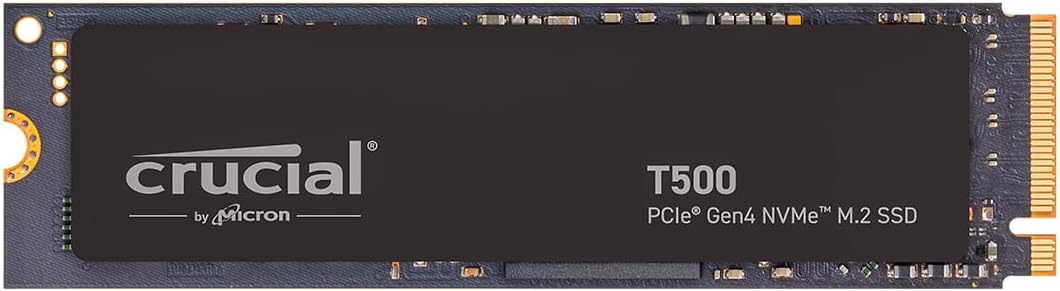
The T500 is our top pick for professionals who need consistent high performance for creative workflows. It achieves speeds up to 7300MB/s with reliable TLC NAND storage.
We may earn a commission when you buy through this link, at no additional cost to you.
Its support for Microsoft DirectStorage allows games and apps to load assets directly from the drive reducing CPU overhead significantly. This results in smoother multitasking and rendering.
The included one-month Adobe Creative Cloud subscription adds immediate value for designers and video editors looking to try or upgrade their software stack.
If you prioritize data integrity and speed for demanding applications this model offers the best balance of features in the Gen4 category.
The software add-on effectively subsidizes the cost of the drive for those who need Adobe apps making it a smart purchase for creatives.
As games increasingly adopt DirectStorage this drive ensures you are ready for the next generation of asset loading technology on PC.
We may earn a commission when you buy through this link, at no additional cost to you.
When one terabyte is no longer enough for your growing library of games and media the 2TB variant of the P310 is the logical next step. It offers the same speeds as the 1TB model.
We may earn a commission when you buy through this link, at no additional cost to you.
Storing AAA titles and large files becomes effortless with this much space available on a single drive. It is particularly useful for laptops where adding a second drive is impossible.
Because it lacks a heatsink you should ensure your motherboard or case has adequate airflow to prevent thermal throttling during large data transfers.
This option is perfect for users who want to consolidate their storage into one fast and spacious internal drive without buying external hard drives.
Modern games can easily exceed 100GB so having 2TB allows you to keep many titles installed simultaneously without constant uninstallation.
Fewer drives mean fewer cables and lower power consumption for your system which can help with heat management in compact enclosures.
We may earn a commission when you buy through this link, at no additional cost to you.
The P510 brings the speed of PCIe 5.0 to users who want to build a workstation that will remain relevant for years to come. It delivers read speeds up to 11000MB/s.
We may earn a commission when you buy through this link, at no additional cost to you.
For those working with massive datasets or high-resolution video editing this throughput reduces wait times significantly. The TLC NAND ensures that these speeds are consistent under pressure.
Although Gen5 systems are still emerging the availability of an affordable drive like this allows early adopters to test the technology without a massive investment.
It is the right choice if you plan to upgrade your platform soon and want a drive that will not bottleneck your future hardware.
Jumping from Gen4 to Gen5 nearly doubles your maximum throughput opening new possibilities for real-time data processing and editing.
Even if your current system only supports Gen4 the drive will still work seamlessly ensuring you do not lose compatibility during the transition.
We may earn a commission when you buy through this link, at no additional cost to you.
At the top of the range the T710 offers blistering speeds that push the limits of current storage interfaces. It is designed for those who demand the absolute best performance.
We may earn a commission when you buy through this link, at no additional cost to you.
Features like AES256bit hardware encryption provide an added layer of security for sensitive professional data which is critical for corporate or creative environments.
To sustain these speeds you will need a compatible heatsink as the drive generates significant heat during peak operation. The included software helps manage data transfers efficiently.
This drive is the ultimate choice for hardcore gamers and professionals who cannot afford any latency in their workflow and want top notch security.
Hardware encryption ensures your data remains protected without slowing down performance as is often the case with software based solutions.
The 14900MB/s read speed allows for instant access to gigabyte scale files making it ideal for 8K video editing and large databases.
We may earn a commission when you buy through this link, at no additional cost to you.
The E100 is designed for users who need a reliable OS drive without paying for massive storage. It offers Gen4 speeds of up to 4700MB/s which is still 33 times faster than hard drives.
We may earn a commission when you buy through this link, at no additional cost to you.
For laptops or budget desktops this capacity is often sufficient for your system and essential applications. It serves as an excellent secondary drive for booting up.
While it is not suited for heavy file storage its speed makes daily tasks like web browsing and multitasking feel snappy and responsive.
It is the perfect fit for anyone trying to get Gen4 benefits on a tight budget or needing a simple upgrade for an older machine.
Replacing an old mechanical drive with the E100 results in a noticeable improvement in system responsiveness and load times.
Low cost makes this drive accessible for students or families who need multiple devices updated with modern storage standards.
We may earn a commission when you buy through this link, at no additional cost to you.
This model uses QLC NAND which balances capacity and cost while maintaining solid Gen4 performance. It delivers speeds similar to other P310 models for daily tasks.
We may earn a commission when you buy through this link, at no additional cost to you.
For general office work or gaming where extreme sustained write speeds are not required it performs admirably. The 232L technology ensures reliability in everyday usage.
Users should be aware that QLC drives may slow down slightly after heavy data transfers but this rarely impacts normal workflows like loading apps or games.
It is a smart choice for those who want a reliable 1TB drive for storage without breaking the bank on premium TLC technology.
Micron builds this drive with quality control that ensures it lasts for years of regular use and general consumer demands.
QLC allows manufacturers to offer higher capacities at lower prices making 1TB drives more accessible to a wider audience.
We may earn a commission when you buy through this link, at no additional cost to you.
Sony has strict requirements for PS5 SSD upgrades and this drive meets them perfectly with high speeds and a built-in heatsink. It ensures your console runs smoothly without overheating.
We may earn a commission when you buy through this link, at no additional cost to you.
With speeds up to 7300MB/s you get the full benefit of the console hardware reducing load times for supported games significantly. This makes playing a much better experience.
The inclusion of Adobe Creative Cloud also adds value if you use the drive on a PC later providing versatility beyond just gaming.
If you play on PS5 this is arguably the best upgrade you can make to increase storage without sacrificing performance or safety.
The integrated heatsink is perfectly sized to fit within the PS5 chassis ensuring the system maintains thermal compliance without extra bulk.
Games optimized for SSD storage run faster and offer more immersive experiences thanks to the high throughput of this drive.
We may earn a commission when you buy through this link, at no additional cost to you.
The T700 is engineered for gamers who want the fastest storage available on the market. It delivers up to 11700MB/s read speeds which are perfect for massive open world games.
We may earn a commission when you buy through this link, at no additional cost to you.
This performance means assets load almost instantly allowing you to jump straight into gameplay without waiting. It is built with TLC NAND for consistent speed under load.
Because it is a Gen5 drive you will need a compatible motherboard and active cooling to avoid throttling but the rewards in performance are substantial for competitive play.
This drive is the ultimate choice for enthusiasts who want every advantage possible and are ready to build around a next-generation platform.
Reduced load times can be the difference between entering a battle royale early or late which matters greatly in competitive gaming.
Investing in Gen5 now ensures your system will remain at the forefront of storage technology for the next several years of gaming.
We may earn a commission when you buy through this link, at no additional cost to you.
Selecting the right storage requires understanding specific technical factors that affect your daily computing experience.
The PCIe generation determines the maximum data bandwidth available to your drive. Gen4 drives offer speeds up to 7000MB/s while Gen5 drives can exceed 10000MB/s. Ensure your motherboard supports the specific generation you choose to unlock full performance.
Always verify your system slots before buying to avoid incompatibility or throttled speeds.
TLC (Triple Level Cell) NAND generally offers better endurance and consistent write speeds compared to QLC (Quad Level Cell). If you frequently move large files or do professional editing TLC is a safer investment for longevity.
QLC is fine for standard storage but TLC ensures your drive stays fast longer under heavy usage.
High speed drives generate significant heat which can cause throttling if not managed. Models with built-in heatsinks are ideal for compact systems or consoles like the PS5 where airflow is limited.
If you buy a drive without a heatsink ensure your motherboard has its own thermal pad or you have a case with good airflow.
Modern games and applications are growing rapidly in size. A 1TB drive is becoming the standard sweet spot but if you hold a large library of media consider a 2TB option to avoid constant reorganization.
Larger capacity drives often provide better value per gigabyte making them a smart long term choice.
For console users like PS5 owners the drive must meet specific physical dimensions and speed minimums. Ensure the model you pick lists explicit compatibility to avoid installation issues.
Desktop and laptop users should check for M.2 2280 slots which are the standard form factor for these internal drives.
Crucial often includes useful software like Acronis True Image or Adobe Creative Cloud with certain models. These can save money and simplify tasks like data migration or content creation immediately.
Look for these bundles if you need cloning tools or creative apps as they add significant value to the purchase.
Most Crucial NVME SSDs come with a five year limited warranty which provides peace of mind for your investment. This covers manufacturing defects and ensures support is available if issues arise.
Always check warranty terms before buying to ensure you are covered for the lifespan you expect from your storage.
When installing your drive ensure the M.2 slot is securely closed with the screw to maintain physical stability and thermal contact. If your drive came with a heatsink make sure it is properly aligned before screwing it down.
Keep your drive firmware updated using the Crucial Storage Utility to maintain security and optimize performance. Software updates often include bug fixes that improve system compatibility.
Avoid filling your drive to absolute capacity as this can slow down write performance over time. Leaving a small amount of free space allows the drive to manage data efficiently.
Yes several models like the P310 with Heatsink and T500 with Heatsink are specifically verified to work with PlayStation 5. They meet the required physical dimensions and speed specifications for expansion storage.
Most of these drives are backward compatible with PCIe 3.0 systems although you will not get the maximum speeds advertised. They will still function reliably and boot systems without issue.
For most thin and light laptops a passive heatsink is not strictly necessary because they operate at lower power. However if your laptop runs hot under load a drive with a heatsink can help maintain stability.
The software bundle typically includes a one month trial of Adobe Creative Cloud. After the trial ends you will need to subscribe to the service directly to continue using the full app suite.
Gen5 drives offer nearly double the bandwidth of Gen4 drives allowing for faster data transfers. However Gen5 requires specific hardware and cooling making Gen4 a better fit for most current users.
You can use the included Acronis True Image software to clone your old drive to the new one. This transfers your files and operating system without needing a fresh install.
These drives are built with high quality NAND designed for general consumer and creative use. While they are reliable for continuous operation they are not rated for enterprise server environments with extreme workloads.
For most gamers the T500 or P310 offer excellent speed for loading games. If you have a Gen5 platform the T700 provides the fastest possible load times for supported titles.
We hope this guide has helped you narrow down the best Crucial internal NVME SSD for your needs. Whether you need the value of the P310 or the speed of the T700 Crucial has a solid option for every user.
Prioritize compatibility with your motherboard and cooling requirements before making your decision to ensure stable performance over time.
Remember that technology prices fluctuate so always check current stock and deals before finalizing your purchase.