
BNC to HDMI Converter
4.7Editor score
Supports 720P and 1080P
Includes audio input port
ABS material housing
This guide compares the top ten coax to HDMI converters for connecting legacy devices to modern screens with reliable signal conversion and stable performance.
Connecting older devices to modern TVs often requires specific adapters. A coax to HDMI converter bridges the gap between legacy analog signals and contemporary digital displays effectively.
We evaluated ten top-rated models based on signal stability, compatibility, and ease of setup. Each product offers unique features for different use cases and budget needs.
Our picks highlight key strengths and trade-offs for every scenario. Prices fluctuate frequently so verify current deals before making your final purchase decision today.
4.7Editor score

3.4Editor score

4.4Editor score
The following table provides a side-by-side look at each model including key specs to help you quickly compare features and find the right fit for your setup.

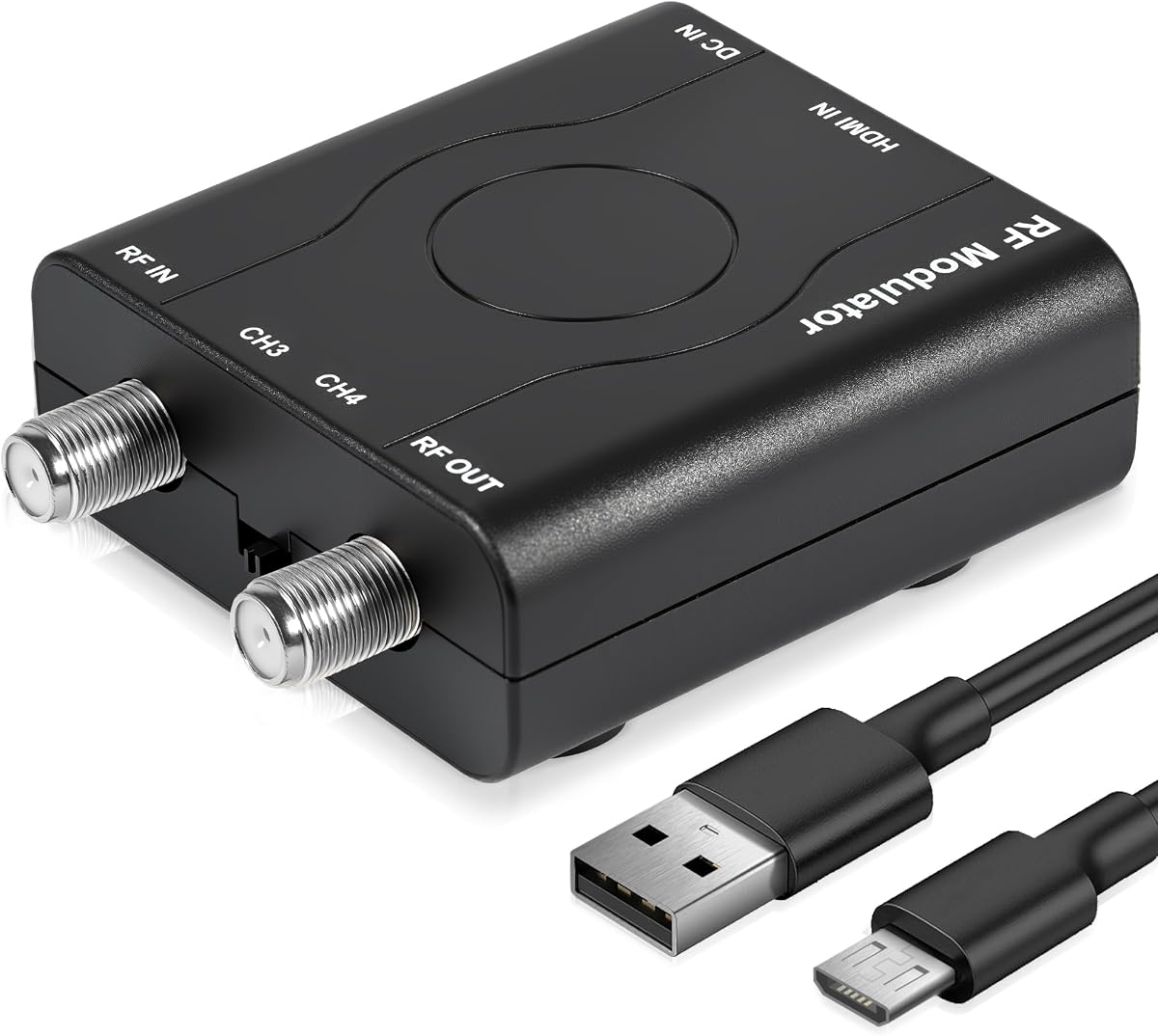


This model offers a straightforward solution for connecting HDMI sources to older TVs with coax inputs. It delivers a stable RF output using standard NTSC format which ensures compatibility with many legacy displays.
We may earn a commission when you buy through this link, at no additional cost to you.
The included 1.2 meter HDMI cable makes it ready to use right out of the box without needing extra purchases. Its built-in PLL control helps maintain a consistent VHF frequency for reliable viewing.
While it only supports CH3 and CH4 channels it provides a clear signal for most analog TVs. The package includes a power adapter and user manual which simplifies the installation process significantly.
Ideal for anyone needing to connect modern consoles to vintage TVs this unit is reliable and simple to operate. It is perfect for home entertainment systems that require basic coax connectivity.
Everything you need for setup comes in the box including HDMI cable and power supply for immediate use.
Built-in PLL technology ensures stable VHF frequency output which minimizes signal interference during use.
We may earn a commission when you buy through this link, at no additional cost to you.
This demodulator is designed to bring vintage gaming consoles and old video players to modern HDTVs. It converts analog RF signals into digital HDMI output which allows retro devices to display clearly on new screens.
We may earn a commission when you buy through this link, at no additional cost to you.
The included remote control lets you manage settings like timer shutdown and channel selection easily. It supports both NTSC and PAL formats making it useful for international setups with older hardware.
While the rating is lower than other models it still offers essential functionality for specific legacy devices. It handles signals from systems like Atari 2600 and JVC Videodisc which are hard to connect otherwise.
If you have old gaming consoles or VCRs this adapter is a vital tool for preservation and display. It bridges the gap between analog past and digital present efficiently for collectors and enthusiasts.
Specifically supports older gaming systems and video players like Atari and JVC which are difficult to connect to modern TVs.
Includes a remote with features like timer shutdown and channel reservation for convenient operation.
We may earn a commission when you buy through this link, at no additional cost to you.
This affordable converter transforms BNC signals from security cameras into high-definition HDMI video. It supports automatic detection of PAL or NTSC signals which simplifies setup for surveillance systems.
We may earn a commission when you buy through this link, at no additional cost to you.
The design includes an audio input port allowing you to transmit sound alongside video. It uses 3D compensation technology to optimize motion and color quality on the display screen.
Built from durable ABS material the device is lightweight and resistant to impact. It operates stably for continuous periods making it suitable for 24/7 monitoring environments.
For users needing to view CCTV feeds on modern monitors this unit offers excellent value and performance. It is a practical choice for security setups without requiring expensive system upgrades.
Automatically detects whether the input signal is PAL or NTSC to ensure correct video conversion.
Designed to run stably for 24 hours continuously which is essential for security monitoring applications.
We may earn a commission when you buy through this link, at no additional cost to you.
This adapter converts HDMI signals to RF for use with older TVs or local cable systems. It features PLL control to ensure stable VHF frequency output which helps maintain clear reception.
We may earn a commission when you buy through this link, at no additional cost to you.
Constructed from ABS material it has a professional design that fits well in home entertainment setups. It is portable and ready to use out of the box without requiring any software installation.
The unit supports HDMI 1.4 and HDCP 1.4 for reliable high-definition multimedia interface operation. It is versatile enough to work with PCs laptops and game consoles for flexible connectivity.
If you need to connect modern devices to legacy TV setups this modulator provides reliable performance. It is a solid choice for users looking to maintain analog signal compatibility.
1080P PLL control ensures stable VHF frequency output which improves signal reliability.
Compatible with local CATV systems allowing you to distribute signals through existing coax infrastructure.
We may earn a commission when you buy through this link, at no additional cost to you.
This modulator converts digital HDMI signals into coaxial RF output for older displays. It is designed for stable video distribution which makes it suitable for multiple TV setups in homes or offices.
We may earn a commission when you buy through this link, at no additional cost to you.
The kit includes everything needed for setup including a 4 foot HDMI cable and power adapter. This makes it very convenient for users who want a complete solution without extra purchases.
Customer feedback highlights its ease of use and reliable performance with streaming players and game consoles. The step-by-step guide helps ensure correct installation for first time users.
For anyone needing a dependable HDMI to coax solution this model offers a strong value with all necessary accessories. It is excellent for connecting modern media players to legacy TV systems.
Includes HDMI cable power adapter and power cable in the package for immediate setup.
Designed for reliable HDMI signal transmission allowing distribution to multiple TVs via coax systems.
We may earn a commission when you buy through this link, at no additional cost to you.
This compact adapter accepts HDMI input and outputs analog RF signals for older TVs. It is small and portable which makes it easy to place between signal sources and television sets.
We may earn a commission when you buy through this link, at no additional cost to you.
It outputs standard NTSC-M signals with fixed frequencies for Channel 3 and Channel 4. This matches most older TVs that support the NTSC-M video standard which simplifies channel selection.
The device features stable PLL processing to ensure consistent signal quality over time. Its ABS housing is durable enough for daily continuous operation in various environments.
Ideal for users with limited space this model provides reliable conversion without bulky hardware. It is a great option for connecting laptops or game consoles to vintage televisions.
Compact design allows flexible placement between signal sources and older TV sets.
Outputs fixed frequencies for Channel 3 and 4 which simplifies tuning on older TVs.
We may earn a commission when you buy through this link, at no additional cost to you.
This modulator features a USB power cable for convenient connectivity options. It supports NTSC format output and works with multiple resolutions for flexible video transmission.
We may earn a commission when you buy through this link, at no additional cost to you.
It is built from durable ABS material and ensures stable performance for daily use. The included user manual guides users through a simple setup process.
Compatible with HDMI 1.4 and HDCP 1.4 it works seamlessly with various devices including PCs and game consoles. This versatility makes it a strong choice for different connectivity needs.
For users preferring USB power this model offers reliable performance with standard HDMI compatibility. It is well suited for home and commercial applications needing coax conversion.
Comes with a USB power cable for flexible power options and easy setup.
Works with PCs laptops game consoles and DVD players for versatile connectivity.
We may earn a commission when you buy through this link, at no additional cost to you.
This converter offers dual signal conversion allowing HDMI to RCA and RF output simultaneously. It lets you connect a TV with coax and a capture card with RCA for recording.
We may earn a commission when you buy through this link, at no additional cost to you.
The coaxial RF signal enables ultra-long-distance transmission to share programs across rooms. It includes a channel switch that does not interfere with existing players like VCRs.
You can connect an antenna or cable box to the F type input for additional flexibility. It is versatile for home entertainment needing multiple output options on one device.
For users who need both analog RCA and coax RF signals this unit provides useful options. It is ideal for recording setups or multi-room distribution scenarios.
Simultaneously converts HDMI to RCA and RF signals for flexible connection options.
Coaxial RF signal allows sharing videos across different rooms in your home.
We may earn a commission when you buy through this link, at no additional cost to you.
This adapter bridges the gap between analog security cameras and modern HDMI monitors. It supports TVI CVI AHD and CVBS signals which makes it ideal for mixed CCTV systems.
We may earn a commission when you buy through this link, at no additional cost to you.
The device automatically detects the video format which simplifies setup significantly. It supports up to 8MP input ensuring high-resolution video quality on new displays.
With a rugged metal housing it dissipates heat efficiently for 24/7 operation. The loop out feature allows viewing the feed while sending the signal to a DVR for recording.
For professional security setups needing reliable high-resolution conversion this model is a top choice. It is built for continuous monitoring in commercial and residential environments.
View camera feed on HDMI while sending BNC to connected DVR for recording.
Rugged metal housing dissipates heat efficiently to support continuous monitoring.
We may earn a commission when you buy through this link, at no additional cost to you.
This HDMI to RF modulator supports NTSC format output with standard CH3 and CH4 channels. It features 1080P PLL control for stable high-definition video transmission via coax.
We may earn a commission when you buy through this link, at no additional cost to you.
The device is constructed from ABS material which ensures durability and consistent performance over time. It is portable and ready to use straight out of the box for quick setups.
Compatible with HDMI 1.4 and HDCP 1.4 it works well with PCs laptops and game consoles. It is a reliable solution for connecting modern digital sources to older TV displays.
For users needing a straightforward conversion option this model provides consistent results. It is suitable for home entertainment and commercial applications needing stable RF output.
Portable and flexible device ready to use straight out of the box.
1080P PLL control ensures stable video transmission to older TVs.
We may earn a commission when you buy through this link, at no additional cost to you.
Selecting the right converter requires understanding your specific signal needs and the devices you plan to connect. This section outlines key factors to consider before making a purchase.
Ensure the converter matches your input source whether it is RF coax BNC or HDMI. Some models only convert HDMI to RF while others support legacy analog inputs for modern outputs.
Check the supported formats like NTSC or PAL to avoid signal mismatch issues with your existing hardware.
Look for converters that support the resolution you need whether 720P 1080P or higher. Higher resolutions provide clearer images on modern HDTVs and monitors.
Verify the maximum output resolution listed in the specifications to ensure it meets your display requirements.
Some converters include separate audio ports while others embed audio into the video signal. Check if the model supports audio output if sound is important for your setup.
Models without dedicated audio ports may rely on digital audio channels which older TVs might not decode.
Durable materials like ABS or metal housings affect the longevity and heat dissipation of the device. Metal cases are generally better for continuous 24/7 operation in surveillance settings.
Select a build quality that matches your intended usage frequency to avoid premature device failure.
Check what cables and power supplies are included in the package. Some units come with HDMI cables or power adapters while others require separate purchases.
Complete kits save time and money by providing all necessary components for immediate setup.
Plug and play models without driver requirements simplify installation for non-technical users. Look for devices with clear user manuals and simple connection sequences.
Avoid models that require complex software or manual configuration unless you have the technical expertise.
Verify that the converter works with your specific consoles cameras or media players. Some models list specific compatibility with devices like Atari or Fire TV which helps avoid trial and error.
Cross reference the supported device list with your existing hardware to ensure a proper connection.
Many RF modulators limit output to specific channels like 3 and 4. Ensure your TV can tune to these channels without interference from other signals.
If you need more flexibility check for models with selectable channel options.
Start by connecting the input source to the converter using the appropriate cable such as HDMI or BNC. Ensure the cable is firmly seated to prevent signal loss or flickering during use.
Connect the output to your TV or monitor using the correct interface such as coaxial or HDMI. Power the device using the included adapter or USB source to enable signal conversion.
Keep the converter in a well-ventilated area to avoid overheating. Clean dust from the housing regularly to maintain optimal performance and extend the device lifespan.
Most standard converters work only one way. HDMI to RF modulators convert digital HDMI to analog coax. Conversely BNC to HDMI converters turn analog BNC to digital HDMI. Check the direction before purchasing.
Most models output on Channel 3 or Channel 4. These are standard NTSC-M frequencies which match older TVs that lack HDMI inputs. You tune your TV to the correct channel to view the signal.
Many support 1080P input but output resolutions vary. RF outputs are typically limited to analog resolution. BNC to HDMI models often support up to 1080P for clearer video on modern displays.
Most require a DC power adapter or USB power supply. Check the product description for included accessories. If not included you will need to purchase the correct voltage adapter separately.
Yes some models offer dual outputs like RCA and RF. This allows you to connect a TV and a capture card simultaneously. Check specifications for dual signal support before buying.
If your TV has no coax input you may need a separate coax to HDMI adapter. These modulators are designed specifically for devices with RF inputs so they are necessary for older setups.
We reviewed ten top converters ranging from budget-friendly options to high-performance security solutions. Each offers unique benefits depending on whether you connect legacy game consoles or surveillance cameras.
Prioritize resolution support and build quality based on your environment. For continuous monitoring choose models with metal housings and high input resolution capabilities.
Always verify current pricing and availability before purchasing as deals fluctuate regularly. Choosing the right converter ensures seamless integration between your old and new technology.