
LGA 1155 Motherboard H61 for Intel 2th/3th Core i7/i5/i3 DDR3
5.0Editor score
Supports Intel Core i3 i5 i7 2nd and 3rd generation
Dual channel DDR3 memory slots up to 16GB
Includes M.2 interface for NVME and SATA SSDs
Find the best cheap motherboard for your build. We compare top budget AMD and Intel models with features like PCIe 4.0 and DDR5 support to help you save.
Finding a cheap motherboard does not mean sacrificing essential features. Today's budget boards deliver solid power delivery, modern connectivity, and reliable performance for everyday computing needs without breaking the bank.
We compared ten highly rated models across AMD and Intel platforms. Our analysis focuses on value, compatibility, thermal design, and port selection to identify the most capable affordable options for 2026.
Each pick shows real-world strengths and potential trade-offs. Prices fluctuate frequently so always verify the latest deals before buying. This guide helps you choose the right board for your specific processor and case size.
5.0Editor score
4.5Editor score

4.5Editor score
This side by side comparison lists all ten selected products with their key specifications. Use this table to quickly identify which board matches your processor socket memory type and form factor needs.





The GIGABYTE B550M K offers essential features for budget AMD builds. It carries a 4.4 star rating and delivers steady performance for Ryzen 5000 and earlier series CPUs.
We may earn a commission when you buy through this link, at no additional cost to you.
Its digital 3+3 VRM design handles power well for daily use. The inclusion of two M.2 slots and PCIe 4.0 ensures modern storage and GPU compatibility.
Trade-offs include basic onboard audio and fewer USB ports than premium boards. These limits are acceptable for tight budgets focused on core functionality.
Buy this if you need a reliable micro-ATX board for entry-level or mid-range Ryzen systems. It balances cost and capability effectively for most users.
Compatible with Ryzen 5000 4000 and 3000 series processors for flexible upgrades.
Two M.2 slots allow fast NVMe drives alongside traditional SATA storage options.
We may earn a commission when you buy through this link, at no additional cost to you.
This H61 board provides an incredibly affordable path for legacy Intel systems. It holds a perfect 5 star rating among users seeking basic functionality on a budget.
We may earn a commission when you buy through this link, at no additional cost to you.
It supports Core i3 i5 and i7 processors from the second and third generations. The added M.2 slot enables NVMe SSDs for faster boot times without full modern specs.
Trade-offs involve outdated memory and potential driver challenges on newer Windows versions. These issues are manageable with tools like driver utilities or Linux.
Choose this for office PCs or retro builds where cost is the top priority. It extends the life of older hardware effectively for specific needs.
Works with Intel Core 2nd and 3rd Gen plus Xeon E3 v2 processors.
The M.2 slot allows NVMe SSD upgrades on an older platform.
We may earn a commission when you buy through this link, at no additional cost to you.
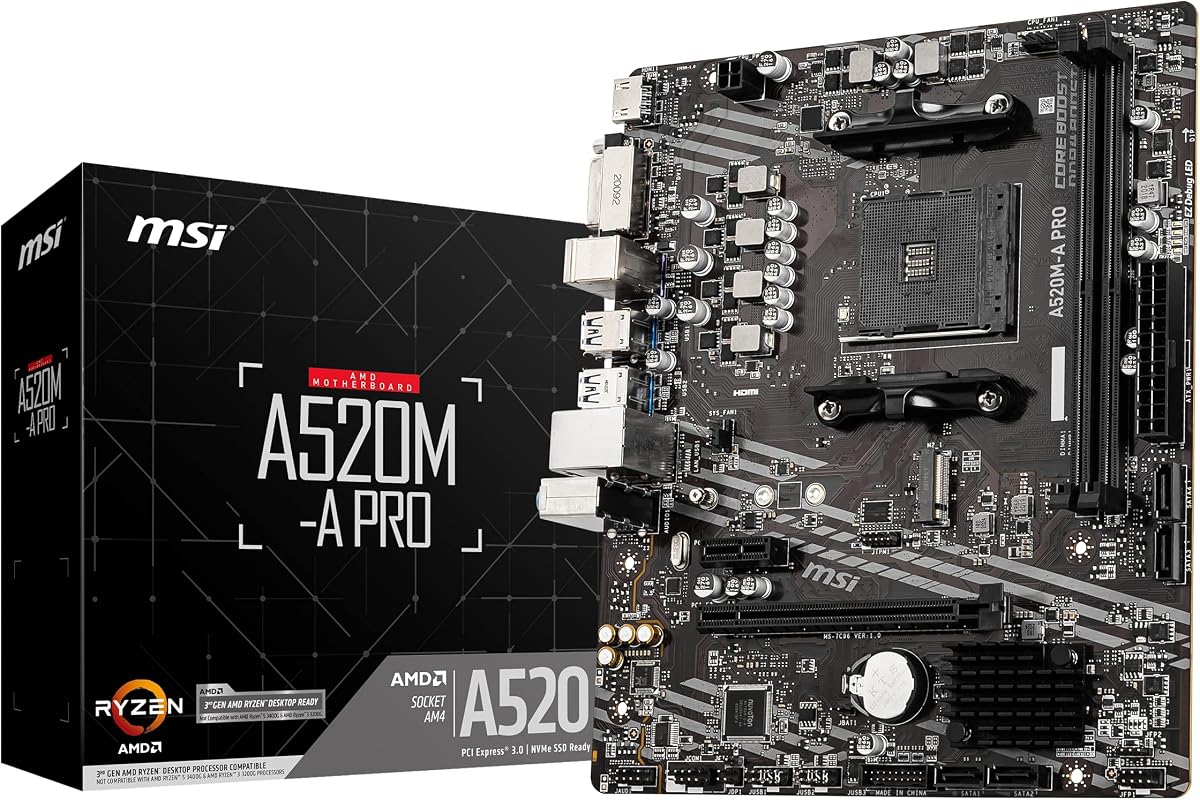
The MSI A520M-A PRO stands out as a balanced budget option for Ryzen users. Rated 4.5 stars it delivers solid performance for gaming and productivity tasks.
We may earn a commission when you buy through this link, at no additional cost to you.
Its turbo M.2 slot maximizes NVMe SSD performance. Enhanced memory support up to 4600MHz OC ensures responsive systems with faster RAM kits.
Trade-offs include PCIe 3.0 limits and missing Wi-Fi. Most users accept these to keep costs low while retaining essential modern features.
Buy this for first-time builders or budget gaming rigs. It offers the best combination of features and price in the AM4 lineup.
Supports DDR4 up to 4600MHz OC for faster data throughput.
Studio grade sound quality enhances gaming and media experiences.
We may earn a commission when you buy through this link, at no additional cost to you.
The ASRock B550M-HDV offers flexibility for budget AMD systems. With a 4.5 star rating it supports high memory speeds and modern PCIe graphics cards.
We may earn a commission when you buy through this link, at no additional cost to you.
Its 6 power phase design ensures stable power delivery. Three video outputs provide broad monitor compatibility for home or office setups.
Trade-offs include basic audio and micro-ATX fit restrictions. These are minor concerns for users prioritizing memory and graphics performance.
Choose this if you plan to overclock RAM or use high-end GPUs. It provides excellent future-proofing at a budget-friendly price.
Dual DDR4 slots support overclocked speeds up to 4733MHz.
HDMI DVI-D and VGA outputs work with any monitor type.
We may earn a commission when you buy through this link, at no additional cost to you.
The MSI PRO B550M-P brings professional features to a budget tier. Rated 4.3 stars it uses Core Boost for steady current delivery to the CPU.
We may earn a commission when you buy through this link, at no additional cost to you.
It includes passive and AI cooling for fan optimization. Two M.2 connectors offer flexible storage with one Gen4 and one Gen3 slot.
Trade-offs involve basic audio and fewer rear USB ports. Most builds can adapt easily using front panel headers.
Buy this for stable daily computing or office workstations. It delivers reliable performance without unnecessary premium costs.
Core Boost ensures precise current delivery for CPU stability.
Frozr AI cooling adjusts fan settings based on temperatures.
We may earn a commission when you buy through this link, at no additional cost to you.
The MSI B550M PRO-VDH WiFi adds wireless ease to budget AMD builds. It holds a 4.5 star rating and includes integrated Wi-Fi and Bluetooth.
We may earn a commission when you buy through this link, at no additional cost to you.
Its thermal solution uses thickened copper for better heat dissipation. The Flash BIOS Button allows updates without a CPU or memory installed.
Trade-offs include a slightly higher cost and missing rear USB-C. These are acceptable for the added convenience of built-in networking.
Choose this for wireless desktops or compact gaming systems. It saves cable clutter while delivering solid performance features.
Includes Wi-Fi and Bluetooth to remove the need for adapter cards.
Flash BIOS Button lets you update firmware without CPU installation.
We may earn a commission when you buy through this link, at no additional cost to you.
The GIGABYTE B550 Gaming X V2 offers premium features in a budget frame. Rated 4.5 stars it delivers powerful 10 plus 3 VRM support.
We may earn a commission when you buy through this link, at no additional cost to you.
It includes Q-Flash Plus for BIOS updates without hardware. RGB Fusion allows customizable lighting and a front USB Type-C simplifies modern peripherals.
Trade-offs involve ATX size and slightly higher cost. These are worth it for builders wanting advanced power and connectivity.
Buy this for robust gaming PCs or creative workstations. It provides high-end features at a competitive price point.
Digital Twin 10 plus 3 Power Phase ensures steady current.
Integrated I/O shield speeds up PC DIY build times.
We may earn a commission when you buy through this link, at no additional cost to you.
The Gigabyte A520M K V2 is a compact solution for small systems. It holds a 4.4 star rating and provides essential features for entry builds.
We may earn a commission when you buy through this link, at no additional cost to you.
It supports high-speed RAM upgrades and includes an M.2 slot. Dual video outputs ensure broad monitor compatibility.
Trade-offs include basic power design and missing PCIe 4.0. These are acceptable for light use cases.
Choose this for mini-ITX cases or budget office PCs. It maximizes functionality within tight space constraints.
MicroATX format fits well in small and medium sized cabinets.
Dual DDR4 slots enable memory upgrades for better performance.
We may earn a commission when you buy through this link, at no additional cost to you.
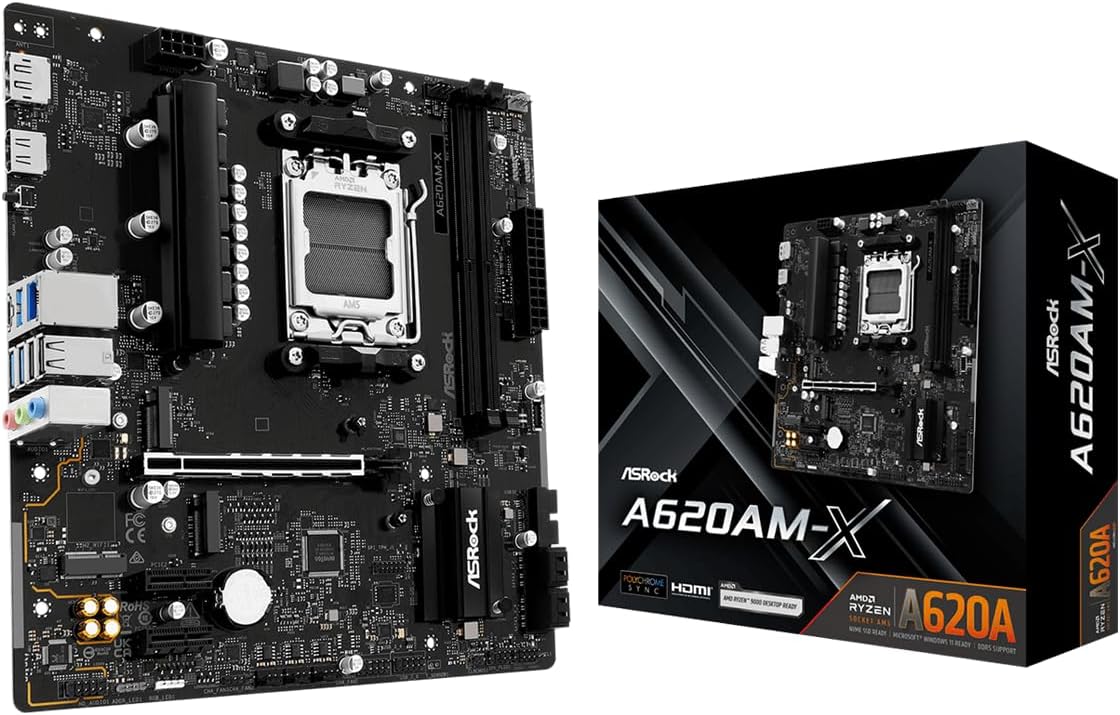
The ASRock A620AM-X offers entry into the modern AM5 ecosystem. Rated 4.5 stars it supports Ryzen 9000 8000 and 7000 series.
We may earn a commission when you buy through this link, at no additional cost to you.
It handles DDR5 speeds up to 8000MHz. Realtek 2.5G LAN and BIOS Flashback enhance networking and upgrade ease.
Trade-offs involve AM5 platform costs. These are expected for future-proof AMD builds.
Choose this for new builds aiming at latest Ryzen chips. It is a budget gateway to DDR5 and AM5 tech.
Compatible with Ryzen 9000 8000 and 7000 series CPUs.
DDR5 slots support overclocked speeds up to 8000MHz.
We may earn a commission when you buy through this link, at no additional cost to you.
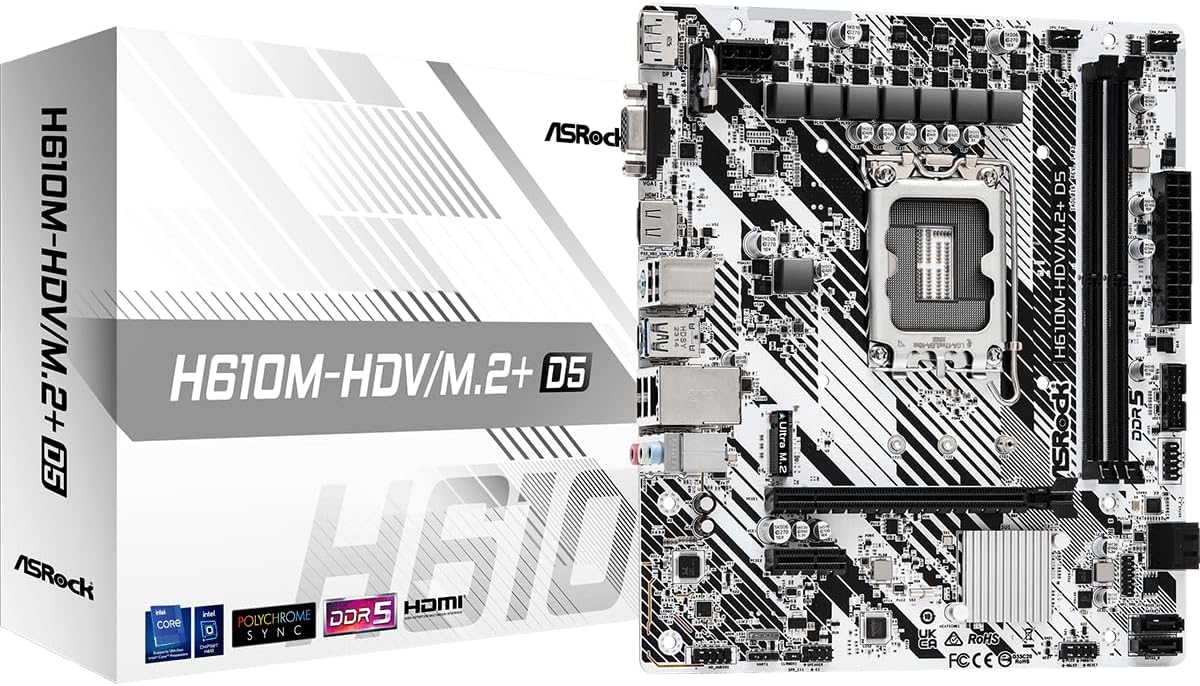
The ASRock H610M-HDV/M.2+ D5 delivers Intel budget performance. Rated 4.4 stars it supports 12th to 14th Gen Core processors.
We may earn a commission when you buy through this link, at no additional cost to you.
It enables DDR5 memory support up to 5600MHz. A PCIe 4.0 x16 slot ensures modern GPU compatibility.
Trade-offs include basic power design and limited rear USB. These are minor for entry-level Intel systems.
Choose this for cost-effective office or home Intel builds. It offers DDR5 support at a very low price.
Supports Intel Core 12th 13th and 14th Gen processors.
DDR5 slots allow faster memory for improved system speed.
We may earn a commission when you buy through this link, at no additional cost to you.
Selecting the right budget motherboard requires balancing your processor choice form factor needs and feature priorities. This guide highlights six key factors to help you decide.
Always match the motherboard socket to your CPU brand and generation. AMD AM4 boards work with Ryzen 5000 and older while AM5 is for newer chips. Intel LGA1700 supports 12th to 14th Gen.
Choose micro-ATX for compact budgets or ATX for more expansion. Ensure your case supports the board size to avoid assembly issues during build.
DDR4 remains affordable but DDR5 offers faster speeds. Check if the board supports your preferred memory speed and if overclocking is available for performance.
Look for at least one M.2 slot for fast NVMe SSDs. SATA ports are useful for additional drives so check counts before purchasing.
VRM design affects stability especially under load. Higher phase counts provide steady power for CPUs and ensure smooth operation over time.
Count rear USB ports video outputs and LAN speed. USB-C front headers can simplify cable management for modern peripherals.
Install the motherboard on the case standoffs and connect all power cables properly before testing. Ensure CPU pins are intact and apply thermal paste correctly.
Keep BIOS updated via manufacturer tools to fix bugs and support new CPUs. Use vendor utilities like Q-Flash or FlashBIOS for safe updates.
Dust the board regularly and monitor temps to avoid overheating. Good airflow extends lifespan and ensures stable performance long term.
Yes many budget boards offer solid VRMs and essential features for gaming. Look for PCIe 4.0 or PCIe 3.0 and stable power delivery to support modern GPUs.
AM4 supports Ryzen 5000 and older DDR4 RAM while AM5 supports newer 7000+ series with DDR5. AM5 offers future upgrades but costs more for CPUs and RAM.
Most budget boards exclude Wi-Fi to save cost but some like the MSI B550M PRO-VDH WiFi include it. Check the specs carefully before buying to know what is included.
Yes AM4 boards support Ryzen upgrades with a BIOS update. Always check the CPU support list on the manufacturer site to confirm compatibility before purchasing.
Micro-ATX boards fit most small cases and offer better value than ATX. Measure your case dimensions to ensure compatibility before buying a compact board.
Very cheap boards may lack features like USB-C or strong VRMs. Stick to reputable brands and read reviews to avoid issues with build quality or reliability.
The top picks range from legacy LGA1155 boards to modern AM5 and LGA1700 DDR5 entries. Each offers value for different budgets and build goals.
Prioritize CPU socket compatibility and memory type to ensure your system runs smoothly. Also consider future upgrades and connectivity needs when selecting a board.
Prices change often so check current deals before purchasing. This guide helps you choose the right affordable motherboard for your next PC build.