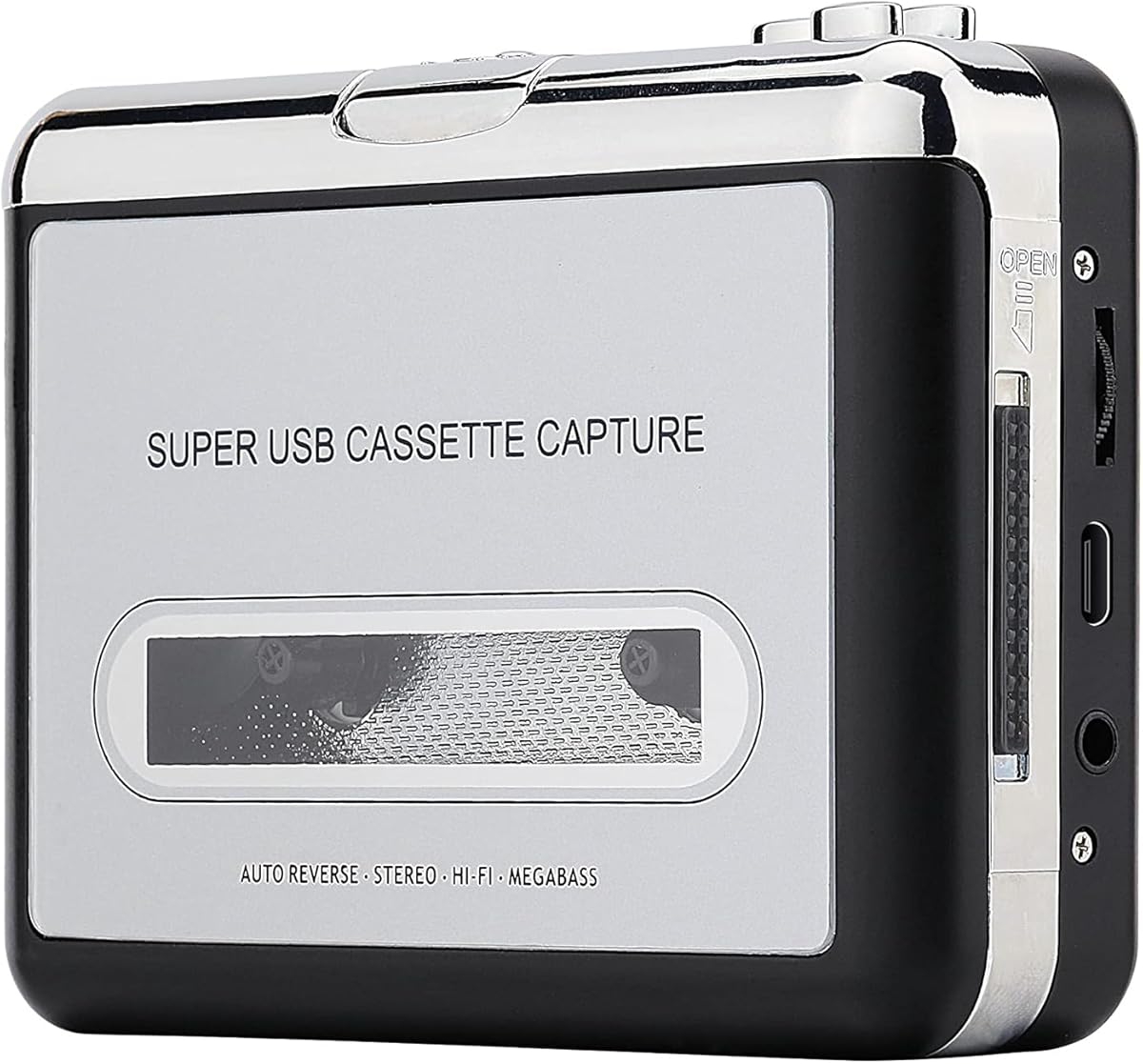
Reshow Cassette Tape Player Silver
3.8Editor score
Compatible with laptops and PCs
Standard 3.5mm AUX input jack
Lightweight compact design
This comprehensive guide compares the top cassette to MP3 converter models available today, helping you digitize your analog tape collection easily.
Converting old cassette tapes into digital files is a cherished way to preserve memories. A good converter should offer easy setup, reliable transfer speeds, and clear audio output without needing complex software.
We compared ten leading cassette to MP3 converter options based on their features, ease of use, build quality, and user feedback. This list covers portable players, USB-driven devices, and versatile recorders to suit various needs.
Each pick highlights unique strengths like Bluetooth connectivity, SD card storage, or direct USB recording. Remember that availability and stock levels can change, so check the latest details before purchasing your preferred model.
3.8Editor score

4.5Editor score

4.3Editor score
Below is a side-by-side comparison of all ten products evaluated in this guide, highlighting their key specifications to help you find the right fit for your digitization needs.


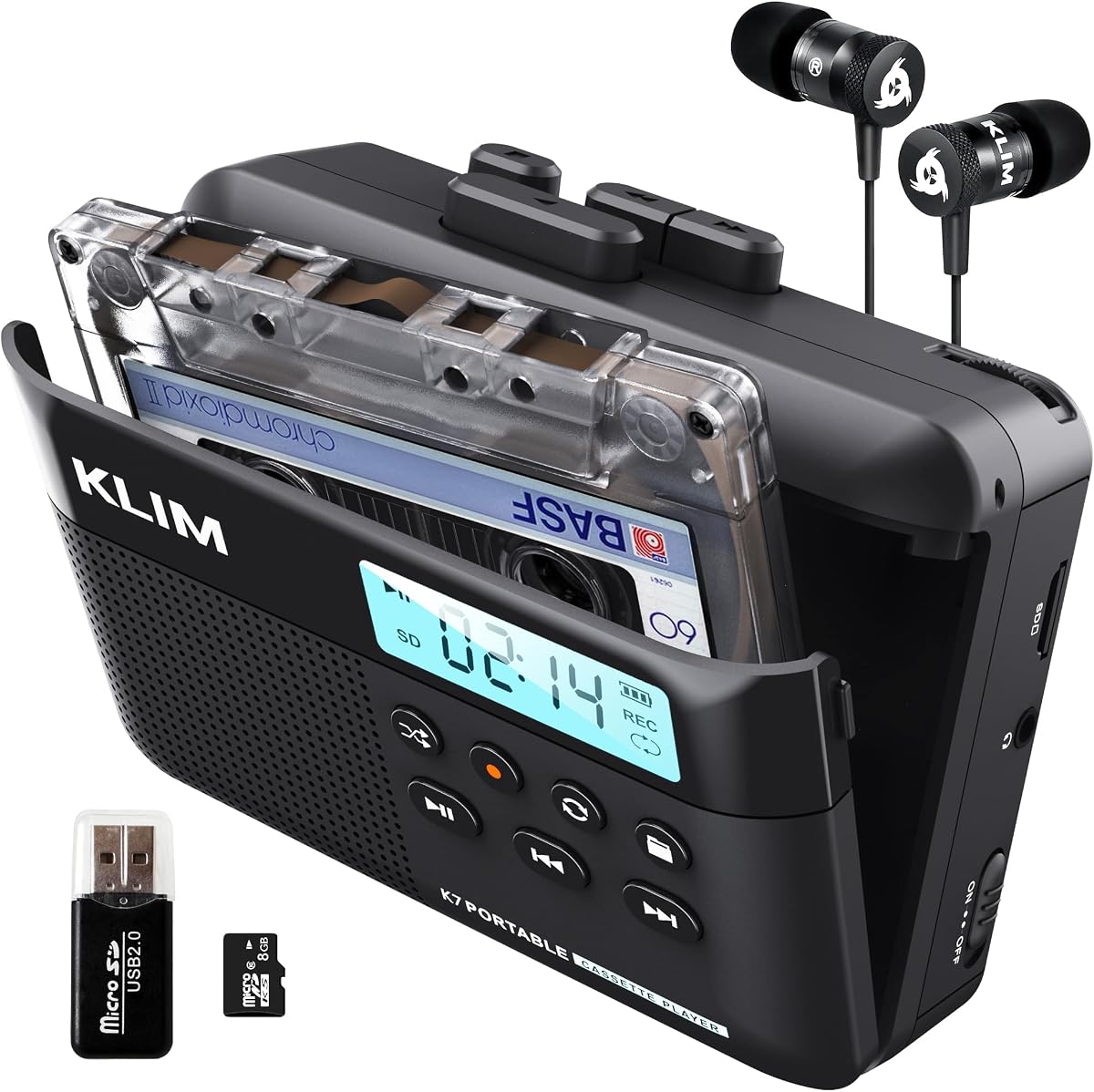


The K7 Cassette Player offers a straightforward way to digitize your favorite tapes without needing a computer. It comes with a 16GB SD card and reader, making storage and transfer seamless for users who want quick access to their digital files.
We may earn a commission when you buy through this link, at no additional cost to you.
Its built-in microphone allows for recording thoughts or meetings directly onto the SD card, adding versatility beyond tape conversion. The integrated speaker provides a decent listening experience, and the 3.5mm earphone jack ensures private audio enjoyment when needed.
While it does not support recording onto cassette tapes, which limits some creative uses, the focus on digital conversion is clear. The rechargeable battery ensures you can use it for extended periods without constantly swapping in batteries, enhancing portability.
This model is ideal for anyone looking for an easy, self-contained solution to preserve cassette music. If you prioritize simplicity and immediate digital access, the K7 Player delivers reliable performance with all necessary accessories included in the box.
The included 16GB SD card and reader allow you to store and transfer MP3 files without extra purchases.
A rechargeable 1000mAh battery and lightweight design make it perfect for travel or commuting with your music.
We may earn a commission when you buy through this link, at no additional cost to you.
The SEMIER Small Cassette Tape Player stands out for its ability to convert tapes to MP3 via SD card or USB cable. It also supports recording audio onto cassette tapes, offering a two-way function that preserves the analog experience alongside digital storage.
We may earn a commission when you buy through this link, at no additional cost to you.
Its compact design includes an LCD screen for easy navigation, making it user-friendly for those unfamiliar with cassette technology. The device can be powered by USB-C or four AA batteries, ensuring you can use it anywhere without being tethered to a power source.
However, it does not support Type IV or metal tapes, which might be a limitation for collectors with specific tape types. The sound quality is good with a built-in speaker, but battery life may vary depending on usage intensity and volume levels.
This player is a strong choice for users who want flexibility in both digital conversion and analog recording. If you value the ability to create mixtapes while digitizing old ones, the SEMIER offers a balanced feature set at a competitive price point.
Record to SD card for digital storage or to cassette tapes for analog preservation with the included microphone.
Weighing only 0.52 lbs with an LCD screen, it fits easily in bags for on-the-go use.
We may earn a commission when you buy through this link, at no additional cost to you.
The ClearClick Cassette Tape to USB 2.0 offers a unique instant setup experience that requires no computer, software, or drivers. You simply connect a USB flash drive, and it saves high-quality MP3 files directly to it, making the process incredibly straightforward.
We may earn a commission when you buy through this link, at no additional cost to you.
One of its standout features is the automatic track splitting mode, which divides tracks into individual MP3 files without manual intervention. This is particularly useful for albums where each song needs to be separate for easy organization on digital devices.
While it focuses heavily on USB storage, it does not offer SD card or Bluetooth connectivity, which might limit some users who prefer wireless options. However, the included 16 GB USB drive ensures you have immediate storage capacity for your converted tapes.
This model is perfect for those who want a plug-and-play solution without technical hurdles. If you prioritize ease of use and automatic file management, the ClearClick delivers a reliable and efficient way to preserve your cassette collection digitally.
The automatic track splitting feature organizes your converted songs into individual MP3 files seamlessly.
Setup is instant with no need for additional software or drivers, saving you time and effort.
We may earn a commission when you buy through this link, at no additional cost to you.
The Reshow Cassette Tape Player in silver is an affordable option for those looking to convert old cassettes to MP3 format via a USB cable. It works seamlessly with laptops and personal computers, making it a practical choice for users with existing tech setups.
We may earn a commission when you buy through this link, at no additional cost to you.
It includes converter software that guides you through the transfer process, ensuring you can enjoy your favorite music on modern devices like iPods or MP3 players. The device also supports standard 3.5mm AUX inputs, allowing you to connect headphones or car stereos easily.
While it is budget-friendly, it does require software installation for full conversion, which might be a minor hurdle for some users. The sound quality is clear in quiet environments, but it may not match higher-end models in terms of audio fidelity.
This player is a solid entry-level choice for beginners who want to preserve their tapes without breaking the bank. If you value compatibility with existing computers and straightforward USB connectivity, the Reshow provides excellent value for money.
Designed to work with laptops and PCs, it integrates well into your existing digital workflow for easy transfers.
At a competitive price, it offers all the basics needed to start digitizing your cassette collection immediately.
We may earn a commission when you buy through this link, at no additional cost to you.
The K7 Cassette Player with 8GB SD card offers a compact solution for converting tapes to digital MP3 files. It includes a built-in microphone that allows you to record thoughts or meetings directly onto the SD card, adding utility beyond just music conversion.
We may earn a commission when you buy through this link, at no additional cost to you.
Its lightweight and portable design makes it perfect for commuting or traveling, allowing you to enjoy your favorite tunes outdoors. The 3.5mm earphone jack ensures private listening, and the rechargeable battery ensures you can use it for extended periods without swapping batteries.
While it does not support recording onto cassette tapes, which limits its versatility for analog enthusiasts, the focus on digital conversion is clear. The 8GB storage is adequate for many users, but you may need to manage space if you have a large collection.
This model is ideal for anyone seeking a simple, portable way to preserve cassette music. If you prioritize ease of use and mobility, the K7 Player provides a reliable platform with essential features included in the package.
No additional devices or app downloads are needed; just follow the user manual for easy conversion to MP3.
A 1000mAh rechargeable battery charges in just two hours, ensuring you are always ready to convert tapes.
We may earn a commission when you buy through this link, at no additional cost to you.
The K7 Cassette Player with 32GB SD card is designed for users who want ample storage space for their converted tapes. It includes a built-in microphone that allows you to record thoughts or meetings directly onto the SD card, adding utility beyond just music conversion.
We may earn a commission when you buy through this link, at no additional cost to you.
Its lightweight and portable design makes it perfect for commuting or traveling, allowing you to enjoy your favorite tunes outdoors. The 3.5mm earphone jack ensures private listening, and the rechargeable battery ensures you can use it for extended periods without swapping batteries.
While it does not support recording onto cassette tapes, which limits its versatility for analog enthusiasts, the focus on digital conversion is clear. The 32GB storage is more than adequate for most users, allowing you to store a significant number of MP3 files.
This model is ideal for anyone seeking a simple, portable way to preserve cassette music with extra space. If you prioritize ease of use and mobility, the K7 Player provides a reliable platform with essential features included in the package.
The included 32GB SD card allows for storing a large number of converted MP3 files without frequent transfers.
Weighing very little, it is easy to carry in bags or pockets for music on the go.
We may earn a commission when you buy through this link, at no additional cost to you.
The Reshow Cassette Tape Player in black is a practical option for converting old cassettes to MP3 format via a USB cable. It works seamlessly with laptops and personal computers, making it a practical choice for users with existing tech setups.
We may earn a commission when you buy through this link, at no additional cost to you.
It includes converter software that guides you through the transfer process, ensuring you can enjoy your favorite music on modern devices like iPods or MP3 players. The device also supports standard 3.5mm AUX inputs, allowing you to connect headphones or car stereos easily.
While it requires software installation for full conversion, which might be a minor hurdle for some users, the guide helps simplify the process. The sound quality is clear in quiet environments, but it may not match higher-end models in terms of audio fidelity.
This player is a solid entry-level choice for beginners who want to preserve their tapes without breaking the bank. If you value compatibility with existing computers and straightforward USB connectivity, the Reshow provides excellent value for money.
Designed to work with laptops and PCs, it integrates well into your existing digital workflow for easy transfers.
At a competitive price, it offers all the basics needed to start digitizing your cassette collection immediately.
We may earn a commission when you buy through this link, at no additional cost to you.
The USB Cassette to MP3 Converter offers a straightforward way to digitize tapes without needing a computer. It records your tape onto a USB flash drive, which can then be transferred anywhere, making it a standalone solution for analog conversion.
We may earn a commission when you buy through this link, at no additional cost to you.
Its auto reverse feature allows it to automatically switch sides of the tape during conversion, saving you manual effort. You can choose between auto or manual recording modes, giving you control over whether to save entire songs or individual sentences into separate files.
For optimal performance, a fast USB drive with higher read rates is recommended to prevent files from skipping during playback. While it can be powered by AA batteries, USB power is more stable and ensures consistent recording quality throughout the process.
This model is ideal for users who want a simple, no-fuss way to convert tapes without complex software. If you prioritize autonomy and classic walkman-style use, the USB Cassette Converter provides a reliable and effective solution.
The auto reverse feature automatically switches tape sides during conversion, eliminating the need for manual flipping.
Choose between auto mode for automatic track splitting or manual mode for precise control over file creation.
We may earn a commission when you buy through this link, at no additional cost to you.
The Gracioso Bluetooth Cassette to MP3 Converter is a versatile all-in-one device that bridges vintage tapes and modern digital music. It features dual Bluetooth, allowing you to stream audio wirelessly to headphones or receive audio from phones to play through its speakers.
We may earn a commission when you buy through this link, at no additional cost to you.
Its 6W speaker delivers higher clarity and deeper sound compared to standard models, making it perfect for seniors and music lovers who want to relive the nostalgic sound of classic cassettes. The built-in 2000mAh battery ensures uninterrupted enjoyment for up to ten hours in Bluetooth mode.
USB direct recording allows you to convert tapes to digital MP3 files instantly without needing a computer or complicated software. However, it supports only FAT32 formatted USB drives between 4 and 32 GB, which limits drive options for some users with higher capacity drives.
This model is ideal for users who want a premium feature set including Bluetooth streaming and recording capabilities. If you prioritize audio quality and wireless connectivity alongside conversion, the Gracioso offers a top-tier solution for preserving your analog music.
Transmitter mode streams tape audio to Bluetooth headphones, while receiver mode plays phone music through the cassette player.
The 2000mAh rechargeable battery provides up to ten hours of Bluetooth use, ensuring all-day listening.
We may earn a commission when you buy through this link, at no additional cost to you.
The K7 Cassette Tape Player Basic offers a straightforward way to digitize your favorite tapes without needing a computer. It comes with a 16GB SD card and reader, making storage and transfer seamless for users who want quick access to their digital files.
We may earn a commission when you buy through this link, at no additional cost to you.
Its built-in microphone allows for recording thoughts or meetings directly onto the SD card, adding versatility beyond tape conversion. The integrated speaker provides a decent listening experience, and the 3.5mm earphone jack ensures private audio enjoyment when needed.
While it does not support recording onto cassette tapes, which limits some creative uses, the focus on digital conversion is clear. The rechargeable battery ensures you can use it for extended periods without constantly swapping in batteries, enhancing portability.
This model is ideal for anyone looking for an easy, self-contained solution to preserve cassette music. If you prioritize simplicity and immediate digital access, the K7 Player delivers reliable performance with all necessary accessories included in the box.
The included 16GB SD card and reader allow you to store and transfer MP3 files without extra purchases.
A rechargeable 1000mAh battery and lightweight design make it perfect for travel or commuting with your music.
We may earn a commission when you buy through this link, at no additional cost to you.
Choosing the right converter depends on your specific needs, whether it is simplicity, connectivity options, or storage capacity. Below are key factors to consider.
Some converters require a computer with software installed, while others offer instant setup with USB or SD card storage. Instant setup models are ideal for users who want simplicity without technical hurdles.
If you value ease of use, choose a converter that supports direct USB or SD card recording without needing drivers.
Consider whether you prefer SD cards, USB drives, or both for storing your converted files. Larger capacities like 32GB offer more space for extensive collections.
Ensure the device supports the storage type you already own or is willing to purchase.
Converters may be powered by rechargeable batteries, AA batteries, or USB cables. Rechargeable options are more environmentally friendly and convenient for travel.
Check battery life to ensure it meets your usage needs for long conversion sessions.
Look for devices with built-in speakers and headphone jacks to monitor sound quality during conversion. Higher-quality converters often provide better sound fidelity.
Read user reviews to gauge real-world audio performance across different tape conditions.
Features like automatic track splitting, Bluetooth connectivity, or recording capabilities add value. Decide which extras are necessary for your workflow.
Prioritize features that match your use case, such as wireless streaming or manual control.
If you plan to use the converter on the go, look for lightweight and compact designs. Portability ensures you can preserve tapes anywhere.
Check weight and dimensions to ensure it fits comfortably in your travel bag.
Some devices do not support certain tape types like Type IV or metal tapes. Verify compatibility if you have specialized collections.
Ensure the converter supports the specific tape formats you need to digitize.
Check if the manufacturer provides customer support or warranties for peace of mind. Reliable support can help resolve setup issues quickly.
Prioritize brands known for responsive customer service to protect your purchase.
Insert a formatted USB drive or SD card into the converter before starting the conversion process. Ensure the storage device is recognized by the device to avoid data loss.
Play your cassette tape and press record to begin digitizing. For models with auto mode, the device will split tracks automatically; otherwise, manage files manually.
After conversion, safely eject the storage device to prevent corruption. Store tapes in a cool, dry place and clean the device regularly to ensure longevity.
Not necessarily. Many modern converters allow you to save MP3 files directly to USB drives or SD cards without a computer. However, some models still require software for full functionality.
Most converters require you to play one tape at a time. However, you can use auto-reverse models to reduce manual flipping and save time during the process.
It depends on how many tapes you plan to convert. A 16GB card or drive is sufficient for most users, but collectors with large libraries may prefer 32GB options.
Yes, some premium models include Bluetooth to stream audio wirelessly. This allows you to listen through headphones or speakers without physical connections.
Only specific converters support recording onto tapes. Most focus on digital conversion, so check product details if you want to create mixtapes or record new content.
Conversion speed varies by model and tape length. Typically, it takes about the same amount of time as playing the tape, but auto-splitting features can reduce post-processing time.
The top picks in this guide, like the ClearClick, Reshow, and Gracioso models, offer distinct advantages depending on whether you prioritize ease of use, budget, or premium features.
Consider your storage needs, power preferences, and connectivity requirements when making a decision. A versatile converter ensures you can preserve your tapes while enjoying modern digital formats.
Remember to check current stock and availability before purchasing, as model variations and prices can change over time.