
Brailliant BI 40X Braille Display
5.0Editor score
40-cell refreshable display
Bluetooth 5 technology support
32GB internal storage capacity
This guide compares the top 10 Braille displays and tools for blind users, evaluating features, compatibility, and usability to help you find the perfect
Finding the right Braille display can transform how blind users interact with technology. A good device offers reliable refreshable cells, seamless connectivity, and intuitive controls for daily tasks.
We evaluated ten leading options based on build quality, connectivity, and user feedback. Our comparison covers everything from premium refreshable displays to affordable slates and learning tools.
Each pick highlights key strengths and ideal use cases for different needs. Remember that features and availability may change, so check current listings before purchasing your next assistive device.
5.0Editor score

4.5Editor score

4.8Editor score
This side-by-side comparison outlines the key specifications and capabilities of each featured product to help you identify the best fit for your accessibility requirements.




The Brailliant BI 20X offers a reliable 20-cell refreshable Braille display for daily use. It features robust connectivity options and onboard apps that support independent reading and writing tasks.
We may earn a commission when you buy through this link, at no additional cost to you.
Its ability to connect to five Bluetooth devices simultaneously makes switching between devices seamless. The built-in library support allows direct access to resources like Bookshare and NLS BARD without extra apps.
While the price is an investment, the battery life and storage capacity justify the cost for users needing extended offline use. The 16GB storage holds substantial files for education or work.
This display is ideal for students and professionals who require a portable yet powerful Braille solution. Its comprehensive feature set ensures it remains a top contender in accessibility technology.
With support for five Bluetooth connections plus one USB, you can link multiple devices simultaneously. This flexibility ensures you never miss a notification or file transfer across your digital ecosystem.
Built-in apps connect directly to major online libraries, offering instant access to thousands of books and documents. This eliminates the need for complex third-party setups to enjoy reading.
We may earn a commission when you buy through this link, at no additional cost to you.
The Brailliant BI 40X expands on the 20X model with a wider 40-cell display for comfortable reading. It is designed for users who need more screen real estate and advanced connectivity features.
We may earn a commission when you buy through this link, at no additional cost to you.
Bluetooth 5.0 technology ensures faster and more stable wireless connections compared to older standards. The 32GB internal storage provides ample space for storing books, documents, and music files.
While the device is larger and heavier than compact models, the extra width significantly enhances reading speed and efficiency. It is perfect for users who spend long hours working on complex text.
Ideal for advanced users and professionals, this display offers the premium features needed for demanding tasks. Its robust design ensures reliability in both home and educational environments.
With forty cells instead of twenty, you see double the text at once. This reduces scrolling frequency and speeds up comprehension during research or study sessions.
Bluetooth 5.0 delivers quicker pairing and more stable data transfer. This minimizes lag when navigating complex documents or streaming audio content directly.
We may earn a commission when you buy through this link, at no additional cost to you.
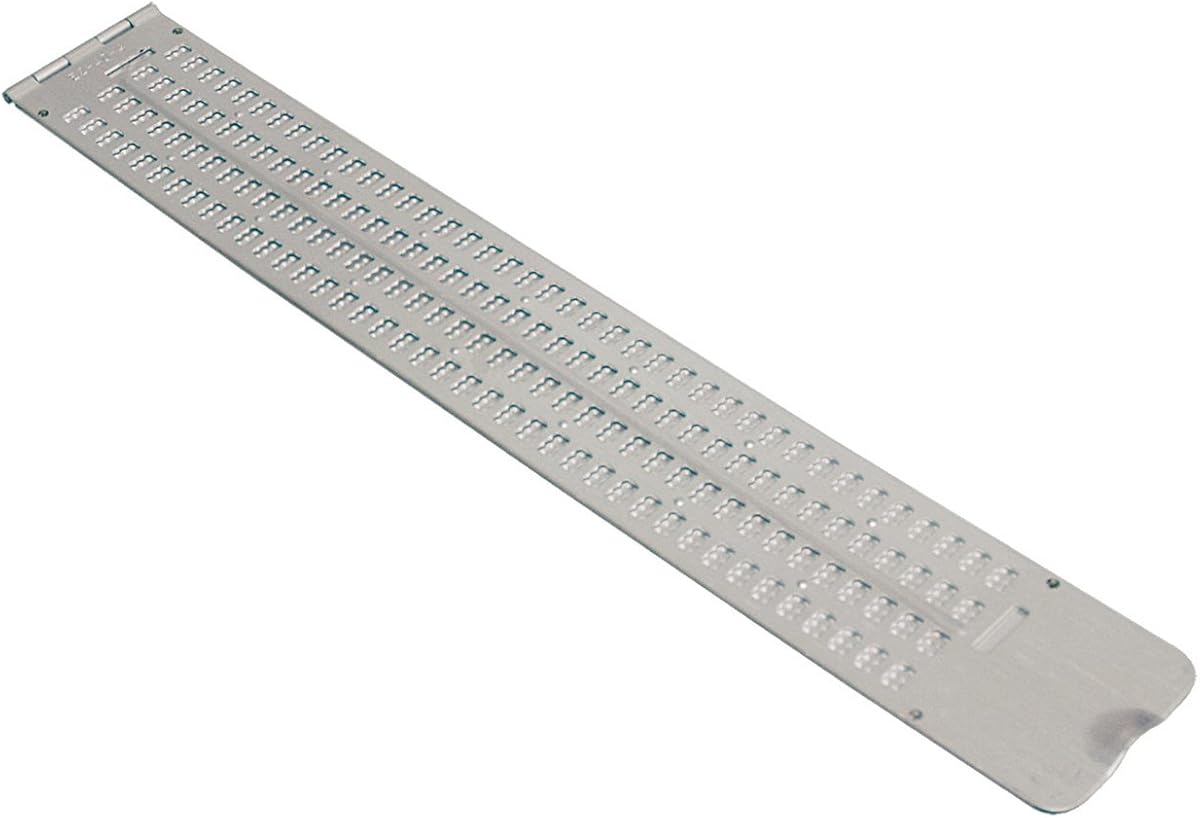
This manual slate offers a traditional way to write Braille without any electronics. It features a large surface area for extensive note-taking and is made from durable aluminum.
We may earn a commission when you buy through this link, at no additional cost to you.
Users can write on 13 lines with 36 cells across. The pins-down style helps protect the paper and ensures consistent dot formation. It includes a stylus for immediate use.
While it requires more effort than electronic displays, it is perfect for quick notes or educational exercises. The hinged design keeps paper secure while writing.
Great for classrooms or personal study, this slate provides a cost-effective method to practice and produce Braille. It complements electronic devices for a comprehensive learning setup.
Using a manual slate reinforces tactile memory of dot placement. It is an effective tool for beginners mastering the fundamentals of Braille literacy.
Made from sturdy aluminum, this slate withstands daily wear and tear. The hinge mechanism is designed for repeated opening and closing without breakage.
We may earn a commission when you buy through this link, at no additional cost to you.
This ultra-thin slate is designed for embossing signatures or short labels. It features a built-in guide to ensure lines stay perfectly straight for professional results.
We may earn a commission when you buy through this link, at no additional cost to you.
Measuring about 4 inches by 2.5 inches, it fits easily into wallets or briefcases. The aluminum construction ensures it remains lightweight yet robust enough for daily carrying.
While not intended for long documents, it is excellent for business cards or quick notes. The included stylus is durable and ensures clear Braille dots.
This tool is ideal for maintaining privacy when signing documents or labeling items on the go. Its simplicity and portability make it a practical accessory for any user.
The guide ensures your Braille signature remains perfectly straight every time. This adds a professional touch to business cards and personal correspondence.
Its slim profile means you can carry it effortlessly anywhere. Whether in a pocket or a small pouch, it is always ready for quick labeling tasks.
We may earn a commission when you buy through this link, at no additional cost to you.
This slate is designed to hold a full sheet of letter-size paper for uninterrupted writing. It allows users to write multiple pages without constantly shifting the slate.
We may earn a commission when you buy through this link, at no additional cost to you.
The quiet plastic material prevents disturbing others during use, making it suitable for libraries or offices. Lines are embossed to help with alignment and spacing.
Paper stays secure inside the slate to prevent wrinkling or loss. You can leave a page inside and return to finish it later without losing your place.
It is an excellent tool for long notes or assignments in quiet environments. The combination of capacity and quiet operation makes it a standout for academic tasks.
Holding a full page means you can write from top to bottom seamlessly. This efficiency is perfect for students needing to draft long essays or notes.
Unlike metal slates, this plastic design produces minimal sound. It ensures your focus remains on writing without creating distractions for people around you.
We may earn a commission when you buy through this link, at no additional cost to you.
This pocket slate combines portability with a respectable writing area. It features four lines with 40 cells each, allowing for longer notes than smaller slates.
We may earn a commission when you buy through this link, at no additional cost to you.
Made of lightweight aluminum, it is easy to carry in a briefcase or backpack. The pins-up configuration offers protection and ease of use when writing on the go.
It serves as a reliable backup for digital devices when power is unavailable or when privacy is needed. The compact size ensures it never gets in the way.
Perfect for travelers or commuters, this slate provides a quick way to jot down information without electronics. It balances functionality with a very small footprint.
The compact dimensions allow it to fit easily in a pocket or bag. It is ideal for anyone needing a writing tool while traveling or commuting daily.
Despite its small size, the aluminum body ensures durability. It can withstand being tossed into a bag without bending or breaking easily.
We may earn a commission when you buy through this link, at no additional cost to you.
The Hable One offers a tactile way to type on smartphones without relying solely on screen readers. It connects via Bluetooth to provide a private and efficient input method.
We may earn a commission when you buy through this link, at no additional cost to you.
With eight tactile buttons and a learning curve that does not require prior Braille knowledge, it is accessible to new users. Onboarding calls help master the input quickly.
Its battery lasts over a month on a single charge, ensuring it is always ready for use. The compact design allows it to fit easily in a pocket.
This keyboard is perfect for maintaining privacy while texting or navigating a device. It bridges the gap between traditional Braille and modern digital input methods.
Unlike traditional displays, you do not need to know Braille to start typing. The intuitive layout and tutorials make it accessible for anyone wanting faster input.
Type with your phone in your pocket for total privacy. The tactile feedback ensures you know you are typing without needing to look at the screen.
We may earn a commission when you buy through this link, at no additional cost to you.
This label maker allows users to create personalized Braille labels for organizing items at home or work. It features a dial to select letters and a trigger to emboss the dots.
We may earn a commission when you buy through this link, at no additional cost to you.
The device comes with a roll of half-inch tape, providing everything needed to start labeling immediately. The dial is embossed for easy selection without sight.
It is lightweight and easy to hold, making it suitable for extended labeling sessions. The plastic body ensures durability and keeps the operation quiet.
Ideal for organizing food, medication, or storage containers, this tool adds independence to daily tasks. It helps distinguish items quickly through tactile labeling.
The included tape roll means you can start using it right out of the box. No need to buy extra supplies immediately to organize your space.
Each letter on the dial is marked in Braille for intuitive selection. This design ensures you can find the characters you need without looking.
We may earn a commission when you buy through this link, at no additional cost to you.
These overlays turn any standard keyboard into a bilingual input device by adding Braille markings over existing keys. They are made from durable Lexan material for longevity.
We may earn a commission when you buy through this link, at no additional cost to you.
The transparent design allows you to see the original key labels while adding tactile Braille cues. The adhesive is strong enough to stay flat without curling.
Installation is simple with a peel-and-stick method. They are perfect for offices or homes where sighted and blind users share the same computer.
This is a cost-effective way to improve keyboard accessibility without buying new hardware. It is suitable for anyone wanting to learn Braille while typing.
The transparent stickers let sighted and non-sighted users use the same keyboard seamlessly. It promotes inclusivity in shared workspaces or home environments.
The adhesive ensures the stickers remain flat and do not peel up over time. This durability guarantees clear tactile feedback for extended periods.
We may earn a commission when you buy through this link, at no additional cost to you.
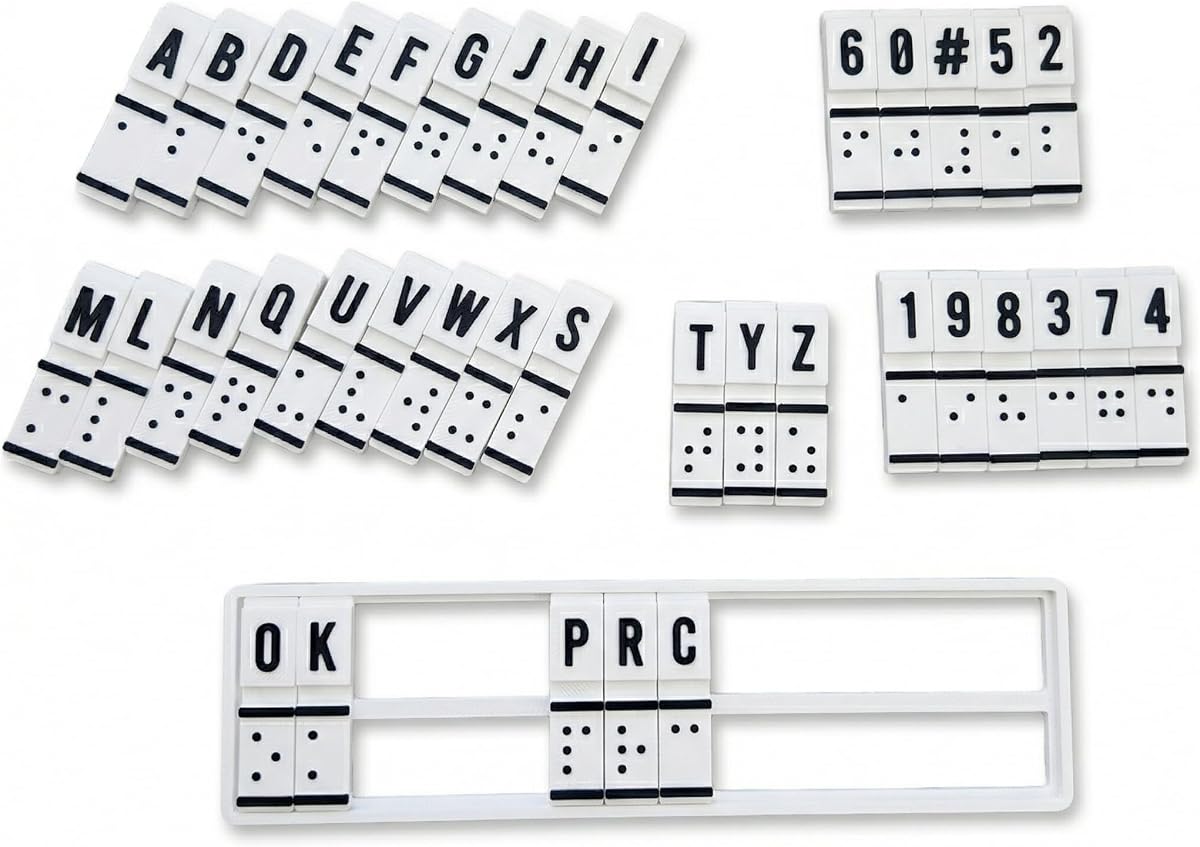
This device aims to combine education, training, and translation into one compact unit. It features raised Braille cells for manual interaction and is designed for beginners.
We may earn a commission when you buy through this link, at no additional cost to you.
It supports both text-to-Braille and Braille-to-text conversion through physical interaction. This helps bridge communication between sighted and non-sighted users effectively.
While the rating is lower, it offers a unique educational approach for classrooms or homes. The device is built to be portable for use in different therapy sessions.
Best suited for students looking to practice tactile recognition without digital distractions. It serves as a supplemental tool for mastering Braille literacy skills.
Combining education and translation in one device simplifies the learning process. It offers hands-on practice for those building confidence in literacy.
The sturdy build ensures it can handle daily use in various settings. Whether at school or home, it provides a reliable practice tool.
We may earn a commission when you buy through this link, at no additional cost to you.
Selecting the right assistive device depends on your specific usage needs, budget, and environment. Here are key factors to consider.
The number of Braille cells determines how much text you see at once. Displays range from 20 to 40 cells, with higher counts allowing for wider line reading and reduced scrolling.
Choose a cell count that matches your reading pace and screen navigation needs.
Modern displays offer Bluetooth and USB connections to pair with various devices like phones, tablets, and computers. Multiple connections allow seamless switching between devices.
Ensure the device supports your preferred operating system and connection protocols.
A long battery life is crucial for users on the go or those without constant access to charging. Look for devices offering at least 15 to 20 hours of active use.
Prioritize models with USB-C charging for faster and more reliable power replenishment.
If you travel frequently, the weight and size of the device matter significantly. Compact slates or smaller displays fit easily in bags while larger models offer more stability.
Weigh portability against screen size to find the right balance for your lifestyle.
Internal storage allows you to store books and files directly on the device without needing a computer. This is vital for offline reading in areas with limited internet access.
Look for devices with at least 16GB of storage to hold a substantial library of documents.
The physical layout of keys, such as Perkins-style or simplified buttons, affects typing speed and comfort. Some devices include a full keyboard while others have simplified controls.
Choose a layout that feels intuitive and supports your preferred typing style.
Prices for Braille devices vary widely based on features and brand. High-end displays cost more but offer better battery and connectivity options than basic models.
Balance your budget with necessary features to ensure the device meets long-term needs.
Some manufacturers offer proprietary apps or library integrations that simplify access to content. Check if the device supports the platforms you use most often.
Ensure the manufacturer provides reliable customer support for software updates and troubleshooting.
To maximize battery life, connect your device via Bluetooth only when necessary and charge it regularly using the provided USB-C cable.
Keep the surface of your display clean with a soft cloth to prevent dust from accumulating in the Braille cells, which can affect tactile feedback.
Update your firmware regularly through the manufacturer's app to ensure compatibility with new devices and operating systems.
Most modern Braille displays support Bluetooth connectivity, allowing them to pair seamlessly with iOS and Android smartphones. This lets you read and navigate your phone directly through tactile feedback.
A refreshable display uses electronic cells that change to form Braille text dynamically, while a slate is a manual tool used to emboss paper. Displays connect to computers for reading text.
Yes, most refreshable displays require knowledge of Braille to navigate and read effectively. However, some tools like the Hable One offer training modes for beginners to learn quickly.
High-quality refreshable displays usually last between 15 to 20 hours on a single charge. This duration is sufficient for daily reading and work tasks without needing constant recharging.
Most Braille displays are not waterproof and should be kept away from liquids. However, the plastic slates are often water-resistant enough to handle accidental splashes with care.
Some advanced displays like the Brailliant models have onboard apps that let you read files or access libraries without a computer. This offers greater independence for offline usage.
Warranties vary by manufacturer, typically ranging from one to two years. It is advisable to check the specific policy for your chosen model to understand coverage details.
Many manufacturers offer discounts for students and educators. Contacting the vendor directly or checking academic programs can help you secure a better price.
We compared ten top solutions including the Brailliant BI 20X and 40X for professional use, and the Hable One for smartphone accessibility. Each offers unique features suited to different needs.
Prioritize connectivity and battery life if you are a mobile user, or look for larger screens if you read long documents. Budget-friendly slates remain great tools for basic labeling and notes.
Remember that pricing and availability change frequently. Check current listings on trusted retailers to find the best deal for your specific accessibility requirements.