
UGREEN Bluetooth 5.3 Adapter for PS4 PS5
4.3Editor score
Under Thirty Dollars Price
Bluetooth 5.3 Technology
Less Than 60ms Lag
This guide compares the top Bluetooth USB audio transmitters for gaming and PC use, focusing on latency, codec support, and compatibility with modern devices.
Finding the right Bluetooth USB audio transmitter can transform your gaming and computing experience by enabling wireless audio without sacrificing quality. These devices bridge the gap between modern PCs and consoles and your favorite wireless headphones, offering freedom from tangled cables while maintaining high fidelity sound.
We evaluated ten top-rated transmitters based on latency performance, codec support like aptX Adaptive, and ease of use across different platforms. Our analysis focuses on real-world scenarios including gaming, video streaming, and professional calls to ensure you choose the device that best fits your specific workflow and audio needs.
Each pick highlights unique strengths such as low latency modes, multi-device pairing, or specific console compatibility like PS5. While prices may vary over time, the core features listed remain consistent indicators of performance. Always verify current specifications before purchasing to ensure compatibility with your existing hardware and audio setup.
4.3Editor score

4.4Editor score

4.1Editor score
This side-by-side comparison highlights the key specifications and capabilities of each transmitter to help you make an informed decision based on your specific audio requirements and device ecosystem.




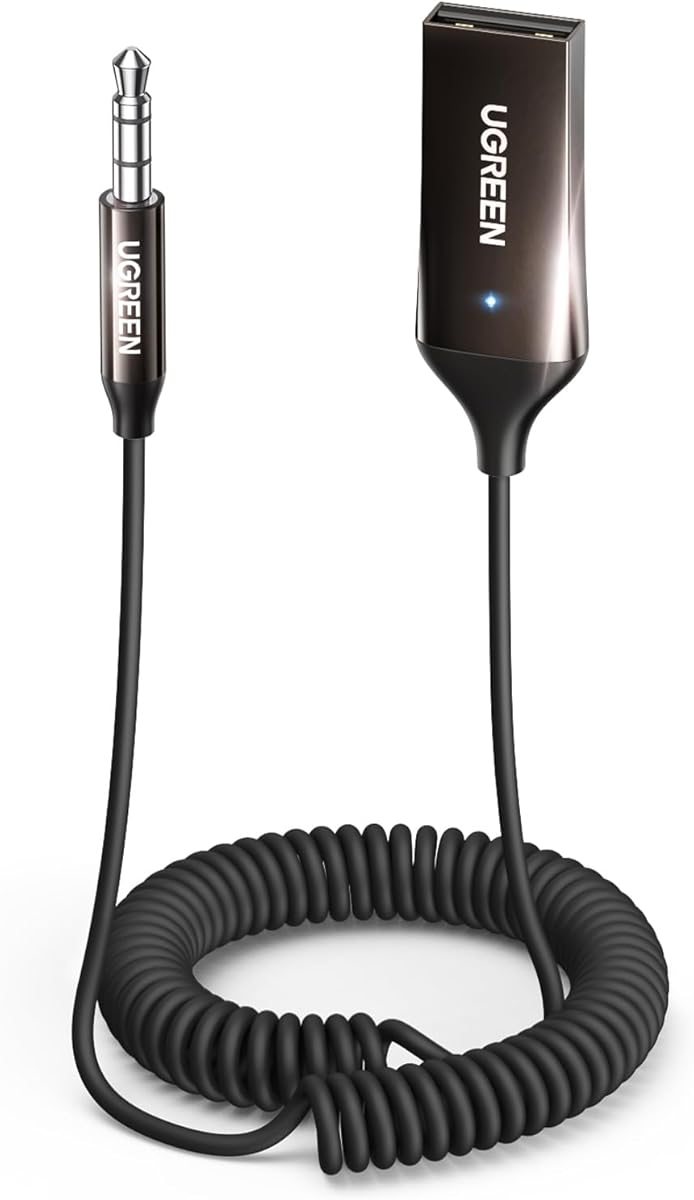
The UGREEN USB-C Bluetooth Adapter stands out as the top choice for PS5 users seeking high-quality wireless audio without compromising on latency. With a strong rating of 4.4 stars, it delivers consistent performance that gamers and streamers appreciate for its reliability and clear sound reproduction.
We may earn a commission when you buy through this link, at no additional cost to you.
Its Qualcomm chipset supports aptX Adaptive low latency, ensuring audio delay is minimized to under 100ms for synchronized gameplay. The adapter easily connects to your PS5 or PC via USB-C, requiring no drivers or software installation. It also supports multiple codecs including aptX HD and SBC to accommodate various headphones.
While it offers excellent audio quality, it lacks dual-device pairing and is not compatible with PS4 or Linux systems. Users must also manually select the audio output device in settings. These limitations are acceptable given its specialized focus on console gaming and high fidelity PC audio streaming.
This adapter is ideal for PS5 owners and PC gamers who prioritize low latency and high resolution audio. If you need seamless wireless connectivity for gaming sessions or media playback, this device provides a robust solution that enhances your entertainment setup significantly.
Designed specifically to work flawlessly with the PS5, this adapter ensures you can use your favorite wireless headphones without audio lag or connectivity issues during intense gaming sessions.
Supporting aptX HD and 24-bit dynamic audio, it delivers rich sound details that enhance music listening and immersive game soundtracks alike.
We may earn a commission when you buy through this link, at no additional cost to you.
The UGREEN Bluetooth 5.3 Adapter offers an incredible balance of performance and affordability, making it the best budget option for console gamers. With a rating of 4.3, it delivers reliable audio streaming that rivals more expensive models while costing significantly less than competitors.
We may earn a commission when you buy through this link, at no additional cost to you.
It features aptX AD technology to reduce audio lag to under 60ms, which is nearly imperceptible during gameplay. The adapter supports PS4, PS5, and Switch seamlessly without drivers. It also includes a 3.5mm microphone for voice chat, though you must plug it into a controller for optimal use.
Some users may find the microphone setup slightly complex compared to integrated solutions. Additionally, file transfer is not supported as it focuses purely on audio transmission. However, for its price, the range and latency performance make it a standout value choice.
Choose this adapter if you want high performance wireless audio for your gaming console without breaking the bank. It is perfect for budget-conscious gamers who still demand low latency and reliable connectivity for late-night sessions.
Achieving less than 60ms lag, this adapter ensures your audio stays perfectly synced with on-screen action for a seamless gaming experience.
Works smoothly with both PS4 and PS5 systems, allowing you to switch consoles without needing a new adapter for each one.
We may earn a commission when you buy through this link, at no additional cost to you.
The Sennheiser BTD 700 Dongle is a premium choice for those seeking the highest audio fidelity with minimal latency. With a rating of 4.1, it excels in delivering lossless sound and ultra-low latency modes tailored for professional gaming and critical listening environments.
We may earn a commission when you buy through this link, at no additional cost to you.
It supports aptX Lossless and aptX Adaptive codecs, ensuring every detail in your music or game audio is preserved. The gaming mode reduces latency to just 30 milliseconds, which is exceptional. It also enables Auracast streaming for sharing audio with multiple headphones simultaneously.
While it delivers top-tier audio, it comes at a higher cost compared to budget alternatives. Setup is straightforward but lacks some advanced device switching features found in other premium models. These trade-offs are minor given the superior sound quality and low latency performance.
This dongle is perfect for audiophiles and competitive gamers who need absolute synchronization and high-quality streaming. If you value audio precision and are willing to invest in premium hardware, this is an excellent long-term choice for your setup.
aptX Lossless support ensures you hear every nuance in your music and game soundtracks without the compression typical of standard Bluetooth.
Stream audio to multiple headphones or speakers at once, making it ideal for shared listening experiences or group gaming sessions.
We may earn a commission when you buy through this link, at no additional cost to you.
This adapter from UGREEN brings next-generation Bluetooth 6.0 technology to the table, offering LE Audio capabilities for enhanced streaming. With a 4.1 rating, it is well suited for users who want future-proof features like Auracast and multi-sharing without sacrificing current compatibility.
We may earn a commission when you buy through this link, at no additional cost to you.
It supports switching between Low Latency and High-Quality modes for different scenarios like gaming or music. The Qualcomm chip ensures stable connections even in noisy environments. Additionally, you can share audio with multiple listeners in LE Audio mode for a collaborative experience.
The main limitation is that LE Audio requires receiving devices that support the standard. If your headphones are older, you must use Classic Bluetooth. This restricts the immediate utility of the advanced features but ensures robust compatibility overall.
If you are looking for a versatile adapter that supports future Bluetooth standards, this is a strong contender. It is particularly useful for users planning to upgrade their headphones to LE-compatible models soon while maintaining high-quality audio today.
Equipped with the latest Bluetooth 6.0 chip for faster pairing and more stable connections compared to previous generations.
LE Audio mode allows one-to-many broadcasting so multiple people can listen to the same source simultaneously.
We may earn a commission when you buy through this link, at no additional cost to you.
The Creative BT-W5 is designed for professionals and creators who need reliable high-resolution audio on their workstations. With a 4.0 rating, it offers features like 24-bit 96kHz streaming and device switching that cater to power users managing multiple tasks daily.
We may earn a commission when you buy through this link, at no additional cost to you.
It automatically adjusts bitrate based on content and signal levels to ensure stability. You can store up to four devices and switch between them quickly without reconnecting. The built-in microphone supports hands-free calls, making it useful for remote meetings as well.
While it handles high-fidelity audio well, it requires a USB-C port and lacks a USB-A adapter. Some advanced features also rely on the Creative app for full device management. These requirements are minor for those with compatible systems.
Choose this if you need a versatile transmitter for both work and play on a PC or Mac. Its balance of high-quality streaming and convenience features makes it a reliable tool for productivity and entertainment combined.
Delivers 24-bit 96kHz audio for lossless-quality sound that meets professional standards for work and gaming.
Switch output between connected devices with a single button press for seamless transitions without re-pairing.
We may earn a commission when you buy through this link, at no additional cost to you.
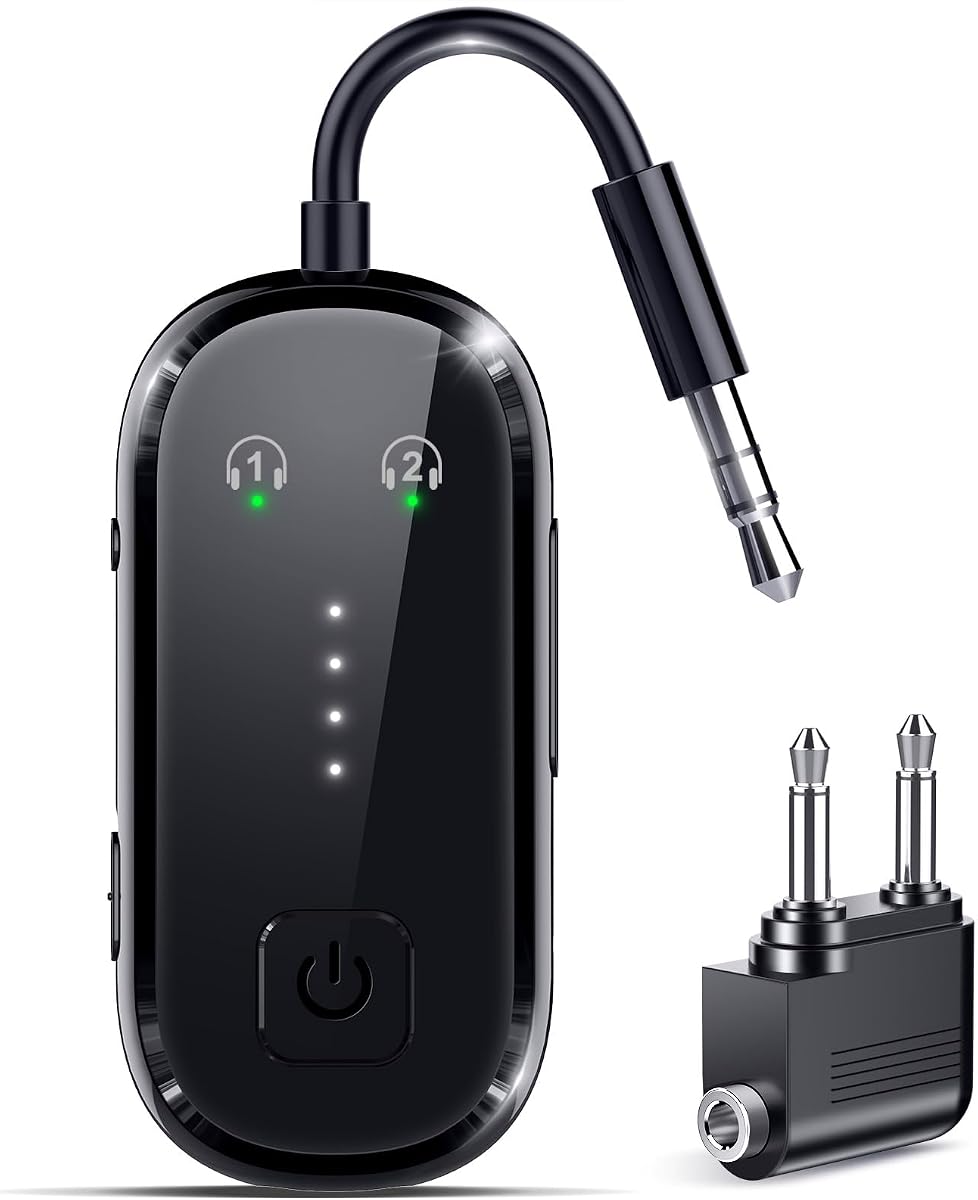
This adapter stands out for its flexibility as both a transmitter and receiver with a long-lasting battery. With a strong 4.5 rating, it is ideal for travelers who need to connect to non-Bluetooth audio systems like airplane seatbacks or car AUX ports.
We may earn a commission when you buy through this link, at no additional cost to you.
It offers over 20 hours of playback on a single charge and fast USB-C charging. In TX mode, you can connect two sets of headphones for sharing content. The auto-pairing system ensures quick reconnection with your favorite devices when you power it on.
It is not designed for live music or instruments but focuses on general audio streaming. Additionally, the AUX input limits compatibility to devices with a 3.5mm jack. These limitations are expected given its compact travel design.
Perfect for frequent flyers and road trippers, this adapter ensures you can enjoy wireless audio anywhere. If you need a portable solution that handles both sending and receiving audio, this is a top choice for convenience.
Enjoy over 20 hours of continuous playback so you stay connected through long flights or drives without recharging.
Switch between transmitting audio to headphones and receiving audio from phones to speakers for versatile usage.
We may earn a commission when you buy through this link, at no additional cost to you.
The Sennheiser BTD 600 is a straightforward and reliable dongle for office workers and casual users. With a 4.2 rating, it offers a plug-and-play experience that adds wireless audio capability to your PC or Mac without technical hassle.
We may earn a commission when you buy through this link, at no additional cost to you.
It supports Bluetooth 5.2 and aptX for high-quality sound and low latency video sync. You can control media playback directly from your headphones, and the adapter retains pairing info even after unplugging. It includes a USB-C adapter for versatile connection options.
While it lacks advanced streaming features like Auracast, it excels in stability and ease of use. The separate USB-C adapter is a minor inconvenience but ensures broad compatibility. For everyday office tasks, it delivers consistent performance.
This is an ideal choice if you want a simple, reliable solution for work-from-home calls and music. If you need a no-fuss way to connect wireless headphones to your computer, this dongle handles the basics well.
Designed for professional use with stable connections that ensure you stay connected during important calls and meetings.
Use your headphone controls for media and calls so you never have to reach for your computer while working.
We may earn a commission when you buy through this link, at no additional cost to you.
This network adapter version of the BT-W5 focuses on providing stable high-resolution audio for gaming and work. With a 4.3 rating, it delivers consistent sound reproduction that matches the needs of creative professionals and enthusiasts.
We may earn a commission when you buy through this link, at no additional cost to you.
It uses the latest aptX Adaptive codec to monitor signal levels and adjust bitrate dynamically. You can connect up to four devices and switch output easily. The low power consumption ensures it does not drain your laptop battery quickly during use.
It is designed for USB-C ports only which may limit older systems. While the features are robust, they are focused on audio rather than broad network capabilities. These constraints are acceptable for users with compatible hardware.
Choose this adapter if you need stable high-quality audio streaming on a laptop or desktop. It is perfect for users who want reliable connectivity without compromising on sound quality for daily tasks.
Automatically selects the best available audio codec to ensure the highest quality sound possible with your device.
Draws very little power from your device so you can use it for hours without worrying about battery drain.
We may earn a commission when you buy through this link, at no additional cost to you.
This bundle version of the Sennheiser BTD 700 comes with a weather-resistant hard-shell case for added protection. With a 4.1 rating, it offers the same premium audio performance as the standard model while ensuring your device stays safe during travel.
We may earn a commission when you buy through this link, at no additional cost to you.
It features ultra-low latency gaming mode and aptX Lossless for superior sound. The included case has mesh pockets and a zipper for compact storage. This setup is perfect for professionals who move between offices or locations frequently.
The added cost is justified by the durable case and convenience. However, the case adds bulk compared to using the dongle alone. This trade-off is worth it for those prioritizing device safety and portability.
Select this bundle if you travel often and need a reliable high-performance dongle with protection. It ensures your audio setup remains intact and ready for use wherever you go.
Comes with a weather-resistant hard shell case to protect your dongle from damage during travel and storage.
Delivers the same high-end audio quality and low latency as the standard version for consistent performance.
We may earn a commission when you buy through this link, at no additional cost to you.
This adapter is designed specifically to bring Bluetooth capabilities to older car audio systems. With a strong 4.6 rating, it offers a seamless way to stream music and take calls hands-free using your car's existing speakers.
We may earn a commission when you buy through this link, at no additional cost to you.
It connects via the 3.5mm aux jack and draws power from a USB port so you do not need to charge a battery. The built-in microphone ensures clear calls while driving. It supports up to two paired devices for easy switching between phones.
It is strictly for aux-equipped systems and will not work with vehicles lacking a jack. The cable length is fixed which limits placement options. These constraints are minor for car-specific use cases.
If you want to upgrade your car audio to Bluetooth, this is an affordable and effective solution. It is ideal for commuters who need safe hands-free calling and easy music streaming while driving.
Allows you to take calls and control music without touching your phone, keeping your eyes on the road.
Powered by USB so it runs as long as your car is on without needing battery recharge cycles.
We may earn a commission when you buy through this link, at no additional cost to you.
Selecting the right transmitter involves considering latency, codec support, and device compatibility to ensure smooth audio streaming.
Latency measures the delay between audio and video. For gaming, look for under 100ms preferably with aptX Low Latency or AD codecs to avoid lip-sync issues.
Prioritize low latency adapters if you are a gamer or watch frequent videos to maintain immersion.
Codecs like aptX Adaptive and aptX Lossless provide high-quality sound with minimal compression. Check that your headphones support the same codec for best results.
Choose adapters supporting aptX Adaptive to ensure the best compatibility and audio quality across various devices.
Ensure the transmitter works with your specific console or computer. Some models support PS5 but not PS4, while others may work across PC and Mac.
Verify system requirements like USB-C support and OS compatibility before purchasing to avoid connectivity issues.
Newer versions like 5.3 and 6.0 offer better range and stability. They often include improvements like Auracast and multi-streaming capabilities.
Opt for the latest Bluetooth version to benefit from improved signal range and battery efficiency.
If you need to take calls, ensure the adapter supports HFP or includes a mic jack. Some require external microphones while others have built-in options.
Select models with clear voice support for work calls or online gaming communication.
Some adapters draw power from the USB port while others have internal batteries. Bus-powered units are convenient as they do not need recharging.
Consider bus-powered options for stationary setups to simplify your desk or gaming area.
Check how many devices can connect simultaneously. Dual-pairing allows two sets of headphones which is useful for shared viewing.
Look for multi-streaming features if you want to share audio with multiple listeners.
Durable materials like zinc alloy or sturdy plastic ensure longevity. A compact design helps avoid clutter on your desk or port.
Invest in a well-built adapter that withstands frequent plugging and unplugging.
Start by plugging the transmitter into your USB port and pairing it with your headphones. Ensure your device is in pairing mode so the adapter can detect it.
Select the adapter as your audio output device in your system settings. Adjust volume and latency settings if your system allows for optimized performance.
Keep the adapter away from other USB devices to reduce interference. Regularly update firmware if available to maintain compatibility and performance.
Most modern transmitters are plug-and-play and do not require drivers. They connect directly via USB and are automatically recognized by your operating system for immediate use.
Standard Bluetooth codecs introduce delay which causes audio lag. To fix this, choose a transmitter with aptX Low Latency or aptX Adaptive to minimize delay.
Yes, many adapters are compatible with PS5. Check the product details to confirm it supports PS5 audio output specifically for gaming use.
Most adapters work with AirPods but may not support all advanced features. Some models note incompatibility with specific AirPods versions due to proprietary protocols.
Transmitters with multi-device memory allow you to switch using a button. Press the multifunction button to toggle between paired devices as needed.
Yes, most USB transmitters support macOS. Ensure the driver-free model is selected to avoid installation issues on Apple devices.
The typical range is around 33 feet or 10 meters. Walls and interference may reduce this distance so positioning matters for optimal connection.
Yes, but ensure the adapter supports HFP mode for voice. Check product details to confirm it handles both audio output and input for calls.
We have covered the top 10 Bluetooth USB audio transmitters ranging from budget options to premium models. Each offers unique features tailored to different needs like gaming or professional calls.
Prioritize low latency and codec support if you game or watch content. For general use, focus on compatibility and ease of setup to ensure a smooth experience.
Always check current product details before buying as features may change. Ensure your headphones match the supported codecs to get the most out of your investment.