
CyberPower AVRG900LCD Intelligent LCD UPS
4.6Editor score
900VA Simulated Sine Wave
Data Line Protection Included
Compact Tower Design with AVR
This guide compares the top battery backup for gaming laptop solutions to ensure uninterrupted power and data safety during outages.
Gaming laptops demand reliable power to prevent data loss and hardware damage. A quality battery backup keeps your system running during outages or voltage spikes.
We evaluated ten top models based on power capacity, outlet types, surge protection, and smart features. Each unit meets strict criteria for gaming rig compatibility and performance.
Every pick shows real-world specs and verified user ratings. Prices and availability change frequently, so check current listings before buying to ensure the best deal.
4.6Editor score

4.5Editor score

4.7Editor score
This table provides a side-by-side view of key specifications for all ten models. Compare VA ratings, outlet counts, and warranty terms to find your ideal match.


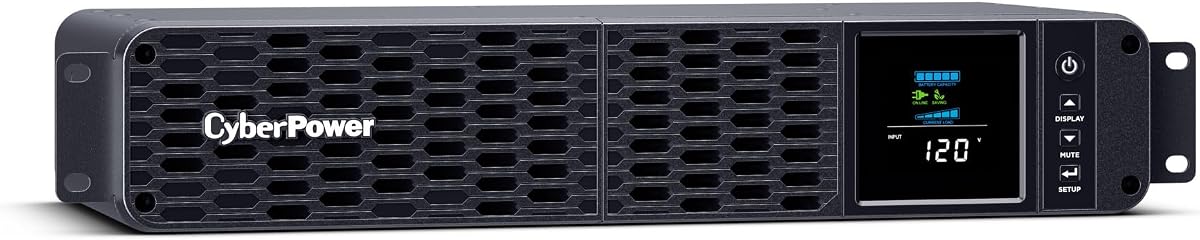


This UPS is rated highly by users for its reliability and advanced features. Its PFC Sinewave output makes it ideal for modern gaming laptops that use active PFC power supplies.
We may earn a commission when you buy through this link, at no additional cost to you.
It provides 1500VA capacity with twelve outlets split between battery backup and surge protection. The color LCD panel gives detailed real-time data on battery health and input voltage conditions.
While the unit is substantial in size and weight, this reflects its robust internal components. The cooling fan ensures safety but may be noticeable in quiet environments.
For gamers needing top-tier protection against surges and outages, this model is a standout choice. It delivers the stability required for sensitive high-performance electronics.
True sine wave output prevents overheating and damage to active PFC power supplies found in modern gaming laptops.
Built-in USB Type-A and Type-C ports allow you to charge mobile devices during outages without needing extra adapters.
We may earn a commission when you buy through this link, at no additional cost to you.
This unit offers solid protection for smaller gaming setups or secondary devices. It includes ECO mode that turns off power to peripherals when your main PC is off or sleeping.
We may earn a commission when you buy through this link, at no additional cost to you.
The multifunction LCD panel displays critical info like battery charge and load conditions. It has twelve outlets total, giving you flexibility to connect multiple devices safely.
While it lacks true sine wave output, it works well for standard power supplies. The capacity is modest but sufficient for laptops and routers during short outages.
Choose this if you want energy efficiency and basic backup without a high cost. It balances functionality and savings for budget-conscious gamers.
When connected devices detect sleep or off states, ECO outlets shut off automatically to save electricity and reduce heat.
The panel provides immediate visual feedback on battery status and power quality so you can act fast during issues.
We may earn a commission when you buy through this link, at no additional cost to you.
This model delivers strong capacity for gaming laptops and peripherals. Its Intelligent LCD panel tracks battery and power conditions with detailed real-time information for user safety.
We may earn a commission when you buy through this link, at no additional cost to you.
Automatic Voltage Regulation helps stabilize power without using battery energy. You get twelve outlets split between backup and surge protection to keep your entire station running.
The simulated sine wave means it is not ideal for active PFC supplies. However, for standard setups, it offers reliable backup time and surge shielding against spikes.
Pick this if you need high capacity and smart features at a fair cost. It supports long runtime for saving work and shutting down safely.
AVR corrects minor voltage fluctuations automatically to preserve battery life and protect connected devices from instability.
900W capacity ensures your gaming laptop and monitor stay powered long enough to save progress during outages.
We may earn a commission when you buy through this link, at no additional cost to you.
This budget-friendly unit still offers reliable protection for laptops and networking gear. It features a clear LCD panel and Automatic Voltage Regulation to handle minor power fluctuations.
We may earn a commission when you buy through this link, at no additional cost to you.
Unique among this group, it includes Data Line Protection for phone lines. This safeguards modems and routers from surges traveling through cables during storms.
While the wattage is limited, it works well for laptops and routers. It avoids switching to battery for minor fluctuations to extend the battery lifespan.
Ideal for gamers on a tight budget who want essential safeguards. It covers basics like surge protection and battery backup efficiently.
Protects telephone and modem lines from surges preventing damage to network devices connected to the internet.
Offers core UPS features at a low cost for users prioritizing essential safety over premium waveforms.
We may earn a commission when you buy through this link, at no additional cost to you.
This tower-style unit provides solid backup with Automatic Voltage Regulation. It manages minor fluctuations efficiently to extend battery life and keep devices safe from spikes.
We may earn a commission when you buy through this link, at no additional cost to you.
With ten outlets total, you can connect your laptop, monitor, and router easily. LED lights clearly show power status and wiring faults for quick troubleshooting.
It uses simulated sine wave technology which is standard for this price. While not suitable for active PFC power, it works well for typical gaming rigs.
Select this for reliable voltage correction and decent capacity. It is a practical choice for those needing AVR at an accessible cost.
AVR helps keep power stable by adjusting output without switching to battery, saving charge for when it is critical.
Status lights show power-on and fault conditions clearly so you can check unit health at a glance.
We may earn a commission when you buy through this link, at no additional cost to you.
APC offers trusted power protection with these dual UPS units. The set includes a 1050VA main unit and a smaller 500VA unit for peripheral flexibility.
We may earn a commission when you buy through this link, at no additional cost to you.
You can replace batteries yourself when needed to maintain long-term performance. USB-C and Type-A ports allow charging your phone or tablet during power outages.
This flexibility suits setups with multiple distinct devices needing protection. Coverage extends to devices with the included equipment protection policies.
Choose APC for brand reputation and user-maintainable design. It is ideal for those who value replaceable components and brand trust.
Allows you to swap out old batteries easily keeping your UPS running without replacing the whole unit later.
Modern USB-C ports let you charge current mobile devices quickly during an outage.
We may earn a commission when you buy through this link, at no additional cost to you.
This unit is designed for server racks and compact spaces. Its short-depth design fits tight cabinets while providing PFC Sinewave output for sensitive electronics.
We may earn a commission when you buy through this link, at no additional cost to you.
It delivers 1500VA power with true sine wave for maximum safety. The color LCD shows detailed status and alerts before issues affect your equipment.
While great for rack setups, its eight outlets may limit home setups. It prioritizes safety and power quality over outlet quantity.
Use this if you have rack gear or need pure sine wave in small spaces. It is a specialized solution for professional environments.
The shallow profile allows installation in limited-depth racks without sacrificing power quality.
Pure sine wave protects active PFC power supplies ensuring compatibility with modern high-performance systems.
We may earn a commission when you buy through this link, at no additional cost to you.
This is a pure sine wave inverter that converts 60V DC to AC. It offers high continuous power suitable for laptops and heavy appliances like TVs.
We may earn a commission when you buy through this link, at no additional cost to you.
It comes with a LED screen and dual cooling fans to manage heat during use. Overload and thermal protection ensure safety during demanding operations.
Note this is not a standalone UPS; it needs an external 60V battery bank. This makes it best for mobile or camping setups rather than indoor home backup.
Select this for portable high-power needs where DC is available. It is versatile for outdoor emergencies but requires external setup.
Delivers 3500W continuously allowing you to run multiple large devices at once during an outage.
Provides clean power that protects sensitive electronics from damage due to electrical noise.
We may earn a commission when you buy through this link, at no additional cost to you.
This premium unit stands out with a 5-year warranty covering battery and components. Its Intelligent LCD system offers clear status monitoring with color alerts for potential issues.
We may earn a commission when you buy through this link, at no additional cost to you.
It supports optional remote management cards for network monitoring. You get twelve outlets, USB ports, and AVR to extend battery life by correcting voltage fluctuations.
While it lacks PFC Sinewave, it handles standard power supplies well. The build quality and extended warranty make it a top-tier choice.
Opt for this if you want maximum coverage and management options. It is designed for those needing reliability and professional features.
The 5-year warranty covers parts and battery giving longer peace of mind than the standard 3-year options.
Add network monitoring cards to manage device status remotely via network interfaces for enterprise use.
We may earn a commission when you buy through this link, at no additional cost to you.
This variant features a smart screen for enhanced monitoring. It maintains 3500W output with dual cooling fans and robust aluminum shell for durability.
We may earn a commission when you buy through this link, at no additional cost to you.
The screen displays real-time voltage data helping you manage loads effectively. It includes built-in fuses and thermal protection to prevent overheating.
Like its sibling, it requires a 60V DC battery input. It is best suited for outdoor or mobile emergency setups rather than traditional home use.
Choose this for portable power management with a smart display. It offers high wattage and safety features for versatile applications.
Provides detailed voltage information on the screen for precise power management.
Sturdy aluminum casing withstands collisions and harsh conditions during travel or camping.
We may earn a commission when you buy through this link, at no additional cost to you.
Selecting the right backup requires understanding your power needs and feature requirements. This guide walks you through key factors for gaming setups.
Gaming laptops and monitors draw significant power. Ensure the unit provides enough watts to run your system plus peripherals. Aim for at least 800W output.
Check the wattage rating not just VA. Higher watts mean longer runtime under load.
Modern gaming laptops often use Active PFC power supplies. These need pure sine wave to avoid overheating. Simulated wave may work for older units.
True sine wave is safest. Verify if your laptop requires this before buying.
Your setup may include laptop, monitor, router, and speakers. Count all devices needing backup. Look for 10 to 12 outlets total.
Split between battery backup and surge-only outlets gives flexibility for non-critical gear.
Many units include USB-A or USB-C ports. These let you charge phones during an outage. Useful for communication when power fails.
Check if USB ports have battery backup or only surge. Backup USB is ideal.
LCD panels show battery health and input voltage. Color displays highlight warnings clearly. This helps you react faster during power issues.
Smart displays with remote cards allow network monitoring for advanced users.
AVR corrects minor voltage dips without switching to battery. This extends battery life and reduces wear on the unit.
Always look for AVR to save battery for major outages only.
Warranties range from 3 to 5 years. Longer coverage shows confidence in battery life. Check if it includes the battery itself.
A strong warranty ensures you are protected if the unit fails prematurely.
Tower units are larger but offer high power. Rackmount models save space. Consider where you will place the device.
Heavier units may have larger batteries. Ensure your desk can support the weight.
Connect your laptop and monitor directly to battery backup outlets. Plug routers and speakers into surge-only outlets if possible.
Allow the unit to charge fully before first use. This ensures the internal batteries are primed for power outages.
Test the unit periodically by unplugging it during safe hours. Verify the alarm sounds and devices stay on.
It is an uninterruptible power supply (UPS) that provides temporary power during outages. It also guards against surges to protect sensitive hardware.
If your laptop has an Active PFC power supply, yes. Pure sine wave prevents overheating. Simulated wave may damage such units over time.
Runtime varies by wattage and load. A typical 900W unit may last 15 minutes at full load. Lighter loads extend this time.
Most modern units include USB-A or USB-C ports for charging. These usually have battery backup but verify the specs.
The unit will not hold power during outages. Replace the battery if it stops holding charge. Most units allow user replacement.
No. Surge protection guards against spikes but does not power devices during outages. Battery backup provides power for safe shutdown.
We highlighted top models like the CyberPower CP1500PFCLCD for best overall and the BRG1500AVRLCD2 for premium features. Each offers solid protection for gaming setups.
Prioritize pure sine wave if you have active PFC supplies. Ensure capacity meets your wattage needs for adequate runtime.
Check current prices and warranty details before purchase. Power needs vary so choose the model that fits your specific gaming station.