
GIGABYTE X470 AORUS ULTRA GAMING
4.4Editor score
8+3 Phase Hybrid Digital PWM
2-Way CrossFire SLI Support
USB 3.1 Gen 2 Type C
This guide compares the top Amd Ryzen Gen 2 X470 Motherboards for performance, connectivity, and value to help you choose the right board for your build.
Finding the right motherboard is crucial for any Ryzen build. The X470 chipset offers robust features for second-gen processors. We review the top options to help you pick the best fit.
We analyzed performance, connectivity, and build quality across ten leading models. Our comparison highlights key specs like power delivery and expansion slots. This list ensures you find a board that matches your needs.
Each pick shows specific strengths for gaming or productivity. Prices and availability change frequently. Check current listings before buying to ensure you get the best deal on your chosen motherboard today.
4.4Editor score

4.3Editor score

4.6Editor score
This side-by-side comparison highlights key differences across all ten boards. We focus on power phases, connectivity options, and unique features to help you decide quickly.


This board stands out for its support of 5000 series CPUs. It offers excellent WiFi 6E and PCIe 4.0 capabilities. The robust power stages ensure stable performance under load.
We may earn a commission when you buy through this link, at no additional cost to you.
The 12+2 teamed power stages provide reliable power for high-end processors. WiFi 6E ensures fast wireless connectivity. BIOS Flashback allows updates without a CPU.
While it is not an X470 model, it suits modern needs better. The price is higher than older chipsets. It is a worthy upgrade for newer builds.
Buyers wanting future-proofing should consider this board. It excels in networking and power delivery. It is highly recommended for gaming rigs.
WiFi 6E and PCIe 4.0 offer next-gen speeds for storage and networking.
BIOS Flashback lets you update firmware without installing a processor.
We may earn a commission when you buy through this link, at no additional cost to you.
This X470 board is a top pick for second-gen Ryzen. It features 10+2 IR digital PWM for stable power. The ESS 9018 DAC offers high-quality audio.
We may earn a commission when you buy through this link, at no additional cost to you.
The Fins-Array heatsink manages temperatures well. Intel Wave 2 WiFi provides decent wireless speeds. USB 3.1 Gen 2 Type C adds modern connectivity.
Some users find the software suite overwhelming. WiFi can be less stable than Ethernet. These are minor issues for a powerful board.
Gamers and streamers will appreciate its audio and power features. It is an excellent choice for AM4 users. We recommend it for high-end builds.
The ESS 9018 DAC delivers studio-grade sound for immersive gaming.
Fins-Array Heatsink keeps VRMs cool during intensive workloads.
We may earn a commission when you buy through this link, at no additional cost to you.
This board brings premium touches to the X470 chipset. It supports 2-Way CrossFire and SLI for dual GPU setups. Front USB 3.1 Type C is rare on older boards.
We may earn a commission when you buy through this link, at no additional cost to you.
The 8+3 Hybrid PWM ensures efficient power delivery. Ultra Durable Design enhances longevity. Dual Armor M.2 slots protect your drives.
Lack of WiFi means you need an adapter or Ethernet. It is less versatile than WiFi models. Still, it is a strong performer.
Users needing dual GPU support will love this board. It is a great option for custom builds. We rate it highly for enthusiasts.
Supports 2-Way CrossFire and SLI for maximum graphics performance.
Front USB 3.1 Type C offers easy connection for peripherals.
We may earn a commission when you buy through this link, at no additional cost to you.
This board is a budget-friendly X470 option. It uses 5-Way Optimization for system tuning. SafeSlot ensures your GPU stays secure.
We may earn a commission when you buy through this link, at no additional cost to you.
The Realtek S1220A provides high-quality sound. Fan Expert 4 offers great cooling control. Aura Sync RGB lets you customize lighting.
It lacks built-in WiFi and has a simpler heatsink. These trade-offs keep the price low. It is ideal for basic builds.
Budget builders should consider this board. It balances features and cost well. We recommend it for entry-level AM4 systems.
5-Way Optimization auto-tunes CPU and cooling for performance.
SafeSlot uses metal framing to hold heavy GPUs firmly.
We may earn a commission when you buy through this link, at no additional cost to you.
This Micro-ATX board fits small cases. It offers PCIe 4.0 for faster storage. Dual M.2 slots provide ample storage space.
We may earn a commission when you buy through this link, at no additional cost to you.
The 3+3 VRM supports mainstream CPUs. Q-Flash makes BIOS updates easy. It is a solid choice for compact builds.
Limited power phases mean it struggles with high-end CPUs. Expansion is limited due to size. It is best for light use.
Those needing a small PC should look here. It balances size and features well. We recommend it for basic systems.
Micro-ATX size allows for smaller and cleaner desktop builds.
Two M.2 slots support fast NVMe drives for quick access.
We may earn a commission when you buy through this link, at no additional cost to you.
This board offers great protection and cooling. WiFi 5 ensures wireless connectivity. USB 3.2 Gen 2 provides fast data speeds.
We may earn a commission when you buy through this link, at no additional cost to you.
VRM and PCH heatsinks keep temps down. OptiMem improves memory performance. 5X Protection III safeguards hardware.
WiFi 5 is slower than newer standards. Ethernet is standard speed. It is a solid board for most users.
Buyers needing a balanced ATX board should choose this. It has good features for the price. We recommend it for general use.
OptiMem trace layout allows memory to run at higher frequencies.
5X Protection III protects against overcurrent and voltage spikes.
We may earn a commission when you buy through this link, at no additional cost to you.
This board excels in power and build. 10+3 phases support demanding CPUs. Q-Flash Plus updates BIOS without CPU.
We may earn a commission when you buy through this link, at no additional cost to you.
Integrated I/O shield speeds up assembly. RGB Fusion syncs lighting. Dual M.2 slots offer storage options.
It lacks robust wireless features. BIOS UI is simple. These limits are acceptable for budget builds.
DIY builders will like the easy assembly features. It is a robust option for gaming. We recommend it for value seekers.
Q-Flash Plus lets you update firmware using just a USB drive.
Integrated I/O shield makes case installation faster and easier.
We may earn a commission when you buy through this link, at no additional cost to you.
This compact board includes WiFi 6. HDMI 2.1 supports 4K at 60Hz. SafeSlot Core keeps your GPU secure.
We may earn a commission when you buy through this link, at no additional cost to you.
OptiMem improves RAM performance. VRM heatsink helps cooling. It fits small cases well.
Fewer PCIe slots limit expansion. Heatsink is smaller on Micro-ATX. It is good for basic setups.
Small PC builders will find this useful. It offers modern features in a small size. We recommend it for space-conscious users.
WiFi 6 offers better range and speed than older wireless standards.
HDMI 2.1 allows 4K gaming at high refresh rates.
We may earn a commission when you buy through this link, at no additional cost to you.
This board focuses on gaming value. Turbo M.2 and StoreMI boost performance. Audio Boost provides immersive sound.
We may earn a commission when you buy through this link, at no additional cost to you.
DDR4 Boost ensures pure signals. Crossfire supports dual GPUs. It is a strong option for gamers.
B450 is older than X470. USB speeds are lower. These are acceptable trade-offs for price.
Gamers on a budget should consider it. It has features tailored to gameplay. We recommend it for entry gaming.
Turbo M.2 and StoreMI increase storage performance significantly.
Audio Boost delivers studio-grade sound for gaming experiences.
We may earn a commission when you buy through this link, at no additional cost to you.
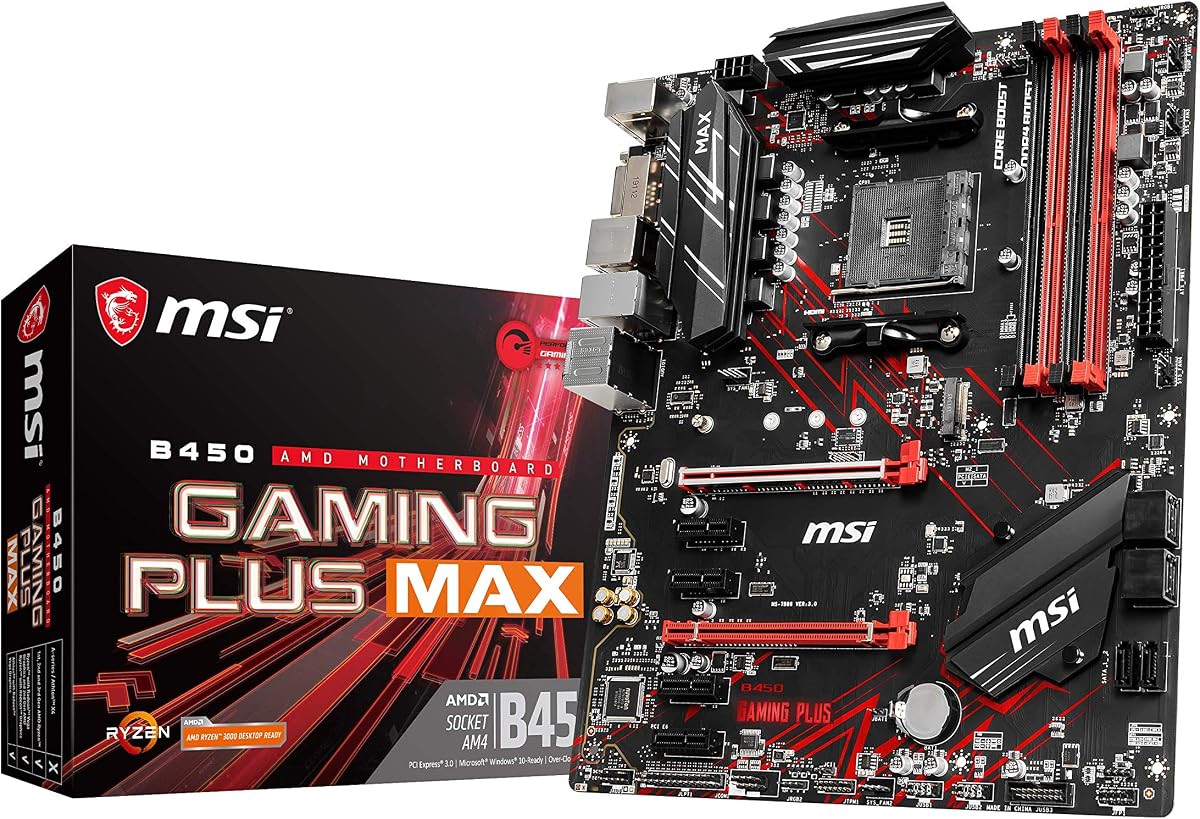
This board offers Crossfire for dual GPUs. HDMI and DVI provide flexible video. It is affordable for its class.
We may earn a commission when you buy through this link, at no additional cost to you.
DDR4 support ensures speed. USB 3.0 offers basic connectivity. It suits basic gaming needs.
Lack of modern USB standards is a downside. It is a basic option. Still good for very low budgets.
Those needing dual GPU on a budget should look here. It has solid compatibility. We recommend it for basic systems.
Crossfire support allows multiple GPUs to work together.
HDMI and DVI support various monitors and displays.
We may earn a commission when you buy through this link, at no additional cost to you.
Choosing the right motherboard requires understanding key features. We list factors to consider for your build.
Ensure the board supports your specific Ryzen generation. AM4 sockets cover multiple generations but BIOS updates may be needed for newer CPUs.
Always check manufacturer support lists for CPU compatibility before purchasing.
VRM quality affects stability and overclocking. More phases and robust heatsinks help manage heat.
For higher-end CPUs, look for boards with strong power delivery designs.
Modern builds need USB-C and fast LAN. Check rear I/O and front panel options for peripherals.
Prioritize boards with sufficient ports for your devices.
PCIe slots allow GPUs and capture cards. M.2 slots provide fast NVMe storage. Ensure you have enough slots.
Consider your expansion needs when selecting a board layout.
Onboard WiFi can save costs on adapters. Check WiFi standards for speed and reliability.
Select boards with Ethernet and wireless options you need.
Audio codecs impact sound quality. RGB headers let you customize lighting. These matter for immersion.
Choose boards with audio and lighting that match your style.
Balance features with price. Expensive boards may not suit basic needs. Compare specs across price ranges.
Set a budget and find the best feature set within it.
Manufacturers offer software for tuning and updates. BIOS features and driver support matter for ease of use.
Check user reviews for software quality and community support.
Install the motherboard in a clean area. Follow instructions to mount standoffs and screws. Connect front panel headers carefully.
Use thermal paste correctly when installing the CPU. Ensure RAM modules are clicked securely. Double-check all cable connections.
Regularly update BIOS for stability. Keep the system clean from dust. Monitor temps and fan speeds via software.
Most X470 boards support 5000 series after a BIOS update. Check the manufacturer support page. Some may not have updates for newer CPUs. It is best to confirm before purchase.
X470 usually has more features like better power delivery and more USB ports. B450 is often cheaper. For high-end CPUs, X470 is superior. For budget, B450 works.
Yes, you can use USB or PCIe WiFi adapters. They are cost-effective if the board lacks onboard wireless. Ensure compatibility with your OS.
Some boards have BIOS Flashback. This allows updates via USB. Check if your model supports this feature. It simplifies upgrades significantly.
3200MHz to 3600MHz DDR4 works well. Avoid very high speeds as they may need overclocking. Check motherboard QVL for compatibility. Stable kits are preferred.
Yes, brands vary in VRM quality and features. Asus and Gigabyte offer different BIOS tools. Compare models for your needs. User reviews help too.
We reviewed ten top boards for Gen 2 Ryzen. Our picks cover various needs from budget to premium. Each offers distinct strengths.
Prioritize power delivery and ports for your use. High-end users should focus on VRM and WiFi. Budget builders may prefer value boards.
Prices change often so check current listings. Always verify compatibility before purchase. We hope this guide helps your build.