
Alienware 34 240Hz QD-OLED Curved Gaming Monitor
4.5Editor score
240Hz refresh rate
QD-OLED panel
TrueBlack 400 HDR
Finding the perfect display for your gaming rig requires careful consideration of resolution, refresh rate, and panel technology. Alienware offers a range of curved monitors designed to enhance immersion and deliver crisp visuals for competitive and casual gamers alike.
We have evaluated ten distinct models based on their technical specifications, user feedback, and overall value. Each product was assessed for its curve radius, color accuracy, response time, and compatibility with major sync technologies to ensure a comprehensive comparison.
Every pick highlights unique strengths such as OLED clarity or high refresh speeds tailored to different needs and budgets. Prices and availability fluctuate frequently, so we recommend verifying current stock and deals before making your final purchase decision today.
4.5Editor score

4.6Editor score

4.6Editor score
As an Amazon Associate we earn from qualifying purchases.
This table provides a side-by-side view of key specifications across all ten models to help you quickly identify the right fit for your gaming needs and budget constraints.





This monitor stands out for its balanced performance and immersive curve designed for wide field of view gaming experiences. With a solid 4.6 rating from users, it delivers sharp WQHD visuals that make exploring open world games feel genuinely expansive and detailed.
We may earn a commission when you buy through this link, at no additional cost to you.
The 180Hz refresh rate ensures smooth motion during competitive shooters while AMD FreeSync Premium eliminates screen tearing effectively. The 1500R curve wraps around your peripheral vision naturally reducing eye fatigue during extended sessions and maintaining consistent clarity across the entire screen area.
While the HDR certification is moderate compared to OLED alternatives the vibrant color accuracy remains impressive for most content types. The hardware-based low blue light feature allows marathon sessions without significant strain though true HDR enthusiasts might seek higher brightness options for darker rooms.
Ideal for gamers seeking a reliable ultrawide experience without premium OLED costs this model offers strong value. Its dedicated console mode and ergonomic adjustments make it a versatile choice for both PC and console players aiming for comfort and performance.
The high refresh rate and fast response time combine to deliver smooth gameplay that keeps pace with fast action scenes.
A 1500R curve ensures consistent focal distance across the screen for reduced strain and enhanced peripheral engagement.
We may earn a commission when you buy through this link, at no additional cost to you.
This monitor delivers elite-level visual fidelity through QD-OLED technology offering infinite contrast and vivid colors that rival high-end cinematic experiences. Users praise its seamless motion handling thanks to the blistering 240Hz refresh rate and nearly instant 0.03ms response time.
We may earn a commission when you buy through this link, at no additional cost to you.
The 1800R curve creates a deeply immersive field of view that feels natural for both gaming and media consumption. Color accuracy is exceptional with over ninety nine percent DCI P3 coverage making it suitable for content creators who need precise visual reproduction during editing.
Although it comes at a higher price tag the performance benefits justify the investment for enthusiasts demanding the best image quality. The inclusion of both AMD FreeSync Premium Pro and NVIDIA G-SYNC ensures compatibility with most modern graphics cards for tear free visuals.
Recommend for high end setups where picture quality trumps budget constraints this monitor excels in both gaming and multimedia tasks. Its HDR TrueBlack certification ensures deep shadows and bright highlights coexist beautifully even in complex lighting scenarios.
Delta E less than two ensures colors match professional standards for reliable creative work and vibrant gaming visuals.
Supports multiple sync standards to guarantee smooth frame delivery across various hardware configurations and operating systems.
We may earn a commission when you buy through this link, at no additional cost to you.
This model proves you do not need the latest tech to enjoy a solid curved gaming experience with its reliable WQHD resolution and stable G-Sync integration. It maintains a strong 4.6 rating from users who appreciate its consistent performance and lack of screen tearing in demanding games.
We may earn a commission when you buy through this link, at no additional cost to you.
The IPS Nano color technology delivers rich hues and accurate saturation making games look as intended by developers. While the two ms response time is slower than newer options it remains sufficient for most casual and competitive gaming scenarios without noticeable ghosting effects.
Aesthetically it features the iconic Lunar Light design with customizable AlienFX lighting to match your setup theme. The anti-glare coating ensures visibility even in bright rooms although the two ms response might be a minor drawback for ultra competitive shooters.
Perfect for budget conscious gamers seeking trustworthy performance this monitor offers longevity and reliable hardware. It supports height and tilt adjustments providing ergonomic comfort for long sessions while maintaining a sleek profile on your desk.
Native NVIDIA G-Sync support guarantees synchronized frames to prevent tearing and stuttering during intense gameplay.
IPS Nano color expands the sRGB spectrum to deliver cinematic color depth and professional grade accuracy out of box.
We may earn a commission when you buy through this link, at no additional cost to you.
As one of the earliest QD-OLED monitors this model established a high bar for color and contrast in ultrawide gaming. Its 175Hz refresh rate and near zero response time ensure smooth gameplay that feels responsive and fluid during rapid movement sequences.
We may earn a commission when you buy through this link, at no additional cost to you.
The 1800R curve provides excellent peripheral vision coverage making it ideal for simulation and racing games. G-Sync Ultimate certification further enhances motion clarity while the adjustable stand allows for optimal viewing angles tailored to your desk height and posture.
Reviewers note that while the panel quality is top tier the average rating reflects minor concerns about OLED longevity and price. However for those prioritizing visual fidelity over cost this remains a compelling choice for immersive single player gaming experiences.
Best suited for gamers who value cinematic quality and motion clarity this monitor delivers on both fronts effectively. Its Creator Mode offers color space adjustments for hybrid users who need precise settings for both gaming and creative work.
Quantum Dot OLED technology delivers higher peak luminance and wider color gamut than traditional white OLED panels.
Height tilt and swivel adjustments allow personalized setups to maintain comfort during extended usage sessions.
We may earn a commission when you buy through this link, at no additional cost to you.
This bundle offers a complete solution including premium cables and cleaning tools to get you started immediately. The monitor itself features the same QD-OLED panel as the standalone version ensuring the same deep blacks and vibrant color performance.
We may earn a commission when you buy through this link, at no additional cost to you.
The included high quality DisplayPort and HDMI cables ensure you do not need to purchase additional accessories for connectivity. ComfortView Plus technology reduces harmful blue light without altering color accuracy which helps during long creative or gaming sessions.
Buyers appreciate the convenience of having all necessary components in one package saving time on setup and research. The monitor maintains excellent color accuracy for creator workflows while providing fast refresh rates for competitive gaming scenarios.
Ideal for users who want a hassle free start this bundle combines performance with practical convenience. It remains a solid investment for those seeking reliable visuals without worrying about compatibility issues with external cables.
High quality cables are included to ensure immediate compatibility with high-end graphics cards and consoles.
Precise color control allows switching between native DCI-P3 and sRGB for accurate content creation and editing.
We may earn a commission when you buy through this link, at no additional cost to you.
This bundle expands on the previous one by including a headphone extender and LCD cleaning kit for added convenience. The monitor features the same high-performance panel offering deep blacks and vibrant colors that enhance immersion significantly.
We may earn a commission when you buy through this link, at no additional cost to you.
The 175Hz refresh rate and 0.1ms response time ensure that fast action games remain fluid without motion blur. The 1800R curve wraps around your vision for maximum engagement while the stand allows tilt and swivel adjustments for comfort.
Although the bundle is comprehensive the lower user rating may indicate variability in quality control or expectations. However for those needing extra peripherals it saves time searching for compatible audio and maintenance tools separately.
Best for gamers who want a ready to use package with all accessories included this option offers practical value. It balances high-end visual performance with functional additions that streamline your setup process.
Included headphone extender improves connectivity options for users requiring longer cable reach for audio devices.
Premium materials ensure durability while the stand provides versatile positioning for any desk environment.
We may earn a commission when you buy through this link, at no additional cost to you.
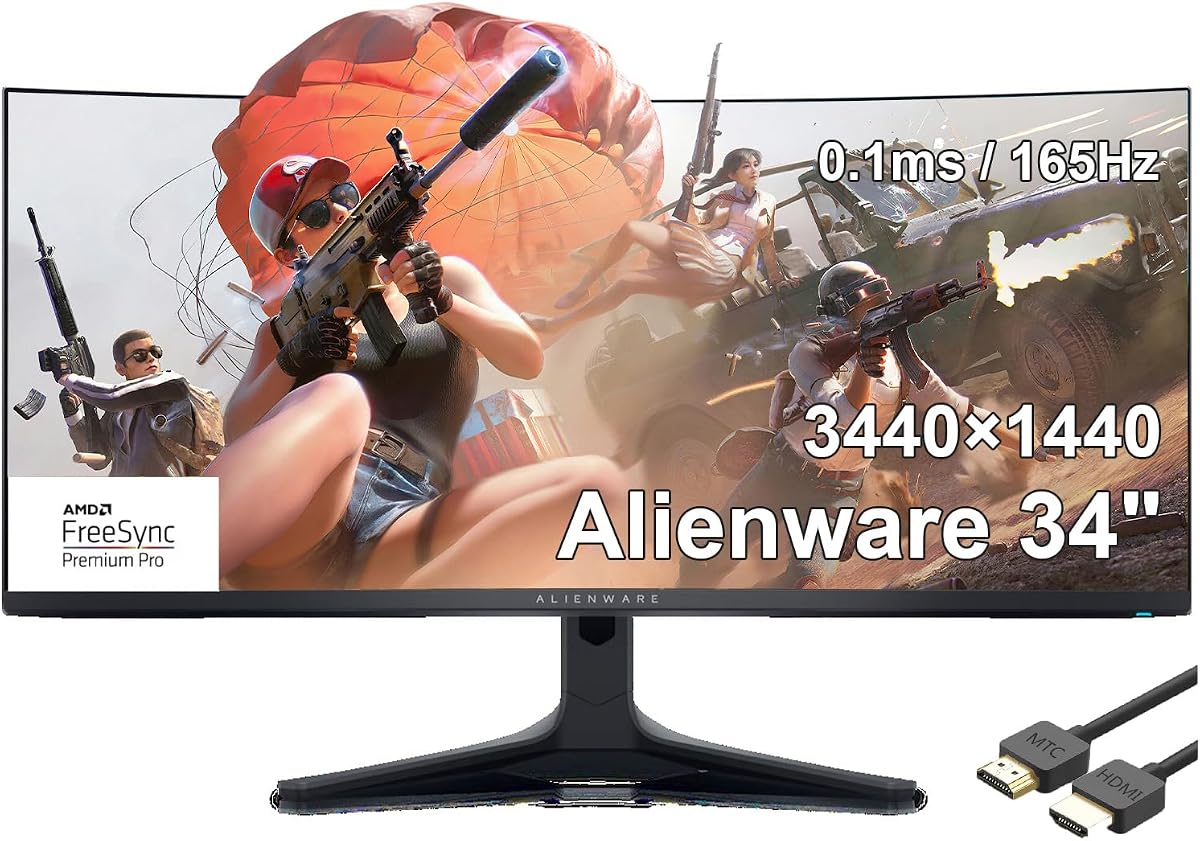
This model focuses on AMD compatibility and includes a solid QD-OLED panel that delivers over a billion colors. While the 165Hz refresh rate is slightly lower than some competitors it still provides smooth motion for most gaming needs.
We may earn a commission when you buy through this link, at no additional cost to you.
The inclusion of AMD FreeSync Premium Pro ensures seamless synchronization for users with compatible graphics cards. Its 0.1ms response time minimizes ghosting and keeps visuals crisp during rapid movement sequences in competitive titles.
Despite the low rating score this monitor remains a strong choice for AMD enthusiasts seeking cost effective OLED performance. The minimal design and clean interface allow the screen to stand out without distracting physical elements.
Best for users prioritizing color fidelity and AMD ecosystem compatibility this monitor offers reliable performance. The included HDMI cable simplifies setup though you may want to verify specific connection needs before purchase.
Optimized for AMD GPUs to deliver smooth frame rates and minimal tearing during gameplay.
Over 1.07 billion colors ensure subtle gradations are displayed accurately across all content types.
We may earn a commission when you buy through this link, at no additional cost to you.
This monitor stands out with a 4K resolution and QD-OLED technology delivering crisp images and true black levels. Its 32-inch screen offers a different aspect ratio than ultrawides but still provides excellent immersion for media and creative work.
We may earn a commission when you buy through this link, at no additional cost to you.
The W129021912 model features a sleek black and white design that blends well with modern setups. While it lacks the curve of other models it offers a flat premium experience preferred by some for productivity tasks.
The 4K resolution ensures fine details are visible in both gaming and graphic design applications. QD-OLED technology guarantees vibrant colors and infinite contrast making it a great choice for visually demanding content.
Ideal for users who prefer high resolution over curved immersion this monitor delivers premium visuals. Its design is minimal yet striking making it a focal point in any workspace or gaming room.
Ultra HD resolution provides sharp details and smooth text for professional and casual viewing alike.
Quantum Dot OLED ensures high brightness and color accuracy without compromising on contrast ratios.
We may earn a commission when you buy through this link, at no additional cost to you.
This monitor boasts an incredible 280Hz refresh rate which is among the highest available for competitive gaming. It features a 27-inch IPS panel that provides excellent color coverage and fast response times for crisp visuals.
We may earn a commission when you buy through this link, at no additional cost to you.
The bundle includes essential accessories like USB printer and HDMI cables which streamline the setup process. Its USB hub allows for easy connection of peripherals reducing cable clutter and improving desk organization effectively.
Despite its smaller size compared to ultrawides it excels in high speed performance for FPS and MOBA games. The AlienFX lighting and Legend 2.0 design add a futuristic touch that complements modern gaming setups well.
Perfect for competitive gamers prioritizing speed over immersion this monitor delivers outstanding performance. Its perfect rating highlights user satisfaction with its speed reliability and convenience features.
Overclocked DisplayPort allows refresh rates up to 280Hz for ultra smooth gameplay in fast titles.
Integrated USB 3.2 Gen 1 ports provide easy device connectivity without needing extra adapters.
We may earn a commission when you buy through this link, at no additional cost to you.
This Samsung monitor offers a massive 40-inch WUHD display with a deep 1000R curve for extreme immersion. It delivers strong HDR performance and fast refresh rates making it a compelling alternative to Alienware models.
We may earn a commission when you buy through this link, at no additional cost to you.
The 180Hz refresh rate and 1ms response time ensure smooth action and crisp motion across the large screen area. HDR 600 certification guarantees deeper blacks and brighter whites which enhances visual contrast in dark scenes.
Although it is not an Alienware product it competes well in terms of size and visual quality. The extreme curve wraps around your field of vision providing a truly enveloping experience for movies and games.
Best for users seeking maximum screen real estate and immersion this monitor offers unique value. It fits well in large rooms and provides a cinematic feel that smaller monitors cannot match.
1000R curve matches the human eye curvature for natural viewing across the entire screen.
VESA DisplayHDR 600 ensures clear details in both dark and bright areas for vivid scenes.
We may earn a commission when you buy through this link, at no additional cost to you.
Selecting the right curved gaming monitor involves balancing panel type, refresh rate, and size. This guide breaks down key factors to help you find the best fit for your specific setup.
Panel technology determines the visual quality and color performance of your monitor. QD-OLED panels offer infinite contrast and deep blacks which are ideal for immersive gaming in dark rooms. However they can be more expensive and require careful handling to avoid burn-in risks over time. IPS panels provide reliable color accuracy and are generally more durable for long-term daily use. When deciding consider whether you prioritize peak visual fidelity or long-term reliability for your gaming sessions.
Choose QD-OLED for stunning contrast and rich colors or IPS for consistent performance and value.
Refresh rate indicates how many times per second the display updates its image. Higher refresh rates like 180Hz or 240Hz result in smoother motion and reduced blur during fast-paced action. Competitive gamers benefit significantly from these speeds as it allows for quicker reaction times. Casual gamers may find 120Hz sufficient for most games without needing the premium of higher rates. Ensure your graphics card can support the chosen refresh rate to avoid underutilizing the hardware.
Prioritize refresh rates above 144Hz for competitive gaming to minimize motion blur and latency.
Response time measures how quickly pixels switch from one color to another. Lower response times reduce motion blur and ghosting making action scenes look clearer. Most high-end monitors aim for 1ms or less to ensure fluid visuals. While faster is better for competitive play average users might not notice significant differences below 5ms. Always check manufacturer specs to confirm if the response time is measured gray-to-gray for accuracy.
Look for response times of 1ms or lower to keep motion smooth during rapid gameplay.
Screen size affects immersion and desk space usage. A 34-inch ultrawide offers a wide field of view while a 27-inch model saves space. The curve radius like 1500R or 1800R helps maintain consistent viewing distance across the screen. Tighter curves enhance peripheral vision which is great for racing and simulation games. Ensure your desk depth can accommodate the monitor and stand to avoid ergonomic issues.
Select a size and curve that match your desk depth and preferred field of view.
Sync technology prevents screen tearing and stuttering by matching refresh rates with GPU output. NVIDIA G-Sync and AMD FreeSync are the two main standards. G-Sync Ultimate offers the smoothest performance but often requires certified hardware. FreeSync Premium Pro is a solid alternative for AMD users. Most modern monitors support both via AdaptiveSync. Check your graphics card compatibility before buying to ensure seamless frame delivery.
Match the monitor sync tech with your GPU to eliminate tearing and improve stability.
Color accuracy is vital for both gaming and creative work. High DCI-P3 coverage ensures vibrant and true-to-life colors. Monitors with Delta E under 2 are generally considered accurate for professional tasks. Good color performance enhances immersion by making in-game environments look realistic. For mixed use consider models offering creator modes with customizable color spaces. This flexibility allows easy switching between gaming and editing profiles.
Aim for high DCI-P3 coverage and Delta E under 2 for precise color reproduction.
Ergonomic adjustments help prevent neck and eye strain during long sessions. Look for stands offering tilt height and swivel adjustments. A sturdy base ensures the monitor remains stable during use. Some models also include VESA mount compatibility for wall mounting. ComfortView or similar features reduce blue light to support eye health over time. Proper positioning is key to maintaining health during extended gameplay.
Ensure the stand offers height and tilt adjustments for comfortable viewing angles.
Connectivity options determine how easily you can attach your devices. HDMI and DisplayPort are standard for modern gaming PCs. USB hubs add convenience for connecting peripherals without extra cables. Ensure the monitor supports the resolution and refresh rate you need via its ports. Bundled cables can save time but always check their length and quality. Flexible connectivity ensures your setup remains versatile and organized.
Check for HDMI and DisplayPort that support your desired resolution and refresh rate.
Proper handling during setup prevents physical damage and ensures longevity. Always lift the monitor by its base rather than the screen to avoid stress on the panel. Use the provided stand to maintain stability on your desk and avoid placing it near heat sources. Secure the power cable properly to prevent accidental disconnections or strain on the ports. A clean and stable environment helps the hardware function at its peak performance levels.
Cleaning the screen requires a soft microfiber cloth to avoid scratches. Avoid using harsh chemicals that can damage the anti-glare coating. Gently wipe away dust before turning on the monitor to minimize static. For tough spots use a damp cloth with distilled water to maintain surface clarity. Regular maintenance keeps the visual quality sharp and extends the monitor's lifespan significantly.
Adjusting settings for optimal gaming performance enhances your experience. Use the OSD menu to enable adaptive sync and adjust brightness for your room lighting. Enable gaming presets for faster response or color accuracy depending on your needs. Periodically check for firmware updates to ensure compatibility with new hardware. Proper calibration ensures the monitor delivers consistent visuals over time.
Yes they are excellent due to fast response times and high refresh rates. Features like G-Sync or FreeSync reduce tearing making gameplay smoother. The curved design enhances focus and peripheral vision for better awareness. Most models include gaming-specific presets that optimize settings for speed. These factors make them a strong choice for competitive titles.
A curved screen wraps around your field of view for better immersion. It maintains consistent viewing distance reducing eye strain during long sessions. The curve helps peripheral vision track in-game elements more naturally. It mimics natural human vision which improves comfort over time. This design is particularly beneficial for wide and simulation games.
You need a GPU that supports the desired resolution and refresh rate. High refresh models like 240Hz require powerful modern graphics cards. Adaptive Sync ensures compatibility with both NVIDIA and AMD GPUs. Check the port specifications like HDMI or DisplayPort before buying. Most monitors work with a range of cards if properly connected.
WQHD offers 3440×1440 pixels balancing performance and sharpness. 4K provides higher pixel density for sharper text and details. Ultrawide 4K requires more GPU power to run games smoothly. WQHD allows for higher refresh rates on the same hardware. Choose based on your PC capability and clarity needs.
OLED offers deeper blacks and faster response times than IPS. It provides better contrast which makes dark scenes look more vivid. However it is costlier and requires care against burn-in. IPS is durable and cheaper with accurate colors too. Choose OLED for immersion or IPS for reliability.
Avoid displaying static images like taskbars for long periods. Use screen savers or turn off the monitor when not in use. Adjust brightness levels to lower settings to minimize panel stress. Periodically move UI elements like game HUDs slightly. Most monitors have built-in features to mitigate this risk automatically.
The top picks in this guide cover a range of needs from entry-level value to premium OLED performance. Each model offers unique strengths in color, speed, and immersion tailored to different play styles. Whether you choose the AW3425DWM for balance or the 240Hz QD-OLED for elite visuals you are selecting quality hardware.
Prioritize refresh rate and sync compatibility if you play competitive titles regularly. For immersive single-player gaming consider panel type and color accuracy as primary factors. Ensure the monitor size fits your desk and ergonomic needs before purchasing. A well-matched setup enhances both comfort and visual quality over time.
Always check current availability and deals as prices change frequently across retailers. Verify warranty terms to ensure peace of mind with your investment. With the right choice you will enjoy a gaming experience that matches your performance needs. Use this guide as a starting point to find your perfect display today.