
Thermalright TL-C12C-S X5
4.7Editor score
1550 RPM silent operation
S-FDB bearing durability
Soft ARGB lighting effects
High airflow per dollar
Discover the top 10 addressable RGB fans for PC builds. This guide compares performance, noise, lighting effects, and value for every budget and case type.
Addressable RGB fans have transformed how gamers and enthusiasts view their PC builds. They offer dynamic lighting effects synchronized with your system. Choosing the right fan requires balancing airflow with visual appeal and quiet operation for a premium experience.
We compared ten top rated models based on cooling performance noise levels and lighting quality. Our analysis includes detailed specifications and real world usage scenarios. This list covers diverse options from budget friendly packs to premium reverse blade designs.
Each pick highlights specific strengths like daisy chaining or high static pressure. We note key features to help you decide based on your case layout. Keep in mind that prices and availability can change so always check current listings before purchasing.
4.7Editor score

4.8Editor score
4.8Editor score
This side-by-side comparison table highlights key specifications across all ten selected addressable RGB fans. Review the airflow static pressure bearing types and special features to find the perfect match for your system requirements.





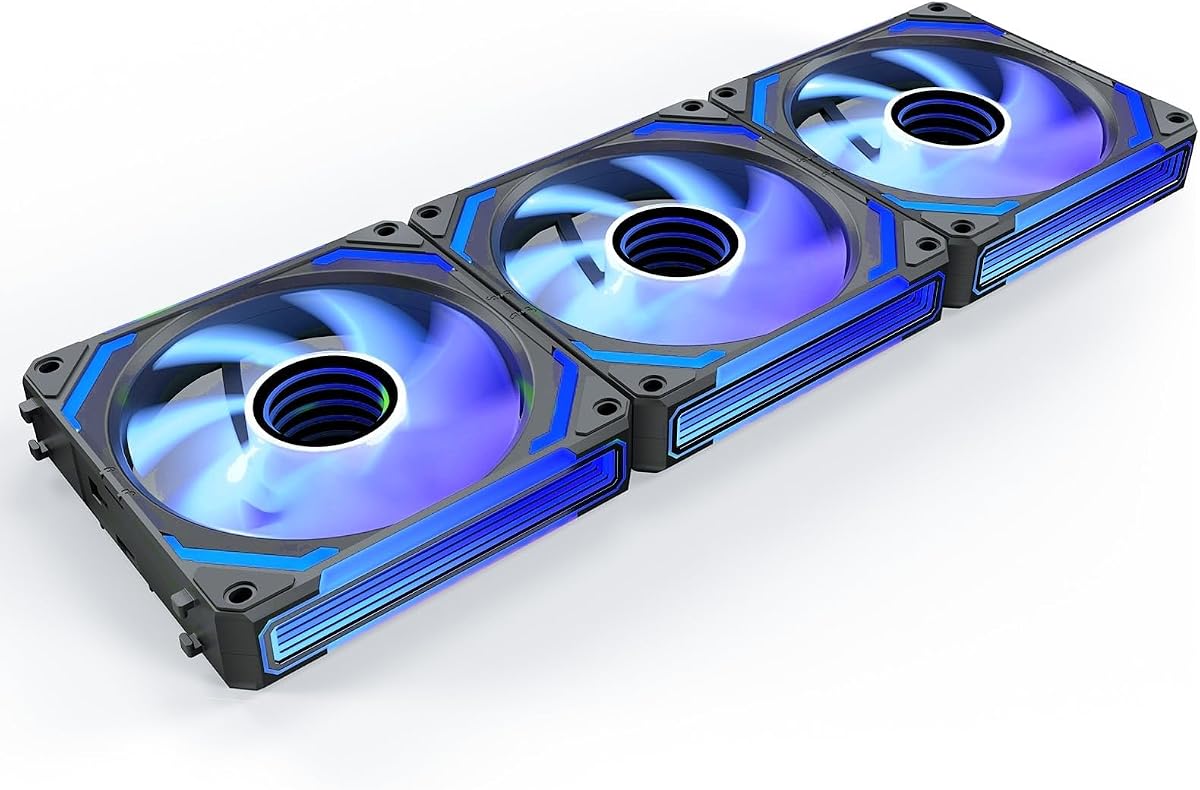
The Thermalright 5 Pack TL-C12C-S offers a straightforward solution for users needing multiple case fans with addressable RGB lighting. Rated highly for its performance price ratio this set delivers solid cooling without aggressive noise levels making it ideal for standard builds.
We may earn a commission when you buy through this link, at no additional cost to you.
These fans utilize S-FDB bearings to minimize blade shaking and extend operational life. The PWM control ensures speed adjusts automatically based on temperature. Lighting is diffused through the blade design creating a softer visual output compared to harsh point sources.
While they lack advanced daisy chaining features their standard cables work well with most motherboards. The maximum speed of 1550 RPM balances cooling with quiet operation. Airflow is sufficient for general case ventilation or mounting on CPU coolers.
Buy this set if you need to outfit a large case affordably. It is particularly suitable for builds where lighting consistency matters more than high static pressure. The included 5 pack provides flexibility for intake and exhaust placement.
These fans deliver consistent airflow across the chassis. They handle standard heat loads effectively without requiring extreme speeds.
The S-FDB bearing system keeps noise levels low. This makes them suitable for office PCs or quiet gaming setups.
We may earn a commission when you buy through this link, at no additional cost to you.
The CORSAIR RS120 ARGB fans stand out for their high speed capabilities and streamlined cabling. Designed for performance builds these triple pack fans push significant air volume while maintaining quiet operation. The daisy-chain feature reduces clutter significantly.
We may earn a commission when you buy through this link, at no additional cost to you.
Magnetic Dome bearings ensure smooth rotation and long life. AirGuide technology directs airflow efficiently towards radiators or heatsinks. Lighting customization is robust through motherboard support or CORSAIR software if you are in their ecosystem.
These fans excel when static pressure is needed for liquid cooling radiators. They handle resistance better than typical case fans. The triple pack setup is convenient for full loop cooling systems without needing separate controllers.
Consider this option if you prioritize airflow and cable management. They are a great fit for modern cases with limited ports. Ensure your motherboard supports the specific ARGB standard for full lighting control.
Daisy-chain connections simplify installation. You use fewer headers to control multiple fans effectively.
High static pressure makes these ideal for radiators. They push air through dense fins to maintain cool temperatures.
We may earn a commission when you buy through this link, at no additional cost to you.
The ARCTIC P12 Pro A-RGB is a premium fan built for enthusiasts who demand maximum cooling. Its speed range up to 3000 RPM offers unparalleled airflow control. Manufacturing precision ensures minimal gaps reducing vibration even at high loads.
We may earn a commission when you buy through this link, at no additional cost to you.
Fluid Dynamic bearings contribute to smooth operation and longevity. The blade design optimizes performance at low speeds for silent idle times. It is engineered to penetrate dense radiators or restricted airflow zones effectively.
At full speed this fan can be loud so use it only when cooling is critical. For normal use it runs surprisingly quietly. The build quality reflects a professional grade product intended for rigorous thermal environments.
Choose this fan for high-end water cooling loops or compact cases needing intense airflow. It represents a top tier option for performance focused systems. The price reflects its engineering and durability standards.
High RPM range allows aggressive cooling modes. Essential for extreme overclocking or dense system layouts.
Automatic balancing reduces vibration significantly. This ensures stability and reduces wear on mounting points.
We may earn a commission when you buy through this link, at no additional cost to you.
The Thermaltake CT120 EX ARGB Sync introduces MagForce 2.0 for easier fan daisy-chaining. This three pack simplifies setup with magnetic connectors that snap together securely. It balances ease of use with standard lighting controls.
We may earn a commission when you buy through this link, at no additional cost to you.
Hydraulic bearings ensure reliable silent operation. The anti-vibration mounting system helps reduce noise transmission to the chassis. LED count is moderate but provides vibrant lighting synchronized via motherboard software.
Ideal for users who want clean builds without complex controllers. The magnetic connection reduces cable clutter effectively. It works well for standard case intake exhaust or radiator positions.
Consider this if you value quick assembly and decent RGB. It is a strong contender for budget friendly lighting builds. Ensure your board supports 5V sync for full color customization.
MagForce design allows quick connection. Install multiple fans without excessive wiring effort.
Mounting system dampens vibrations. This results in a quieter overall system experience.
We may earn a commission when you buy through this link, at no additional cost to you.
This kit stands out by including reverse blade fans for bottom or side intakes. It offers six fans with a built-in controller hub for centralized management. The three sided prism design enhances visual consistency across the build.
We may earn a commission when you buy through this link, at no additional cost to you.
Reverse blades maintain lighting visibility even when facing inwards. The hub supports both PWM speed and ARGB lighting. This reduces the need for separate controllers on the motherboard or fan hub.
Performance is solid with HDB bearings and standard 1550 RPM speeds. The lighting is brighter than average due to higher LED count. It balances aesthetic appeal with practical airflow management.
Buy this for a comprehensive case fan solution in one box. It suits builders who want reverse airflow without buying separately. Ensure case dimensions match standard 120mm sizes before purchasing.
Reverse blades face lights inward. This prevents dark spots in bottom or side intakes.
Hub simplifies connection. Connect multiple devices to one header for clean setup.
We may earn a commission when you buy through this link, at no additional cost to you.
This three pack provides essential cooling and lighting for smaller builds. It shares core specs with the five pack but costs less for limited needs. S-FDB bearings ensure quiet operation over long periods.
We may earn a commission when you buy through this link, at no additional cost to you.
The ARGB effect is soft and pleasing without overwhelming brightness. PWM control allows speed adjustment based on motherboard feedback. It works well for case fans or CPU coolers needing extra airflow.
Simple design means fewer points of failure. It lacks the advanced wiring of premium models but meets basic needs well. Ideal for standard cases needing replacement fans.
Consider this if you need three quality fans without high cost. It is a practical upgrade for older systems. Ensure you have enough ports or use splitters if needed.
Three fans at a low price. Perfect for filling a small case with RGB fans.
S-FDB technology reduces noise. Ensures fans stay quiet even after extended use.
We may earn a commission when you buy through this link, at no additional cost to you.
This five pack is the most affordable way to fill a case with RGB fans. It balances price with solid cooling performance and durable bearings. The soft lighting adds style without glare.
We may earn a commission when you buy through this link, at no additional cost to you.
Intelligent temperature control adjusts speed automatically. This saves manual tuning and keeps noise low during idle. Cables are long enough to reach headers comfortably in most mid tower cases.
Lighting modes are managed via motherboard sync. While it lacks a controller hub the lighting quality is consistent. Great for users who prioritize airflow value over advanced sync features.
Recommend for large case builds needing many fans cheaply. It is perfect for budget enthusiasts. Ensure your motherboard supports 5V ARGB for full color control.
Five fans for a low price. Best option for extensive RGB setups on a tight budget.
PWM adjusts speed automatically. Maintains quiet levels when system is not under load.
We may earn a commission when you buy through this link, at no additional cost to you.
This two pack offers a straightforward solution for smaller cases or specific needs. Daisy-chain design reduces clutter with fewer cables needed. It features hydraulic bearings for reliable quiet performance.
We may earn a commission when you buy through this link, at no additional cost to you.
At 2000 RPM these fans provide higher airflow than standard models. The anti-vibration mounting ensures the chassis stays quiet. Colors sync easily with compatible motherboards.
Ideal for adding two premium fans to an existing build. It handles radiator mounts well due to pressure design. The simple packaging makes setup quick and easy.
Choose this if you need exactly two high quality RGB fans. It is efficient for upgrades. Ensure you have a 5V header available for lighting.
Two fans fit perfectly in small cases. Ideal for specific intake or exhaust requirements.
Daisy-chain design minimizes mess. Reduces cable clutter inside the PC chassis.
We may earn a commission when you buy through this link, at no additional cost to you.
The LE120 3-pack is widely praised for its balance of price and quality. It includes a PWM splitter for easy connection to motherboard headers. Daisy chaining helps keep cables organized.
We may earn a commission when you buy through this link, at no additional cost to you.
Hydraulic bearings ensure smooth quiet operation over time. The lighting syncs perfectly with motherboard software for consistent visuals. It delivers solid airflow for standard case ventilation needs.
Ideal for users wanting reliable fans without complexity. The included splitter saves purchasing extra hardware. This makes it a top choice for general use.
Choose for standard case cooling with RGB flair. It suits most builds and is reliable. Always verify motherboard compatibility for best sync results.
Includes splitter for easy setup. Reduces need for extra purchases immediately.
Hydraulic technology ensures longevity. Fans run smoothly for years without noise.
We may earn a commission when you buy through this link, at no additional cost to you.
This pack delivers premium aesthetics with infinity mirror lighting and reverse blades. It targets users wanting high-end visuals without sacrificing cooling. The mirror effect creates depth and sophistication.
We may earn a commission when you buy through this link, at no additional cost to you.
Reverse blades ensure lights are visible from all angles. Includes a controller hub for independent lighting control. Daisy chaining reduces clutter while maintaining full lighting functionality.
Music sync adds a fun interactive element to lighting. It works well for gaming environments. High RPM ensures strong performance even at full speed.
Consider if aesthetics are top priority. It suits custom loops and high-end builds. Ensure space for controller and verify compatibility before installing.
Infinity mirror creates depth. Turns a standard case into a stunning display.
Music sync responds to sound. Adds a fun interactive element to your build.
We may earn a commission when you buy through this link, at no additional cost to you.
Selecting the right fans involves understanding airflow pressure bearing types and lighting compatibility. This guide explains key factors to ensure your fans meet both thermal and aesthetic needs.
Airflow measured in CFM indicates how much air moves through open space. Static pressure measured in mm H2O shows ability to push air through restrictions like radiators or dense meshes. Use high airflow fans for open cases and high static pressure for radiators.
Prioritize static pressure if mounting on radiators. Prioritize airflow for general case circulation. Many modern fans balance both well but specific use cases matter.
PWM fans use a 4-pin connection to control speed by switching power on and off. This offers precise control and lower noise at low speeds. DC fans use a 3-pin connection to control voltage which is less efficient at low speeds.
Always choose PWM fans for better noise control. Ensure your motherboard supports 4-pin headers. This allows automatic speed adjustments based on temperature.
Bearing technology affects noise and lifespan. Fluid Dynamic and S-FDB bearings offer long life and smooth operation. Hydrodynamic bearings are similar and quiet. Magnetic dome bearings use magnets to reduce wear.
Choose advanced bearings for long-term reliability. Avoid sleeve bearings in long-term builds. High-quality bearings ensure silence over years of use.
Addressable RGB typically uses a 3-pin 5V header. Standard RGB uses a 4-pin 12V header. Connecting the wrong type can damage lights. Check motherboard support before buying.
Ensure your motherboard has 5V ARGB headers. This allows individual LED control for custom effects. Sync software works best with compatible connections.
Daisy-chaining lets you connect multiple fans in a single line reducing headers needed. This cleans up your build significantly. Look for fans with shared connectors or magnetic linkages.
Prioritize daisy-chain fans for complex setups. It reduces cable clutter and simplifies installation. Check if the first fan in the chain connects to the motherboard.
Noise measured in dBA determines how loud a fan sounds at specific speeds. Lower is quieter but usually means less airflow. Find the balance between cooling and comfort.
Check noise levels at maximum speed. If you want silence at idle check minimum speed noise. Modern fans are quiet even at high speeds.
Frame materials affect rigidity and vibration resistance. Plastic frames are standard but reinforced frames reduce rattling. Look for anti-vibration mounts or rubber grommets for best results.
Choose frames that dampen vibration. Anti-vibration mounting systems are essential for quiet cases. Solid frames ensure stability under heavy loads.
Standard fans push air from front to back. Reverse fans push air from back to front while keeping lights visible. This is useful for intake on glass side panels.
Use reverse fans for bottom or side intakes. They keep lighting visible even when air intake orientation changes. Standard fans work fine for top exhaust or radiator mounts.
Install fans securely using the provided screws. Ensure tight mounting prevents vibrations that cause noise. If possible use rubber grommets to dampen sound transmission to the case.
Connect the fan power cable to a 4-pin PWM header on your motherboard. This allows automatic speed control. For lighting connect the 3-pin 5V ARGB cable to the compatible header.
Dust accumulates over time and reduces performance. Clean fans regularly with compressed air to maintain airflow. Keep the case filter clean to prevent debris from reaching the internal fans.
No. There are two main types: standard RGB which uses 4-pin 12V and Addressable RGB which uses 3-pin 5V. Connecting the wrong type can damage your lights. Always check your motherboard specifications.
Most brands support universal 5V ARGB headers. Use software like SignalRGB or OpenRGB to unify control. Alternatively, ensure all fans connect to the same motherboard header for synchronization.
It allows multiple fans to connect to each other in series. Only the first fan connects to the motherboard. This reduces cable clutter and saves header ports for other devices.
Yes but they will not light up. You can plug the power connector into the PWM header. Just leave the ARGB pin unconnected or covered to prevent electrical issues.
They have blades arranged to pull air from the back while facing front lights. This is perfect for bottom or side intakes where standard fans would hide their lighting.
Generally yes but quality bearings help. A high-quality fan at high speed is often quieter than a cheap fan at low speed. Look for noise ratings in dBA when comparing.
We explored ten top models from budget packs to premium mirror designs. Options like the Thermalright 5 Pack offer value while the Thermaltake LE120 delivers balanced performance for most users.
Prioritize static pressure for liquid cooling and airflow for open cases. Ensure your motherboard supports 5V ARGB before buying to avoid compatibility issues. Check daisy-chain features to simplify your build.
Prices change frequently so verify current listings before ordering. These fans improve both cooling and aesthetics significantly. Find the balance that fits your specific case and budget needs.