
Dell 24 240Hz Gaming Monitor
4.7Editor score
240Hz refresh rate
0.5ms response time
IPS panel technology
Finding the right display for competitive gaming requires careful attention to refresh rates and synchronization technology. A 24 inch G Sync monitor delivers smooth visuals without screen tearing. These displays prioritize speed and responsiveness to give players a distinct advantage in fast-paced titles.
We evaluated ten top models based on panel technology, refresh rates, and adaptive sync compatibility. Our analysis focuses on real-world performance metrics like motion blur reduction and input lag. Each product offers unique features tailored to different gaming styles and budget constraints.
Each pick highlights specific strengths such as color accuracy, ergonomic design, or raw speed. You will find detailed breakdowns of pros and cons to guide your decision. Please note that product prices and availability change frequently so verify details before purchasing.
4.7Editor score
4.9Editor score

4.4Editor score
As an Amazon Associate we earn from qualifying purchases.
This side-by-side comparison highlights the key specifications of all ten selected monitors. We focus on refresh rates, response times, and connectivity options to help you identify the model that fits your specific gaming needs and hardware setup.


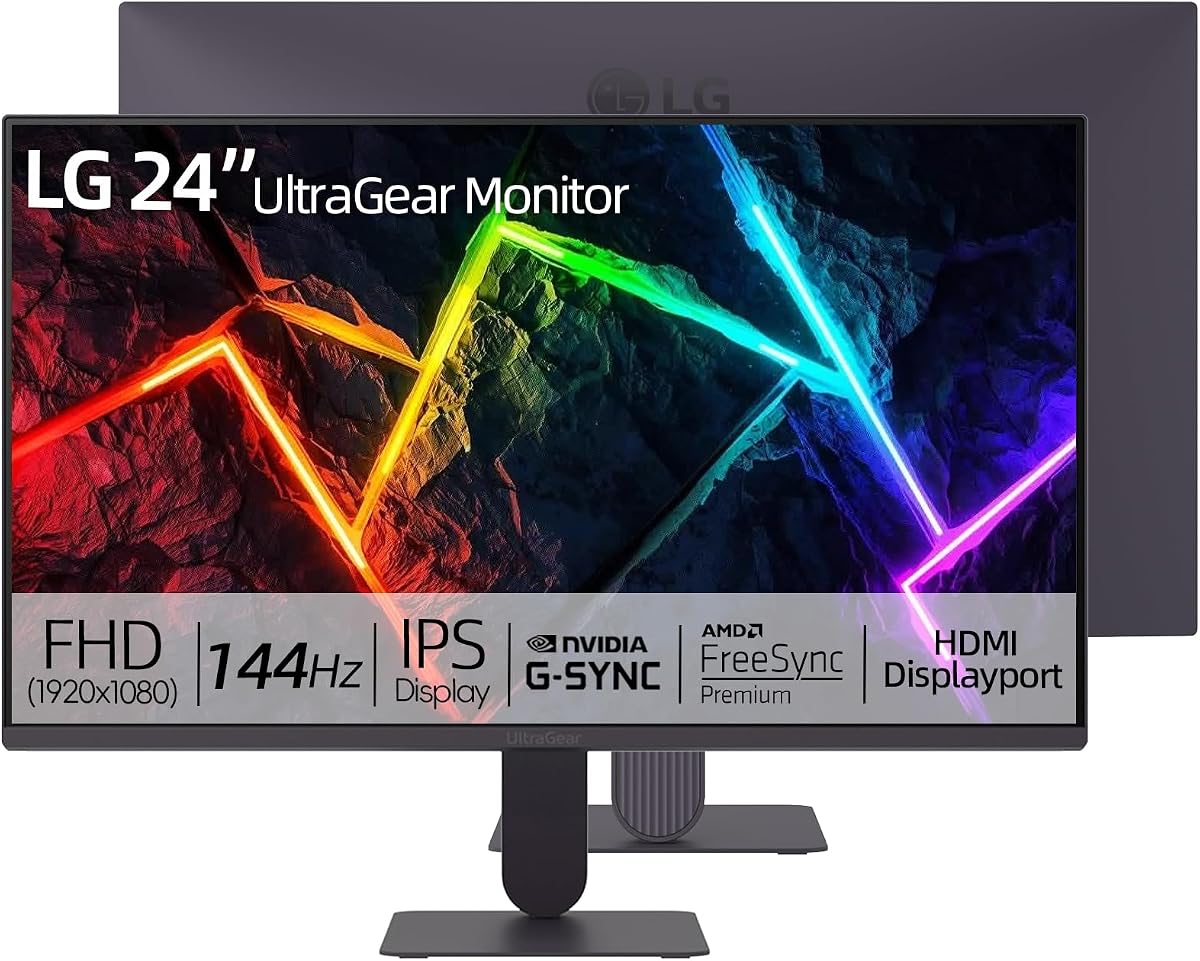
This LG Ultragear monitor stands out as the top pick for competitive gamers seeking a balance of performance and visual fidelity. With a highly rated user score, it delivers consistent results across various gaming genres. The integration of NVIDIA G-Sync Compatible technology ensures that screen tearing is virtually eliminated during intense sessions.
We may earn a commission when you buy through this link, at no additional cost to you.
The 144Hz refresh rate combined with 1ms Motion Blur Reduction provides incredibly fluid motion rendering. Users appreciate the HDR10 support which adds depth to games that support high dynamic range content. The IPS panel ensures that colors remain vibrant and consistent even when viewed from different angles on your desk.
While the stand offers tilt adjustment, it lacks height and pivot options which might be a drawback for ergonomic setups. Additionally, the peak brightness is sufficient for indoor use but may struggle in very bright environments. These trade-offs are acceptable given the price point and overall performance capabilities.
Gamers who prioritize smooth gameplay and color accuracy should strongly consider this model for their next upgrade. It is particularly well suited for those who play a mix of competitive shooters and immersive single player titles. The reliable connectivity options ensure it pairs well with both current and future hardware.
The 99 percent sRGB color gamut ensures that visuals are rich and true to life for an immersive experience.
G-Sync Compatible and FreeSync technologies work together to reduce tearing and stuttering for seamless frame delivery.
We may earn a commission when you buy through this link, at no additional cost to you.
The Dell SE2426HG offers an incredible refresh rate at a price that is hard to beat in the competitive market. It is designed for gamers who need the fastest possible response times without spending a premium on higher end models. The 240Hz refresh rate is a major selling point for esports titles like League of Legends or CS:GO.
We may earn a commission when you buy through this link, at no additional cost to you.
Its Fast IPS technology allows for quick pixel transitions while maintaining good color quality across wide viewing angles. The TÜV 3-Star certification indicates a commitment to reducing blue light which helps during long gaming sessions. Connectivity is handled well with two HDMI ports and a DisplayPort for flexible setup options.
The lack of HDR support is noticeable if you play games with rich lighting effects but is less critical for competitive play. The stand is functional but limited to tilt which means you may need a VESA mount for better ergonomics. Despite these minor issues it remains a top value choice for speed focused players.
Budget conscious gamers looking for high refresh rates should find this monitor meets their needs effectively. It provides a solid foundation for building a competitive setup without breaking the bank. The combination of speed and price makes it a standout option in this category.
The 240Hz rate provides a significant edge in fast paced games where split second reactions matter.
Certified low blue light technology helps reduce strain during extended periods of screen time.
We may earn a commission when you buy through this link, at no additional cost to you.
This ASUS TUF monitor represents a premium tier option with features tailored for serious competitive enthusiasts. The 0.3ms response time is among the fastest available ensuring minimal ghosting during rapid movements. The inclusion of a height adjustable stand adds significant ergonomic value compared to basic models that only offer tilt.
We may earn a commission when you buy through this link, at no additional cost to you.
The ELMB Sync feature allows users to combine motion blur reduction with variable refresh rates which is a unique advantage. It ensures that gameplay remains crisp without sacrificing the benefits of adaptive sync. The warranty coverage further enhances its appeal by providing peace of mind for long term use.
The price is higher than average which may be a barrier for some buyers but the features justify the cost. Some users might find the on screen display controls less intuitive than rival brands. However the overall package delivers a professional grade experience suitable for both gaming and content creation.
Players who demand the highest speed and ergonomic flexibility will find this monitor an excellent investment. The additional software bundle adds extra value for those interested in creative work as well. It is a robust choice for those who want a reliable high performance display.
ELMB Sync technology enables motion blur reduction while maintaining variable refresh rate functionality.
Height adjustable stand allows you to customize viewing position for maximum comfort during extended use.
We may earn a commission when you buy through this link, at no additional cost to you.
This model offers a strong performance profile with a native 144Hz refresh rate that ensures smooth visual updates. The 1ms MBR technology helps maintain clarity in fast moving scenes reducing the appearance of blur. It is a well rounded choice for players who want consistent performance without excessive costs.
We may earn a commission when you buy through this link, at no additional cost to you.
Color reproduction is highlighted by 99 percent sRGB coverage which delivers rich tones for immersive gaming. The built-in stereo speakers provide a convenient audio solution for casual gaming though headsets are better for competitive use. The slim bezel design creates a modern look that fits well in any gaming setup.
While the response time is adequate it is not as aggressive as the fastest models on the market. HDR capabilities are present but limited by panel brightness which reduces impact in bright environments. These factors make it a solid mid-range option rather than a top tier competitive choice.
Gamers looking for a balanced monitor with good color and decent speed will appreciate this model. It serves well for general gaming and media consumption alike. The added audio feature makes it versatile for those who prefer not to use speakers.
Dynamic Action Sync helps you spot the action and strike fast by reducing input lag.
Black Stabilizer enhances visibility in low-light scenes so you can spot threats before they see you.
We may earn a commission when you buy through this link, at no additional cost to you.
This TUF monitor delivers high speed performance with a 200Hz refresh rate suitable for competitive gaming. The 0.3ms response time ensures that fast actions are rendered clearly without ghosting or trailing artifacts. It is a robust choice for those who prioritize speed and reliability in their gaming experience.
We may earn a commission when you buy through this link, at no additional cost to you.
The anti-glare matte screen is excellent for reducing reflections in bright rooms which improves visibility. It supports multiple operating systems including Windows Mac and Linux making it versatile for different users. Connectivity is handled via DisplayPort 1.4 and dual HDMI 2.0 ports for easy device switching.
Specific brightness numbers are not detailed which makes it harder to assess HDR potential compared to rivals. The OSD controls are functional but may lack the depth found in higher end models. Despite these limitations it offers strong performance for its class and intended use cases.
Competitive players seeking a matte screen and high refresh rate will find this model highly useful. It provides a stable platform for intense gaming sessions. The cross-platform compatibility ensures it works well with various setups and operating systems.
Compatible with AMD FreeSync Premium and NVIDIA G-SYNC to remove screen tearing and stuttering for seamless frame performance.
Built anti-glare matte screen supports multi-system compatibility covering Windows Mac and Chrome OS.
We may earn a commission when you buy through this link, at no additional cost to you.
This Ultragear model delivers a rich color experience with HDR10 and 99 percent sRGB coverage. The overclocked refresh rate provides smooth visuals that keep you ahead of the competition in fast paced scenarios. It is designed for players who want an immersive experience without compromising on performance metrics.
We may earn a commission when you buy through this link, at no additional cost to you.
Gaming specific features like Black Stabilizer help you see enemies in dark corners of maps. The slim bezels maximize your field of view for a more engaging session. These tools enhance the competitive edge you have during critical moments of gameplay.
The stand only supports tilt which can restrict ergonomic positioning compared to height adjustable options. HDR performance is good but may not reach the brightness levels of premium displays. These are common trade-offs in this price range and do not heavily impact core gaming performance.
Gamers who value color richness and gaming specific tools will find this monitor a strong fit. It balances performance with useful features that enhance gameplay. The efficient multitasking support also makes it suitable for work when not gaming.
Supports NVIDIA G-SYNC Compatible and AMD FreeSync to synchronize graphics card and display refresh rates.
Black Stabilizer boosts visibility in dark areas and Crosshair aiming assistance improves targeting accuracy.
We may earn a commission when you buy through this link, at no additional cost to you.
This ASUS monitor combines Fast IPS technology with a 200Hz refresh rate for ultra-smooth competitive play. The 0.3ms response time ensures quick transitions and minimal blur during intense action. It is an excellent choice for those who prioritize speed and visual clarity in their setup.
We may earn a commission when you buy through this link, at no additional cost to you.
ASUS Low Blue Light and Flicker-Free technologies reduce eye strain during extended gaming or work sessions. The display supports two HDMI 2.0 ports and one DisplayPort 1.4 for easy connection of multiple devices. Vibrant colors are delivered through 99 percent sRGB coverage for immersive visuals.
The stand is limited to tilt which might require a VESA mount for optimal ergonomic positioning. HDR support is present but not a primary focus compared to speed features. These limitations are minor given the overall performance and feature set offered.
Gamers looking for a balanced monitor with eye care tech and high speed will find this model appealing. It supports flexible setups and maintains good visual quality. The ELMB Sync feature further enhances clarity during high frame rate gaming.
ASUS Low Blue Light and Flicker-Free technologies help reduce eye strain during extended gaming sessions.
ASUS ELMB Sync technology further reduces ghosting during high-frame-rate gaming.
We may earn a commission when you buy through this link, at no additional cost to you.
This LG model delivers authentic visual performance with rich color gradations and HDR10 support. The 144Hz refresh rate provides smooth visuals essential for competitive gaming without compromising quality. It is a reliable choice for players who value both visual fidelity and performance.
We may earn a commission when you buy through this link, at no additional cost to you.
Tear-free gaming is ensured through G-Sync Compatible and FreeSync technologies which reduce stuttering effectively. The ultra-slim bezels create an immersive visual experience by minimizing distractions around the screen. Productivity is also supported through customizable screen layouts and multitasking tools.
The stand only offers tilt adjustment which limits ergonomic customization for tall or short users. HDR brightness is adequate for indoor use but not designed for bright rooms. These factors are typical for this class and do not detract from the core gaming experience.
Gamers who want a slim design and strong color performance will find this monitor a great fit. It balances gaming features with productivity tools effectively. The strong color accuracy makes it versatile for work tasks as well.
Ultra-narrow bezels and a sleek stand deliver an immersive visual experience.
Supports screen partitioning and customizable layouts to boost productivity.
We may earn a commission when you buy through this link, at no additional cost to you.
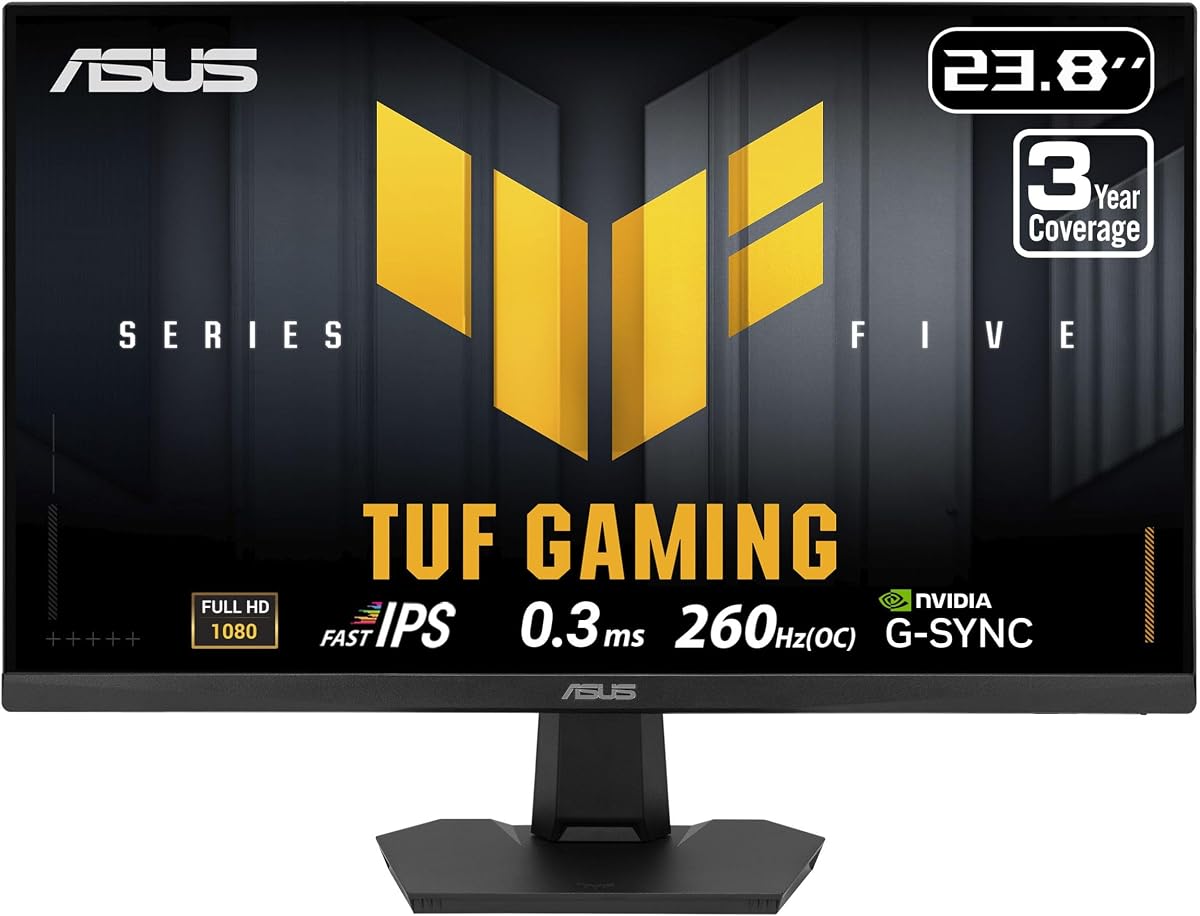
This ASUS TUF monitor delivers an incredibly high 260Hz refresh rate for ultra-sharp fluid visuals. The 0.3ms response time ensures that fast movements are rendered clearly for competitive advantage. It is an ideal choice for serious players seeking the best speed available in 24 inch monitors.
We may earn a commission when you buy through this link, at no additional cost to you.
Vivid color performance includes HDR10 and 99 percent sRGB coverage for rich accurate visuals. Smart gaming features like Shadow Boost and A.I. enhance gameplay by adjusting settings dynamically. A comprehensive warranty provides added peace of mind for long term reliability.
The price is higher than average which may limit accessibility for budget conscious buyers. The stand is limited to tilt which restricts ergonomic adjustments for some users. These are acceptable trade-offs given the high performance speed and additional features included.
Competitive gamers who need the fastest refresh rates will find this monitor highly valuable. The bonus software and warranty add significant extra value to the purchase. It represents a top tier choice for performance focused setups.
The 23.8-inch Full HD Fast IPS panel overclocks to 260Hz with a 0.3ms response time.
TUF Gaming A.I. technology Shadow Boost and GamePlus modes enhance your gameplay.
We may earn a commission when you buy through this link, at no additional cost to you.
This LG monitor delivers vivid color and fast response for total control during gaming. The 144Hz overclock and 1ms MBR ensure smooth sharp visuals in fast paced action. It is a great choice for players who need reliable performance across different game genres.
We may earn a commission when you buy through this link, at no additional cost to you.
Dynamic Action Sync helps you spot the action and strike fast by reducing input lag. The Switch app transforms your screen into a multitasking hub for work and gaming. These features enhance usability and productivity beyond just gaming sessions.
The stand offers limited adjustability which might affect ergonomics for some users. Average brightness is sufficient for indoor use but not for bright environments. These limitations are balanced by strong performance and useful software features.
Gamers who want smooth gameplay and smart multitasking will find this model highly useful. It supports productivity and gaming effectively. The slim design creates an immersive experience for extended use.
Dynamic Action Sync helps you spot the action and strike fast by reducing input lag and boosting responsiveness.
The Switch app transforms your screen into a multitasking hub for work, gaming, and streaming.
We may earn a commission when you buy through this link, at no additional cost to you.
Choosing the right monitor involves evaluating several technical factors that directly impact your gaming experience. This guide outlines the essential aspects to consider when selecting a 24 inch G Sync compatible display.
A high refresh rate such as 144Hz or 240Hz ensures smoother motion rendering which is vital for competitive gaming. Response times measured in milliseconds determine how quickly pixels change color. Look for response times below 5ms to minimize motion blur and ghosting effects.
Prioritize models with high refresh rates and low response times for the clearest visuals during fast action.
NVIDIA G-Sync Compatible and AMD FreeSync technologies synchronize the monitor's refresh rate with your graphics card. This eliminates screen tearing and stuttering without significant input lag. Ensure your graphics card supports the specific sync technology of the monitor you choose.
Select a monitor with G-Sync Compatible or FreeSync Premium for seamless tear-free gameplay.
IPS panels offer superior color accuracy and wide viewing angles compared to TN or VA panels. Look for monitors with at least 99 percent sRGB coverage for vibrant accurate colors. This is crucial for both immersive gaming and content creation tasks.
Choose an IPS panel with high sRGB coverage for the best visual fidelity and color consistency.
A good stand should offer height pivot and tilt adjustments to reduce neck strain during long sessions. VESA mount compatibility allows you to use third party arms for flexible positioning. Consider your desk space and personal posture needs when evaluating stand features.
Prioritize height adjustable stands or VESA compatibility for a comfortable and ergonomic setup.
Ensure the monitor has sufficient ports for your devices. DisplayPort 1.4 and HDMI 2.0 are standard for high refresh rates and resolutions. Multiple ports allow you to connect multiple devices simultaneously without constant swapping.
Look for multiple HDMI and DisplayPort inputs to ensure flexibility for your current and future devices.
Features like Black Stabilizer and Crosshair can improve performance in competitive shooters. Dynamic Action Sync reduces input lag further enhancing responsiveness. These tools are designed to give you an edge during intense gaming moments.
Consider monitors with built-in gaming tools if you play competitive titles regularly.
A robust build ensures longevity and reliability for your investment. Check warranty terms including coverage for dead pixels or backlight issues. Longer warranties provide peace of mind against potential manufacturing defects.
Choose a monitor with a solid warranty and proven build quality for long term reliability.
Balance your desired features with your available budget. Higher refresh rates and advanced features often come at a premium price. Determine which features are essential for your play style to find the best value proposition.
Identify your non-negotiable features to select a monitor that offers the best value within your budget.
Set up your monitor by connecting it to your graphics card using a high quality DisplayPort or HDMI cable. Ensure your graphics drivers are up to date to enable G Sync or FreeSync features properly.
Adjust the monitor stand or mount to a comfortable height to reduce neck strain. Use the on-screen display menu to tweak brightness contrast and color settings according to your room's lighting conditions.
Protect your screen by using a soft microfiber cloth to wipe away dust. Avoid applying direct pressure to the panel and keep liquids away from the base to ensure long term functionality.
G Sync Compatible means the monitor has been tested and validated by NVIDIA to support adaptive sync technology. It prevents screen tearing and stuttering by matching the monitor's refresh rate to the graphics card's output.
Yes you need an NVIDIA GeForce GTX 10-series or newer card to use G Sync Compatible features. Ensure your card supports the latest drivers for the best performance and stability.
For many players 144Hz provides a significant improvement over standard 60Hz monitors. However professional esports players often prefer 240Hz or higher for the lowest possible latency and smoothest motion.
High refresh rates like 144Hz or 240Hz update the image more times per second resulting in smoother motion. This reduces blur and provides a competitive edge in fast-paced action or shooter games.
Yes most G Sync Compatible monitors also support AMD FreeSync technology. This dual compatibility ensures you can use adaptive sync regardless of whether you use NVIDIA or AMD graphics hardware.
Look for monitors with low blue light modes and flicker-free technology. Adjust brightness to match ambient lighting and take regular breaks to rest your eyes during extended sessions.
HDR adds depth to colors and contrast but requires high brightness to be effective. On 24 inch monitors it is often limited but can still improve visual richness in supported games.
Use a DisplayPort 1.4 or high-speed HDMI cable to support 144Hz or higher refresh rates. Verify the cable rating ensures it handles the bandwidth requirements for your selected resolution and speed.
We have reviewed ten top monitors that excel in performance color and adaptive sync capabilities. Whether you prefer the speed of 240Hz or the balance of 144Hz there is a model for your needs.
Prioritize refresh rates and response times if you play competitive titles. For immersive single player games focus on color accuracy and HDR support.
Prices fluctuate regularly so verify the current deals before finalizing your purchase. The right monitor will elevate your gaming experience and ensure smooth reliable performance.