
LG 24U411A-B
4.6Editor score
120Hz refresh rate for fluid motion
1ms Motion Blur Reduction for crisp gameplay
Borderless design with HDR10 support
Frameless computer monitors have transformed modern workspaces by eliminating distracting bezels and creating seamless visual experiences. These sleek displays offer immersive viewing angles and maximize screen real estate for multitasking professionals and creative designers alike.
We evaluated ten top-rated frameless monitors based on panel quality, refresh rates, connectivity options, and ergonomic features. Our analysis focuses on real-world performance for office work, gaming, and creative tasks to help you find the perfect display for your setup.
Each selection below highlights specific strengths like color accuracy, smooth motion handling, and eye comfort technologies. Prices and availability change frequently, so verify current details before purchasing to ensure you get the best value for your specific needs.
4.6Editor score

4.4Editor score

4.2Editor score
As an Amazon Associate we earn from qualifying purchases.
The following table provides a side-by-side comparison of all ten selected frameless monitors. Review specifications like resolution, refresh rate, panel type, and key features to quickly identify the model that aligns with your workspace requirements and performance expectations.


The ViewSonic VS2725-2K stands out as a versatile choice for professionals seeking a balance between resolution and refresh rate. Its QHD display delivers sharp text and vibrant colors, making it ideal for both productivity and entertainment tasks.
We may earn a commission when you buy through this link, at no additional cost to you.
Key strengths include the frameless design which enables expansive multi-monitor arrangements without distracting borders. The 100Hz refresh rate ensures smooth scrolling and video playback, while the IPS panel maintains accurate viewing angles for collaborative sessions.
Trade-offs involve the basic stand which lacks height adjustment without a separate arm. However, the built-in eye care features like flicker-free and blue light filters effectively reduce strain during extended work hours.
This monitor is perfect for users who prioritize screen real estate and color accuracy over ultra-high refresh rates. Its reliable performance and warranty support make it a safe investment for long-term use.
The frameless design minimizes interruptions, allowing your eyes to focus entirely on content rather than bezels.
VESA Adaptive Sync keeps refresh rates in sync with your GPU to eliminate screen tearing during dynamic content.
We may earn a commission when you buy through this link, at no additional cost to you.
The LG 24U411A-B offers exceptional value by combining a 120Hz refresh rate with a frameless design at an accessible price. It brings fluid motion and vivid colors to everyday tasks, making it a strong contender for budget-conscious buyers.
We may earn a commission when you buy through this link, at no additional cost to you.
Its 1ms Motion Blur Reduction ensures crisp gameplay and smooth cursor movement, while HDR10 support adds depth to compatible content. The Switch App enhances multitasking by allowing easy screen splitting and layout management via hotkeys.
While it lacks advanced connectivity like USB-C, the HDMI ports are sufficient for most setups. The viewing experience remains comfortable thanks to flicker-safe technology and reader mode for prolonged document editing.
Ideal for gamers and students who need smooth visuals without breaking the bank, this monitor delivers premium features in a compact 24-inch package. Its modern aesthetic also complements sleek desk setups well.
The 120Hz rate and MBR technology work together to reduce motion blur and ghosting during fast-paced activities.
The Switch app lets you split the screen into multiple sections for efficient workflow management without extra monitors.
We may earn a commission when you buy through this link, at no additional cost to you.
The CRUA 27 4K delivers a premium experience with its ultra-sharp resolution and professional-grade color accuracy. Designed for creators and power users, this monitor excels at rendering fine details in photos, video, and code.
We may earn a commission when you buy through this link, at no additional cost to you.
Connectivity is a strong suit with a USB-C port enabling data and video transmission through a single cable. The silver aluminum frameless design not only looks elegant but also supports precise height adjustments for ergonomic comfort.
While the 60Hz refresh rate is not ideal for competitive gaming, the display is exceptionally smooth for design work and streaming. Eye care features ensure comfort during long sessions without compromising the vibrant color output.
This model is best suited for professionals who prioritize resolution and color fidelity over high refresh rates. The robust build and versatile stand make it a worthwhile investment for creative workflows and high-end setups.
With wide color gamut coverage and accurate calibration, this monitor meets professional standards for design and editing.
USB-C allows for single-cable docking to laptops reducing cable clutter and simplifying workspace organization.
We may earn a commission when you buy through this link, at no additional cost to you.
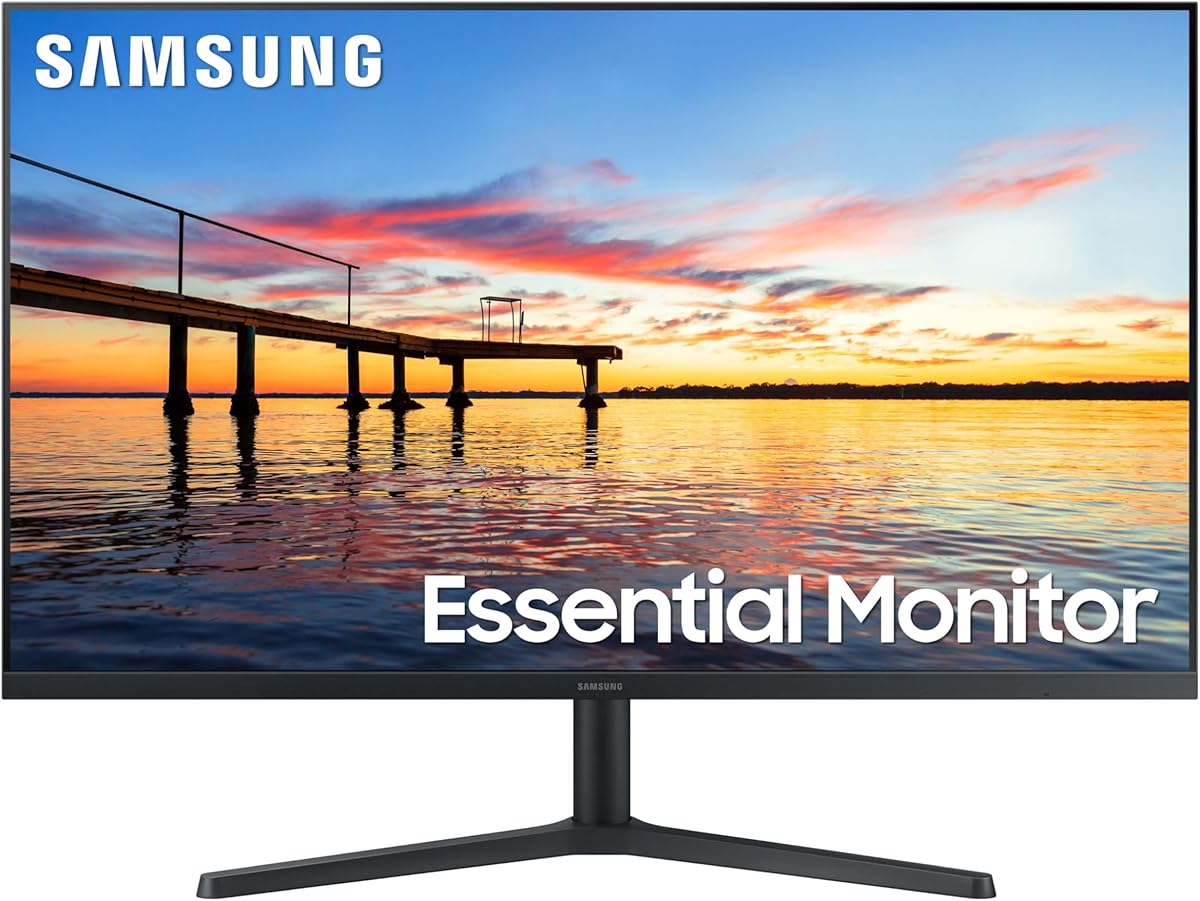
The Samsung 32 Flat offers a spacious viewing area that immerses users in their content. With a frameless design, it is perfect for dual-monitor setups where continuity is key for productivity workflows.
We may earn a commission when you buy through this link, at no additional cost to you.
Features like Game Mode and AMD FreeSync ensure smooth visuals during gaming or video playback. The large screen real estate allows for easy multitasking without needing multiple displays on your desk.
However, the resolution is Full HD rather than QHD or 4K, which may show pixelation up close on a 32-inch panel. The refresh rate is also standard, making it less suitable for competitive gaming.
Best for office workers or media consumers who want a large canvas for documents and spreadsheets, this monitor balances size with eye comfort features effectively.
The large 32-inch panel provides ample room for side-by-side window management and detailed viewing.
The borderless screen allows for gapless multi-monitor configurations that feel like a single expansive display.
We may earn a commission when you buy through this link, at no additional cost to you.
The ViewSonic VA2256-MHD is an ideal choice for small desks or students needing a reliable screen without taking up too much space. Its frameless design ensures that even a compact monitor feels modern and efficient.
We may earn a commission when you buy through this link, at no additional cost to you.
Key features include DisplayPort-out technology which allows daisy chaining to extend your workspace easily. The IPS panel ensures colors remain accurate from different angles, beneficial for collaborative work or presentations.
While the size might be limiting for those needing extensive multitasking, the efficiency gained from the clean layout is significant. ViewMode presets simplify switching between tasks like web browsing and text editing.
Perfect for dorm rooms or minimalist setups, this monitor offers high efficiency and a premium look at an affordable price. It is a reliable workhorse for everyday computing needs.
The compact frame maximizes desk space while still delivering a full HD viewing experience.
Daisy chain support means you can add a second monitor without needing extra cable connections to your PC.
We may earn a commission when you buy through this link, at no additional cost to you.
The ASUS BE249QG-R stands out for being TAA compliant, making it accessible for government and enterprise buyers. It combines a frameless aesthetic with robust performance features like a 120Hz refresh rate and full ergonomic adjustability.
We may earn a commission when you buy through this link, at no additional cost to you.
Its color gamut is wide enough for creative tasks, and the frameless bezels allow for clean multi-monitor setups. The included Adobe Creative Cloud subscription adds extra value for designers and digital artists.
While the TAA requirement might restrict availability for private users, the monitor delivers strong build quality and reliability. The ergonomic stand ensures you can position the screen perfectly for long working hours.
Ideal for enterprise environments or procurement departments, this monitor balances compliance with high-quality features. It is a solid choice for professional workstations requiring certified hardware.
TAA compliance ensures the monitor meets standards for government and corporate procurement processes.
Full tilt, swivel, pivot, and height adjustments allow for custom positioning to reduce physical strain.
We may earn a commission when you buy through this link, at no additional cost to you.
The SAMSUNG 34 ViewFinity transforms multitasking with its ultra-wide display that fits multiple windows side-by-side effortlessly. The frameless border ensures the focus remains on content rather than bezel distractions.
We may earn a commission when you buy through this link, at no additional cost to you.
With HDR10 support, images pop with deeper contrast and richer colors. The Picture-by-Picture feature allows viewing two inputs simultaneously at full resolution, useful for comparing documents or monitoring data streams.
While not designed specifically for gaming, the 100Hz refresh rate and FreeSync make it smooth for casual play. The ambient light sensor adjusts brightness to match the room, keeping eye strain at bay.
Best for professionals needing screen real estate and media consumers, this monitor offers an immersive experience. Its smart features and premium design make it a standout in the ultrawide category.
The 21:9 aspect ratio provides extra horizontal space, reducing the need to toggle between tabs.
An ambient light sensor adjusts brightness automatically to match the environment for consistent viewing comfort.
We may earn a commission when you buy through this link, at no additional cost to you.
The BenQ GW2491 is specifically designed to protect vision during long hours. Its TUV certification guarantees strict adherence to low blue light and flicker-free standards, making it a top choice for health-conscious users.
We may earn a commission when you buy through this link, at no additional cost to you.
The IPS panel ensures color consistency, while the 100Hz refresh rate provides fluid motion for general tasks. The ePaper mode simulates a paper-like display to reduce glare and strain during reading sessions.
Although the stand is basic and lacks height adjustment, the visual benefits outweigh this limitation for many. The slim bezel design also enhances the overall aesthetic of the workspace.
Ideal for readers and office workers spending all day in front of screens, this monitor prioritizes eye health without compromising on clarity. It is a practical choice for anyone prioritizing comfort.
TUV certification verifies that the monitor meets rigorous standards for reducing harmful blue light emissions.
ePaper mode changes the display to reduce harsh reflections, making long text reading more comfortable.
We may earn a commission when you buy through this link, at no additional cost to you.
The Dell 24 Plus offers a compelling mix of high refresh rate and ergonomic adjustability. It brings fluid motion with 144Hz and full pivot and height adjustments, ideal for varied work and play tasks.
We may earn a commission when you buy through this link, at no additional cost to you.
The frameless look keeps the desk tidy while the Ash White finish adds a modern touch to any setup. Integrated speakers eliminate the need for external peripherals for basic audio feedback.
While the speakers are adequate for system sounds, they lack bass for movies. The focus here remains on smooth visuals and comfortable viewing positions throughout the day.
Best for users who want high performance and flexibility without a premium price, this monitor is a strong all-rounder. The ergonomic stand ensures you can position the screen exactly where you need it.
A 144Hz refresh rate ensures fast response times for gaming and quick interface interactions.
Height tilt pivot and swivel adjustments help you find the perfect viewing angle to avoid neck strain.
We may earn a commission when you buy through this link, at no additional cost to you.
The Dell 27 Plus QHD combines high resolution with high refresh rate capabilities. The 1440p display offers sharp visuals for productivity, while the 144Hz rate ensures smooth performance for gaming and scrolling.
We may earn a commission when you buy through this link, at no additional cost to you.
Ergonomics are fully supported with pivot and height adjustments allowing perfect alignment for any seating posture. The frameless design keeps the look clean and professional, especially in modern office environments.
Connectivity is robust with HDMI and DisplayPort ensuring compatibility with various devices. The speakers provide convenient audio for notifications though dedicated headphones are better for immersion.
Ideal for users wanting high clarity without sacrificing speed, this monitor is a powerful choice. Its balance of resolution and refresh rate makes it suitable for both creative work and entertainment.
QHD resolution provides significantly more detail and sharper text for document editing and coding.
Combining high resolution with high refresh rates means no compromise between detail and motion fluidity.
We may earn a commission when you buy through this link, at no additional cost to you.
Selecting the right frameless monitor involves balancing technical specifications with ergonomic needs. This guide breaks down the critical factors to consider when purchasing a modern display.
Resolution determines how sharp your content appears. For 24-inch screens, 1080p is standard, but 27-inch screens benefit from 1440p or 4K to avoid pixelation. Larger screens like 32-inch may still use 1080p but rely on scaling for readability.
Prioritize higher resolution if you work with text or detailed graphics. Ensure your GPU can handle the output for smooth performance.
Refresh rate dictates how many times the screen updates per second. Higher rates like 120Hz or 144Hz provide smoother motion which is crucial for gaming and scrolling content. Response time measures how quickly pixels change color.
If gaming or fast media is a priority, look for 120Hz or higher. For office work, 60Hz to 100Hz is sufficient.
IPS panels offer the best viewing angles and color consistency making them ideal for creative work. VA panels provide better contrast but slower response. TN panels are fast but have poor viewing angles.
Check color gamut coverage like sRGB or DCI-P3 to ensure accurate reproduction. Professional work requires panels with wide gamut support.
Modern monitors need robust ports. HDMI and DisplayPort are essential for high resolution and refresh rates. USB-C allows single-cable connections for laptops carrying both data and power.
Verify your device has compatible ports. If you have many peripherals, consider a monitor with a built-in USB hub.
Adjustability is key for comfort. Look for stands that allow height, tilt, pivot, and swivel adjustments. This helps maintain a neutral posture and reduces neck strain during long sessions.
If the stand is limited, consider purchasing a VESA mount arm separately. VESA compatibility allows flexible mounting solutions.
Features like Flicker-Free and Low Blue Light reduce strain. Certifications like TUV ensure these claims are tested. Reading modes can mimic paper to reduce glare for text-heavy tasks.
Prioritize these features if you spend more than six hours daily in front of screens to protect long-term eye health.
Durability matters for long-term use. A solid warranty like 3 years covers defects and dead pixels. Check reviews for build quality regarding stand stability and hinge durability.
Investing in a reputable brand ensures better support and longevity for your purchase.
Frameless monitors range from budget-friendly options to high-end displays. Determine which features are non-negotiable versus nice-to-haves to find the best value.
Balance the cost against the features you actually need. Avoid overpaying for specs you won't use regularly.
To maintain the frameless aesthetic, regularly clean the screen with a soft microfiber cloth. Avoid using harsh chemicals like window cleaner which can damage the anti-glare coating. Light dusting is usually enough to keep the display clear.
Ensure proper ventilation to prevent overheating. Place the monitor in a spot with air circulation around the back and sides. This helps maintain performance and extends the lifespan of internal components.
Adjust the monitor height so the top of the screen is at or slightly below eye level. This promotes good posture and reduces eye strain. Utilize the stand adjustments to find the most comfortable angle for your daily tasks.
Frameless monitors offer a modern look and allow for seamless multi-monitor setups. The lack of bezels reduces distractions and increases screen real estate. This makes them ideal for professionals who use multiple screens.
No, the glass and internal structure are just as strong as traditional monitors. The bezel is simply a thin plastic frame that holds the screen. It is designed to withstand normal handling and cleaning.
Most frameless monitors come with VESA mount holes. This allows you to attach them to wall mounts or monitor arms easily. Check the specific VESA size like 100x100mm before purchasing a mount.
High refresh rates like 120Hz or 144Hz make motion appear smoother. This reduces blur in fast-moving content and gaming. It also makes scrolling and cursor movement feel more responsive.
Many modern frameless monitors include HDMI or USB-C ports compatible with Mac. You may need an adapter if your Mac uses Thunderbolt only. Check the included cables and port types before buying.
Some models in our list support HDR10 for enhanced contrast and color. This works well for watching compatible videos. However, for editing HDR content you may need a higher-end professional monitor.
IPS panels offer better viewing angles and color accuracy. VA panels generally have higher contrast and deeper blacks. For most users IPS is the safer choice for color work.
We explored ten distinct frameless monitors ranging from budget budget to premium high-resolution options. Each model brings unique strengths like color accuracy, refresh rate, or ergonomic features that cater to different user needs.
Your priority should align with your workflow. Gamers may want higher refresh rates while designers need color accuracy. Consider the balance between resolution and screen size to find the right fit.
Remember that prices and availability change frequently. Always check the latest deals and specifications before finalizing your purchase to ensure you get the best current offer for your setup.