
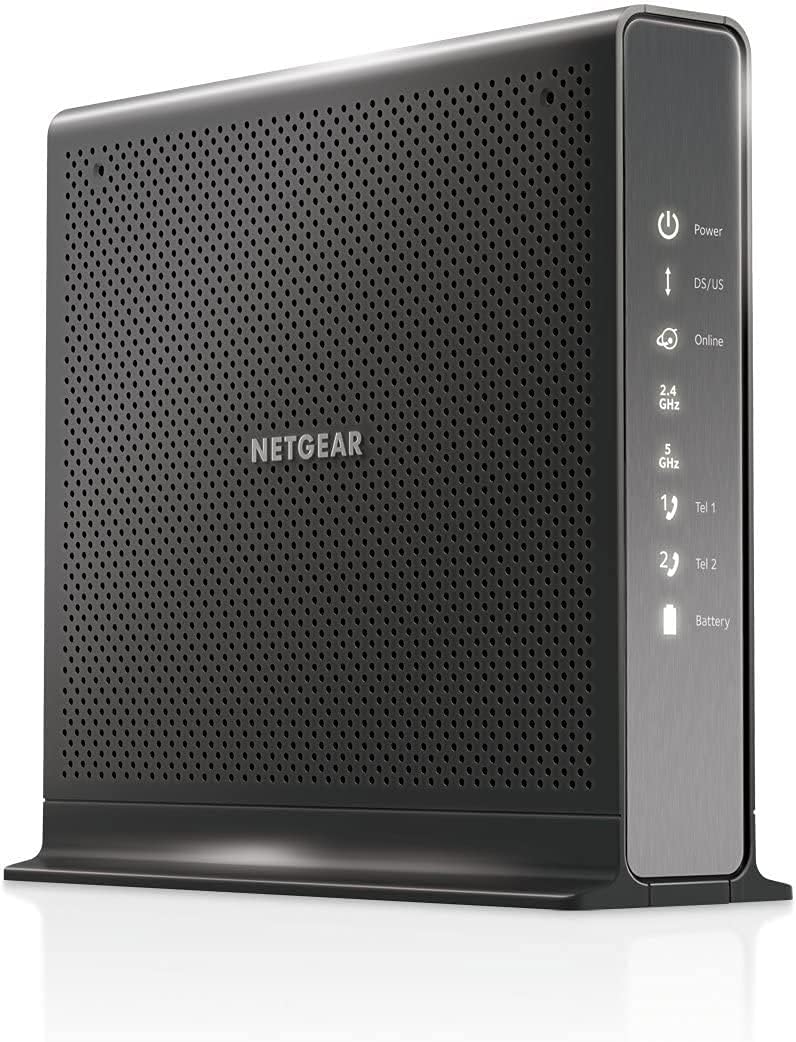
NETGEAR Nighthawk Cable Modem and WiFi 5 Router Combo (C7000)
4.2Editor score
AC1900 WiFi 5 Speed
DOCSIS 3.0 Support
Compatible With Xfinity
This comprehensive guide compares the top Cable Modem WiFi Router Combo units available in October 2026 to help you find the perfect device for your home
Finding the right internet hardware can transform your home connectivity experience significantly. A Cable Modem WiFi Router Combo simplifies your setup by combining two essential devices into one sleek unit. This integration reduces clutter and often saves you money on monthly rental fees from your service provider.
We have carefully evaluated ten top-rated models based on speed capabilities, coverage area, and compatibility with major providers. Our analysis focuses on real-world performance metrics and user feedback to ensure you get reliable recommendations. Each product offers unique features tailored to different household sizes and internet usage patterns.
Every selection in this guide highlights specific strengths and potential limitations to help you make an informed decision. You will find detailed breakdowns of technical specifications and practical advice for setup and maintenance. Please note that availability and pricing can change frequently so always verify details before purchasing.
4.2Editor score

4.1Editor score

3.9Editor score
This side-by-side comparison highlights the key specifications and capabilities of each top-rated modem router combo available today. We examine speed standards, provider compatibility, and connection options to help you narrow down your choices efficiently.





This powerful combo unit represents the peak of current home networking technology with its integrated WiFi 6 and DOCSIS 3.1 capabilities. It achieves a solid user rating reflecting reliable performance for demanding households. The combination of speed and range makes it a top contender for modern internet plans.
We may earn a commission when you buy through this link, at no additional cost to you.
Its dual band AX2700 WiFi ensures seamless streaming and gaming across multiple devices simultaneously. The DOCSIS 3.1 support future proofs your connection for upcoming gigabit upgrades from major cable providers. Four Gigabit Ethernet ports allow direct connections for desktops and consoles without signal loss.
While the cost is higher than older models it eliminates monthly rental fees and offers superior longevity. Users should ensure their internet plan matches the device capabilities to realize full speed benefits. Setup is straightforward via the Nighthawk app guiding users through every step.
Ideal for families needing robust coverage and fast speeds this unit delivers consistent performance. It stands out as the best overall choice for those prioritizing speed and reliability over budget constraints. Investing in this hardware ensures you get the most out of your internet service.
Using DOCSIS 3.1 and WiFi 6 ensures compatibility with the latest network advancements for years to come.
The Nighthawk app provides intuitive controls for pausing devices and running speed tests from your phone.
We may earn a commission when you buy through this link, at no additional cost to you.
This model offers excellent value for households seeking reliable performance without breaking the bank. It holds a strong user rating due to its consistent operation and broad provider compatibility. The AC1900 speed meets the needs of most standard streaming and browsing activities effectively.
We may earn a commission when you buy through this link, at no additional cost to you.
Its DOCSIS 3.0 certification ensures it works seamlessly with popular cable providers like Xfinity and Cox. The device includes necessary security protocols like WPA2 encryption to keep your network safe from unauthorized access. Four wired ports provide stable connections for devices that benefit from Ethernet links.
While it lacks the latest WiFi 6 features it remains highly capable for current internet speeds and usage patterns. Users should consider this if their plan does not exceed 800Mbps to maximize performance. The lower cost makes it an accessible entry point for owning your own hardware.
Perfect for budget conscious buyers this unit balances cost and functionality well. It simplifies your network setup by combining two devices into one efficient solution. Choosing this model helps you save on rental fees while maintaining solid daily performance.
By purchasing this device you eliminate the need for ongoing monthly rental fees from your service provider.
The Nighthawk app guides you through activation and configuration with clear step by step instructions.
We may earn a commission when you buy through this link, at no additional cost to you.
This high performance unit targets users with the fastest internet plans and extensive connectivity needs. It features an AX6000 speed class that handles heavy data loads with ease. The design includes a dedicated 2.5G port for wired connections that benefit from extra bandwidth.
We may earn a commission when you buy through this link, at no additional cost to you.
The coverage area extends up to 2500 square feet ensuring strong signals reach every corner of larger homes. DOCSIS 3.1 technology supports speeds up to 2Gbps allowing full utilization of high tier service plans. Multiple Ethernet ports and a 2.5G port provide versatile connection options for gaming PCs.
The higher price reflects its advanced capabilities and potential for long term utility in fast internet environments. Users must have a compatible internet plan to avoid bottlenecks that limit performance. Investment in this device is justified by its ability to handle future speed upgrades comfortably.
Best suited for power users this model delivers top tier networking performance. It ensures your home network keeps pace with the latest internet service advancements. Choosing this premium option maximizes your experience with gigabit and multi gigabit connections.
The included 2.5 Gigabit Ethernet port supports wired devices that need faster throughput than standard ports.
WiFi coverage reaches up to 2500 square feet ensuring consistent connectivity in large residential layouts.
We may earn a commission when you buy through this link, at no additional cost to you.
This renewed version offers the same powerful features as the new unit at a more accessible price. It maintains high user ratings due to rigorous testing and certification processes. The device provides reliable WiFi 6 and DOCSIS 3.1 performance for demanding home networks.
We may earn a commission when you buy through this link, at no additional cost to you.
You get access to AX2700 speeds and modern security features without the full cost of brand new hardware. The renewed status ensures the product meets specific quality standards before reaching consumers. It is an excellent choice for environmentally conscious buyers seeking top tier technology.
While it is pre-owned the device undergoes thorough checks to ensure it functions like new. Buyers should review return policies to feel confident in the purchase decision. The savings allow access to advanced networking tech for those watching their budget closely.
Ideal for smart shoppers this option balances quality and cost effectively. It brings high speed WiFi 6 capabilities to more households at a reduced expense. Choosing a renewed model helps you stay up to date with networking standards efficiently.
Each renewed unit is tested to meet specific performance criteria ensuring reliable operation out of the box.
Purchasing renewed electronics reduces waste and extends the lifecycle of high quality technology components.
We may earn a commission when you buy through this link, at no additional cost to you.
This variant offers the same core performance as its counterparts with added USB 3.0 utility. It supports the latest WiFi 6 and DOCSIS 3.1 standards for fast and efficient data transfer. The inclusion of USB 3.0 allows easy sharing of storage devices across your network.
We may earn a commission when you buy through this link, at no additional cost to you.
Users benefit from AX2700 speeds that handle multiple simultaneous streams and downloads smoothly. The security suite includes protections against common online threats to keep your data safe. Four Ethernet ports ensure your gaming consoles or desktops get prioritized wired performance.
The device is slightly more expensive than basic models but offers greater connectivity flexibility. It suits those who need to connect external drives or printers directly to the modem. Setup is streamlined through the intuitive Nighthawk app for quick configuration.
Perfect for users needing extra peripheral connectivity this unit delivers strong all round capability. It integrates seamlessly into existing smart home ecosystems without requiring additional hubs. Choosing this model ensures you have versatile options for wired and wireless devices.
The USB 3.0 port allows direct connection of storage drives for easy network sharing of files.
Built in firewall and encryption features protect your home network from unauthorized access attempts.
We may earn a commission when you buy through this link, at no additional cost to you.
This sleek unit combines modern WiFi 6 technology with a compact footprint ideal for smaller spaces. It offers DOCSIS 3.1 support enabling speeds up to 2.5Gbps for high speed internet plans. The design features clear LED indicators to simplify status monitoring at a glance.
We may earn a commission when you buy through this link, at no additional cost to you.
Users can enjoy AX3000 speeds that support multiple devices streaming or gaming concurrently without lag. The modem is tested for compatibility with major US ISPs ensuring smooth activation upon setup. It provides four Gigabit Ethernet ports for connecting essential devices directly.
While user ratings vary slightly the device delivers solid performance for most residential needs. The compact size helps maintain a tidy setup in apartments or modest homes. Users should verify specific model compatibility with their ISP before purchasing to avoid issues.
Ideal for space constrained environments this model offers efficient performance without bulk. It brings the benefits of owning your hardware to users who prefer minimalist setups. Selecting this option helps you avoid rental fees while keeping your network modern.
Simple LED indicators display power and connection status clearly without needing a smartphone app.
Tested and qualified for use with popular US internet providers ensuring reliable activation and service.
We may earn a commission when you buy through this link, at no additional cost to you.
This renewed model provides reliable AC1900 speeds at a very competitive price point. It holds strong user ratings thanks to its consistent performance with major cable providers. The device is fully tested to ensure it meets functional standards before shipping.
We may earn a commission when you buy through this link, at no additional cost to you.
Users benefit from DOCSIS 3.0 support which covers typical home internet speeds efficiently. The setup process is straightforward with the Nighthawk app guiding configuration steps. It supports up to 30 connected devices ensuring stability for family use.
The cost savings make it an attractive option for those just starting to own their equipment. While it uses older WiFi 5 technology it remains sufficient for most browsing and streaming tasks. Buyers should ensure their plan fits within its speed limitations.
Great for entry level users this unit delivers dependable internet connectivity. It simplifies your setup by merging modem and router functions into one compact device. Choosing this budget friendly option helps you reduce monthly bills effectively.
This renewed model offers a cost effective way to own reliable hardware without high upfront investment.
The included app guides you through setup ensuring you get online quickly without technical knowledge.
We may earn a commission when you buy through this link, at no additional cost to you.
This unique model supports both internet and voice services making it ideal for bundled plans. It features dedicated phone ports allowing up to two lines for home use. The AC1900 WiFi provides solid speeds for general browsing and streaming activities.
We may earn a commission when you buy through this link, at no additional cost to you.
Users can maintain landline functionality even during power outages with optional battery backup. The device works seamlessly with Xfinity services simplifying activation and billing processes. Four Gigabit Ethernet ports ensure wired devices get fast and reliable connections.
While it focuses on Xfinity users it offers unmatched convenience for those keeping a home phone line. It eliminates the need for separate routers and modems for voice services. The setup is straightforward ensuring quick integration into existing phone and internet systems.
Perfect for households needing integrated voice and internet this unit delivers reliable service. It supports traditional communication while providing modern connectivity options. Choosing this device simplifies home network management significantly.
Two dedicated voice ports allow connection of standard phones for reliable home phone services.
Optional battery backup keeps voice lines active during power failures ensuring consistent communication.
We may earn a commission when you buy through this link, at no additional cost to you.
This straightforward unit serves small households with basic internet needs effectively. It supports plans up to 300Mbps providing sufficient speed for streaming and browsing. The design is compact and easy to place anywhere without taking up much space.
We may earn a commission when you buy through this link, at no additional cost to you.
Users benefit from broad compatibility with major providers like Xfinity Spectrum and Cox. The AC1600 WiFi ensures decent coverage for single story homes or apartments. Two Gigabit Ethernet ports allow direct connections for essential devices like computers or TVs.
The simplicity makes it a great choice for those not requiring advanced networking features. It eliminates monthly rental fees while providing stable connectivity for daily tasks. Setup is intuitive ensuring users can get online quickly without professional help.
Best for smaller internet users this model offers essential features without complexity. It provides a cost effective solution for owning your home network hardware. Choosing this unit helps you save money while maintaining reliable internet access.
The small footprint allows placement in various locations without obstructing furniture or decor.
Parental controls and standard security protocols ensure basic safety for all connected users.
We may earn a commission when you buy through this link, at no additional cost to you.
This trusted unit offers reliable performance with AC2350 WiFi speeds for stable connectivity. It is compatible with most major US cable providers ensuring broad usability across regions. The device features four Gigabit Ethernet ports for versatile wired connections around the home.
We may earn a commission when you buy through this link, at no additional cost to you.
Users appreciate the simple setup process guided by the SURFboard Central App for quick activation. The interface allows easy management of connected devices and parental controls for families. It supports speeds up to 800Mbps making it suitable for high speed plans.
While it uses older DOCSIS 3.0 technology it remains a solid performer for most households. The high reliability rating indicates consistent service over time without major issues. Investing in this hardware helps you avoid ongoing rental fees effectively.
Ideal for those prioritizing reliability this model provides consistent internet access. It simplifies home networking by combining modem and router functions efficiently. Choosing this option ensures a stable connection for all your daily activities.
The dedicated app provides real time monitoring and control over network settings and devices.
Built in controls allow you to set limits and pause internet access for specific devices easily.
We may earn a commission when you buy through this link, at no additional cost to you.
Selecting the right combo unit requires understanding key technical factors to match your home internet needs effectively.
Ensure the modem supports DOCSIS 3.1 if you have speeds above 500Mbps to avoid bottlenecks. Check that the WiFi standard matches your devices for optimal throughput across your home network.
Always verify that the device supports your specific internet tier to maximize performance.
Different cable providers have specific approved device lists that can impact activation success. Confirm compatibility with your ISP before purchasing to avoid return hassles or non-functional hardware.
Check your provider's approved list to ensure your chosen device will activate properly.
Modern WiFi 6 offers better efficiency and capacity for multiple devices compared to older standards. Look for AX ratings that suit your household size to prevent congestion during peak usage hours.
Prioritize newer WiFi standards to ensure your network handles multiple devices efficiently.
Consider your home square footage to select a router with adequate coverage range. Models covering over 2000 sq ft are typically better for larger homes with thick walls.
Match the router range to your home size to ensure strong signals everywhere.
Evaluate the number of Ethernet ports needed for desktops and consoles needing wired connections. Some models offer USB ports for sharing storage or printers directly on the network.
Choose a device with enough wired ports for your essential stationary devices.
Look for built-in firewalls and encryption like WPA3 to protect your network from threats. Additional software subscriptions can offer enhanced parental controls and malware protection.
Prioritize models with robust security protocols to keep your data safe.
Apps simplify the configuration process providing step by step guidance for non-technical users. Check if remote management is available to control settings while away from home.
Select a unit with intuitive apps to make setup and maintenance easy.
Consider the upfront cost versus monthly rental savings to determine long-term value. Warranties and support options provide peace of mind should technical issues arise later.
Balance the upfront cost with potential rental savings and support coverage.
Connect the coaxial cable securely to the modem port and plug the power adapter into an outlet. Wait for the status lights to stabilize before proceeding to activate the device with your provider.
Use the manufacturer's app or web browser to log in and configure your network name and password. Run a speed test to confirm you are receiving the expected internet speeds from your service.
Place the device in a central location away from walls or electronics to maximize WiFi coverage. Restart the unit every few months to clear cache and maintain optimal performance over time.
No, a combo unit integrates both modem and router functions into a single device. This eliminates the need for separate hardware and simplifies your home setup significantly.
Most combos are designed specifically for cable internet providers like Xfinity or Cox. They are generally not compatible with DSL or fiber lines which use different connection technologies.
You must register the device MAC address with your provider either online or by phone. After activation, simply connect the cables and restart the unit to establish service.
Buying your own device typically saves money in the long run by avoiding monthly rental fees. It also often provides better performance and more features than rented units.
Slow speeds can result from plan limits signal interference or outdated device settings. Check your plan tier and ensure the modem supports the speed tier you are paying for.
Modern devices update automatically but checking manually ensures you have the latest security patches. Frequent updates help maintain network stability and protect against vulnerabilities.
WiFi 6 offers faster speeds and better efficiency for handling multiple connected devices simultaneously. It reduces latency and improves overall network performance in busy environments.
Most combos offer stable connections suitable for gaming with low latency and wired options. However models with advanced QoS features can prioritize gaming traffic for smoother gameplay.
We reviewed ten top models offering a range of speeds from budget-friendly options to premium high-performance units. The NETGEAR Nighthawk CAX30 stands out as the overall best choice for balancing speed and reliability.
Consider your specific internet speed and home size to pick a device that meets your needs efficiently. Prioritizing future-proof technologies like WiFi 6 ensures your setup remains relevant for years to come.
Always verify compatibility with your internet provider before purchasing to ensure a smooth activation process. Checking current prices and availability will help you secure the best deal for your new network hardware.