
Office Desk Accessories 2pcs Computer Monitor Memo Board Office Supplies
4.3Editor score
Transparent acrylic material
Adhesive side panels for monitors
Organizes memos and business cards
This guide compares ten top-rated ADHD desk accessories including timers, planners, and organizers to help you boost focus and maintain a clutter-free
Finding the right tools to manage distractions and stay organized is crucial for anyone navigating daily tasks with ADHD. A well-equipped desk can transform chaos into clarity by providing visual cues and structured systems that support sustained attention throughout your workday without overwhelming your senses.
We evaluated ten highly-rated products based on their design functionality user feedback and specific features tailored to neurodivergent needs. Our comparison focuses on timers that visualize time planners that reduce cognitive load and organizers that keep essentials within reach to minimize the mental energy spent on locating items.
Each pick highlights a unique approach to productivity whether through tactile feedback visual timers or streamlined planning methods. While prices may fluctuate over time these selections represent the best value and performance available in the current market for creating a supportive and efficient home office environment.
4.3Editor score
4.6Editor score

4.5Editor score
This side-by-side comparison outlines the core features and specifications of each product to help you identify the best fit for your specific workflow and desk setup needs.


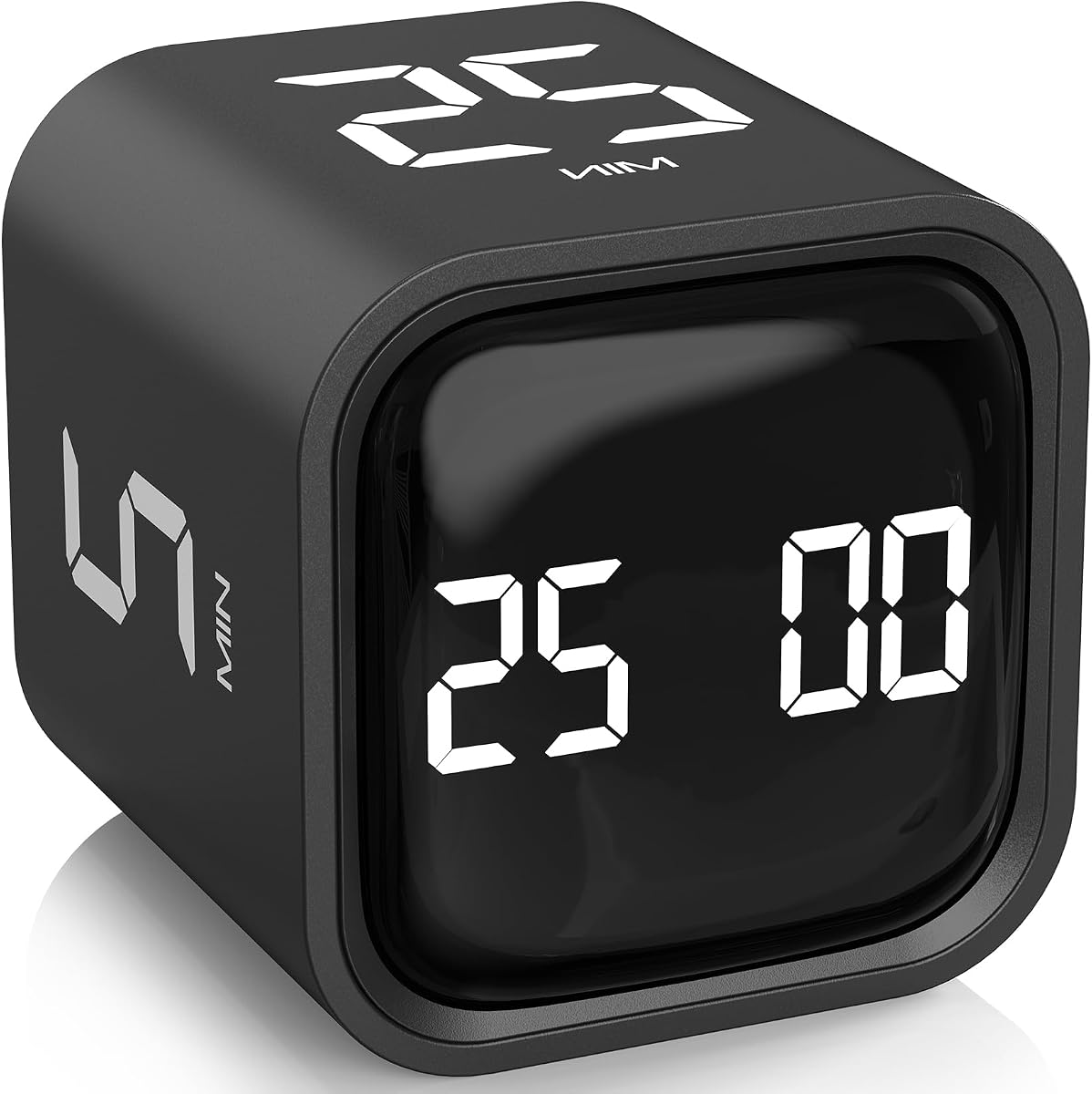
This rotating productivity timer stands out as a top choice for managing time in any ADHD household or office setup. It holds an impressive 4.6 rating from users who appreciate its ability to simplify the Pomodoro technique without requiring constant manual adjustments or complex digital interfaces.
We may earn a commission when you buy through this link, at no additional cost to you.
The core strength lies in its gravity sensor technology which allows users to start and stop timers simply by flipping the cube. This physical interaction creates a tactile cue that reinforces focus while the preset 5 and 25 minute modes align perfectly with proven productivity methods.
While the device is larger than some cube timers the added bulk houses a better display and battery system. The vibration mode ensures you stay on schedule without disrupting shared spaces making it a versatile tool for home and professional environments alike.
Anyone looking to reduce screen time and improve time perception should consider this timer. Its combination of physical engagement and reliable timing features makes it a robust investment for maintaining consistent work habits throughout the day.
The sensor detects orientation to automatically start or stop timing which reduces friction in the workflow.
Silent vibration or audible alerts ensure you can choose the notification style that fits your environment.
We may earn a commission when you buy through this link, at no additional cost to you.
This affordable two-piece memo board set offers a practical solution for keeping important notes visible without cluttering your desktop surface. With a solid 4.3 rating it proves that effective organization does not require expensive hardware or complex systems.
We may earn a commission when you buy through this link, at no additional cost to you.
The transparent acrylic panels stick to the sides of your monitor allowing you to pin task lists or memos where you will see them constantly. This visual accessibility helps prevent tasks from being forgotten or buried under piles of paper on your desk.
While the adhesive is strong users should ensure the monitor edge is clean before application to avoid residue. The material resists water and dirt so these boards remain functional even in busy environments where spills or dust are common occurrences.
Ideal for students or remote workers on a tight budget this organizer provides immediate value. It transforms passive monitor space into active productivity zones helping you maintain clarity during long work sessions.
Utilizing the vertical edge of your monitor saves valuable desk real estate for other tools.
The transparent material ensures notes remain readable without obstructing your view of the screen.
We may earn a commission when you buy through this link, at no additional cost to you.
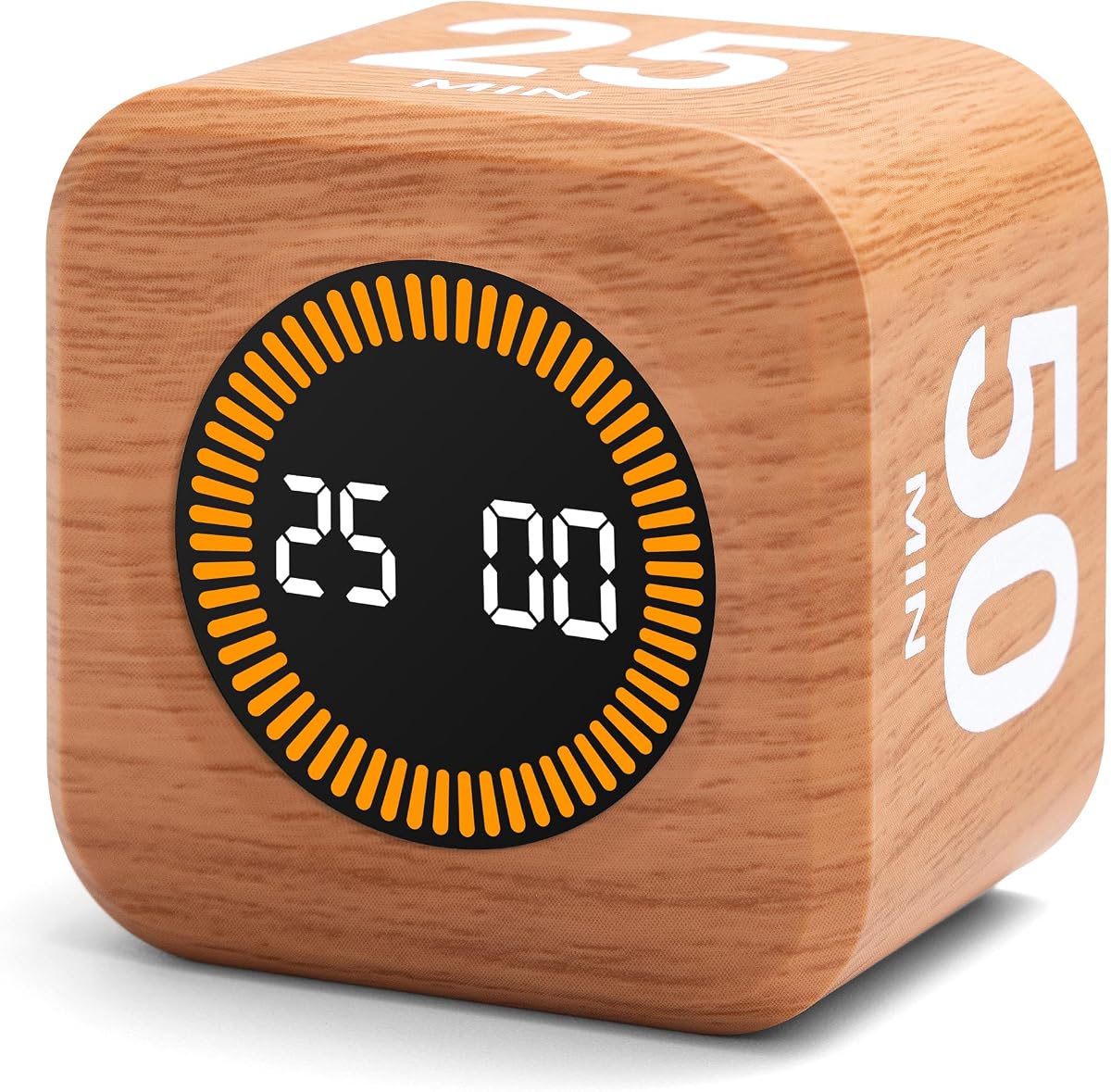
The wood grain version of this rotating timer brings a sophisticated natural touch to modern workspaces while delivering powerful time management features. It shares the core functionality of the standard model but adds a premium aesthetic that complements wooden desks and minimalist decor.
We may earn a commission when you buy through this link, at no additional cost to you.
Users appreciate the ability to customize gravity presets allowing for flexible work intervals beyond the standard 5 and 25 minutes. The built-in USB-C charging means you never have to worry about replacing batteries which adds to its long-term usability.
The bright screen ensures visibility even in low light conditions making it suitable for late-night study or work sessions. However the slightly higher cost compared to basic timers may be a consideration for budget-conscious buyers.
This timer is perfect for professionals who want productivity tools that look as good as they perform. It serves as both a functional device and a decor piece that encourages a calm and organized mindset.
Adjusting presets via the SET button allows you to tailor timing to specific project needs.
The rechargeable battery reduces waste and provides reliable power for months of use.
We may earn a commission when you buy through this link, at no additional cost to you.
This notepad offers a straightforward approach to daily planning that helps users prioritize tasks without feeling overwhelmed by complex spreadsheets. With a remarkable 4.8 rating it has earned trust among users seeking reliability and ease of use in their daily routines.
We may earn a commission when you buy through this link, at no additional cost to you.
The undated design means you can start using it at any time without worrying about skipped days or wasted pages. The thick paper prevents ink bleed-through ensuring your notes remain neat and readable for future reference or review sessions.
The transparent cover protects the pages from spills and wear making it a practical choice for busy desks. While it lacks advanced digital features the tactile experience of writing on paper can improve memory retention and task commitment.
Recommended for those who prefer analog planning to reduce screen time this notepad provides structure and clarity. It is a low-risk investment that supports better organization and goal tracking with minimal effort required.
Start planning whenever you are ready without being constrained by calendar dates or deadlines.
The 100gsm paper ensures a smooth writing experience without ink bleeding through the pages.
We may earn a commission when you buy through this link, at no additional cost to you.
This analog planner kit provides a tactile and visually satisfying way to manage daily tasks and long-term goals. It holds a solid 4.5 rating from users who value the freedom of organizing their priorities physically rather than digitally.
We may earn a commission when you buy through this link, at no additional cost to you.
The kit includes over 130 double-sided cards and a magnetic divider that helps you separate completed tasks from those in progress. This physical separation provides a sense of accomplishment when you move cards to the finished stack.
The walnut box and metal divider elevate the look of your desk making organization feel like a rewarding activity rather than a chore. The high GSM paper ensures durability even if cards are handled frequently throughout the day.
This system is ideal for individuals who enjoy hands-on planning and want to reduce digital distractions. It supports a clear workflow that helps you focus on one task at a time while keeping your overall priorities visible.
Moving cards between sections provides visual feedback on progress and completion rates.
Thick paper stands up to daily handling and ensures your plans remain intact over time.
We may earn a commission when you buy through this link, at no additional cost to you.
This visual timer uses a disappearing red disk to show how much time remains making it easy to understand without reading numbers. It has received a 4.5 rating for its effectiveness in helping users of all ages manage transitions and maintain focus.
We may earn a commission when you buy through this link, at no additional cost to you.
The silent mode ensures that activities like studying or reading are not disrupted by loud alarms which is crucial for sensitive environments. The ability to swap covers allows you to color-code timers for different tasks keeping your routine organized.
While it relies on a standard AA battery the design is simple and intuitive for daily use. The one-hour limit works well for most tasks but might require resetting for longer projects.
Recommended for families and offices needing a clear visual cue for time management this timer reduces anxiety around deadlines. Its simplicity makes it a reliable tool for building better time awareness habits.
The red disk disappears as time passes providing a clear intuitive view of remaining time.
Adjustable alert settings allow you to choose between sound and silence based on your environment.
We may earn a commission when you buy through this link, at no additional cost to you.
This planner is explicitly designed to support neurodivergent adults with features that address common challenges like distraction and task initiation. It holds a 4.5 rating from users who find its layout helps them stay organized and focused throughout the day.
We may earn a commission when you buy through this link, at no additional cost to you.
The design includes a brain dump section for capturing stray thoughts and a checklist with rewards to maintain motivation. This approach acknowledges the emotional side of productivity making it easier to complete tasks without feeling overwhelmed.
The rainbow color coding helps visually distinguish between different types of tasks which can improve mental organization. While the sheet count is limited the undated format allows you to use the pages whenever you feel ready to start.
Ideal for those who struggle with traditional planners this notepad offers a supportive framework for daily management. It balances structure with flexibility to help you build sustainable habits without rigid pressure.
Dedicated space for random thoughts keeps your mind clear for focused work tasks.
A built-in reward system encourages completion of tasks by acknowledging progress.
We may earn a commission when you buy through this link, at no additional cost to you.
This weekly planner provides a broad overview that helps users plan tasks across multiple days without feeling rushed by daily limits. It is highly rated with a 4.8 score for its ability to organize priorities effectively on a single large sheet.
We may earn a commission when you buy through this link, at no additional cost to you.
The design separates top priorities from low priority items ensuring that critical tasks get attention before less urgent ones. Spiral binding allows pages to stay flat making writing comfortable even when placed on uneven desk surfaces.
The thick paper prevents ink bleed-through which keeps notes legible and professional. While the pink cover may not appeal to everyone the functional layout offers significant value for organizing complex schedules.
Best for those who need to see their entire week at a glance this planner reduces the mental load of tracking dates. It simplifies routine planning so you can focus on executing your tasks efficiently.
Separate sections for top and low priorities help you focus on what matters most first.
The spiral design allows pages to lay flat for a comfortable writing experience.
We may earn a commission when you buy through this link, at no additional cost to you.
This memo board combines a stylish wooden base with a clear acrylic panel to hold notes securely without sticking to your screen. With a 4.5 rating it is appreciated for its ease of use and protection of expensive monitor surfaces.
We may earn a commission when you buy through this link, at no additional cost to you.
The dual slot design allows you to place the board on the side or top of your monitor depending on what fits your setup best. This flexibility ensures notes stay visible where you can see them easily without taking up desk space.
Included sticky notes make it ready to use out of the box which is convenient for quick organization. The sturdy base keeps it stable even when removing and adding new notes throughout the workday.
Ideal for users who want a portable solution that does not rely on adhesives this board keeps your workspace tidy. It ensures important reminders stay in plain sight while protecting your equipment from potential scratches.
No adhesive required means no risk of damaging your monitor surface with sticky residue.
Dual slots allow you to choose the best viewing angle for your specific monitor setup.
We may earn a commission when you buy through this link, at no additional cost to you.
This footrest helps maintain proper posture by elevating your feet which reduces pressure on the lower back and legs. It has received a 4.2 rating for its practical design that supports long work hours without causing fatigue.
We may earn a commission when you buy through this link, at no additional cost to you.
The textured surface includes rollers that provide a light massage to improve circulation while you sit. Its swing capability allows you to adjust the angle to fit your comfort level as the day progresses.
Made from durable PP material it is easy to clean and light enough to move between office and home. The non-slip bottom ensures stability so it stays in place even when you shift your weight.
Best for anyone who sits for long periods this footrest adds a layer of physical comfort to your desk setup. It complements productivity accessories by ensuring your body feels relaxed so you can focus better.
Elevating your feet helps align your spine and reduce strain during extended sitting.
Textured rollers promote blood circulation and relieve foot pressure while you work.
We may earn a commission when you buy through this link, at no additional cost to you.
Selecting the right tools for ADHD involves understanding what helps your brain stay focused and organized.
Decide whether you respond better to visual timers that show time passing or physical tools like card systems you can manipulate. Visual tools often help those who need to see deadlines while physical tools engage touch for focus.
Choose the format that aligns with how your brain processes information most effectively during work.
Measure your workspace to ensure organizers and accessories will fit without crowding your essential items. Large planners might be helpful but they can also cause clutter if your surface is already limited.
Opt for compact or vertical organizers if desk real estate is at a premium in your setup.
Consider if loud alarms will disrupt your focus or if silent options are preferable. Some timers allow vibration or silent modes which are crucial for shared environments or quiet work sessions.
Select a timer with adjustable volume to match your sensitivity and environment needs.
Look for products made from sturdy materials like acrylic or thick paper that can withstand daily handling. Accessories that break easily add to stress and replacement costs over time.
Invest in quality items that will last longer to save money and maintain consistency.
Choose designs that you find pleasing as this can increase your motivation to use the tools regularly. A workspace that looks organized and inspiring can help reduce the resistance to starting tasks.
Pick accessories that match your personal style to make organization feel rewarding.
Evaluate whether you need simple daily lists or complex weekly planning systems. Overly complex tools can become a distraction so simplicity often wins for consistent daily use.
Select a system that matches your planning complexity without overwhelming you.
Check if electronic timers require batteries or rechargeable options to avoid interruptions. Rechargeable devices are more cost-effective and eco-friendly for long-term use.
Prefer USB-C rechargeable options to reduce waste and ensure constant availability.
Balance your budget with the features you actually need to avoid paying for unused extras. Basic tools often provide the same organizational benefits as expensive versions if used correctly.
Focus on functionality over brand name to ensure the product serves your needs effectively.
Start by placing timers within arm's reach so you can flip or start them without leaving your seat. This small habit ensures you do not lose focus by searching for tools when you need them.
Clean acrylic organizers regularly with a soft cloth to keep notes visible and prevent dust buildup. For paper planners replace pages regularly to maintain a fresh look that encourages daily use.
Store completed card sets or notes in designated boxes so your desk remains uncluttered. A tidy workspace supports mental clarity and helps you focus on the next task without distraction.
Many of these items such as visual timers and simple planners are designed for users of all ages. The tactile nature of the card system and timers makes them suitable for children who need structured routines.
Timers are generally safe and do not interfere with computer hardware or software. However avoid placing adhesive boards directly on screens to prevent damage or residue buildup on sensitive surfaces.
Replace sticky notes as they fill up or become illegible to maintain clarity. Most boards include enough notes for several weeks but refills are affordable and easy to find online.
Yes several timers offer silent vibration modes that do not disturb others nearby. Check product details to ensure the model you choose supports silent operation if noise is a concern.
Most recommended planners are undated allowing you to start at any time. This flexibility is ideal for ADHD users who may not always plan exactly on calendar dates.
Use a soft microfiber cloth with mild soap and water to wipe acrylic surfaces. Avoid harsh chemicals that could scratch the transparent material or dull the finish over time.
We reviewed ten top picks ranging from timers to planners that offer practical support for daily focus. Each product was selected for its ability to reduce cognitive load and help you maintain clear workflows.
Prioritize accessories that match your sensory needs and desk space to ensure consistent use. The right tool can transform your workflow from chaotic to calm with just a few small changes.
Remember to check current availability before purchasing as stock may vary by region. Investing in the right organization system can make a lasting difference in your daily productivity.