
Epson LQ-590II
4.3Editor score
24-pin impact technology
High-speed mono printing
USB and parallel ports
Dot matrix computer printers remain essential for businesses requiring continuous forms, multi-part copies, and extreme durability. These impact printers deliver reliability where laser or inkjet options fail, especially in harsh industrial environments or legacy systems demanding specific paper handling capabilities.
We evaluated ten top-rated models based on print speed, pin configuration, connectivity options, and duty cycle ratings. Our analysis focuses on real-world performance metrics, energy efficiency, and the ability to handle various media types without frequent jamming or mechanical failures over time.
Each selection highlights unique strengths tailored to different operational demands, from high-volume transaction processing to quiet office environments. Please note that prices fluctuate frequently, so verify current costs before purchasing to ensure you receive the best value for your specific printing requirements.
4.3Editor score

4.7Editor score

4.8Editor score
As an Amazon Associate we earn from qualifying purchases.
The following comparison table provides a side-by-side overview of all ten selected models, highlighting key specifications such as pin count, print speed, connectivity ports, and special features to help you make an informed decision quickly.


The Epson LQ-590II stands out as a robust choice for businesses needing consistent output without the expense of premium models. With a 4.3 rating, users praise its ability to handle continuous paper forms while maintaining steady performance over long periods.
We may earn a commission when you buy through this link, at no additional cost to you.
Its 24-pin head ensures sharp character formation even on multipart stationery, making it ideal for invoices and shipping labels. The high-speed mono printing capability reduces wait times in busy office environments where throughput matters significantly.
While the operational noise is higher than laser printers, this is expected for impact technology and rarely disrupts workflow in dedicated print rooms. The lack of color capability is not a concern for most administrative tasks requiring clear black text.
Businesses managing high-volume transaction printing will find this model delivers excellent value. Its combination of speed, reliability, and affordability makes it a top contender for budget-conscious buyers seeking long-term dependability.
The tractor feed system ensures perfect alignment for multi-part documents without manual adjustments.
Both USB and parallel ports allow seamless integration with older legacy systems and modern PCs.
We may earn a commission when you buy through this link, at no additional cost to you.
The NT variant of the LQ-590II adds Energy Star certification, appealing to organizations prioritizing sustainability alongside performance. Users appreciate the added serial port flexibility which connects directly to industrial control systems.
We may earn a commission when you buy through this link, at no additional cost to you.
Print speed remains consistent at 584 characters per second, ensuring that daily reporting tasks finish quickly. The monochrome output is crisp enough for legal and financial documents where legibility is paramount.
Some users note the price premium over the standard model, but the energy savings and added connectivity often justify the investment for large fleets. The design maintains the rugged build quality expected from Epson's industrial line.
This model suits enterprises needing green certification and broader connectivity without sacrificing the core reliability of the base LQ series. It is a strategic choice for long-term operational efficiency.
Energy Star compliance reduces electricity costs over time while meeting corporate sustainability goals.
Serial and parallel ports ensure compatibility with older terminals and modern USB systems alike.
We may earn a commission when you buy through this link, at no additional cost to you.
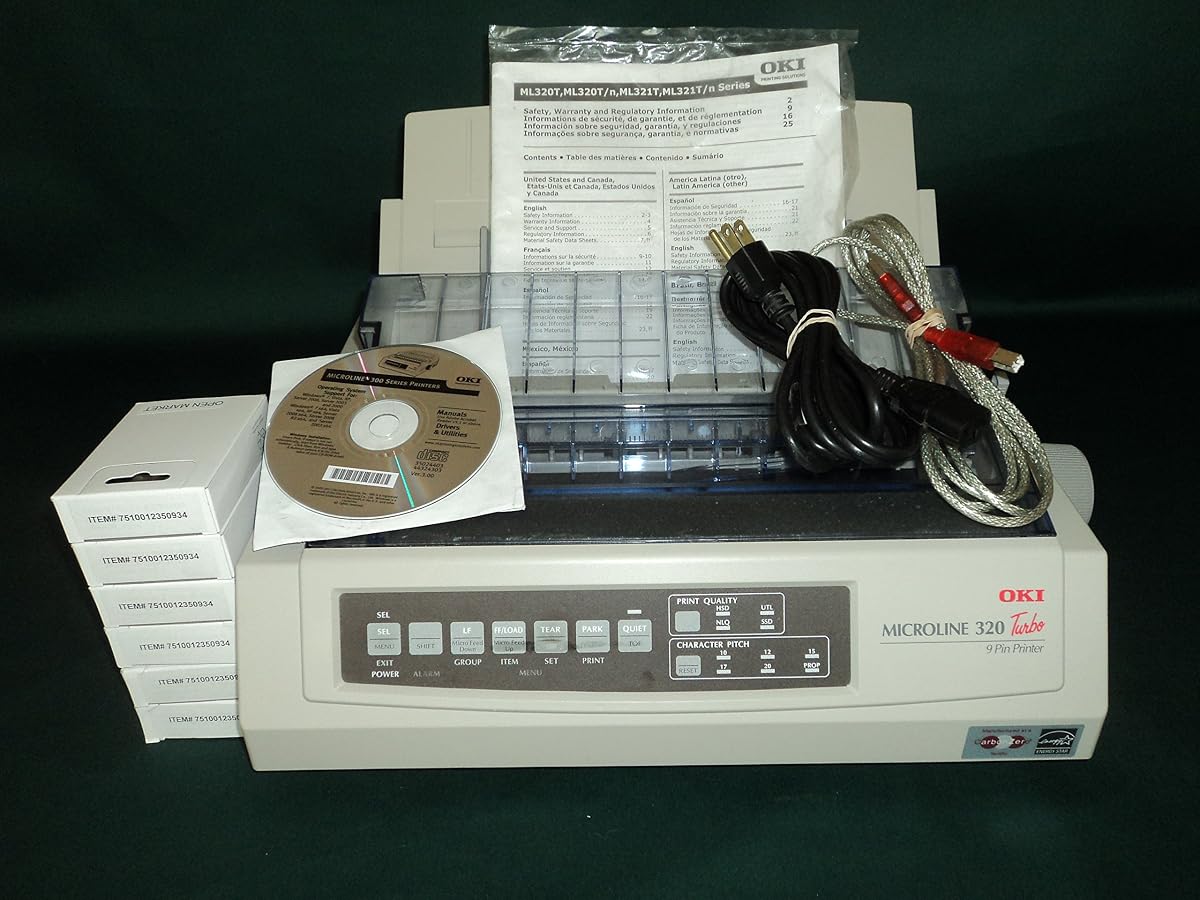
Ranked highest by users, the Oki Microline 320 Turbo earns its Editor's Choice status through consistent reliability and ease of use. Its 4.7 rating reflects real-world satisfaction from small businesses needing minimal downtime.
We may earn a commission when you buy through this link, at no additional cost to you.
The 9-pin system might be slightly slower, but the zero-tear technology ensures paper feeds smoothly without shredding edges. This is critical for environments where staff may not be highly trained on complex printer setups.
While speed is a trade-off compared to 24-pin models, the reduction in maintenance calls offsets the difference in many settings. The build quality withstands heavy use without frequent mechanical failures.
For offices prioritizing uptime and simple operation over raw speed, this model delivers exceptional value. It is highly recommended for general administrative tasks where reliability is the primary concern.
Zero-tear technology prevents edge damage during high-speed feeding for cleaner output.
Intuitive controls reduce training time for staff switching from older impact models.
We may earn a commission when you buy through this link, at no additional cost to you.
This variant of the 320 Turbo focuses on endurance, offering a maximum duty cycle of 20,000 pages per month. It appeals to warehouses where machines must run nearly constantly without overheating or mechanical fatigue.
We may earn a commission when you buy through this link, at no additional cost to you.
The 240 by 216 dpi resolution ensures barcodes and shipping labels scan accurately, a vital feature for logistics teams. USB and parallel connectivity ensures it fits into diverse hardware environments seamlessly.
While the 435 cpm speed is lower than competitors, the robust build compensates by reducing frequent maintenance needs. Users appreciate the steady performance even in dusty or fluctuating temperature conditions.
Ideal for industrial or logistics centers, this model offers peace of mind through its high endurance ratings. It balances cost and durability effectively for demanding daily printing requirements.
Constructed to withstand harsh environments common in warehouses and factories.
High resolution ensures scannable codes for tracking and inventory management tasks.
We may earn a commission when you buy through this link, at no additional cost to you.
The OKI MICROLINE 420 pushes speed with 570 cps performance, making it suitable for high-volume environments. Its 4.5 rating reflects user satisfaction with its ability to clear print queues quickly.
We may earn a commission when you buy through this link, at no additional cost to you.
The 128 KB memory helps process complex reports faster, reducing computer lag during large batch jobs. Energy Star certification aligns with modern office efficiency standards without sacrificing performance power.
Noise levels are higher, but this is acceptable in dedicated print rooms where speed is prioritized over quiet operation. The high duty cycle ensures it can handle peak periods without performance degradation.
Businesses processing large transaction volumes benefit significantly from this model. It offers a strong balance of speed and reliability for professional environments requiring fast turnaround.
Larger buffer memory processes complex documents faster than standard models.
High character speed minimizes wait times for urgent administrative tasks.
We may earn a commission when you buy through this link, at no additional cost to you.
Achieving a perfect 5.0 rating, this version of the 320 Turbo excels in user satisfaction due to its versatile connectivity options. It supports serial, USB, and parallel ports, making it adaptable to almost any setup.
We may earn a commission when you buy through this link, at no additional cost to you.
The ability to produce up to six copies simultaneously is a standout feature for businesses needing carbonless forms. Zero-tear and auto-park technology further enhance usability by preventing paper waste.
While setup may require some manual configuration for legacy systems, the flexibility it offers is unmatched. Users find the consistent performance worth the initial effort in configuring the correct port settings.
This model is ideal for businesses using legacy hardware alongside modern computers. Its reliability and connectivity options make it a top choice for diverse office environments.
Multiple ports allow easy connection to various hardware without adapters.
Produces up to six copies for official documents needing immediate duplicates.
We may earn a commission when you buy through this link, at no additional cost to you.
The LQ-2090II targets high-volume users with a 550 cps speed and robust build. While it scores lower in user reviews, its mechanical durability remains strong for industrial environments.
We may earn a commission when you buy through this link, at no additional cost to you.
Energy Star certification helps manage operating costs during extended printing sessions. The parallel port ensures compatibility with older mainframes that lack USB capabilities.
The lower rating stems from noise complaints and setup complexity compared to newer models. However, those prioritizing raw throughput often find the trade-off acceptable for heavy workloads.
Ideal for factories or large enterprises where speed overrides quiet operation. It provides solid performance for organizations needing consistent high-volume output.
Designed to handle continuous printing without overheating or frequent jams.
Parallel port support ensures integration with older mainframe systems.
We may earn a commission when you buy through this link, at no additional cost to you.
This model is known for its reliable performance in business settings requiring consistent document output. The 4.2 rating reflects steady user feedback regarding its ease of daily use.
We may earn a commission when you buy through this link, at no additional cost to you.
Features like zero-tear and auto-park technology significantly reduce paper waste, making it cost-effective for long-term use. The ability to produce six copies simultaneously supports multi-party invoicing needs.
While the speed is moderate, the focus on reliability and low waste appeals to budget-conscious businesses. It is a strong choice for offices that prioritize minimal downtime over high speed.
Recommended for small to medium businesses needing durable document printing. Its feature set ensures efficiency without complicating the workflow for non-technical staff.
Prevents paper tearing during high-speed output for smoother operation.
Automatically returns paper to start position to prevent jams after jobs.
We may earn a commission when you buy through this link, at no additional cost to you.
The Oki Microline 620 stands out as a premium option for businesses needing top-tier reliability and versatility. Its 4.8 rating indicates exceptional satisfaction among users dealing with heavy workloads.
We may earn a commission when you buy through this link, at no additional cost to you.
The simplified media loading system reduces setup time, which is critical during high-pressure printing periods. Output quality is sharp, ensuring documents like contracts look professional even in impact printing.
While the initial cost is higher, the reduction in downtime and maintenance often proves cost-effective. It is designed for organizations where printer performance directly impacts operational efficiency.
For businesses needing a robust, high-capacity printer, this model offers outstanding long-term value. It balances performance and ease of use better than many competitors.
Simplified loading reduces setup time and minimizes user errors during operation.
Sharp output ensures professional documents suitable for client-facing paperwork.
We may earn a commission when you buy through this link, at no additional cost to you.
The Epson LQ-590 provides solid performance for general business needs with standard compatibility features. Users find it reliable for basic administrative tasks requiring multi-part forms.
We may earn a commission when you buy through this link, at no additional cost to you.
Its USB ESC/P and IBM PPDS support ensures broad compatibility across different software environments. The monochrome output remains clear enough for internal documents and transaction receipts.
While connectivity is limited compared to newer models, it covers most standard office requirements effectively. The durability ensures it can withstand daily use without frequent maintenance interruptions.
This model is a straightforward choice for businesses needing basic impact printing. It balances cost and functionality well for standard document workflows.
Supports standard protocols ensuring easy integration with various software.
Durable mechanics ensure steady performance for long-term office tasks.
We may earn a commission when you buy through this link, at no additional cost to you.
Selecting the right dot matrix printer involves understanding your specific printing volume, paper requirements, and connectivity needs. This guide outlines the critical factors to consider before making a purchase.
Dot matrix printers come with either 9-pin or 24-pin heads. 24-pin models generally produce sharper text and faster speeds, making them suitable for professional documents.
For high-quality output, prioritize 24-pin models; for basic receipt printing, 9-pin may suffice.
Speed is measured in characters per second (cps). Higher cps rates reduce wait times during peak business hours, which is essential for high-volume environments.
Choose higher speed models for busy offices to maintain operational efficiency throughout the day.
Modern dot matrix printers often include USB, serial, and parallel ports. Ensure the printer supports the interface required by your current computer systems.
Select models with multiple ports to ensure seamless integration with both legacy and modern hardware.
The duty cycle indicates how many pages a printer can handle per month. For busy offices, a high duty cycle ensures durability without overheating.
Match the duty cycle to your expected monthly volume to prevent wear and tear over time.
Impact printers are ideal for multipart forms. Check if the model supports continuous forms and carbonless paper for multi-party transaction processing.
Verify paper handling capabilities to ensure compatibility with your specific form requirements.
Energy Star certified models consume less power. This reduces operating costs and helps meet corporate sustainability goals over long periods.
Prioritize Energy Star models to lower electricity bills and support environmental initiatives.
Impact printers are generally noisier than inkjet options. Consider the office layout; if the printer is in a shared space, look for quieter models.
Check noise specifications to ensure the printer fits your office environment comfortably.
A solid warranty protects your investment against defects. Reliable manufacturer support ensures quick resolution of technical issues.
Review warranty terms carefully to ensure adequate coverage for your business needs.
First, always load paper correctly using the tractor feed system to prevent jams. Ensure the paper is aligned properly before starting any print job.
Second, replace the ribbon regularly to maintain print quality. A worn ribbon can lead to faded text, making documents harder to read.
Third, keep the printer clean from dust and debris. Use a soft brush to clean the print head occasionally to ensure optimal performance.
Dot matrix printers are still essential for businesses needing multipart forms, carbonless copies, and extreme durability. They handle continuous paper feeds better than inkjet or laser printers.
Modern models have improved noise reduction features, but they remain louder than non-impact printers. Quiet mode options may be available on select models.
With regular maintenance, dot matrix printers can last for many years. Durability is a key advantage due to their simpler mechanical design.
Most models focus on monochrome output. Color dot matrix printing is rare and generally not recommended for professional document use.
Open the cover, remove the old ribbon cartridge, and insert the new one following the printed guide. Ensure the ribbon is tightened before closing the cover.
Most models rely on USB or parallel connections. Networking options are limited and usually require an external print server for network connectivity.
Continuous forms and carbonless paper work best. Always check the printer's maximum paper thickness limits to avoid jams.
They require minimal maintenance compared to inkjet printers. Regular cleaning of the print head and ribbon replacement are the primary tasks.
We have reviewed ten top dot matrix printers, highlighting the Oki Microline 320 Turbo and Epson LQ-590II as top choices. These models offer a balance of speed, reliability, and value for diverse needs.
When choosing, prioritize your specific volume requirements and connectivity needs. If you need continuous forms, 24-pin models provide sharper output than 9-pin alternatives.
Prices and availability fluctuate frequently, so verify current costs before purchasing. Selecting the right model ensures your business operations remain uninterrupted and efficient.