
Lexar OC DDR5 RAM 1x8GB 6000MHz CL38 288-Pin UDIMM Desktop Memory
4.8Editor score
6000MT/s Speed
CL38 Low Latency
Minimalist Aluminum Armor
On-Die ECC & PMIC
Intel XMP 3.0
This comprehensive guide compares the top Lexar DDR5 RAM kits for gaming and workstations, analyzing speed, latency, design, and compatibility to help you
Selecting the right memory is crucial for modern computing. Lexar DDR5 RAM offers high speeds and efficiency. Choosing the right kit ensures your system performs at its peak for gaming and productivity tasks.
We evaluated ten top models based on speed, latency, cooling, and compatibility. Our analysis covers various configurations to help you find the best fit for your motherboard and processor needs without confusion.
Each pick highlights key strengths and ideal use cases. Prices and availability fluctuate frequently. Always verify current specs and stock before purchasing to ensure you get the exact performance you expect today.
4.8Editor score

4.4Editor score

4.7Editor score
This side-by-side comparison lists all ten selected memory kits. You can quickly see their capacities, speeds, latencies, and key features to identify the best value for your specific build requirements.


This Lexar OC DDR5 RAM is a solid budget choice. It delivers 6000MT/s speeds with CL38 latency. It works well with Intel 14th Gen and AMD AM4/AM5 platforms.
We may earn a commission when you buy through this link, at no additional cost to you.
It features a minimalist aluminum heatsink for thermal control. The ultra-compact 39mm profile fits many coolers. On-Die ECC and PMIC enhance stability and power efficiency under load.
While it is a single stick, it is ideal for upgrades. It lacks RGB, which keeps costs down. The low profile ensures compatibility with large air coolers.
Buy this if you need reliable speed on a budget. It supports XMP 3.0 and EXPO for easy setup. Ensure your motherboard supports the frequency for optimal performance.
The 6000MT/s speed provides fluid multitasking and gaming performance without breaking the bank.
The 39mm heatsink height fits tower coolers and compact cases easily.
We may earn a commission when you buy through this link, at no additional cost to you.
The Lexar Thor Z RGB is a complete 32GB kit. It offers 6000MT/s speeds and CL38 latency. The RGB lighting enhances aesthetics significantly. It supports Intel XMP 3.0 and AMD EXPO.
We may earn a commission when you buy through this link, at no additional cost to you.
It features a solid aluminum heatsink for endurance. The RGB is brighter than previous generations. On-Die ECC ensures stability for critical tasks. The design is sleek and robust.
While priced higher, it balances performance and looks. Ensure BIOS enables XMP for rated speeds. It is versatile for gaming and workstation needs alike.
Choose this for a balanced upgrade. It fits most DDR5 motherboards. The combination of speed and style makes it a strong contender for enthusiasts.
The brighter RGB allows synchronization with other components for a standout build.
The sandblasted aluminum heatsink keeps temperatures low during intense sessions.
We may earn a commission when you buy through this link, at no additional cost to you.
G.SKILL Flare X5 is tailored for AMD AM5 systems. It reaches 6000MT/s speeds with tight CL36 latency. The matte black design fits professional builds. It supports both EXPO and XMP.
We may earn a commission when you buy through this link, at no additional cost to you.
It is validated for many motherboards like B650. The 1.35V profile ensures efficiency. Mixing kits should be avoided for stability. The speed depends on CPU and motherboard synergy.
Higher latency than some models is acceptable. It excels in Ryzen performance optimization. The black finish remains timeless and understated. Users prioritize raw speed over flash.
Buy this for AMD builds seeking performance. It ensures compatibility with major boards. The low latency helps in demanding gaming and workloads.
Specifically designed to maximize the potential of Ryzen processors.
JEDEC profiles ensure safe defaults for consistent operation.
We may earn a commission when you buy through this link, at no additional cost to you.
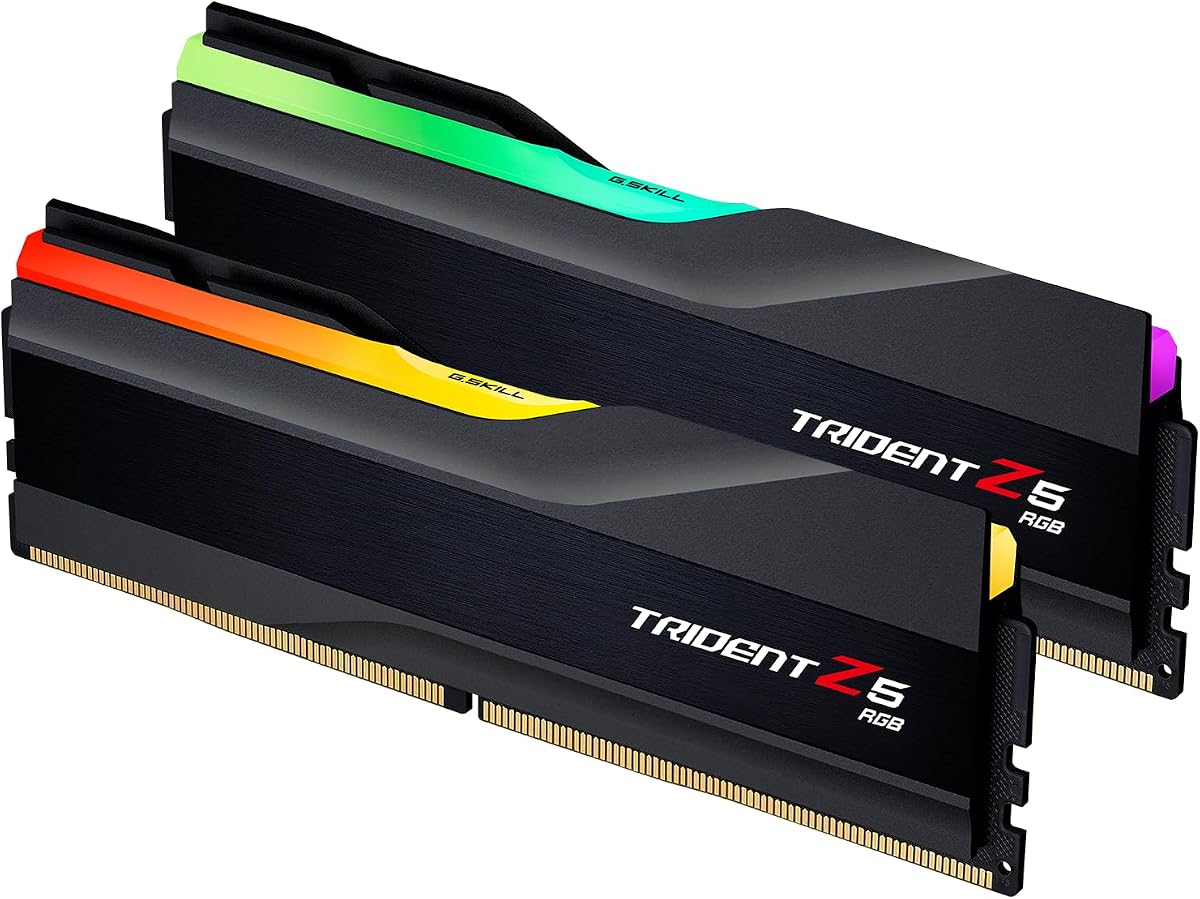
Trident Z5 RGB delivers a stunning look. It hits 6000MT/s speeds with CL36 latency. It is validated for Z790 and X670 boards. It supports XMP and EXPO profiles.
We may earn a commission when you buy through this link, at no additional cost to you.
The RGB effects are customizable. Mixing kits risks instability. The matte finish suits modern themes. It ensures high throughput for demanding apps. Ensure your system supports the rated speed.
It is a powerful option for enthusiasts. The design adds visual appeal to the build. Performance is consistent when configured correctly. Validation on QVL lists aids choice.
Choose this for high-end builds. It balances speed and visual impact. The support for multiple platforms makes it versatile for any system.
RGB lighting provides a dynamic look that complements gaming setups.
Works well with both Intel and AMD systems.
We may earn a commission when you buy through this link, at no additional cost to you.
This 64GB kit handles heavy workstation tasks. It reaches 6000MT/s with CL36 latency. It suits content creators needing large memory. It supports EXPO and XMP profiles.
We may earn a commission when you buy through this link, at no additional cost to you.
It is validated for B650 and X670 boards. The 1.35V profile ensures efficiency. Mixing kits may cause instability. The matte black is professional. Ensure BIOS settings match specs.
The high capacity is crucial for rendering. It maintains speed while scaling memory. It is an investment in long-term performance. Stability is key for professional apps.
Buy this for professional video editing. It ensures smooth multitasking. The validation supports major boards and reduces setup issues.
64GB allows for massive datasets and large project files.
Power management ensures stability even at high speeds.
We may earn a commission when you buy through this link, at no additional cost to you.
The Lancer Blade offers a slim profile. It runs at 6000MT/s speeds. It fits compact builds and coolers. It supports Intel XMP 3.0 and AMD EXPO.
We may earn a commission when you buy through this link, at no additional cost to you.
The black RGB adds subtle lighting. The 11M warranty ensures reliability. It avoids bulky heatsinks. This saves space in small cases. The speed is solid for gaming.
While capacity is limited, it suits upgrades. It is cost-effective for high-speed needs. The design is modern and efficient. Stability is verified across platforms.
Choose this for small cases. It delivers speed without bulk. The warranty offers peace of mind.
Slim heatsink allows better airflow in tight chassis.
An 11-month warranty shows confidence in durability.
We may earn a commission when you buy through this link, at no additional cost to you.
Trident Z5 Neo targets Ryzen 7000 systems. It offers 6000MT/s speeds. The RGB is customizable via software. It ensures low latency for gaming.
We may earn a commission when you buy through this link, at no additional cost to you.
It works on B650 and X670 boards. The matte finish is clean. It uses 1.35V efficiently. The design balances looks and power. BIOS must enable EXPO.
This kit is for performance seekers. The optimization aids Ryzen memory controller. The visual style complements modern builds. It is robust for gaming workloads.
Buy this for AMD RGB builds. It ensures stability at high speeds. The look is timeless and efficient.
Specifically tuned for AMD AM5 platforms.
1.35V ensures high performance without excessive heat.
We may earn a commission when you buy through this link, at no additional cost to you.
Flare X5 offers solid value for AM5. It hits 6000MT/s with CL36 latency. The matte black is discreet. It supports EXPO for easy setup.
We may earn a commission when you buy through this link, at no additional cost to you.
It works on many B650 boards. Mixing kits risks failure. The speed depends on CPU. The 1.35V ensures efficiency. It fits professional builds.
Users get speed without flash. It is stable for gaming. The design is simple and effective. Performance is reliable when configured.
Buy this for AMD value builds. It avoids RGB costs. The speed supports modern applications.
Matte black fits minimalistic or professional cases.
Supported on major B650 boards for stability.
We may earn a commission when you buy through this link, at no additional cost to you.
Lancer Blade RBG offers CL30 latency. It reaches 6000MT/s speeds. The customizable RGB is vibrant. It suits gaming builds needing speed.
We may earn a commission when you buy through this link, at no additional cost to you.
The low profile heatsink fits coolers. PMIC ensures stable power. On-die ECC aids reliability. It supports both XMP and EXPO. Validation on major boards is high.
It is pricey for the speed. The latency advantage is real for FPS. The design fits compact cases. Power stability is a key benefit.
Choose this for competitive gaming. The latency helps reduce input lag. The RGB looks great on high-end boards.
CL30 provides faster response times for gaming.
XPG Prime software allows personalized lighting.
We may earn a commission when you buy through this link, at no additional cost to you.
This Lancer Blade kit is 32GB. It hits 6000MT/s speeds. The RGB is vibrant. It fits cases needing height clearance.
We may earn a commission when you buy through this link, at no additional cost to you.
It supports XMP 3.0 and EXPO. The low profile helps airflow. Stability is verified on boards. It suits gaming builds needing capacity.
Latency is standard for this speed. It balances looks and performance. The design is sleek. Ensure BIOS enables profiles for rated speeds.
Buy this for versatile builds. It offers speed and RGB. The design fits many cooling setups.
Fits in small cases without blocking airflow.
6000MT/s provides solid performance for most apps.
We may earn a commission when you buy through this link, at no additional cost to you.
Choosing the right memory requires attention to speed, latency, capacity, and compatibility.
Speed determines how fast data moves. Higher speeds help in gaming and rendering. Aim for 6000MT/s as the sweet spot for current gen CPUs.
Match your motherboard and CPU support for rated speeds. Ensure BIOS supports the frequency for rated performance.
Latency is the delay before data transfer. Lower CL numbers are better for responsiveness. CL30 to CL36 are competitive for gaming.
Lower latency reduces input lag. Ensure the kit supports your platform for best results.
Capacity affects multitasking. 32GB is ideal for modern gaming and editing. 64GB suits professional workstations.
Match capacity to your workload. 16GB kits are for basic upgrades.
Ensure your motherboard supports DDR5. Intel XMP 3.0 and AMD EXPO must be supported for rated speeds. Check QVL lists for validation.
Incompatible kits may run at slower speeds. Verify your motherboard before purchasing.
A heatsink manages heat. Aluminum heatsinks aid thermal control. Low profiles fit compact cases.
Ensure clearance for coolers. A sleek design matches your build.
On-Die ECC corrects errors. PMIC manages power efficiently. This helps stability in sustained loads.
Look for kits with these features for reliability. They are standard in newer kits.
RGB adds visual flair. It allows synchronization with other components. Choose if aesthetics matter.
Non-RGB kits save money. Ensure your software supports lighting if choosing RGB.
A solid warranty ensures reliability. Support aids troubleshooting. Check policies before buying.
Lifetime warranties are standard. A warranty protects your investment.
Install the RAM carefully by aligning the notch and pressing firmly into the slots. Ensure the latches click to secure the modules.
Enable XMP or EXPO in the BIOS to achieve rated speeds. This step ensures your system uses the full potential of the memory.
Keep your system clean to prevent dust buildup on heatsinks. Dust can trap heat and affect performance over time.
Yes, most kits support both Intel XMP 3.0 and AMD EXPO. Check specific product details for compatibility. The kits are validated for major 2026 motherboards.
No. RGB is for aesthetics. Non-RGB kits offer similar speed. Choose RGB only if looks matter. The performance depends on speed and latency.
6000MT/s is widely accepted as the sweet spot. It balances cost and performance. Lower speeds may limit system potential. Ensure BIOS supports rated speeds.
No. On-Die ECC helps stability but is not required for gaming. Most gaming systems run fine without it. It ensures stability for critical tasks.
Use two sticks for dual-channel mode. It improves bandwidth and performance. Single sticks run slower. Matched kits ensure stability.
No. DDR5 only works on compatible boards. Ensure your board supports the frequency. Check compatibility lists to avoid issues. Older boards use DDR4.
Visit your motherboard manufacturer's site for updates. Download the latest BIOS version. Flash it carefully to avoid damage. Ensure power stability during update.
Avoid mixing kits. Mismatched kits cause instability. Buy matched kits. They are tested together. Mixing leads to boot failure.
The top picks cover budgets and performance needs. Lexar OC offers value. Thor Z offers balance. Flare X5 offers precision.
Prioritize speed and latency for your tasks. Ensure your motherboard supports the kit. Choose capacity based on workflow needs.
Prices change often. Check current stock and pricing. Verify specs before buying to ensure your expectations are met.