
Rongta Bluetooth Shipping Label Printer
4.0Editor score
Direct thermal technology
Bluetooth wireless pairing
Compact portable design
Discover the top label printers for Shopify sellers comparing thermal speed connectivity and compatibility to streamline your e commerce shipping and order
Running a Shopify store requires efficient shipping workflows to keep customers happy. A reliable label printer ensures your packages leave on time with clear barcodes and addresses that scan perfectly at every transit point.
We evaluated ten thermal printers based on speed connectivity and platform support. Our analysis focuses on devices that integrate smoothly with Shopify shipping apps and deliver consistent print quality for high volume order processing needs.
Each pick highlights specific strengths like wireless capability or budget pricing. Keep in mind that pricing fluctuates frequently so verify current deals before purchasing to ensure you get the best value for your business growth goals.
4.0Editor score

4.6Editor score

4.1Editor score
This side by side comparison highlights key specifications across all ten reviewed printers. Use this table to quickly identify which device matches your specific Shopify shipping workflow and hardware requirements.






The Rollo USB Shipping Label Printer stands out as a top choice for Shopify sellers needing reliability. With a rating of 4.6 stars it delivers consistent performance for daily order fulfillment tasks without hassle.
We may earn a commission when you buy through this link, at no additional cost to you.
Its direct thermal technology prints one label per second ensuring your shipments move quickly. The 203 DPI resolution guarantees sharp barcodes that scan easily at every logistics checkpoint reducing delivery errors.
Trade-offs include the lack of wireless options and a higher price point compared to budget models. However the commercial grade build quality justifies the investment for businesses prioritizing uptime and print clarity.
Ideal for serious Shopify sellers handling high volumes this printer integrates seamlessly with major shipping platforms. Choose it if you value speed and dependability over portable wireless flexibility.
Works directly with Shopify and other marketplaces allowing you to print labels without switching apps manually.
Eliminates ink and toner costs saving money over time while maintaining crisp professional label output.
We may earn a commission when you buy through this link, at no additional cost to you.
The Rongta Bluetooth Shipping Label Printer offers exceptional value for new Shopify sellers on a tight budget. Rated 4.0 stars it provides essential thermal printing features without a steep financial commitment.
We may earn a commission when you buy through this link, at no additional cost to you.
Automatic label detection saves time during setup and operation. You simply load labels and the printer identifies the size allowing you to focus on processing orders instead of tweaking settings manually.
While not as robust as commercial units it handles moderate shipping volumes effectively. Some users note fewer driver options which may require trial and error with older operating systems.
Best for small shops or seasonal sellers needing basic functionality. If you want wireless capability at a low price this model delivers solid results for standard 4×6 shipping labels.
Automatically grabs and feeds labels reducing manual adjustments and speeding up your daily workflow.
Its small design fits easily on crowded desks ensuring you save space while maintaining efficient operations.
We may earn a commission when you buy through this link, at no additional cost to you.
The Rollo Wireless Shipping Label Printer represents the premium tier for Shopify sellers wanting maximum flexibility. It supports Wi-Fi and AirPrint allowing direct printing from Macs and iPhones without extra software steps.
We may earn a commission when you buy through this link, at no additional cost to you.
Its printhead boasts a lifespan of 650,000 labels offering durability that reduces long term replacement needs. Combined with high speed output this device supports growing businesses with increasing order counts.
The main downside is the significant cost and reliance on network stability. If your Wi-Fi drops it can interrupt workflows unless you switch to the backup USB connection for emergency printing.
Perfect for established stores needing seamless mobile integration. Invest in this if you prioritize wireless convenience and are willing to pay a premium for enterprise grade reliability.
Prints directly from Apple devices without drivers making it ideal for iOS based Shopify management workflows.
The extended printhead life ensures consistent performance even during peak shipping seasons without frequent maintenance.
We may earn a commission when you buy through this link, at no additional cost to you.
The JADENS Bluetooth Thermal Label Printer offers strong value with its ability to handle both fanfold and roll labels. Rated 4.4 stars it appeals to sellers needing flexible paper options for varied shipping needs.
We may earn a commission when you buy through this link, at no additional cost to you.
Setup is straightforward with provided drivers and videos on a U-Disk. This reduces initial frustration and gets you printing within minutes of unboxing. The high resolution ensures clear barcodes for carriers.
Mobile printing requires downloading the Jadens app since direct Bluetooth isn't supported on phones. This extra step may feel slightly less intuitive than direct pairing systems used by other brands.
Great for sellers who want flexibility in label types without breaking the bank. Choose this if you need a balance between features and ease of use for standard Shopify operations.
Accepts both fanfold and roll labels giving you options based on your storage preferences and order volume.
Included instructional videos and drivers simplify the setup process so you can start shipping quickly.
We may earn a commission when you buy through this link, at no additional cost to you.
The Nelko Bluetooth Thermal Label Printer excels at speed printing up to 72 labels per minute. With a 4.3 rating it handles high volume shipping days without slowing down your workflow significantly.
We may earn a commission when you buy through this link, at no additional cost to you.
You import PDFs directly from Shopify platforms via the app which simplifies the workflow. This feature ensures labels match exactly what you see on screen reducing errors during the printing process.
Mac users with M1 M2 chips must use USB instead of Bluetooth which may limit wireless flexibility. However this device still offers strong compatibility with most major shipping platforms and OS options.
Suitable for fast paced sellers needing speed and PDF integration. If you manage many orders daily this printer delivers consistent results while staying compact enough for small workspaces.
Upload logistics labels as PDFs to the app for quick printing without complex formatting adjustments.
Fast 72 labels per minute speed helps clear order backlogs during peak sales seasons effortlessly.
We may earn a commission when you buy through this link, at no additional cost to you.
Reinforcing its top spot this review spotlights the Rollo USB Shipping Label Printer again for its commercial durability. It handles continuous printing sessions without overheating making it reliable for daily Shopify order fulfillment.
We may earn a commission when you buy through this link, at no additional cost to you.
The print head maintains 203 DPI quality ensuring all barcodes scan first try. This reduces manual rescan efforts at shipping centers which saves time and improves delivery accuracy for customers.
Lack of wireless connectivity means you need a nearby USB port which may restrict desk layout. Despite this limitation its performance remains superior for businesses prioritizing stability over portability or remote access.
Recommended for dedicated shipping stations needing consistent performance. If you process hundreds of orders daily this printer provides the reliability required to keep your supply chain running smoothly.
Built for high usage so it can handle long printing runs without overheating or performance drops.
High resolution ensures every barcode scans correctly reducing shipping delays caused by unreadable labels.
We may earn a commission when you buy through this link, at no additional cost to you.
The KNAON Bluetooth Thermal Label Printer boasts 180mm/s speed which is among the fastest in its class. Rated 4.4 stars it appeals to mobile sellers needing quick output for shipping labels on the go.
We may earn a commission when you buy through this link, at no additional cost to you.
Its built-in USB drive includes drivers and tutorials simplifying setup across Windows Mac and ChromeOS. This feature removes guesswork and ensures compatibility without searching for files online during installation.
Mobile users must download the FlashLabel Pro app as direct pairing is not supported. While functional this adds a step that some users might find slightly inconvenient compared to native OS support.
Ideal for small businesses valuing speed and template variety. If you need fast label creation for Shopify orders and want a portable unit this model offers strong performance at an accessible price.
Access thousands of pre-designed templates for labels making customization quick without graphic design skills.
Drivers and tutorials on a USB drive mean you can start printing right after plugging in.
We may earn a commission when you buy through this link, at no additional cost to you.
The Phomemo Bluetooth Thermal Label Printer focuses on user experience with the Labelife app for iOS and Android. Rated 4.4 stars it simplifies design tasks allowing you to customize labels easily for Shopify orders.
We may earn a commission when you buy through this link, at no additional cost to you.
Its support team offers remote desktop help which is rare for budget devices. This assistance ensures you can resolve setup issues quickly without prolonged downtime affecting your shipping schedules significantly.
Note that it prints black and white only so color labels require special paper purchases. While cost effective for standard shipping this limits creative options if you want custom branding colors on labels.
Best for sellers needing custom labels and strong support. If you value design flexibility and customer service this printer provides a practical solution for everyday Shopify shipping requirements.
Edit and design labels with the app to add unique branding elements to your shipping packages.
Access remote support assistance if you encounter setup issues ensuring minimal disruption to your workflow.
We may earn a commission when you buy through this link, at no additional cost to you.
The ETIKEZ Bluetooth Thermal Label Printer is designed for small spaces with its lightweight build. Rated 4.4 stars it fits easily into home offices where desk space is limited while maintaining solid printing performance.
We may earn a commission when you buy through this link, at no additional cost to you.
It supports standard shipping platforms including Shopify ensuring seamless integration. You can connect via USB for computers or use the Labelnize app for mobile devices to manage label printing efficiently.
Mobile users need the app for connection which requires initial setup but works well once paired. This adds a minor hurdle but ensures stable printing without constant Bluetooth pairing attempts on your phone.
Perfect for sellers needing a space saving solution. If you want a reliable printer that takes up minimal room this model offers good performance for standard shipping and warehouse labeling tasks.
Small footprint allows easy placement on any desk saving valuable workspace in your fulfillment area.
203 DPI ensures clear text and barcodes for professional labels that meet carrier scanning standards.
We may earn a commission when you buy through this link, at no additional cost to you.
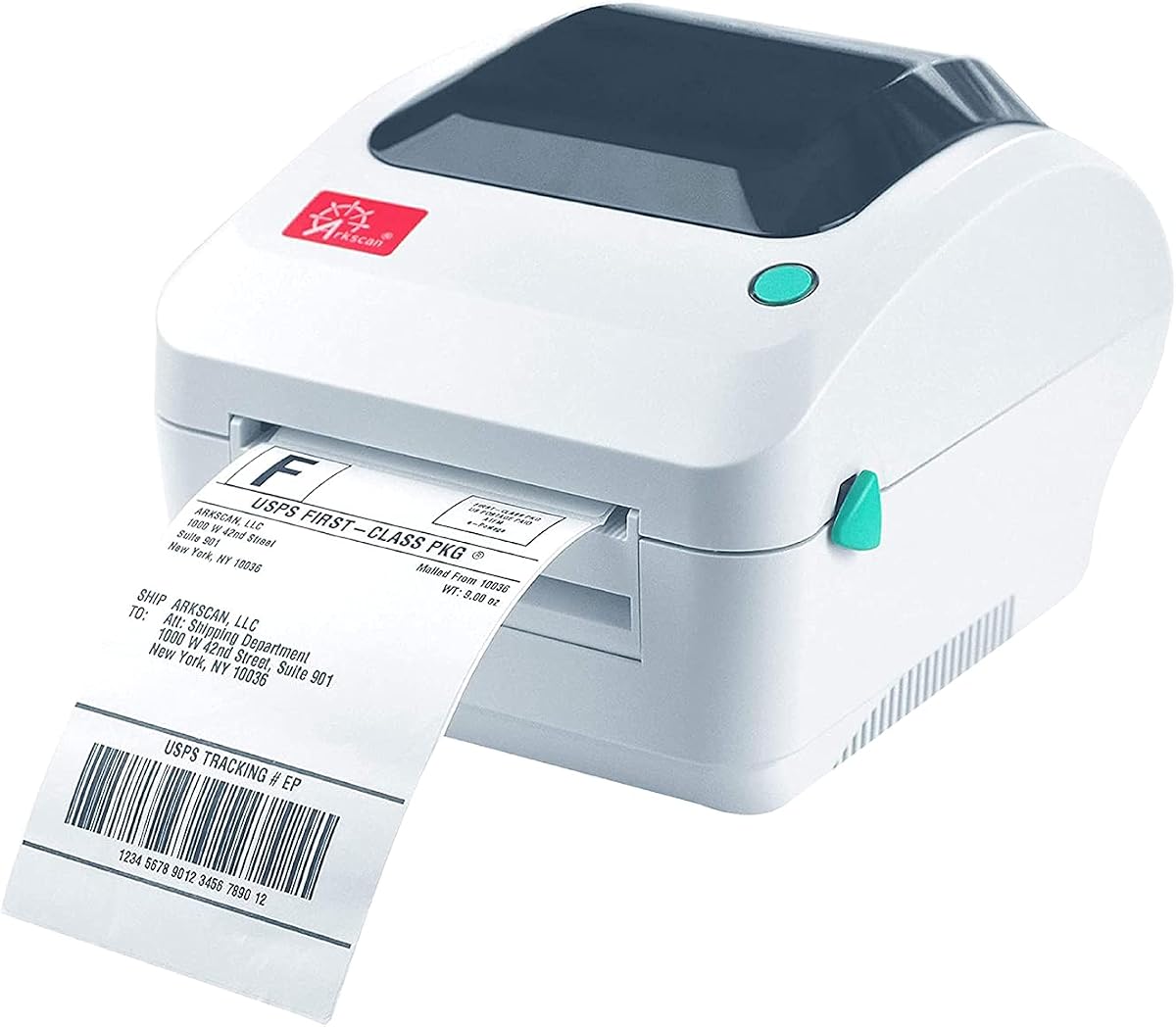
The Arkscan 2054A Shipping Label Printer offers robust features including fanfold support and BarTender software. Rated 4.6 stars it is built for businesses needing high speed throughput and detailed label design capabilities.
We may earn a commission when you buy through this link, at no additional cost to you.
With five inches per second speed it clears orders faster than many competitors. This rapid output helps maintain smooth operations during peak seasons when every minute counts for shipment processing times.
Design software is limited to Windows users so Mac users may need alternatives. Additionally its larger footprint requires dedicated desk space which may not suit compact home office environments.
Ideal for businesses needing high throughput and design tools. If you process large volumes and want included software for labels this printer provides strong capabilities for comprehensive Shopify shipping needs.
BarTender UltraLite lets you create custom labels without extra cost saving money on design tools.
Five inches per second print speed helps clear large order backlogs efficiently during busy sales periods.
We may earn a commission when you buy through this link, at no additional cost to you.
Selecting the right label printer depends on your workflow volume and hardware setup. Review these key factors to ensure you choose a device that matches your business needs.
Connectivity determines how you link the printer to devices. Bluetooth and Wi-Fi allow wireless printing from phones and laptops while USB offers stable direct connections ideal for desktop setups.
Choose wireless if you print labels from mobile devices frequently. Select USB if you prioritize stability and have a dedicated desktop workstation.
Speed affects how fast you can fulfill orders during peak times. Models range from 150mm/s to 180mm/s ensuring you can handle increased order volumes without delays.
Higher speed is critical for businesses processing hundreds of daily orders. For low volume shops standard speeds are usually sufficient to keep workflow smooth.
Ensure the printer works with Shopify and your chosen shipping apps. Some models require specific drivers or apps to generate labels correctly from your dashboard.
Check reviews confirming direct Shopify integration. Compatibility reduces the need for complex workarounds and printing errors.
Most thermal printers support 4×6 shipping labels. Some also handle smaller sizes for product tags or barcodes which adds versatility to your labeling needs.
Confirm the printer supports standard 4×6 rolls. If you need custom sizes ensure the device accepts roll widths beyond standard dimensions.
Commercial grade printheads last longer under heavy use. Premium models may offer up to 650,000 label lifespans reducing replacement frequency.
Invest in durable hardware if you expect high daily print volumes. Cheaper models may require earlier replacements increasing long term costs.
Quick setup minimizes downtime when new equipment arrives. Look for included drivers setup videos or auto identification features.
Choose models with clear documentation or guided apps. Easy setup gets you shipping faster without technical frustration.
Included design software can save costs on third party tools. Some printers provide apps for custom label creation without additional purchases.
Check if design software fits your OS. Windows users might get extra tools while Mac users may need separate apps.
Reliable technical support ensures you can resolve issues quickly. Look for companies offering live chat remote access or email assistance.
Choose brands with U.S. based teams if you prefer local support. Strong service reduces delays when hardware or software issues arise.
Firstly connect your printer to a power source and load the thermal roll correctly. Ensure the paper feeds smoothly before attempting any print jobs to avoid jams.
Secondly update drivers and install the manufacturer app on your devices. Pair the printer via Bluetooth or USB to establish a stable connection for label generation.
Finally clean the printhead regularly with a soft cloth to remove dust and residue. Store unused paper in cool dry conditions to prevent fading and ensure clear prints.
Most models integrate with Shopify via shipping apps like ShipStation or directly through label PDFs. Ensure you download the required drivers or app for seamless label generation.
Yes all reviewed printers support standard 4×6 thermal labels for shipping. Verify label width fits the printer range if using non-standard sizes.
No these printers use direct thermal technology which does not require ink or toner. This reduces ongoing costs and simplifies operation.
Bluetooth is ideal for mobile printing from phones and tablets. Ensure you have the specific app installed to pair your device successfully.
Durability varies by model with commercial units lasting up to 650,000 labels. Proper maintenance and regular cleaning extend the lifespan of the head.
Most support macOS but some require USB instead of Bluetooth on newer chips. Check specific OS requirements before purchasing for Mac compatibility.
Many models allow custom labels through their design apps. Use templates to add branding or messages to your shipping labels.
Turn off the printer and open the cover to remove stuck labels gently. Realign the roll and clean the printhead before resuming use.
We reviewed ten printers highlighting options for every budget and workflow. The Rollo USB and Wireless models lead in reliability while Rongta offers strong value for new sellers.
Prioritize connectivity and platform support to streamline your shipping process. Match speed and durability to your order volume to ensure consistent fulfillment performance.
Always check current prices and deals before buying as these fluctuate frequently. The right printer enhances your shop efficiency and helps you deliver orders faster.