
FUNLOGY Speaker
4.2Editor score
14W Total Output
30 Degree Tilt
USB Powered Design
This guide compares the best MacBook external speakers setup options for 2026, evaluating sound quality, connectivity, design, and value to help you choose.
Finding the right external speakers for your MacBook can transform your audio experience. Whether you stream movies or edit videos, quality sound matters. This guide explores top models that integrate seamlessly with Mac systems.
We evaluated ten popular speaker models based on sound performance, connectivity options, and build quality. Our analysis focuses on how well each setup complements the MacBook ecosystem for work and entertainment.
Each product entry highlights key features and potential trade-offs to inform your decision. Prices and availability may change over time, so verify current details before purchasing your ideal audio setup.
4.2Editor score

4.4Editor score
4.5Editor score
The following table provides a side-by-side comparison of all ten speaker models reviewed. Use these specifications to quickly identify the features that matter most for your MacBook setup.


This compact speaker system offers a unique solution for MacBook users needing better sound without cluttering their workspace. With a solid 4.2 rating, it stands out for its clever clip-on design that attaches directly to the monitor.
We may earn a commission when you buy through this link, at no additional cost to you.
The sound performance is impressive for its size, featuring dual ultra-magnetic drivers and passive radiators for deep bass. Adaptive-channel-switching ensures audio remains balanced whether mounted on top or bottom edges of your display.
While it delivers loud and clear audio, the speaker is strictly designed for computer use and won't work with TVs or projectors. Users should also ensure their audio drivers are updated for optimal performance.
Ideal for anyone seeking a space-saving upgrade, this model bridges the gap between convenience and quality. It is a strong contender for MacBook setups where desk real estate is at a premium.
The patented clamp allows placement on monitor edges, freeing up desk space for other essentials.
G-sensor technology adjusts audio channels automatically based on mounting orientation.
We may earn a commission when you buy through this link, at no additional cost to you.
These speakers deliver straightforward audio enhancement for MacBook users who prefer simplicity over complexity. Rated at 4.4 stars, they provide reliable performance for daily tasks like browsing and media consumption.
We may earn a commission when you buy through this link, at no additional cost to you.
Powered directly by USB, they eliminate the need for separate power adapters. The in-line volume control offers immediate access to audio adjustments without navigating system menus on your Mac.
While they lack advanced features like Bluetooth or high-end bass response, they serve well as a budget-friendly secondary option. The scratch-free padded bases help protect desk surfaces from potential scratches.
For users prioritizing function over flair, this set delivers essential sound improvement without breaking the bank. It remains a practical choice for students or home office setups.
Drawing power directly from the USB port simplifies wiring and reduces clutter on your desk.
A 3.5mm aux input allows connection to other devices beyond just the computer.
We may earn a commission when you buy through this link, at no additional cost to you.
The Logitech Z207 combines wired and wireless flexibility, making it a robust choice for MacBook users with multiple devices. Its 4.4 rating reflects satisfaction with its ease of use and sound delivery.
We may earn a commission when you buy through this link, at no additional cost to you.
Easy-Switch technology allows you to toggle between your Mac and a smartphone simply by pausing one device and playing another. This feature streamlines workflows for those who frequently switch between work and personal audio sources.
Although it uses an older Bluetooth version, the connection remains stable for most listening scenarios. The headphone jack provides a convenient way to listen privately without disturbing others around you.
This speaker set is ideal for users who need both Bluetooth convenience and a secure wired backup. It balances performance and functionality effectively for home or office environments.
Easy-Switch technology lets you jump between devices without reconnecting cables each time.
Buttons on the speaker allow quick access to volume and power settings.
We may earn a commission when you buy through this link, at no additional cost to you.
Designed specifically for modern workflows, the Creative Pebble V3 offers a clean and powerful audio experience for MacBook owners. With a 4.4 rating, it excels in both design and audio clarity for video calls.
We may earn a commission when you buy through this link, at no additional cost to you.
Its USB-C connectivity matches the port standards of newer MacBooks, eliminating the need for dongles. The built-in gain switch allows you to boost volume when needed, while Clear Dialog processing ensures voices remain intelligible.
While the bass is enhanced, it might not satisfy heavy bass enthusiasts. However, the 45-degree elevated drivers are positioned to direct sound straight to your ears for better stereo imaging.
This model is a top recommendation for users who value a tidy desk and high-quality sound. It represents a significant step up from older USB-A speaker designs.
Engineered to keep spoken words crisp during streaming or calls without turning up volume too high.
Angled at 45 degrees to direct sound into your ears for a better listening sweet spot.
We may earn a commission when you buy through this link, at no additional cost to you.
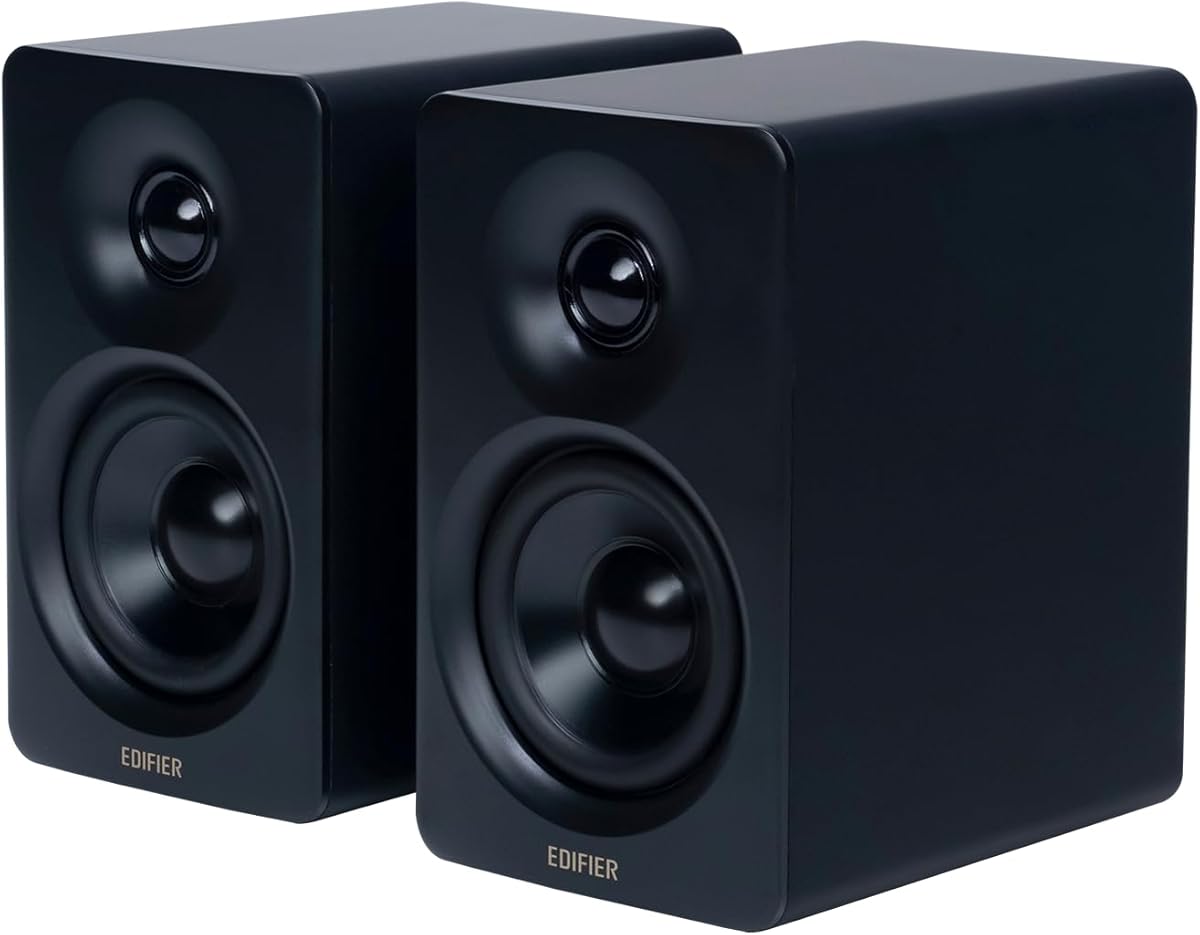
The Edifier M60 brings studio-grade performance to the desktop, making it an exceptional choice for content creators. With a 4.5 rating, it delivers impressive clarity and power for critical listening tasks.
We may earn a commission when you buy through this link, at no additional cost to you.
Featuring 66W RMS output and Hi-Res Audio certification, these speakers handle complex audio tracks with ease. The LDAC codec support ensures high-quality wireless streaming from compatible devices.
The touch panel control offers a sleek interface, and the included aluminum stands angle the sound towards your ears. These features justify the higher price for those who demand premium audio fidelity.
For professionals or audiophiles using a MacBook, this model sets a high standard for multimedia performance. It is designed to deliver an immersive experience that matches high-resolution visuals.
Certified for high-resolution transmission to preserve audio detail in your music and media.
Cap-sensitive panels provide intuitive access to playback functions without physical knobs.
We may earn a commission when you buy through this link, at no additional cost to you.
Built for accuracy, the Edifier MR3 offers a flat response ideal for audio editing and video production on a MacBook. Its 4.5 rating highlights its capability to deliver precise and reliable sound.
We may earn a commission when you buy through this link, at no additional cost to you.
Equipped with balanced TRS and RCA inputs, it accommodates various professional gear. The ability to switch between Music, Monitor, and Custom modes allows tailored performance for different scenarios.
While the sound is neutral, it may lack the punchy bass some users expect for casual movie watching. The MDF cabinet reduces resonance, ensuring cleaner audio reproduction across all frequencies.
This monitor is best suited for creators who need to hear their content exactly as it is. It bridges the gap between consumer electronics and professional studio gear.
Accurate sound reproduction helps in creating professional-grade audio and video projects.
The EDIFIER ConneX app offers detailed EQ adjustments for personalized tuning.
We may earn a commission when you buy through this link, at no additional cost to you.
This mini soundbar is a practical solution for MacBook users needing immediate audio improvement. With a 4.2 rating, it promises enhanced bass and stereo sound through a single USB connection.
We may earn a commission when you buy through this link, at no additional cost to you.
The plug-and-play nature means you do not need to install drivers or adjust complex settings. Its compact design fits neatly in front of your monitor without overwhelming your workspace.
While it performs well for general use, it may not satisfy audiophiles looking for deep bass. The single cable solution helps keep your desk tidy, which is a plus for minimalist setups.
Best for those who want a straightforward upgrade to their laptop audio, it balances cost and functionality. It serves as a reliable option for students and casual users.
Connect the USB cable and select the device in your sound settings to start listening immediately.
Passive radiators help improve low-frequency response without needing extra power.
We may earn a commission when you buy through this link, at no additional cost to you.
Despite its small footprint, the FUNLOGY Speaker delivers robust audio performance for MacBook users. Its 4.2 rating reflects user appreciation for its loud sound and compact build quality.
We may earn a commission when you buy through this link, at no additional cost to you.
The 30-degree tilt design ensures sound is directed towards your ears, improving clarity without needing complex setup. With 14W total output, it provides sufficient volume for medium-sized rooms.
The gold-plated AUX input minimizes signal noise, ensuring a clean audio signal. However, it lacks wireless connectivity, which might be a limitation for those preferring Bluetooth pairing.
This speaker is a solid choice for users who value raw power in a small package. It fits well into compact setups where desk space is extremely limited.
Upward angle optimizes sound delivery directly to your ears for better immersion.
Gold-plated inputs help reduce static noise during playback.
We may earn a commission when you buy through this link, at no additional cost to you.
Designed for business use, this speakerphone ensures clear communication during virtual meetings on a MacBook. With a 4.2 rating, it excels in audio clarity and call integration features.
We may earn a commission when you buy through this link, at no additional cost to you.
Full duplex audio allows multiple people to speak simultaneously without cutting off. AI noise cancellation ensures your voice is heard clearly even in noisy environments.
While primarily built for voice calls, the sound quality is decent for casual media. LED indicators provide clear visual status updates for meetings and calls.
This device is ideal for professionals who spend significant time on video conferences. It prioritizes voice fidelity over music reproduction to serve its primary purpose well.
AI tools remove background noise so your voice is the main focus during calls.
Officially certified for Teams and Zoom to ensure compatibility and reliability.
We may earn a commission when you buy through this link, at no additional cost to you.
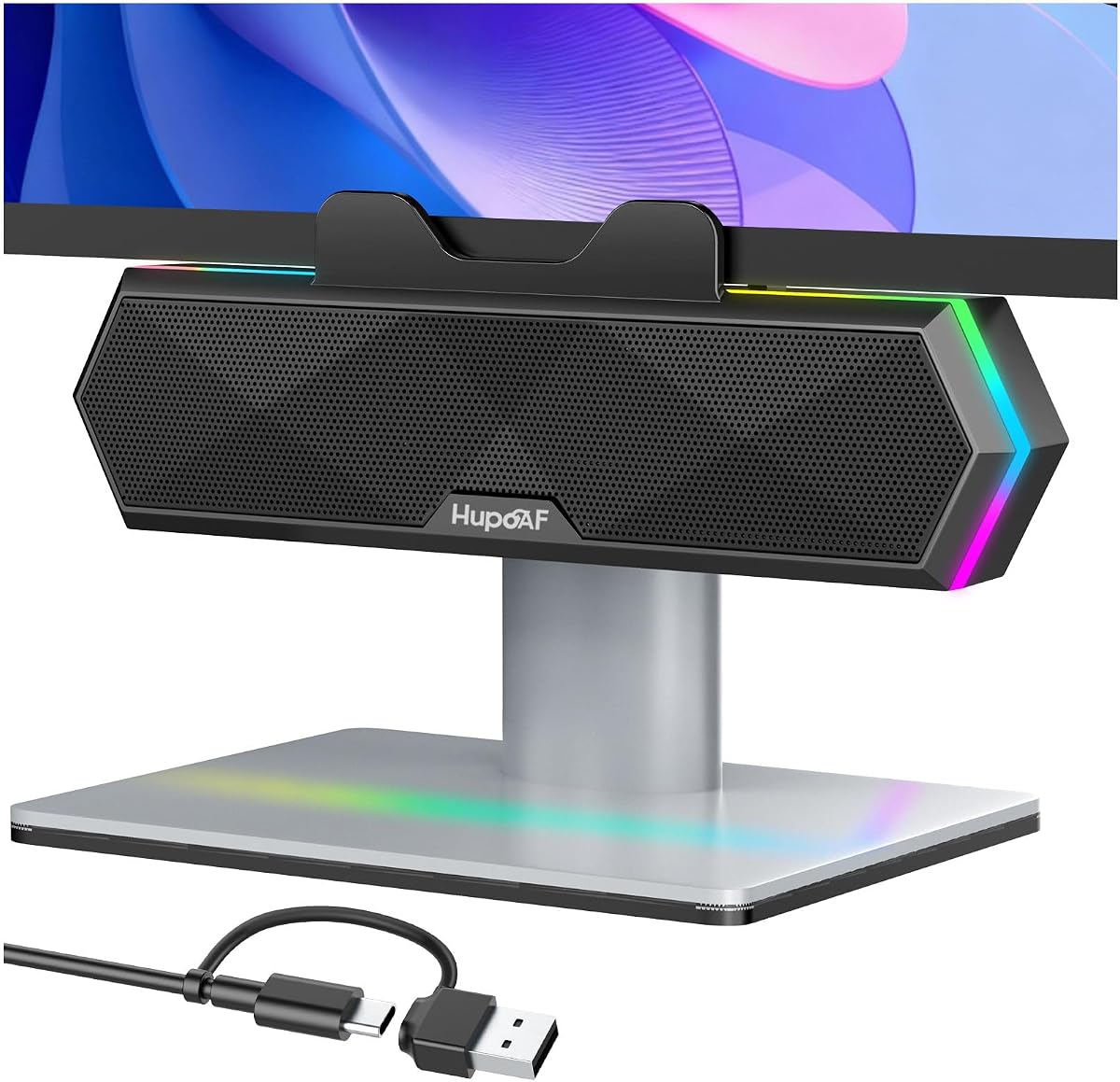
This model stands out for its visual appeal and strong audio performance, earning a 4.6 rating from users. It combines practical sound with customizable RGB lighting for a stylish setup.
We may earn a commission when you buy through this link, at no additional cost to you.
The non-slip spring clamp allows secure attachment to monitor edges or freestanding placement. Dual drivers and passive radiators deliver deep bass that rivals larger systems.
While the RGB lights add flair, they can be turned off for distraction-free work. The single USB cable ensures a clean setup without external power adapters.
It is an excellent choice for gamers and enthusiasts who value aesthetics alongside performance. The flexibility of placement makes it adaptable to various desk configurations.
Six lighting modes let you match your desktop vibe or turn lights off for work.
Non-slip clamp secures to monitors or allows standalone use on any surface.
We may earn a commission when you buy through this link, at no additional cost to you.
Selecting the right speakers involves evaluating connectivity, sound quality, and design compatibility with your Mac. This guide outlines key factors to consider before making a purchase.
Ensure the speakers match your MacBook ports. USB-C models offer a direct connection, while Bluetooth provides flexibility without cables. Some models use 3.5mm jacks which require an adapter on newer Macs.
Check if the speakers support your preferred connection method to avoid needing extra dongles.
USB-powered speakers draw energy from your Mac, reducing clutter. Active speakers may need a wall outlet, which limits placement options but can offer more power.
Decide between USB convenience and potentially higher power from AC adapters based on your desk layout.
Consider whether you need balanced audio for work or enhanced bass for entertainment. Studio monitors offer flat responses while consumer speakers often boost lows for movies.
Match the sound profile to your primary use case for the best listening experience.
Measure your available desk space before buying. Compact or clip-on models save room, while larger speakers provide better audio dispersion.
Choose a design that fits your workspace aesthetics and physical constraints.
Physical controls like volume knobs or touch panels offer quick adjustments. Some models also include remote control or app-based settings for finer tuning.
Look for intuitive controls that make it easy to manage volume without touching the computer.
If you need to make calls, check if the speakers include a built-in microphone. Dedicated speakerphones often offer better call clarity than standard audio speakers.
Verify microphone quality if conference calls are a frequent part of your workflow.
Set a budget that aligns with your expectations. Higher-priced models often offer better materials and audio fidelity, but affordable options can still perform well.
Balance cost against features to ensure you get value for your investment.
Connect the speakers to your MacBook using the appropriate cable or Bluetooth. Select the speakers as the default output device in System Preferences to ensure audio routes correctly.
Adjust the volume on the speakers themselves before increasing system volume. This prevents distortion and ensures you get the cleanest sound possible from your setup.
Regularly dust the speaker grilles and clean connections to maintain audio quality. Avoid exposing speakers to moisture or extreme temperatures to extend their lifespan.
Newer MacBooks have USB-C ports, so speakers with USB-C plugs will fit directly. However, if the speakers use USB-A, you will need a simple USB-C to USB-A adapter which is often included in the box.
Most USB-powered speakers are designed for desktop use and provide ample volume for personal listening. They might not fill a large room but are perfect for focused work or casual entertainment at a desk.
Yes, most models listed support stereo sound suitable for gaming. Look for speakers with low latency and good bass to enhance explosions and in-game audio cues effectively.
On speakers that support both, there is usually a button to toggle modes. Once connected via cable, the Bluetooth might disconnect automatically to prioritize the wired signal.
For most users, a standard 2.0 speaker pair is sufficient for movies and music. A subwoofer adds extra depth but requires more space and power, which might not be practical for compact desks.
Active speakers have built-in amplifiers and only need a power source. Passive speakers require an external amplifier, which is rare for desktop setups since most modern speakers are active.
The Creative Pebble V3 offers a balanced approach with modern connectivity and clear sound. For budget-conscious users, the FUNLOGY Speaker delivers strong performance at an accessible price point.
Prioritize connectivity that matches your Mac model and sound profiles that fit your usage. Whether you need studio-grade accuracy or simple playback, there is an option for every need.
Remember to check current availability and verify compatibility before finalizing your purchase. A good speaker setup can elevate your computing experience significantly with the right choice.