
ARCTIC P8 Silent
4.6Editor score
Virtually silent motor
Optimized for static pressure
Affordable pricing point
This guide compares the top 80mm case fans for 2026, evaluating noise, airflow, PWM control, and build quality to help you choose the best cooling solution.
Finding the right 80mm case fan is essential for maintaining optimal temperatures in compact PC builds, NAS units, and small form factor systems where space is at a premium.
We evaluated ten leading models based on static pressure, airflow capacity, noise levels, bearing technology, and PWM compatibility to ensure reliable and efficient cooling performance.
Each selection highlights specific strengths like quiet operation or high pressure, though availability and pricing may fluctuate, so verify current details before making your final purchase decision.
4.6Editor score

4.9Editor score

4.8Editor score
The following table provides a side-by-side overview of all ten selected 80mm fans, highlighting key specifications such as speed range, noise levels, and connector types to facilitate quick comparisons.



The Noctua NF-A8 PWM stands out as the top choice for users seeking the perfect balance between high performance and whisper-quiet operation in an 80mm form factor.
We may earn a commission when you buy through this link, at no additional cost to you.
Its award-winning design incorporates Flow Acceleration Channels and Advanced Acoustic Optimisation to reduce noise while maintaining impressive static pressure for difficult cooling tasks.
While the price is higher than average, the included accessories like anti-vibration mounts and extension cables justify the investment for demanding builds requiring long-term reliability.
We recommend this fan for premium ITX builds or NAS systems where noise reduction is paramount and consistent cooling performance is non-negotiable for system health.
The frame design minimizes resonance and turbulent airflow, ensuring smooth and silent operation even at maximum speed settings during heavy thermal loads.
With its optimized pressure profile, this fan excels at pushing air through dense radiators or heatsinks, making it ideal for high-density small form factor computers.
We may earn a commission when you buy through this link, at no additional cost to you.
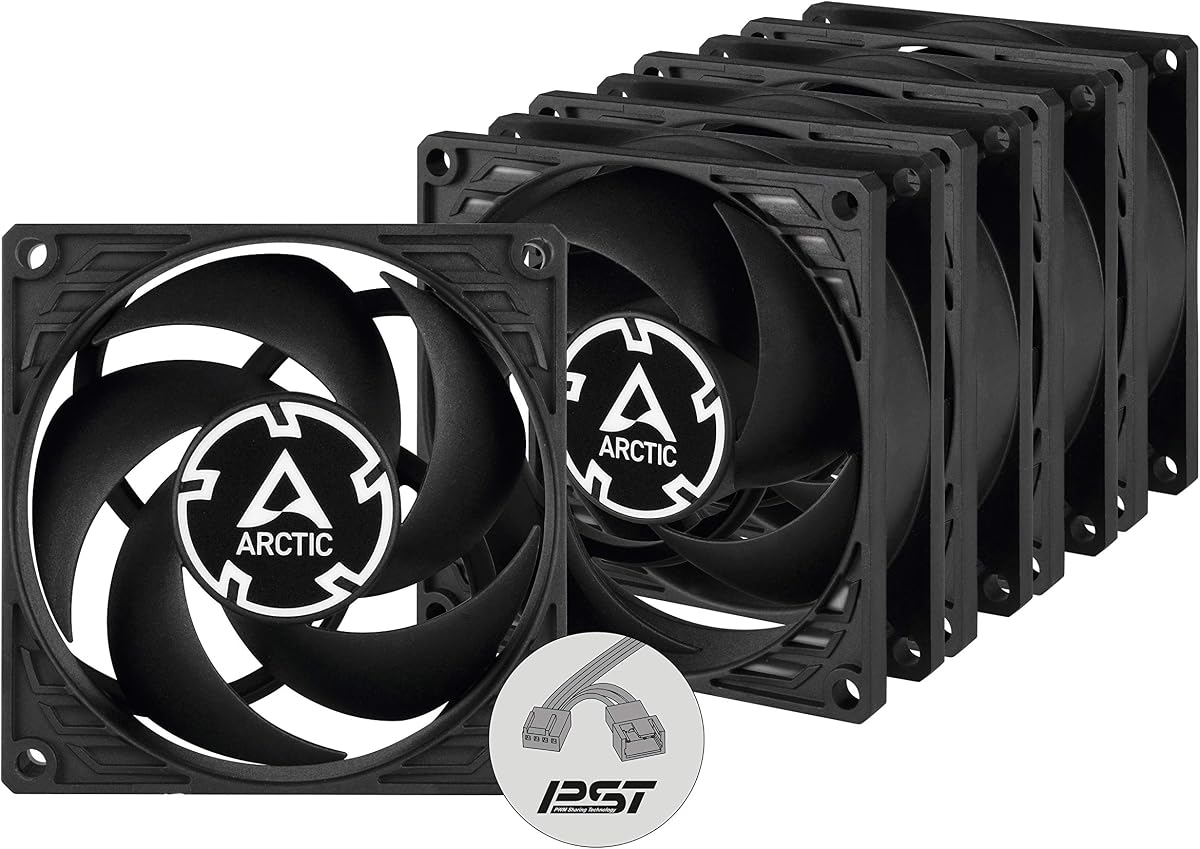
The ARCTIC P8 5-pack offers an exceptional entry point for users needing multiple cooling solutions without breaking the bank on individual fan purchases.
We may earn a commission when you buy through this link, at no additional cost to you.
Designed specifically for static pressure, these fans perform exceptionally well when mounted on radiators or heatsinks where air resistance is typically high.
Users should note the lack of PWM control, meaning speed adjustment requires manual voltage control or additional hardware, which may limit flexibility for some builds.
This kit is perfect for retrofiting older cases or cooling budget mining rigs where cost-efficiency and raw cooling throughput matter more than precise motherboard speed management.
The blade geometry is optimized to push air effectively through restricted areas, ensuring efficient heat dissipation even in tightly packed cooling components.
Buying in a five-pack reduces the cost per unit significantly, making it an economical choice for systems requiring multiple intake or exhaust positions.
We may earn a commission when you buy through this link, at no additional cost to you.
This chromax.black.swap edition combines the top-tier performance of the A-series with a sophisticated all-black aesthetic, appealing to builders prioritizing visual cohesion.
We may earn a commission when you buy through this link, at no additional cost to you.
It retains the Flow Acceleration Channels and acoustic optimization of the standard version, delivering high airflow with minimal noise pollution for sensitive environments.
The swappable anti-vibration pads allow users to customize the look further or adjust damping characteristics, offering a level of personalization rarely seen in stock fans.
Ideal for modern black-themed builds or dark chassis interiors, this fan provides both visual elegance and technical excellence for users who demand premium quality components.
With four pads of each color available, you can match the fan to your system's color scheme or adjust friction damping for specific mounting scenarios.
Despite the aesthetic changes, the core engineering remains identical to the award-winning A8 PWM, ensuring the same reliable cooling and silent operation.
We may earn a commission when you buy through this link, at no additional cost to you.
The redux edition delivers classic Noctua quality and silence at a more accessible price point by streamlining the packaging and removing bundled accessories.
We may earn a commission when you buy through this link, at no additional cost to you.
Its 1800 RPM max speed offers a balance of quiet operation and adequate airflow, making it suitable for cases that prioritize low noise over maximum cooling.
While it lacks the included extras like the low-noise adaptor found in the A8, the core performance and bearing life remain unchanged for long-term durability.
We recommend this for users who want trusted brand reliability and PWM control without paying the premium for full accessory sets in non-critical cooling spots.
At 1800 RPM, this fan runs cooler and quieter than higher-spec models while still providing sufficient air movement for standard case ventilation needs.
By removing included extras, the redux line focuses on the core fan unit, providing excellent performance per dollar for budget-conscious high-end builders.
We may earn a commission when you buy through this link, at no additional cost to you.
Kingwin offers a straightforward, cost-effective solution for basic cooling needs, making it a practical choice for replacing old fans or refreshing entry-level systems.
We may earn a commission when you buy through this link, at no additional cost to you.
The long-life bearing ensures consistent performance over time, while the optimized blade design helps maintain effective airflow without excessive energy consumption or noise.
It is marketed heavily for mining rigs, suggesting durability under continuous 24/7 operation conditions where reliability and cost per cooling unit are primary concerns.
For general users needing a cheap, silent replacement fan for office PCs or home servers, this option provides solid functionality without unnecessary premium features or complex connectors.
Built to handle sustained workloads typical of cryptocurrency mining, this fan maintains airflow to prevent overheating in GPU-dense environments.
Standard 80mm mounting points ensure it fits most cases and CPU coolers, simplifying replacement for users seeking a drop-in cooling upgrade.
We may earn a commission when you buy through this link, at no additional cost to you.
Designed specifically for users prioritizing silence, this model features a German-engineered motor that minimizes friction and noise at low speeds without sacrificing static pressure.
We may earn a commission when you buy through this link, at no additional cost to you.
At only 0.08 Sone, it is virtually inaudible during normal operation, making it ideal for living room PCs or quiet home office setups.
The trade-off is a lower maximum speed compared to standard fans, which may be insufficient for high-heat systems requiring aggressive air movement through thick radiators.
We recommend this for noise-sensitive environments where steady, low-speed cooling is preferred over aggressive temperature drops, ensuring a peaceful computing experience.
The bearing design reduces mechanical friction significantly, allowing the motor to run cooler and quieter while maintaining long service life.
While max speed is capped, the fan excels in maintaining stable, low-noise airflow suitable for mild cooling demands in compact or passive-friendly builds.
We may earn a commission when you buy through this link, at no additional cost to you.
Revisiting this fan highlights its specific value proposition for custom builds where visual cohesion and component matching are critical for a polished system presentation.
We may earn a commission when you buy through this link, at no additional cost to you.
The all-black design blends seamlessly into dark chassis interiors, while the performance specs ensure it handles demanding cooling requirements without audible noise interference.
Its PWM header supports precise speed regulation, allowing software-based thermal management that responds accurately to system loads for optimal efficiency.
For enthusiasts assembling high-end ITX or HTPC systems, this fan delivers the dual promise of aesthetic perfection and proven Noctua engineering reliability.
The 4-pin PWM interface allows for seamless speed adjustments from idle to full load, ensuring efficient cooling only when temperatures rise.
Swappable pads let you tune the look and physical mounting feel, making it adaptable for various visual themes within your custom PC build.
We may earn a commission when you buy through this link, at no additional cost to you.
For users needing multiple silent fans at once, this five-pack offers an efficient solution to outfit an entire system with quiet, pressure-optimized cooling components.
We may earn a commission when you buy through this link, at no additional cost to you.
The fans maintain the low noise levels of the single version while providing enough units to create effective intake and exhaust loops across a large chassis.
Since they lack PWM, users must rely on voltage control for speed regulation, which works well with motherboards supporting voltage-based fan management.
This kit is particularly useful for silent workstation builds or server upgrades where reducing overall system noise is a priority without compromising on component quantity.
Equipping multiple bays with these fans creates a uniformly quiet system environment, eliminating the variable noise of mixed fan brands.
The per-unit cost drops significantly in the five-pack, making it a financially smart choice for expanding cooling coverage in silent PC builds.
We may earn a commission when you buy through this link, at no additional cost to you.
This model is a powerhouse designed for environments where cooling capacity is the absolute priority, such as high-density server racks or compact industrial PCs.
We may earn a commission when you buy through this link, at no additional cost to you.
With speeds reaching up to 5000 RPM and a wide PWM range, it generates immense static pressure, allowing it to push air through extremely dense component arrangements.
The Fluid Dynamic Bearing ensures longevity even under continuous high-speed operation, making it reliable for mission-critical 24/7 uptime scenarios.
We recommend this for technical applications where thermal safety outweighs noise concerns, such as 2U rack mounts or heavy-duty mining hardware needing maximum airflow.
The high-pressure design is specifically tuned to dissipate heat effectively from tightly packed server components in rackmount chassis.
The wide control range lets you dial down speed for normal use while ramping up to maximum performance during intense thermal stress events.
We may earn a commission when you buy through this link, at no additional cost to you.
This 15mm-thick fan is specifically designed for tight spaces where standard 25mm fans simply cannot fit, such as slim CPU coolers or low-profile case slots.
We may earn a commission when you buy through this link, at no additional cost to you.
Despite its reduced thickness, it delivers high airflow and maintains PWM control, ensuring effective cooling even when physical depth is severely restricted.
Its compact form factor makes it ideal for small form factor builds with limited clearance, offering a practical solution for users needing extra airflow in constrained areas.
For builders facing clearance issues, this fan provides the necessary performance without requiring major case modifications, serving as an essential component for slim setups.
The 15mm thickness allows it to slide into narrow gaps, preventing thermal throttling in systems with limited internal clearance.
Engineered to maximize airflow relative to its slim footprint, it ensures cooling efficiency remains high despite the restricted physical dimensions.
We may earn a commission when you buy through this link, at no additional cost to you.
Selecting the right 80mm fan involves balancing noise, airflow, and physical constraints. This guide breaks down the key factors to consider before making your purchase.
Noise is often the primary concern for 80mm fans since their small size requires faster rotation to move enough air. Look for models with low decibel ratings or Sone values, especially if your PC is near a workspace.
Prioritize fans with acoustic optimization features like specialized bearings or frame designs to keep operational noise low without sacrificing cooling performance.
Understand whether you need high airflow for open case ventilation or high static pressure for pushing air through radiators or dense heatsinks.
Fans optimized for static pressure are essential for liquid cooling setups, while airflow-focused fans work best for intake and exhaust positions.
Decide between 3-pin DC control and 4-pin PWM control. PWM allows for precise speed adjustments based on temperature, offering better efficiency and quieter operation.
Ensure your motherboard supports the connector type you choose to take full advantage of automatic thermal management features.
The bearing technology directly affects longevity and noise. Fluid Dynamic or SSO2 bearings typically offer longer lifespans and lower friction compared to standard sleeve bearings.
For continuous operation scenarios like servers, prioritize high MTTF ratings to reduce maintenance frequency and ensure sustained reliability.
While 80mm refers to the footprint, thickness varies significantly. Ensure the fan matches your case or cooler depth requirements to avoid fitment issues.
Slim 15mm options are available for tight spaces but may move less air than standard 25mm fans due to reduced blade surface area.
Check what comes in the box. Some include anti-vibration mounts, extension cables, or low-noise adaptors that add value and ease installation.
Vibration dampening is crucial for quiet systems, so mounts or rubber pads help prevent noise from transferring to the chassis.
Prices vary based on brand reputation and features. High-end fans cost more but often provide better longevity and quieter operation over time.
Bulk packs offer better value per unit if you need multiple fans, whereas single premium units are better for critical spots.
Verify that the fan fits your specific case model. Some small form factor systems have unique screw patterns or limited depth constraints.
Reading user reviews for your specific build can help confirm fitment and real-world performance before purchasing.
Install the fan ensuring correct airflow direction: typically indicated by an arrow on the frame pointing inward for intake or outward for exhaust.
Connect the fan to a 4-pin PWM or 3-pin DC header on your motherboard to enable automatic speed control based on system temperature.
Periodically clean dust from blades using compressed air to maintain airflow efficiency and prevent imbalance that leads to increased noise or wear.
80mm fans can be louder because they spin faster to move the same amount of air as larger fans. However, high-quality models with optimized blades and bearings operate quietly, so select one with low decibel ratings if noise is a concern.
No, many budget models use 3-pin DC connectors instead of 4-pin PWM. Check the specifications carefully; PWM allows for variable speed control, while 3-pin fans often run at full speed unless you use a voltage reducer.
High static pressure is needed if you are pushing air through restrictive components like dense radiators or heatsinks. If you are mounting the fan on an open case vent, standard airflow is sufficient.
Yes, generally slim fans move less air due to reduced blade depth. However, they are necessary for tight spaces and should be used where a 25mm fan simply cannot fit physically.
Most modern 80mm fans last 50,000 to 150,000 hours depending on bearing quality. High-end models often feature warranties and robust bearings that extend this lifespan significantly beyond budget options.
Yes, provided the cooler supports 80mm mounting. Ensure the fan's thickness does not exceed the cooler's clearance, particularly in slim or low-profile cooling solutions.
In small PCs, airflow is critical to prevent overheating. However, choose a high-quality model that balances both factors to maintain adequate cooling without overwhelming noise levels.
Bulk packs are cost-effective if you need multiple identical fans for a full build. They ensure consistent performance and aesthetics, though you should verify connector compatibility for all units.
We have reviewed ten top models ranging from the versatile Noctua NF-A8 PWM to the budget-friendly ARCTIC P8 Silent, each offering distinct advantages for different cooling needs.
Prioritize static pressure for radiators and acoustic performance for living room PCs, while ensuring compatibility with your specific hardware dimensions and motherboard headers.
Prices and availability may change frequently, so always verify current specs and pricing on retailer sites before finalizing your purchase decision.