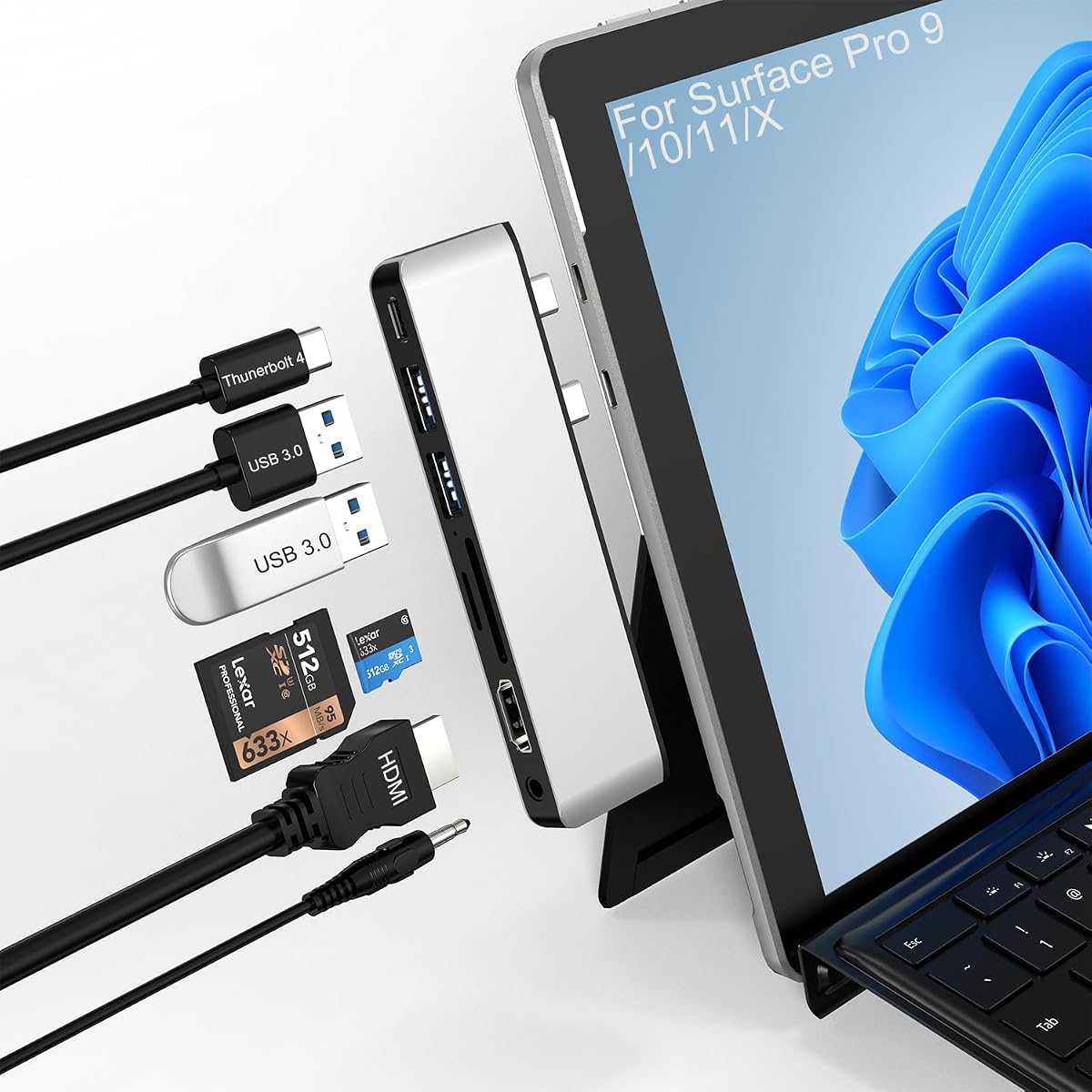
Surface Pro 11 USB Hub
4.2Editor score
100W USB C charging
4K HDMI output
Compact aluminum design
Compare the top 10 docking stations for Surface Pro 11 to find the best hub for displays, charging, and connectivity in October 2026.
The Surface Pro 11 is a powerful device but needs more ports for a full workspace. A good docking station adds video outputs, USB ports, and Ethernet without cluttering your desk with multiple adapters.
We compared ten real products based on port variety, video quality, charging power, and build quality. Each option supports the Surface Connect port or USB C to expand your laptop into a desktop setup.
Each pick shows key specs, pros, and cons to help you choose the right hub. Prices and stock change often so check the links for the latest deals before you buy today.
4.2Editor score
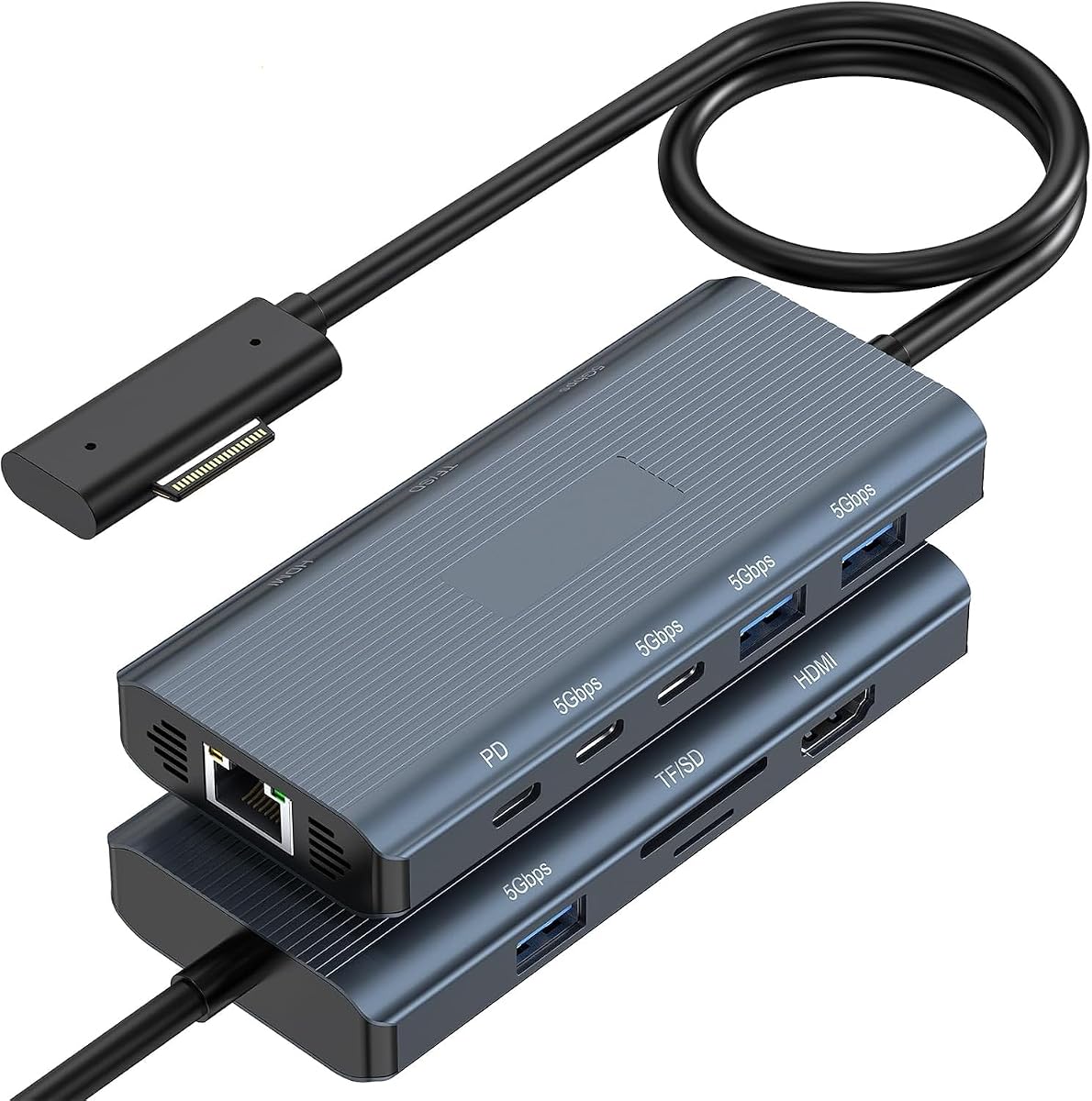
4.8Editor score

4.3Editor score
The table below lists every product with its core specs side by side. Check the ports, video resolution, and power to find the right fit for your Surface Pro 11 setup.



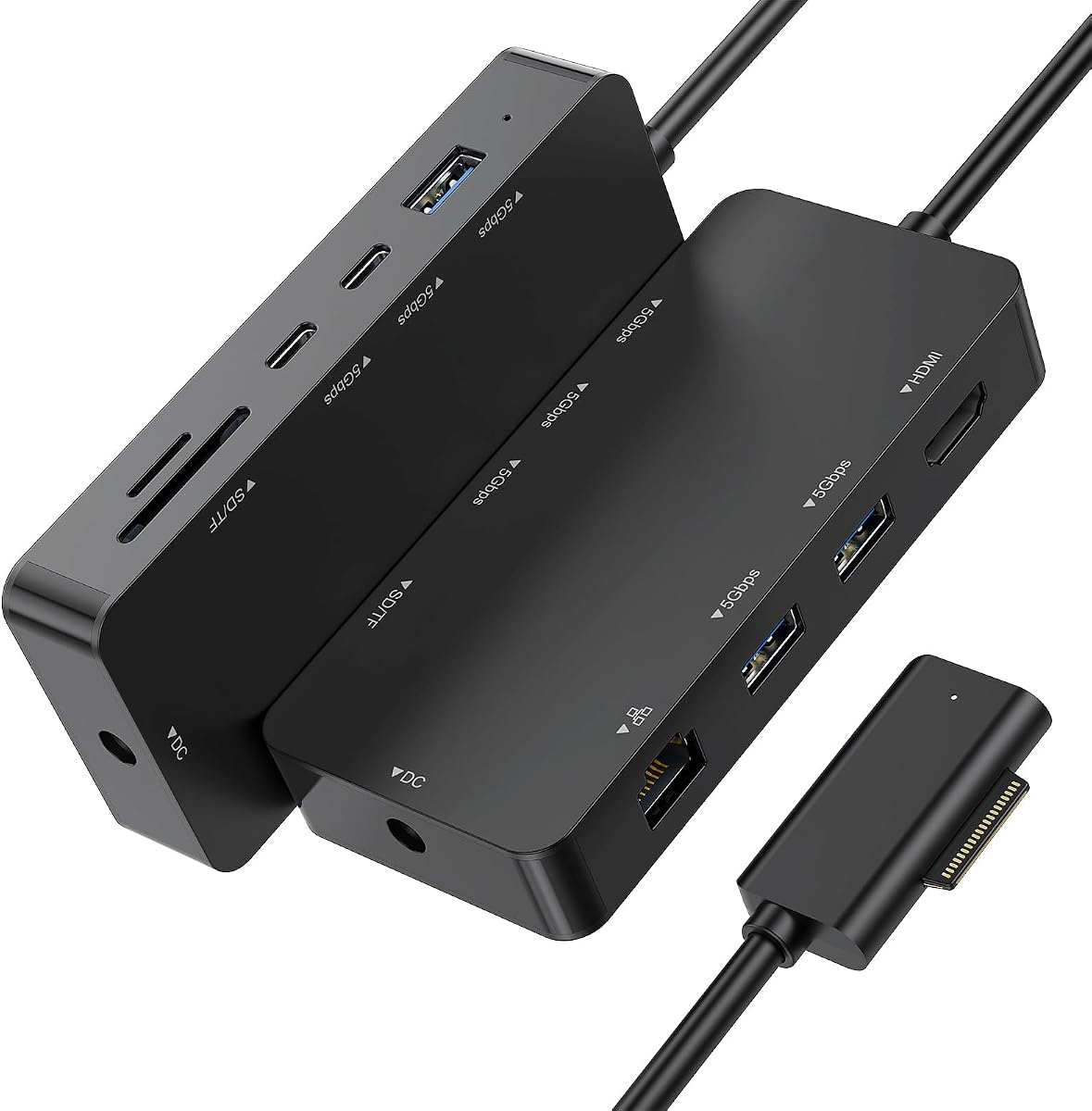
This 11-in-1 hub holds the top spot with strong video support and power delivery. It brings 4K at 60Hz over HDMI which is rare for Surface docks. Users report smooth performance and quick file transfers through its USB ports.
We may earn a commission when you buy through this link, at no additional cost to you.
The standout feature is the HDMI port that supports 4K at 60Hz. This makes it ideal for video editors who need fluid motion on an external display. The 100W PD input also means your Surface can charge fast while you work.
Some users note the dock needs an external power adapter to work fully. The size is also larger than a basic USB C hub so it takes up desk space. These trade-offs are acceptable for the extra performance it delivers.
Buy this if you need high refresh rate video and fast charging. It fits well in home offices or studios. It remains the best choice for professionals who want a desktop experience with their Surface Pro 11.
The HDMI port supports 4K resolution at 60Hz. This ensures smooth video playback and less motion blur compared to 30Hz docks.
With 100W PD input the dock can charge your Surface and power peripherals. This removes the need for a separate laptop charger.
We may earn a commission when you buy through this link, at no additional cost to you.
This dock focuses on multi monitor setups with two HDMI and one VGA output. It lets you run three screens at once for better multitasking. The included power adapter helps keep your Surface charged during long sessions.
We may earn a commission when you buy through this link, at no additional cost to you.
The main strength is the ability to connect three external displays. This is great for traders or designers who need lots of screen real estate. The HDMI ports support 4K at 30Hz which is good for static content.
The Ethernet port is limited to 100Mbps which is slower than gigabit speeds. VGA is also an older connector type that is not needed for modern monitors. These are minor issues if you need triple outputs.
Choose this if you need three screens and do not require fast Ethernet. It is a solid option for office work where wired speed is not critical. The power adapter makes it a complete solution out of the box.
You can connect three monitors using two HDMI and one VGA port. This expands your workspace significantly for complex tasks.
A power adapter is included in the box. This means you do not need to source a separate charger for the dock itself.
We may earn a commission when you buy through this link, at no additional cost to you.
This hub is a compact solution for users who want value without sacrificing core features. It supports 4K video and fast charging via USB-C. The aluminum case helps with heat dissipation during use.
We may earn a commission when you buy through this link, at no additional cost to you.
The best part is the high price tag which makes it accessible. You get 100W power delivery which is enough to charge your Surface Pro 11 quickly. It also has a 3.5mm jack for headphones or speakers.
The HDMI output is limited to 30Hz which may feel choppy for video. There are fewer USB ports than larger docks so you might need a splitter for many peripherals. These limits are fine for light use.
Buy this if you travel often and need a small dock. It fits easily in a bag and does the job for basic connectivity. It is a great starter dock for students or casual users.
The aluminum case is slim and lightweight. It is easy to carry in a laptop bag for travel.
100W USB-C charging ensures your device stays powered. This works well for daily commuting.
We may earn a commission when you buy through this link, at no additional cost to you.
This dock offers a mix of modern and legacy ports to fit different setups. It supports three external screens and includes a power adapter. The high rating shows that users find it reliable for daily work.
We may earn a commission when you buy through this link, at no additional cost to you.
The triple display option is a key benefit for multitasking. You can spread your work across multiple screens without buying extra hardware. The HDMI ports support 4K at 30Hz which is fine for spreadsheets or coding.
Like other models the Ethernet speed is capped at 100Mbps. VGA is also less common on new monitors. These are acceptable trade-offs given the versatility and included power adapter.
Select this if you need a variety of ports and multiple screens. It works well for home offices where speed is not critical. The included adapter makes it a complete kit to get started.
It has HDMI VGA USB and card slots. This covers most needs without extra adapters.
A power adapter comes in the box. You can set up your desk quickly without buying more gear.
We may earn a commission when you buy through this link, at no additional cost to you.
This model is similar to other triple display docks and offers solid performance. It supports three screens and includes a power supply. The high rating indicates that it handles long work sessions well.
We may earn a commission when you buy through this link, at no additional cost to you.
The ability to connect three screens is great for presentations or data analysis. You can use one screen for notes and two for content. The HDMI ports support 4K at 30Hz for clear visuals.
The VGA port is useful for older projectors but is not common on new monitors. The Ethernet speed is also not as fast as gigabit options. These do not hurt performance for typical office tasks.
Pick this if you need to present from multiple screens often. It is a strong choice for educators or sales staff. The power supply ensures your device stays charged during long meetings.
Triple outputs let you prepare talks while sharing content. This helps with smooth delivery to audiences.
The 72W power supply keeps things running. You avoid battery drain during long presentations.
We may earn a commission when you buy through this link, at no additional cost to you.
This is a premium dock that offers dual 4K at 60Hz over HDMI. It also includes gigabit Ethernet which is rare in this category. The build feels solid and supports high power delivery for your Surface.
We may earn a commission when you buy through this link, at no additional cost to you.
The standout features are the high refresh video and fast network speeds. Video editors and gamers benefit from the 60Hz support. The 100W DC input ensures your laptop charges fast while you use many accessories.
The price is higher than basic docks and VGA is not needed for new monitors. These are small downsides given the high-end specs. The dock is built to handle heavy workloads over time.
Choose this if you want the best video and network performance. It fits power users who need reliable speed. It is a great upgrade for those who demand top tier features from their dock.
Two HDMI ports support 4K at 60Hz. This enables smooth video on multiple screens for work.
Gigabit Ethernet allows fast file transfers. This reduces wait times for large downloads.
We may earn a commission when you buy through this link, at no additional cost to you.
This dock provides a balanced mix of video and data ports. It supports 4K video and includes a power adapter. The 1000Mbps Ethernet port ensures a stable connection for online calls and downloads.
We may earn a commission when you buy through this link, at no additional cost to you.
The 65W PD power is strong enough for most Surface models. Users report that it keeps the battery topped up during work. The Ethernet speed is a big plus for stable internet without Wi-Fi.
The HDMI output is capped at 30Hz which is fine for text but not video. There is also only one video port which limits multi monitor setups. These trade-offs help keep the dock compact.
Buy this if you value network speed and want a simple setup. It is good for remote work where a stable connection matters. The included power supply makes it a ready to use solution.
Gigabit Ethernet ensures fast downloads. This helps with smooth video calls and streaming.
The dock comes with a power adapter. You can plug in and start working right away.
We may earn a commission when you buy through this link, at no additional cost to you.
This dock brings together many ports in a single unit. It supports three screens and includes a power input. The wide compatibility ensures it works with many Surface models without issues.
We may earn a commission when you buy through this link, at no additional cost to you.
The triple display support is great for people who need to see multiple apps at once. The HDMI ports support 4K at 30Hz which is good for static content. The power input helps keep your device charged.
The Ethernet speed is not as fast as gigabit and VGA is older tech. These are minor concerns if you need the extra screen options. The dock handles heavy data transfers well.
Choose this if you need to connect many devices and screens. It works well for office workers or home users. The mix of ports means you need fewer adapters.
You get HDMI VGA USB and card slots. This covers most needs without extra gear.
The power input keeps your device running. This is useful for long work sessions.
We may earn a commission when you buy through this link, at no additional cost to you.
This dock stands out with dual 60Hz video ports and a high power input. It supports three displays and includes a strong power adapter. The gigabit Ethernet ensures fast and stable internet for work.
We may earn a commission when you buy through this link, at no additional cost to you.
The video support is top tier with HDMI and DisplayPort at 60Hz. This is rare for Surface docks and helps with smooth motion. The 120W power input can charge your laptop and phone at the same time.
The setup may feel complex with so many ports to manage. The price is also high compared to simpler options. These are acceptable for those who need the highest performance levels.
Pick this if you need top tier video and power. It is a strong choice for creatives or power users. The feature set ensures you can handle demanding tasks with ease.
HDMI and DisplayPort both run at 60Hz. This ensures smooth playback on two screens.
The 120W input can charge multiple devices. This reduces the need for extra chargers.
We may earn a commission when you buy through this link, at no additional cost to you.
This dock uses a magnetic Surface Connect cable for a secure connection. It supports 4K at 60Hz and includes gigabit Ethernet. The high rating shows that users trust the connection and build.
We may earn a commission when you buy through this link, at no additional cost to you.
The magnetic connection is easy to attach and detach without plugging into ports. This saves wear on your device. The 60Hz video support ensures smooth playback for video work.
The cable length may limit where you place the dock on your desk. It also requires a Surface Connect port which is not on all devices. These are minor issues given the strong build.
Select this if you want a secure magnetic connection and good speed. It is ideal for those who use Surface Pro models often. The design helps keep your desk tidy and organized.
The magnetic cable connects quickly. This makes daily use simple and reduces port wear.
4K HDMI at 60Hz offers sharp visuals. This is good for detailed work and movies.
We may earn a commission when you buy through this link, at no additional cost to you.
Choosing the right dock depends on your display and power needs. This guide breaks down the main factors to consider before you buy.
Check the HDMI specs to see if it supports 4K at 30Hz or 60Hz. Higher refresh rates are better for video and motion while 30Hz works for static screens.
Look for 60Hz support if you use video apps or want smooth mouse movement.
Ensure the dock supports at least 65W or 100W power input to charge your Surface. A good dock can power the laptop and peripherals without extra adapters.
Higher wattage ensures your device stays charged during long work sessions.
Some docks have 100Mbps Ethernet while others have 1000Mbps Gigabit. Faster speeds help with file transfers and video calls without lag.
Pick a gigabit dock if you rely on wired internet for work.
Count the USB 3.0 and USB-C ports to match your peripherals. You may need extra ports for drives mice and keyboards.
More ports reduce the need for splitters on your desk.
Decide if you need one or three external screens. Docks with VGA and HDMI can support triple displays but may be bulkier.
Choose a triple display dock if you need wide workspace.
Look for docks with metal cases as they dissipate heat better. Aluminum builds tend to last longer and feel more solid.
Metal enclosures help keep the dock cool under load.
Select a dock that works without extra drivers to save time. Most Surface docks are ready to use out of the box.
Driver free setups reduce installation issues on your device.
Check the cable length to ensure it reaches your laptop from the desk. Short cables can limit where you place the dock.
Longer cables provide more flexibility in desk setup.
Start by plugging the power adapter into the dock before connecting it to your Surface. This ensures stable power delivery for all your accessories from the start.
Connect your monitors to the HDMI or VGA ports and turn them on before connecting the laptop. This helps the system detect the displays correctly.
Keep the dock in a well ventilated area to prevent overheating. Dust off the ports every few weeks with a soft brush to maintain good contact.
Some docks support 4K at 60Hz while others are limited to 30Hz. Check the product specs for HDMI version to confirm the refresh rate.
Most docks need an external power adapter to work fully. The dock may show power in the box or require you to buy one separately.
Many docks are compatible with multiple Surface models. Check the product page for a list of supported devices to ensure it fits your device.
Yes you can use the dock just for USB and network ports. It does not require a monitor to charge or transfer files.
USB-C docks use a standard port while Surface Connect docks use a magnetic connector. Surface Connect docks are designed for specific models.
Yes most docks support power delivery. They can charge your Surface Pro 11 while you use connected devices.
Most docks are plug and play and do not need drivers. You can connect and start using the ports right away.
Some docks support three displays using HDMI and VGA. Check the product description to see if it supports triple screens.
The 11-in-1 dock stands out as the top pick for its video and power specs. It fits well for those who need high performance on their desk.
Consider your needs for screens and speed before buying a dock. A dock with gigabit and 60Hz video will serve you better over time.
Check the current prices and deals before you click buy. Prices can change often and you want the best value for your setup today.