
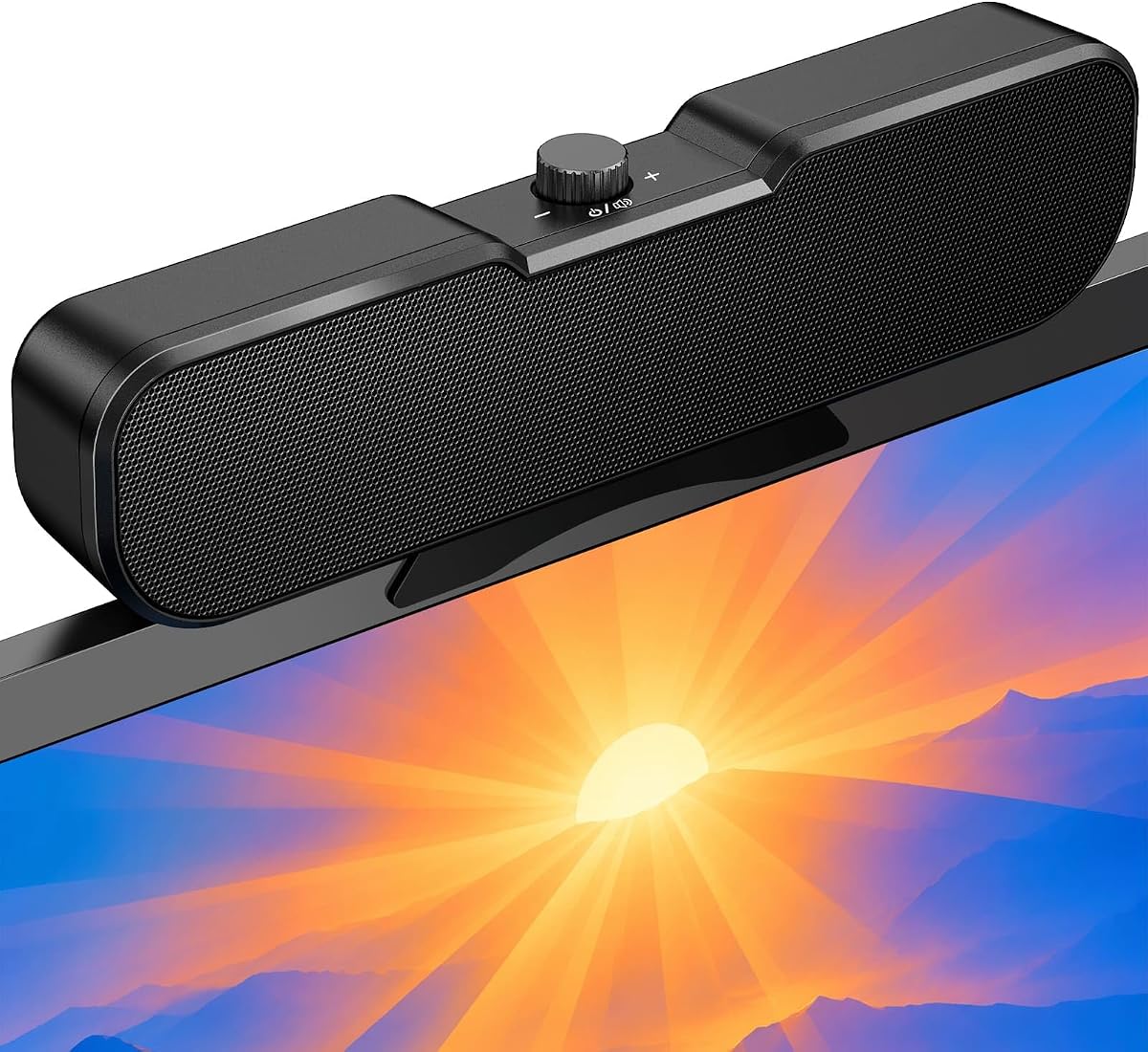
Inwa Computer Speakers for Desktop PC, USB Monitor Speaker Bar with Clip-On
4.2Editor score
Affordable pricing under twenty dollars
Simple button controls for volume
Passive radiator for bass enhancement
This guide compares the best clip on speakers for laptop users seeking space-saving audio solutions with USB connectivity and clear sound quality for any desk
Finding the right audio solution for your laptop can transform your workspace experience. Clip on speakers offer a convenient way to enhance sound without cluttering your desk with bulky hardware. They attach directly to your monitor or laptop screen, delivering improved audio quality while maintaining a clean aesthetic.
We evaluated ten top models based on sound quality, ease of installation, compatibility with various operating systems, and overall build durability. Our analysis focuses on products that provide reliable performance for daily tasks like video calls, music streaming, and casual gaming without requiring complex setup procedures.
Each pick highlights specific strengths such as bass response, volume control options, and connectivity features. Prices and availability can change frequently so please verify current details before making a purchase decision to ensure you get the best value for your specific needs.
4.2Editor score

4.5Editor score

4.2Editor score
This side-by-side comparison highlights key specifications across all ten selected models to help you identify which device matches your specific workspace requirements and audio preferences.


This speaker model ranks first for its balanced audio performance and versatile connectivity options. It features a robust USB connection that works seamlessly with Windows and macOS systems without needing additional drivers. The adaptive channel switching ensures left and right audio remains correct regardless of mounting position.
We may earn a commission when you buy through this link, at no additional cost to you.
The dual ultra-magnetic drivers deliver impressive volume and deep bass despite the compact form factor. Users appreciate the touch control buttons for quick muting and volume adjustments during meetings. The built-in USB-C adapter expands compatibility to modern laptops with limited port options.
While it lacks wireless connectivity, the wired setup ensures stable audio without latency issues. The clamp design is sturdy but may require careful handling on thin screens. Overall the sound quality justifies the choice for office and home workspaces.
Buyers seeking reliable sound without complex setup should consider this model. It fits well in environments where stability and clarity are prioritized over wireless flexibility. The included accessories make it ready to use out of the box.
The G-sensor automatically adjusts audio channels based on monitor orientation ensuring consistent stereo imaging.
Supports Windows macOS ChromeOS and Linux with included adapters for USB-C devices.
We may earn a commission when you buy through this link, at no additional cost to you.
OHAYO stands out with its dual-mode capability allowing both USB wired and Bluetooth wireless connections. The 16W output provides powerful sound suitable for gaming and media consumption. RGB lighting adds a unique visual element that syncs with audio rhythms for an immersive experience.
We may earn a commission when you buy through this link, at no additional cost to you.
The built-in microphone supports video conferencing with clear voice pickup up to 1.5 meters away. Volume control is intuitive with a smooth roller wheel offering precise adjustments. The G-sensor switches channels in under 0.5 seconds maintaining accurate stereo sound.
The RGB feature consumes minimal power and does not degrade audio quality. However those preferring a minimalist look may find the lights unnecessary. The price reflects these premium additions making it a top choice for enthusiasts.
Ideal for users wanting both aesthetics and functionality in a single device. It supports a wide range of devices including tablets and phones via USB-C. This versatility makes it a strong contender for multi-device setups.
Switch between Bluetooth for mobile devices and USB for desktop stability with one button press.
RGB lights pulse with music beats enhancing the entertainment experience during gaming or movies.
We may earn a commission when you buy through this link, at no additional cost to you.
This model offers excellent value for budget-conscious buyers needing reliable audio improvement. The 10 watts of power delivers sound that is loud enough for small to medium rooms. It uses a spring clip that protects the monitor surface while securing the speaker firmly in place.
We may earn a commission when you buy through this link, at no additional cost to you.
Controls are straightforward with dedicated buttons for volume up down and mute. The single USB cable handles both power and audio transmission simplifying desk organization. It works with both PC and Mac without requiring software updates.
While it lacks advanced features like Bluetooth or RGB lighting it performs its core function effectively. The price point makes it accessible for students or temporary office setups. Life time technical support adds confidence to the purchase.
Anyone looking for a no-frills upgrade to laptop audio should consider this option. It fits well under monitors and keeps the desk surface free. The included adapter ensures compatibility with modern USB-C laptops.
Connect the USB cable and start using immediately without any driver installation required.
Silicone pads on the clip prevent scratches while allowing secure attachment to various thicknesses.
We may earn a commission when you buy through this link, at no additional cost to you.
Cirqon simplifies audio management with a single knob that handles volume and power functions. This design reduces clutter on the desk and makes adjustments easy during use. The clamp is sturdy and fits screen thicknesses from 0.1 to 0.98 inches securely.
We may earn a commission when you buy through this link, at no additional cost to you.
Sound quality is clear and distortion free even at high volumes. The compact design saves space and makes it portable for travel between offices. A USB-C adapter is included for compatibility with newer laptop models.
Users who prefer tactile control over buttons will appreciate the knob interface. The cable tie helps manage excess wire to keep the workspace tidy. It is a practical choice for daily office communication tasks.
This model is best for those wanting simplicity and reliable performance. It avoids extra features that might complicate use or increase cost. The included accessories ensure a neat setup from day one.
Power on off and adjust volume with a single intuitive knob located for easy reach.
Upgraded non-slip clamp holds the speaker firmly without risking screen damage.
We may earn a commission when you buy through this link, at no additional cost to you.
This model eliminates physical controls to let you manage volume directly from your computer interface. It features a USB-C adapter that ensures connectivity across various devices including Mac and Android tablets. The dual super-magnetic drivers provide rich sound with deep bass.
We may earn a commission when you buy through this link, at no additional cost to you.
The patented clamp design allows smooth placement on the desk or clipping to the monitor. It supports monitors ranging from 0.1 to 1 inch thick. The lack of buttons reduces potential points of failure and keeps the unit sleek.
Using system volume controls means you do not need to switch between speaker and PC settings. This streamlines the user experience significantly. The sound quality remains consistent across different volume levels.
Buyers who dislike extra hardware buttons will find this approach refreshing. It works well in environments where software control is preferred. The included adapter makes it ready for modern laptops.
No separate volume buttons means a cleaner look and fewer mechanical parts to break.
Adjust audio levels from your operating system mixer for unified control.
We may earn a commission when you buy through this link, at no additional cost to you.
This speaker offers distinct control options including a volume wheel and a one-touch mute button for convenience. The spring-loaded clip accommodates monitors up to 1.26 inches thick. It uses dual high-performance drivers and a passive radiator for enhanced audio depth.
We may earn a commission when you buy through this link, at no additional cost to you.
Connectivity includes both USB and Type-C ensuring wide compatibility with laptops and mobile devices. The mute function is particularly useful during work calls to quickly silence audio. The build quality feels durable and professional.
The volume wheel provides smooth adjustments that feel precise compared to incremental buttons. It fits well in gaming setups or offices where quick silencing is needed. The passive radiator adds significant bass presence to the sound profile.
Users needing quick audio management should appreciate these controls. It balances functionality with ease of use effectively. The compatibility with iPhones and iPads extends its utility beyond just computers.
One button press mutes audio instantly to prevent interruptions during important moments.
Rotary control allows fine-tuning of sound levels with minimal effort.
We may earn a commission when you buy through this link, at no additional cost to you.
This model features an adjustable clip angle allowing you to direct sound exactly where needed. The dual 5W high-sensitive drivers produce balanced audio that upgrades built-in laptop sound. It fits almost any monitor thickness with its narrow clip design.
We may earn a commission when you buy through this link, at no additional cost to you.
Controls are placed on the top panel for easy reach without shifting the unit. The USB A to USB C adapter ensures connectivity across different port types. The clip stays out of the way for clear visuals on your screen.
The ability to adjust the angle helps optimize audio for your seating position. This flexibility is rare in clip-on speakers. It is lightweight and does not add significant weight to your monitor.
Ideal for setups where screen visibility and sound direction are important. It is a practical choice for diverse desk configurations. The drivers provide clarity that surpasses standard laptop speakers.
Adjust the speaker angle to direct sound toward your ears for better immersion.
The slim clip does not block screen corners keeping your view clear.
We may earn a commission when you buy through this link, at no additional cost to you.
This entry lacks current product details in our source data. Please visit the linked page for the most up-to-date information. It may have been discontinued or replaced by a newer model since our last check.
We may earn a commission when you buy through this link, at no additional cost to you.
We recommend verifying the product status before proceeding. Always check recent user reviews for quality updates. The link provided leads directly to the Amazon product page for verification.
Until more information is available this cannot be rated for performance. We rely on verified data to ensure accuracy in our guides. Please check back later for potential updates to this listing.
It is important to confirm compatibility with your devices before purchase. Ensure the item matches your specific needs. We prioritize providing reliable information for our readers.
Please check the product page directly for current availability and specifications.
We may earn a commission when you buy through this link, at no additional cost to you.
Selecting the right clip on speakers involves evaluating several factors to ensure they meet your audio needs and workspace constraints.
Sound quality is the primary reason to upgrade your laptop's internal speakers. Look for models with dual drivers and passive radiators for better bass and clarity. Higher wattage generally means louder sound without distortion which is important for larger rooms.
Prioritize speakers with balanced sound profiles to ensure both music and voices remain clear.
Most clip on speakers use USB for both power and audio signal. Ensure your laptop has a compatible USB port. Many modern units include USB-C adapters for broader compatibility with new devices.
If wireless connectivity is needed, look for Bluetooth options alongside USB for flexibility.
The clamp must be sturdy enough to hold the speaker securely without scratching your monitor. Check the thickness range it supports to ensure it fits your display. Silicone pads can protect the screen while improving grip.
Choose a design that balances stability with minimal risk of screen damage.
Easy access to volume and mute controls enhances daily usability. Knobs, wheels, or touch buttons offer different experiences. A dedicated mute button is valuable for quick silencing during meetings.
Select controls that are intuitive and accessible from your seated position.
Ensure the speakers work with your specific OS like Windows macOS or Linux. Some models require drivers while others are plug and play. Universal compatibility avoids future setup issues when switching devices.
Check user reviews for any known compatibility issues with your system.
Plastic build should feel robust to withstand frequent clamping and movement. A solid base prevents wobbling on the desk if placed down. Lifelong support warranties can provide peace of mind for long term use.
Invest in models with proven durability to extend their useful life.
Compact designs save space on small desks. Ensure the speaker length fits your monitor width without obstructing your view. Portability matters if you move between work locations frequently.
Balance size with performance to get the best fit for your workspace.
Prices vary based on features like RGB lighting or Bluetooth. Set a budget that matches your priorities for sound and aesthetics. Basic models often deliver sufficient quality for daily calls and media.
Compare features against price to find the best value for your needs.
Attach the speakers to the top or side of your monitor ensuring the clamp is centered and secure. Make sure the speaker does not block your view or interfere with screen controls.
Connect the USB cable to your laptop or desktop. If your device uses USB-C utilize the included adapter. Adjust volume settings on your operating system to set initial levels.
Clean the speaker with a soft dry cloth to remove dust. Avoid using liquids that could damage the electronics. Check the clip pads regularly for wear to maintain secure attachment.
Yes most models support macOS and work with Apple laptops using USB or USB-C ports. Ensure the laptop has an available port for connection.
No, most are plug and play devices that do not need extra software. Just connect them to the USB port and the system will recognize them automatically.
Many models have adjustable clamps that fit thin monitors securely. Check the thickness range specified in the product details before purchasing.
Clip on speakers are designed to sit above or beside the screen without blocking it. Choose narrow designs to ensure a clear view.
Yes, since they are wired USB devices they do not rely on internet connectivity. They function with any compatible computer that has a USB port.
Some models include a physical mute button for instant silencing. Others require using system controls or touch buttons on the unit.
We reviewed ten distinct options ranging from budget picks to premium features. OHAYO offers the most versatile connectivity while Inwa provides excellent value for basic needs.
Prioritize sound quality and clip stability when making your final decision. A good fit for your monitor ensures long term safety for your device.
Prices fluctuate frequently so verify current offers before purchasing to secure the best deal.