
EKWB EK-Quantum Vector3 Master RTX 5090 GPU Water Block, D-RGB, Plexi
4.6Editor score
Open split-flow design
Copper cold plate
D-RGB lighting
Discover the top rated Ek waterblocks for Nvidia GPUs like RTX 5090 and 5080 with detailed reviews on cooling performance compatibility and RGB lighting
Custom liquid cooling has become essential for high-end gaming rigs and workstations where thermal throttling can hinder performance. Selecting the right water block ensures your GPU runs cooler and quieter while maintaining stability under heavy loads.
We evaluated the leading Ek waterblocks for Nvidia based on thermal efficiency construction quality and ease of installation. Our analysis covers compatibility with modern GPU architectures and features like D RGB lighting and Matrix7 standardization for cleaner builds.
Each pick highlights specific strengths such as cold plate design or backplate coverage to help you match components to your setup. Keep in mind that availability and pricing vary so verify details before purchasing your next cooling upgrade.
4.6Editor score

4.6Editor score

4.6Editor score
This side-by-side comparison outlines key specifications and features across ten Ek waterblocks designed for Nvidia GPUs and compatible platforms.


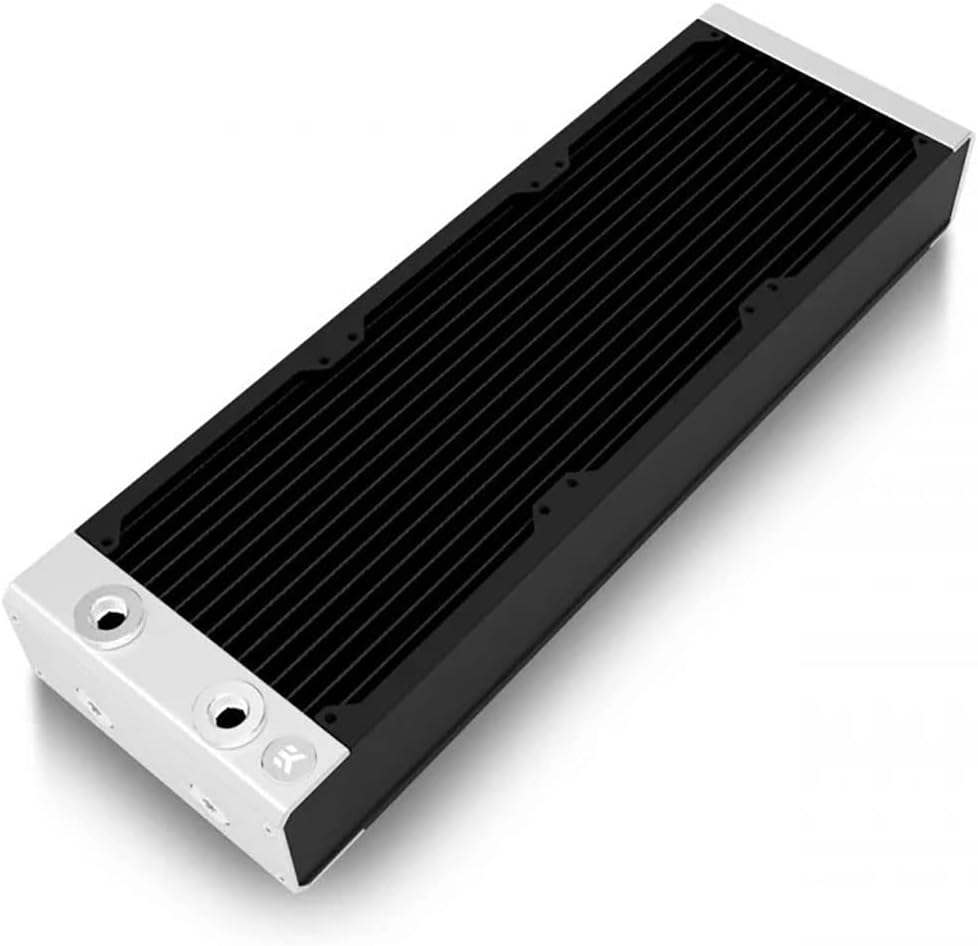

This water block stands out as a top choice for enthusiasts using specific Gigabyte RTX 5090 models. It combines robust cooling performance with aesthetic appeal through its transparent top and addressable lighting.
We may earn a commission when you buy through this link, at no additional cost to you.
The optimized open split-flow design ensures even distribution of coolant across the GPU core and VRAM. Enhanced fin arrays and precision flow paths maximize heat dissipation during intense gaming or rendering tasks.
While it is priced higher than standard blocks, the included thermal pads and full-coverage backplate justify the investment. These components ensure structural integrity and passive cooling for PCB hotspots.
Buyers seeking maximum thermal headroom for their high-end Nvidia GPU should consider this block. It delivers reliable performance when paired with compatible motherboard RGB sync technologies.
The open split-flow design expands the fin array and improves coolant paths to reduce hot spots effectively.
An L-shaped backplate and pre-cut thermal pads provide comprehensive coverage without complex installation steps.
We may earn a commission when you buy through this link, at no additional cost to you.
Designed specifically for the ASUS TUF RTX 5080, this block ensures seamless integration without compromising thermal efficiency. Its precision engineering makes it a reliable choice for custom loop builders.
We may earn a commission when you buy through this link, at no additional cost to you.
The enhanced cooling engine features an expanded fin array that lowers hydraulic restriction while maintaining strong heat transfer. This balance is crucial for maintaining consistent pump performance in larger loops.
Users may find the compatibility narrow if they do not own the exact ASUS model, but the fit is unmatched for that specific card. The included backplate further protects components during overclocking.
This block is ideal for TUF owners seeking to elevate their system's cooling and look. The addressable LEDs integrate well with existing RGB ecosystems for a polished finish.
Compatibility with ASUS TUF models ensures exact alignment with heat sources and mounting points.
Optimized flow paths keep hydraulic restriction low while maximizing thermal transfer under load.
We may earn a commission when you buy through this link, at no additional cost to you.
This premium block targets owners of the ASUS ROG Astral RTX 5090 seeking top-tier thermal management. It leverages EK-Matrix7 standardization for simplified loop planning and cleaner tube routing.
We may earn a commission when you buy through this link, at no additional cost to you.
The cooling engine expands the fin array and optimizes coolant flow to handle extreme overclocking loads. Combined with a nickel-plated copper coldplate, it ensures rapid heat dissipation from the GPU core.
While the price reflects its specialized nature, the build quality and passive cooling features offer long-term value. The L-shaped backplate protects PCB hotspots without adding bulk to the system.
Enthusiasts building high-end setups should consider this block for its reliability and visual appeal. It delivers comprehensive thermal protection while enhancing the overall system aesthetic.
Follows Matrix7 standardization for seamless integration with EK distribution plates and clean routing.
Active core cooling paired with passive PCB cooling ensures all critical components stay within safe temps.
We may earn a commission when you buy through this link, at no additional cost to you.
Tailored for the ASUS ROG Astral RTX 5080, this block provides targeted cooling with premium materials. It matches the aesthetic of high-end builds with its clear top and RGB lighting.
We may earn a commission when you buy through this link, at no additional cost to you.
The open split-flow engine expands fin arrays to improve coolant flow across the entire GPU. This design helps maintain lower temperatures during extended gaming sessions or rendering tasks.
Users must verify their GPU model before purchasing to ensure fit. However, the included thermal pads and backplate simplify installation and protect critical components during operation.
Ideal for ROG owners wanting superior thermal control, this block balances performance and looks. The RGB sync options allow for easy integration with existing lighting setups.
Expanded fin arrays and enhanced flow paths maximize heat dissipation across the GPU surface.
Compatible with EK-Quantum components for straightforward tube routing and loop planning.
We may earn a commission when you buy through this link, at no additional cost to you.
This model targets Gigabyte RTX 5090 owners needing robust cooling for demanding workloads. Its design emphasizes thermal efficiency and clear coolant visibility for custom loops.
We may earn a commission when you buy through this link, at no additional cost to you.
The advanced cooling engine features precision flow paths that actively cool the core VRAM and power stages. This ensures the GPU stays cool even during intense rendering or overclocking.
While it is a significant investment, the structural integrity and passive cooling benefits are worth it for serious users. The black anodized aluminum backplate reinforces the GPU PCB.
Buyers should confirm their GPU model matches the block specifications before ordering. When compatible, it delivers top-tier thermal performance and visual appeal for high-end systems.
Precision coolant flow paths and expanded fin arrays reduce thermal resistance effectively.
Actively cools core and VRAM while the backplate passively dissipates heat from PCB components.
We may earn a commission when you buy through this link, at no additional cost to you.
This CPU block serves users with AMD AM5 or Intel LGA 1700/1851 platforms. It offers significant thermal improvements over previous models for demanding workloads.
We may earn a commission when you buy through this link, at no additional cost to you.
Optimized internal geometry and precise mounting pressure maximize heat transfer efficiency from the CPU. This results in up to 2°C improvement compared to its predecessor.
While it lacks RGB lighting, the performance gains make it a strong choice for system stability. The nickel-plated copper coldplate ensures superior thermal conductivity.
Users upgrading their CPU cooler will benefit from the enhanced design. It provides reliable cooling for high-performance processors without compromising loop aesthetics.
Design improvements increase thermal performance for demanding workloads and high-performance CPUs.
The coldplate material ensures superior thermal conductivity for efficient heat transfer.
We may earn a commission when you buy through this link, at no additional cost to you.
Targeting Intel LGA 1700 platforms, this block provides next-generation cooling and RGB lighting integration. It is designed to simplify loop building with Matrix7 compliance.
We may earn a commission when you buy through this link, at no additional cost to you.
The socket-specific engine ensures precise cooling tailored for the CPU architecture. D-RGB lighting syncs with major motherboard software for customizable effects.
The inclusion of premium thermal paste adds value for users building from scratch. Mounting is simplified via the patent-pending exact Mount system.
Intel users seeking a complete package will appreciate the performance and included accessories. The lighting options help match the CPU block with the rest of the system.
Socket-specific design ensures maximum thermal performance for Intel LGA 1700 platforms.
Compatible with popular software for easy synchronization with motherboard RGB lighting.
We may earn a commission when you buy through this link, at no additional cost to you.
This block fits AMD AM5 sockets and offers a white edition for clean builds. It features digital RGB lighting and a high-grade pure copper coldplate.
We may earn a commission when you buy through this link, at no additional cost to you.
The use of 99.99% pure electrolytic copper enhances thermal conductivity for efficient cooling. It is designed for builders looking to match white components in their rig.
While it is specific to AM5 platforms, the performance and aesthetics are well-regarded. The RGB lighting integrates with standard software for easy control.
Enthusiasts building a white-themed system will find this block an ideal match. It delivers solid thermal performance while supporting customizable lighting effects.
The highest-grade copper ensures superior thermal conductivity for efficient heat transfer.
Digital RGB options allow for customizable lighting that matches the system aesthetic.
We may earn a commission when you buy through this link, at no additional cost to you.
This radiator complements GPU water blocks by providing high thermal dissipation capacity. Its thickness and tube density make it ideal for heavy cooling loads.
We may earn a commission when you buy through this link, at no additional cost to you.
The X series offers maximum cooling power among EK-Quantum Surface radiators. It benefits most from medium or high-speed fans or a Push/Pull setup.
While it requires strong airflow to perform, the copper construction ensures longevity. Non-louvered fins provide a balance of air resistance and thermal transfer.
Users planning a high-performance loop should consider this radiator. It supports the heat load generated by premium GPUs with efficient airflow.
With 58mm thickness this radiator delivers the most cooling power in the surface series.
18 FPI density fins provide the best balance between thermal transfer and air resistance.
We may earn a commission when you buy through this link, at no additional cost to you.
This flat-shaped reservoir introduces flexibility in loop building with nine G1/4 ports. It supports RGB integration and fits compact desktop setups.
We may earn a commission when you buy through this link, at no additional cost to you.
The design allows users to choose the optimal setup for their liquid cooling needs. Its size makes it suitable for limited space while maintaining functionality.
The smaller capacity means more frequent refills if not managed correctly. However, the port density offers significant routing flexibility.
Builders looking to customize their reservoir setup will appreciate the options provided. It serves as a functional addition to high-end GPU cooling systems.
The flat reservoir design offers unique flexibility for custom loop planning and tube routing.
Nine ports allow users to choose optimal inlet and outlet configurations for their loop.
We may earn a commission when you buy through this link, at no additional cost to you.
Selecting the correct water block requires considering compatibility cooling design build materials and aesthetics to ensure a reliable custom loop.
Ensure the water block is explicitly designed for your specific GPU model. Many blocks target specific board partners such as ASUS TUF Gigabyte or ROG Astral.
Mismatched blocks will not fit or will fail to cool critical components effectively.
Look for blocks with optimized internal geometry like split-flow designs or enhanced fin arrays. These features reduce thermal resistance and improve coolant flow.
Superior thermal performance ensures stable operation under heavy gaming or rendering loads.
Nickel-plated copper coldplates are standard for high-end blocks due to their excellent thermal conductivity. The nickel plating prevents corrosion and oxidation over time.
Pure electrolytic copper variants offer even better heat transfer for demanding applications.
D-RGB addressable LEDs provide customizable lighting that syncs with motherboard software. Check if the block uses standard 3-pin 5V headers for easy installation.
RGB sync ensures a cohesive look across your entire system components including fans and strips.
Full-coverage backplates protect the PCB from dust and passive cooling hotspots. L-shaped designs offer structural reinforcement and better thermal dissipation.
A robust backplate is essential for maintaining stability during overclocking or high-load use.
Some blocks include pre-cut thermal pads and captive screws to simplify assembly. Others may require specific thermal pastes or mounting hardware for optimal performance.
Verify the included accessories before purchasing to avoid delays during your custom loop build.
Compatibility with distribution plates like EK-Matrix7 simplifies tube routing and system layout. This standardization allows for cleaner setups with vertical or horizontal GPU mounts.
Plan your tubing paths around these standards to ensure the best flow and visual appeal.
Cast acrylic tops offer clear visibility of coolant flow while aluminum backplates add structural integrity. High-grade materials ensure durability in demanding environments.
Investing in premium build quality helps protect your expensive GPU components long term.
Install the water block securely onto your GPU using the included mounting hardware and thermal pads to ensure direct contact between the GPU die and coldplate.
Flush your loop with distilled water before filling with coolant to prevent debris from clogging the block internal channels or radiator.
Monitor your system temperatures regularly after installation to verify optimal thermal performance and detect potential leaks early in the cooling cycle.
Most waterblocks are designed for specific board models from partners like ASUS or Gigabyte. Check the compatibility list to confirm your exact card model before purchasing.
Standard DDC pumps typically handle these blocks well. However, high-flow pumps are recommended to ensure optimal coolant velocity through the enhanced fin arrays.
Connect the 3-pin 5V digital LED header to your motherboard RGB header. Use software from your motherboard manufacturer to sync the lighting effects.
Use distilled water with a reputable coolant concentrate to prevent corrosion. Avoid abrasive particles that could damage the cold plate or internal channels.
These waterblocks are designed for liquid cooling loops and are not compatible with standard air cooling fans directly. They require a radiator and pump setup to function correctly.
Clean the block annually or when you notice reduced performance. Flushing the loop with distilled water removes buildup and maintains thermal efficiency.
Most full-coverage blocks actively cool the VRAM and power stages. This ensures all critical GPU components remain within safe temperature ranges under load.
Installation requires careful handling but is manageable with basic tools. Follow the manufacturer guide for mounting pressure and thermal paste application.
The top picks highlighted in this guide offer a range of options from budget-friendly to premium blocks tailored to specific GPU models.
Prioritize compatibility and thermal performance when selecting your block to ensure your Nvidia GPU operates at peak efficiency without overheating.
Prices and availability fluctuate so always check current listings before making your purchase to secure the best deal for your custom loop build.