
MAIWO 4 Bay Hard Drive Enclosure
3.5Editor score
Supports up to 96TB capacity
USB 3.1 with 10Gbps speed
Temperature controlled cooling fans
Finding the right storage solution is crucial for modern workflows. A 4 Bay Hard Drive Enclosure with Cooling Fans offers expandable space while keeping hardware cool. These devices support multiple drives and ensure stable performance for personal or professional use.
We evaluated ten leading models based on speed compatibility and thermal management. Each product was analyzed for build quality connectivity options and ease of use. Our goal is to help you find the most reliable enclosure for your specific storage requirements today.
Each pick highlights key features and performance metrics to simplify your decision. We focus on real-world usability and technical specifications found in the product data. Keep in mind that prices and availability can change so verify details before purchasing.
3.5Editor score

4.3Editor score
4.1Editor score
As an Amazon Associate we earn from qualifying purchases.
This comparison table outlines the key specifications and features of each model to help you quickly identify the best fit for your storage needs based on speed capacity and connectivity options.


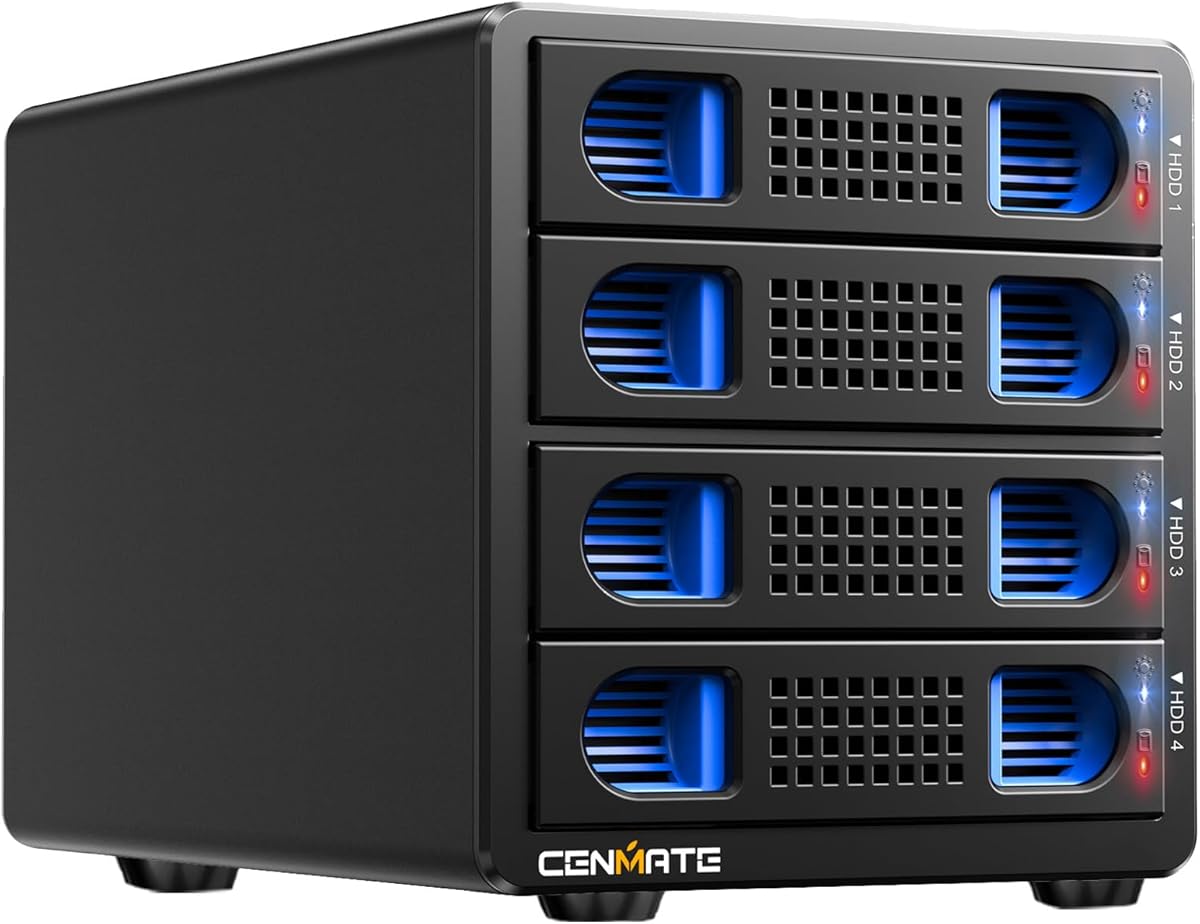
The CENMATE Aluminum 4 Bay Hard Drive Enclosure stands out as a reliable option for users needing substantial external storage. With a rating of 4.3 stars it balances performance and build quality effectively. The aluminum alloy design ensures heat dissipation which is critical for four drives running simultaneously.
We may earn a commission when you buy through this link, at no additional cost to you.
Its USB 3.0 interface delivers speeds up to 5Gbps making file transfers efficient. The enclosure supports both 2.5 and 3.5 inch drives allowing flexibility in drive selection. Hot swappable features mean you can replace drives without shutting down the system which is convenient for ongoing work.
While the fan noise is noticeable at 40-50 decibels it prevents overheating during heavy use. This trade-off is acceptable for most home or office setups where data integrity is the priority. The tool-free design adds to the user experience by simplifying setup.
This enclosure is ideal for professionals or businesses needing a DAS solution without RAID complexity. If you need a balance of capacity speed and reliability this model is a strong recommendation. Verify compatibility with your OS before purchase to ensure smooth operation.
The built-in fan activates to keep drives cool preventing thermal throttling during extended operations.
Includes both USB Type-A and Type-C cables for broad compatibility with modern and older computers.
We may earn a commission when you buy through this link, at no additional cost to you.
This model offers faster data transfer rates compared to standard USB 3.0 enclosures. The USB 3.2 Gen 2 interface enables speeds up to 10Gbps which is ideal for video editors or large dataset handlers. The rating of 4.1 reflects strong user satisfaction with performance.
We may earn a commission when you buy through this link, at no additional cost to you.
Compatibility extends across multiple operating systems including Windows 7 and above and Mac OS X. The enclosure supports up to 80TB total capacity which is sufficient for most enterprise needs. Hot swappable functionality allows you to replace drives without interrupting system operation.
The fan noise is noted around 40-50 decibels similar to other models in this category. Users in quiet environments might find this distracting during idle periods. However the cooling is necessary to protect expensive drives during high speed transfers.
For users prioritizing speed and capacity this enclosure delivers reliable results. It is a great choice for those who need to move large files quickly without RAID configuration. Check your computer ports to ensure you can utilize the 10Gbps speed.
The USB 3.2 Gen 2 chip enables up to 10Gbps speeds for rapid file handling.
Replace drives without powering down the device to maintain workflow continuity.
We may earn a commission when you buy through this link, at no additional cost to you.
The MAIWO 4 Bay DAS offers a compelling feature set for budget conscious buyers. With a total capacity of up to 96TB it handles large data needs without breaking the bank. The USB-C interface ensures modern connectivity with transfer speeds up to 10Gbps.
We may earn a commission when you buy through this link, at no additional cost to you.
Unique features include an HD-TV port allowing direct connection to displays for media playback. This adds versatility beyond simple storage. The dual cooling fans activate only when temperatures exceed 48 degrees Celsius saving energy and reducing noise.
Independent power switches provide control over individual drives which enhances safety during maintenance. The daisy chain capability allows you to expand storage further by connecting additional units. This makes it scalable for growing data requirements.
If you need a cost effective solution with advanced features this enclosure is worth considering. The lower rating might indicate minor usability quirks but the core functionality remains strong. Verify system compatibility especially with Linux OS before finalizing your purchase.
Connect multiple storage devices to expand your total capacity without extra cables.
Fans activate automatically only when drives exceed 48 degrees to save power.
We may earn a commission when you buy through this link, at no additional cost to you.
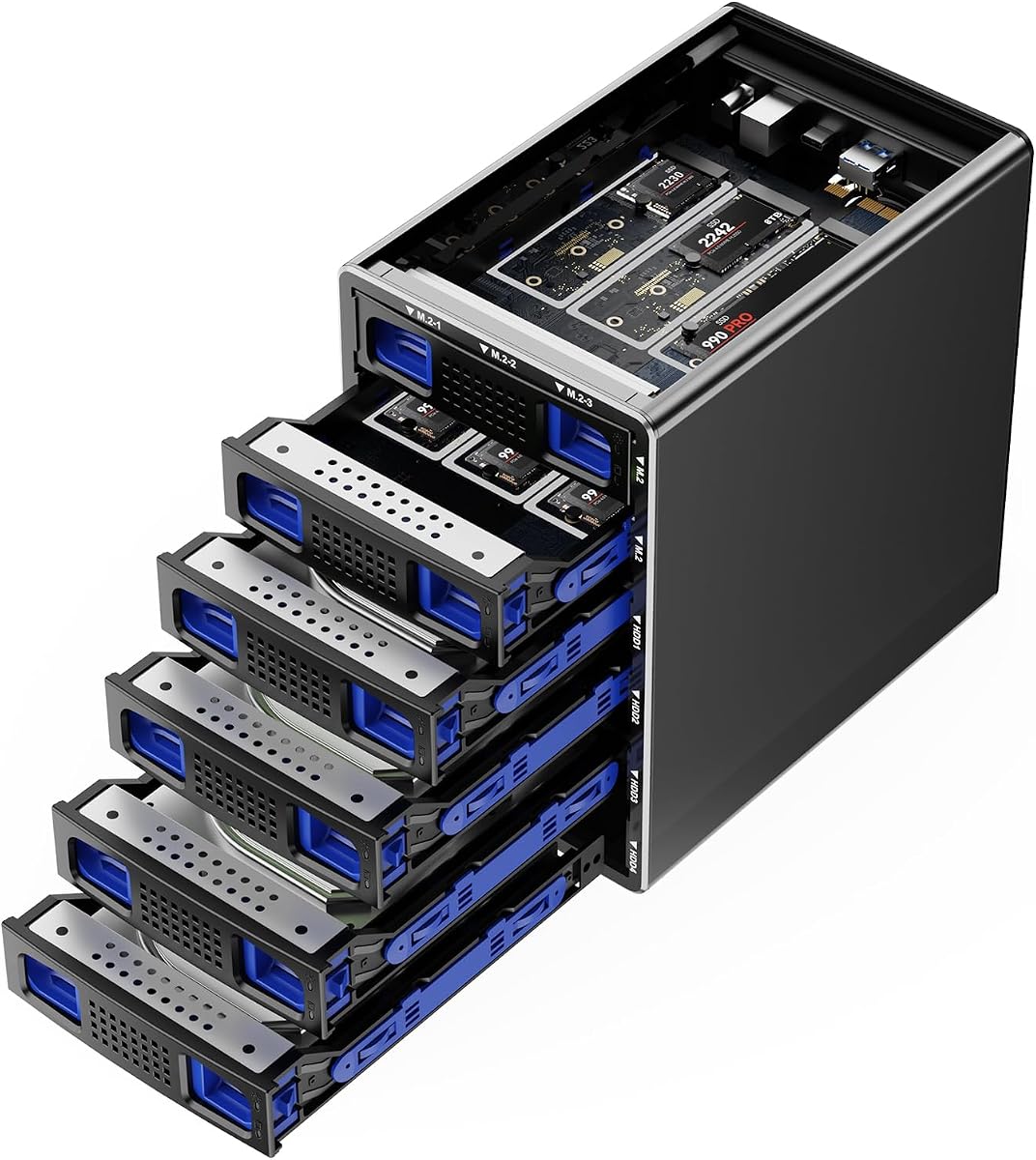
This hybrid enclosure allows you to mix SATA and NVMe drives in one unit. It supports four SATA drives and six M.2 NVMe SSDs totaling up to 136TB capacity. This design is perfect for users who need both high storage and high speed.
We may earn a commission when you buy through this link, at no additional cost to you.
The USB 3.2 Gen 2 interface ensures fast data access for both drive types. Silent fans reduce noise levels compared to standard models making it more suitable for home offices. Tool-free design makes swapping drives quick and simple without tools.
While the price is higher the flexibility offered justifies the cost for power users. You can keep large media on HDDs and critical apps on NVMe SSDs. The system manages both seamlessly through a single USB connection.
If you are looking to maximize storage efficiency without buying two separate units this is ideal. It simplifies your desk setup while offering versatile performance options. Ensure your system supports USB-C for best results with this model.
Accommodates both SATA drives and M.2 NVMe SSDs in a single enclosure.
Silent fans help maintain a quiet workspace while cooling high-speed drives.
We may earn a commission when you buy through this link, at no additional cost to you.
The WAVLINK 4-Bay enclosure distinguishes itself with a built-in HDMI port for media output. This feature allows you to connect directly to TVs or monitors for 4K video playback. It is ideal for users wanting storage and display capabilities in one device.
We may earn a commission when you buy through this link, at no additional cost to you.
Data transfer speeds reach 10Gbps via USB-C ensuring quick file access. The aluminum shell provides excellent heat dissipation and structural protection. Independent power switches for each bay allow you to control drive power individually.
Fans activate based on temperature readings to maintain safe operating conditions. This prevents overheating during intensive data retrieval tasks. The enclosure supports both 3.5 and 2.5 inch drives with necessary brackets provided.
For multimedia enthusiasts this enclosure adds significant value beyond standard storage. The ability to play content directly without a PC is a unique benefit. Check host port compatibility to ensure the HDMI feature works as expected.
HDMI port allows direct connection to TVs for 4K content playback.
Independent switches let you power specific bays without affecting others.
We may earn a commission when you buy through this link, at no additional cost to you.
This docking station is tailored for users primarily using 2.5 inch SSDs or HDDs. It supports up to four drives with a total capacity of 64TB. The USB 3.0 interface offers reliable performance for general storage tasks.
We may earn a commission when you buy through this link, at no additional cost to you.
The magnetic cover design allows quick and secure access to the drives. This is convenient for users who frequently swap drives. The whisper-quiet fan ensures the enclosure operates silently even during heavy workloads.
Tool-free access means you can install drives without any additional tools or screws. This saves time and prevents damage to drives during installation. Compatibility with Windows Mac and Linux ensures it works with most systems.
If you rely on smaller form factor drives this is a practical and efficient choice. The quiet operation makes it suitable for home or office environments. Confirm drive thickness limits before purchase to ensure proper fit.
Magnetic cover design enables fast and secure drive access without tools.
Whisper-quiet fan maintains cool temperatures without disturbing the workspace.
We may earn a commission when you buy through this link, at no additional cost to you.
This model includes both USB and eSATA ports offering flexible connectivity options. It supports up to 80TB total capacity and works with both 2.5 and 3.5 inch drives. The eSATA option provides a direct connection for compatible systems.
We may earn a commission when you buy through this link, at no additional cost to you.
Tool-free design makes installation straightforward without requiring additional tools. Stable power supply ensures consistent performance during data transfers. The enclosure is designed for durability with aluminum alloy materials.
Note that eSATA functionality depends on your computer having a compatible port. Hot swapping is not supported via eSATA but USB ports work normally. This versatility makes it a robust choice for varied setups.
For users with legacy hardware needing eSATA this is a solid option. It bridges the gap between modern USB and older interfaces. Check your computer ports to utilize both interfaces effectively.
Includes USB and eSATA ports for compatibility with modern and legacy systems.
DC 12V adapter ensures consistent power for stable drive performance.
We may earn a commission when you buy through this link, at no additional cost to you.
This enclosure supports drive capacities up to 128TB making it suitable for massive storage needs. The USB-C interface allows fast data transfers at 10Gbps speeds. HDMI output lets you connect to displays for media playback directly.
We may earn a commission when you buy through this link, at no additional cost to you.
Independent switches for each bay allow flexible control over drive power. The aluminum shell provides durability and heat dissipation. Temperature controlled fans ensure safe operation during heavy usage.
For users with large media libraries this offers ample space without external units. The HDMI feature adds value for home entertainment setups. Check drive compatibility to ensure full capacity utilization.
If you need the highest capacity in this category this model delivers. It balances performance with multimedia features well. Verify OS compatibility before purchase to ensure smooth integration.
Supports up to 128TB total capacity for extensive data storage needs.
HDMI port allows direct connection to displays for media content.
We may earn a commission when you buy through this link, at no additional cost to you.
This enclosure offers RAID functionality which is rare in DAS units. It supports eight RAID modes including RAID 0 1 3 5 and 10 for data redundancy. This allows for better performance or data protection depending on your needs.
We may earn a commission when you buy through this link, at no additional cost to you.
The inclusion of USB and eSATA ports provides flexibility for system connections. Tool-free design simplifies drive installation and removal. The enclosure supports up to 80TB total capacity for extensive storage.
Note that switching RAID modes requires powering down and using a tool. This may lead to data loss if not handled correctly. Ensure you back up data before making changes.
If you need redundancy without a full NAS this is a unique option. It allows for hardware RAID functionality at a lower cost. Verify backup procedures before using RAID features.
Supports eight RAID modes to provide redundancy and performance options.
Includes USB and eSATA ports for flexible system integration.
We may earn a commission when you buy through this link, at no additional cost to you.
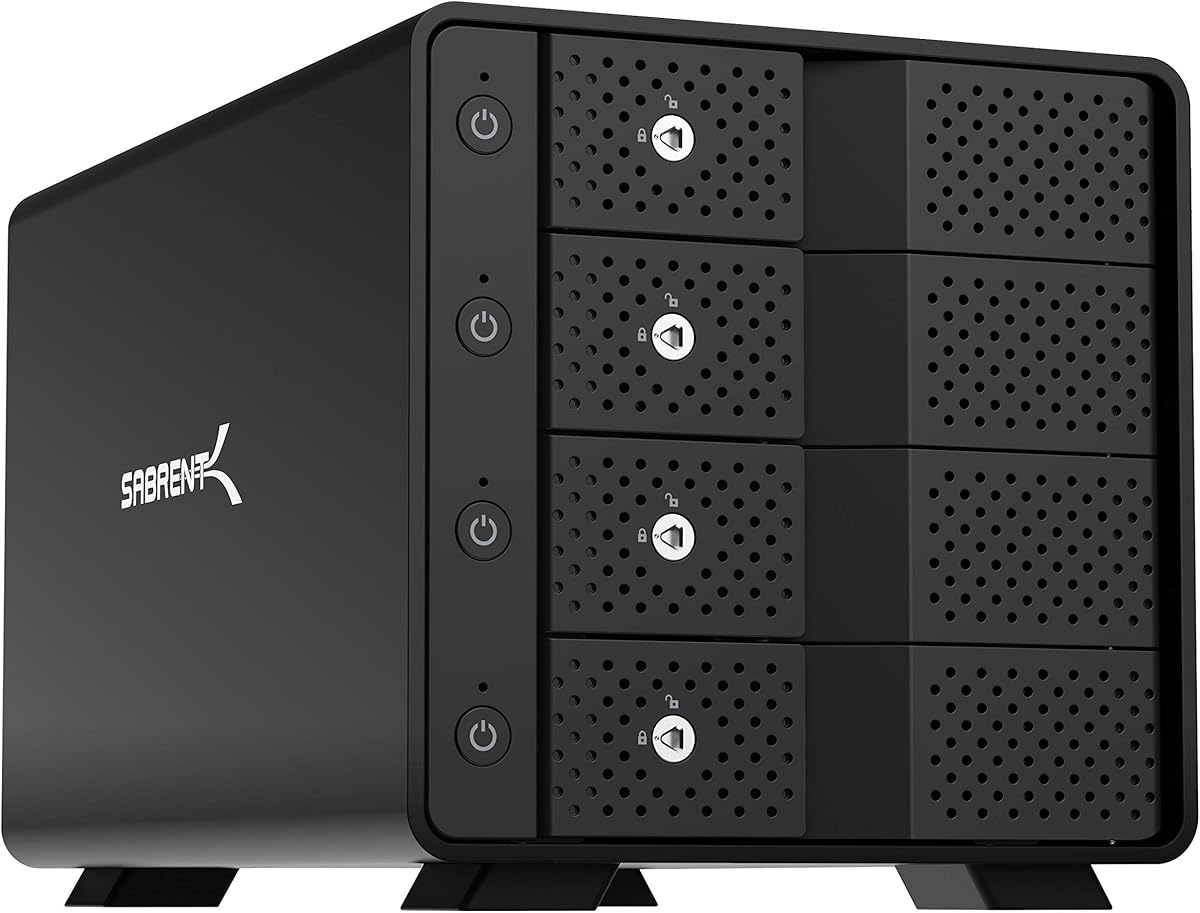
This premium docking station features dedicated ASMedia controllers for each bay. This ensures stable independent connections which reduces bottlenecks. The USB 3.1 Gen 2 interface allows for 10Gbps transfer speeds for fast access.
We may earn a commission when you buy through this link, at no additional cost to you.
Tool-free drive insertion with individual switches makes management easy. The 92mm active fan provides robust cooling for continuous operation. It supports Windows Mac and Linux making it versatile for various environments.
The build quality is robust with aluminum and metal housing for durability. It is designed for 24/7 operation which is great for professional use. The higher price reflects the superior stability and performance.
If you need reliability for critical data this is the top choice. The individual controllers prevent one drive from slowing others down. Verify host support for USB-C to utilize full speeds.
Dedicated ASMedia controller per bay ensures stable and independent drive connections.
Designed for 24/7 operation with robust cooling for long-term reliability.
We may earn a commission when you buy through this link, at no additional cost to you.
Choosing the right enclosure involves considering storage capacity transfer speeds cooling and compatibility. Below are key factors to evaluate before purchasing.
Determine the total storage you need based on drive sizes. Most enclosures support drives up to 20TB each totaling up to 80TB or more. Ensure the enclosure supports the maximum capacity of drives you plan to use.
Select an enclosure with enough total capacity for your current and future storage needs.
Look for enclosures with USB 3.2 or USB 3.1 Gen 2 for faster data transfer. Standard USB 3.0 offers 5Gbps while newer models offer 10Gbps. This affects how quickly you can access large files.
Choose an interface that matches your computer ports for optimal transfer speeds.
Efficient cooling is essential to prevent overheating during extended use. Fans that activate based on temperature or run continuously help maintain performance. Check noise levels if you work in quiet environments.
Ensure the cooling system is adequate for the drive types you use.
Check compatibility with your operating system including Windows Mac and Linux. Verify if the enclosure supports both 2.5 and 3.5 inch drives if needed. Some models may require specific adapters or ports.
Confirm software and hardware compatibility before purchase to avoid issues.
Some models offer RAID modes for data redundancy or performance. If you need redundancy look for RAID 1 or 5 options. Ensure you understand the implications of switching RAID modes.
Decide if RAID support is necessary for your data protection needs.
Aluminum alloy housings provide better heat dissipation and durability. Look for tool-free installation designs for ease of use. Robust builds ensure longevity of the enclosure.
Prioritize enclosures with durable materials and user-friendly design.
Additional ports like eSATA or HDMI offer more versatility. USB-C is preferred for modern systems but USB-A ensures compatibility. Check what cables are included with the purchase.
Select connectivity options that match your existing devices and needs.
Connect the enclosure to a power outlet before attaching it to your computer. Ensure the enclosure is placed in a well-ventilated area to allow fans to work effectively.
Install drives carefully using the tool-free trays. Ensure drives are securely seated before powering on the unit to prevent connection issues.
Regularly check the enclosure for dust buildup which can hinder cooling. Keep firmware updated if applicable to maintain performance and compatibility with your OS.
Yes most 4 bay enclosures support both 2.5 inch SSDs and 3.5 inch HDDs. Ensure the drive fits the physical dimensions and is supported by the interface specifications.
Some models have fans that run continuously while others activate only at specific temperatures. Check the product description for specific fan behavior to manage noise levels.
Many modern enclosures support hot swapping allowing you to change drives while powered on. Verify if your specific model supports this feature before attempting.
Some enclosures offer multiple RAID modes like RAID 0 1 3 5 and 10. Check the manual for instructions on how to switch modes safely.
Most enclosures work plug and play without drivers on Windows Mac and Linux. RAID configurations may require specific setup steps via the enclosure software.
Ensure the enclosure has adequate ventilation and keep it away from heat sources. Clean dust filters regularly to maintain optimal airflow and cooling performance.
Our top picks include the CENMATE Aluminum 4 Bay for overall value the MAIWO for budget savings and the SABRENT for premium stability. Each offers unique benefits depending on your priorities.
Prioritize transfer speed and capacity if you handle large data files regularly. For quiet environments look for noise optimized cooling solutions to maintain comfort.
Always check current pricing and availability before purchasing. Verify compatibility with your system to ensure a seamless storage expansion experience.