
15.6 Laptop Computer 12GB RAM 128GB SSD
5.0Editor score
12GB RAM for multitasking
128GB SSD with upgrade slot
FHD IPS display
Discover the 10 best cheap laptops for recording music comparing specs like RAM, SSD, and CPU to find affordable gear for home studios and beat makers.
Finding a cheap laptop for recording music requires balancing performance with budget constraints. You need enough RAM and a fast processor to handle digital audio workstations without latency issues during sessions.
We compared ten affordable models focusing on CPU power, memory capacity, and storage speed. This list covers options ranging from entry-level Chromebooks to Windows machines with upgrade potential for producers.
Each pick shows real specifications and user ratings to help you decide. Prices change frequently so check the current listings before buying to ensure you get the best value for your music production needs.
5.0Editor score
4.3Editor score

4.2Editor score
This side-by-side comparison highlights the key specifications of each laptop including processor type, memory size, storage capacity, and display quality to help you make an informed choice.



This laptop offers a solid entry point for budget-conscious music producers needing basic recording capabilities. It holds a strong user rating and provides essential specs like 12GB RAM for smooth workflow.
We may earn a commission when you buy through this link, at no additional cost to you.
The Pentium Gold 6500Y processor handles light DAW tasks well. 12GB RAM allows you to run your recording software alongside a browser for samples. The 128GB SSD ensures quick boot times.
Storage might be tight for large sample libraries so plan to use external drives or the M.2 slot for upgrades. It is not a powerhouse for heavy mixing but works for tracking.
Buy this if you need an affordable machine for basic audio recording and editing. It is a practical choice for students or home studios starting out without spending much money.
Balances cost with enough RAM for entry-level music production tasks and everyday use.
Supports storage expansion via M.2 slot to accommodate growing project files.
We may earn a commission when you buy through this link, at no additional cost to you.
The HP Chromebook 14 is a versatile device but requires cloud-based tools for music work. It features dual microphones which might help with basic voice recording on Android apps.
We may earn a commission when you buy through this link, at no additional cost to you.
Battery life is excellent for taking notes during sessions. The Celeron processor is efficient but 4GB RAM limits multitasking with demanding audio software or multiple tabs.
Storage is minimal at 32GB so external cloud storage is essential. This is better for browsing or planning tracks than serious local recording due to OS constraints.
Consider this only if you rely on web-based music tools. It is great for portability but not for running full desktop DAWs locally on the machine.
Lightweight build makes it easy to carry to different recording locations.
Dual array digital microphones provide decent voice input for basic tasks.
We may earn a commission when you buy through this link, at no additional cost to you.
This model emphasizes value with 12GB RAM which is generous for the price. The FHD IPS screen offers good viewing angles for checking waveforms and plugins during sessions.
We may earn a commission when you buy through this link, at no additional cost to you.
The Pentium Gold 6500Y handles light tasks well. You can run a DAW for simple recordings. The privacy slider adds security when not using the webcam.
Storage remains a constraint at 128GB. You will need external drives for large sample libraries. It is a good secondary machine but not for heavy production.
Ideal for students who need a laptop for school and light music editing. The RAM helps keep the system responsive when switching between apps.
FHD IPS screen with anti-glare coating reduces eye strain during long sessions.
Physical camera privacy slider protects your privacy during offline work.
We may earn a commission when you buy through this link, at no additional cost to you.
This BLUEING model features a 14-inch screen for portability. The 8GB RAM is adequate for basic tasks but may struggle with heavy multitasking in music production.
We may earn a commission when you buy through this link, at no additional cost to you.
Connectivity is robust with USB-C and multiple USB ports. You can connect audio interfaces and external drives. The privacy slider is a useful addition for remote work.
128GB storage is limited so plan for cloud or external storage. Battery life is decent for a work day but may need charging for long sessions.
Good for users who travel often and need to record ideas on the go. It balances size and function well for a budget range.
Thin and light design makes it easy to transport for mobile recording.
Extensive ports allow direct connection to interfaces and accessories without hubs.
We may earn a commission when you buy through this link, at no additional cost to you.
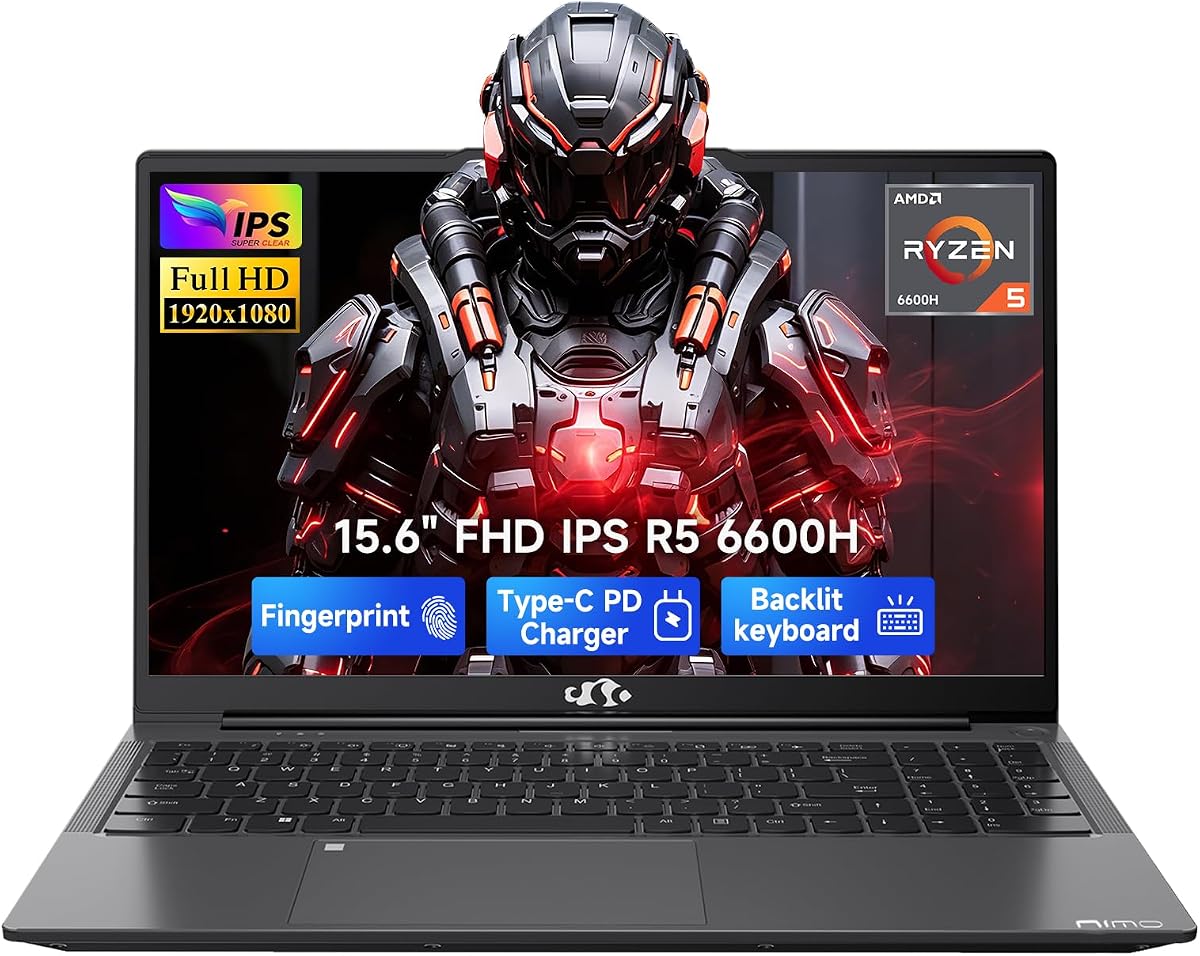
The NIMO AI Creator Laptop stands out with powerful AMD Ryzen 5 6600H processing. It handles heavy DAW workloads better than cheaper models with more threads.
We may earn a commission when you buy through this link, at no additional cost to you.
16GB DDR5 RAM ensures smooth multitasking while recording. The 512GB SSD provides ample space for samples and projects. Fingerprint login offers quick access.
Battery life is decent but not exceptional under load. The backlit keyboard helps with late night work. It is a strong contender for creators needing power.
Choose this if you need reliable performance for serious music production on a budget. It offers the best balance of speed and memory in this list.
AMD Ryzen 5 6600H handles demanding audio tasks with 6 cores.
16GB DDR5 RAM supports large projects and smooth playback.
We may earn a commission when you buy through this link, at no additional cost to you.
This BLUEING laptop provides a balanced configuration for daily tasks. The 12GB RAM and 256GB SSD offer more room for projects than entry-level models.
We may earn a commission when you buy through this link, at no additional cost to you.
The SSD can be upgraded to 4TB NVMe so you have future proofing. It supports multiple workflows without running out of space quickly.
Performance is adequate for basic recording but not for heavy plugins. The battery life is moderate for workday usage. Privacy slider is included.
A practical choice for users who need some storage and memory without overspending. It is good for school and light creative work.
Supports SSD upgrades to 4TB for large audio and video libraries.
12GB RAM allows better multitasking than standard 8GB laptops.
We may earn a commission when you buy through this link, at no additional cost to you.
This model emphasizes reliability with 12GB RAM and 256GB SSD storage. It is designed for smooth multitasking and everyday computing tasks in home studios.
We may earn a commission when you buy through this link, at no additional cost to you.
The quiet operation is beneficial for recording environments. 170-degree hinge design helps with comfortable viewing angles. The webcam cover adds security.
Battery life is up to 6 hours which may require charging during long sessions. It handles light DAW tasks but not heavy rendering loads.
Buy this for stable performance and decent storage capacity. It is a good balance for students needing a versatile laptop for work and creativity.
Fanless or low-noise design prevents background noise during recording.
170-degree hinge provides flexible viewing angles for different setups.
We may earn a commission when you buy through this link, at no additional cost to you.
This laptop offers a good amount of storage at 256GB for the price. It supports expandable storage up to 512GB via TF card or up to 4TB SSD upgrades.
We may earn a commission when you buy through this link, at no additional cost to you.
The 8GB RAM is sufficient for basic browsing and light editing. Privacy slider and ergonomic keyboard improve user experience. Ports are plentiful for peripherals.
Performance is limited by the processor so avoid heavy multitrack sessions. It is best for light creative work and daily office tasks.
Choose this if storage space is a priority for your budget. It is a functional tool for students and casual users.
Expandable storage ensures you can add space as your project needs grow.
Manual privacy slider gives control over camera usage during work.
We may earn a commission when you buy through this link, at no additional cost to you.
The Amzboy laptop offers a quiet fanless design which is great for recording. It runs Windows 11 and supports expansion via TF card up to 1TB.
We may earn a commission when you buy through this link, at no additional cost to you.
The fanless design prevents internal dust and noise. It is lightweight at 3.3 lbs. However 4GB RAM limits performance in demanding applications.
eMMC storage is slower than SSD. You might face latency with large files. It is suitable for basic tasks and online classes.
Best for users needing a portable and quiet device. It is not recommended for professional audio production but works for light use.
Fanless design ensures silent operation beneficial for recording environments.
Hassle-free external slot allows up to 1TB storage expansion.
We may earn a commission when you buy through this link, at no additional cost to you.
This laptop uses a Comet Lake 5205U processor suitable for daily workloads. It offers 6GB RAM which is a step up from 4GB models but still limited for music production.
We may earn a commission when you buy through this link, at no additional cost to you.
Storage is expandable up to 512GB via TF card. The 38Wh battery supports all-day endurance. Security lock slot is included for shared spaces.
Performance is adequate for basic web browsing and light editing. It is not built for heavy multitrack recording but handles simple tasks.
Consider this for general use and light creative work. It is a reliable option for those needing a small footprint and basic specs.
Comet Lake processor provides reliable daily responsiveness.
Easy expansion via TF card for storing larger project files.
We may earn a commission when you buy through this link, at no additional cost to you.
Choosing a budget laptop for music production requires balancing essential specs with cost.
Look for processors like AMD Ryzen 5 or Intel Core i5 for smooth audio handling. Budget options may use Pentium or Celeron which limit track counts.
Prioritize multi-core performance to avoid latency issues when recording.
Minimum 8GB RAM is recommended for entry-level DAWs. 16GB allows more plugins and multitasking without slowdowns.
Avoid 4GB models for serious music production work.
An SSD is essential for quick boot times and fast sample loading. eMMC is slower and may cause bottlenecks.
Choose models with upgradable storage for growing project libraries.
A clear screen with good color helps in editing waveforms. Look for IPS panels with anti-glare coatings.
1080p resolution is standard and sufficient for most needs.
Ensure you have USB-A or USB-C ports for audio interfaces. HDMI helps with secondary monitor setups.
Bluetooth and WiFi are useful for file transfers.
Long battery life allows for mobile recording sessions without constant charging. Look for 8 hours or more if possible.
Consider power consumption when using heavy software.
A comfortable keyboard helps with quick edits and shortcuts. A sturdy build ensures durability for travel.
Backlit keyboards are useful for low-light studio environments.
Windows offers more DAW options than Chrome OS. Ensure your preferred software supports the OS version.
Check for driver compatibility for audio interfaces.
Keep the laptop cool during long sessions to avoid thermal throttling. Use a cooling pad if working in warm environments.
Regularly back up your music projects to external drives or cloud storage to prevent data loss.
Install updates carefully as some may impact audio drivers. Check manufacturer support pages for compatible audio software.
Yes but with limits. Budget models with 8GB RAM can run lightweight DAWs. Heavy plugins or large track counts may require upgrades.
For best quality yes. Built-in ports often lack low latency. An external USB audio interface provides better inputs and outputs.
The NIMO 15.6 AI Creator offers 16GB DDR5 RAM. Most others have 12GB or 8GB depending on the model.
Many models support storage upgrades via M.2 or TF slots. Check specific product details for expansion limits.
Chromebooks are limited for desktop DAWs. They work best with web-based tools or Android apps for casual recording.
Larger screens like 15.6 help with workflow. However portability is often more important for budget laptops.
Yes most have USB ports that support MIDI keyboards. You may need to install specific drivers.
Fanless models like Amzboy reduce noise. Look for low heat generation if recording in the same room.
The NIMO AI Creator offers strong performance while budget options like the 15.6 Laptop provide basic capability. Choose based on your specific production needs.
Prioritize RAM and SSD speed for the best experience. Avoid models with too little memory if planning to grow your music.
Prices and specs may change so verify current listings before purchasing. Always check return policies for peace of mind.