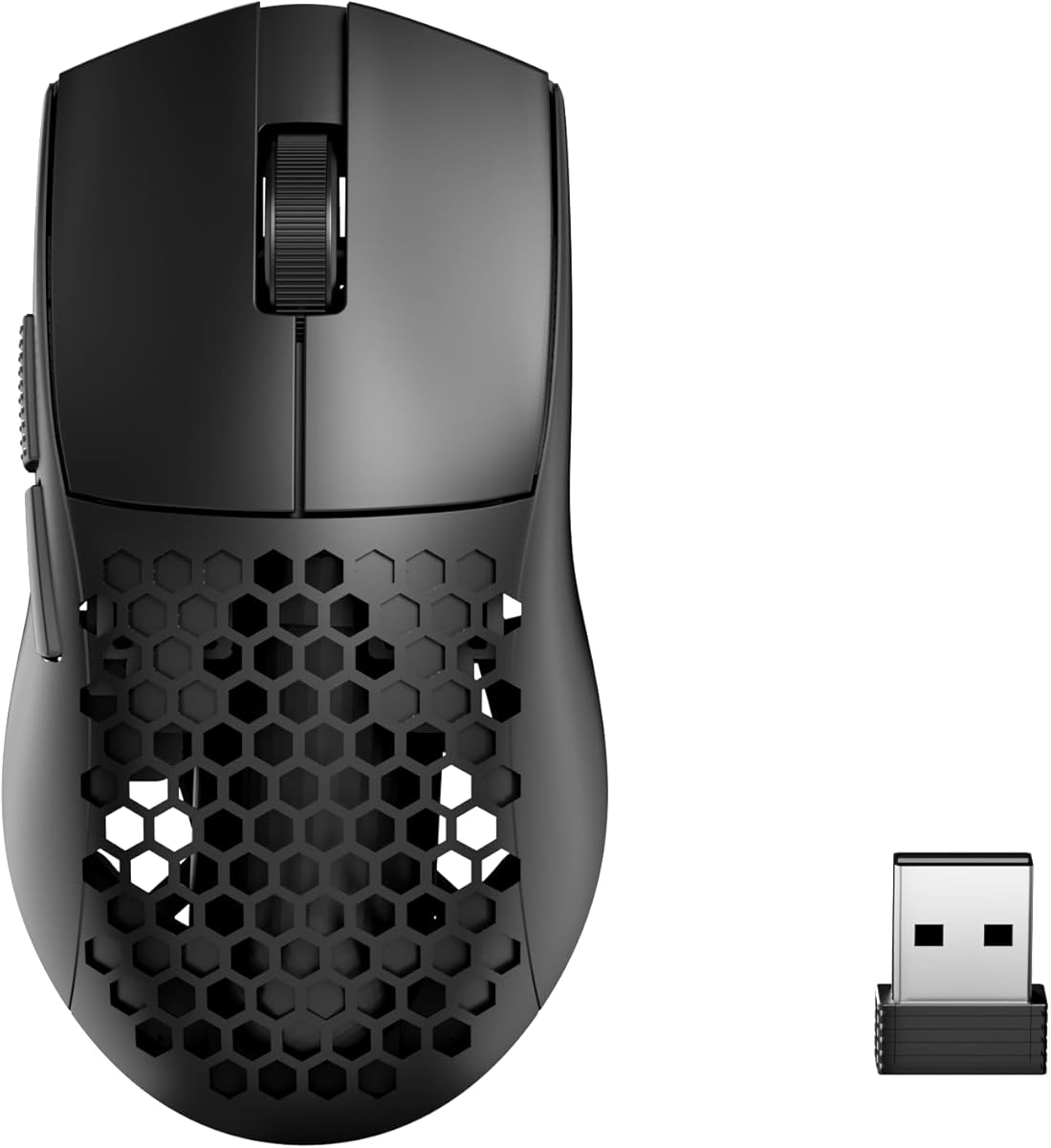
Redragon M725 Honeycomb Shell Gaming Mouse Wireless
4.4Editor score
8000 DPI sensor
Honeycomb hollow design
Symmetrical grip style
This guide compares the top lightweight mouse under 60 grams for FPS gaming in October 2026, evaluating sensor precision, battery life, and ergonomic designs
Finding a lightweight mouse under 60 grams for FPS can transform your gaming experience by reducing fatigue and increasing aim precision during long sessions. Players seek models that balance minimal weight with durability and sensor accuracy to maintain performance across competitive titles.
We evaluated ten top-rated options based on sensor quality, connectivity stability, build materials, and ergonomic design. Each product offers unique features like tri-mode connectivity, high polling rates, and specialized switch types to meet diverse gaming needs and hand sizes effectively.
Each pick highlights key strengths, pros, and cons to guide your decision. Prices may vary due to market fluctuations or promotions, so check current listings before purchasing. Our goal is to help you find the ideal tool for your specific playstyle and budget constraints.
4.4Editor score

4.5Editor score

4.6Editor score
The following table provides a side-by-side comparison of all ten selected mice. It highlights key specifications such as weight, sensor type, connectivity options, and unique design features to help you quickly identify which model aligns best with your FPS gaming requirements.


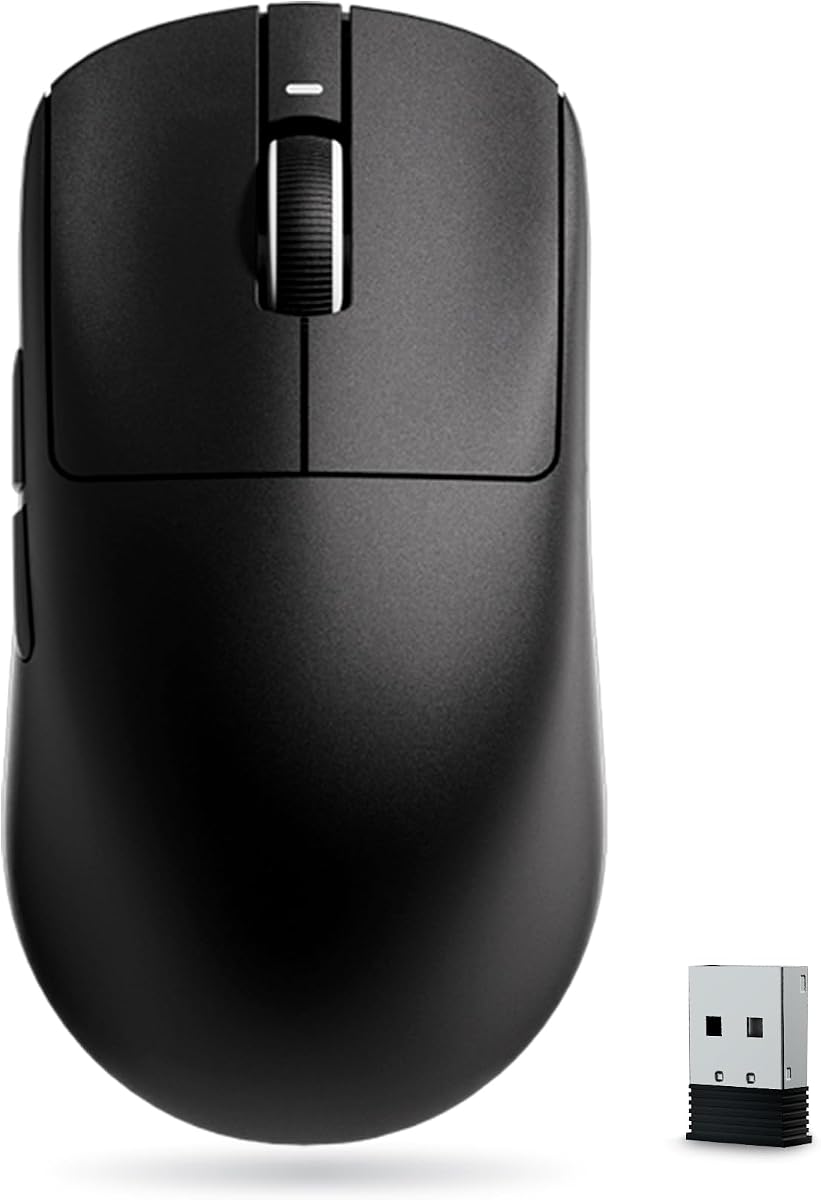

The Logitech G PRO X Superlight 2 stands out as a top contender for competitive FPS gaming. With a 60g weight and HERO 2 sensor, it delivers precise tracking without lag. Its high rating reflects consistent performance preferred by esports professionals.
We may earn a commission when you buy through this link, at no additional cost to you.
Key strengths include the HERO 2 sensor tracking over 888 IPS and zero-additive PTFE feet for smooth gliding. The 8 kHz polling rate ensures rapid response times, while the 95-hour battery supports extended play. LIGHTFORCE hybrid switches provide reliable tactile feedback.
Trade-offs include the absence of RGB lighting, which some users may prefer, and the higher price compared to alternatives. However, for players prioritizing performance and reliability, these compromises are acceptable. The weight distribution remains balanced for all grip types.
This mouse is ideal for serious gamers seeking top-tier wireless performance. Its collaboration with esports pros ensures a design optimized for competitive play. If budget allows, it remains a benchmark choice for FPS enthusiasts demanding accuracy and speed.
The HERO 2 sensor offers calibration without smoothing, ensuring raw input fidelity essential for tactical aim adjustments during critical gameplay moments.
LIGHTFORCE hybrid switches and PTFE feet are engineered to withstand heavy use while maintaining consistent tactile feedback and smooth movement over time.
We may earn a commission when you buy through this link, at no additional cost to you.
The ASUS ROG Harpe Ace Mini is co-developed with pro players to cater to fingertip and claw grips. Weighing only 49g, it offers exceptional speed and control. The refined semi-symmetrical shape fits a wide spectrum of hand shapes comfortably.
We may earn a commission when you buy through this link, at no additional cost to you.
Its ROG AimPoint Pro sensor delivers 42,000 DPI with track-on-glass technology for pixel-perfect accuracy. Tri-mode connectivity ensures flexibility with wired, 2.4 GHz RF, and Bluetooth options. The ROG SpeedNova wireless technology guarantees low latency and optimized power efficiency.
While ideal for smaller hands, users with larger palms may find the compact design limiting. The focus on minimalism means fewer aesthetic customizations. Yet for competitive play where weight and speed are critical, these trade-offs are minor compared to performance gains.
This mouse suits players with smaller hands or those preferring ultra-light setups. Its tri-mode flexibility supports work and play scenarios. Consider your hand size before purchase, but expect pro-level precision if the form factor aligns with your grip style.
The optimized shape enhances control for rapid movements, reducing fatigue during long sessions while maintaining accuracy across diverse gaming titles and surfaces.
Support for wired and wireless modes allows seamless switching between devices, making it suitable for both gaming rigs and portable setups without compromise.
We may earn a commission when you buy through this link, at no additional cost to you.
The Razer Orochi V2 is designed for gamers on the go who demand long battery life. Weighing under 60g, it enables quick swipes without fatigue. Its dual wireless connectivity balances productivity and gaming performance effectively for diverse usage scenarios.
We may earn a commission when you buy through this link, at no additional cost to you.
The Razer 5G Advanced 18K DPI sensor ensures responsive tracking with zero spinouts. It supports Bluetooth for everyday tasks and HyperSpeed Wireless for FPS titles. The 2nd Gen switches are rated for 60 million clicks, ensuring reliable responsiveness over years of use.
Using AA or AAA batteries adds convenience but may slightly increase weight depending on choice. The hybrid slot optimizes balance but limits customization options. For travelers, this battery flexibility outweighs minor drawbacks by reducing charging dependency significantly.
Ideal for students or professionals who game during travel. Its portability and endurance make it a practical choice for extended trips. While not the lightest, its balance of features and battery life stands out for mobile gaming needs and convenience.
With up to 950 hours on Bluetooth, this mouse minimizes interruptions, allowing uninterrupted focus on gaming sessions or work tasks without frequent charging worries.
HyperSpeed Wireless delivers low latency comparable to wired mice, ensuring precise aim and quick reactions critical for competitive FPS gameplay and high-stakes matches.
We may earn a commission when you buy through this link, at no additional cost to you.
The ZORNHER X Mloong MX301 PRO features a carbon fiber texture that enhances grip and feel. Weighing around 60g, it offers stable control without the floating sensation. Its high rating highlights user satisfaction with build quality and usability across daily tasks.
We may earn a commission when you buy through this link, at no additional cost to you.
Equipped with a PAW3315 sensor, it provides reliable tracking without over-spec complexity. TTC switches deliver crisp feedback, and settings are customizable via a lightweight web-based driver. The set includes a carrying case and grip tape, making it perfect for gifting.
While the sensor isn't the highest DPI available, it suffices for most users. Some advanced gamers may prefer higher polling rates or more customization options. Yet for balanced control and premium feel, it delivers strong value in its price segment.
This mouse suits players valuing tactile feel and convenience. Its complete package ensures everything needed is included. For those seeking a reliable, ergonomic mouse with a unique look, it is an excellent choice without breaking the budget.
The carbon fiber texture not only looks premium but reduces slipping during intense sessions, providing confidence and comfort regardless of hand size or grip style preference.
A simple web-based driver avoids bulky software, allowing quick adjustments to DPI and buttons without affecting system performance or causing unnecessary background resource usage.
We may earn a commission when you buy through this link, at no additional cost to you.
The INPHIC IN10P Superlight offers an 8K polling rate for ultra-smooth tracking and razor-sharp accuracy. Weighing 60g, it maintains a solid shell design without perforations, preventing dust buildup. It supports tri-mode connectivity for flexibility across devices and usage types.
We may earn a commission when you buy through this link, at no additional cost to you.
Equipped with the PAW3395 sensor, it tracks slight movements with up to 26,000 DPI. The custom KP950B chip ensures low latency and power efficiency. A 400mAh battery provides up to 120 hours of use, with RGB indicators for status and customization.
Some users report variability in switch consistency compared to premium brands. The absence of a dedicated app may limit deep customization for advanced users. However, for raw speed and reliability, its specifications compete well with higher-priced models.
This mouse is ideal for users prioritizing high polling rates and durability. Its solid design protects internals while offering speed. For competitive players on a budget who want top specs, it delivers strong performance in the lightweight category.
An 8K polling rate reduces input delay to near zero, ensuring every movement translates instantly on screen for faster reactions during high-intensity competitive gameplay situations.
Unlike honeycomb designs, this solid shell prevents dust accumulation and enhances longevity without sacrificing weight, making it practical for long-term use in varied environments.
We may earn a commission when you buy through this link, at no additional cost to you.
The Redragon M725 Honeycomb delivers lightweight performance at an accessible price. Weighing 49g, it reduces arm and wrist fatigue significantly. Its symmetrical design suits various hand sizes, while software support allows extensive customization for work and gaming needs alike.
We may earn a commission when you buy through this link, at no additional cost to you.
With an 8000 DPI sensor and redefinable levels, it offers flexibility for different game genres. The honeycomb shell enhances air circulation and reduces weight. Three connection modes ensure seamless switching between devices within a 10-meter range for multitasking ease.
Build quality feels less premium than expensive alternatives, which may affect longevity. The lower DPI limits utility for high-resolution displays but suffices for most FPS settings. Still, the value proposition is strong for budget-conscious gamers seeking performance upgrades.
This mouse is ideal for entry-level or budget players. Its lightweight design and software features make it versatile. For those new to wireless gaming, it provides a solid foundation without significant financial investment or complexity.
Priced competitively, this model brings wireless freedom and lightweight ergonomics to more users, lowering the barrier to entry for competitive gaming setups and improved accuracy.
The honeycomb design promotes airflow and reduces grip sweat, ensuring hands stay dry and comfortable during extended marathons of gameplay or productive work hours daily.
We may earn a commission when you buy through this link, at no additional cost to you.
The Redragon M916 Wireless offers 49g ultra-light design with a 4K transmission tech. It features Nordic flagship chip for low consumption and stable tracking. Five programmable buttons support tactical keybinds, enhancing customization for both gaming and office work routines daily.
We may earn a commission when you buy through this link, at no additional cost to you.
With up to 26,000 DPI and natural grip structure, it delivers clean control. The 3-mode connectivity allows seamless switching between BT and 2.4Ghz. Driver support ensures all buttons and DPI settings remain editable for personalized performance tuning needs.
While the Nordic chip ensures efficiency, it may not integrate as widely as others. The design focuses on function over flash, lacking RGB or premium finishes. Still, the combination of weight and features makes it a compelling value for FPS gamers.
This mouse suits users prioritizing function and low weight. Its ergonomic shape supports prolonged comfort. For those needing remappable keys and fast report rates without overspending, it offers an attractive balance of performance and practicality.
Nordic chip tech ensures minimal power consumption while maintaining stable signal strength, ideal for wireless precision without frequent charging interruptions during intensive gaming or work periods.
Five editable buttons enable quick access to complex macros or hotkeys, streamlining in-game commands and improving reaction times during high-pressure competitive matches and scenarios.
We may earn a commission when you buy through this link, at no additional cost to you.
The ATK VXE Dragonfly R1 SE+ balances weight and performance with a 55g body. Its BEKEN chip provides stable low-latency signals suitable for office and esports. Tri-mode connectivity ensures smooth switching between devices, while Huano switches aim to reduce double-click malfunction risks.
We may earn a commission when you buy through this link, at no additional cost to you.
Equipped with PAW3395 SE sensor, it offers adjustable DPI up to 18000. A 520mAh battery supports up to 70 hours of runtime. The natural grip structure helps prevent fatigue during long sessions by aligning comfortably with typical hand shapes and positions.
The default 1K polling rate limits extreme performance compared to 8K options, but it suits most casual and competitive users. Customization depends on driver software availability. Still, the build quality and sensor offer solid value in the mid-range market segment.
This mouse is ideal for those seeking reliable performance without overspending. Its weight reduction helps speed and endurance. For users wanting a mix of ergonomic comfort and technical specs, it serves as a strong practical choice overall.
The BEKEN chip with Smart Speed X technology ensures consistent signal transmission, reducing dropouts and maintaining smooth cursor movement across varied wireless environments and network conditions.
A 520mAh battery and ergonomic shape reduce interruptions and physical strain, enabling sustained focus during extended gaming marathons or intensive work periods without fatigue or recharging.
We may earn a commission when you buy through this link, at no additional cost to you.
The Razer Viper V4 Pro stands out with 49g ultra-lightweight design and Focus PRO 50K DPI sensor. Optical switches and scroll wheel ensure durability and precision. Powered by HyperSpeed Wireless Gen-2, it offers 8000Hz polling and significantly lower latency for peak performance needs.
We may earn a commission when you buy through this link, at no additional cost to you.
Optical actuation provides tactile feedback without mechanical wear issues. The battery supports up to 180 hours at 1000Hz, balancing efficiency and speed. Synapse 4 software allows fine-tuning of sensitivity and step adjustments to match personal playstyles accurately.
Its premium cost may exceed needs for casual gamers, but pros will appreciate the specs. Some may find 50K DPI excessive for standard monitors. However, the longevity and performance justify the investment for serious FPS enthusiasts demanding top-tier tools.
This mouse is ideal for competitive players seeking elite performance. Its advanced features and durability ensure years of use. For those willing to invest in excellence, it remains a benchmark for wireless FPS gaming technology and reliability.
The Focus PRO 50K sensor and 8000Hz polling ensure instant tracking and response, crucial for high-speed movements and split-second decisions in competitive esports scenarios.
Optical switches and scroll wheels reduce mechanical friction, providing consistent actuation and enhanced lifespan, minimizing maintenance and maximizing reliability over extended use.
We may earn a commission when you buy through this link, at no additional cost to you.
The GLORIOUS Model O Eternal is a wired ultralight mouse weighing 55g. Its signature honeycomb shell reduces weight without compromising comfort. The symmetrical design ensures a natural grip, while dual-zone RGB lighting adds customization. It is built for fast-paced gaming with durable mechanical switches.
We may earn a commission when you buy through this link, at no additional cost to you.
With a 12K DPI optical sensor, it offers precision tracking suitable for various games. Six remappable buttons provide flexibility for macros and shortcuts. CORE software allows deep customization. Its 80-million rated switches ensure crisp clicks across countless matches without issues or failure.
The wired-only nature limits portability compared to wireless rivals. Some users may prefer fewer distractions than RGB offers. However, for those prioritizing zero latency and consistent performance, the wired setup ensures reliability without battery concerns or signal delays.
This mouse is ideal for competitive FPS players who favor wired stability. Its lightweight design and robust build support prolonged use. If you seek simplicity and speed without wireless trade-offs, it offers a focused and dependable choice for gaming sessions.
A direct wired connection eliminates wireless interference, ensuring every movement is registered instantly for precise aiming and consistent performance during high-pressure competitive matches.
Dual-zone RGB and six remappable buttons allow personalized style and functionality, enabling players to tailor the mouse to their specific gaming needs and visual preferences easily.
We may earn a commission when you buy through this link, at no additional cost to you.
Selecting the right lightweight mouse involves considering several factors that influence performance and comfort. This guide outlines key aspects to evaluate before making a purchase.
Weight impacts speed and fatigue. Under 60g reduces wrist strain, but consider hand size and grip style. Ergonomic shapes should feel natural in your hand to prevent discomfort during long sessions. Test shapes if possible or rely on return policies.
Look for mice designed specifically for your hand dimensions to ensure comfort.
The sensor dictates tracking accuracy. Aim for optical sensors with high DPI and IPS for precise movements without jitter. Ensure the sensor supports your preferred sensitivity and surface types to maintain consistent performance.
A high-quality sensor is crucial for accurate aim and fast reactions.
Choose between wireless or wired based on your setup. Wireless offers freedom but check battery life and latency. Wired ensures zero lag but limits mobility. Tri-mode mice offer flexibility across devices and usage scenarios.
Consider if mobility or latency priority matters most for your gaming style.
Switches determine click feel and lifespan. Look for switches rated for millions of clicks to avoid double-click issues. Optical switches offer faster response and durability compared to mechanical alternatives in competitive environments.
High-rated switches ensure long-term reliability and consistent performance.
Materials and construction affect durability and feel. Honeycomb shells reduce weight but may collect dust. Solid shells offer protection but may add slight weight. Choose based on your preference for protection versus lightweight agility.
Select a build type that matches your environment and maintenance tolerance.
For wireless mice, battery life impacts convenience. Longer runtime reduces charging interruptions. Some models offer adjustable power consumption for longer life. Consider if daily charging or weekly charging aligns with your routine better.
Prioritize models with battery life matching your typical usage duration.
Customization software allows setting DPI, macros, and button mapping. Some drivers are lightweight while others are feature-rich. Ensure compatibility with your OS and ease of use for quick adjustments during gameplay.
Choose a mouse with intuitive software for seamless customization.
Balance features against your budget. Premium models offer advanced specs but may exceed needs. Budget options provide solid performance for entry-level users. Determine which features are essential versus optional for your specific gaming requirements.
Evaluate cost relative to the performance and durability you expect.
To maximize performance, clean the mouse feet regularly using a soft cloth or alcohol wipe to remove dust and oils that can affect glide speed. Ensure the surface you game on is smooth and clean to complement the PTFE feet.
For wireless models, manage battery life by adjusting polling rate or disabling unnecessary features when not gaming. Recharge or replace batteries before they fully drain to maintain consistent connectivity without unexpected interruptions during matches.
Avoid applying excessive force on clicks to prolong switch life. Store the mouse in a protective case if you travel to prevent scratches. Regularly check for firmware updates from the manufacturer to ensure optimal performance and bug fixes.
The ideal weight varies but generally falls between 49g to 60g for competitive play. Lighter mice reduce fatigue and enable quicker movements. However, personal preference and hand size also influence what feels best for aim and control.
Modern wireless gaming mice with advanced technologies like Razer HyperSpeed or Logitech Lightspeed have minimal latency comparable to wired. Look for models with high polling rates to ensure responsive and smooth performance during fast-paced FPS gaming.
A quality gaming mouse should last several years with proper care. If clicks start double-registering or tracking becomes inconsistent, it may be time to replace. Durability varies by build quality and usage intensity.
Not necessarily. While higher DPI allows sensitivity adjustments, most FPS games function best at lower DPI with software scaling. Focus on sensor quality and consistency rather than maximum DPI numbers for optimal aim and performance.
Honeycomb shells are lighter and reduce sweat buildup, ideal for long sessions. However, solid shells offer better protection against dust and damage. Choose based on whether you prioritize weight reduction or build protection and cleanliness.
Optical switches reduce debounce delay and increase durability compared to mechanical switches. This can result in faster click response and consistent actuation, which is beneficial for rapid-fire shooting and precise input during competitive matches.
Selecting the right lightweight mouse under 60 grams for FPS depends on balancing performance, ergonomics, and budget. Our top picks highlight excellent options across categories, ensuring there is a suitable choice for every player's needs and preferences.
Prioritize sensor quality and ergonomics when evaluating options. While features like RGB or extra buttons can enhance experience, accuracy and comfort remain paramount for competitive play. Choose a model that complements your grip style and gaming routine effectively.
Remember that prices can change frequently due to sales and market conditions. Always verify current listings and read recent user reviews before purchasing to ensure you are getting the best value and latest product version available.