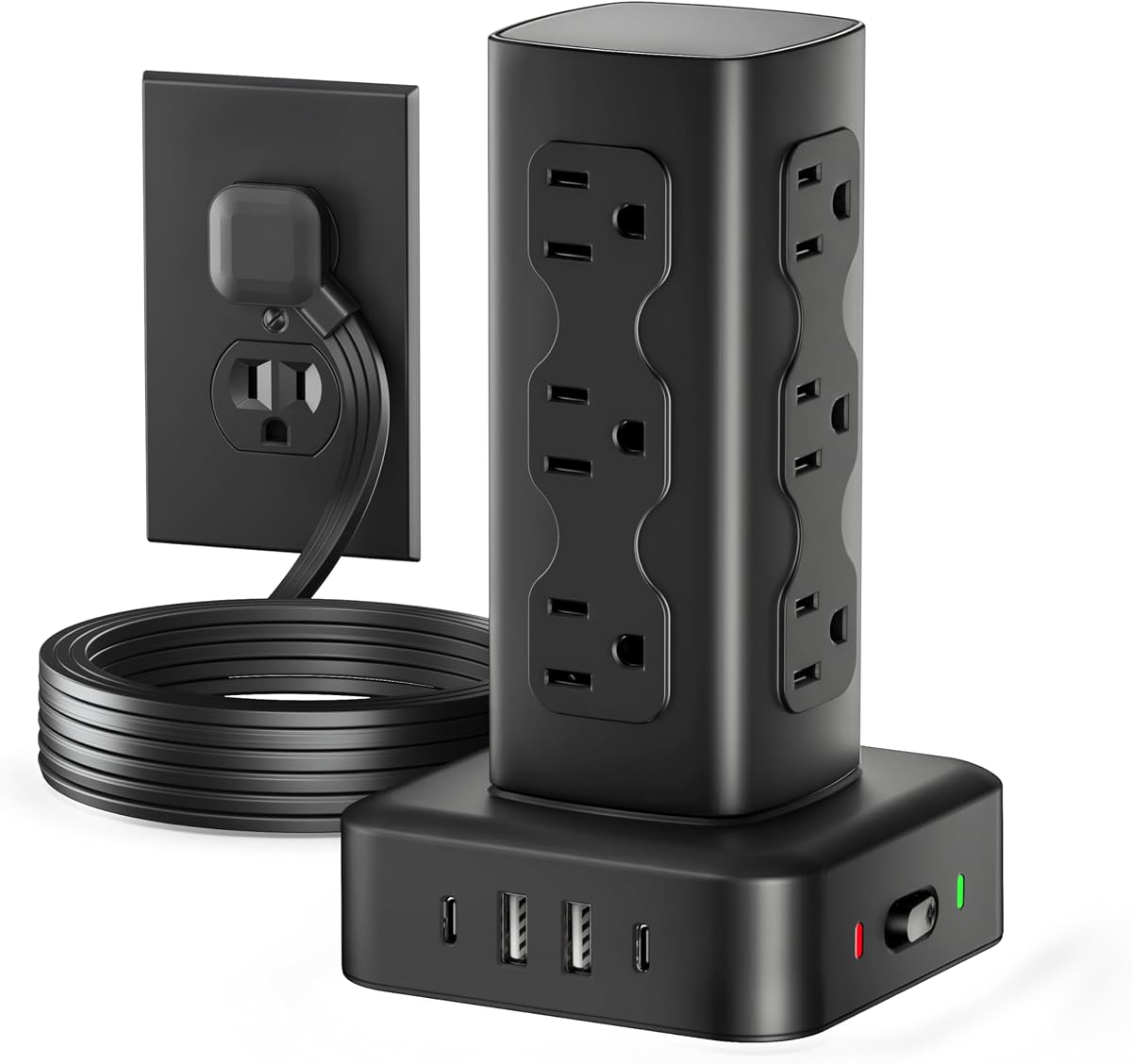
Power Strip Tower with 12 AC Outlets
4.7Editor score
12 AC outlets plus 4 USB ports
2000 joule surge protection rated
0.31 inch flat plug design
This guide compares the top ten charging towers for home and office use, evaluating surge protection, USB fast charging capabilities, outlet spacing, and
A charging tower organizes your electronics into one vertical hub, saving desk space and reducing cable clutter effectively. These units combine multiple AC outlets with USB ports to handle everything from laptops to smartphones simultaneously without hassle.
We compared ten real models based on outlet count, USB charging speed, surge protection joules, cord length, and physical design. Our analysis focuses on safety certifications, build quality, and user feedback to ensure reliable performance.
Each pick highlights specific strengths like fast PD charging or retractable cords so you can match a model to your needs. Remember that prices and stock levels change often so check current listings before buying anything online.
4.7Editor score

4.7Editor score

4.7Editor score
The following table presents a side-by-side comparison of all ten charging towers reviewed in this guide to help you identify the best fit for your specific power needs.


The JACKYLED tower earns our top pick with its flexible retractable cord and robust outlet count. It scored a solid 4.7 rating from thousands of verified buyers who praise its build quality and space-saving design.
We may earn a commission when you buy through this link, at no additional cost to you.
Its 12 AC outlets and 6 USB ports handle nearly any home setup. The individual switches on each layer allow precise power control while the 1050 joule surge protection keeps electronics safe from sudden voltage spikes.
The retractable cord is convenient but the mechanism needs gentle handling to avoid jamming. Users also note that the surge protection is lower than some rivals so high-value equipment might need extra insurance.
Buy this tower if you value organization and need multiple switches. It fits any office or bedroom where tidy power access and flexible cord management are priorities for daily device usage.
The retractable base lets you roll up the cord when not needed reducing floor clutter and tripping risks.
Individual switches on each layer mean you can turn off specific devices without unplugging them saving energy.
We may earn a commission when you buy through this link, at no additional cost to you.
This Olcorife tower stands out for offering high specs at a low entry price. With a 4.7 rating and strong surge protection it delivers excellent value for budget conscious buyers needing reliable power access.
We may earn a commission when you buy through this link, at no additional cost to you.
The 2000 joule surge protection exceeds many competitors giving peace of mind for sensitive electronics. Its 12 outlets and slim plug design allow it to fit behind furniture without blocking nearby wall outlets.
The lack of individual switches and fewer USB ports means less granular control than premium models. However for basic power extension and surge protection it handles the job efficiently without unnecessary complexity.
Choose this model if you need a cost-effective power hub with strong safety features. It suits students or small offices where price and surge protection are more important than USB versatility.
With 2000 joules of protection this tower guards your devices better than many rivals at this price point.
The 0.31 inch plug ensures you can plug in nearby devices without interference behind your desk or wall.
We may earn a commission when you buy through this link, at no additional cost to you.
The Anker desktop charger brings premium USB power delivery to a compact tower form. It earned a 4.7 rating for its stability and ability to fast charge laptops which sets it apart in the category.
We may earn a commission when you buy through this link, at no additional cost to you.
Its 100W USB-C ports make it ideal for powering MacBooks or high-power tablets without bulky bricks. The weighted base ensures it stays put even when plugging heavy adapters into the limited AC sockets.
The main trade-off is having only three AC outlets which limits AC device connections compared to tall towers. The lower surge rating also means relying on Anker for electrical safety rather than high joule specs.
Pick this tower if you want premium USB-C power in a small footprint. It fits best on a desk where laptops dominate and AC plugs are less critical than fast USB delivery.
The 100W USB-C ports can charge full-size laptops directly eliminating the need for separate power adapters.
The weighted base and low center of gravity prevent tipping even when multiple cables are attached.
We may earn a commission when you buy through this link, at no additional cost to you.
This kakyanill tower shines with a retractable cord and high USB port count for mixed device charging. It holds a 4.5 rating for its space-saving design that keeps cords off the floor effectively.
We may earn a commission when you buy through this link, at no additional cost to you.
The retractable base lets you adjust cord length and store it neatly when not in use. The 1875W protection handles higher wattage appliances like mini-fridges which many standard towers cannot support.
Some users report that rotating the base to retract the cord requires firm force over time. Also with nine outlets it provides fewer AC plugs than the twelve outlet models in our comparison.
Buy this if you need many USB ports and hate cord clutter. It fits dorm rooms or desks where you charge phones and tablets often and want to hide the power cord from view.
Rotate the base to retract the extension cord neatly saving floor space and reducing tripping hazards.
With 1875W protection it can safely handle higher wattage appliances that standard strips might overload.
We may earn a commission when you buy through this link, at no additional cost to you.
The Kakyanill 115W model delivers strong USB fast charging for multiple laptops and phones. It received a 4.5 rating for its high output which supports power hungry devices more than standard models.
We may earn a commission when you buy through this link, at no additional cost to you.
With 65W USB-C ports per channel it can charge most laptops at good speeds. The retractable cord helps maintain a clean workspace while the anti-slip feet keep the tower stable during use.
Users note that phone cases should be removed to avoid overheating during high-wattage charging. The retractable mechanism also requires firm handling which might wear over long term daily use.
Choose this tower if you need fast USB charging for multiple laptops. It fits well on a workstation where high-speed power delivery for portable computers is more important than maximum AC outlets.
The 65W USB-C ports can fast charge most laptops and tablets reducing reliance on original bricks.
Anti-slip rubber feet at the bottom prevent the tower from sliding when you plug or unplug cables.
We may earn a commission when you buy through this link, at no additional cost to you.
This TenTrend tower leads with a massive 230W total charging output for many fast devices. It earned a 4.5 rating for its ability to handle heavy USB loads simultaneously without throttling speed.
We may earn a commission when you buy through this link, at no additional cost to you.
The two 65W USB-C ports can charge laptops while other ports handle phones and tablets. Its slim plug design ensures it fits behind furniture without blocking neighbors which is a common issue.
The lower outlet count means fewer AC plugs so you may need to prioritize which devices use AC. The shorter five-foot cord might limit placement flexibility in larger rooms or offices.
Buy this if you want maximum USB fast power in a small tower. It works best on a desk with many phones and laptops where total USB wattage matters most over AC outlet count.
With 230W total charging this tower supports multiple laptops and tablets charging at full speed together.
The 0.31 inch plug ensures you can fit multiple chargers in the same wall outlet cluster easily.
We may earn a commission when you buy through this link, at no additional cost to you.
This TenTrend model stands out for its ten-foot cord and ultra-thin plug. It holds a 4.7 rating for its flexible reach that lets you place the tower further from the outlet than others.
We may earn a commission when you buy through this link, at no additional cost to you.
The 0.27 inch plug is thinner than most ensuring it fits behind furniture without blocking neighbors. Twelve outlets and eight USB ports provide plenty of connection points for a busy home setup.
The lower USB wattage means slower charging compared to high-wattage rivals. Also the cord is long which can be great but might require more cable management to avoid tangling or hazards.
Pick this tower if you need to reach distant outlets easily. It fits well in large rooms or offices where placement flexibility and outlet count are more critical than maximum USB charging speed.
The 10-foot cord allows placement far from wall sockets making it easy to reach across a room.
At 0.27 inch thick this plug fits in tight spaces without blocking adjacent outlets on the wall.
We may earn a commission when you buy through this link, at no additional cost to you.
This tower features a dedicated 20W PD port perfect for fast iPhone and Android charging. It holds a 4.5 rating for its family-friendly design that supports many devices at once reliably.
We may earn a commission when you buy through this link, at no additional cost to you.
The 20W PD port can charge phones like the iPhone 17 from zero to fifty percent quickly. Wide spaced outlets ensure bulky adapters do not block neighboring sockets which is a common frustration.
The USB-C ports lack high wattage so they cannot charge laptops efficiently. The long cord helps placement but the limited USB-C power means you need a separate solution for bigger devices.
Buy this if you want fast phone charging for the whole family. It works best in living rooms or bedrooms where phones and tablets dominate and laptops are less likely to be plugged in.
The dedicated 20W PD port provides optimal charging speed for modern smartphones and tablets.
Outlets spaced 1.5 inches apart allow large adapters to plug in without blocking neighbors below.
We may earn a commission when you buy through this link, at no additional cost to you.
This tower offers a standard reliable setup with wide-spaced outlets and strong surge protection. It holds a 4.7 rating for its practical design that fits well in offices and dorms effectively.
We may earn a commission when you buy through this link, at no additional cost to you.
The 1800 joule surge protection guards connected electronics against voltage spikes. Wide spacing between outlets ensures bulky adapters fit without blocking neighbors which is a key convenience factor.
The USB port count is lower than many rivals limiting mixed device charging. It also lacks specialized high-wattage charging ports so it serves as a general purpose extension rather than a power hub.
Choose this if you want a reliable standard tower with surge protection. It fits well for general use where outlet count and safety are priorities over advanced USB charging capabilities.
Wide-spaced outlets allow multiple large adapters to plug in without interference blocking other sockets.
The 1800 joule rating provides solid protection against surges for typical office electronics and lamps.
We may earn a commission when you buy through this link, at no additional cost to you.
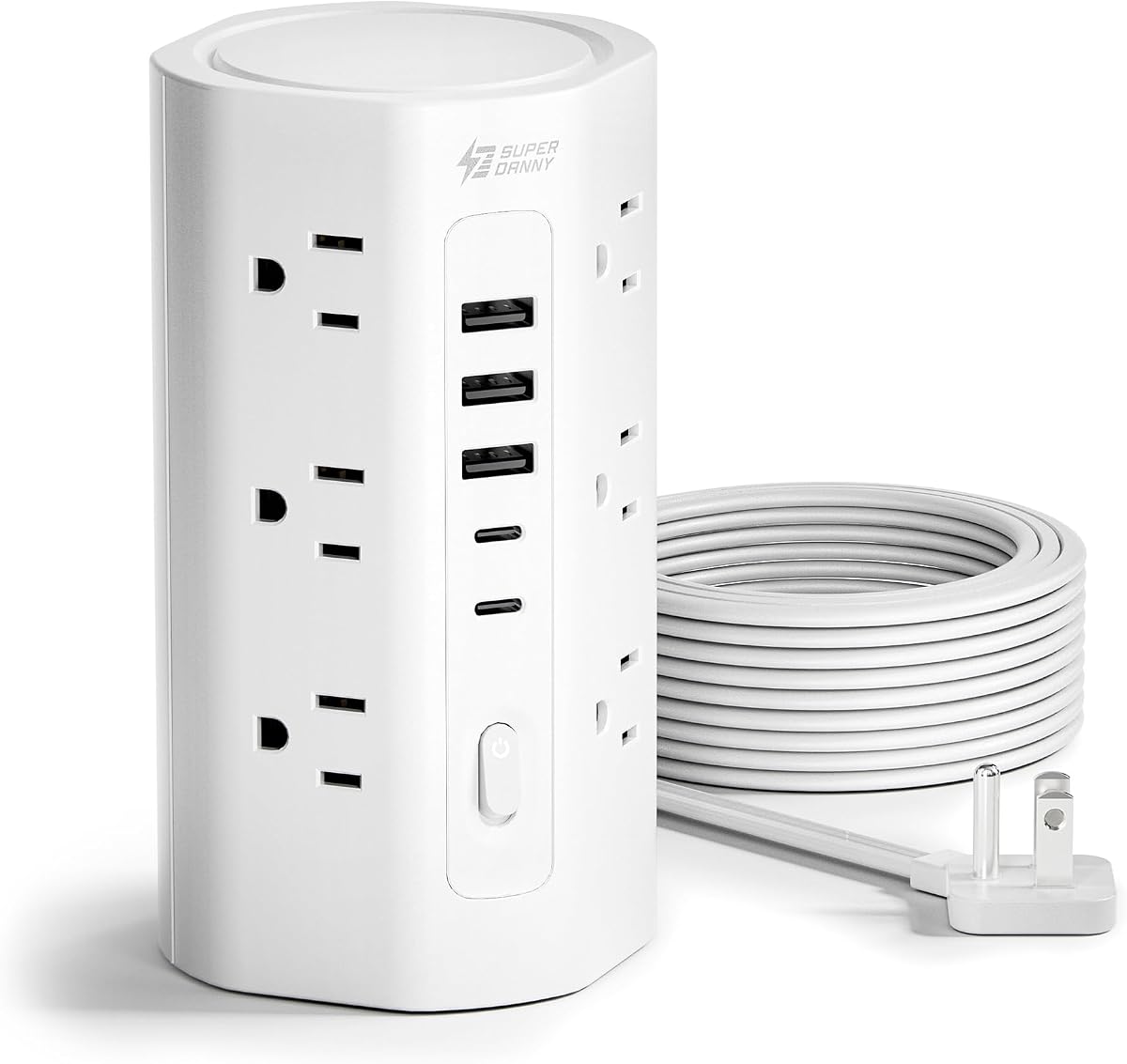
This SUPERDANNY tower excels with its long flat cord and wide outlet spacing for mixed devices. It earned a 4.7 rating for its durable design and generous extension reach across large rooms.
We may earn a commission when you buy through this link, at no additional cost to you.
The ten-foot flat cord lies neatly along floors reducing tripping risks. Twelve outlets and five USB ports support a full workstation while the wide spacing accommodates bulky power adapters easily.
The flat cord helps but the unit lacks individual switches for precise power control. Also the USB output is standard so high-power laptop charging requires a separate adapter.
Buy this tower if you need a long cord to reach across a room. It fits best in large living rooms or open offices where distance from the outlet is a major constraint.
The flat ten-foot cord reduces tripping hazards and tucks neatly along walls or baseboards.
A three-year maintenance plan adds long term value and ensures support for any issues.
We may earn a commission when you buy through this link, at no additional cost to you.
Choosing the right charging tower depends on matching its electrical specs and physical features to your specific environment and device needs.
Look for at least twelve AC outlets if you have many desktop or console devices. Ensure outlets are spaced one and a half inches or wider to fit bulky adapters without blocking neighbors.
Verify outlet count and spacing meet your needs before buying to avoid frustration and wasted time.
Check total USB wattage and port types. If you charge laptops use towers with USB-C ports delivering sixty-five watts or more per port for adequate charging speeds.
Prioritize high wattage USB-C ports if you need to charge laptops directly without bricks.
Surge protection ranges from three hundred to two thousand joules. Higher ratings like eighteen hundred or two thousand joules provide better safety for expensive electronics against voltage spikes.
Choose a surge rating above fifteen hundred joules to protect valuable electronics effectively.
Cord length determines where you can place the tower. Six feet is standard but ten feet helps reach distant outlets. Flat cords lie better on floors to reduce tripping risks.
Select a cord length and type that matches your room size and floor layout.
Ultra-thin flat plugs under three eighths inch thickness avoid blocking adjacent outlets. A right-angle design helps the tower sit close to walls and saves space behind furniture.
Look for ultra-thin plugs if you need to plug other chargers into the same outlet.
Ensure the tower has UL or FCC certification for electrical safety. Built-in circuit breakers reset switches and fire-resistant housing add extra protection and peace of mind during long term use.
Verify UL or FCC certification and fire-resistant materials before purchasing any tower model.
Measure your available desk or floor space to match the tower dimensions. Anti-slip rubber feet and weighted bases prevent tipping when devices are plugged in or unplugged frequently.
Check tower dimensions and stability features to ensure it fits your space securely.
Individual outlet switches let you power specific devices without unplugging them. This feature saves energy and extends cable life. Global on-off switches offer convenience but less granular control.
Choose towers with individual switches if you need precise power control for different devices.
Position the tower upright on a flat surface near a wall outlet. Plug the main cord into a standard outlet first then connect devices to the AC sockets and USB ports as needed.
Avoid overloading the tower by staying within the rated wattage such as fifteen amps or eighteen hundred watts. Spread high-wattage appliances across multiple sockets to prevent triggering the built-in circuit breaker.
Keep the tower away from water and heat sources to maintain safety. Dust regularly with a dry cloth and inspect cords for fraying before replacing any damaged components.
Yes if the tower has high-wattage USB-C ports delivering sixty-five watts or more. Otherwise you must use the laptop power brick plugged into an AC outlet on the tower.
Most models in this guide include surge protection ranging from three hundred to two thousand joules. Higher ratings offer better safety for sensitive electronics against electrical spikes.
Flat plugs are thinner and fit behind furniture without blocking neighbors. Round plugs are thicker and may require you to remove other adapters to fit properly.
Most towers handle up to seventeen devices simultaneously combining AC outlets and USB ports. Check total wattage ratings to ensure safety when using high-power devices together.
Yes all models listed carry UL or FCC certification and fire-resistant housings. Follow the rated load limits and avoid covering the tower to ensure safe operation.
No these towers are designed for indoor use only. Exposure to rain or moisture can damage electronics and create fire hazards. Use weather-resistant power strips for outdoor needs.
The JACKYLED tower leads with its retractable cord and balanced outlet count while the Olcorife model offers strong value with high surge protection. The Anker unit suits premium users needing powerful USB-C output.
Prioritize USB wattage if you charge laptops directly and consider cord length for large rooms. Surge protection and plug thickness also matter for safety and placement flexibility in tight spaces.
Always check current pricing and availability before buying since models update frequently. Match your top features to the specific needs of your desk or office setup for best results.