
WD 2TB My Passport
4.6Editor score
Hardware encryption with password protection
Includes backup software with ransomware defense
Slim durable design for portability
This guide compares the top encrypted secure external hard drives for 2026, evaluating hardware encryption, compliance standards, rugged design, and performance
Secure data storage is critical in today's digital landscape. An encrypted secure external hard drive protects sensitive files from unauthorized access through hardware-based encryption. These devices ensure your information remains safe even if the drive is lost or stolen.
We evaluated ten top models based on encryption standards, physical durability, and ease of use. Our comparison includes drives with military-grade protection, compliance certifications, and rugged designs. Each pick offers unique features for personal, business, or government security needs.
Every review highlights key strengths, trade-offs, and ideal use cases for each drive. We focus on verified specifications and real-world performance metrics. Please note that pricing and availability may change over time, so check current listings before purchasing your secure storage solution.
4.6Editor score

4.5Editor score

4.8Editor score
The following table provides a side-by-side comparison of all ten encrypted secure external hard drives. It highlights key specifications, encryption standards, and unique features to help you choose the right model for your security requirements and storage needs.



The Apricorn 1TB Aegis Padlock stands out as a top-tier choice for users needing military-grade protection. With FIPS PUB 197 validation, it ensures robust hardware encryption without requiring software installation. Its rugged design and sealed epoxy coating protect against physical attacks.
We may earn a commission when you buy through this link, at no additional cost to you.
Key strengths include the brute force self-destruct feature, which erases data after multiple failed access attempts. The USB 3.0 connection provides fast data transfer speeds, up to ten times faster than USB 2.0. The wear-resistant keypad ensures durability for frequent use in demanding environments.
Trade-offs involve a higher price compared to standard drives and a storage limit of one terabyte. These are acceptable for users prioritizing security over capacity. The sealed design means no ports are exposed to dust or water, reducing maintenance needs significantly.
This drive is ideal for professionals handling sensitive data on the go. Government contractors and field researchers will appreciate its compliance standards and physical durability. For anyone needing reliable hardware encryption, this model offers peace of mind without compromising performance.
FIPS PUB 197 validation confirms the drive meets federal standards for data security. This certification ensures the encryption algorithm is reliable and tamper-resistant for critical applications.
The sealed epoxy coating protects internal components from tampering. This design prevents attackers from accessing the drive directly to bypass encryption protections.
We may earn a commission when you buy through this link, at no additional cost to you.
The Apricorn 2TB Aegis Padlock Fortress combines high capacity with validated security. FIPS 140-2 Level 2 validation provides trusted protection for sensitive corporate or government data. The integrated USB cable reduces clutter and ensures you always have a connection available.
We may earn a commission when you buy through this link, at no additional cost to you.
This drive features a 256-bit AES XTS hardware encryption scheme, ensuring data is protected even if physical access is gained. The brute force self-destruct feature adds an extra layer of security against unauthorized access attempts. Made in the USA, it supports domestic manufacturing standards.
While the price is higher than average, the security and build quality justify the cost. The drive may be heavier due to its robust construction, which could affect portability for some users. These factors are minor compared to the protection it offers.
Ideal for businesses requiring compliance with strict data regulations. The Level 2 validation meets many corporate security policies. If you need a secure, reliable drive with extra capacity, this model is a strong investment for long-term use.
This validation ensures the drive meets rigorous security requirements for cryptographic modules. It is essential for organizations handling classified or sensitive information.
Made in the USA, this drive supports supply chain security. Domestic production reduces risks associated with foreign manufacturing and assembly processes.
We may earn a commission when you buy through this link, at no additional cost to you.
The Apricorn 5TB Aegis Fortress L3 offers exceptional capacity and top-tier security. With FIPS 140-2 Level 3 validation, it provides the highest security level available for portable drives. The five terabyte capacity suits users storing large datasets securely.
We may earn a commission when you buy through this link, at no additional cost to you.
Separate Admin and User modes allow for granular control over data access. Two read-only modes enable sharing files without risking modification. The brute-force defense mechanism protects against password guessing attempts effectively.
Its higher cost and size reflect its advanced capabilities. The drive is larger than standard models, which may limit portability. However, the security features make it worthwhile for enterprise or research applications requiring maximum protection.
Best suited for data centers, research labs, or enterprises with strict compliance needs. The Level 3 validation is critical for high-security environments. If you need robust protection and large capacity, this drive delivers unmatched security for your files.
Level 3 validation ensures robust protection against physical tampering. It is the gold standard for high-security portable storage solutions.
Admin and User modes enable strict separation of duties. This feature helps prevent accidental data changes and enhances overall security protocols.
We may earn a commission when you buy through this link, at no additional cost to you.
The WD 2TB My Passport provides reliable security at an accessible price point. It includes hardware encryption and password protection to safeguard your files. The included backup software offers defense against ransomware, adding a critical layer of safety.
We may earn a commission when you buy through this link, at no additional cost to you.
Its slim durable design makes it easy to carry in a laptop bag. The two terabyte capacity suits most personal users needing space for photos, videos, and documents. Setup is straightforward, requiring minimal technical knowledge.
While it lacks some advanced certifications found in higher-end models, it covers essential security needs. Some features rely on software installation, which can be a drawback for minimal users. These trade-offs are reasonable given the price.
This drive is perfect for students, freelancers, and general home users. It balances cost, capacity, and security well. If you need a portable drive that protects your data without breaking the bank, this is a solid choice.
The included software helps prevent ransomware attacks. This feature ensures your backed-up data remains safe from malicious encryption attempts.
The compact form factor fits easily into pockets or bags. This design supports users who need to transport their data frequently.
We may earn a commission when you buy through this link, at no additional cost to you.
The WD 5TB My Passport offers ample storage for extensive media libraries and backups. It includes hardware encryption and password protection to keep your files secure. The backup software helps manage your data efficiently with ransomware defense.
We may earn a commission when you buy through this link, at no additional cost to you.
Its slim design remains portable despite the high capacity. Users can store years of photos, videos, and documents without running out of space. The device management software simplifies backups and security checks.
Like the smaller model, it relies on software for some features. The security level is standard, not meeting high compliance standards. For most personal users, this is not a significant issue.
Ideal for content creators or families needing large backup space. The five terabyte capacity handles substantial data volumes. If you need a reliable, large-capacity drive with basic protection, this model fits the bill well.
Five terabytes provide plenty of space for extensive libraries. This capacity ensures you won't run out of room for important files.
Included software helps streamline backup and security processes. These tools make it easy to maintain your data integrity over time.
We may earn a commission when you buy through this link, at no additional cost to you.
The Apricorn 2TB Aegis Padlock DT offers enterprise-grade security controls. It allows separate Admin and User modes, enabling precise access management. The Aegis Configurator lets administrators customize security settings easily.
We may earn a commission when you buy through this link, at no additional cost to you.
Data Recovery PINs ensure access isn't lost if a password is forgotten. The programable brute-force defense adds flexibility against attack methods. This drive works without software, relying on hardware for encryption.
Setup can be complex for non-technical users, but it pays off for businesses. The pricing is mid-range, balancing features and cost effectively. These factors make it suitable for organizations needing robust control.
Best for IT departments and businesses managing secure data. The customizable settings help meet varied security policies. If you need an enterprise-ready drive with strong protection, this model is a practical choice.
Separate modes enable strict separation of access rights. This feature is critical for organizations managing sensitive business data.
The Aegis Configurator allows fine-tuned security policies. This flexibility helps businesses meet specific compliance requirements.
We may earn a commission when you buy through this link, at no additional cost to you.
This desktop drive offers validated security for stationary secure storage. FIPS 140-2 Level 2 validation ensures compliance with federal standards. The solid aluminum enclosure provides durability and heat dissipation for long-term use.
We may earn a commission when you buy through this link, at no additional cost to you.
TAA compliance makes it suitable for government procurement. It works with any OS without requiring drivers. Secure PIN number access ensures only authorized users can connect to the drive.
As a desktop drive, it needs external power and occupies desk space. This limits portability but suits office environments well. The robust build ensures reliability for heavy-duty daily use.
Ideal for office workstations and government offices. The TAA compliance is essential for specific procurement requirements. If you need a reliable, secure desktop drive, this model is an excellent fit.
TAA compliance ensures the drive meets US trade agreements. This requirement is mandatory for many government contracts and procurement.
Compatible with any operating system without drivers. This universal compatibility simplifies integration into mixed OS environments.
We may earn a commission when you buy through this link, at no additional cost to you.
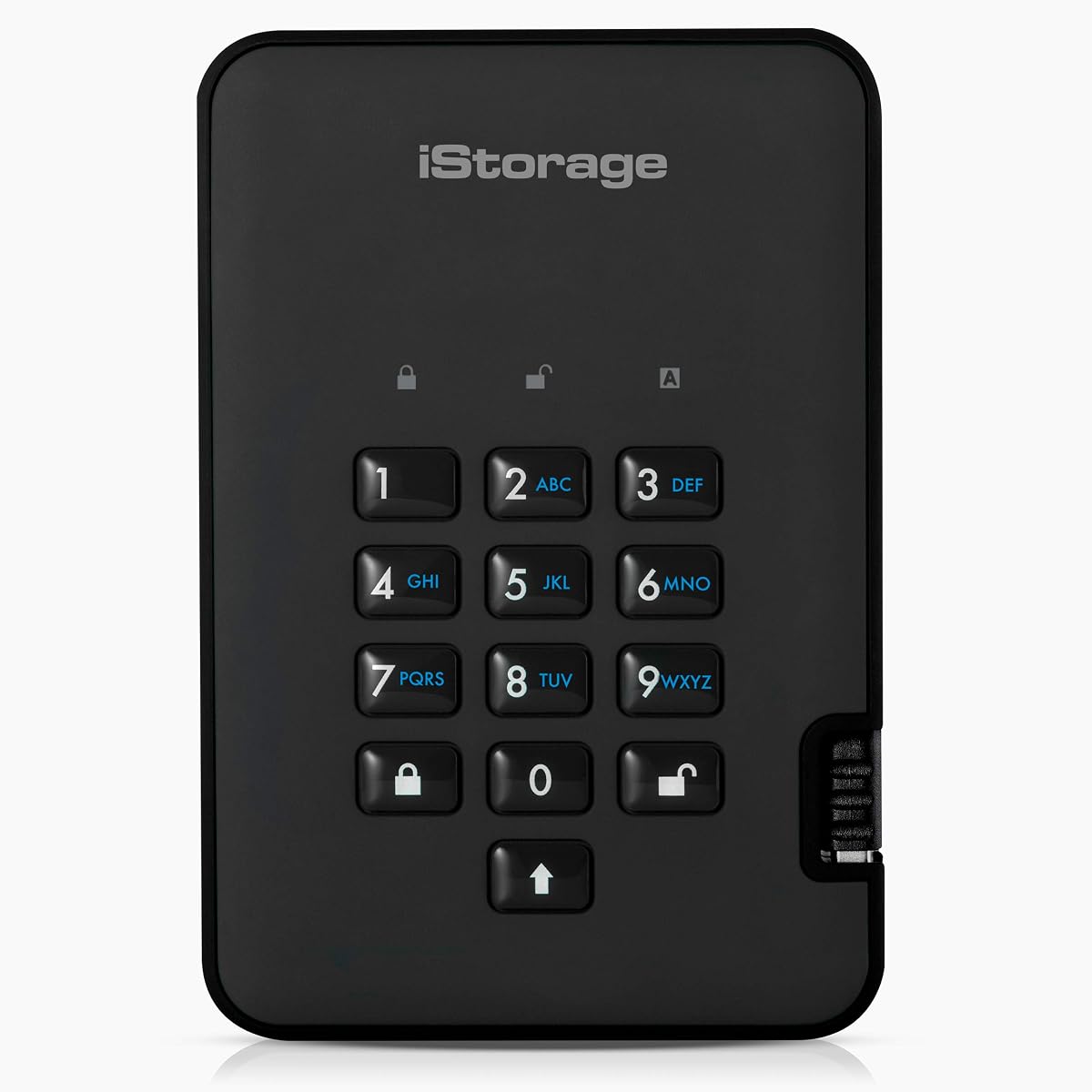
The iStorage diskAshur2 HDD is designed for harsh environments. With IP56 certification, it resists dust and water splashes. Hardware encryption ensures data remains secure even if the drive is lost.
We may earn a commission when you buy through this link, at no additional cost to you.
Authentication requires a PIN, avoiding the need for software. It is compatible with all major operating systems. The Common Criteria EAL 5+ certification adds a layer of trust.
Transfer speeds are decent for a hard drive. The build quality is rugged but slightly heavier than standard drives. These features make it ideal for field workers or outdoor use.
Best for construction sites, military field use, or outdoor research. The resistance to elements is its strongest asset. If you need a secure drive for tough conditions, this model is highly recommended.
IP56 certification ensures protection against dust and water. This durability is essential for portable storage in rugged conditions.
Using a PIN avoids software installation needs. This method simplifies access and reduces potential points of failure.
We may earn a commission when you buy through this link, at no additional cost to you.
The DataLocker DL4 FE uses the latest FIPS 140-3 validation. An interactive screen guides setup and management without software. It supports SafeConsole for remote device management and auditing.
We may earn a commission when you buy through this link, at no additional cost to you.
TAA compliance and IP64 resistance make it suitable for secure government and outdoor use. The SSD offers fast speeds, enhancing productivity. Remote management features provide unparalleled control for administrators.
The price is premium, reflecting enterprise features. Non-enterprise users may find the complexity unnecessary. These factors make it a niche but powerful choice for specific security needs.
Ideal for government agencies and secure enterprises. The latest validation and remote tools are key benefits. If you need top-tier compliance and management, this drive delivers unmatched security.
The latest FIPS standard ensures maximum security. This validation meets the most current cryptographic requirements.
SafeConsole allows remote auditing and control. This feature helps administrators secure devices across locations.
We may earn a commission when you buy through this link, at no additional cost to you.
This SSD combines speed, capacity, and security effectively. With read/write speeds up to 350 mBPS, it handles large files efficiently. The four terabyte capacity suits power users and professionals.
We may earn a commission when you buy through this link, at no additional cost to you.
Separate Admin and User modes provide strict access control. Data Recovery PINs ensure access isn't lost. The brute-force defense mechanism adds security against unauthorized attempts.
It is expensive, and may be overkill for average consumers. The high user rating reflects satisfaction among professional users. The performance justifies the cost for intensive workloads.
Best for video editors, scientists, and data analysts. The speed helps with rendering and processing tasks. If you need a secure drive that doesn't compromise speed, this model is the top choice.
Up to 350 mBPS speeds support demanding workloads. This performance ensures quick access to large files.
Separate modes enable secure access management. This feature prevents unauthorized access and accidental changes.
We may earn a commission when you buy through this link, at no additional cost to you.
Selecting the right encrypted secure external hard drive requires understanding key factors. This guide outlines critical features and standards to consider for your specific needs.
Look for drives with FIPS 140-2 or 140-3 validation. These standards ensure hardware encryption meets federal requirements. They protect against unauthorized access and tampering.
Prioritize validated encryption for sensitive data. Standard passwords without hardware encryption are less secure.
Check for TAA compliance if you need government procurement. Common Criteria EAL 5+ certification indicates rigorous testing. These certifications ensure the drive meets strict security regulations.
Verify certifications match your organizational policies. Compliance is essential for corporate or public sector use.
Rugged drives with epoxy coating offer protection against physical attacks. IP ratings like IP56 or IP64 indicate water and dust resistance. Durability ensures the drive survives harsh environments.
Choose rugged designs for field work or travel. Sealed components reduce failure risks.
USB 3.0 or USB 3.2 interfaces provide fast transfer speeds. SSDs offer faster performance than HDDs. Consider speed if you handle large files regularly.
Select USB 3.0 for compatibility and speed. SSDs are ideal for high-demand use cases.
Drives range from 1TB to 5TB. Consider your storage requirements before purchasing. Higher capacity often means higher cost.
Evaluate current and future storage needs. Ensure the drive fits your budget and usage.
Hardware encryption does not require software. It works across any OS without installation. Software drives may need setup on each device.
Prefer hardware encryption for simplicity and security. Avoid software-dependent solutions if possible.
Strong password and PIN features are essential. Look for brute force protection or self-destruct features. Recovery PINs prevent permanent data loss.
Ensure the drive has robust access controls. Password recovery options are vital for security.
Check warranty terms before buying. Three-year warranties are common for quality drives. Ensure customer support is accessible if issues arise.
Choose drives with reliable warranty coverage. Support ensures peace of mind for long-term use.
Always enter your PIN or password before accessing files. Never share your credentials with others. Store recovery PINs in a secure location.
Keep the drive dry and away from extreme heat. Use a protective case when transporting. Avoid bending or dropping the device.
Back up data regularly to prevent loss. Update firmware if updates are available. Disconnect the drive safely after use.
Hardware-encrypted drives work with any operating system without software. They use a USB connection and internal encryption. Just enter your PIN to access data. This universal compatibility ensures easy use.
Most secure drives offer a recovery PIN. This PIN allows you to regain access. Keep this PIN safe and separate from the drive. Losing both can permanently lock data.
No, hardware encryption is built into the drive. It does not require installation on your computer. This makes it compatible with all systems. It also avoids potential software vulnerabilities.
Modern encrypted drives use fast USB 3.0 or SSDs. Encryption happens in real time with minimal speed loss. Some models offer speeds up to 350 mBPS. Performance remains strong for most users.
FIPS 140-2 validation ensures the drive meets federal encryption standards. It tests cryptographic modules rigorously. This certification guarantees security for sensitive data. It is essential for government and business use.
Choose a drive with sealed epoxy coating. These are designed to resist physical tampering. Keep the drive in a secure location. Rugged designs add extra protection against damage.
Hardware-encrypted drives do not require drivers. They plug and play via USB. This ensures easy setup on any computer. Avoid software-dependent models to simplify use.
Some drives offer read-only modes. These allow sharing without risk of modification. Use separate user accounts for different access levels. This helps maintain data integrity while sharing.
Our top picks include the Apricorn 1TB Aegis Padlock for security and the WD 2TB My Passport for budget. Each model offers unique features to fit different needs. Whether you need rugged durability or high capacity, options are available.
Prioritize FIPS validation, hardware encryption, and physical durability. Consider capacity and speed for your specific use case. Ensure the drive meets your compliance requirements. Security should never be compromised for cost.
Check current prices before purchasing. Availability may change over time. Always verify warranty terms for your region. Investing in a secure drive now protects your data for the future.